Our quick picks
Compare the picks
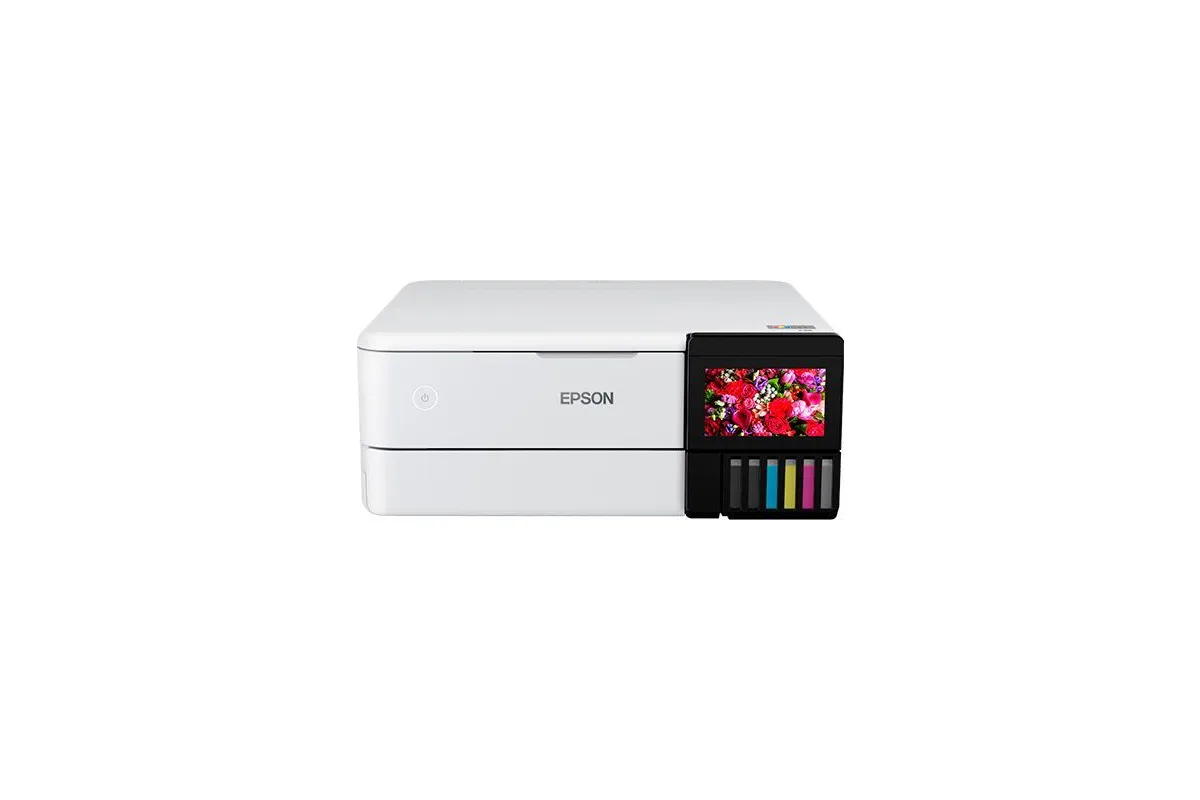
| Feature | Best overallEpsonEcoTank ET-2980 | Best with a document feederEpsonEcoTank ET-3950 | Best budgetBrotherMFC-J1360DW | Best for photos and documentsEpsonEcoTank Photo ET-8500 | Best mono laserBrotherHL-L2460DW | Best color laser all-in-oneCanonColor imageCLASS MF665Cdw |
|---|---|---|---|---|---|---|
| Type | Ink tank inkjet | Ink tank inkjet | Cartridge inkjet | Photo ink tank inkjet | Mono laser | Color laser |
| Functions | Print, scan, copy | Print, scan, copy | Print, scan, copy | Print, scan, copy | Print only | Print, scan, copy, fax |
| Document feeder | None (flatbed only) | 30-sheet ADF (auto two-sided scanning) | 20-sheet ADF (one side) | None (flatbed only) | None | 50-sheet single-pass duplex ADF |
| Auto duplex printing | Yes | Yes | Yes | Yes | Yes | Yes |
| Color printing | Yes | Yes | Yes | Yes | No | Yes |
| Where to buy | Check price at Amazon | Check price at Amazon | Check price at Amazon | Check price at Amazon | Check price at Amazon | Check price at Amazon |
Best overall
Epson EcoTank ET-2980
- Type
- Ink tank inkjet
- Functions
- Print, scan, copy
- Document feeder
- None (flatbed only)
- Auto duplex printing
- Yes
- Color printing
- Yes
Best with a document feeder
Epson EcoTank ET-3950
- Type
- Ink tank inkjet
- Functions
- Print, scan, copy
- Document feeder
- 30-sheet ADF (auto two-sided scanning)
- Auto duplex printing
- Yes
- Color printing
- Yes
Best budget
Brother MFC-J1360DW
- Type
- Cartridge inkjet
- Functions
- Print, scan, copy
- Document feeder
- 20-sheet ADF (one side)
- Auto duplex printing
- Yes
- Color printing
- Yes
Best for photos and documents
Epson EcoTank Photo ET-8500
- Type
- Photo ink tank inkjet
- Functions
- Print, scan, copy
- Document feeder
- None (flatbed only)
- Auto duplex printing
- Yes
- Color printing
- Yes
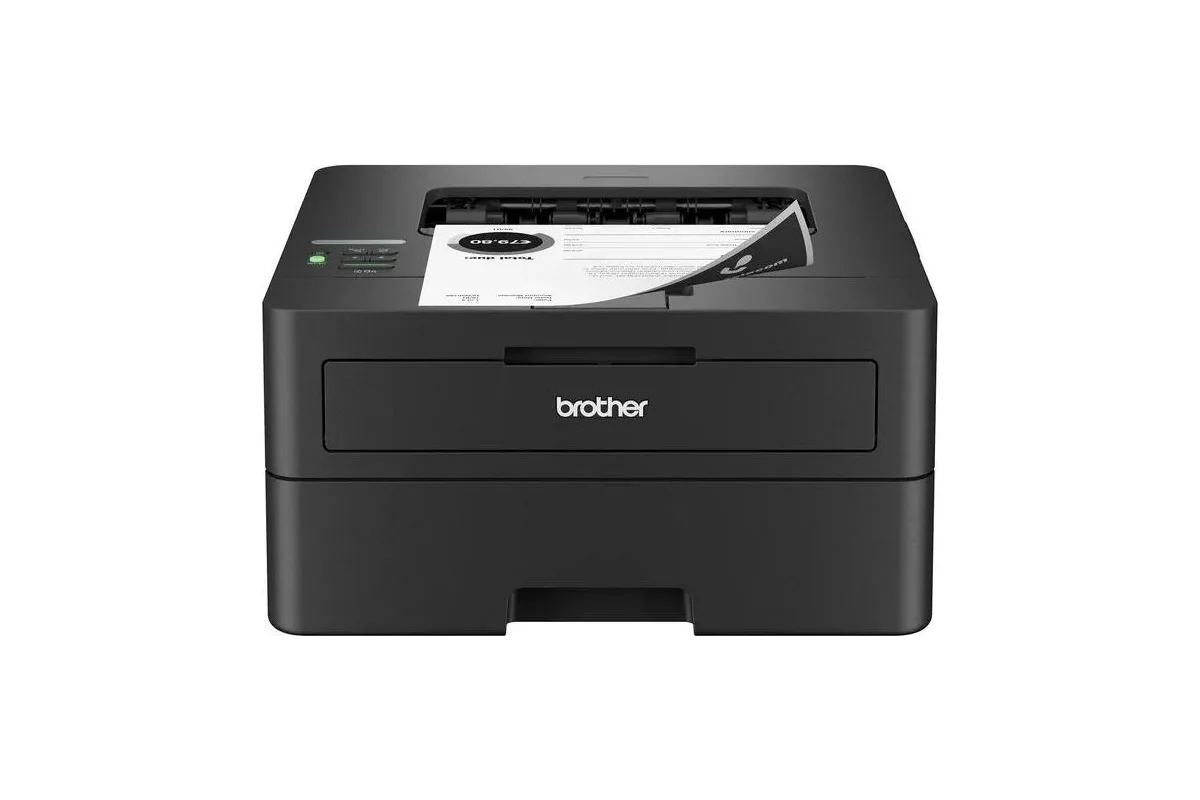
Best mono laser
Brother HL-L2460DW
- Type
- Mono laser
- Functions
- Print only
- Document feeder
- None
- Auto duplex printing
- Yes
- Color printing
- No
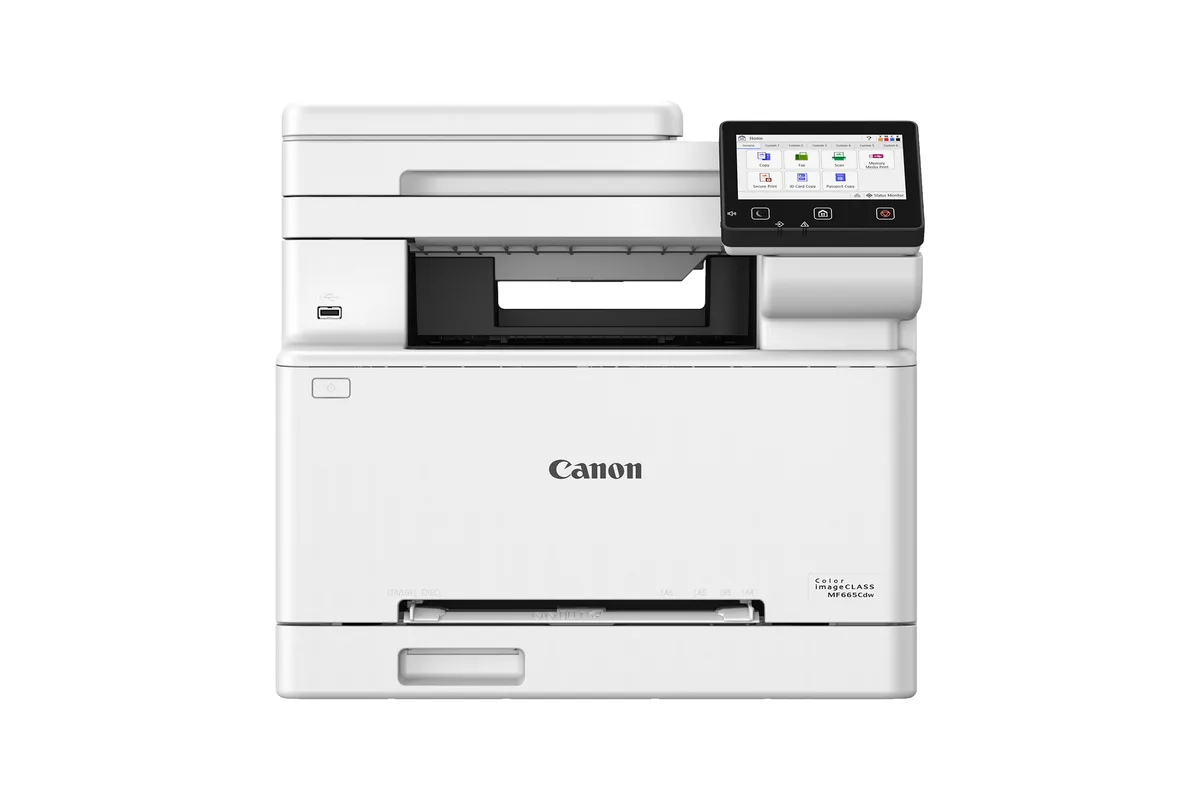
Best color laser all-in-one
Canon Color imageCLASS MF665Cdw
- Type
- Color laser
- Functions
- Print, scan, copy, fax
- Document feeder
- 50-sheet single-pass duplex ADF
- Auto duplex printing
- Yes
- Color printing
- Yes
01Best overall
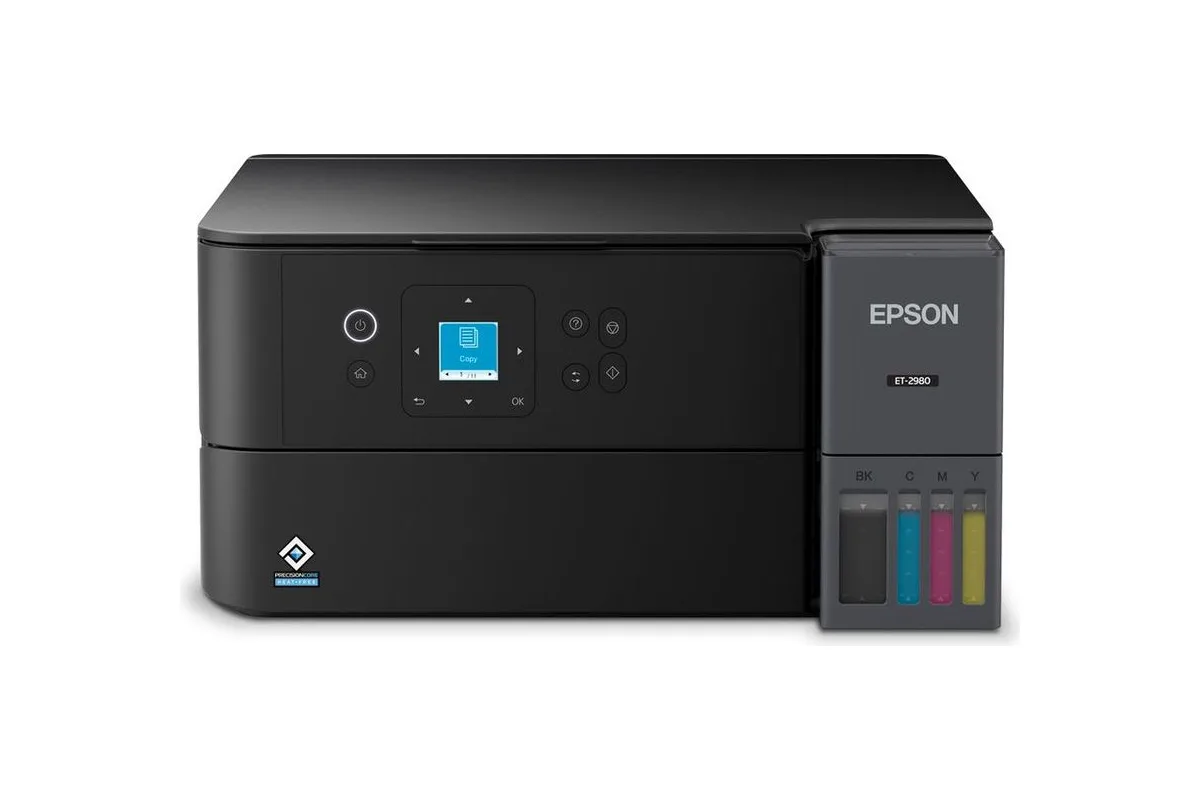
Epson EcoTank ET-2980
A compact ink-tank all-in-one with automatic two-sided printing and ink that costs well under a cent per black page.
For most homes, an ink-tank printer is the right call, and the ET-2980 is the one we'd buy. PCMag names it the best all-in-one inkjet for homes, and RTINGS found its black-and-white documents superbly sharp. The bottles in the box are rated for thousands of pages, and refills cost about 0.3¢ per black page and 1.1¢ per color page at Epson's October 2026 prices.
It's a straightforward flatbed all-in-one with automatic two-sided printing and Wi-Fi, and it's one of the first EcoTanks with a waste-ink box you can replace yourself. Skip it if you scan stacks of paper: there's no document feeder.
Good for
- About 0.3¢ per black page and 1.1¢ per color page at Epson's October 2026 prices and rated yields
- PCMag's best all-in-one inkjet for homes; RTINGS found its black-and-white documents superbly sharp
- In-box ink rated for up to 6,600 black and 5,500 color pages, with a user-replaceable maintenance box
Consider
- No document feeder, so multi-page scans and copies go one sheet at a time
- Basic paper handling: one 100-sheet rear tray and no Ethernet
02Best with a document feeder
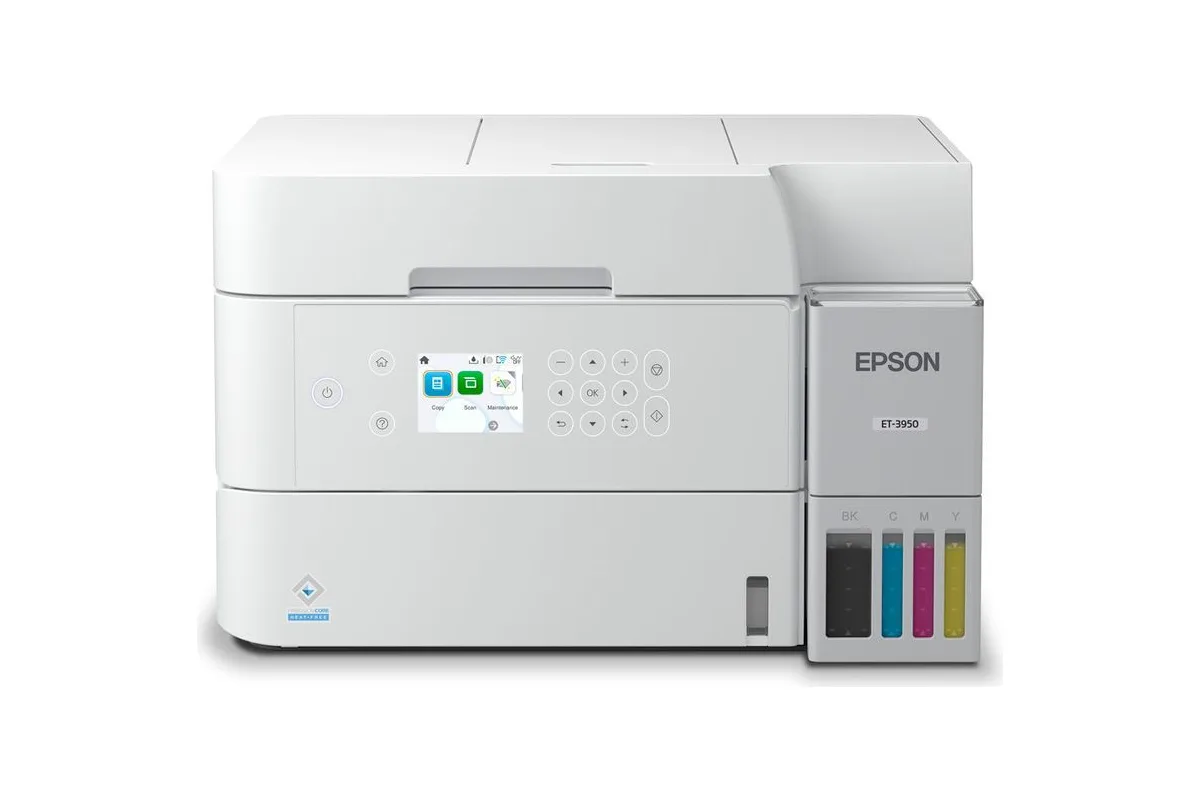
Epson EcoTank ET-3950
An ink-tank all-in-one with a 30-sheet document feeder that scans both sides, a 250-sheet cassette and Ethernet.
The ET-3950 uses the same cheap ink as the ET-2980 and adds what home offices miss: a 30-sheet document feeder that scans both sides automatically, a 250-sheet front cassette, and Ethernet. PCMag gives it an Editors' Choice as the best inkjet for home offices.
RTINGS rates its color accuracy only passable, so it's better for documents than photos. It was hard to find in October 2026, including at Epson, so check stock before you set your heart on it.
Good for
- About 0.3¢ per black page and 1.1¢ per color page with Epson's 502 bottles
- 30-sheet document feeder with automatic two-sided scanning, rare on an ink-tank printer (RTINGS)
- PCMag Editors' Choice and its best inkjet for home offices
Consider
- RTINGS rates color accuracy only passable, with a reddish cast in photos
- Often out of stock in October 2026, including at Epson
03Best budget
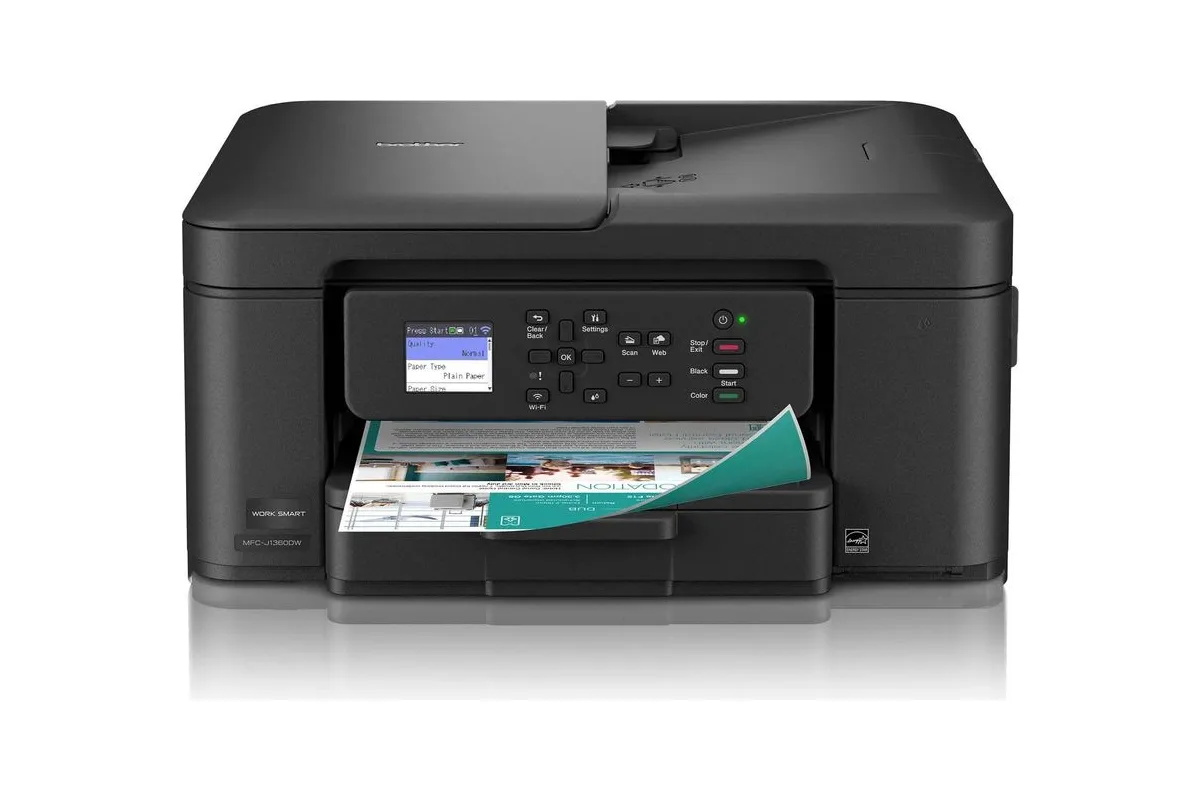
Brother MFC-J1360DW
A low-cost cartridge all-in-one with a document feeder and two-sided printing, best for people who print a few pages a week.
If you print a few pages a week and don't want to spend much upfront, the MFC-J1360DW is a capable cartridge all-in-one at a low price, often under $100. It even has a 20-sheet document feeder and automatic two-sided printing, which is rare at this price. Consumer Reports got more pages than rated from its black cartridge.
The trade-off is ink. At about 8 to 10¢ per black page, it costs roughly 30 times more per page than an ink tank, and it won't print at all if one color runs dry. If you print more than occasionally, an ink tank pays for itself.
Good for
- Often under $100, yet includes a 20-sheet document feeder and automatic two-sided printing
- Consumer Reports got 375 black pages from a cartridge rated for 250
- Separate cartridges for each color, with 500-page XL versions
Consider
- About 8 to 10¢ per black page, roughly 30 times the cost of an ink-tank printer
- No Ethernet or two-sided scanning, and it won't print if any color runs out
04Best for photos and documents
Epson EcoTank Photo ET-8500
A six-ink photo ink-tank all-in-one that prints sharp documents and excellent borderless photos up to letter size.
RTINGS' best home printer overall, the ET-8500 is for homes that print photos as often as documents. Its six inks, including gray and photo black, produce rich color and neutral black-and-white prints, and it handles photo paper, card stock, thick media and even CDs.
It costs more upfront than the document-focused tanks and has no document feeder. If photos are your main reason for buying, see our [best photo printers guide](/buying-guides/best-photo-printers), which includes its 13x19-inch sibling, the ET-8550.
Good for
- RTINGS' best home printer, for sharp documents and vibrant, detailed photos
- Six inks, including gray and photo black, for strong color and neutral black-and-white photos
- Handles photo paper, card stock, thick media, CDs and DVDs, and prints from SD cards
Consider
- No document feeder or two-sided scanning
- Costs more upfront than document-focused ink tanks, and color pages cost a little more
05Best mono laser
Brother HL-L2460DW
A compact print-only mono laser with auto duplex, dual-band Wi-Fi and Ethernet that never clogs, no matter how long it sits.
If you print only black text, and sometimes go weeks without printing at all, a laser is the better choice: toner doesn't dry out and lasers never clog. The HL-L2460DW is RTINGS' best budget home printer, with automatic two-sided printing, fast output and full Wi-Fi and Ethernet connectivity.
Pages cost about 4¢ with XL toner and the drum, far more than an ink tank but with no wasted ink. Read our [full review](/reviews/brother-hl-l2460dw-review) for the details.
Good for
- Auto duplex plus Wi-Fi, Wi-Fi Direct, Ethernet and USB, the best-connected of Brother's HL-L24xx print-only models
- Printed 37 pages per minute after the first page in PCMag's test, beating its 36 ppm rating
- Ready to print after weeks unused, with no clogging (RTINGS)
Consider
- Default print quality is below Brother's norm: PCMag saw banding in graphics, and RTINGS says settings need adjusting
- About 4¢ a page with XL toner and the separate drum at Brother's October 2026 prices; standard toner costs more
06Best color laser all-in-one
Canon Color imageCLASS MF665Cdw
A color laser all-in-one with a single-pass duplex document feeder, sharp documents, a 5-inch touchscreen and a three-year warranty.
For a busy home office that scans, copies and faxes, RTINGS calls the MF665Cdw one of the best document printers it has tested. Its 50-sheet feeder scans both sides in one pass, the 5-inch touchscreen is easy to use, and Canon's three-year warranty is generous.
Color pages are expensive (Consumer Reports measured about 31¢ per color graphics page) and photos look flat, so it's a document machine. It's also big and heavy at nearly 49 pounds.
Good for
- RTINGS' best upper-mid-range laser, with very sharp documents and outstanding scans
- 50-sheet single-pass duplex document feeder and a large 5-inch touchscreen
- Three-year limited warranty, versus one year on most rivals
Consider
- Only a 1-sheet manual feed slot for envelopes and labels, and 2.4 GHz-only Wi-Fi
- Color pages cost more than Brother's XXL-toner lasers: about 20¢ at Canon's list prices
How to choose
What you print
Mostly black text suits a mono laser. Color documents and the occasional photo suit an ink tank or inkjet.
Running costs
Compare cost per page rather than cartridge prices. Ink tanks and lasers cost more upfront and far less over time.
Ink and account terms
Check whether the printer blocks third-party ink or toner, or requires an account or subscription to work.
How we chose
We started with the home printers that independent labs rate highest, mainly RTINGS, PCMag and Consumer Reports, and checked each against current prices, rated ink and toner yields, and what owners and labs report about reliability. Then we matched them to how people actually print at home. Prices and stock were checked on October 12, 2026. We haven’t tested these printers ourselves; see how we score for how we weigh the evidence.
Which kind of printer do you need?
- You print color documents, schoolwork or the occasional photo: get an ink-tank printer. It costs more upfront but ink costs a fraction of a cent per page.
- You print a few pages a month and want to spend as little as possible today: a cartridge inkjet like the Brother MFC-J1360DW is cheapest to buy, but the most expensive to run.
- You print black text, sometimes after weeks of not printing: get a mono laser. It never clogs.
- You run a home office that scans and copies a lot: look for a document feeder that scans both sides, like the Epson ET-3950 or Canon MF665Cdw.
Still deciding between ink and toner? Our ink tank or laser comparison goes through it.
What matters over time
Cost per page, not cartridge price. An ink-tank printer like the ET-2980 costs about 0.3¢ per black page; a cartridge printer like the MFC-J1360DW costs 8 to 10¢; a mono laser costs about 4¢ including its drum. Over a few years, that difference is worth far more than the gap in purchase price. We explain why in why printer ink costs so much.
Idle time. Inkjets spend ink cleaning their printheads and can clog if they sit unused. If you print rarely, a laser wastes nothing. If you do buy an inkjet, print something every week or two.
Lock-in. Every printer here prints without an account or subscription. Avoid printers that require one: HP’s HP+ printers, for example, need an HP account, an internet connection and original HP ink.
Also consider
- Epson EcoTank ET-1910: PCMag’s best basic inkjet for homes, a cheap print-only ink tank. It has no scanner or automatic two-sided printing.
- Brother MFC-L2820DW: the HL-L2460DW’s laser with a scanner, copier and document feeder. See our laser printer guide.
- Canon PIXMA G3290: a Canon MegaTank all-in-one with automatic two-sided printing. No major lab had reviewed it as of October 2026.
Sources
- The best home printers, RTINGS
- The best printers, PCMag
- Epson EcoTank ET-2980 review, PCMag
- Epson EcoTank ET-3950 review, PCMag
- Epson EcoTank ET-2980 review, RTINGS
- Epson EcoTank ET-3950 review, RTINGS
- Epson celebrates seven generations of cartridge-free printing with EcoTank ET-2980, Epson
- Epson unveils seventh-generation EcoTank supertank printers, Epson
- Epson 502 Black Ink Bottle, Epson
- MFC-J1360DW product page, Brother
- Brother MFC-J1360DW review, Consumer Reports
- Epson EcoTank Photo ET-8500 review, PCMag
- ET-8500/ET-8550 User's Guide (PDF), Epson
- HL-L2460DW product page, Brother
- Color imageCLASS MF665Cdw product page, Canon
- Canon Color imageCLASS MF665Cdw review, Consumer Reports
- Canon Color imageCLASS MF665Cdw review, RTINGS
- HP+ printers FAQ, HP
Keep exploring
Buying guide
The best laser printers
Sharp pages, no clogged nozzles: the mono and color lasers worth buying, and what they really cost to run.
Read story
Review
Brother HL-L2460DW review
A simple, dependable laser for the pages you actually print, with a few settings worth changing.
Read review