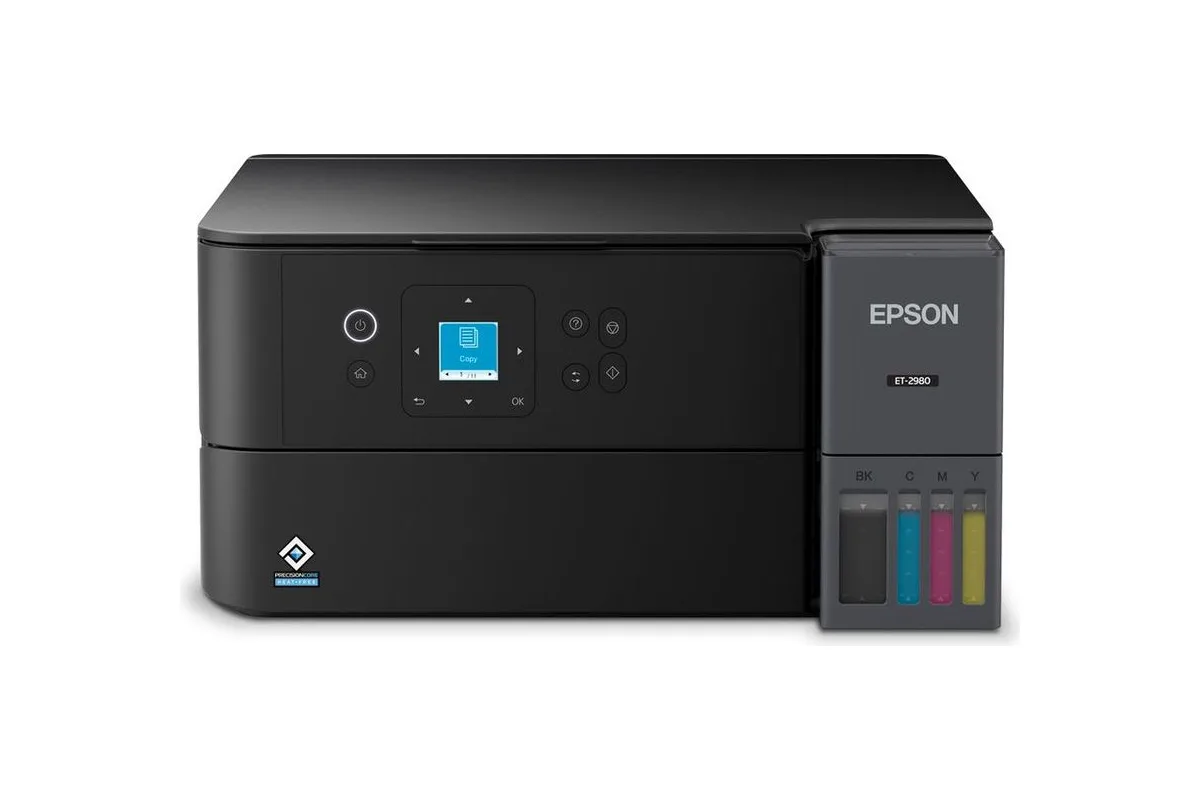
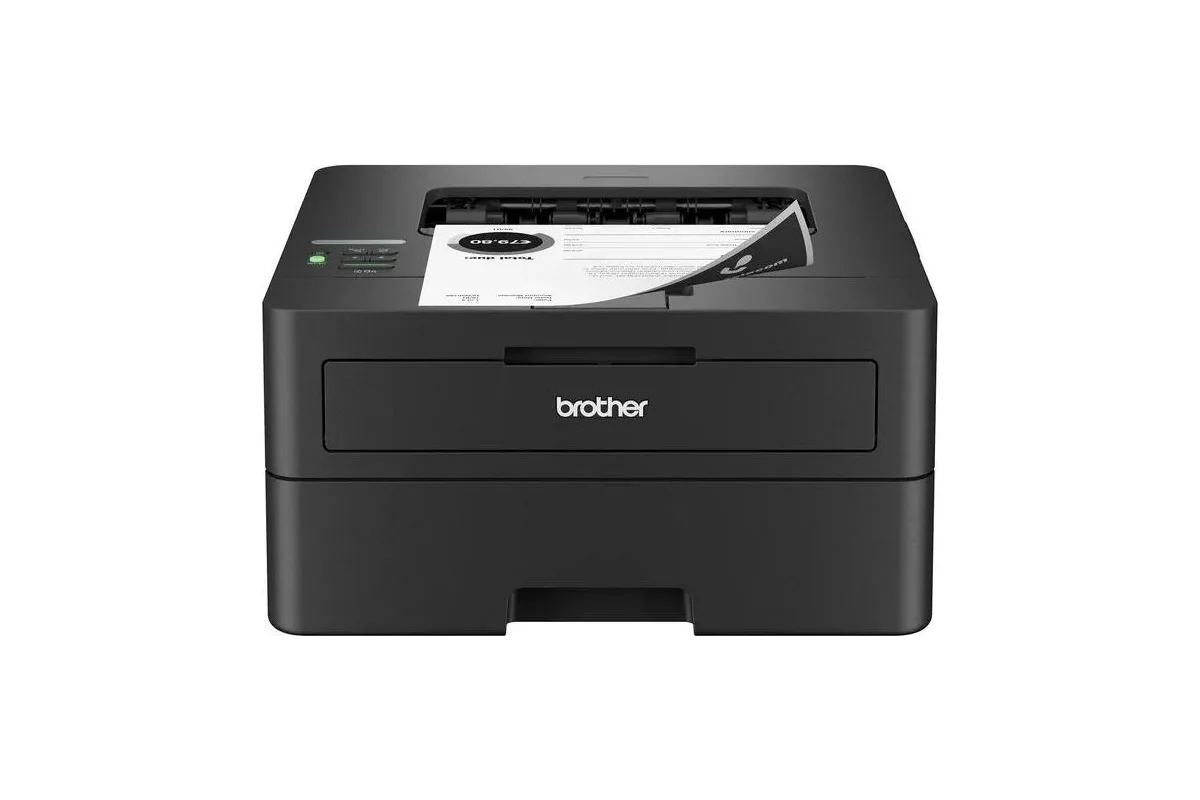
Side by side
| Feature | EpsonEcoTank ET-2980 | BrotherHL-L2460DW |
|---|---|---|
| Type | Ink tank inkjet | Mono laser |
| Functions | Print, scan, copy | Print only |
| Document feeder | None (flatbed only) | None |
| Auto duplex printing | Yes | Yes |
| Color printing | Yes | No |
| Where to buy | Check price at Amazon | Check price at Amazon |
Epson EcoTank ET-2980
- Type
- Ink tank inkjet
- Functions
- Print, scan, copy
- Document feeder
- None (flatbed only)
- Auto duplex printing
- Yes
- Color printing
- Yes
Brother HL-L2460DW
- Type
- Mono laser
- Functions
- Print only
- Document feeder
- None
- Auto duplex printing
- Yes
- Color printing
- No
The quick version
For most homes that print a mix of color and black, an ink-tank printer is the better buy: it prints color and photos, and its ink costs a fraction of a cent per page. For homes that print only black text, and often go weeks between print jobs, a mono laser is the better buy: it never clogs, it’s faster, and toner doesn’t dry out.
To make that concrete, we compared two of the most recommended printers of each kind: the Epson EcoTank ET-2980 ink tank and the Brother HL-L2460DW mono laser.
Running costs
| Epson ET-2980 (ink tank) | Brother HL-L2460DW (laser) | |
|---|---|---|
| Black page | about 0.29¢ | about 4.3¢ (XL toner plus drum) |
| Color page | about 1.08¢ | can’t print color |
| In the box | ink for up to 6,600 black pages | toner for 700 pages |
Figures use the makers’ October 2026 prices and rated yields. The ink tank is roughly 10 to 15 times cheaper per black page, and it comes with years of ink. The laser’s cost includes its separate drum, which adds about 1¢ a page over its 15,000-page life. PCMag measured 3.3¢ for the laser at 2024 toner prices.
The ink tank’s numbers come with a catch: inkjets spend ink cleaning their printheads, especially when they sit unused. In Consumer Reports’ tests of occasional printing, many inkjets put half or less of their ink on paper. Lasers spend no toner on maintenance. At the ET-2980’s prices that waste is cheap, but it’s part of why idle time matters.
Idle time and clogging
This is the deciding question for many homes. RTINGS is blunt about it: every inkjet can clog, and lasers can’t. It notes that the ET-2980 can clog if left unused, while the HL-L2460DW is ready even after weeks of inactivity. Epson’s own advice for the ET-2980 is to top up each tank at least once a year and to clean the printhead only when quality drops.
If you print something most weeks, the ink tank will be fine. If your printer can sit untouched for a month or more, choose the laser.
Print quality
- Text: both produce sharp, perfectly readable documents. RTINGS rated the ET-2980’s black text superbly sharp; PCMag found the HL-L2460DW’s text good for nearly any business use, though its default settings benefit from adjusting.
- Color and photos: only the ET-2980 does them, printing borderless photos up to letter size. Photos are fine for the fridge rather than the frame. The laser prints black only and isn’t meant for photo paper.
- Durability: laser toner is fused onto the page and won’t smudge. The ET-2980’s pigment black resisted water and highlighter in PCMag’s tests.
Speed
The laser is much faster for documents. Brother rates the HL-L2460DW at 36 pages per minute and PCMag measured 37; Epson rates the ET-2980 at 15 in black, and RTINGS calls its speed mediocre. In Consumer Reports’ test, the laser printed five text pages in about 17 seconds against about 30 for the ink tank. For a few pages at a time, either is quick enough.
Features
The ET-2980 is an all-in-one, so it also scans and copies on a flatbed. The HL-L2460DW only prints. Both print two-sided automatically and connect over Wi-Fi; the laser adds Ethernet and a larger 250-sheet tray against the Epson’s 100-sheet rear feed. If you want a laser that scans, Brother’s MFC-L2820DW uses the same toner and adds a scanner and document feeder.
Neither needs an account or subscription, and neither locks you into the maker’s supplies: the Epson’s bottles have no chips, and Brother says its firmware doesn’t block third-party toner.
Which should you buy?
Choose the Epson ET-2980 if you print color, photos or schoolwork regularly and want the cheapest pages. Choose the Brother HL-L2460DW if you print black text, often after long gaps, and value a printer that’s simply ready. Read our full reviews of the Epson ET-2980 and Brother HL-L2460DW, or see more options in our home printer and laser printer guides.
Sources
- Inkjet vs. laser printers, RTINGS
- Epson EcoTank ET-2980 review, RTINGS
- Brother HL-L2460DW review, RTINGS
- The best printers, PCMag
- Epson EcoTank ET-2980 review, PCMag
- Brother HL-L2460DW review, PCMag
- The high cost of wasted printer ink, Consumer Reports
- EcoTank ET-2980 product page, Epson
- Epson 502 Black Ink Bottle, Epson
- HL-L2460DW product page, Brother
- TN830XL High Yield Toner, Brother
- DR830 Drum Unit, Brother
- Oh Brother. Printer giant denies dirty toner tricks, The Register
Keep exploring
Buying guide
Find your everyday printer
Start with the pages you actually print: the best ink-tank, cartridge and laser printers for home.
Read story
Buying guide
The best laser printers
Sharp pages, no clogged nozzles: the mono and color lasers worth buying, and what they really cost to run.
Read story