Our quick picks
Compare the picks
| Feature | Best overallCanonSELPHY QX20 | Best instant filmFujifilmInstax mini Link+ | Most pocketablePolaroidHi-Print 2x3 (Generation 2) | Best for journalingCanonIVY 2 |
|---|---|---|---|---|
| Print technology | Dye-sublimation with overcoat | Instant film | Dye-sublimation with overcoat | Zink (zero ink) |
| Print size | 2.7x2.7 in or 2.1x3.4 in sheet | 2.1x3.4 in (Instax Mini) | 2.1x3.4 in | 2x3 in |
| Connection | Wi-Fi Direct | Bluetooth 5.1 | Bluetooth | Bluetooth 5.0 |
| Media | Ink and label cassettes | Instax Mini film | Paper cartridges | Zink photo and sticker paper |
| Where to buy | Check price at Amazon | Check price at Amazon | Check price at Amazon | Check price at Amazon |
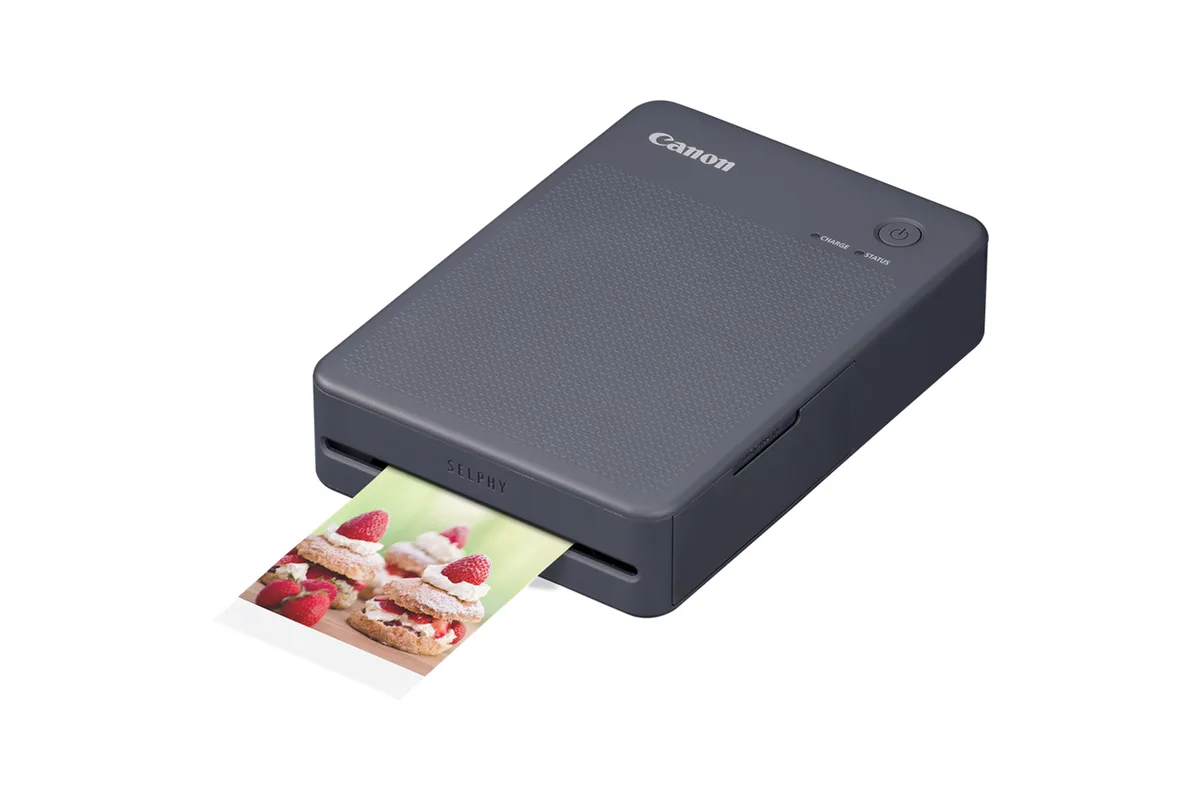
Best overall
Canon SELPHY QX20
- Print technology
- Dye-sublimation with overcoat
- Print size
- 2.7x2.7 in or 2.1x3.4 in sheet
- Connection
- Wi-Fi Direct
- Media
- Ink and label cassettes
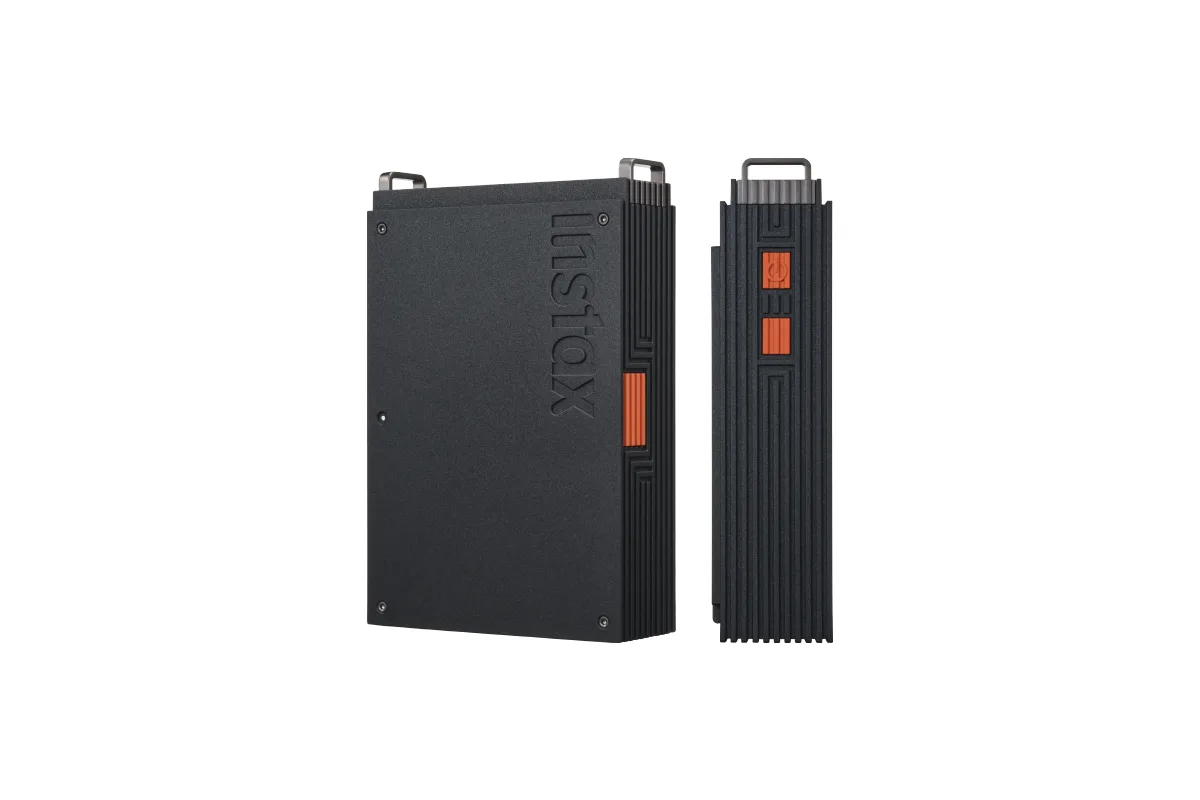
Best instant film
Fujifilm Instax mini Link+
- Print technology
- Instant film
- Print size
- 2.1x3.4 in (Instax Mini)
- Connection
- Bluetooth 5.1
- Media
- Instax Mini film
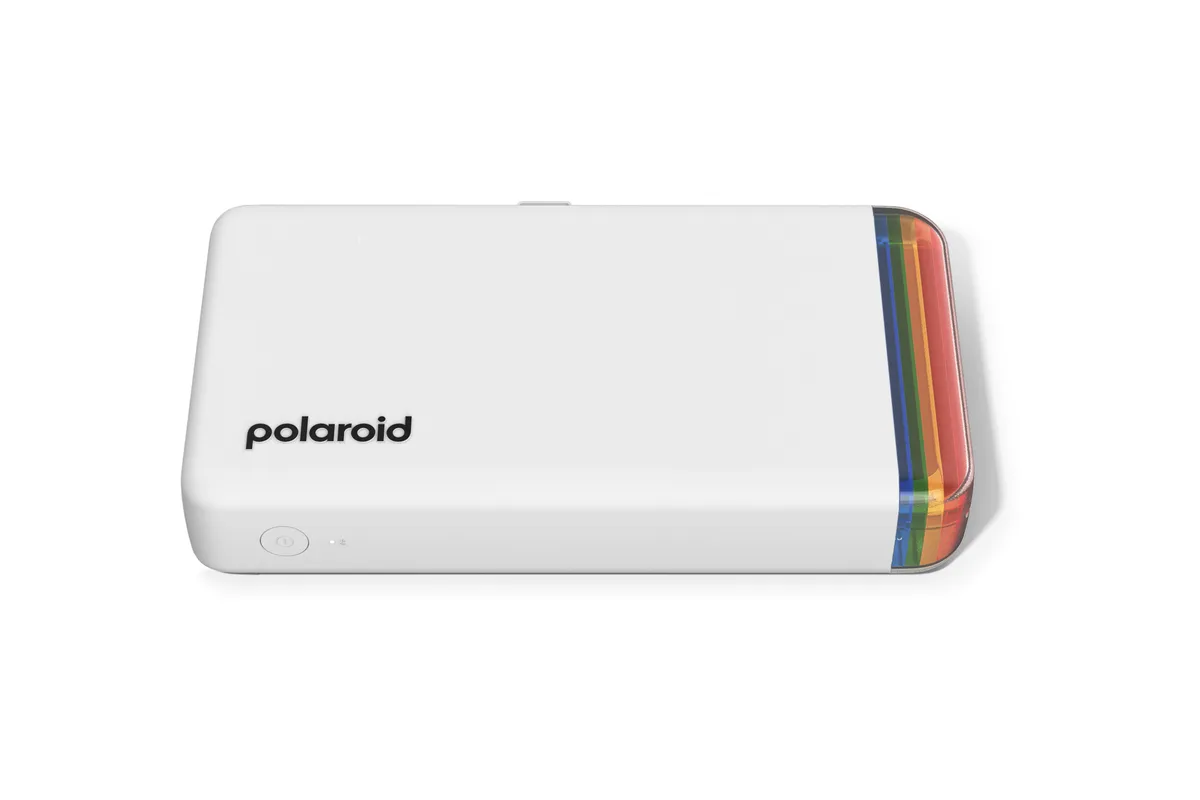
Most pocketable
Polaroid Hi-Print 2x3 (Generation 2)
- Print technology
- Dye-sublimation with overcoat
- Print size
- 2.1x3.4 in
- Connection
- Bluetooth
- Media
- Paper cartridges
Best for journaling
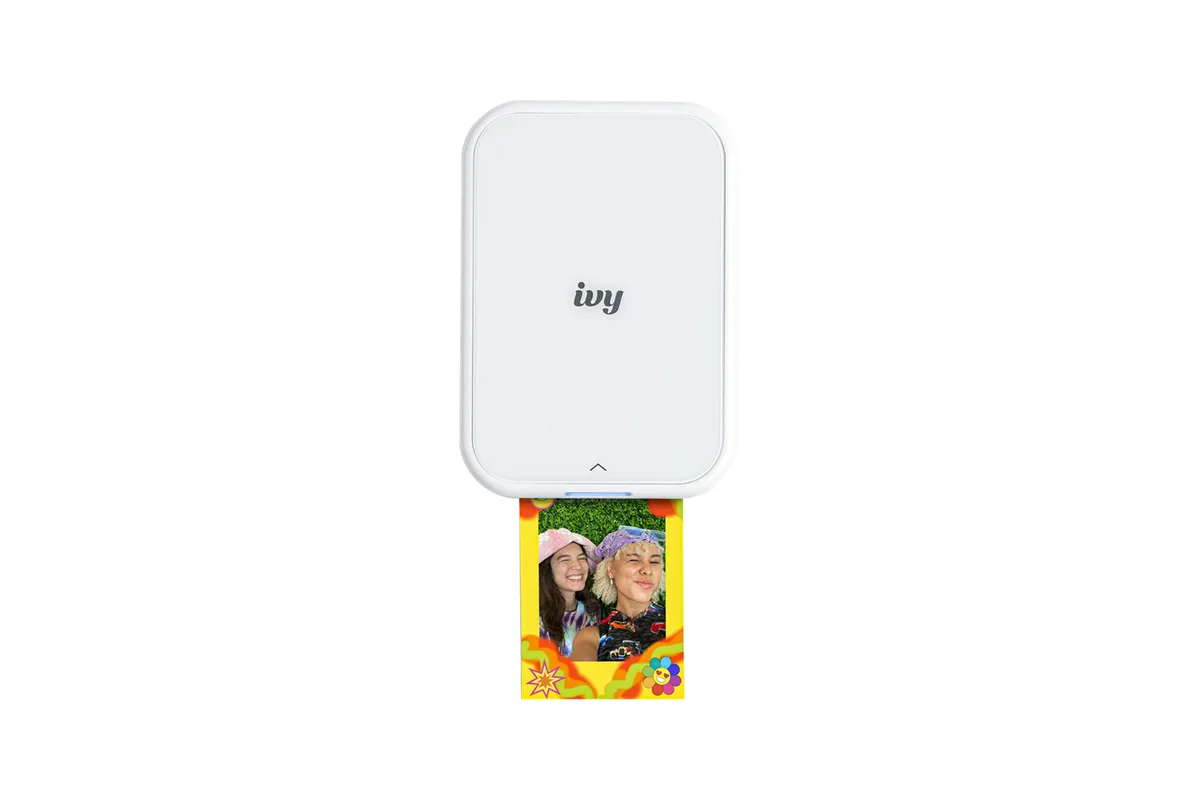
Canon IVY 2
- Print technology
- Zink (zero ink)
- Print size
- 2x3 in
- Connection
- Bluetooth 5.0
- Media
- Zink photo and sticker paper
01Best overall
Canon SELPHY QX20
A pocket dye-sub printer that makes durable, sticker-backed square and card-size prints with rich color.
The SELPHY QX20 makes the best-looking, toughest prints of any pocket printer we considered. It's a dye-sublimation printer: it lays down color in three passes and finishes with a clear protective coat, so prints come out dry, smudge-proof and water-resistant. PCMag poured coffee on one and wiped it clean. Every print has a sticky back, and it's the only printer here that does both square (2.7x2.7 inches) and card-size prints.
It isn't cheap to feed, at about 78 to 85¢ a print with Canon's own packs, and its card-size prints carry a white strip that can't be torn off, leaving an image about 2.1x2.8 inches. It connects over Wi-Fi rather than Bluetooth. If print quality matters most, it's still the one to get.
Good for
- The only printer here that prints both square (2.7x2.7 in) and card-size prints
- Overcoated dye-sub prints survived PCMag's coffee-spill test, and every print is sticker-backed
- Quick for dye-sub at about 48 seconds a print (PCMag), and a PCMag Editors' Choice
Consider
- Prints cost about 78–85¢ at Canon's list prices, and the card-size image is about 2.1x2.8 in because of a fixed white strip
- Wi-Fi only, with no Bluetooth, and it prints from phones only
02Best instant film
Fujifilm Instax mini Link+
Fujifilm's sharpest Instax phone printer, making real instant-film prints in about 15 seconds.
If you want real instant film, with its look and feel, the mini Link+ is Fujifilm's best phone printer yet. Digital Camera World found it the sharpest and most color-accurate Instax printer it has used, and it even prints legible large text, thanks to a new Design Print mode for graphics. Prints start developing about 15 seconds after you hit print, and the battery lasts about 100 prints, far longer than the others here.
Film is the most expensive way to print, from about 91¢ a shot in a twin pack on Amazon to $1.20 at Fujifilm's list price, and the image area is small. If the Link+ is more than you want to spend, the Instax mini Link 3 uses the same film and app for about $50 less.
Good for
- The sharpest, most color-accurate prints Digital Camera World has seen from an Instax printer
- Battery rated for about 100 prints per charge, roughly five times the dye-sub and Zink printers
- Printing starts about 15 seconds after you send a photo
Consider
- Film is the priciest media here: about 91¢ to $1.20 a print depending on where you buy it
- Costs about $50 more than the Instax mini Link 3, which uses the same film and app
03Most pocketable
Polaroid Hi-Print 2x3 (Generation 2)
The thinnest pocket printer here, making detailed, sticker-backed 2x3 dye-sub prints over Bluetooth.
The Hi-Print 2x3 is the one that actually disappears into a pocket: about an inch thick and 255 grams. RTINGS names it the best compact photo printer it has tested, for detailed dye-sub prints with a protective overcoat and a sticky back. A perforated strip tears off for a full borderless 2x3 print.
It's slow, at around 80 seconds a print, and its battery is rated for only 20 prints (Tech Advisor got about 10 printing back to back). Some owners report Bluetooth connection problems. Paper is cheaper on Amazon than at Polaroid, about 61¢ a print versus 70 to 85¢.
Good for
- RTINGS' best compact photo printer, praised for detailed prints
- About an inch thick and 255 g, the most pocketable printer here
- Sticker-backed prints with a tear-off strip for a full borderless 2x3 image
Consider
- Polaroid rates the battery at 20 prints, but Tech Advisor got about 10 printing continuously
- Slow, at about 80 seconds a print, and some owners report Bluetooth connection problems
04Best for journaling
Canon IVY 2
An inkless Zink printer that turns phone photos into 2x3 stickers, with the cheapest prints of the pocket printers.
The IVY 2 is the journaling and scrapbooking pick. It uses Zink paper, which has its color built into the paper, so there's no ink to buy and every 2x3 print is a peel-and-stick sticker. Canon also sells pre-cut circle stickers, and its app can tile one photo across four or nine sheets for a larger collage.
At about 50¢ a print with Canon's 100-sheet pack, it's the cheapest to run. The trade-off is quality: Zink prints are softer and less accurate than dye-sub, and Digital Camera World lists image quality as its weakness. For stickers and planners, that rarely matters.
Good for
- The lowest media cost here, about 50¢ a print with Canon's 100-sheet pack
- Every print is a peel-and-stick sticker, and Canon sells pre-cut circle sticker sheets
- No ink to buy; Canon rates Zink prints as smudge-free and water- and tear-resistant
Consider
- Zink prints can't match dye-sub quality; Digital Camera World calls image quality not great
- About 20 prints per charge, and laptop USB ports may not charge it
How to choose
Print sizes
Start with the largest print you expect to make, from 4x6 snapshots to 13x19 inches or larger.
Running costs
Compare cost per print across ink tanks, cartridges, dye-sub sets, and instant film.
How often you print
Inkjets that sit unused can clog. Dye-sub and Zink printers suit occasional printing.
How we chose
We started with the portable printers that independent reviewers rate highest, mainly RTINGS, PCMag and Digital Camera World, then compared them on what matters when you print from a phone: print quality and durability, cost per print, battery life, size, and the app you’ll use every time. Prices and specs were checked on October 12, 2026. We haven’t tested these printers ourselves; see how we score for how we weigh the evidence.
Three kinds of pocket printer
Dye-sublimation (Canon SELPHY QX20, Polaroid Hi-Print) uses an ink ribbon and heat to transfer color, then adds a clear coat. Prints look the most like lab photos and shrug off spills and fingerprints. You buy paper and ink together in cartridges.
Zink (Canon IVY 2, Kodak Step) uses paper with color crystals built in, activated by heat. There’s no ink at all, prints are peel-and-stick, and the printers are small and cheap. Quality is a step below dye-sub.
Instant film (Instax mini Link+) exposes real Instax film with your phone’s photo. You get the look, texture and slow reveal of an instant camera, at the highest cost per print.
What a print costs
| Printer | Print size | Cost per print | Battery |
|---|---|---|---|
| Canon SELPHY QX20 | 2.7x2.7 in or card size | about 78–85¢ | about 20 prints |
| Instax mini Link+ | 2.1x3.4 in film | about 91¢–$1.20 | about 100 prints |
| Polaroid Hi-Print 2x3 | 2x3 in | about 61–85¢ | up to 20 prints |
| Canon IVY 2 | 2x3 in | about 50–60¢ | about 20 prints |
Costs are for media at the makers’ list prices and on Amazon in October 2026; bigger packs cost less per print. For comparison, a 4x6 from a drugstore costs about 39¢ and a desktop SELPHY CP1500 prints a 4x6 for under 40¢. See what a photo print really costs.
Do you need a portable printer at all?
If you mostly print 4x6 photos at home, a compact desktop printer like the Canon SELPHY CP1500 gives you bigger prints for less per print. It’s in our best photo printers guide. Pocket printers earn their place when you print on the go: at parties, on trips, in a journal, or for stickers.
Also consider
- Instax mini Link 3: the same film and app as the mini Link+, with slightly softer prints, for about $50 less.
- Kodak Step: a budget Zink sticker printer, PCMag’s pick for the tightest budgets.
- Instax Link WIDE 2: Fujifilm’s new wide-format film printer, launched in September 2026, for prints about twice the size of mini film.
- Kodak Mini 2 Retro: a budget dye-sub printer with cheap prints (about 30¢), but it’s slow and charges over Micro-USB.
Sources
- SELPHY QX20 product page, Canon
- Canon SELPHY QX20 review, PCMag
- Canon SELPHY QX20 review, Digital Camera World
- SELPHY XC-60L color ink/label bulk set, Canon
- instax mini Link+ specifications, Fujifilm
- Fujifilm Instax Mini Link+ review, Digital Camera World
- instax mini film, classic white, Fujifilm Instax
- instax mini Link 3 smartphone printer, Fujifilm Instax
- Hi·Print 2x3 Generation 2 pocket photo printer, Polaroid
- Hi·Print 2x3 paper cartridge, Polaroid
- The best portable printers, RTINGS
- Polaroid Hi-Print Generation 2 review, RTINGS
- Polaroid Hi-Print (Generation 2) review, Tech Advisor
- IVY 2 Mini Photo Printer product page, Canon
- ZINK photo sticker paper, 100 sheets, Canon
- Canon IVY 2 Mini Photo Printer review, PCMag
- The best portable printers, Digital Camera World
- Kodak Step Instant Mobile Photo Printer review, PCMag
Keep exploring
Buying guide
The best photo printers for your home
From 4x6 snapshots to 17-inch prints for the wall: the photo printers worth buying, and what their prints really cost.
Read story
Review
Canon SELPHY CP1500 review
The simplest way to turn phone photos into real 4x6 prints, with nothing to clog.
Read review