Our quick picks
Compare the picks
| Feature | Best overallEpsonEcoTank Photo ET-8550 | Best photo qualityCanonimagePROGRAF PRO-310 | Best value ink tankCanonPIXMA G620 | Best for 4x6 printsCanonSELPHY CP1500 | Best large formatCanonimagePROGRAF PRO-1100 |
|---|---|---|---|---|---|
| Type | Photo ink tank, 5 dye inks + pigment black | Photo inkjet, 9 pigment inks + Chroma Optimizer | Photo ink tank, 6 dye inks | Dye-sublimation | Photo inkjet, 11 pigment inks + Chroma Optimizer |
| Max print size | 13x19 in | 13x19 in | 8.5x11 in | 4x6 in | 17x22 in |
| Scanner | Yes | No | Yes | No | No |
| Ink system | Refillable tanks | Cartridges | Refillable tanks | Ink and paper sets | Cartridges |
| Where to buy | Check price at Amazon | Check price at Amazon | Check price at Amazon | Check price at Amazon | Check price at Amazon |
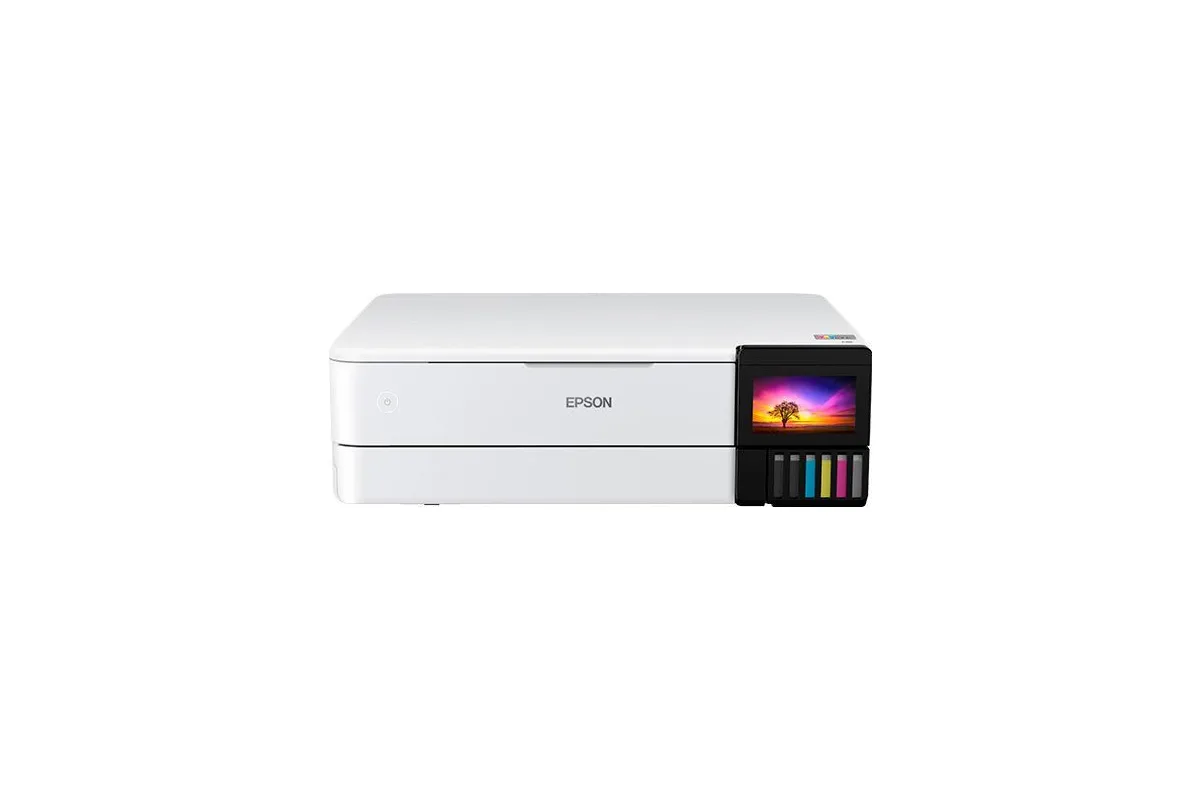
Best overall
Epson EcoTank Photo ET-8550
- Type
- Photo ink tank, 5 dye inks + pigment black
- Max print size
- 13x19 in
- Scanner
- Yes
- Ink system
- Refillable tanks
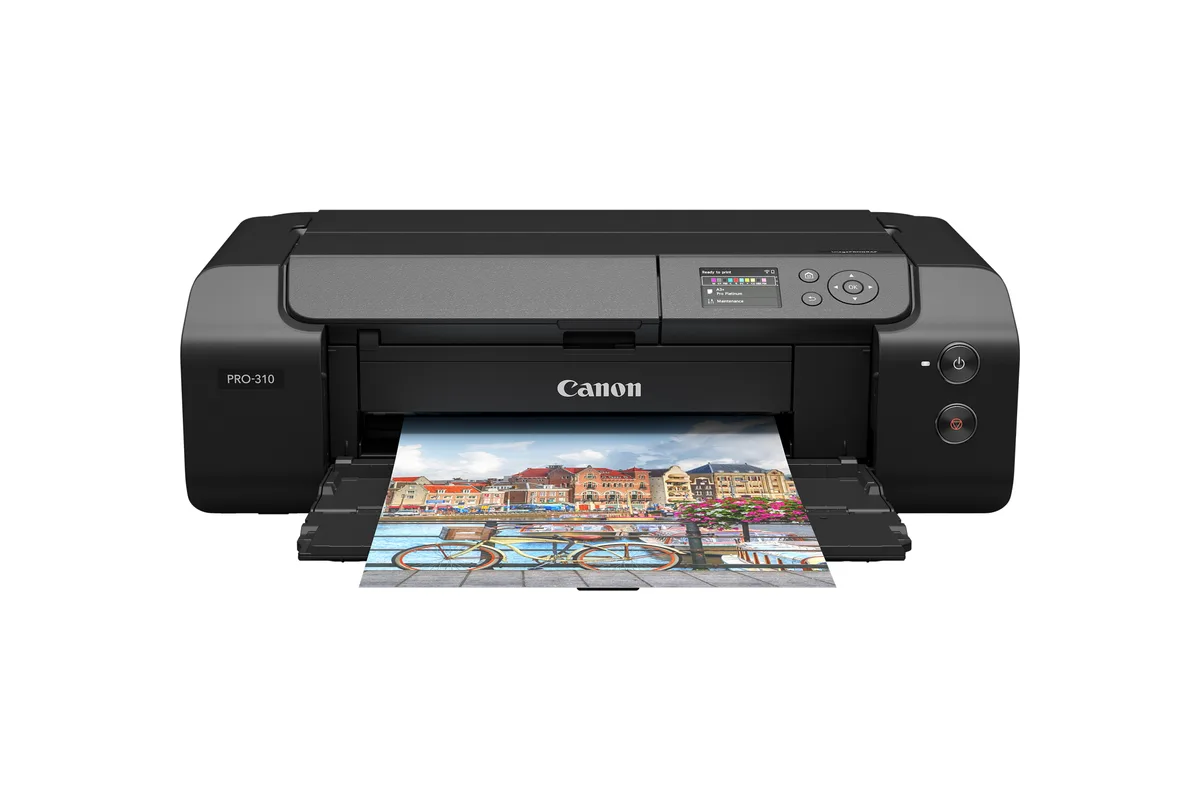
Best photo quality
Canon imagePROGRAF PRO-310
- Type
- Photo inkjet, 9 pigment inks + Chroma Optimizer
- Max print size
- 13x19 in
- Scanner
- No
- Ink system
- Cartridges
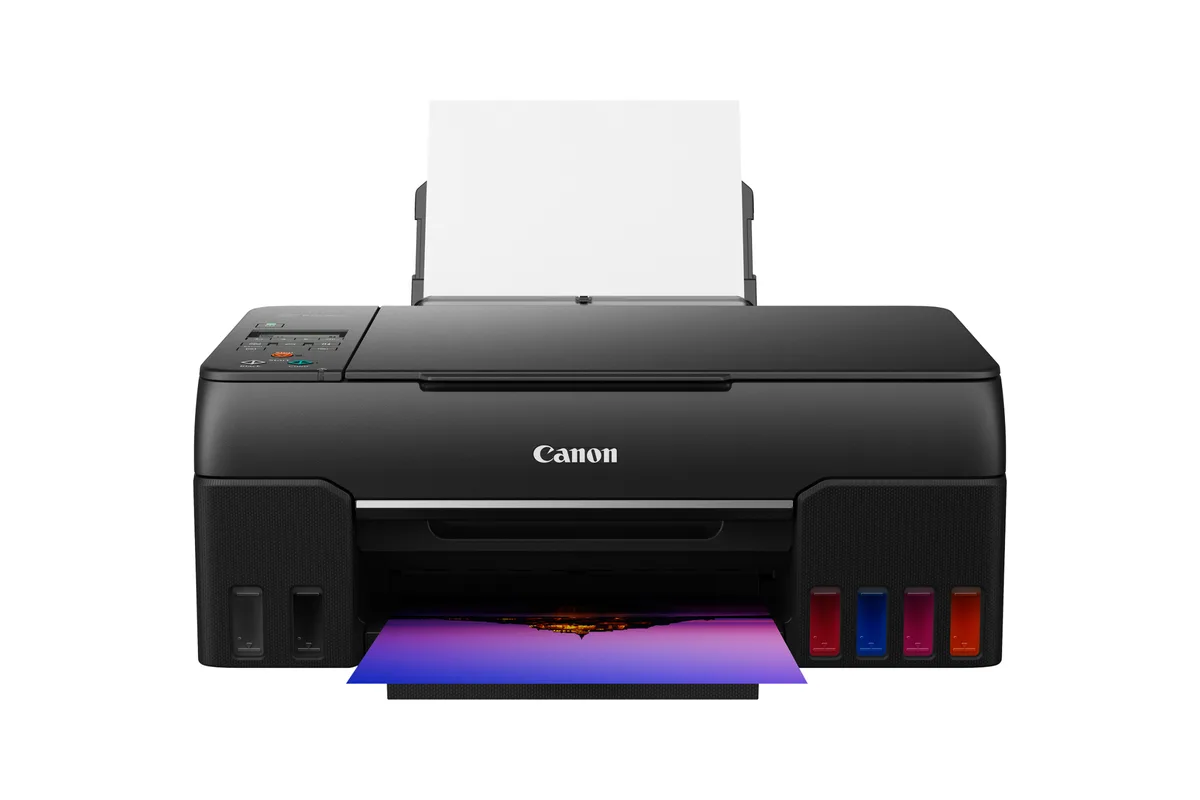
Best value ink tank
Canon PIXMA G620
- Type
- Photo ink tank, 6 dye inks
- Max print size
- 8.5x11 in
- Scanner
- Yes
- Ink system
- Refillable tanks
Best for 4x6 prints
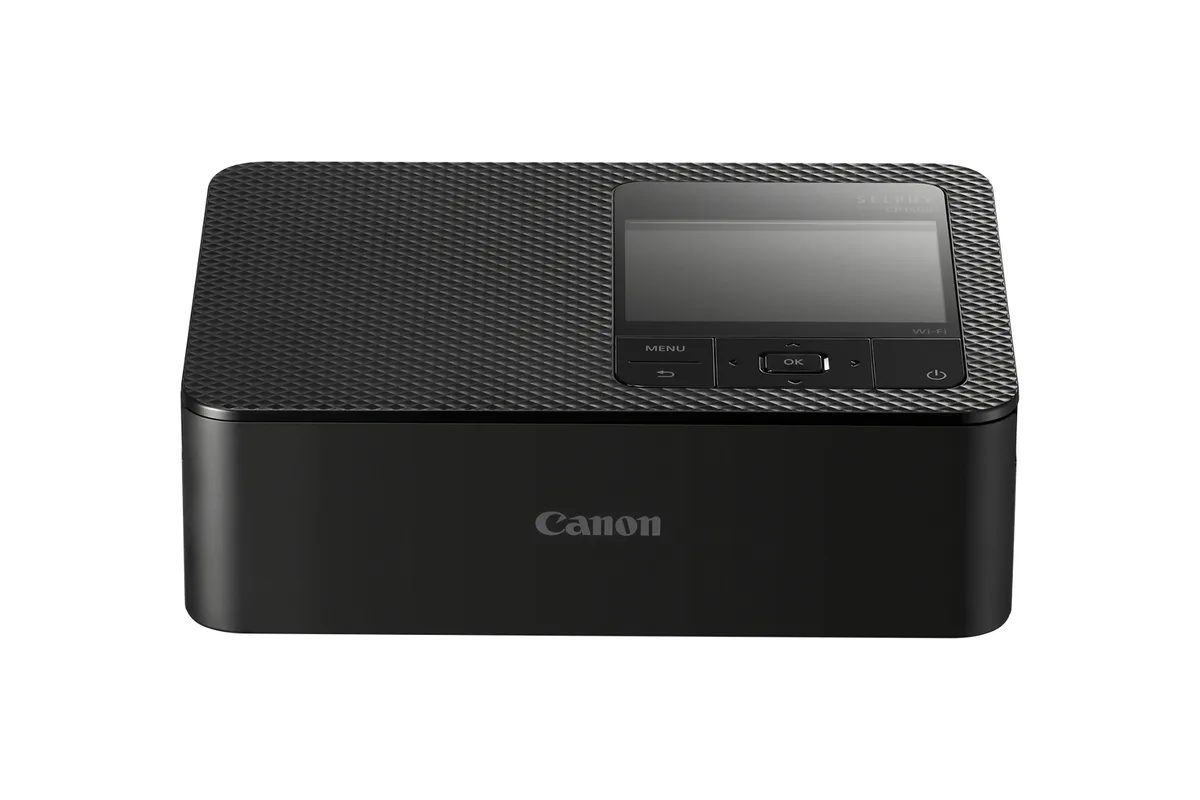
Canon SELPHY CP1500
- Type
- Dye-sublimation
- Max print size
- 4x6 in
- Scanner
- No
- Ink system
- Ink and paper sets
Best large format
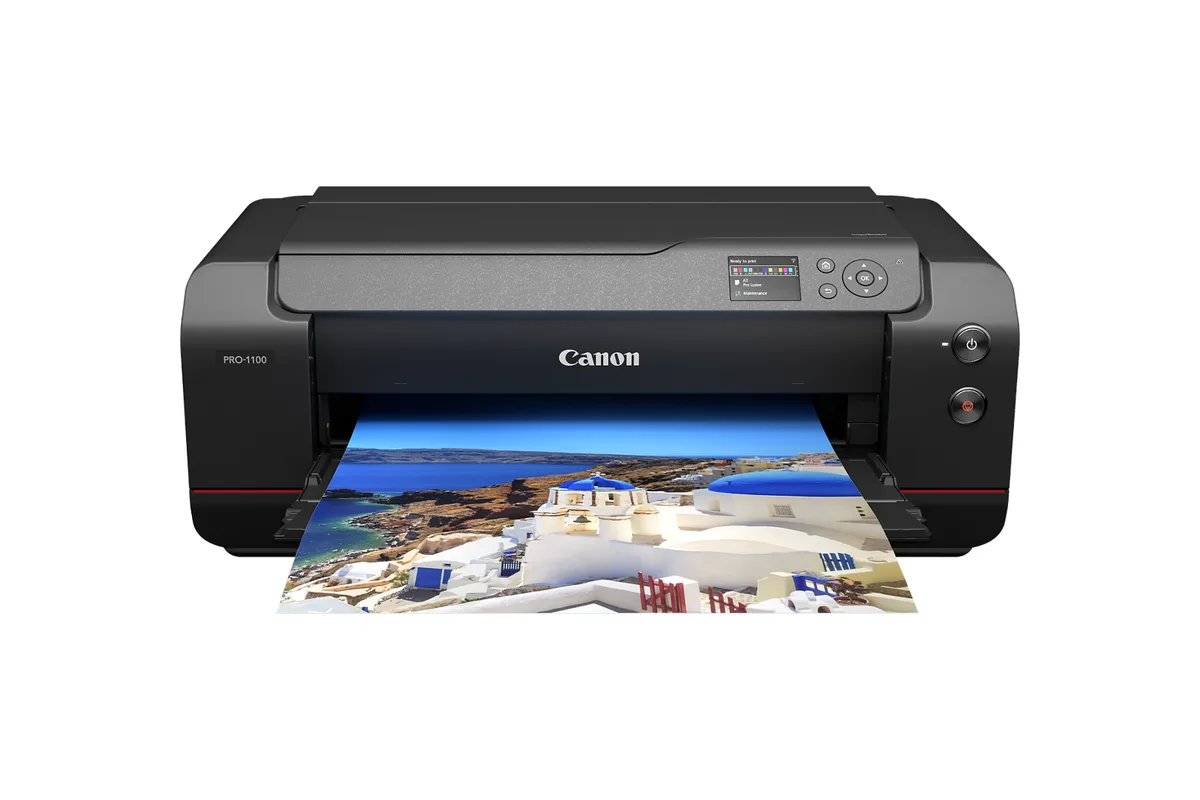
Canon imagePROGRAF PRO-1100
- Type
- Photo inkjet, 11 pigment inks + Chroma Optimizer
- Max print size
- 17x22 in
- Scanner
- No
- Ink system
- Cartridges
01Best overall
Epson EcoTank Photo ET-8550
A six-ink photo ink-tank all-in-one that prints borderless up to 13x19 inches for a few cents of ink per 4x6.
For most people who want to print their photos at home, and print them big, the EcoTank Photo ET-8550 is the one to get. It prints borderless up to 13x19 inches, and because it runs on refillable ink bottles, a 4x6 costs only about 4 to 6 cents in ink. The bottles in the box are good for roughly 2,300 4x6 prints. Its six inks include a gray and a photo black, which help with smooth black-and-white prints, and it also scans, copies and prints documents.
Its colors run vivid out of the box, sometimes too vivid: Digital Camera World recommends switching off Epson's Photo Enhance setting, and RTINGS finds some colors inaccurate. Pro printers like the PRO-310 have a wider color range. It was also out of stock at Epson in October 2026, with prices from about $600 to $750 elsewhere, so it's worth shopping around.
Good for
- Ink costs about 4–6¢ per 4x6: Epson claims 4¢, and the in-box set is rated for about 2,300 prints
- Prints borderless up to 13x19 inches and feeds media up to 1.3 mm thick through a straight rear path
- Also scans and copies, and connects over Wi-Fi, Ethernet, USB and SD card
Consider
- Colors can look oversaturated with default settings; RTINGS finds some colors visibly inaccurate
- Often out of stock at Epson in October 2026, with prices varying widely between retailers
02Best photo quality
Canon imagePROGRAF PRO-310
A 13x19-inch pigment photo printer with some of the most accurate color RTINGS has measured.
If print quality comes first, the imagePROGRAF PRO-310 is the best 13x19 printer you can buy. RTINGS names it its top photo printer, with outstanding color accuracy and some of the best image quality it has ever measured. Its nine pigment inks, plus a clear Chroma Optimizer coat, produce deep blacks on matte and fine-art papers and keep bronzing down on glossy ones, and it has a manual slot for thick fine-art sheets.
That quality costs more to run. Its small 14.4 ml cartridges work out to roughly 28 to 34 cents of ink per 4x6 at worst-case coverage, many times the ET-8550's cost, and it's slow: a large borderless print takes six to nine minutes. It doesn't scan. Buy it if you sell, exhibit or frame your work.
Good for
- RTINGS' top photo printer, with outstanding color accuracy and some of the best image quality it has measured
- Nine pigment inks plus a Chroma Optimizer give deep blacks on matte and fine-art paper and less bronzing on gloss
- A manual slot for media up to 0.6 mm and panoramas up to 13x70 inches
Consider
- Ink costs about 28–34¢ per 4x6 at worst-case coverage, from small 14.4 ml cartridges
- Slow: a 13x19 borderless glossy print takes 6.5 to 9.5 minutes, and there's no scanner
03Best value ink tank
Canon PIXMA G620
A six-ink photo ink-tank all-in-one that prints letter-size photos for under 3¢ of ink per 4x6.
If you print photos up to letter size and want the lowest running costs of all, the PIXMA G620 is the value pick. Canon rates a set of its six refillable ink bottles at about 3,800 4x6 photos, which works out to under 3 cents of ink per print at today's prices. Its red and gray inks broaden its colors, and PCMag found its prints brilliantly and accurately colored. It also scans and copies.
It's slow, at about 47 seconds per 4x6, and basic to operate, with button controls and 2.4 GHz Wi-Fi only. Letter size is its limit. Some of its ink bottles were out of stock at Canon in October 2026, so check before you commit.
Good for
- About 2.8¢ of ink per 4x6, from Canon's rated 3,800 photos per bottle set at current prices
- Six dye inks, including red and gray, with output PCMag calls brilliantly and accurately colored
- User-replaceable printheads and maintenance cartridge
Consider
- Letter is the largest borderless size, and it's slow: about 47 seconds per 4x6 and 6 pages a minute for documents
- 2.4 GHz Wi-Fi only, with no Ethernet, card slot, document feeder or touchscreen
04Best for 4x6 prints
Canon SELPHY CP1500
A compact dye-sub printer that turns out dry, coated 4x6 prints in about 41 seconds, from your phone, an SD card or a USB drive.
For 4x6 snapshots, nothing is simpler than the SELPHY CP1500. It's a compact dye-sublimation printer: ink and paper come together in one kit, and each print gets a clear protective coat, so it comes out dry, water-resistant and ready to hand round in about 41 seconds. There are no inks to dry out or clog, which makes it ideal for people who print in bursts. PCMag rates it its best conventional-size snapshot printer.
Prints cost about 37 to 39 cents each at Canon's list prices, and 4x6 is the largest size. The battery is an expensive option, and it connects over 2.4 GHz Wi-Fi only. Read our [full review](/reviews/canon-selphy-cp1500-review).
Good for
- Dry, overcoated 4x6 prints in about 41 seconds that resist water and fingerprints
- About 37–39¢ per 4x6 for ink and paper together at Canon's list prices, less on sale
- Prints from an SD card, USB-C drive, AirPrint or a well-rated app, with no computer needed
Consider
- The battery is optional, costs about $200, and the printer can't charge over USB-C
- Wi-Fi is 2.4 GHz only, with no Bluetooth, and the largest print is 4x6
05Best large format
Canon imagePROGRAF PRO-1100
A 17-inch pigment photo printer with exceptionally deep blacks and large, economical ink cartridges.
For prints up to 17x22 inches, the imagePROGRAF PRO-1100 is PCMag's top pro-grade photo printer. Its eleven pigment inks produce exceptionally deep blacks and wide color, and its black-and-white mode prints truly neutral grays. Its large 80 ml cartridges cost about half as much per milliliter as the PRO-310's, so big prints are cheaper to make.
It's a serious machine: about $1,400, 71 pounds, and it needs a two-person lift. There's no roll-paper support, which Epson's SureColor P900 offers. It's for photographers who regularly print large.
Good for
- PCMag's top pro-grade photo printer (4.5), with exceptionally dark blacks and a pure-neutral black-and-white mode
- Prints borderless up to 17x22 inches and takes media up to 0.7 mm through the manual slot
- 80 ml cartridges cost about half as much per milliliter as the PRO-310's ink
Consider
- No roll-paper support, unlike Epson's SureColor P900
- Large, heavy (71 pounds) and expensive at about $1,400 from Canon
How to choose
Print sizes
Start with the largest print you expect to make, from 4x6 snapshots to 13x19 inches or larger.
Running costs
Compare cost per print across ink tanks, cartridges, dye-sub sets, and instant film.
How often you print
Inkjets that sit unused can clog. Dye-sub and Zink printers suit occasional printing.
How we chose
We started with the photo printers that independent labs and reviewers rate highest, mainly RTINGS, PCMag and Digital Camera World, then compared them on what decides whether you’ll be happy with one: print quality, the largest size you can print, what each print costs in ink, and how much looking after the printer needs. Prices and stock were checked on October 12, 2026. We haven’t tested these printers ourselves; see how we score for how we weigh the evidence.
Which kind of photo printer do you need?
- You print lots of photos up to 13x19 and want them cheap: a photo ink-tank printer like the Epson ET-8550. Ink costs a few cents per 4x6.
- You print up to letter size and want the lowest running costs: the Canon PIXMA G620 ink tank.
- You frame, sell or exhibit your prints: a pigment pro printer like the Canon PRO-310 (13x19) or PRO-1100 (17x22). They cost more to run but give the widest color, the deepest blacks and the longest-lasting prints on fine-art paper.
- You print 4x6 snapshots in bursts: a dye-sub printer like the Canon SELPHY CP1500. Nothing to clog, and prints come out coated and dry.
- You print on the go or want stickers: see our portable photo printer guide.
What a print costs
Ink is only part of a photo’s cost, and for small prints, paper usually costs more. Here’s ink alone per print, from manufacturer yields, current ink prices and independent measurements:
| Printer | Ink per 4x6 | Ink per 8x10 |
|---|---|---|
| Canon PIXMA G620 | about 3¢ | about 10¢ (estimate) |
| Epson ET-8550 | about 4–6¢ | about 13–19¢ (estimate) |
| Canon PRO-1100 | about 25¢ | about 82¢ |
| Canon PRO-310 | about 28–34¢ | about 93¢–$1.13 |
| Canon SELPHY CP1500 | 37–39¢ including paper | — |
The pro printers’ figures are worst cases from Red River Paper’s near-full-coverage tests; typical photos use less. Add 20 to 25 cents for a sheet of the printer maker’s 4x6 glossy paper. Our guide to what a photo print really costs compares all of this with lab prices, and our photo paper guide explains which paper suits which printer.
Dye or pigment?
The ET-8550, G620 and the SELPHY use dye: rich, saturated color, especially on glossy paper. The PRO-310 and PRO-1100 use pigment, which sits on top of the paper and resists fading longer, and shines on matte and fine-art papers. Modern dye inks last far longer than they used to, so for prints you’ll frame under glass, either is fine. If you’re printing for galleries or sale, pigment is the safer choice.
Keeping an inkjet healthy
Inkjet photo printers don’t like sitting idle: unused printheads can clog, and cleaning cycles use ink. Print something every week or two. The ET-8550’s printhead isn’t user-replaceable, while Canon’s PRO printers and the G620 have printheads you can swap yourself. The SELPHY has no printhead to clog at all.
Also consider
- Epson EcoTank Photo ET-8500: the ET-8550 in a letter-size version, often much cheaper, and RTINGS’ upper-mid-range photo pick.
- Canon PIXMA PRO-200S: an eight-color dye printer for 13x19 glossy and luster prints, sitting between the ET-8550 and the PRO-310.
- Epson SureColor P700 and P900: pigment pro printers (13 and 17 inches) with roll-paper support. PCMag rates the P900 its best printer for roll paper.
Sources
- The best photo printers, RTINGS
- The best photo printers, PCMag
- The best photo printer, Digital Camera World
- EcoTank Photo ET-8550 product page, Epson
- Epson EcoTank Photo ET-8550 review, RTINGS
- Epson EcoTank Photo ET-8550 review, PCMag
- Epson EcoTank ET-8550 review, Digital Camera World
- Epson EcoTank ET-8550 review, TechRadar
- imagePROGRAF PRO-310 product page, Canon
- Canon launches imagePROGRAF PRO-310 inkjet printer, Canon
- Canon imagePROGRAF PRO-310 review, RTINGS
- Canon imagePROGRAF PRO-310 review, Digital Camera World
- Cost of printing: Canon PRO-300 and PRO-310, Red River Paper
- PIXMA G620 product page, Canon
- Canon PIXMA G620 review, PCMag
- SELPHY CP1500 product page, Canon
- SELPHY ink and paper kits, Canon
- imagePROGRAF PRO-1100 product page, Canon
- Canon imagePROGRAF PRO-1100 review, PCMag
- Canon imagePROGRAF PRO-1100 review, Digital Camera World
- Cost of printing: Canon PRO-1000, Red River Paper
- Canon PIXMA PRO-200S review, RTINGS
- SureColor P900 product page, Epson
Keep exploring
Buying guide
The best portable photo printers
Small prints, straight from your phone: the pocket printers worth carrying, from dye-sub to instant film.
Read story
Review
Canon SELPHY CP1500 review
The simplest way to turn phone photos into real 4x6 prints, with nothing to clog.
Read review