How it scores
- Print quality30%8.0
PCMag found prints uniformly excellent, with accurate color and realistic skin tones; they fall a little short of the best inkjets.
- Cost per print20%7.5
About 37–39¢ per 4x6 for ink and paper together at Canon's list prices, and less when kits are on sale.
- Portability and battery20%5.5
Bag-sized at about 1.9 lb, but the battery is a roughly $200 option and it can't charge over USB-C.
- App and connectivity15%8.0
SELPHY Photo Layout is rated 4.6 stars from about 42,000 Android reviews; Wi-Fi is 2.4 GHz only, with no Bluetooth.
- Print format and durability15%8.5
4x6, L, card and square sticker sizes with a protective overcoat; the smaller sizes need an extra cassette.
Overall 7.5/10, the weighted average.How we score →
Who it’s for
The Canon SELPHY CP1500 is for anyone who wants real 4x6 prints from their phone or camera without the fuss of an inkjet. It’s small enough to sit on a shelf, prints a finished photo in about 41 seconds, and has no ink to dry out or printhead to clog, so it’s ready whether you print every day or twice a year. PCMag names it its best snapshot printer for conventional-size prints. If you want anything bigger than 4x6, look at our best photo printers guide instead.
How dye-sub printing works
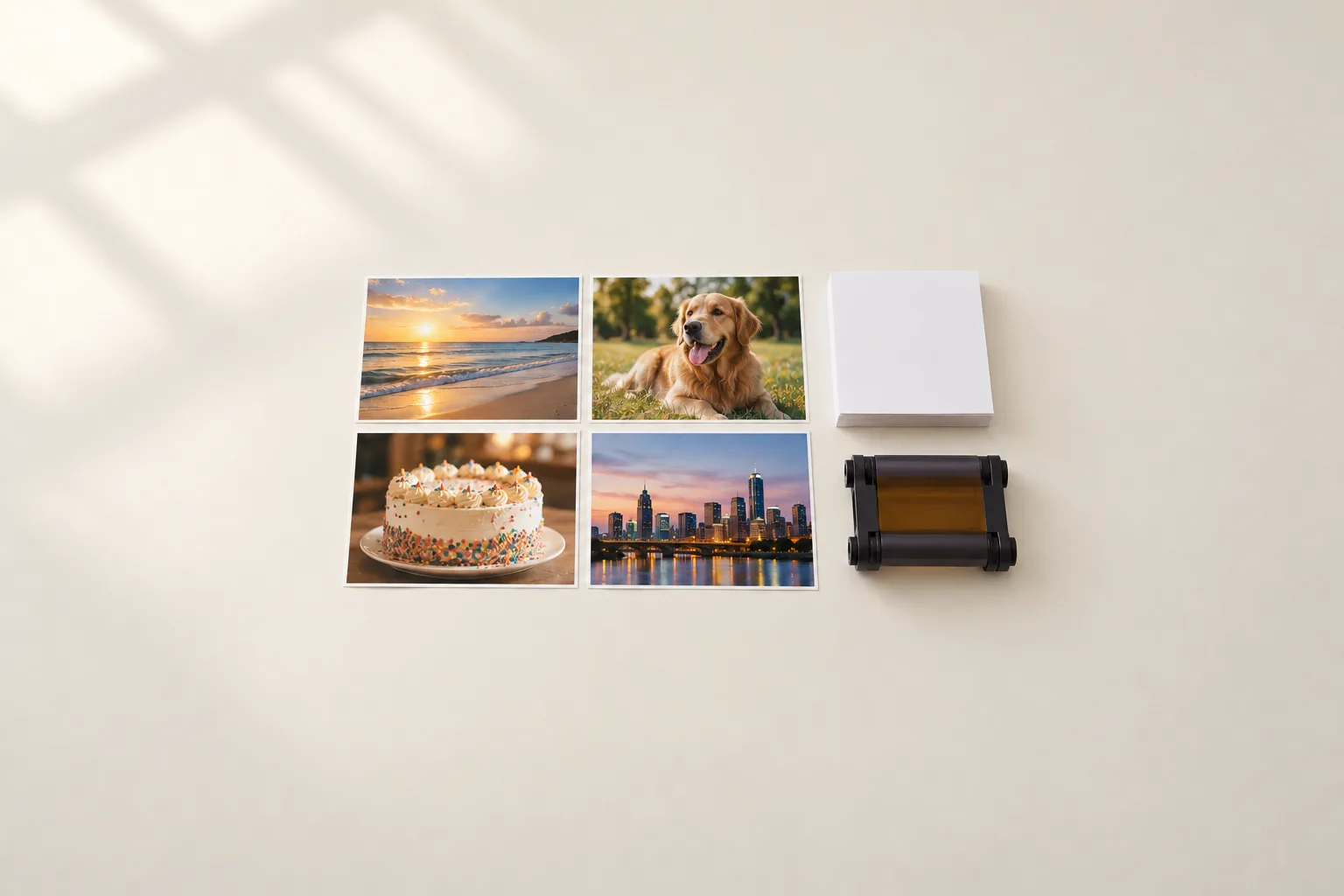
Instead of spraying ink, the CP1500 uses heat to transfer dye from a ribbon onto the paper in three color passes, then lays down a clear protective coat. You buy ink ribbons and paper together in matched kits, so you never run out of one before the other. The result is a continuous-tone print with no dots, which comes out dry, resists fingerprints and water, and can be written on with a marker.
Print quality
Reviewers are consistently impressed. PCMag rated its prints uniformly excellent, with bright, accurate color, realistic skin tones and fine detail with no graininess. Digital Camera World found its tonal range and color very good, with good skin tones. Both note the limits of the format: the prints lack the extra punch of a high-end six-ink inkjet. For family photos, albums and the fridge door, they look great.
The CP1500 uses the same ink and paper as the older CP1300, so print quality is essentially unchanged; the improvements are elsewhere.
Cost per print
Because ink and paper come together, the kit price is the whole cost of a print:
| Kit | Prints | Price at Canon | Per print |
|---|---|---|---|
| RP-108 (4x6) | 108 | $39.99 | 37¢ |
| KP-108IN (4x6 postcard) | 108 | $41.99 | 39¢ |
| KC-36IP (card size) | 36 | $16.99 | 47¢ |
Kits are often cheaper at other retailers, and Amazon has sold the printer bundled with an RP-108 kit for only about $11 more than the printer alone. That’s a little more than drugstore 4x6 prints, which cost around 39 to 42 cents at list price, but far more convenient. See what a photo print really costs for the full comparison.
Sizes and finishes
The included cassette prints postcard 4x6 and the slightly smaller L size (3.5x4.7 inches). A separate $14.99 cassette adds credit-card size and square sticker labels; it was out of stock at Canon in October 2026. Prints can be borderless or bordered, and Canon’s app adds glossy, semi-gloss and satin-style finishes, patterned overcoats and printed QR codes.
Canon rates the prints for up to 100 years in a sleeved album, based on its own accelerated dark-storage test, and says it can’t guarantee that. No independent fade test was found, but the protective coat gives them a real head start over uncoated prints.
App and connections
The CP1500 prints from Canon’s SELPHY Photo Layout app, which is well rated (4.6 stars from about 42,000 Android reviews) and covers collages, ID photos, tiled prints and simple edits. It also works with AirPrint, and prints straight from an SD card or USB-C flash drive using its 3.5-inch screen, so you don’t need a phone or computer at all. A computer can print to it over USB.
Its Wi-Fi is 2.4 GHz only and there’s no Bluetooth, which can make setup on some modern routers less straightforward. We found no requirement to create an account.
Battery and portability
At about 7 by 5 inches and under 2 pounds, it fits in a bag, but it runs from its AC adapter unless you buy the optional battery. That battery costs about $200, more than the printer, and Canon’s own pages rate it at 54 to 72 prints. It can’t charge over USB-C. If you want to print away from an outlet, a pocket printer like the Canon SELPHY QX20 is the better fit.
What’s new versus the CP1300
The CP1500 is faster (about 41 seconds per print versus 47), slightly smaller, and swaps USB-A for USB-C. Its 3.5-inch screen is larger but no longer tilts, and it has fewer, simpler buttons. If you already own a CP1300, the prints are the same.
Should you buy it?
Yes, if 4x6 prints are what you want. The CP1500 is simple, fast, tidy and dependable, and its coated prints feel like they came from a lab. Choose an ink-tank photo printer like the Epson ET-8550 instead if you want larger prints or a lower cost per print, and a pocket printer if you need to print on the go.
Key specifications
| Feature | CanonSELPHY CP1500 |
|---|---|
| Type | Dye-sublimation |
| Max print size | 4x6 in |
| Scanner | No |
| Ink system | Ink and paper sets |
| Where to buy | Check price at Amazon |
Canon SELPHY CP1500
- Type
- Dye-sublimation
- Max print size
- 4x6 in
- Scanner
- No
- Ink system
- Ink and paper sets
Sources
- SELPHY CP1500 product page, Canon
- SELPHY ink and paper kits, Canon
- Canon SELPHY CP1500 review, PCMag
- SELPHY CP1500 support, Canon
- SELPHY CP1500 accessories, Canon
- The best photo printers, PCMag
- Canon SELPHY CP1500 review, Digital Camera World
- Canon SELPHY Photo Layout app, Google Play
- SELPHY QX20 product page, Canon
Keep exploring
Buying guide
The best photo printers for your home
From 4x6 snapshots to 17-inch prints for the wall: the photo printers worth buying, and what their prints really cost.
Read story
Buying guide
The best portable photo printers
Small prints, straight from your phone: the pocket printers worth carrying, from dye-sub to instant film.
Read story