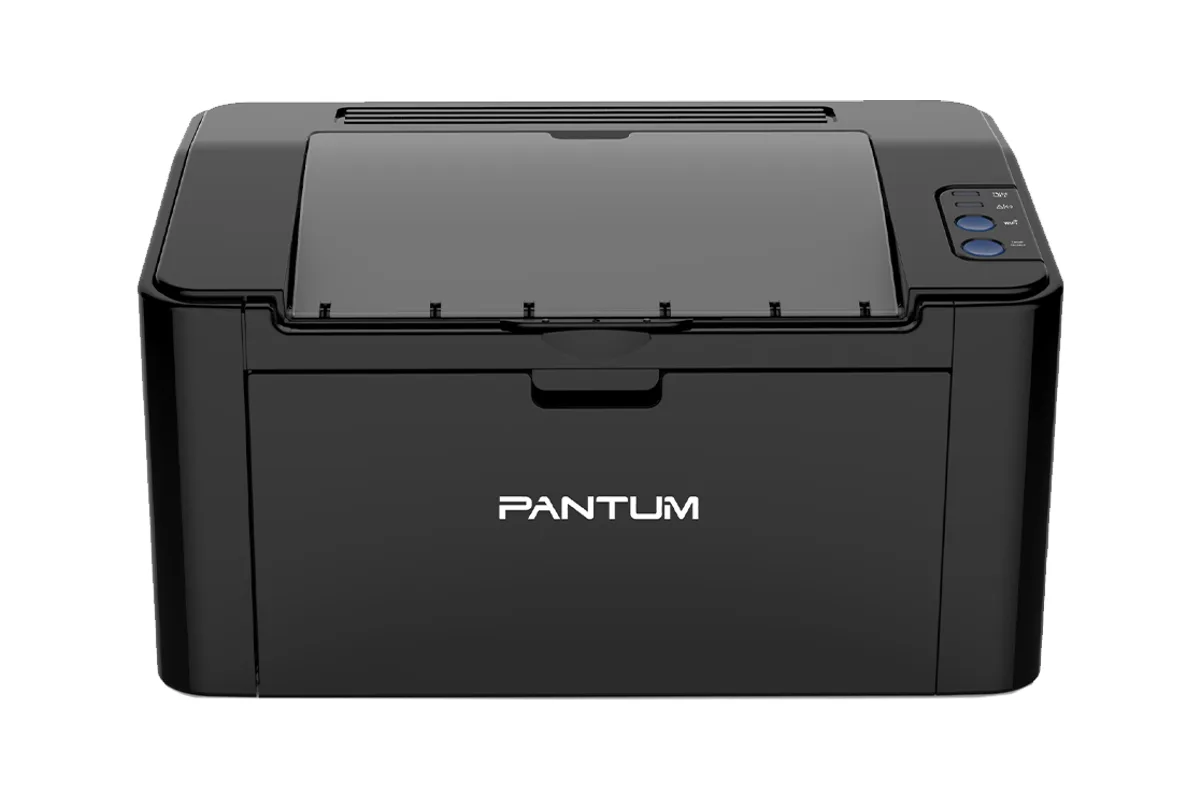
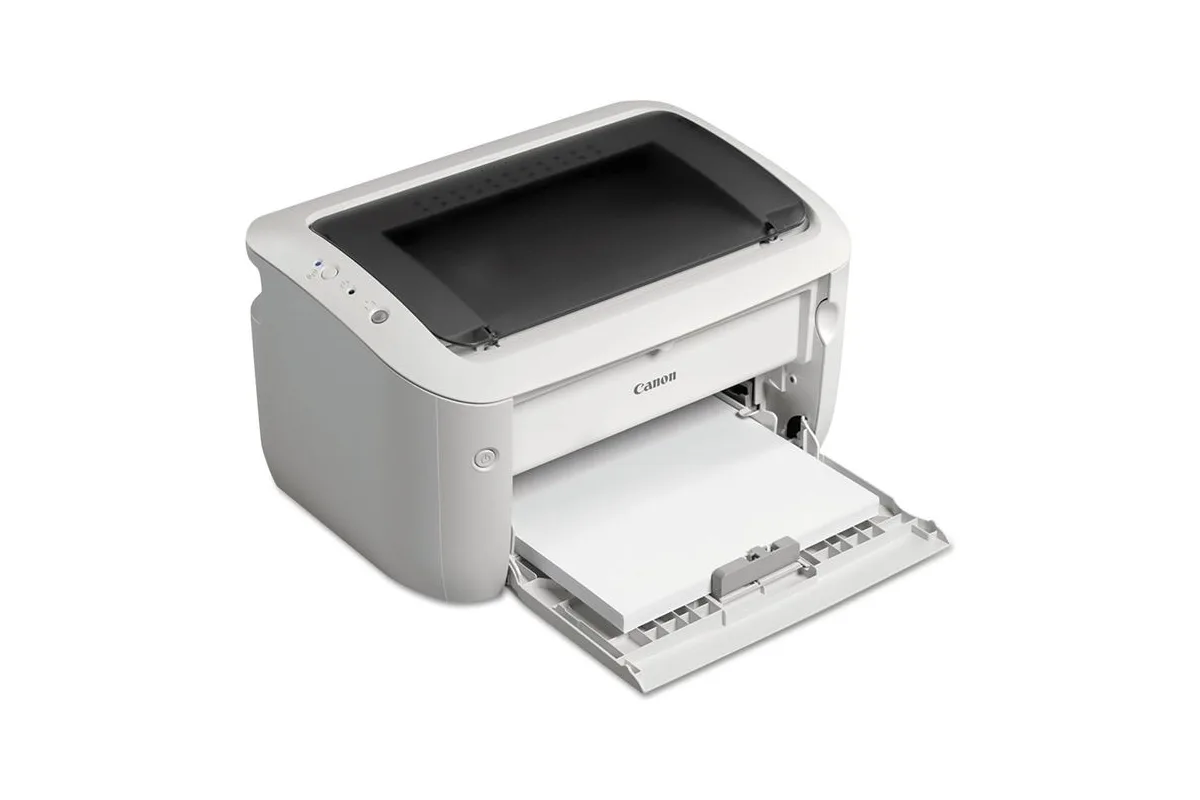
Side by side
| Feature | Pantum P2502W | CanonimageCLASS LBP6030w |
|---|---|---|
| Type | Mono laser | Mono laser |
| Functions | Print only | Print only |
| Document feeder | None | None |
| Auto duplex printing | No | No |
| Color printing | No | No |
| Where to buy | Check price at Amazon |
Pantum P2502W
- Type
- Mono laser
- Functions
- Print only
- Document feeder
- None
- Auto duplex printing
- No
- Color printing
- No
Canon imageCLASS LBP6030w
- Type
- Mono laser
- Functions
- Print only
- Document feeder
- None
- Auto duplex printing
- No
- Color printing
- No
Is the Pantum P2502W a good printer?
It’s a decent cheap laser, but it’s no longer a sensible buy in the US. The P2502W is small and light, prints sharp black text at up to 23 pages a minute, and its PB-211 toner, $39.96 from Pantum’s Amazon store, works out to about 2.5¢ a page. It also has real weak points: no automatic two-sided printing, no Ethernet, a slow warm-up, a flimsy plastic build and an awkward phone app.
The bigger problem is buying one. Pantum’s US site still lists the P2502W but shows no price, Pantum sells in the US only through its Amazon store, and that store had no P2502W in November 2026. We found no new unit at a mainstream US retailer, only marketplace sellers asking $85 and up. The Canon imageCLASS LBP6030w is the closest alternative you can buy: a compact print-only laser for $87.99 at Canon and on Amazon.
What’s the difference between the Pantum P2502W and Canon LBP6030w?
They’re close. Both are compact, print-only black-and-white lasers with Wi-Fi and USB and no two-sided printing.
| Pantum P2502W | Canon imageCLASS LBP6030w | |
|---|---|---|
| Price (Nov 2026) | No price from Pantum; marketplace sellers from $85 | $87.99 (list $140.99) |
| Rated speed | 23 ppm | 19 ppm |
| First page out | Under 7.8 s | Up to 8 s |
| Automatic two-sided printing | No | No |
| Paper tray | 150 sheets | 150 sheets |
| Connectivity | Wi-Fi, Wi-Fi Direct, USB | 2.4 GHz Wi-Fi, USB (cable included) |
| Ethernet | No | No |
| Toner | PB-211, about 1,600 pages | Canon 125, about 1,600 pages |
| Page cost | About 2.5¢ | 5.6¢ |
| Recommended monthly volume | Up to 2,000 pages | — |
| Size and weight | 13.3 x 8.7 x 7.0 in, 10.5 lb | 14.3 x 9.8 x 7.8 in, 12.1 lb |
| Warranty | Not stated on Pantum’s US page | 1 year |
Sources: Pantum’s and Canon’s product pages, read November 24, 2026.
Which is cheaper to run?
The Pantum, clearly. Pantum’s PB-211 cartridge is rated for about 1,600 pages and cost $39.96 from Pantum’s own Amazon store in November 2026, about 2.5¢ a page. Canon’s 125 cartridge costs $88.99 for the same 1,600 pages, 5.6¢ a page, more than the LBP6030w itself. Both cartridges include the drum.
At 50 pages a month, that’s about $1.50 a month in the Pantum’s favor, which doesn’t outweigh not being able to buy the printer. If you want lower running costs than the Canon from a printer you can buy new, the Brother HL-L2405W ($139.99) prints for about 4¢ a page.
Is the print quality good?
For text, yes, on both. The P2502W prints crisp black text, but photos and gradients look poor, with banding. The LBP6030w’s text can look a little faint, and fine detail in charts gets lost. Neither prints color or scans. Both are slow to start the first page compared with Brother’s lasers.
What about Pantum’s toner chips and import listing?
Pantum’s cartridges are chipped, and some owners report chip problems after firmware updates, but Pantum hasn’t said it blocks third-party toner, and we found no test showing it does. Pantum’s manual says damage from non-Pantum supplies isn’t covered by its warranty.
Separately, the US Department of Homeland Security added Zhuhai Pantum Electronics to its Uyghur Forced Labor Prevention Act Entity List in June 2023, alongside its parent company’s other Zhuhai subsidiaries, and still listed it in October 2026. That’s an import and forced-labor matter, not a finding about the printers’ security, and we found no credible evidence of a security flaw in Pantum printers. It may explain why mainstream US stores don’t carry them.
Which should you buy?
The Canon imageCLASS LBP6030w, if you need a laser under $100 today. Or spend $22 more on Canon’s LBP122dw ($109.99 on sale) for automatic two-sided printing and cheaper toner, or $52 more on the Brother HL-L2405W for 4¢ pages.
Keep a Pantum P2502W you already own; its toner is easy to find. See every option in the best cheap laser printers.
Questions people ask
Is the Pantum P2502W discontinued?
Pantum hasn’t said so, but it lists no price on its US site, its Amazon store didn’t carry the printer in November 2026, and we found it new only from marketplace sellers.
What toner does the Pantum P2502W use?
Pantum PB-211, rated for about 1,600 pages, with the drum built into the cartridge. It replaced the PB-210. The P2502W Plus is a different model that takes PB-212.
Does the Pantum P2502W print double-sided?
Only manually. It has no automatic two-sided printing.
How much does Pantum P2502W toner cost?
Pantum’s own Amazon store sold the genuine PB-211 for $39.96 in November 2026. At Pantum’s 1,600-page rating, that’s about 2.5¢ a page.
Is Pantum a good brand?
Pantum makes inexpensive lasers with low running costs, but in the US they’re now hard to buy outside Pantum’s Amazon store, and the brand’s printers have no Ethernet or duplex at the low end. For a cheap laser, Brother and Canon are easier to buy and support.
Sources
- Pantum P2502W product page, pantum.us
- Pantum: where to buy, pantum.us
- Pantum PB-211 toner on Amazon, amazon.com
- Canon imageCLASS LBP6030w product page, Canon
- DHS: UFLPA Entity List, dhs.gov
- Pantum P2502W review, RTINGS
- Canon imageCLASS LBP6030w review, RTINGS
Keep exploring

Buying guide
The best barcode label printers
The Zebra ZD421 is the best barcode label printer for most businesses: 4-inch labels at 6 inches a second, any brand of label roll and a 24-month warranty, for about $480 to $526 in November 2026. Get the Brother QL-820NWBc ($229.99) for an office or shop counter, and a thermal transfer model for inventory labels that have to last.
Read story
Buying guide
The best check printers for a small business
The TROY 3001dw ($509.15 at TROY, $530 at Amazon in November 2026) is the best check printer for a small business: a 35 ppm Wi-Fi laser with MICR toner, rated for 350 to 2,500 checks a month, at about 5¢ to 7¢ per check three to a page by our estimate. Get the TROY 4001dn for a locking tray, or the VersaCheck M15 MXD ($399.99) for software in the box.
Read story