
The quick answer
The best barcode label printer for most businesses is the Zebra ZD421: labels up to 4 inches wide at 6 inches a second, any brand of label roll, ZPL for shipping and inventory software, and a 24-month warranty, for about $480 at Amazon (third-party seller) or $510.48 at CDW in November 2026. For an office or shop counter, get the Brother QL-820NWBc ($229.99): 300 dpi, Wi-Fi, free Excel import and black-and-red printing, but Brother DK rolls only. For labels that must last years, such as inventory and asset tags, buy a thermal transfer model like the ZD421t; direct thermal labels fade.
Our quick picks
Best Wi-Fi printer for 4x6 shipping labels
Rollo Wireless Printer (X1040)
Compare the picks
| Feature | Best barcode label printer for most businessesZebra ZD421 | Best for offices, shop counters and price tagsBrotherQL-820NWBc | Best 2-inch printer for small barcodes and tagsZebra ZD411 | Best Brother for 4-inch and FBA labelsBrotherQL-1110NWB | Best Zebra alternative that takes standard rollsBrotherTD-4550DNWB | Best for high-volume and shared printingZebra ZD621 | Best Wi-Fi printer for 4x6 shipping labelsRollo Wireless Printer (X1040) |
|---|---|---|---|---|---|---|---|
| Type | Direct thermal (thermal transfer version available) | Direct thermal (black and red) | Direct thermal or thermal transfer | Direct thermal | Direct thermal | Direct thermal (thermal transfer version available) | Direct thermal label printer |
| Resolution | 203 dpi (300 dpi optional) | 300 dpi | 203 or 300 dpi | 300 dpi | 300 dpi | 203 dpi (300 dpi optional) | |
| Max print width | 4.09 in | 2.2 in | 4.09 in | ||||
| Speed | 6 ips | Up to 110 labels/min | 6 ips | Up to 69 labels/min | 8 ips | ||
| Where to buy | Check price at Amazon | Check price at Amazon | Check price at Amazon | Check price at Amazon | Check price at Amazon | Check price at Amazon | Check price at Amazon |
Best barcode label printer for most businesses
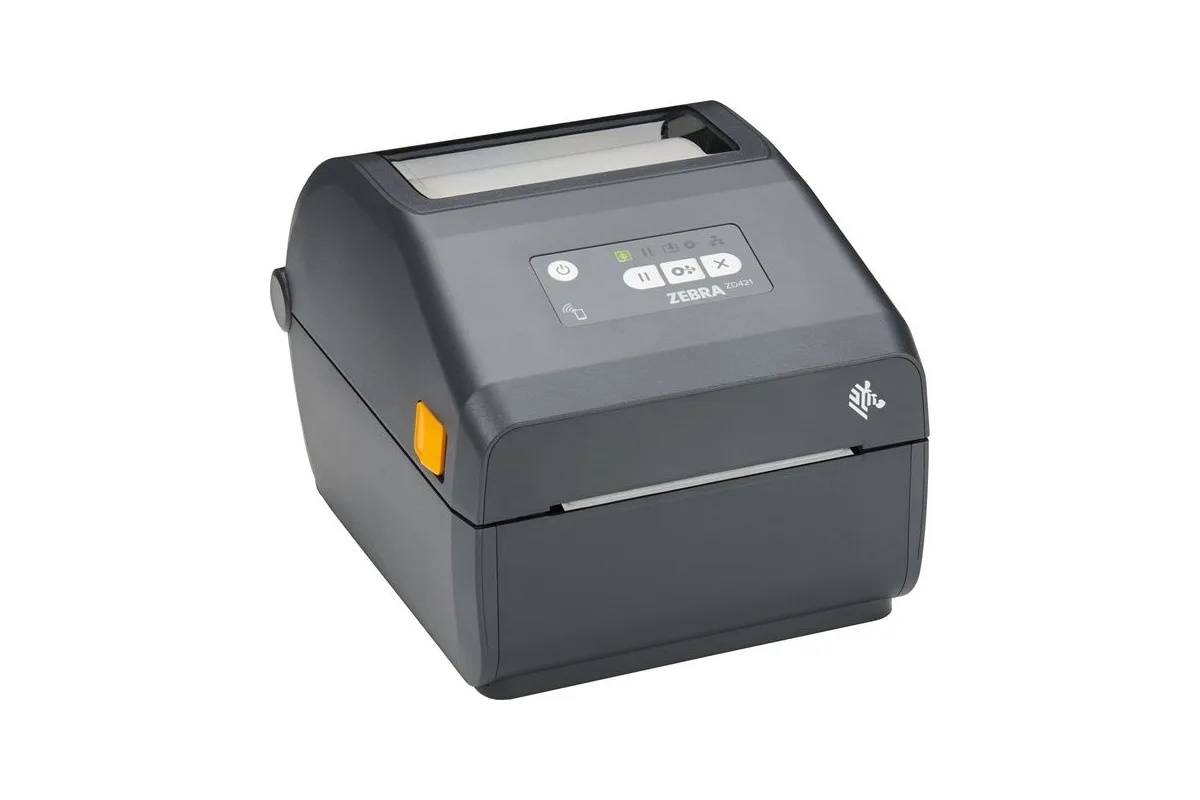
Zebra ZD421
- Type
- Direct thermal (thermal transfer version available)
- Resolution
- 203 dpi (300 dpi optional)
- Max print width
- 4.09 in
- Speed
- 6 ips
Best for offices, shop counters and price tags
Brother QL-820NWBc
- Type
- Direct thermal (black and red)
- Resolution
- 300 dpi
- Max print width
- Speed
- Up to 110 labels/min
Best 2-inch printer for small barcodes and tags
Zebra ZD411
- Type
- Direct thermal or thermal transfer
- Resolution
- 203 or 300 dpi
- Max print width
- 2.2 in
- Speed
- 6 ips
Best Brother for 4-inch and FBA labels
Brother QL-1110NWB
- Type
- Direct thermal
- Resolution
- 300 dpi
- Max print width
- Speed
- Up to 69 labels/min
Best Zebra alternative that takes standard rolls
Brother TD-4550DNWB
- Type
- Direct thermal
- Resolution
- 300 dpi
- Max print width
- Speed
Best for high-volume and shared printing
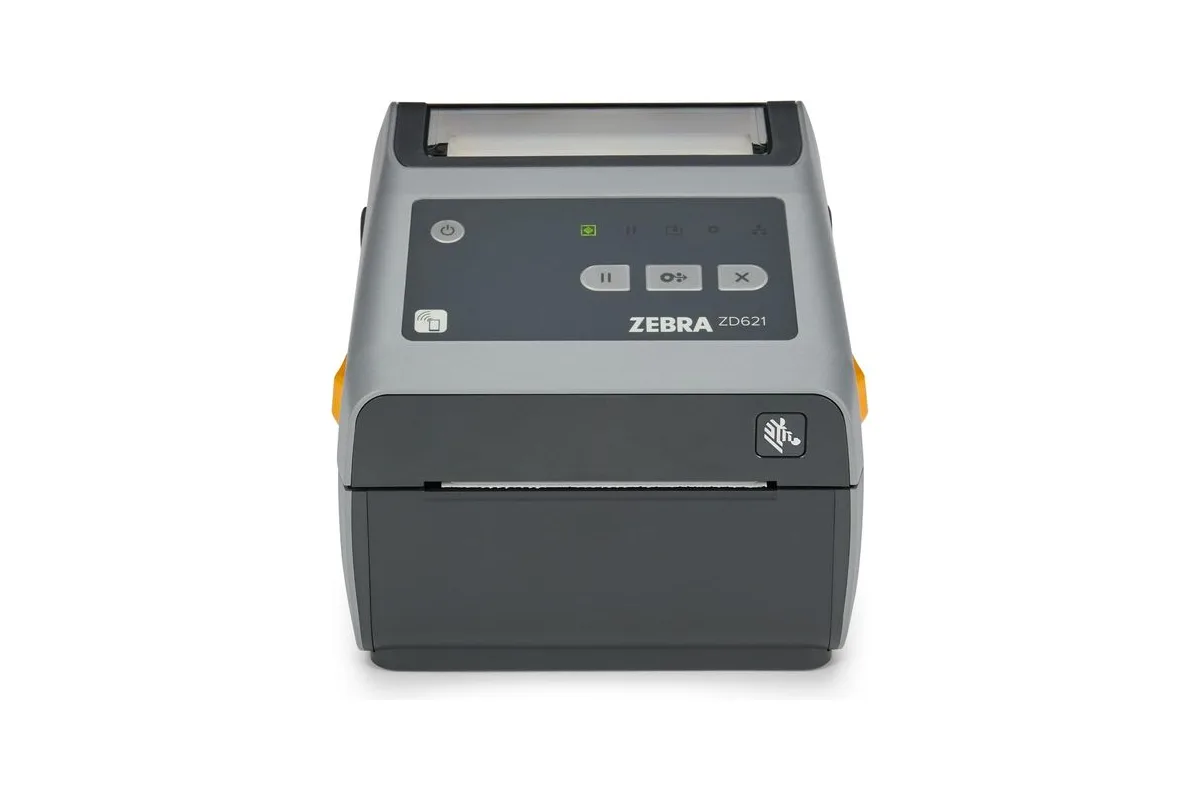
Zebra ZD621
- Type
- Direct thermal (thermal transfer version available)
- Resolution
- 203 dpi (300 dpi optional)
- Max print width
- 4.09 in
- Speed
- 8 ips
Best Wi-Fi printer for 4x6 shipping labels
Rollo Wireless Printer (X1040)
- Type
- Direct thermal label printer
- Resolution
- Max print width
- Speed
01Best barcode label printer for most businesses
Zebra ZD421
Zebra's 4-inch desktop workhorse: 203 dpi direct thermal at 6 ips with a 2-year warranty, $480 at Amazon in November 2026.
The ZD421 is the barcode printer to buy if you don't want to think about it again. It prints labels up to 4.09 inches wide at 203 dpi (300 dpi optional) and up to 6 inches a second, so a 4x6 label takes about a second. It takes any brand of label on a 0.5 or 1-inch core, rolls up to 5 inches across, fan-fold stock, tags and wristbands, and speaks ZPL, Zebra's printer language, which Brother's TD-4550DNWB and Epson's ColorWorks printers also understand. Zebra's free ZebraDesigner Essentials designs labels; importing a spreadsheet needs the paid Professional version.
It was about $480 at Amazon from a third-party seller in November 2026, and $510.48 at CDW and $525.79 at Barcodes, Inc. for the 203 dpi direct thermal USB model. Thermal transfer (ZD421t) and 300 dpi versions are $613.57 at Barcodes, Inc. Zebra's November 2026 warranty exceptions list gives it 24 months; the printhead is covered for 1 year or 1 million inches. Read our [ZD421 review](/reviews/zebra-zd421-review).
Good for
- Takes generic labels on 0.5 or 1 in cores and 5 in rolls
- Thermal transfer and 300 dpi versions for durable labels
- ZPL, free ZebraDesigner Essentials and a 2-year warranty
Consider
- Spreadsheet import needs paid ZebraDesigner Pro
- Sold on Amazon by third-party stores
02Best for offices, shop counters and price tags
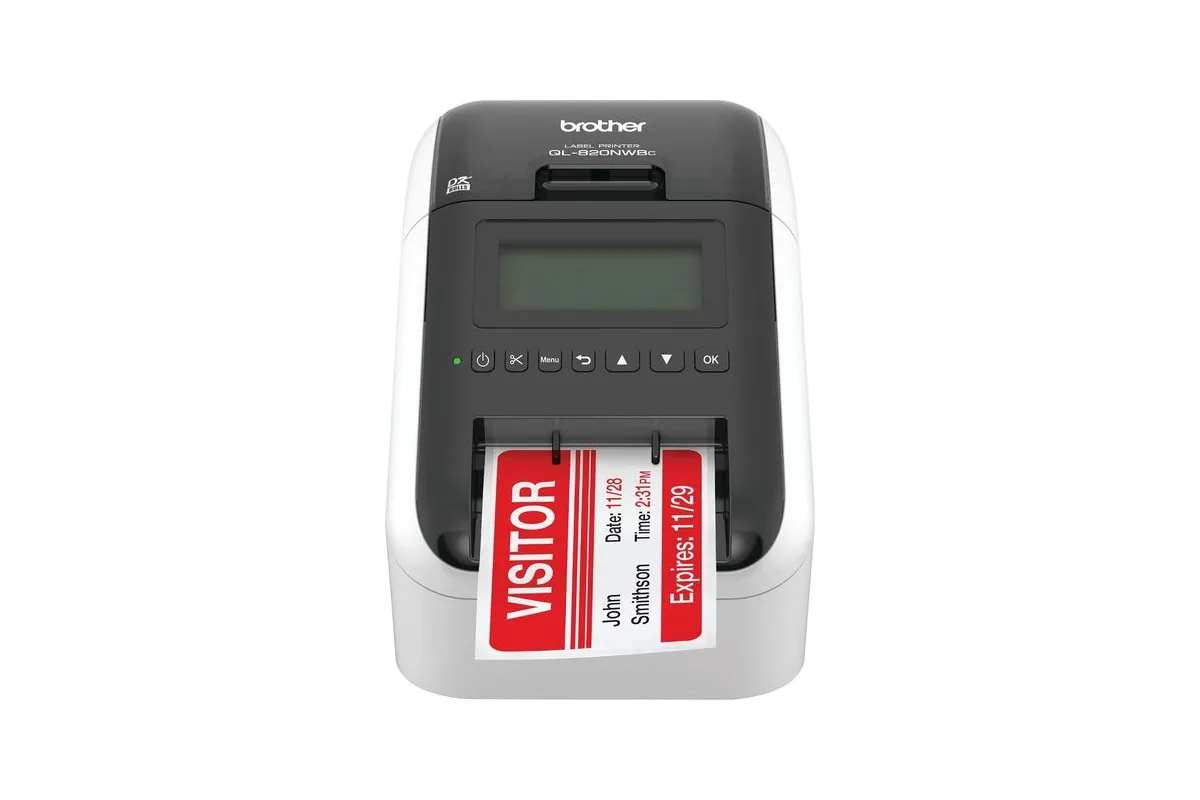
Brother QL-820NWBc
A 300 dpi direct thermal label printer with Wi-Fi, Ethernet and Bluetooth that also prints black and red, $229.99 at Amazon in November 2026.
The QL-820NWBc is the easiest barcode printer for an office, a shop counter or a kitchen. It prints at 300 dpi, up to 110 standard address labels a minute by Brother's rating, cuts each label itself, and connects over USB, Ethernet, Wi-Fi, Wi-Fi Direct and Bluetooth. Brother's free P-touch Editor imports Excel, CSV and Access files (up to 65,000 records), so printing a run of barcodes from a spreadsheet costs nothing extra. With Brother's DK-2251 tape it prints black and red, which suits sale prices.
It's $229.99 at Amazon and Brother in November 2026, $10 less than the QL-820NWB; Brother doesn't say what the "c" changes. The limits: it prints only 2.3 inches wide, it's direct thermal only, and it takes Brother DK rolls only, at about 2–3.5¢ a small label. The warranty is 2 years. Read our [QL-820NWB review](/reviews/brother-ql-820nwb-review).
Good for
- 300 dpi and up to 110 labels a minute
- Wi-Fi, Ethernet, Bluetooth and a display
- Prints black and red on DK-2251 tape; free P-touch Editor imports Excel
Consider
- Takes Brother DK rolls only, up to 2.3 in wide printed
- Direct thermal only: no ribbon for long-life labels
03Best 2-inch printer for small barcodes and tags
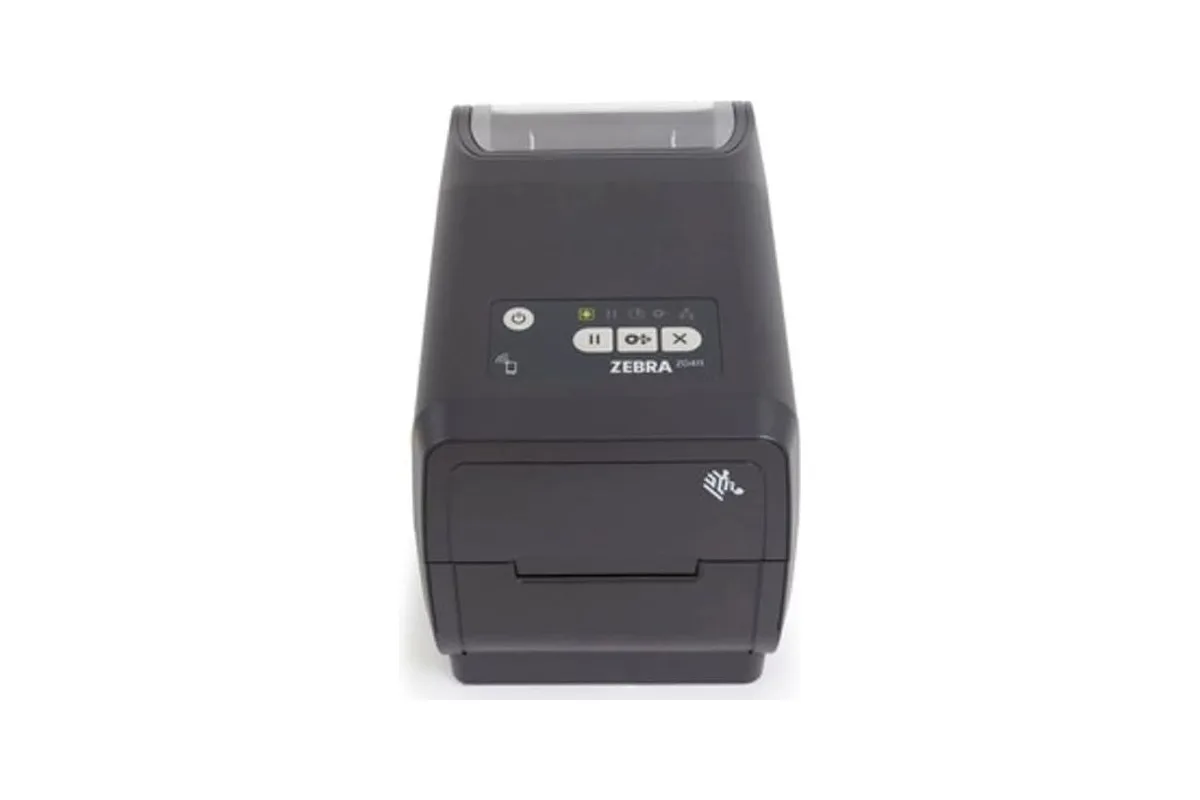
Zebra ZD411
The 2-inch sibling of the ZD421 for small barcode, price and product labels, $339.99 at Amazon in November 2026.
The ZD411 is the ZD421's 2-inch sibling, for price tags, jewelry and shelf labels, small product barcodes and FNSKU labels. It has the same build, ZPL language, choice of 203 or 300 dpi, direct thermal or thermal transfer, and the same 24-month warranty, in a smaller box. It prints up to 2.2 inches wide (2.13 inches at 300 dpi) and up to 6 inches a second, from any brand of 2-inch label.
It's $339.99 at Amazon from a third-party seller, $322.15 at CDW and $331.81 at Barcodes, Inc. in November 2026. Oddly, both dealers charge more for Zebra's USB-only ZD220, a 4-inch printer limited to 4 inches a second. Don't buy the ZD411 for shipping: 4x6 labels won't fit.
Good for
- Zebra build, ZPL and 2-year warranty in a small footprint
- 203 or 300 dpi, direct thermal or thermal transfer
- Takes generic 2 in labels
Consider
- 2.2 in maximum print width: no 4x6 shipping labels
- Sold on Amazon by third-party stores
04Best Brother for 4-inch and FBA labels
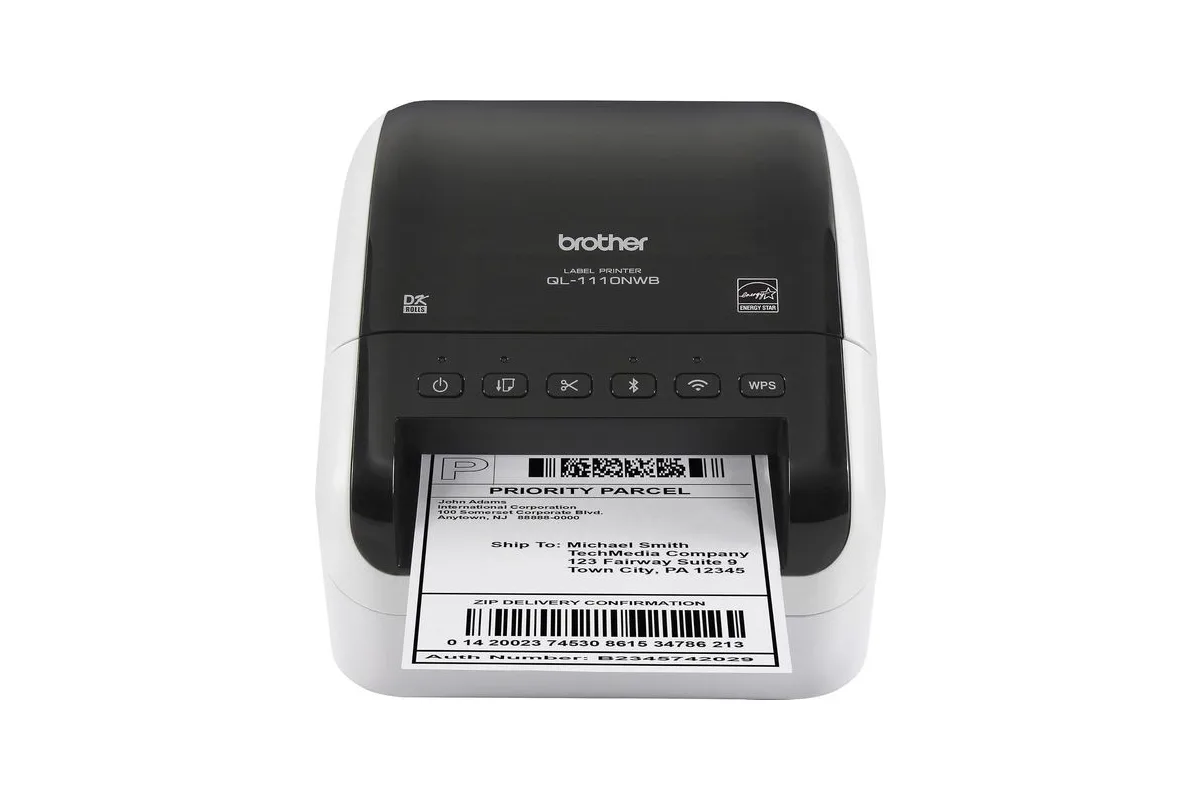
Brother QL-1110NWB
Brother's 4-inch QL with Wi-Fi, Ethernet and Bluetooth for shipping, FBA and barcode labels, $334.99 at Amazon in November 2026.
The QL-1110NWB is the QL-820's 4-inch big brother, for 4x6 shipping and FBA box labels alongside small barcodes. It prints at 300 dpi up to 4 inches wide, rated at up to 69 labels a minute, with USB, Ethernet, Wi-Fi and Bluetooth. P-touch Editor imports Excel, CSV, Access and, on Windows, SQL Server data.
It's $334.99 at Amazon and Brother in November 2026 ($324.99 for the QL-1110NWBc at Brother). The catch is label cost: it takes Brother DK rolls only, and Brother's 4x6 DK-1241 roll is $47.99 for 200, or 24¢ a label, against under 8¢ for standard 4x6 rolls on a Zebra or the Brother TD below (our arithmetic). Buy it for mixed sizes in an office, not for hundreds of shipping labels a day.
Good for
- Prints up to 4 in wide at 300 dpi
- Excel and database import in P-touch Editor
- USB, Ethernet, Wi-Fi and Bluetooth
Consider
- Takes Brother DK rolls only
- Slower than a Zebra at 69 labels a minute
05Best Zebra alternative that takes standard rolls
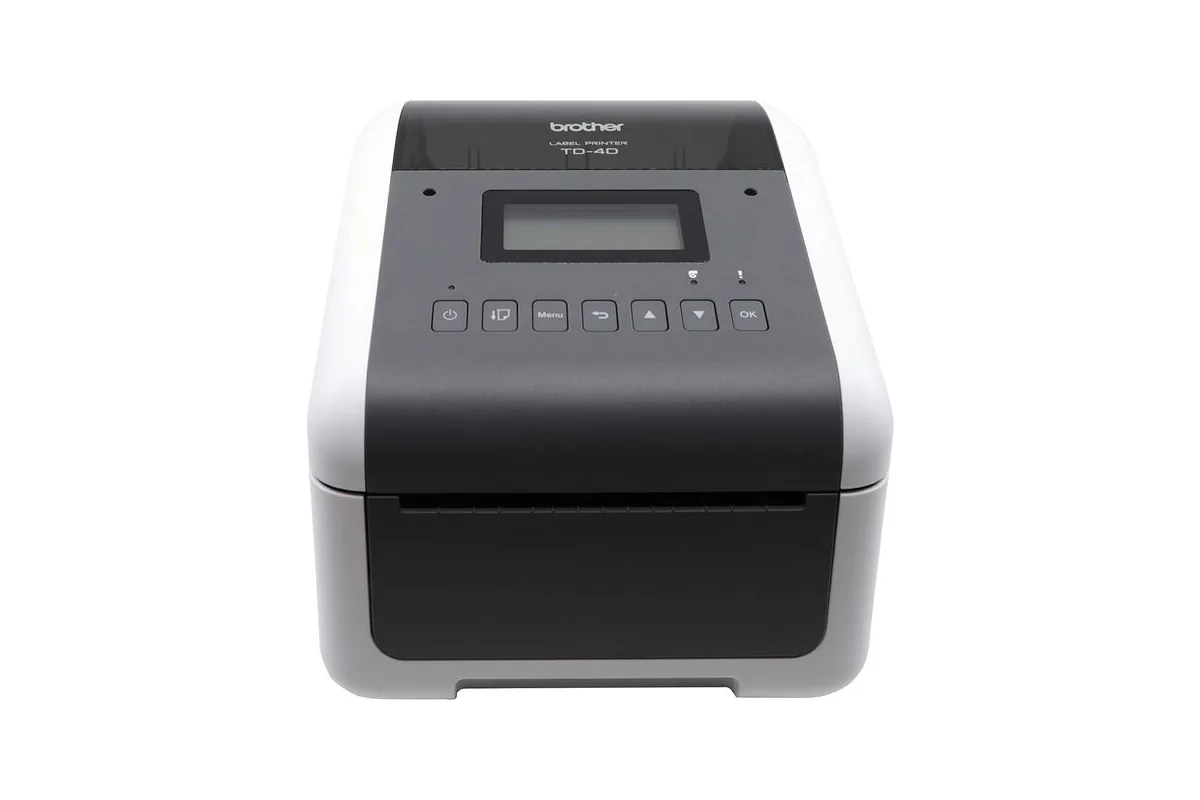
Brother TD-4550DNWB
Brother's 4-inch industrial-style desktop printer with ZPL emulation, standard 1 in core media and a 2-year printhead-covered warranty; $412.55 at Amazon in November 2026.
The TD-4550DNWB is Brother's industrial-style desktop printer, and it behaves like a Zebra rather than a QL. It takes standard label rolls on cores down to 0.5 inches, fan-fold stock and media up to 4.65 inches wide, prints at 300 dpi and 6 inches a second, and emulates ZPL II, EPL, DPL and CPCL, so software set up for a Zebra can drive it. USB, serial, Ethernet, dual-band Wi-Fi and Bluetooth are all built in. Brother's own 2 x 1-inch labels for it cost under a cent each (our arithmetic).
Its 2-year Premier warranty includes the printhead, the best cover here. Brother lists it at $968 in November 2026, but it was $412.55 at Amazon from a third-party seller. It's direct thermal only, so it's not for labels that must last years.
Good for
- Takes standard 1 in core labels, not DK rolls
- ZPL and EPL emulation for Zebra-based software
- 2-year warranty that covers the printhead
Consider
- Direct thermal only
- Sold on Amazon by a third-party store
06Best for high-volume and shared printing
Zebra ZD621
Zebra's premium 4-inch desktop: 8 ips at 203 dpi with Ethernet and serial built in, $570 at Amazon in November 2026.
The ZD621 is Zebra's premium 4-inch desktop. Over the ZD421 it adds speed (8 inches a second at 203 dpi against 6, and 6 against 4 at 300 dpi), Ethernet and serial as standard, a media dancer on thermal transfer models that Zebra says improves print quality, and options the ZD421 doesn't offer: a 4.3-inch color touchscreen, RFID encoding (ZD621R) and linerless labels. Media, ZPL and the 24-month warranty are the same.
It was $570 at Amazon from a third-party seller in November 2026, about $90 more than the ZD421 there, and $711.43 at CDW, about $200 more than the ZD421 at dealers. It's worth it for a warehouse or shipping desk that prints big batches, or for a printer the whole office shares over the network. See [ZD421 vs ZD621](/comparisons/zebra-zd421-vs-zd621).
Good for
- 8 ips, a third faster than the ZD421
- Ethernet and serial standard; optional color touchscreen, RFID and linerless
- Same media and ZPL as the ZD421
Consider
- No ribbon-cartridge option
- Costs about $90–$200 more than a ZD421
07Best Wi-Fi printer for 4x6 shipping labels
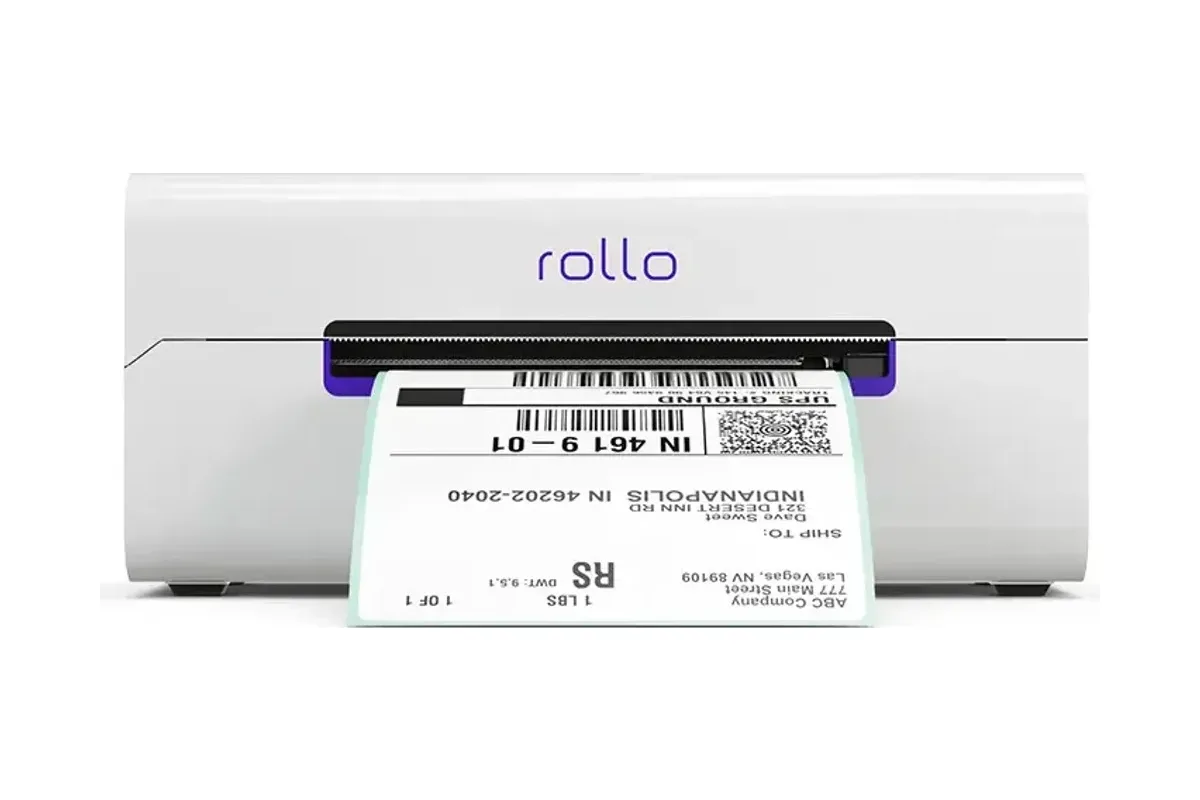
Rollo Wireless Printer (X1040)
A $280 Wi-Fi and AirPrint 4x6 thermal label printer that every phone and computer on the network can print to without a driver.
The Rollo Wireless is the 4x6 shipping printer for a home business with a mix of phones and computers. It joins your Wi-Fi and is AirPrint certified, so Mac, Windows, Chromebook, Linux, iPhone and Android can all print to it, with a USB cable in the box as a backup. It prints at 203 dpi and about one 4x6 label a second, in sizes from 4x6 down to 2x1.
It's $279.99 at Rollo and Amazon in November 2026, and Rollo includes 500 4x6 labels. It's direct thermal, 203 dpi and 4x6 and smaller only, with a 1-year warranty, so it's a shipping printer first and a barcode printer second. For cheaper shipping-only printers, see [the best shipping label printers](/buying-guides/best-shipping-label-printers).
Good for
- Sits on Wi-Fi with AirPrint, so Mac, Windows, Chromebook, Linux, iPhone, iPad and Android can all print to it; USB as a backup
- 203 dpi at up to 150 mm/s, labels 1.57 to 4.1 inches wide, and 500 free 4x6 labels when bought from Rollo
- Rollo's labels cost about 4¢ each ($19.99 for 500)
Consider
- $279.99 at Rollo and Amazon in November 2026, nearly four times the Bluetooth printers
- Prints black only on direct thermal labels, with a one-year warranty
How to choose
What you print
Mostly black text suits a mono laser. Color documents and the occasional photo suit an ink tank or inkjet.
Running costs
Compare cost per page rather than cartridge prices. Ink tanks and lasers cost more upfront and far less over time.
Ink and account terms
Check whether the printer blocks third-party ink or toner, or requires an account or subscription to work.
What is the best barcode label printer?
The Zebra ZD421. It prints labels up to 4.09 inches wide at up to 6 inches a second, takes any brand of label on standard cores, and runs ZPL, Zebra’s printer language, which Brother’s TD-4550DNWB and Epson’s ColorWorks printers also understand, so software set up for a Zebra can drive them too. Zebra’s November 2026 warranty list gives it 24 months. It was about $480 at Amazon from a third-party seller and $510.48 at CDW in November 2026, for the 203 dpi direct thermal model.
The bigger choice is the print method, not the brand. A direct thermal printer darkens heat-sensitive labels and needs no ribbon; it’s cheapest to run and right for shipping labels, but Zebra says those labels are “extremely sensitive” to heat and light and not for lifetime identification. A thermal transfer printer melts ink from a ribbon onto the label, which Zebra calls the most durable label available. If your barcodes need to scan in a year, buy a thermal transfer model. Our guide to direct thermal vs thermal transfer explains the trade.
Barcode label printers compared
| Printer | Price (Nov 2026) | Method | Resolution | Max print width | Rated speed | Labels it takes | Connections | Warranty |
|---|---|---|---|---|---|---|---|---|
| Zebra ZD421 | About $480 (Amazon, third-party); $510.48 (CDW) | Direct thermal; thermal transfer and ribbon-cartridge versions | 203 dpi (300 optional) | 4.09 in | 6 in/sec | Any brand, 5 in rolls, 0.5 or 1 in core | USB; Ethernet, Wi-Fi and Bluetooth optional | 24 months; printhead 1 yr or 1M in |
| Brother QL-820NWBc | $229.99 | Direct thermal, black and red | 300 dpi | 2.3 in | 110 labels/min | Brother DK rolls only | USB, Ethernet, Wi-Fi, Bluetooth | 2 years |
| Zebra ZD411 | $339.99 (Amazon, third-party); $322.15 (CDW) | Direct thermal or thermal transfer | 203 or 300 dpi | 2.2 in | 6 in/sec | Any brand, 2 in | USB; Ethernet and Wi-Fi optional | 24 months |
| Brother QL-1110NWB | $334.99 | Direct thermal | 300 dpi | 4 in | 69 labels/min | Brother DK rolls only | USB, Ethernet, Wi-Fi, Bluetooth | 2 years |
| Brother TD-4550DNWB | $412.55 (Amazon, third-party); $968 (Brother) | Direct thermal | 300 dpi | 4.65 in media | 6 in/sec | Standard rolls, cores down to 0.5 in | USB, serial, Ethernet, Wi-Fi, Bluetooth | 2 years, printhead included |
| Zebra ZD621 | $570 (Amazon, third-party); $711.43 (CDW) | Direct thermal; thermal transfer version | 203 dpi (300 optional) | 4.09 in | 8 in/sec | Any brand, 5 in rolls | USB, Ethernet, serial | 24 months |
| Rollo Wireless | $279.99 | Direct thermal | 203 dpi | 4x6 and smaller | About one 4x6/sec | 4x6 down to 2x1 | Wi-Fi (AirPrint), USB | 1 year |
Speeds are the makers’ maximums: Zebra and Brother’s TD in inches per second, Brother’s QL in standard address labels a minute with text only. Zebra’s ZD400 series page and general warranty page still say 12 months, but its spec sheets say two years and its November 2026 exceptions list gives the US desktop models 24 months.
How much does a barcode label cost to print?
Under a cent to 24¢, depending mostly on whose labels the printer accepts. Direct thermal printers need no ink, so the label is the whole cost. Our arithmetic from maker prices in November 2026 (price ÷ labels):
| Label | Roll | Fits | Cost per label |
|---|---|---|---|
| 2 x 1 in barcode | Brother TD roll, 8 x 2,650 labels for $179 | Brother TD-4550DNWB | 0.84¢ |
| 0.94 in round | Brother DK-1218, 1,000 for $21.49 | Brother QL | 2.1¢ |
| 1.1 x 2.4 in small address | Brother DK-1209, 800 for $25.99 | Brother QL | 3.2¢ |
| 1.1 x 3.5 in address | Brother DK-1201, 400 for $13.99 | Brother QL | 3.5¢ |
| 4 x 6 in shipping | Brother TD roll, 8 x 500 for $302 (5 in across, 1 in core) | Brother TD-4550DNWB; Zebra ZD421 and ZD621 by size | 7.6¢ |
| 4 x 6 in shipping | DYMO 1744907, 220 for $34.99 (Staples) | DYMO 5XL only | 16¢ |
| 4 x 6 in shipping | Brother DK-1241, 200 for $47.99 | Brother QL-1110NWB | 24¢ |
The pattern: printers that take standard rolls (Zebra, Brother TD, TSC) let you shop around, and small labels on them cost about a cent. Brother QL printers take only Brother DK rolls, which is fine for small labels and expensive for 4x6. DYMO’s LabelWriter 550 series won’t recognize non-DYMO labels at all, and DYMO’s warranty excludes damage from other labels.
Thermal transfer adds a ribbon to every label. The ZD421t takes 300-meter or 74-meter ribbon rolls and comes with adapters for non-Zebra ribbons, but we didn’t find a current ribbon price to put a per-label figure on it.
What is the best Zebra label printer for a small business?
The ZD421 for most small businesses, the ZD411 if every label is 2 inches wide or less, and the ZD621 if you print big batches or share one printer over the network. All three have the same 24-month warranty.
| Zebra | Width | Max speed (203 / 300 dpi) | Ethernet | Dealer price, 203 dpi direct thermal (Nov 2026) | Buy it for |
|---|---|---|---|---|---|
| ZD411 | 2 in | 6 / 4 in/sec | Optional | $322.15–$331.81 | Price tags, FNSKU and small product labels |
| ZD220 | 4 in | 4 in/sec (203 only) | No (USB only) | $382.10–$393.56 | Skip it: it costs more than the ZD411 and takes only 74 m ribbons |
| ZD230 | 4 in | 6 in/sec (203 only) | Factory option | From $474.12 (thermal transfer) | A basic 4-inch printer with no 300 dpi option |
| ZD421 | 4 in | 6 / 4 in/sec | Optional | $510.48–$525.79 | Most businesses: shipping, inventory and product labels |
| ZD621 | 4 in | 8 / 6 in/sec | Standard, plus serial | $711.43–$732.77 | Batches, shared printers, RFID |
Dealer prices are CDW and Barcodes, Inc. Choose 203 dpi for 4x6 shipping labels and ordinary barcodes, and 300 dpi (about $90 more on a ZD421 at Barcodes, Inc.) for small barcodes, fine text and logos. Our ZD421 review covers which configuration to order.
What is the best printer for barcode labels for inventory?
A thermal transfer printer, such as the Zebra ZD421t. Inventory, shelf and asset labels stay on for months or years, often in warm stockrooms or on equipment, which is where Zebra and TSC say direct thermal labels darken and fade. With a ribbon, the image is in ink on the surface; Zebra says it can’t be rubbed off and, with the right label stock, resists heat and moisture.
The ZD421t (203 dpi, roll ribbon) was $613.57 at Barcodes, Inc. in November 2026, and so was the 300 dpi version, the one to get for small part and bin barcodes. The ZD621t is $824.38. On a lower budget, TSC’s TE210 prints thermal transfer at 203 dpi with Ethernet built in for $366.10 at Barcodes, Inc., with a two-year warranty, though TSC now points buyers to its newer TH series. Brother’s thermal transfer TD-4420TN is $729.
If your stock turns over in weeks, direct thermal is fine and cheaper: the Brother TD-4550DNWB or a direct thermal ZD421. For barcodes driven by a spreadsheet, see how to print barcode labels.
What is the best printer for FBA labels?
A 4-inch printer if you print both product and box labels, and a 300 dpi printer if your product barcodes are small. Amazon sets the label sizes and print rules for FNSKU item labels and box labels in Seller Central; check its current requirements before you buy labels. We couldn’t confirm on an Amazon page that a thermal printer must be 300 dpi, but 300 dpi is the safer choice for small FNSKU barcodes.
- Both label types from one printer: the Brother QL-1110NWB (300 dpi, 4 inches wide) or a 300 dpi Zebra ZD421. The Brother’s 4x6 DK labels cost 24¢ each, so if you ship a lot of boxes, the Zebra’s standard rolls pay back its higher price.
- Small FNSKU labels only: the Brother QL-820NWBc with DK-1209 1.1 x 2.4-inch labels (3.2¢ each) or DK-1201 1.1 x 3.5-inch labels (3.5¢), or a 300 dpi Zebra ZD411.
- 4x6 box and shipping labels only: the Rollo Wireless ($279.99), which prints about one a second over Wi-Fi at 203 dpi. MUNBYN’s RW941BP prints 4x6 at 300 dpi for $125.99–$132.99 on MUNBYN’s store.
Skip the DYMO LabelWriter 550 series for FBA unless you’re happy to buy DYMO labels forever: DYMO’s 4x6 labels were 16¢ each at Staples. See how to print barcode labels for FBA label workflows.
What is the best price tag printer for a retail store?
The Brother QL-820NWBc for most small shops, and the Zebra ZD411 for hang tags and busy stores. The Brother prints small price labels from about 2¢ (0.94-inch round, DK-1218) to 3.5¢ (1.1 x 3.5-inch, DK-1201), cuts each one, and prints sale prices in red on DK-2251 black-and-red tape ($31.49 for 50 feet, or about 6¢ for a 1.1-inch label by our estimate). P-touch Editor can pull prices and barcodes from a spreadsheet.
The ZD411 prints 2-inch labels and tags from any supplier, in thermal transfer if tags need to survive handling. For wider shelf labels, the ZD421 does the same up to 4 inches. Check your point-of-sale software’s supported-printer list first; see the best receipt printers for POS systems for the till side.
What is the best wristband printer?
A cartridge-loaded direct thermal printer like the Zebra ZD510-HC, if wristbands are its whole job. It prints at 300 dpi on Zebra’s Z-Band cartridges in 0.75, 1 and 1.19-inch widths: one-day and multi-day hospitality bands in seven colors, and healthcare bands. Zebra rates it at 2 inches a second on healthcare bands and 4 on its Fun and Splash bands, and says its healthcare bands withstand water, soap, foam and alcohol and stay scannable longer than the average patient stay. It was $746.14 at Barcodes, Inc. in November 2026, with a 24-month warranty. We didn’t find a published price per wristband cartridge.
For occasional events, you don’t need a dedicated printer: Zebra lists wristbands among the media the ZD421 and ZD621 take, and event wristbands among their uses. A cartridge simply makes loading quicker at a busy check-in desk.
Which barcode printers are new or discontinued?
- Zebra: the ZD421 and ZD621 spec sheets were reissued in January 2025 with Wi-Fi 6 and Bluetooth 5.3 options. Zebra’s November 2026 exceptions list keeps 24 months of warranty on US desktop printers bought after June 28, 2020.
- Brother: the TD-2125N, TD-2135N and TD-2135NWB are discontinued, replaced by a new TD 2 line (TD-2310D, TD-2320D and TD-2350D, with linerless and standalone versions). The QL-820NWBc and QL-1110NWBc list $10 below the non-“c” models.
- TSC: the TE200 and TE210 are still sold, but TSC’s page sends buyers to its newer TH 4-inch series, and one TE210 Wi-Fi version is discontinued at Barcodes, Inc.
- DYMO: dymo.com no longer sells printers directly, and the LabelWriter 5XL’s software now needs macOS 14 or later.
How we chose
We compared Zebra’s desktop range (ZD411, ZD421, ZD621, ZD220, ZD230 and ZD510-HC), Brother’s QL and TD printers, TSC, Rollo, MUNBYN and DYMO, using makers’ spec sheets, warranty documents and software pages, and maker, dealer and Amazon prices, all read on November 27, 2026, the Black Friday weekend. We favored printers that take standard label rolls, print at 300 dpi or offer it, and carry two-year warranties. Cost-per-label figures are our arithmetic from maker label prices, with the inputs shown. We haven’t tested these printers ourselves; see how we score.
Also consider
- TSC TE210 ($366.10 at Barcodes, Inc.): the cheapest 4-inch thermal transfer printer here; that version has Ethernet, serial and USB, and TSC gives a two-year warranty.
- Brother QL-800 ($124.99): the QL-820’s USB-only base model, also black and red at 300 dpi, for one computer.
- MUNBYN RW941BP ($125.99–$132.99): a 300 dpi 4-inch direct thermal shipping printer with Bluetooth and USB.
- DYMO LabelWriter 550 ($110.80 at Staples): cheap and simple, but it works only with DYMO labels. See Brother vs DYMO label makers.
- Color labels: none of these print color. For product labels with logos and photos, see the best color label printers.
Questions people ask
Do barcode label printers need ink?
Direct thermal printers don’t: the label darkens where it’s heated, so the label is the only supply. Thermal transfer printers use a ribbon instead of ink. See do label makers need ink?
Is 203 dpi enough for barcodes?
Yes for 4x6 shipping labels and ordinary product barcodes. Choose 300 dpi for small labels, dense barcodes, small text and logos. Every Brother here prints at 300 dpi; Zebra sells 203 and 300 dpi versions.
Can I use generic labels in a Zebra?
Yes. The ZD421, ZD621 and ZD411 take any brand of label that fits their 5-inch roll and 0.5 or 1-inch core (larger cores with adapters). The ZD421’s ribbon-cartridge version takes Zebra’s 74-meter cartridges only.
Can a barcode printer print from Excel?
Yes, with the right software. Brother’s free P-touch Editor imports Excel, CSV and Access files. On a Zebra, the free ZebraDesigner Essentials has no database connection; Excel import needs ZebraDesigner Professional, a paid one-time licence with a 30-day trial. Our barcode label guide walks through both and Word’s own barcode fields.
What’s the difference between a label maker and a barcode label printer?
A label maker prints narrow tape for shelves, cables and files, usually from a keyboard or phone. A barcode label printer prints die-cut labels from a computer, fast, in the sizes shipping and inventory systems use. See the best label makers for the first kind.
How long do direct thermal barcode labels last?
Neither Zebra nor TSC puts a number of months on it. Both say the image darkens or fades with heat and light, and Zebra says direct thermal isn’t for lifetime identification. Use thermal transfer for labels that must last.
Sources
- Zebra ZD400 series spec sheet (ZD421, ZD411; Jan 2025), zebra.com
- Zebra ZD600 series spec sheet (ZD621; Jan 2025), zebra.com
- Zebra ZD220 spec sheet, zebra.com
- Zebra ZD230 spec sheet, zebra.com
- Zebra ZD510-HC spec sheet, zebra.com
- Zebra product warranty exceptions list (November 2026), zebra.com
- Zebra warranty, zebra.com
- ZebraDesigner label design software, zebra.com
- Zebra: direct thermal vs thermal transfer, zebra.com
- Brother QL-820NWBc (with DK roll prices), Brother
- Brother QL-1110NWBc, Brother
- Brother TD-4550DNWB, Brother
- Brother Mobile Solutions TD-2 series, brothermobilesolutions.com
- TSC TE series, usca.tscprinters.com
- Barcodes, Inc.: TSC TE210, barcodesinc.com
- Rollo Wireless printer, rollo.com
- DYMO LabelWriter 550 series user guide, download.dymo.com
- CDW: Zebra ZD421 203 dpi direct thermal, cdw.com
- CDW: Zebra ZD621d, cdw.com
- CDW: Zebra ZD411 203 dpi direct thermal, cdw.com
- Barcodes, Inc.: Zebra ZD230, barcodesinc.com
- Zebra ZD421 on Amazon, amazon.com
- Brother QL-820NWBc on Amazon, amazon.com
- Zebra ZD411 on Amazon, amazon.com
- Brother QL-1110NWB on Amazon, amazon.com
- Brother TD-4550DNWB on Amazon, amazon.com
- Zebra ZD621 on Amazon, amazon.com
- Rollo Wireless on Amazon, amazon.com
Keep exploring

Buying guide
The best check printers for a small business
The TROY 3001dw ($509.15 at TROY, $530 at Amazon in November 2026) is the best check printer for a small business: a 35 ppm Wi-Fi laser with MICR toner, rated for 350 to 2,500 checks a month, at about 5¢ to 7¢ per check three to a page by our estimate. Get the TROY 4001dn for a locking tray, or the VersaCheck M15 MXD ($399.99) for software in the box.
Read story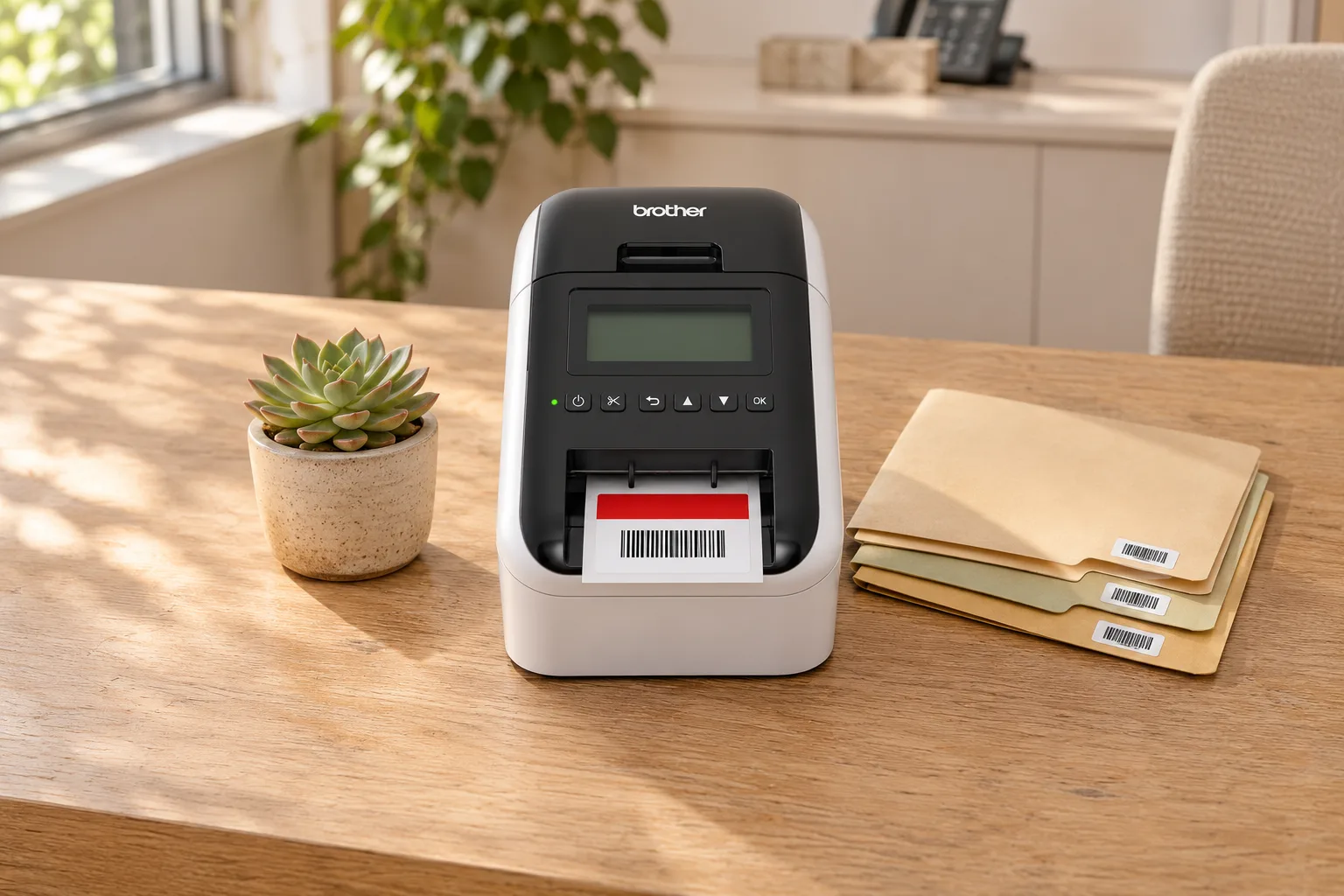
Review
Brother QL-820NWB review
Yes, if you print small labels every day from several computers or phones: the Brother QL-820NWB prints 300 dpi black-and-red labels at up to 110 a minute over Wi-Fi, Ethernet or Bluetooth, for $239.99 ($229.99 as the QL-820NWBc) in November 2026, with address labels at 3.5¢ each. It can't print 4x6 shipping labels or long-life labels.
Read review