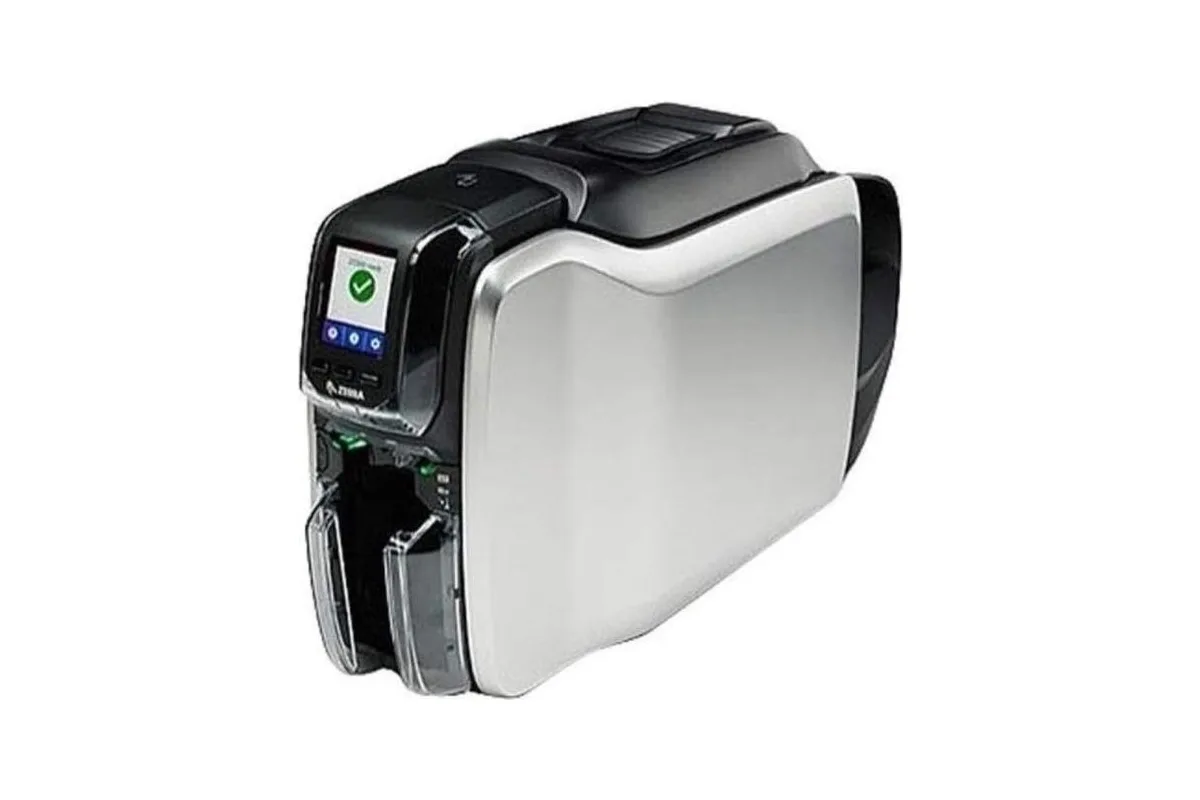
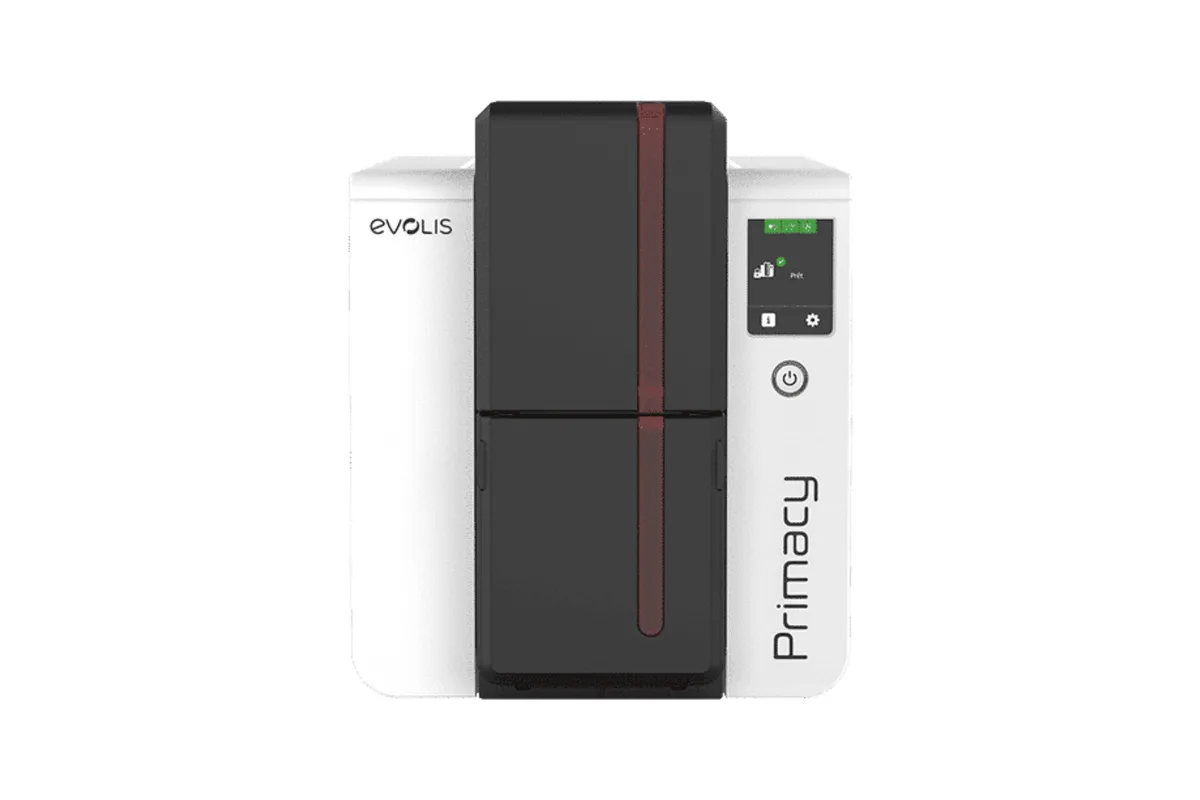
Side by side
| Feature | Zebra ZC300 | Evolis Primacy 2 |
|---|---|---|
| Type | Direct-to-card dye-sub ID card printer | Direct-to-card dye-sub ID card printer |
| Sides | Single or dual (dual model linked) | Single (dual model available) |
| Color speed | Up to 200 cards/hour (single-sided) | Up to 235 cards/hour (single-sided) |
| Connection | USB, Ethernet (Wi-Fi optional) | USB, Ethernet |
| Where to buy | Check price at Amazon | Check price at Amazon |
Zebra ZC300
- Type
- Direct-to-card dye-sub ID card printer
- Sides
- Single or dual (dual model linked)
- Color speed
- Up to 200 cards/hour (single-sided)
- Connection
- USB, Ethernet (Wi-Fi optional)
Evolis Primacy 2
- Type
- Direct-to-card dye-sub ID card printer
- Sides
- Single (dual model available)
- Color speed
- Up to 235 cards/hour (single-sided)
- Connection
- USB, Ethernet
Zebra ZC300 vs Evolis Primacy 2: which is better?
The Evolis Primacy 2 is the better printer. Evolis rates it at 235 color cards an hour against the ZC300’s 200, it has current drivers for macOS 14 through 26, design software comes in the box, and it offers what the Zebra doesn’t: a laminator, chip encoding and cards up to 50 mil. Two-sided, it costs only $76 more: $2,076 against $1,999.99 in November 2026.
The Zebra ZC300 is the better buy if you want a single-sided printer for everyday badges. At $1,479 at B&H it’s $289 less than the single-sided Primacy 2 ($1,768), its half-panel ribbon prints color on pre-printed cards for about 16¢, and it’s about 2 inches narrower.
Both are direct-to-card dye-sublimation printers at 300 dpi with 100-card hoppers, USB and Ethernet, edge-to-edge printing on CR-80 cards and 3-year warranties on the printer and printhead. Evolis is now part of HID Global, the company behind Fargo printers.
Side by side
| Zebra ZC300 | Evolis Primacy 2 | |
|---|---|---|
| Single-sided price (November 2026) | $1,479 at B&H; $1,548 at ID Security Online | $1,768 at B&H, ID Security Online and AlphaCard |
| Dual-sided price | $1,999.99 at B&H and Amazon | $2,076 at ID Security Online and AlphaCard |
| Color, one side (YMCKO) | 200 cards an hour | 235 cards an hour |
| Color with half-panel ribbon | Not rated separately | 280 cards an hour |
| Color front, black back | 140 cards an hour | 170 cards an hour |
| Black only | 900 cards an hour | 1,000 cards an hour |
| Resolution | 300 dpi | 300 dpi; 300 x 600 and 300 x 1200 dpi (mono) modes |
| Hoppers | 100 in, 100 out; 10-card reject bin on dual | 100 in, 100 out, 50-card reject tray; optional extra 200-card hopper |
| Cards | 10–40 mil | 10–50 mil (10 mil black only) |
| Encoding | Magstripe (US spec page) | Magstripe, contact, contactless (MIFARE, DESFire, iCLASS, Legic and more) |
| Lamination | No | Optional dual-sided module |
| Rewritable cards | Not listed | Yes |
| Connections | USB, Ethernet; Wi-Fi optional | USB, Ethernet; Wi-Fi as a factory option |
| Mac | 2024 Mac driver, versions not listed | macOS 14–26, Intel and Apple Silicon |
| Windows 11 | On Zebra’s driver page, not its US spec page | Yes |
| Software in the box | Not stated | ID-ALL Starter Edition (Windows and Mac) |
| Size and weight | 10.2 x 6.2 x 15.1 in, 8.8 lb | 9.72 x 8.07 x 14.99 in, 9.06 lb |
| Warranty | 3 years printer and printhead | 3 years printer, 3 years printhead with unlimited passes |
Which is faster?
The Primacy 2, in every mode. Evolis rates it at 235 color cards an hour against 200, so 100 badges take about 26 minutes against 30 (our math, at rated speed). With color on the front and black on the back it’s 170 an hour against 140, and black-only cards run at 1,000 against 900.
Evolis’s US product page headlines 280 cards an hour single-sided. That figure is for the half-panel ribbon, which prints color on only part of the card. With a full-color ribbon it’s 235.
The Primacy 2 also holds more. Both take 100 cards in, but the Primacy 2 adds a 50-card reject tray and an optional extra 200-card input hopper, which suits a school printing a full year’s student cards.
Which costs less to run?
It depends on the dealer, as with most card printers. The Primacy 2 is cheaper per color card at CDW, the ZC300 at ID Wholesaler. Here’s the ribbon cost per card, ribbon price ÷ the maker’s rated yield, in November 2026:
| Ribbon | Zebra ZC300 | Evolis Primacy 2 |
|---|---|---|
| Full color YMCKO 300, at CDW | $100.00 = 33¢ | $71.99 = 24¢ |
| Full color YMCKO 300, at ID Wholesaler | $84.99 = 28¢ | $104.60 = 35¢ |
| Full color YMCKO 200, at CDW | $70.00 = 35¢ | $57.99 = 29¢ |
| Half-panel YMCKO 400 | $64.00 = 16¢ (CDW) | Made; price not found |
| Color front, black back (YMCKOK 200) | $95 list = 48¢ | $93.63 = 47¢ (ID Wholesaler) |
| Black only, 2,000 prints | $28.00 = 1.4¢ (CDW) | $33.99 = 1.7¢ (CDW) |
Both take ordinary blank 30 mil cards, from about 8¢ each (Bodno, $39.99 for 500). With the card, a single-sided color badge costs roughly 32–43¢ on the Primacy 2 and 36–41¢ on the ZC300, by our estimate. At 1,000 color cards a year, the ribbon difference is $70 to $90 either way depending on the dealer, much less than the gap in printer prices.
The ZC300’s real edge is its half-panel ribbon if your cards have a pre-printed background. Our ID card printer cost guide compares every brand and the break-even against ordering cards.
Which works better with a Mac and Windows 11?
The Primacy 2, clearly. Evolis’s driver chart, updated October 28, 2026, covers macOS 14 Sonoma, 15 Sequoia and 26 Tahoe on Intel and Apple Silicon, plus Windows 10 and 11 and Linux. The one Mac gap is that network setup by DHCP isn’t available in the Mac software. The bundled ID-ALL Starter Edition design software, made by cardPresso, runs on Mac and Windows, though it’s limited to 50 records and CR80 cards.
Zebra’s driver page has an April 2024 Mac driver that doesn’t list macOS versions, and the ZC300 spec page mentions only OS X 10.13. For Windows 11, Zebra’s US ZC300 spec page stops at Windows 10, but Zebra’s April 2024 driver on its driver page lists Windows 11, so check Zebra’s driver page for your version. Zebra’s CardStudio 2.0 design software is Windows only, and Zebra doesn’t say a free edition ships with the printer.
Which has more features?
The Primacy 2. On top of what both do, it offers:
- Lamination: an optional dual-sided lamination module for patches (600 sides a roll) and varnishes (1,200 sides). A 1.0 mil clear patch costs about 27¢ a card and clear varnish about 13¢ at ID Wholesaler (our math).
- Chip encoding: contact chips (PC/SC, EMV) and contactless ISO 14443 A/B, ISO 15693, MIFARE, DESFire, HID iCLASS and Legic, as factory or on-site options. Zebra’s US ZC300 spec page lists only magstripe; its smart card printer is the ZC350.
- Security: a YMCKOO ribbon that adds a UV effect, Kineclipse to mask data left on the used black panel, Digital Erasing, magstripe data encryption and an optional mechanical lock. The ZC300 has printer-to-host authentication, AES encryption, a cover lock and an optional lockable enclosure. These are for making your own organization’s badges harder to copy, not for official IDs.
- Thicker and rewritable cards: up to 50 mil, against 40 mil on the Zebra, and rewritable cards that can be erased and reprinted for visitor or temporary badges.
- A two-sided upgrade: a single-sided Primacy 2 can be switched to two-sided with an RFID key. Zebra lists the ZC300’s card flipper as field-upgradeable but doesn’t say outright that a single-sided printer converts, so buy the dual model if you’ll need it.
Which is easier to own?
About even. Both carry 3 years on the printer and printhead, and both tie you to the maker’s ribbons: the ZC300 works only with genuine Zebra ribbons, and Evolis’s unlimited-pass printhead coverage requires Evolis High Trust ribbons. Evolis also ties it to cleaning: skip the cleaning prompts and you can lose the printhead warranty (Evolis’s manual for the original Primacy voids it after 1,200 cards without cleaning). Clean at every ribbon change on either printer; Zebra puts a cleaning roller in every ribbon. Our maintenance guide covers the steps.
The ZC300 is the smaller printer: Zebra lists it 6.2 inches wide against the Primacy 2’s 8.07 inches, and it weighs 8.8 lb against 9.06 lb. The Primacy 2 is about 19.2 inches deep with its reject tray.
The verdict
Buy the Evolis Primacy 2 if you print in batches, use a Mac, or think you’ll want lamination, chip encoding or two-sided cards later. It’s faster and more flexible, and two-sided it costs almost the same as the Zebra.
Buy the Zebra ZC300 for single-sided employee, member or volunteer badges on a budget. It’s $289 cheaper, its half-panel ribbon is the cheapest way to personalize pre-printed cards, and it fits a tighter desk. For other options, see the best ID card printers, the ZC300 vs HID Fargo DTC1500 comparison, and Zebra vs Fargo vs Evolis.
Questions people ask
Is the Evolis Primacy 2 faster than the Zebra ZC300?
Yes. Evolis rates it at 235 color cards an hour against 200, 170 against 140 for color front and black back, and 1,000 against 900 in black. Its 280-an-hour figure is with a half-panel ribbon.
Does the Zebra ZC300 work with a Mac?
Zebra has a 2024 Mac driver for the ZC300 but doesn’t list which macOS versions it supports. The Primacy 2 has drivers for macOS 14 through 26, including Apple Silicon.
Can the Primacy 2 laminate cards?
Yes, with the optional dual-sided lamination module, which applies patches or varnish. The ZC300 has no lamination option.
Which ribbons are cheaper, Zebra or Evolis?
It depends on the dealer. At CDW, Evolis’s 300-print color ribbon works out to about 24¢ a card against 33¢ for Zebra’s; at ID Wholesaler it’s 35¢ against 28¢. Zebra’s half-panel ribbon, about 16¢ a card, is the cheapest option for pre-printed cards.
Is Evolis owned by HID?
Yes. Evolis pages now say Evolis is part of HID Global, an Assa Abloy company, which also makes Fargo printers.
Can either printer print edge to edge?
Yes. Both print edge-to-edge on standard CR-80 cards. To print fully over the edge, you need a retransfer printer.
Sources
- Zebra ZC300 series specification sheet, zebra.com
- Zebra ZC300 product page, zebra.com
- Zebra ZC300 support and downloads, zebra.com
- Zebra ZC350 specification sheet, zebra.com
- Zebra CardStudio 2.0 fact sheet, zebra.com
- Evolis Primacy 2 product page, us.evolis.com
- Evolis Primacy 2 specification sheet, us.evolis.com
- Evolis Primacy 2 brochure, us.evolis.com
- Evolis drivers compatibility chart, us.evolis.com
- Evolis consumables compatibility chart, us.evolis.com
- Evolis Avansia product page (HID Global ownership), us.evolis.com
- cardPresso ID-ALL editions, cardpresso.com
- Zebra ZC300 ribbons at ID Wholesaler, idwholesaler.com
- Zebra ZC300 series ribbons and cleaning kits at ID Wholesaler, idwholesaler.com
- Evolis Primacy 2 ribbons at ID Wholesaler, idwholesaler.com
- B&H Zebra ZC300 listings, bhphotovideo.com
- B&H Evolis Primacy 2 listings, bhphotovideo.com
- ID Security Online ID card printers, idsecurityonline.com
- AlphaCard ID card printers, alphacard.com
- Bodno CR80 30 mil PVC cards, bodno.com
- Zebra ZC300 on Amazon, amazon.com
- Evolis Primacy 2 on Amazon, amazon.com
Keep exploring

Buying guide
The best barcode label printers
The Zebra ZD421 is the best barcode label printer for most businesses: 4-inch labels at 6 inches a second, any brand of label roll and a 24-month warranty, for about $480 to $526 in November 2026. Get the Brother QL-820NWBc ($229.99) for an office or shop counter, and a thermal transfer model for inventory labels that have to last.
Read story
Buying guide
The best check printers for a small business
The TROY 3001dw ($509.15 at TROY, $530 at Amazon in November 2026) is the best check printer for a small business: a 35 ppm Wi-Fi laser with MICR toner, rated for 350 to 2,500 checks a month, at about 5¢ to 7¢ per check three to a page by our estimate. Get the TROY 4001dn for a locking tray, or the VersaCheck M15 MXD ($399.99) for software in the box.
Read story