Printers in this guide
Can I print a poster on a regular printer?
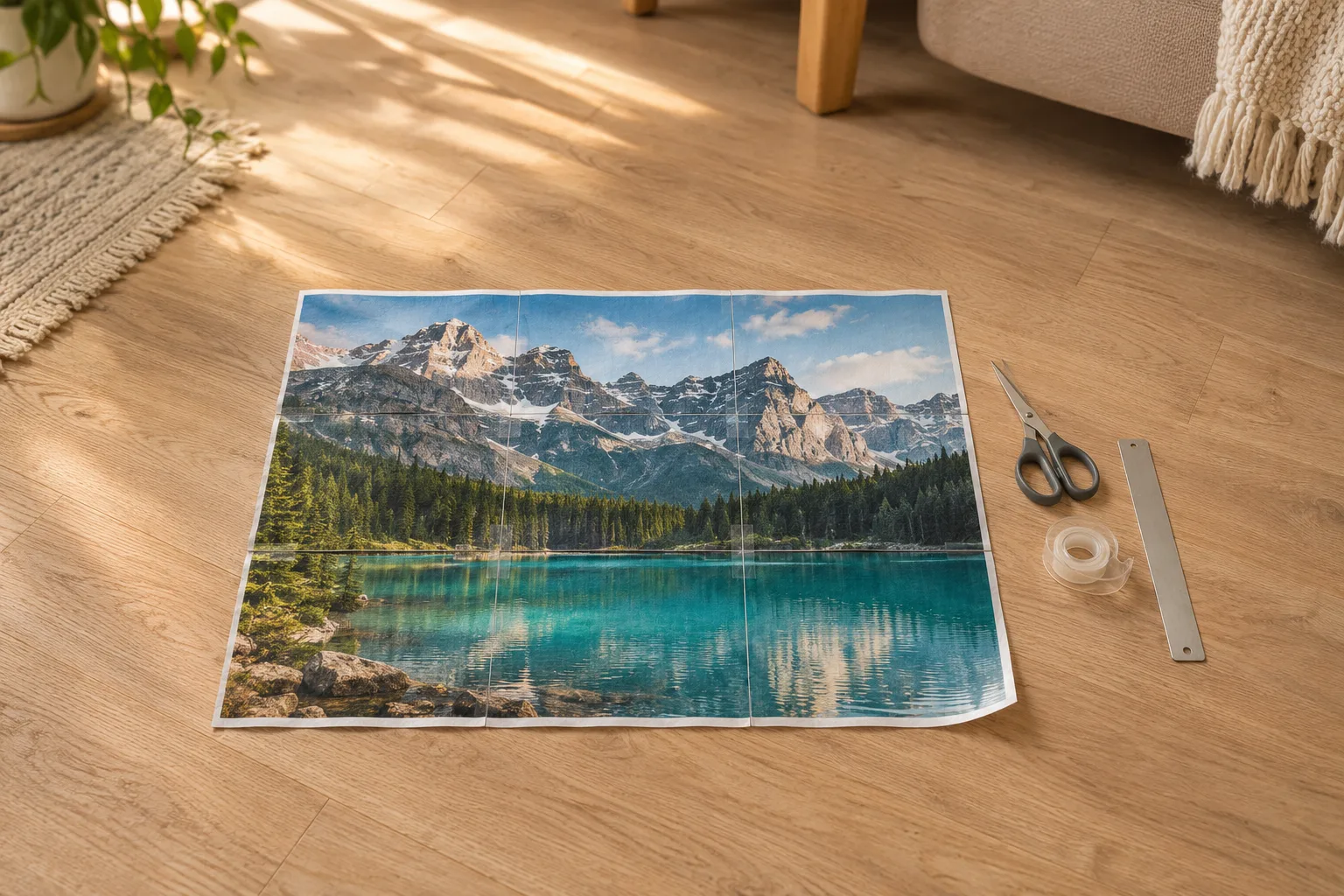
Yes. Any printer can print a poster by tiling: software splits the image across several sheets, and you trim and tape them together. A 24x36 poster takes about 15 letter sheets, or 8 sheets of 11x17. An 18x24 takes about 8 letter sheets. These counts are our estimate, assuming 10 mm margins and no overlap.
Three free or common tools do the splitting:
- Adobe Acrobat’s Poster option, for a PDF
- Your printer’s driver, on Windows: Epson, Canon and Brother drivers all have a poster mode
- The Rasterbator, a free website that turns a photo into a printable multi-page PDF
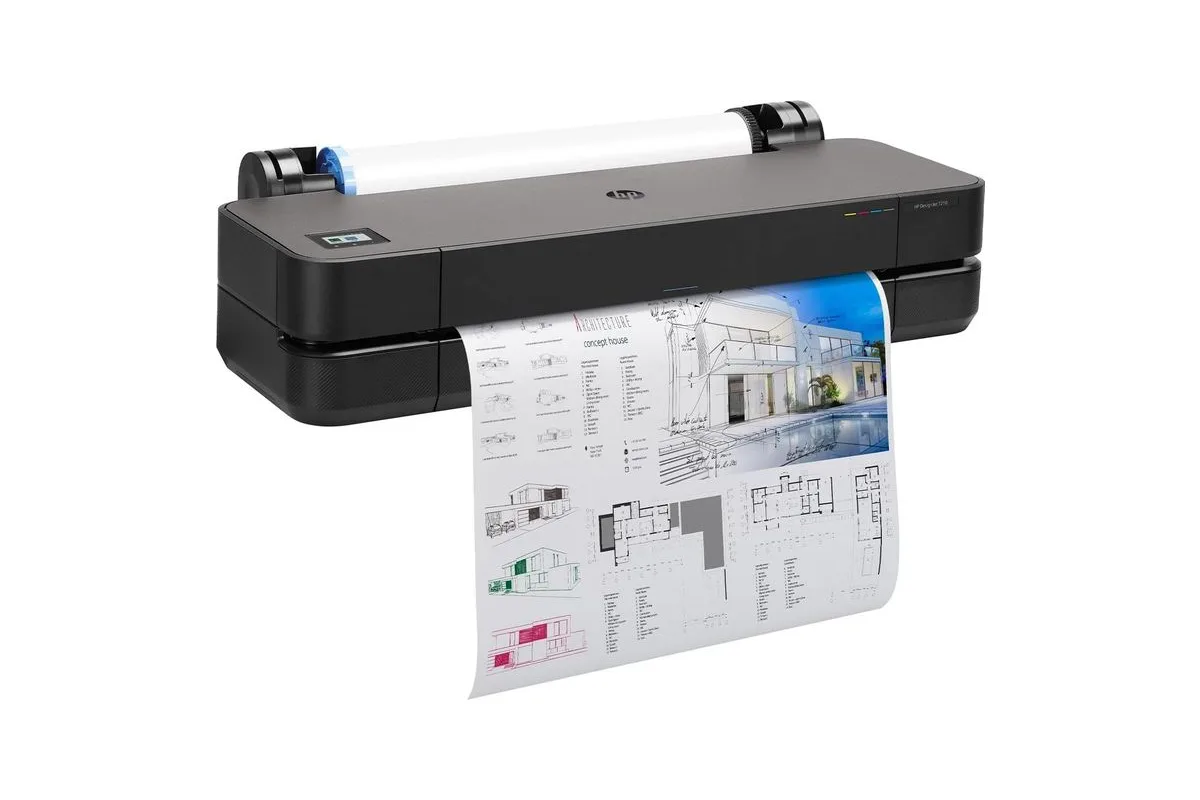
A taped poster is fine for a classroom wall, a party or a full-size proof of a design. The seams show up close. If you want one seamless sheet, a print shop charges $32.99 to $41.99 for a 24x36 color poster in November 2026, and a 24-inch printer such as the HP DesignJet T210 prints one in a single piece.
What size poster can I print at home?
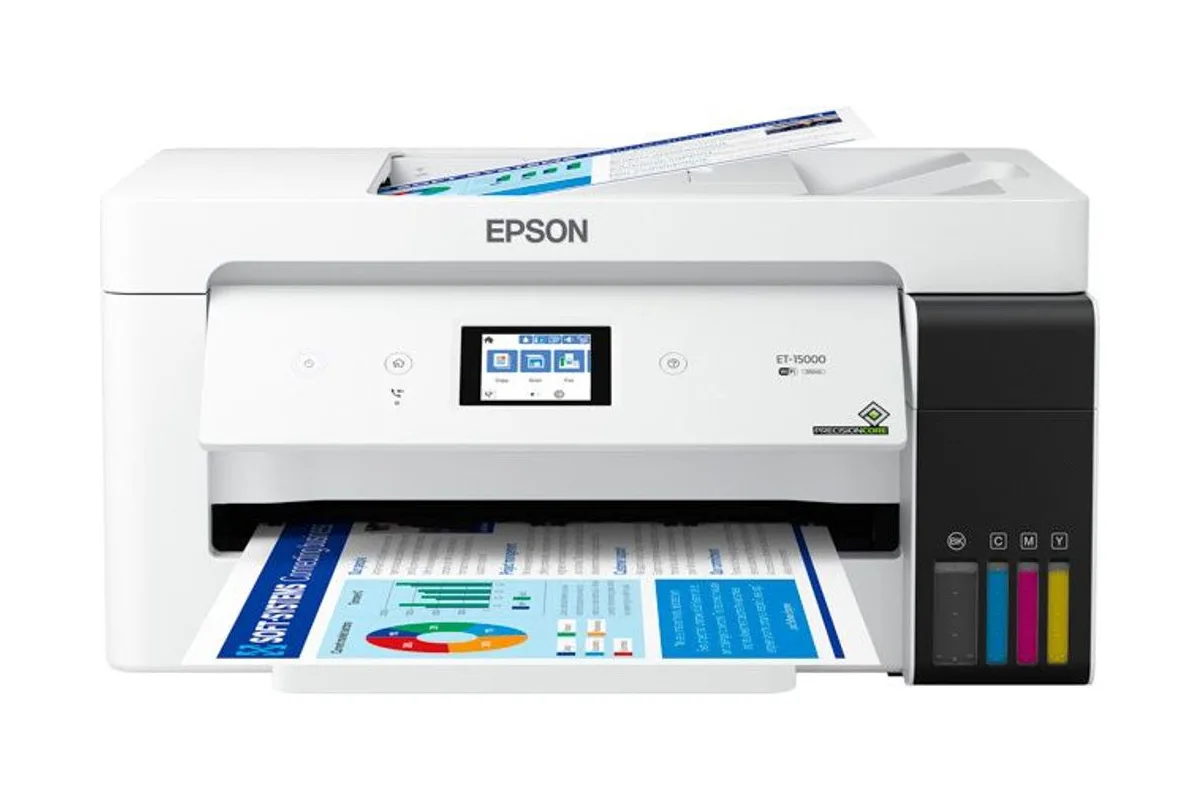
On one sheet, most home printers stop at letter (8.5 x 11 in). A wide-format home inkjet such as the Epson EcoTank ET-15000 takes paper up to 13 x 19 in. Tiled, there’s no limit, but 18x24 and 24x36 are the practical sizes: a 36x48 takes about 25 letter sheets.
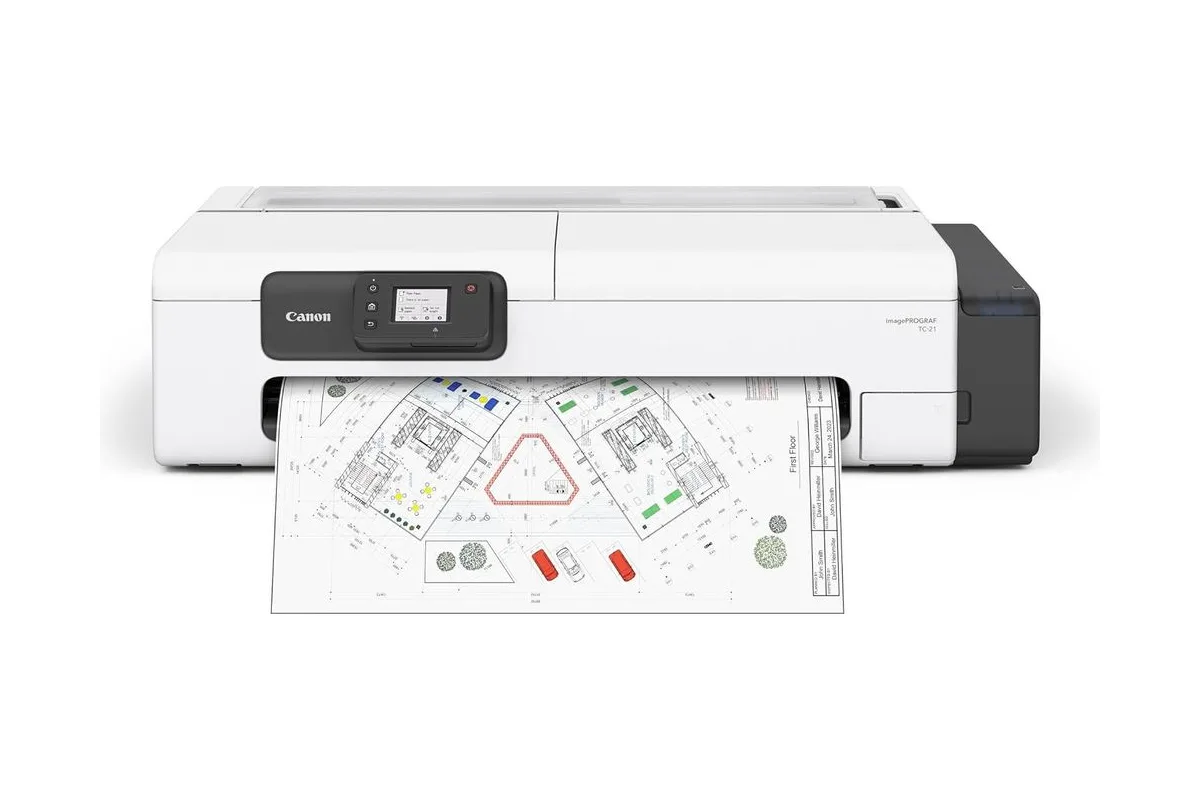
A 24-inch wide-format printer prints a 24x36 in one piece from a roll. The HP T210 leaves 0.2-inch margins, so the image area is about 23.6 x 35.6 in. The Canon TC-21 prints with no top or bottom margin and about 0.5 mm at the sides, and its roll prints can run up to 4 m (about 13 ft) long. Anything wider than 24 inches, such as a 36x48 or A0, needs a 36-inch printer. See plotter sizes explained.
How many sheets does a poster take?
Our estimate, with 10 mm margins on every sheet (the Rasterbator’s default) and no overlap. Adding overlap or using a printer with wider margins can add a row.
| Poster | Letter (8.5x11) sheets | 11x17 sheets | 13x19 sheets | 24-inch roll printer |
|---|---|---|---|---|
| 18 x 24 in | 8 | 4 | 2–4 | 1 sheet |
| 24 x 36 in | 15 | 8 | 4–6 | 1 sheet |
| 36 x 48 in | 25 | 12 | 8–9 | 2 panels |
Nine letter sheets in a 3x3 grid cover up to about 23 x 30 inches. On 13x19 paper the low counts leave almost no room for overlap, so plan on the higher number. A printer that takes 11x17 or 13x19, like the ET-15000, cuts the sheet count roughly in half compared with letter; see the best 11x17 printers.
How do I print a large poster on multiple pages?
Make or export the poster at its final size first, then let one of these tools split it.
With Adobe Acrobat’s Poster option
Adobe’s help page documents the Poster option in Acrobat under Print > Page Sizing & Handling. Adobe’s older page about printing posters with the free Acrobat Reader now redirects to that Acrobat page, and we couldn’t confirm whether the free Reader still includes the option. Check your Print dialog. If Poster isn’t there, use the Rasterbator below.
- Save the poster as a PDF at its final size, for example a 24 x 36 in design.
- Open it in Acrobat, choose File > Print, and pick your printer and letter paper.
- Under Page Sizing & Handling, click Poster.
- Set Tile Scale to 100% if the PDF is already poster size. To enlarge a smaller page, raise the percentage.
- Set Overlap to half an inch or less, and tick Cut marks and Labels (labels print the file name and tile position on each sheet).
- Check the preview. Acrobat works out how many sheets the poster needs and updates the preview as you change settings.
- Print, then assemble the sheets (steps below).
With your printer’s driver (Windows)
- Open the image or document and choose Print.
- Open the printer’s Preferences or Properties.
- Find the poster setting for your brand (table below) and pick a grid, such as 3x3.
- Turn on the cut or alignment marks.
- Print, then assemble the sheets.
| Brand | Where the poster setting is | Grids | Notes |
|---|---|---|---|
| Epson | Page Layout tab > Multi-Page > Poster Printing | 2x2, 3x3, 4x4 | Adds overlap alignment marks, cutting guides and trim lines. Not available with borderless printing; older Epson guides say it isn’t available on a Mac |
| Canon (PIXMA and imagePROGRAF) | Page Setup tab > Page Layout > Tiling/Poster | Poster (1 x 2) to Poster (4 x 4) | Prints “Cut/Paste” marks and lets you reprint single tiles. Canon warns results “may become coarse” because the image is enlarged |
| Brother | Basic tab > Multiple Page | 1 in 2x2, 1 in 3x3 pages | Wording varies by model |
| HP | We found no HP documentation of a poster mode in current drivers | — | HP’s support forum says later models dropped it and points to Acrobat |
With the Rasterbator (free, any computer)
The Rasterbator at rasterbator.net is free and works in a browser. It processes your image on your own computer, so the image is never uploaded. It takes JPEG, PNG, GIF and WebP files up to 40 MB.
- Open rasterbator.net and choose your image.
- Pick your paper size. Margins default to 10 mm; overlap is optional.
- Choose a style. A plain enlargement suits a photo; the halftone-dot styles give the classic big-dot look and hide a low-resolution image.
- Set how big the poster should be, then download the PDF (it’s named rasterbation.pdf).
- Print the PDF at actual size, with no scaling.
- Lay the sheets out by the position marker on each one, such as A1 or B2, then assemble.
Block Posters (blockposters.com) is another free option: upload an image, slice it and download a PDF. Unlike the Rasterbator, it uploads your image to its server, which it says deletes uploads periodically.
On a Mac
Apple’s guide to printing from Preview covers printing several pages per sheet but lists no poster or tiling option. On a Mac, use Acrobat’s Poster option, the Rasterbator in a browser, or the printer’s Mac driver if it has a poster mode.
From Canva
Canva has no tiling of its own, so export a print PDF and tile that.
- Create a design at a custom size, such as 24 x 36 in.
- Download it as PDF Print, which Canva describes as 300 dpi.
- If a print shop will trim it, turn on “crop marks and bleed” under the download settings. It’s off by default.
- Open the PDF in Acrobat’s Poster option, or send it to a print shop or online printer.
Assembling a tiled poster
- Lay the sheets out face up in order, using the labels or position markers.
- On each sheet, trim the white margin off the edges that will lie on top of a neighbor, such as the left and top edges, following the cut marks. Leave the outer edges of the poster for last.
- Lay each trimmed edge over its neighbor’s overlap and line up the image.
- Tape the joint on the back. Build one row at a time, then join the rows.
- Trim the outer border straight.
What paper should I use for printing posters?
For a tiled poster, run a test on plain paper to check the layout, then print the keeper on a matte photo or presentation paper your printer supports. Matte suits text and graphics and hides the joints better than a shiny sheet.
On a wide-format printer you buy paper by the roll. Here’s what each kind costs, from retailer prices in November 2026, with the paper cost of one 24x36 (6 sq ft) worked out by us, before waste:
| Roll paper | Price per sq ft | Paper for one 24x36 | Good for |
|---|---|---|---|
| 20 lb bond (Alliance CAD Bond) | $0.08–$0.10 | about $0.48–$0.60 | Drafts, text posters, line art |
| 24 lb bond (HP Bright White, C1860A) | $0.11–$0.14 | about $0.64–$0.85 | Brighter text posters and charts |
| Heavyweight coated (HP C6029C, 24” x 100’) | $0.45–$0.50 | about $2.71–$3.00 | Classroom and event posters with color |
| Satin or luster photo (HP Q6579A, Epson S450423) | $0.63–$0.94 | about $3.78–$5.64 | Photo posters |
At print shops, FedEx offers matte, glossy photo or satin photo paper for its posters; Staples’ same-day default is a 6.8 mil heavyweight matte; Walgreens and CVS print on satin.
Ink matters as much as paper. The HP T210 uses dye-based color ink with pigment black, so its colors can run if a poster gets wet. The Canon TC-21 uses pigment in all four colors. See dye vs pigment ink.
What resolution do I need to print a poster?
About 100–150 pixels per inch for a poster seen from 5 to 10 feet, and 200–300 ppi for one people read up close. That’s HP’s guidance, and HP calls defaulting to 300 ppi for everything a common mistake. Vistaprint’s guide is a little stricter: 240 ppi at a typical indoor distance of 3 to 6 feet, and 150–200 ppi from 6 to 10 feet or more.
Pixels you need for each size (our arithmetic: inches x ppi):
| Poster | 100 ppi | 150 ppi | 200 ppi | 300 ppi |
|---|---|---|---|---|
| 11 x 17 in | 1100 x 1700 | 1650 x 2550 | 2200 x 3400 | 3300 x 5100 |
| 18 x 24 in | 1800 x 2400 | 2700 x 3600 | 3600 x 4800 | 5400 x 7200 |
| 24 x 36 in | 2400 x 3600 | 3600 x 5400 | 4800 x 7200 | 7200 x 10800 |
| 36 x 48 in | 3600 x 4800 | 5400 x 7200 | 7200 x 9600 | 10800 x 14400 |
To check your own image, divide its pixel count by the print size in inches. An image 4,000 pixels on its long side prints 36 inches long at about 111 ppi: fine on a wall seen from across a room, soft up close.
If a print shop will trim the poster, add bleed. Vistaprint’s guide gives a 0.125-inch bleed and file sizes of 18.5 x 24.5 in for an 18x24 and 24.5 x 36.5 in for a 24x36; at 300 ppi, that 24x36 file is 7350 x 10950 pixels (our arithmetic). Ask your shop for its own size. More on pixels and print sizes in photo print sizes.
Is it cheaper to print a poster at home or at a print shop?
For a few posters, a print shop. A 24x36 color poster costs $32.99 to $41.99 at the big chains in November 2026, and you get one seamless sheet the same day at most of them.
| Shop | 18 x 24 color | 24 x 36 color |
|---|---|---|
| Office Depot (custom posters) | from $16.99 | from $32.99 |
| CVS (satin) | $20.99 | $32.99 |
| Walgreens (satin) | no 18x24 size | $33.99 |
| FedEx Office (matte) | $23.00 | $40.25 |
| Staples (heavyweight matte) | $20.99 | $41.99 |
| Vistaprint (semi-gloss, online) | $16.99 list, $11.89 on sale | $35.99 list, $25.19 on sale |
For text and line art, a black-and-white engineering print is far cheaper: $3.99 for a 24x36 on bond paper at Office Depot. It isn’t meant for photos.
On your own 24-inch printer, a poster costs ink plus paper. No printer maker publishes how much ink a poster uses. A school poster-printer vendor publishes its own measurements for 24x36 posters: about 1 ml of ink for a text-heavy poster and 2.6 to 4.6 ml for full-color ones. At HP 712 prices ($1.05–$1.48 per ml), that works out to roughly $1 to $7 of ink, plus $0.50 to $5.60 of paper. A typical color poster on heavyweight coated paper comes to about $5.50 to $7 (our estimate, assuming that vendor’s ink figures carry over to an HP).
Against a $32.99 shop poster, that saves about $26 a print, so an HP T210 at $719 pays for itself after roughly 25 to 30 posters. The full math is in plotter or print shop.
When should you buy a wide-format printer instead?
When you print more than a couple of posters a month, need them the same hour, or want them seamless without paying shop prices. Schools, small businesses and designers who proof at full size are the usual buyers. For most people making one poster for a party, tiling or a print shop is cheaper.
The three printers in this guide cover the realistic home options:
- Canon imagePROGRAF TC-21, $784 at Canon and Amazon. The cheapest way to print posters in one piece on pigment ink. It fills its tanks from 70 ml bottles ($61–$70, about $0.87–$1.00 per ml), prints with no top or bottom margin, and takes 24-inch rolls. It’s slow on color, close to 2 minutes for an A1 poster in Standard mode, can’t take 24x36 cut sheets (its sheet feeder stops at 12 inches wide), and weighs 71 lb.
- Epson EcoTank ET-15000, $449.99 in November 2026 (list $699.99). Not a poster printer, but its 13 x 19 in sheets cut a tiled 24x36 to four to six sheets, and it fits on a desk.
- HP DesignJet T210, $719 at HP in its Black Friday sale (list $789), $718.90 at Amazon. The cheapest new 24-inch printer from a major maker, rated at 45 seconds per D-size page in Fast mode. Its color inks are dye, so posters can run if they get wet, and the stand ($340) and sheet feeder ($135) cost extra. The base model has a one-year warranty.
For more choices, see the best poster printers and the best wide-format printers. For banners or posters that go outdoors, ink type matters more than the printer; see wide-format ink types.
Questions people ask
Does the free Adobe Acrobat Reader have a Poster option?
We couldn’t confirm it. Adobe’s current help page documents Poster printing in Acrobat, and its old Reader page now redirects there. Look under Print > Page Sizing & Handling; if Poster is missing, the Rasterbator does the same job for free.
How many sheets of paper do I need for a 24x36 poster?
About 15 letter sheets, 8 sheets of 11x17, or four to six sheets of 13x19, by our estimate with 10 mm margins. Overlap can add a row.
Can I print a 24x36 poster on a regular printer?
Yes, by tiling it across about 15 letter sheets and taping them together. For a single sheet you need a 24-inch wide-format printer or a print shop.
How do I print a poster on a Mac?
Use Acrobat’s Poster option, the Rasterbator in a browser, or your printer’s Mac driver if it has a poster mode. Apple’s Preview guide lists no poster or tiling option.
Can I print a poster from Canva at home?
Not tiled, directly. Download it as PDF Print, then tile the PDF with Acrobat’s Poster option, or send it to a print shop.
Does Walgreens print 18x24 posters?
No. Walgreens’ poster sizes are 11x14, 12x18, 16x20, 20x30 and 24x36. Office Depot, CVS, FedEx, Staples and Vistaprint all print 18x24.
Can I print a large poster on a 13x19 printer?
Yes. A 24x36 takes four to six 13x19 sheets, and an 18x24 two to four, so there are far fewer seams than on letter paper.
Sources
- Print posters and banners (Adobe Acrobat help), helpx.adobe.com
- Epson printer driver: Poster Printing (Windows), Epson
- Canon printer driver: Tiling/Poster Printing, ij.manual.canon
- Brother: Print as a poster (Windows), support.brother.com
- Print in Preview on Mac (Apple Support), support.apple.com
- The Rasterbator, rasterbator.net
- The Rasterbator FAQ, rasterbator.net
- Block Posters FAQ, blockposters.com
- Canva: margins, bleed and crop marks, canva.com
- HP Tech Takes: large-format printing best practices, HP
- Vistaprint poster printing preparation guide, vistaprint.com
- FedEx Office poster prints, office.fedex.com
- Staples same-day posters, staples.com
- Office Depot custom posters, officedepot.com
- Walgreens custom poster prints, Walgreens
- CVS poster prints, CVS
- Vistaprint custom posters, vistaprint.com
- Office Depot custom blueprints, 24 lb, officedepot.com
- HP DesignJet T210 24-in printer (HP Store), HP
- HP 712 80 ml black DesignJet ink cartridge, HP
- HP 712 29 ml cyan DesignJet ink cartridge, HP
- Canon imagePROGRAF TC-21 (Canon store), Canon
- Canon imagePROGRAF TC-21 specifications (Canon UK), canon.co.uk
- Canon PFI-050 pigment black ink tank, Canon
- Poster Studio Express cost per print, posterstudioexpress.com
- Epson EcoTank ET-15000 on Amazon, amazon.com
Keep exploring

Buying guide
The best barcode label printers
The Zebra ZD421 is the best barcode label printer for most businesses: 4-inch labels at 6 inches a second, any brand of label roll and a 24-month warranty, for about $480 to $526 in November 2026. Get the Brother QL-820NWBc ($229.99) for an office or shop counter, and a thermal transfer model for inventory labels that have to last.
Read story
Buying guide
The best check printers for a small business
The TROY 3001dw ($509.15 at TROY, $530 at Amazon in November 2026) is the best check printer for a small business: a 35 ppm Wi-Fi laser with MICR toner, rated for 350 to 2,500 checks a month, at about 5¢ to 7¢ per check three to a page by our estimate. Get the TROY 4001dn for a locking tray, or the VersaCheck M15 MXD ($399.99) for software in the box.
Read story