Printers in this guide
How do you print barcode labels from Excel?
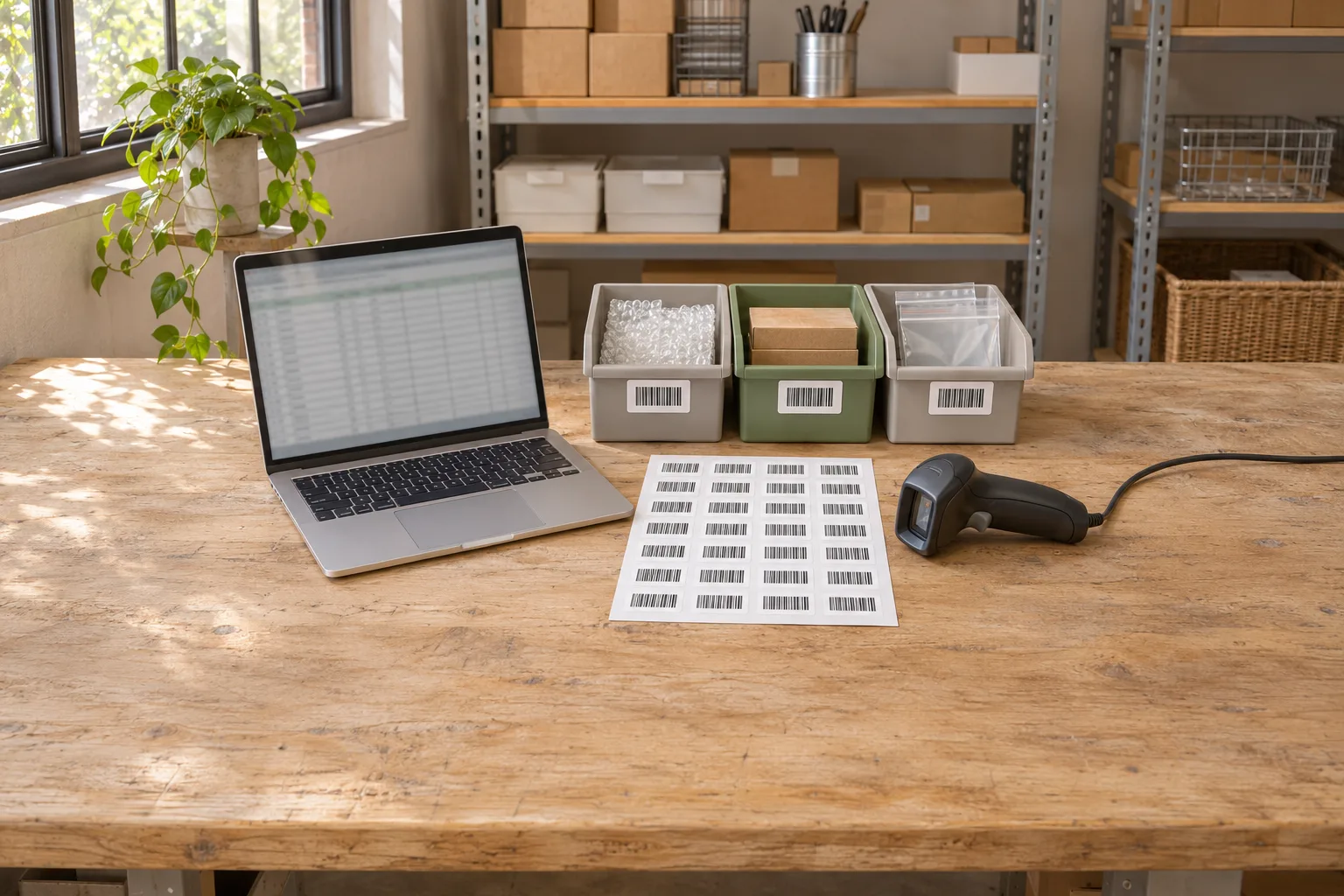
Put one row per label in a spreadsheet, with the barcode value in its own column, then connect that file to software that lays out the label and draws the barcode. There are three common routes:
| Route | Printer | Software cost | Reads Excel? | Best for |
|---|---|---|---|---|
| Brother P-touch Editor | Brother QL label printers | Free | Yes: XLS, CSV, MDB, TXT, up to 65,000 records | Small barcode and product labels on a roll |
| ZebraDesigner | Zebra thermal printers | Essentials free; Professional is a paid one-time license | Professional only: Excel, Access, text files, ODBC | Zebra owners, longer runs, durable labels |
| Word mail merge | Any inkjet or laser, on label sheets | Microsoft Word | Yes, from a named range | Sheets of labels on an office printer |
Each one turns a column of numbers into scannable barcodes for you. That’s the important part: typing a number in a cell and switching it to a barcode font usually doesn’t make a barcode that scans (see barcode fonts below).
Step 1: set up the spreadsheet
Whatever printer you use, the file looks the same:
- One header row, with short column names like
SKU,Name,PriceandBarcode. The software shows these names when you link fields to the label. - One row per label. If you need 20 labels of one item, that’s 20 rows, or one row and a copy count if your software has one.
- One column for the barcode value, holding exactly the characters the barcode should encode.
- Save it where the software can read it. Brother lists XLS, CSV, MDB and TXT files. For Word, Microsoft’s steps use a named range in the Excel sheet.
Method 1: Brother P-touch Editor (free)
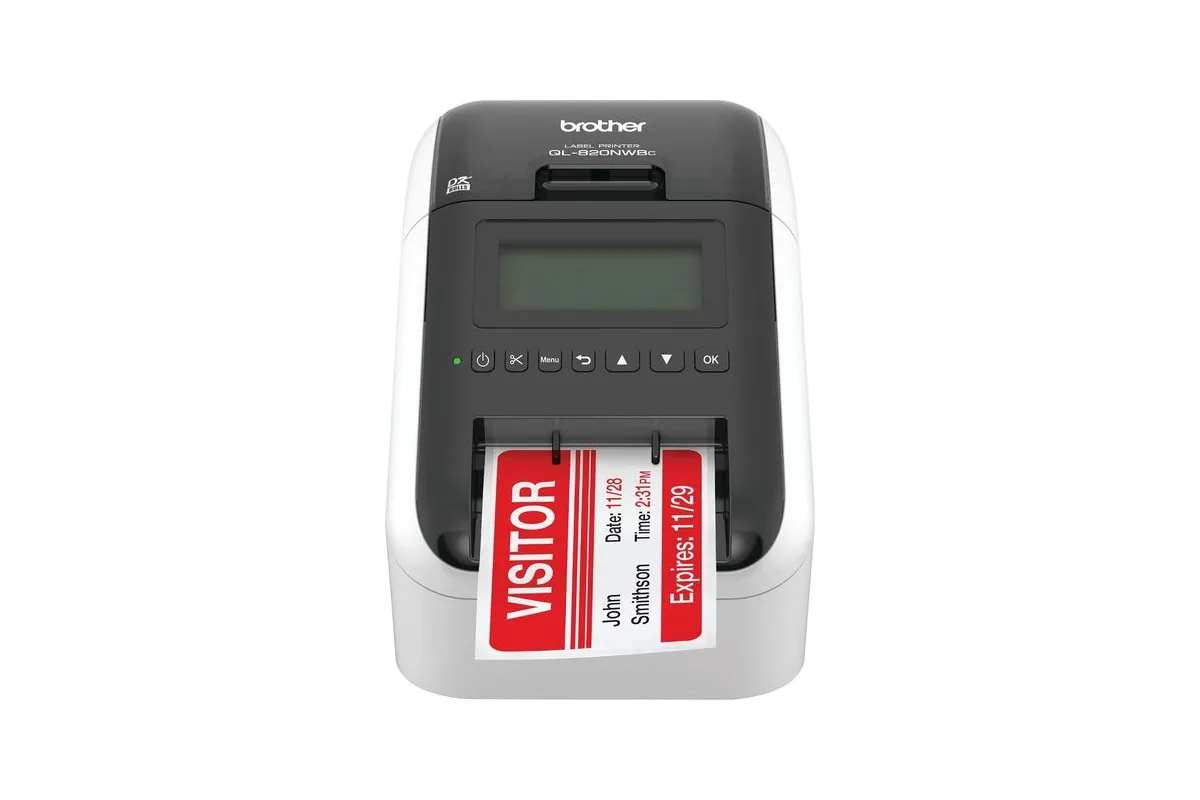
Brother’s P-touch Editor comes free with Brother QL label printers such as the QL-820NWBc and links a label template to your spreadsheet:
- Create a new label at the size of the roll in the printer, for example a 1.1 x 2.4-inch DK-1209.
- Connect the database: choose your Excel or CSV file (on older versions of the editor, File > Database > Connect).
- Add a barcode object to the label and link it to the barcode column. Link text boxes to the name and price columns the same way.
- Pick the records to print and print.
Brother’s limits: one database per template, and up to 65,000 records. Brother also lists Word, Outlook and Excel add-ins for the QL-820NWB, and on the 4-inch QL-1110NWBc it lists printing straight from Excel and, on Windows, SQL Server. Some Brother models can store the template and database on the printer itself and print a label when you scan a barcode.
The catch is the roll width: QL printers print up to 2.3 inches wide (4 inches on the QL-1110NWB) and take only Brother DK rolls.
Method 2: ZebraDesigner (Essentials or Professional)
Zebra’s free ZebraDesigner Essentials designs labels, but its only data sources are keyboard input, date, time and a counter. That’s enough for sequential serial numbers or asset tags. It can’t read a spreadsheet.
To print from Excel on a Zebra, you need ZebraDesigner Professional, which Zebra sells as a one-time activation license key, with a 30-day free trial. It connects to Microsoft Excel, Microsoft Access and text files, or to other databases through ODBC, and adds RFID encoding and scripting. Zebra describes ZebraDesigner as Windows-based. Zebra doesn’t publish the Professional price on its software page.
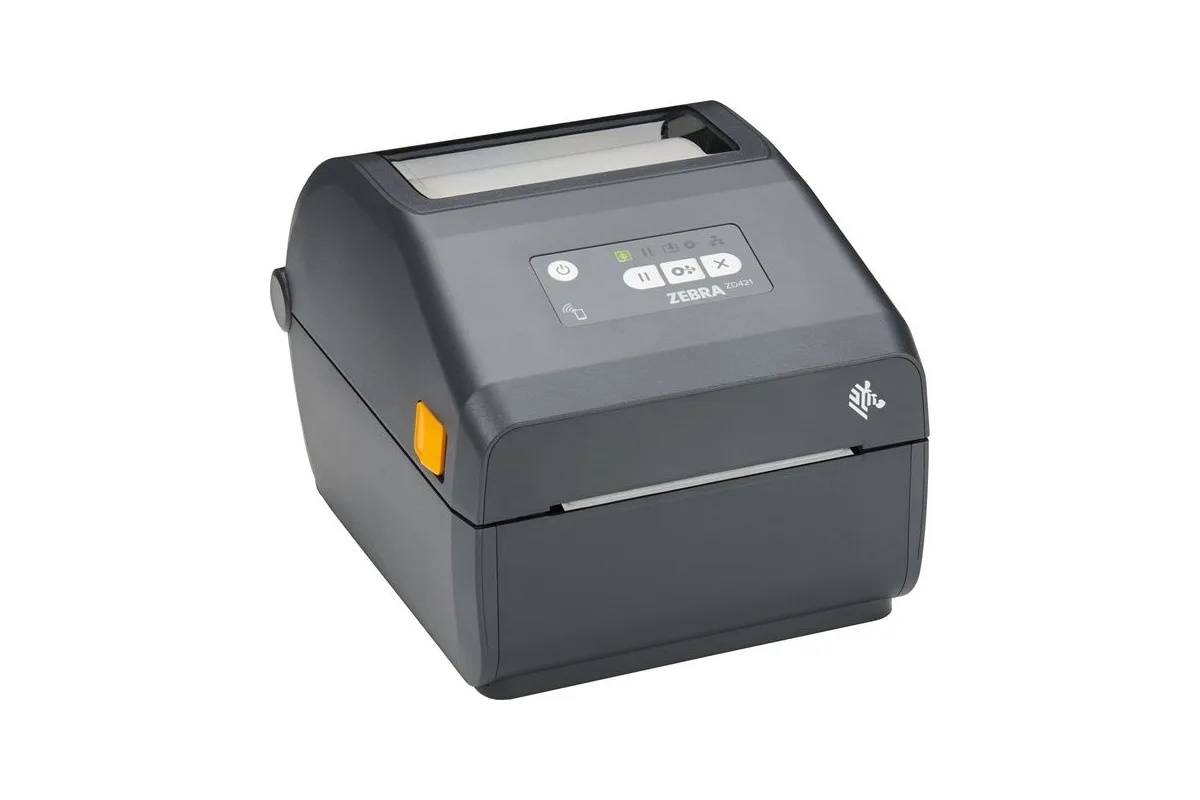
The steps match P-touch Editor: design the label at your roll size, connect the data source, link the barcode object to a column, then print the records. On a Zebra ZD421 the labels can be any generic roll up to 4.25 inches wide (direct thermal), and the thermal transfer version prints with a ribbon for labels that have to last.
Method 3: Word mail merge onto label sheets
If you print on sheets of labels in an office inkjet or laser, Word does the barcode. Microsoft’s steps, for Word 2016, 2019, 2021, 2024 and Microsoft 365 on Windows:
- In Excel, give your data a named range and save the file.
- In Word, go to Mailings > Start Mail Merge > Labels, and pick the label vendor and product number that match your sheets.
- Choose Select Recipients > Use an Existing List and open the Excel file.
- Insert your merge fields, and a barcode field code for the barcode (below).
- Click Update Labels to fill every label on the sheet, then Preview Results, and print.
Word no longer has a built-in barcode tool, but it still supports two field codes, DisplayBarcode and MergeBarcode. Microsoft’s example combines a merge field with DisplayBarcode to draw a Code 128 barcode from a column:
{ DisplayBarcode "{ MergeField ... }" CODE128 \t \h 1440 }Replace the ... with your column name. Microsoft lists UPC, Code 39 and Code 128 among the barcode types, and field codes and barcode types aren’t case-sensitive. Microsoft says the steps and options may differ in Word for Mac and Word for the web.
What the labels cost: OnlineLabels’ standard white matte sheets (eight 3.75 x 2.44-inch labels a sheet) work out to about 2.8¢ a label at 100 sheets, and its weatherproof polyester laser sheets about 8.2¢, before toner or ink (our arithmetic).
Do barcode fonts work in Excel?
Some do, but not by just changing the font. Google Fonts carries free Libre Barcode fonts under the Open Font License: Libre Barcode 128, Libre Barcode 39 and 39 Extended (each also in a Text version) and Libre Barcode EAN13 Text.
Code 128 needs an encoder. Libre Barcode’s documentation says you have to use one, and that it also calculates the checksum symbol that must sit before the stop symbol. So a cell showing 10001 in the Code 128 font won’t scan unless a formula or add-in has encoded it first. Label software and Word’s barcode fields do that encoding for you, which is why we’d start there.
Whichever method you use, scan a test label with the scanner or app that will read it before you print a whole batch.
What is the best printer for FBA labels?
A 300 dpi thermal printer for the small product (FNSKU) labels, and a 4x6 thermal printer for box labels. One 4-inch, 300 dpi printer can do both.
What Amazon asks for, from its seller guides: the FBA beginner’s guide describes product labels 1 to 2 inches tall and 2 to 3 inches wide, printed in black on non-reflective labels with a scannable barcode, the FNSKU, the product title and its condition, and suggests a 300 dpi laser printer for best results. Amazon’s developer label spec allows other sizes, such as 1 x 3 or 2 x 2 inches, if all the information fits, and calls for removable adhesive. For box labels, Seller Central lets sellers with a thermal printer print directly to 4x6 format. Amazon changes these pages, so check Seller Central’s current label requirements before you buy labels in bulk.
Printers that fit, at November 2026 prices:
| Printer | Resolution | FNSKU labels | 4x6 box labels | Labels | Price |
|---|---|---|---|---|---|
| Brother QL-820NWBc | 300 dpi | Yes: DK-1209 1.1 x 2.4 in (3.2¢) or DK-1201 1.1 x 3.5 in (3.5¢) | No | Brother DK rolls only | $229.99 |
| Brother QL-1110NWB | 300 dpi | Yes | Yes, on DK-1241 (24¢) | Brother DK rolls only | $334.99 |
| Zebra ZD421 (300 dpi) | 300 dpi | Yes | Yes | Generic rolls | $613.57 (Barcodes, Inc.) |
| Zebra ZD421 (203 dpi) | 203 dpi | Below Amazon’s suggested 300 dpi | Yes | Generic rolls | $480 (Amazon); $510.48 (CDW) |
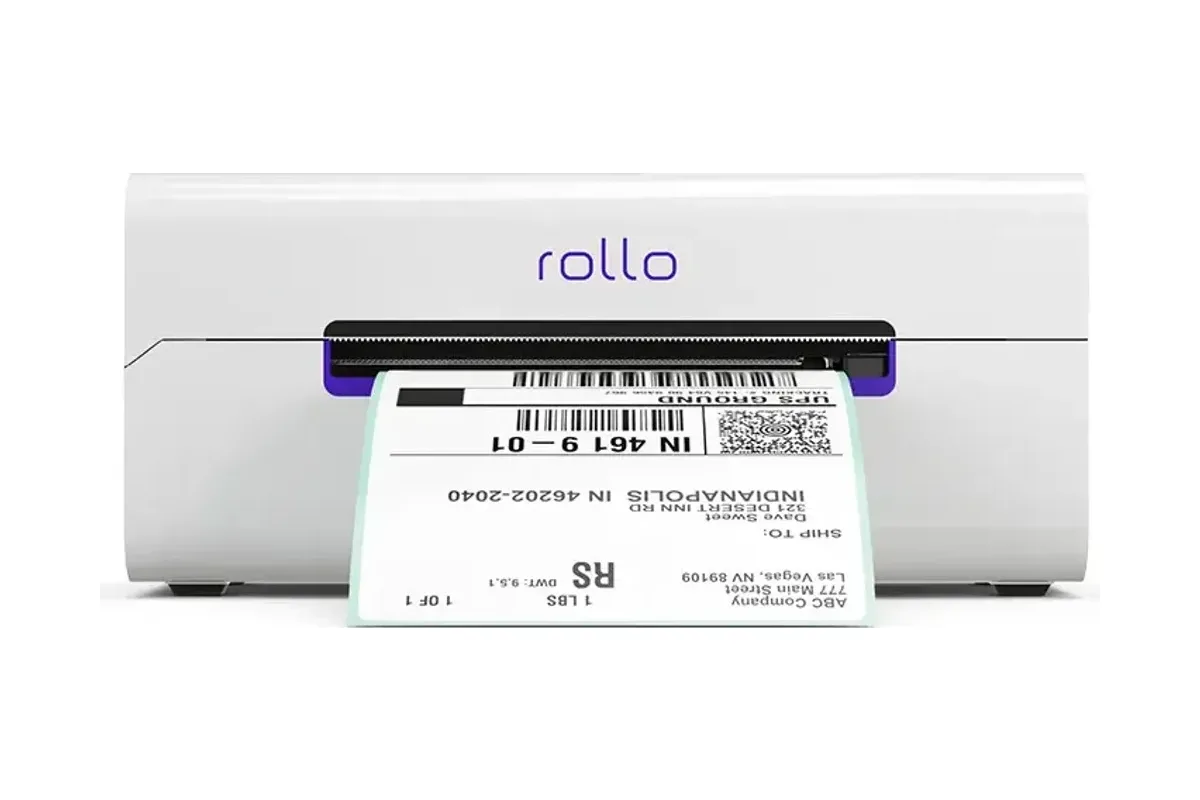
| Rollo Wireless | 203 dpi | Below Amazon’s suggested 300 dpi | Yes, about one a second | Rolls 1.57–4.1 in wide | $279.99 |
| MUNBYN RW941BP | 300 dpi | Yes | Yes | Rolls 1.57–4.3 in wide | $125.99–$132.99 (MUNBYN) |
| DYMO LabelWriter 5XL | 300 dpi | Yes | Yes | DYMO labels only (16¢ per 4x6) | $199.80 (Staples) |
Which to buy:
- Mostly FNSKU labels, printed from a spreadsheet: the Brother QL-820NWBc. It’s 300 dpi, labels cost about 3¢, and P-touch Editor is free. Check that the DK roll you pick meets Amazon’s adhesive rules.
- Both label types on cheap generic rolls: a 300 dpi Zebra ZD421. Zebra’s November 2026 warranty list gives it 24 months, with the printhead covered for 1 year or 1 million inches.
- 4x6 box and shipping labels from any phone or computer: the Rollo Wireless ($279.99), which prints over Wi-Fi with AirPrint and comes with 500 4x6 labels from Rollo. Rollo calls 203 dpi the industry standard resolution used by couriers.
Skip the DYMO 550 series for FBA unless you’re happy buying DYMO labels: DYMO’s user guide says the printers won’t recognize non-DYMO labels.
For the full list, see the best barcode label printers and the best shipping label printers.
Direct thermal or thermal transfer for barcode labels?
Direct thermal for labels with a short life, such as FNSKU labels, shipping labels and price tags, and thermal transfer for anything that must stay scannable for years. Zebra says direct thermal labels are “extremely sensitive” to heat and light, that overexposure can make barcodes unreadable, and that direct thermal isn’t used for lifetime identification. Thermal transfer prints through a ribbon and, with the right label stock, gives Zebra’s most durable labels. Every Brother QL, Rollo, MUNBYN and DYMO printer is direct thermal only; the Zebra ZD421t and Brother’s TD-4 TN models do both. Direct thermal vs thermal transfer has the detail.
How much does a barcode label cost to print?
Under a cent to about 24¢, depending on the size and whose labels the printer takes. Thermal printers need no ink, so the label is the cost (our arithmetic, price divided by count, November 2026):
| Label | Size | Per label |
|---|---|---|
| Brother direct thermal roll for the TD-4550DNWB | 2 x 1 in | 0.84¢ |
| OnlineLabels standard white matte sheets | 3.75 x 2.44 in | 2.8¢ plus toner or ink |
| Brother DK-1209 | 1.1 x 2.4 in | 3.2¢ |
| Brother DK-1201 | 1.1 x 3.5 in | 3.5¢ |
| MUNBYN 4x6 roll of 500 | 4 x 6 in | 4.6¢ |
| Brother 4x6 case for the TD-4550DNWB | 4 x 6 in | 7.6¢ |
| OnlineLabels weatherproof polyester laser sheets | 3.75 x 2.44 in | 8.2¢ plus toner |
| DYMO 4x6 extra-large shipping labels | 4 x 6 in | 15.9¢ |
| Brother DK-1241 | 4 x 6 in | 24¢ |
For small barcode labels, a Brother QL is cheap at about 3¢. For 4x6 labels, a printer that takes generic rolls costs about a third as much per label as Brother’s or DYMO’s own 4x6 labels.
Questions people ask
Can Excel make barcodes by itself?
Not reliably. Excel has no barcode tool; you’d need a barcode font, and the Code 128 font needs a formula or add-in to encode each value and add its checksum, or it won’t scan. Linking the spreadsheet to label software, or to Word’s DisplayBarcode and MergeBarcode fields, is simpler.
Does Word have a barcode generator?
Not a built-in tool anymore, but Word for Windows still supports the DisplayBarcode and MergeBarcode field codes, which draw UPC, Code 39, Code 128 and other barcodes, including from mail-merge fields.
Is ZebraDesigner free?
ZebraDesigner Essentials is free, but it can’t read Excel or any database; its data sources are typed input, date, time and a counter. ZebraDesigner Professional reads Excel, Access, text files and ODBC databases with a paid one-time license key, after a 30-day free trial.
How many labels can P-touch Editor print from one spreadsheet?
Up to 65,000 records from one database, and one database per label template, according to Brother’s support pages.
What dpi do I need for FBA labels?
Amazon’s FBA beginner’s guide suggests a 300 dpi laser printer for best results on product labels. 300 dpi thermal printers like the Brother QL range and the 300 dpi Zebra ZD421 match that resolution. For 4x6 box and shipping labels, 203 dpi is standard.
Can I print barcode labels on a regular printer?
Yes, on label sheets. Use Word’s mail merge with a DisplayBarcode field, pick the sheet’s vendor and product number in Word, and print one test sheet before the batch.
Sources
- Microsoft Support: add barcodes to labels, support.microsoft.com
- Brother support: printing with P-touch Editor with a database connected, support.brother.com
- Brother QL-820NWBc (also lists DK roll prices), Brother
- Brother QL-1110NWBc, Brother
- Brother TD-4550DNWB, Brother
- Zebra ZebraDesigner software, zebra.com
- Zebra ZD400 series specification sheet, zebra.com
- Zebra product warranty exceptions list (November 2026), zebra.com
- Zebra: direct thermal vs thermal transfer, zebra.com
- CDW: Zebra ZD421 203 dpi direct thermal, cdw.com
- Barcodes, Inc.: Zebra ZD421d 300 dpi, barcodesinc.com
- Rollo Wireless printer, rollo.com
- Rollo USB printer, rollo.com
- MUNBYN store, munbyn.com
- DYMO LabelWriter 550 series user guide, download.dymo.com
- Staples: DYMO LabelWriter 5XL, staples.com
- Google Fonts: Libre Barcode 128, raw.githubusercontent.com
- Libre Barcode: Code 128 documentation, graphicore.github.io
- OnlineLabels OL575 standard white matte labels, onlinelabels.com
- OnlineLabels OL575LP weatherproof polyester laser labels, onlinelabels.com
- Amazon: FBA prep, packaging and labeling, a beginner's guide, sell.amazon.com
- Amazon Seller Central: shipping label requirements, sellercentral.amazon.com
- Brother QL-820NWBc on Amazon, amazon.com
- Zebra ZD421 on Amazon, amazon.com
- Rollo Wireless on Amazon, amazon.com
Keep exploring

Buying guide
The best barcode label printers
The Zebra ZD421 is the best barcode label printer for most businesses: 4-inch labels at 6 inches a second, any brand of label roll and a 24-month warranty, for about $480 to $526 in November 2026. Get the Brother QL-820NWBc ($229.99) for an office or shop counter, and a thermal transfer model for inventory labels that have to last.
Read story
Buying guide
The best check printers for a small business
The TROY 3001dw ($509.15 at TROY, $530 at Amazon in November 2026) is the best check printer for a small business: a 35 ppm Wi-Fi laser with MICR toner, rated for 350 to 2,500 checks a month, at about 5¢ to 7¢ per check three to a page by our estimate. Get the TROY 4001dn for a locking tray, or the VersaCheck M15 MXD ($399.99) for software in the box.
Read story