Printers in this guide
What is the difference between direct thermal and thermal transfer printers?
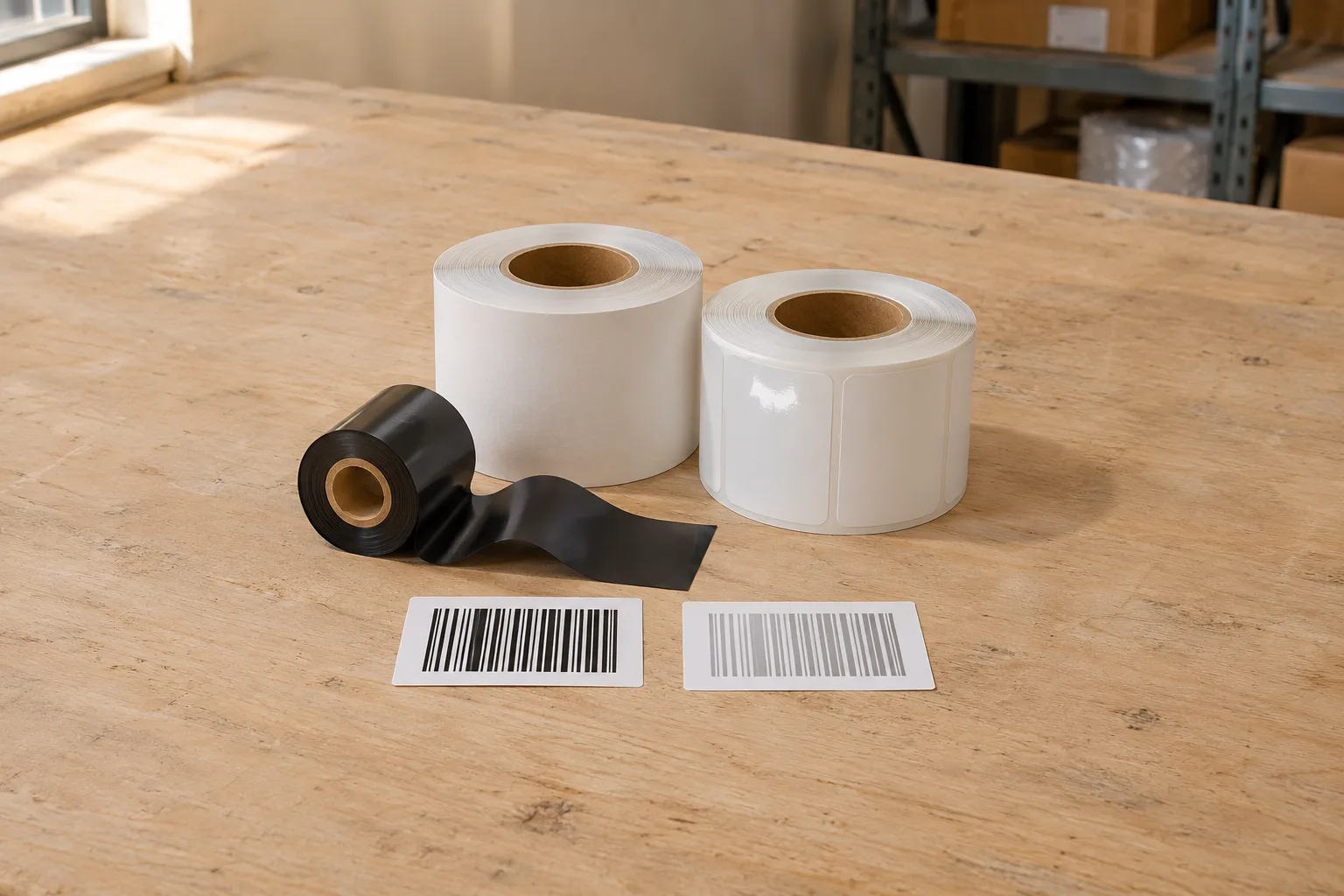
How the image gets onto the label, and so how long it lasts. A direct thermal printer heats chemically coated labels, which darken where the printhead touches them. There’s no ribbon or ink, so the label is the only thing you buy: under a cent to about 8¢ a label on standard rolls in November 2026, by our arithmetic. A thermal transfer printer heats a ribbon and melts its ink onto the label, which can be ordinary paper or a synthetic such as polypropylene or polyester.
The trade is durability. Zebra says direct thermal labels are “extremely sensitive” to heat and light, that overexposure can leave barcodes unreadable, and that direct thermal isn’t used for lifetime identification. It says a thermal transfer image can’t be rubbed off and, on suitable labels, resists heat and moisture, making these the most durable labels available.
So: direct thermal for shipping labels, receipts, food date labels, visitor badges and anything else thrown away within weeks. Thermal transfer for inventory and asset tags, product barcodes that sit on a shelf, and labels that go outdoors, into a freezer or near water or chemicals.
Direct thermal vs thermal transfer at a glance
| Direct thermal | Thermal transfer | |
|---|---|---|
| How it prints | Heat darkens coated label stock | Heat melts ribbon ink onto the label |
| Supplies | Direct thermal labels only | Labels plus a ribbon matched to them |
| Cost per label | Label only: under 1¢ to about 8¢ on standard rolls (our arithmetic) | Label plus ribbon; ribbon prices not found |
| Life of the image | Darkens or fades with heat and light; no maker gives a figure in months | Long-life; can’t be rubbed off (Zebra) |
| Water, scratches and chemicals | Limited scratch resistance and few chemical-resistant options (TSC) | Smudge, scratch and chemical resistance from the right label and ribbon (TSC) |
| Label materials | Coated paper, some synthetics | Paper, polypropylene, polyester and other synthetics |
| Printhead life | Shorter (TSC, Zebra) | Longer (Zebra) |
| Best for | Shipping labels, receipts, date labels, badges, wristbands | Inventory, assets, product barcodes, outdoor, freezer, chemical labels |
| Example printers | Brother QL and TD-4550DNWB, Rollo, MUNBYN, DYMO | Zebra ZD421t and ZD621t, TSC TE210, Brother TD-4420TN |
How long do direct thermal labels last?
Neither Zebra nor TSC puts a number on it. Zebra says direct thermal labels have a considerable shelf life when they’re kept away from heat; TSC says the image darkens over time with light or high temperatures and calls the shelf life shorter than thermal transfer’s. In practice that means a shipping label easily outlives its trip, while a barcode on a stockroom shelf, in a sunny window or in a hot van may stop scanning in months.
If you can’t say how long a label must last, or it must still scan in a year, use thermal transfer. Our guide to whether label makers need ink covers how thermal labels age on small label makers.
When do you need thermal transfer?
When the label has to outlast its first few weeks or survive something harsh. From Zebra’s and TSC’s own guidance:
- Inventory, bin and asset tags that stay on for months or years. Zebra says direct thermal isn’t for lifetime identification.
- Heat and sunlight: warehouses, vehicles, windows and outdoor equipment, where Zebra and TSC say direct thermal darkens.
- Water, freezers and chemicals: thermal transfer on a synthetic label such as polypropylene or polyester. TSC says the right face stock and ribbon combination gives smudge, scratch and chemical resistance.
- Rubbing and handling: tags and labels that are handled a lot, since Zebra says the ribbon image can’t be rubbed off.
You pay for it in supplies and setup. Zebra says thermal transfer supplies cost more, and the ribbon and label must be compatible. In return, Zebra says thermal transfer printheads last longer than direct thermal ones, which matters because Zebra’s own warranty covers a printhead for only 1 year or 1 million inches.
Which ribbon do you need?
It depends on the label, and Zebra says the ribbon and label must be compatible. Thermal transfer ribbons come in three families, and as a rule of thumb:
- Wax: the economy choice, for paper labels and tags.
- Wax-resin: a step up, for coated paper and matte synthetic labels that get rubbed or splashed.
- Resin: for synthetic labels and labels that face chemicals or the outdoors.
The label maker’s recommended ribbon is the one to follow.
Check ribbon widths and core sizes against your printer. The Zebra ZD421t, for example, takes 300-meter ribbons on a 1-inch core or 74-meter ribbons on a 0.5-inch core, and comes with adapters for non-Zebra ribbons; its cartridge version, the ZD421c, takes only Zebra’s 74-meter cartridges.
Which costs less per label?
Direct thermal, because there’s nothing to buy but labels. Our arithmetic from maker prices in November 2026 (price ÷ labels):
| Direct thermal label | Roll and price | Cost per label |
|---|---|---|
| 2 x 1 in barcode | Brother TD roll, 8 x 2,650 for $179 | 0.84¢ |
| 0.94 in round | Brother DK-1218, 1,000 for $21.49 | 2.1¢ |
| 1.1 x 3.5 in address | Brother DK-1201, 400 for $13.99 | 3.5¢ |
| 4 x 6 in shipping | MUNBYN roll, 500 for $22.99 | 4.6¢ |
| 4 x 6 in shipping | Brother TD roll, 8 x 500 for $302 | 7.6¢ |
| 4 x 4 in polypropylene | Brother TD roll, 8 x 730 for $425 | 7.3¢ |
| 4 x 6 in shipping | DYMO 1744907, 220 for $34.99 (Staples) | 16¢ |
| 4 x 6 in shipping | Brother DK-1241, 200 for $47.99 | 24¢ |
The spread comes from lock-in more than method. Brother’s QL printers take only Brother DK rolls, and DYMO’s LabelWriter 550 series won’t recognize non-DYMO labels. Zebra and Brother TD printers take standard rolls from any supplier.
Thermal transfer adds a ribbon to every label, and synthetic labels cost more than paper. We didn’t find current ribbon prices to put a figure on it. Zebra’s FAQ notes the trade: direct thermal keeps long-term maintenance costs low, thermal transfer supplies cost more, but thermal transfer printheads last longer.
Which printers print each method?
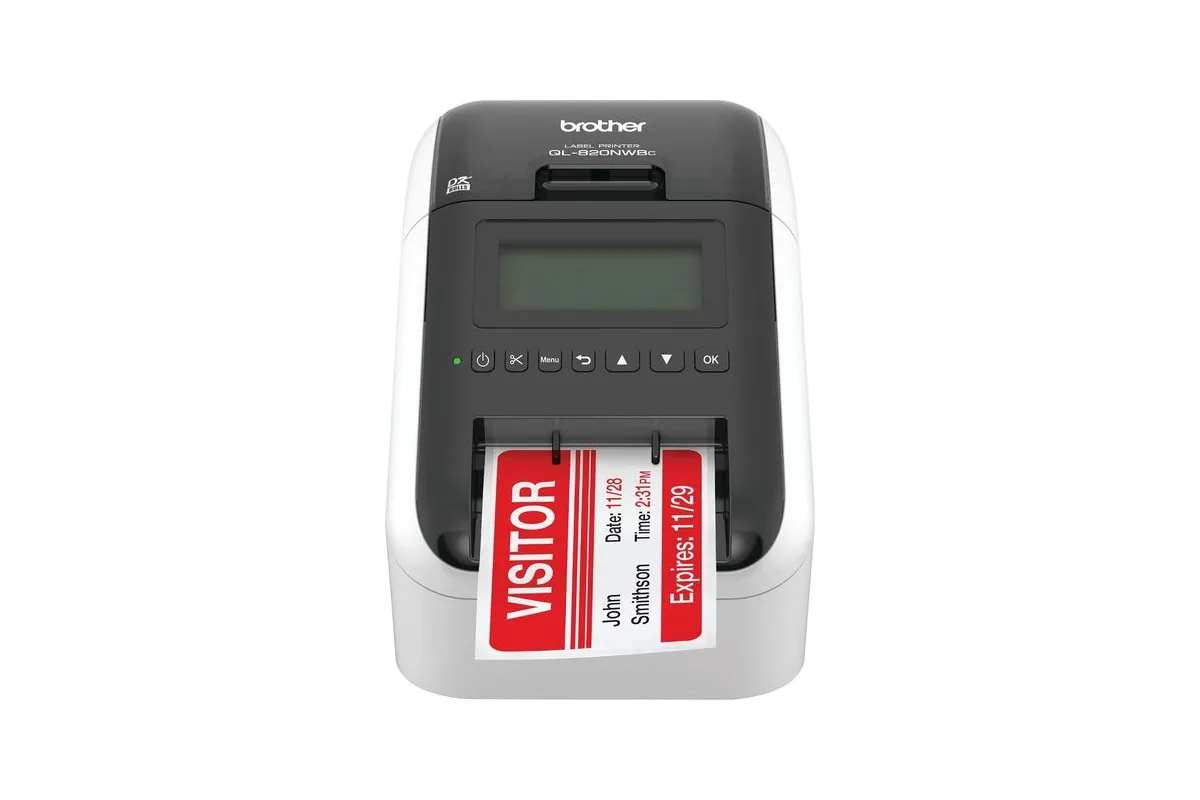
- Direct thermal only: Brother’s QL range (including the QL-820NWBc, $229.99 at Amazon), the TD-4550DNWB and the new TD 2 line; DYMO LabelWriters; Rollo; MUNBYN.
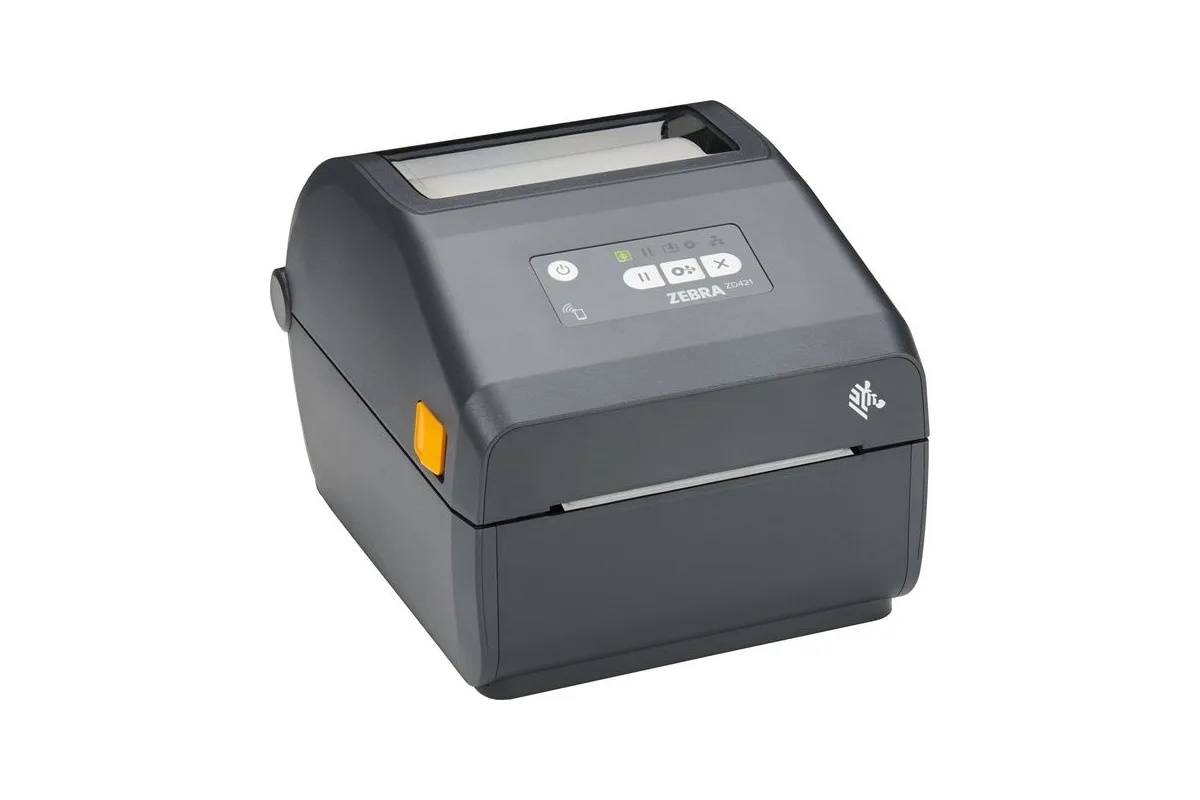
- Thermal transfer (and direct thermal with the ribbon out): Zebra ZD421t and ZD421c, ZD621t, ZD411t, ZD220t and ZD230t; TSC TE210; Brother TD-4420TN, TD-4520TN and TD-4750TNWB.
A thermal transfer printer can also print direct thermal labels: leave the ribbon out and load direct thermal stock. A direct thermal printer can’t do the reverse; it has nowhere to put a ribbon. That’s why a thermal transfer model like the Zebra ZD421t ($613.57 at Barcodes, Inc. in November 2026) is the safer buy if you’ll print both shipping and inventory labels. The direct thermal ZD421d is $510.48 at CDW, and the ZD421 was about $480 at Amazon from a third-party seller.
On a budget, TSC’s TE210 prints thermal transfer at 203 dpi for $366.10 at Barcodes, Inc., with a two-year warranty; TSC now points buyers to its newer TH series. For every pick, see the best barcode label printers.
What is the best printer for waterproof labels?
It depends on whether the label is black-only or color, and how many you need. The label material matters as much as the printer: paper labels aren’t waterproof however they’re printed.
| Need | Best route | Cost (November 2026) |
|---|---|---|
| Black barcodes and text that survive water and chemicals | A thermal transfer printer, such as the Zebra ZD421t, with synthetic labels and a resin ribbon | Printer $613.57; ribbon and label prices not found |
| Full-color product labels in house | Epson ColorWorks CW-C4000 with pigment ink, BS 5609 certified with Neenah Kimdura poly labels | $2,499 at CDW; $2,619.90 at Amazon (matte) |
| A few sheets on the printer you own | Weatherproof sheet labels: OnlineLabels polyester for laser, or matte for inkjet (3.75 x 2.44 in, 8 a sheet) | 8.2¢ a label (laser), 10¢ (inkjet), at 100 sheets |
| Hundreds or thousands of color labels | Order laminated BOPP roll labels | 15¢ a 2 x 3 in label at UPrinting, 21.9¢ a 3 x 2 in at Sticker Mule, for 1,000 |
Notes on each:
- Thermal transfer is the cheapest way to make black-only labels that last in water, freezers and outdoors. Direct thermal is the wrong choice: TSC says it has limited scratch resistance and few options for chemical resistance, and Brother’s direct thermal polypropylene labels are still direct thermal, so heat and light still affect the image.
- Epson’s ColorWorks C4000 prints with pigment ink, and Epson says the printer with its UltraChrome DL ink and Neenah Kimdura poly media is certified to BS 5609; Epson pitches it for GHS chemical labels and other demanding jobs. The certification covers that combination only. Epson publishes no cost per label. See the best color label printers and our C4000 review.
- Primera’s LX610 ships with dye ink, which Primera describes as highly water-resistant; its optional pigment ink is the one Primera says has the best UV resistance.
- Sheet labels are the cheapest start if you print a few dozen. OnlineLabels’ OL575 sheets cost $65.84 for 100 laser polyester sheets and $79.81 for 100 inkjet weatherproof sheets, against $22.60 for plain matte paper (2.8¢ a label).
- Print services laminate their labels: Sticker Mule calls its BOPP labels waterproof and dishwasher-safe. Our guide to printing labels in house or ordering them runs the break-even.
Questions people ask
Do thermal transfer printers use ink?
They use a ribbon coated with ink, which the printhead melts onto the label. Direct thermal printers use no ink or ribbon at all.
Is direct thermal or thermal transfer better for shipping labels?
Direct thermal. A shipping label needs to last days, not years, and direct thermal needs no ribbon, so the label (under 8¢ for a 4x6 on standard rolls) is the whole cost. That’s why cheap 4x6 shipping printers such as Rollo and MUNBYN are direct thermal only. See the best shipping label printers.
How can I tell if a printer is direct thermal or thermal transfer?
Look for a ribbon. If the spec sheet lists ribbon length and core size, it prints thermal transfer, and usually direct thermal too. Zebra marks the method in its names: ZD421d is direct thermal, ZD421t thermal transfer.
Can you use direct thermal labels in a thermal transfer printer?
Yes. Take the ribbon out and load direct thermal labels; Zebra’s ZD421t, ZD621t and other thermal transfer models print both methods. You can’t use plain thermal transfer labels in a direct thermal printer, because they have no heat-sensitive coating.
Are thermal labels waterproof?
The printing isn’t the issue; the label is. Paper labels of either type won’t survive soaking. For wet use, print thermal transfer on a synthetic label with a resin ribbon, or use pigment color on a certified synthetic.
Does direct thermal fade?
Yes. Zebra and TSC both say the image darkens or fades with heat and light, though neither gives a lifespan in months. Keep direct thermal labels for things that are used up or thrown away within weeks.
Can thermal printers print in color?
Direct thermal prints black, and some Brother QL printers print black and red on Brother’s DK-2251 tape. For full-color labels you need an inkjet label printer; see the best color label printers.
Sources
- Zebra: difference between direct thermal and thermal transfer printing, zebra.com
- TSC: direct thermal vs thermal transfer, emea.tscprinters.com
- Zebra ZD400 series spec sheet (ZD421; Jan 2025), zebra.com
- Zebra ZD600 series spec sheet (ZD621; Jan 2025), zebra.com
- Zebra product warranty exceptions list (November 2026), zebra.com
- Brother QL-820NWBc (with DK roll prices), Brother
- Brother TD-4550DNWB (with TD label prices), Brother
- Brother TD-4420TN, Brother
- Brother Mobile Solutions TD-2 series, brothermobilesolutions.com
- TSC TE series, usca.tscprinters.com
- Barcodes, Inc.: TSC TE210, barcodesinc.com
- Epson ColorWorks CW-C4000, Epson
- Primera label printers, primera.com
- OnlineLabels OL575 weatherproof polyester laser labels, onlinelabels.com
- OnlineLabels OL575 weatherproof matte inkjet labels, onlinelabels.com
- OnlineLabels OL575 standard white matte labels, onlinelabels.com
- Sticker Mule rectangle labels, stickermule.com
- UPrinting roll labels, uprinting.com
- DYMO LabelWriter 550 series user guide, download.dymo.com
- Zebra ZD421 on Amazon, amazon.com
- Brother QL-820NWBc on Amazon, amazon.com
- Epson ColorWorks CW-C4000 on Amazon, amazon.com
Keep exploring

Buying guide
The best barcode label printers
The Zebra ZD421 is the best barcode label printer for most businesses: 4-inch labels at 6 inches a second, any brand of label roll and a 24-month warranty, for about $480 to $526 in November 2026. Get the Brother QL-820NWBc ($229.99) for an office or shop counter, and a thermal transfer model for inventory labels that have to last.
Read story
Buying guide
The best check printers for a small business
The TROY 3001dw ($509.15 at TROY, $530 at Amazon in November 2026) is the best check printer for a small business: a 35 ppm Wi-Fi laser with MICR toner, rated for 350 to 2,500 checks a month, at about 5¢ to 7¢ per check three to a page by our estimate. Get the TROY 4001dn for a locking tray, or the VersaCheck M15 MXD ($399.99) for software in the box.
Read story