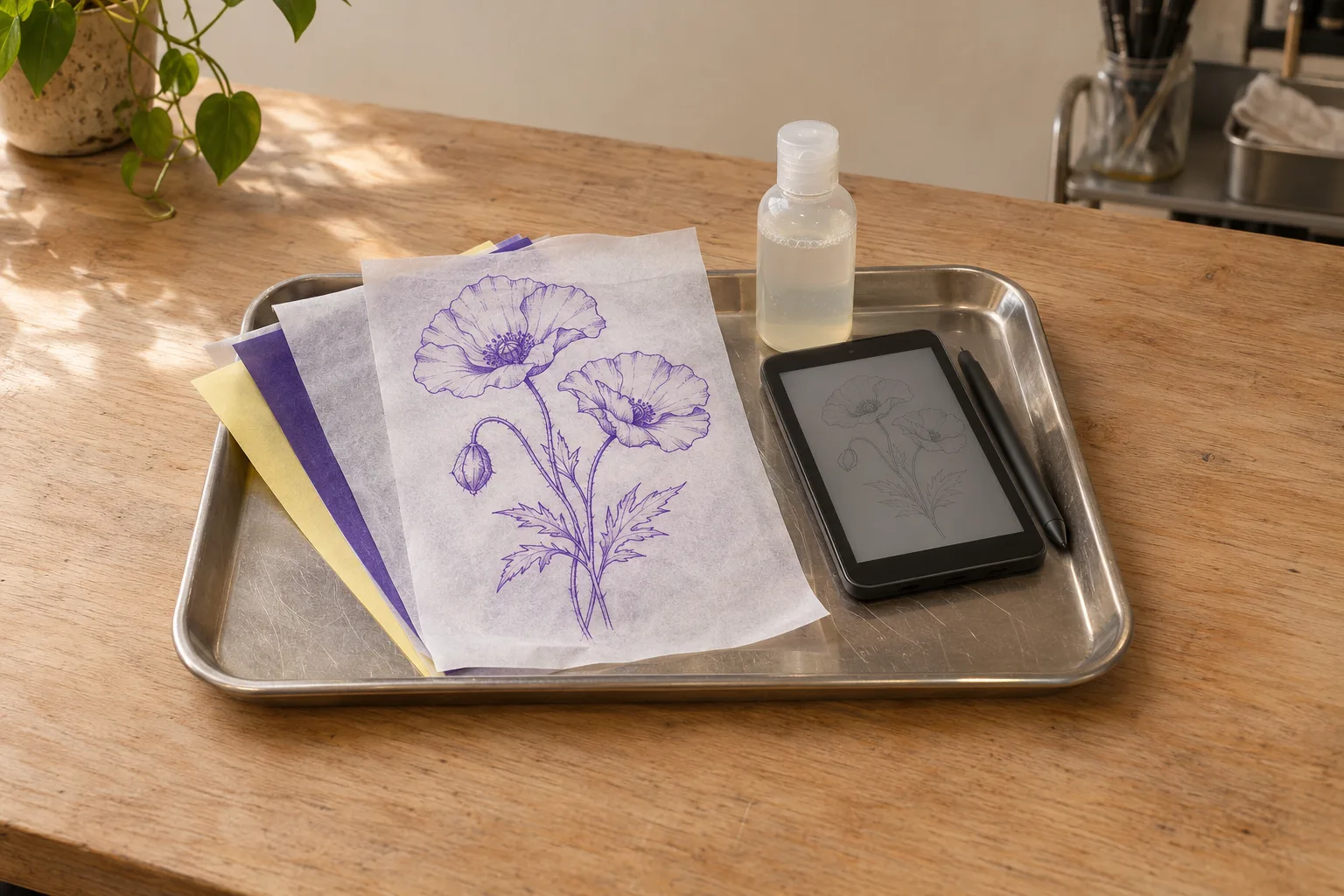
Printers in this guide
How do you print a tattoo stencil?
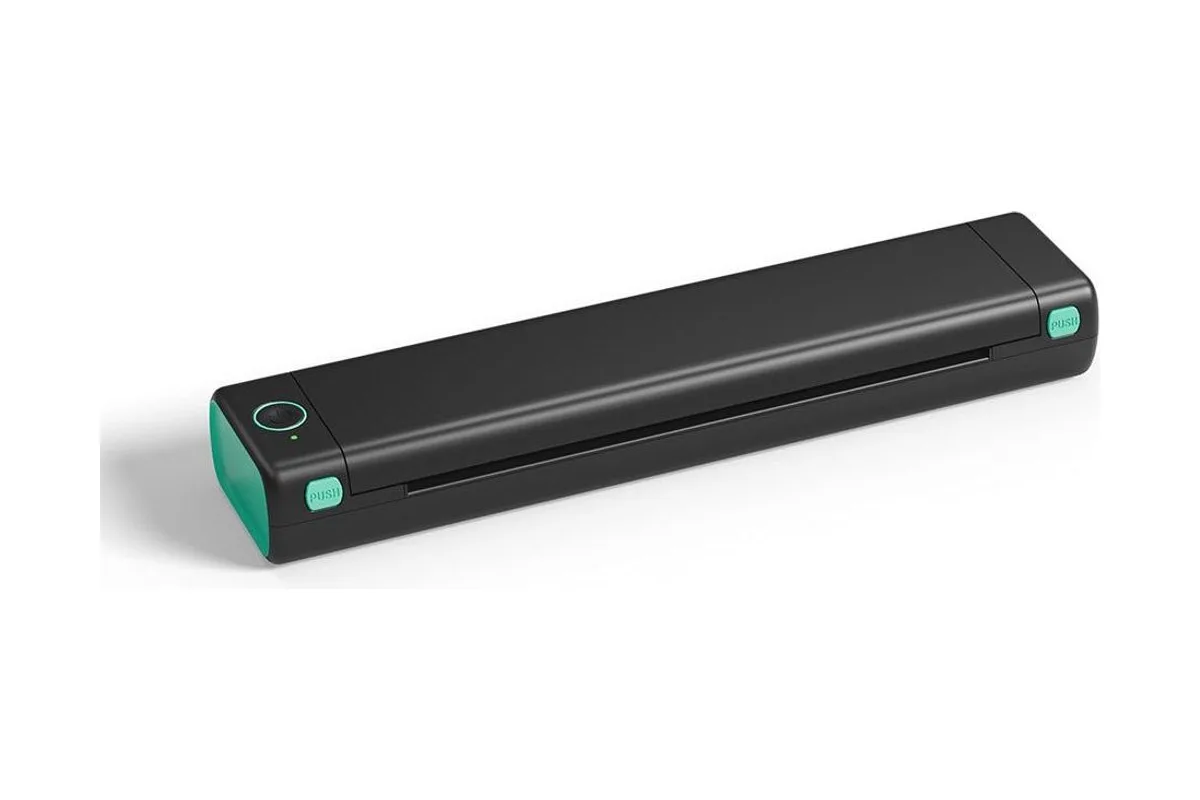
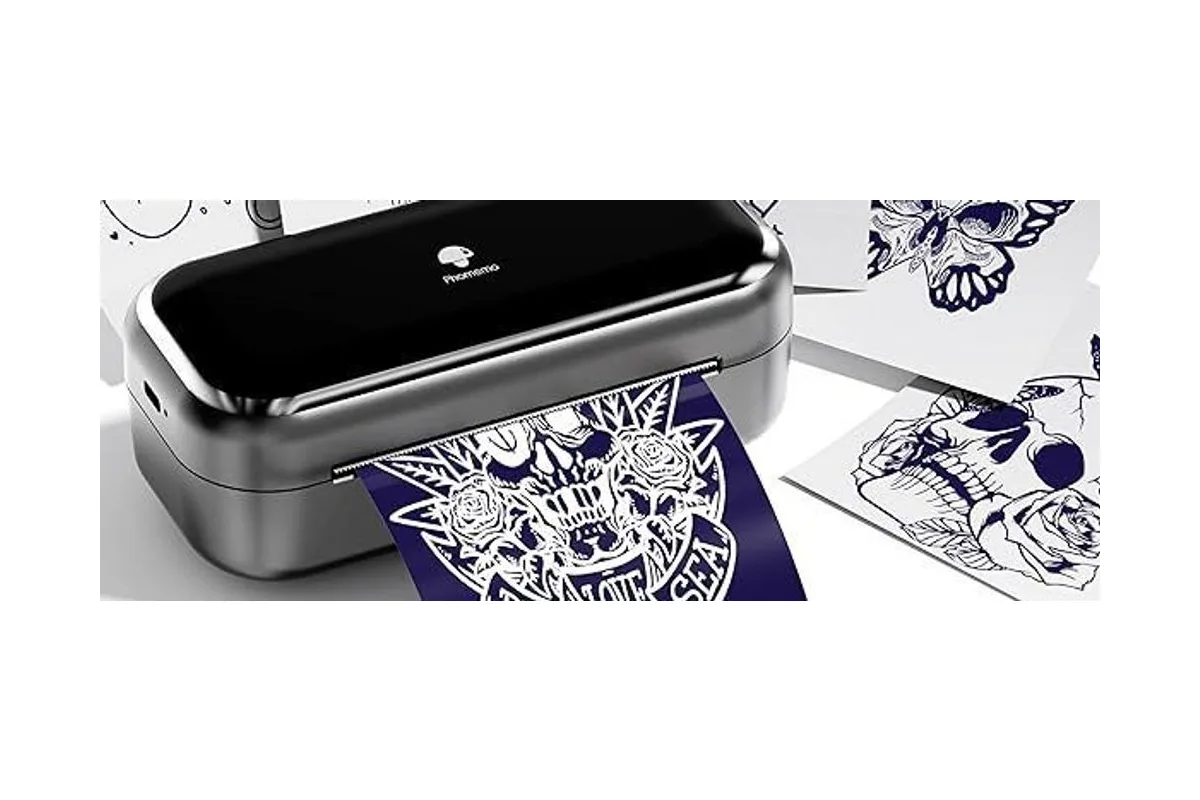
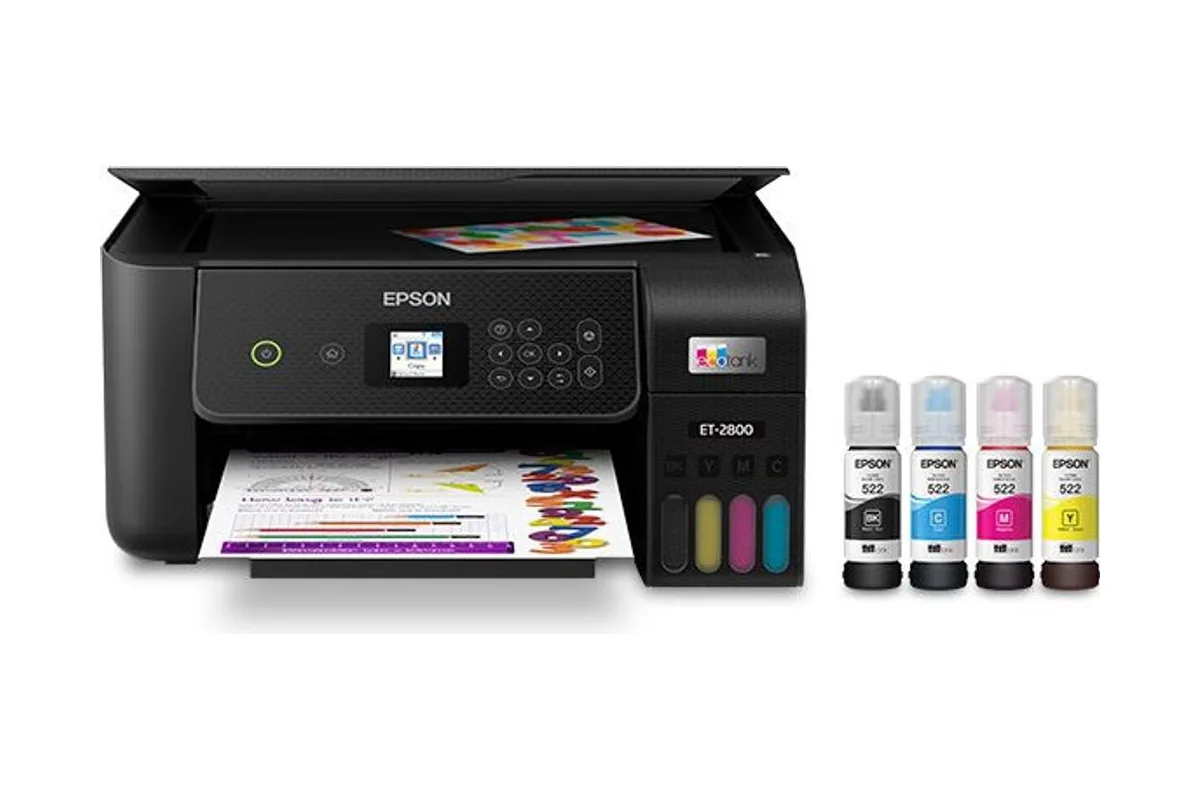
Send your design to a thermal stencil printer loaded with stencil paper. A printer like the Phomemo M08F ($105.98 at Phomemo for Black Friday in November 2026) prints a letter-size stencil from a phone, iPad or computer with no ink, and Phomemo’s paper works out to about 25¢ to 29¢ a sheet by our estimate. A regular printer can do it only one way: an Epson EcoTank filled with stencil ink, printing on tracing paper, for about 12¢ to 13¢ a stencil.
There are three routes, and they differ more in setup than in paper cost (our estimates from November 2026 store prices):
| Route | What you buy | Upfront | Per stencil |
|---|---|---|---|
| Thermal stencil printer | Phomemo TP31 or M08F, or Brother S8, plus thermal stencil paper | $48.81–$105.98 (Phomemo); $699.99 (Brother S8 kit) | About 21¢–40¢ |
| Regular printer with stencil ink | An Epson EcoTank, stencil ink and tracing paper | Printer + $127.50–$150 of ink | About 12¢–13¢ |
| Thermal copier | A copier and four-layer stencil paper; you print or draw the design on plain paper first | $699.99–$1,395 | About 34¢–40¢ |
For which printer to buy, see the best tattoo stencil printers.
Can you print tattoo stencils with a regular printer?
Yes, but only with stencil ink in the tanks, not with the ink it came with. None of the stencil sellers we read says ordinary inkjet ink makes a usable skin stencil. The ink route works like this:
- Get an Epson EcoTank. InkJet Stencils says its ink is “compatible with any Epson Eco-Tank printer” and especially recommended for monochrome models. Electrum, which sells a rival stencil ink, names the ET-2750, ET-2650 and ET-2600. The Epson ET-2800 is Epson’s basic color EcoTank, though Epson is replacing it with the ET-2900.
- Fill it with stencil ink, not Epson ink. InkJet Stencils’ methyl violet ink is $127.50 at Kingpin and $150 at Painful Pleasures for 4 oz, and the maker says a bottle prints about 3,000 stencils. Electrum’s is $79.99 per 4 oz bottle, and Electrum says it takes two bottles to fill all four tanks, so about $160 to start (our arithmetic).
- Print on tracing paper. InkJet Stencils sells semi-transparent tracing paper at $37.99 for 500 letter sheets.
- Print from any device. InkJet Stencils says you can “print from your iPad or other device” to the EcoTank.
Our estimate per stencil: $127.50–$150 ÷ 3,000 = 4¢–5¢ of ink, plus $37.99 ÷ 500 = 8¢ of paper, about 12¢–13¢ in all. That leaves out the ink it takes to fill the tanks the first time.
The catch is that the printer stops being a document printer. The stencil ink sits in the same tanks, and no seller we read says you can switch back to regular ink, so plan on a printer used only for stencils. Which Epson EcoTank to buy compares the current models.
If you already own a regular printer and don’t want to convert it, the other way is to print your design on plain paper and copy it onto four-layer stencil paper with a thermal copier. Painful Pleasures sells copiers for $699.99 to $1,395, so this only makes sense if a studio already has one. A $55.99 thermal stencil printer costs far less.
What paper do tattoo stencil printers use?
Thermal stencil paper, in one of two kinds: the classic four-layer sheet that works in most thermal machines, or a printer maker’s own single-purpose paper. Inkjet stencils use tracing paper instead.
Four-layer thermal paper (Spirit Original, also called Spirit Classic) is the standard. Painful Pleasures describes its four layers:
- the top tracing sheet, which your design transfers onto;
- a thin protective “onion” sheet in the middle;
- the carbon backing sheet, which transfers the design onto the top sheet;
- a yellow sheet that holds the original drawing in place when you use a thermal copier.
Spirit’s dye is a “high-visibility purple” in a wax blend. Painful Pleasures says it’s compatible with all thermal printers, and Painful Pleasures and Kingpin sell it in 8.5 x 11 sheets and rolls.
Maker-specific paper is what most cheap stencil printers need. Phomemo says the TP31 and L85 take only Phomemo paper, and lists its M08F paper as compatible only with the M08F and its TP8x printers. Phomemo describes that paper only as “blue-colored”. Brother’s S8 kits come with S8 Red Thermal paper, and Painful Pleasures says the S8 takes S8 or Spirit thermal paper.
| Paper | Fits | Price (November 2026) | Per sheet (our arithmetic) |
|---|---|---|---|
| Spirit Classic 4-layer, 8.5 x 11 | Thermal copiers, Brother S8, most thermal printers | $33.99 / 100 at Kingpin; $39.99 / 100 at Painful Pleasures | 34¢–40¢ |
| Spirit Original 4-layer, 8.5 x 14 | Same | $49.99 / 100 at Painful Pleasures | 50¢ |
| Phomemo classic 4-layer, A4 | Thermal copiers and “other major thermal machines” (Phomemo) | $17.99 / 35 at Phomemo | 51¢ |
| Phomemo M08F paper | M08F, TP8x | $24.59–$28.99 / 100 at Phomemo | 25¢–29¢ |
| Phomemo TP31 paper, 89 x 133 mm | TP31 only | $20.59 / 100 at Phomemo (sale; was $49.98) | 21¢ (50¢ at full price) |
| Phomemo A4 thermal stencil paper | Check the listing for your model | $19.93 / 100 at Amazon | 20¢ |
| InkJet Stencils tracing paper, 8.5 x 11 | EcoTank with stencil ink | $37.99 / 500 | 8¢ |
Phomemo and tattoo-dealer prices were Black Friday prices on November 27, 2026.
You also need a transfer product to move the stencil to skin. Spirit tells you to use its paper with Spirit transfer cream, Brother’s S8 kit includes S8 Red Transfer Gel, and Phomemo sells transfer gel separately for the TP31 (its M08F Ultra bundle includes some). Stencil Stuff is a stenciling solution applied to the skin, not a paper or ink; it was $8.50 at Kingpin in November 2026. Follow the instructions on the product you use; we don’t give skin advice.
How do you print a tattoo stencil from an iPad?
Draw or import the design in an app such as Procreate, export it as an image, then send it to a printer that works with an iPad: a Phomemo through its app, a Brother S8 PJ-883 through AirPrint, an OZER through its app, or an EcoTank with stencil ink.
1. Export the design. In Procreate, open Actions, tap Share and pick PNG, JPEG or PDF. Procreate says PNG preserves transparency and calls PDF “the most practical choice for sending files to print”. Save it to Photos or Files.
2. Send it to your printer. How depends on the printer:
| Printer | How it connects to an iPad | Notes |
|---|---|---|
| Phomemo TP31, M08F, M08F Plus, TA81, L85 | Bluetooth, through the Phomemo app | The App Store lists the app as designed for iPad, iPadOS 15 or later. The TP31 can’t print from a computer at all. |
| Brother S8 PJ-883 | AirPrint (also MFi and Mopria), Wi-Fi or Bluetooth | Shows up in the iPad’s Print menu with no separate app. The USB-only PJ-823 needs a computer. |
| OZER Wireless Quick, OZER X | Bluetooth, through OZER’s Quick Stencil app | Kingpin lists built-in mirroring. |
| Epson EcoTank with InkJet Stencils ink | From the iPad to the EcoTank | InkJet Stencils says you can print from an iPad “in seconds”. |
3. In the Phomemo app, pair the printer over Bluetooth, import the PNG or JPEG you exported, size it and print. Phomemo makes no AirPrint claim, so the app is the only route.
4. For a design bigger than one sheet, the Stencify app (iPhone and iPad, iPadOS 15 or later) prints stencils “at their exact size across multiple sheets” with alignment marks, and turns photos or text into stencils with AI. It’s free to download, with subscriptions of $4.99 a week or $47.99 a year in the US. Its listing doesn’t mention AirPrint or Phomemo printers, so check that it can reach your printer before you subscribe. A continuous-roll printer such as Phomemo’s TA81 ($199.99) avoids the tiling.
What does a tattoo stencil cost to print?
About 12¢ to 50¢, depending on the route and the paper (our estimates, November 2026 store prices, many of them Black Friday sales):
| Setup | Upfront | Per stencil | Working |
|---|---|---|---|
| Phomemo TP31 + Phomemo paper | $48.81 (Amazon) | About 21¢ (50¢ at full price) | $20.59 (was $49.98) ÷ 100 small sheets |
| Phomemo M08F + Phomemo paper | $105.98 (Phomemo) | About 25¢–29¢ | $24.59–$28.99 ÷ 100 |
| Brother S8 kit + Spirit Classic | $699.99 (Painful Pleasures) | About 34¢–40¢ | $33.99–$39.99 ÷ 100 |
| EcoTank + InkJet Stencils ink + tracing paper | Printer + $127.50–$150 | About 12¢–13¢ | 4¢–5¢ ink (maker’s 3,000-stencil claim) + 8¢ paper |
| Thermal copier + Spirit Classic | $699.99–$1,395 | About 34¢–40¢ | Same paper as the S8 |
At a few stencils a week, the difference per stencil is pennies. The bigger costs are the printer and whether you can print the size you need: the TP31 tops out at 80 mm (about 3 inches) wide. See our Phomemo TP31 review.
Questions people ask
Can you print a tattoo stencil on regular paper?
Not one you can transfer straight to skin with regular ink. You can print the design on plain paper and run it through a thermal copier with four-layer stencil paper, or print directly with stencil ink in an EcoTank onto tracing paper.
Do you need a special printer for tattoo stencils?
You need either a thermal stencil printer, which costs from $48.81 (the Phomemo TP31 at Amazon), or an Epson EcoTank dedicated to stencil ink. An ordinary inkjet with its own ink won’t do it.
Is the Phomemo M08F good for tattoo stencils?
Yes, for most artists. It prints letter-size thermal stencils at 203 dpi from a phone, tablet or computer, Phomemo rates it at up to 140 stencils a charge, and it was $105.98 at Phomemo in November 2026.
Can you use Spirit paper in a Phomemo printer?
Not in the TP31 or L85, which Phomemo says take only its own paper. Phomemo sells its own classic four-layer paper that it says works with thermal copiers and other major thermal machines.
How do you print a large tattoo stencil?
Use a letter-size printer, tile the design across sheets with an app like Stencify, or use a continuous-roll printer such as the Phomemo TA81, which Phomemo pitches for arm, leg, spine and back designs in one piece.
Can you print a tattoo stencil from Procreate directly?
Not to a Phomemo. Export a PNG or JPEG from Procreate’s Share menu and open it in the Phomemo app. An AirPrint printer such as the Brother S8 PJ-883 shows up in the iPad’s Print menu, so you can print the exported file without a separate app.
Sources
- Phomemo M08F tattoo stencil printer, phomemo.com
- Phomemo TP31 tattoo stencil printer, phomemo.com
- Phomemo store catalog (stencil paper, TA81, L85), phomemo.com
- Phomemo app on the App Store, apps.apple.com
- Brother Mobile Solutions: S8 stencil printer, brothermobilesolutions.com
- Brother S8 PJ-823-C129, brothermobilesolutions.com
- Brother S8 PJ-883-C132, brothermobilesolutions.com
- Painful Pleasures: S8 Stencil Printer and Kit, 8 Series Wireless, painfulpleasures.com
- Painful Pleasures: Spirit Original thermal paper, 100 sheets, painfulpleasures.com
- Painful Pleasures: InkJet Stencils ink, 4 oz, painfulpleasures.com
- Painful Pleasures: InkJet Stencils paper, 500 sheets, painfulpleasures.com
- Painful Pleasures: Electrum Eco Stencils printer ink, painfulpleasures.com
- Kingpin Tattoo Supply: Spirit Classic thermal paper, kingpintattoosupply.com
- Kingpin Tattoo Supply: InkJet Stencils ink, 4 oz, kingpintattoosupply.com
- Kingpin Tattoo Supply: OZER Wireless Quick Stencil Printer, kingpintattoosupply.com
- InkJet Stencils, inkjetstencils.com
- Procreate Handbook: Share, help.procreate.com
- Stencify on the App Store, apps.apple.com
- Phomemo M08F on Amazon, amazon.com
- Phomemo TP31 on Amazon, amazon.com
- Phomemo thermal stencil paper, 100 A4 sheets, on Amazon, amazon.com
- Epson EcoTank ET-2800 on Amazon, amazon.com
Keep exploring

Buying guide
The best color label printers for product labels
The Epson ColorWorks CW-C4000 is the best color label printer for product labels: pigment CMYK ink at up to 1200 dpi, rolls up to 4.25 inches wide, 4 inches a second and BS 5609 certification on Kimdura poly, for $2,499 at CDW in November 2026. Get the Primera LX610 ($2,695) to print and cut custom shapes, or the Primera LX500 ($1,549) on a budget.
Read story
Buying guide
The best edible printers for cakes and cookies
The best edible printer for cakes is a new Canon PIXMA TS702a bought in an edible ink bundle: $295 to $299 in November 2026, for letter and legal-size frosting sheets at about $1 to $3 a cake topper. For printing straight onto cookies, the Primera Eddie is $2,995 and uses about 6¢ of ink per cookie.
Read story