
The quick answer
The best color label printer for most product businesses is the Epson ColorWorks CW-C4000: four separate pigment cartridges, up to 1200 x 1200 dpi, rolls up to 4.25 inches wide at up to 4 inches a second, and Epson's BS 5609 certification with Kimdura poly labels, for $2,499 at CDW in November 2026. To print and die-cut custom shapes, get the Primera LX610 ($2,695 at Primera). The cheapest dedicated color roll printer is the Primera LX500 ($1,549). For black Nutrition Facts panels, a Brother QL-820NWBc ($229.99) is enough. If you need only a few hundred labels at a time, a print service is cheaper: 1,000 laminated 2 x 3-inch roll labels were $149.79 to $219 in November 2026.
Our quick picks
Compare the picks
| Feature | Best color label printer for product labelsEpsonColorWorks CW-C4000 | Best for printing and cutting custom shapesPrimera LX610 | Cheapest dedicated color label printerPrimera LX500 | Best for black-and-red food and nutrition labelsBrotherQL-820NWBc | Best for short runs on sheet labelsEpsonWorkForce Pro WF-7840 |
|---|---|---|---|---|---|
| Type | Pigment inkjet (CMYK) | Inkjet with plotter cutter | Dye inkjet (CMY) | Direct thermal (black and red) | Pigment inkjet (DURABrite Ultra) |
| Max media width | 4.25 in | ||||
| Speed | Up to 4 ips | 2.5 ips | Up to 110 labels/min | ||
| Ink | 4 × 50 mL cartridges | ||||
| Where to buy | Check price at Amazon | Check price at Amazon | Check price at Amazon | Check price at Amazon |
Best color label printer for product labels
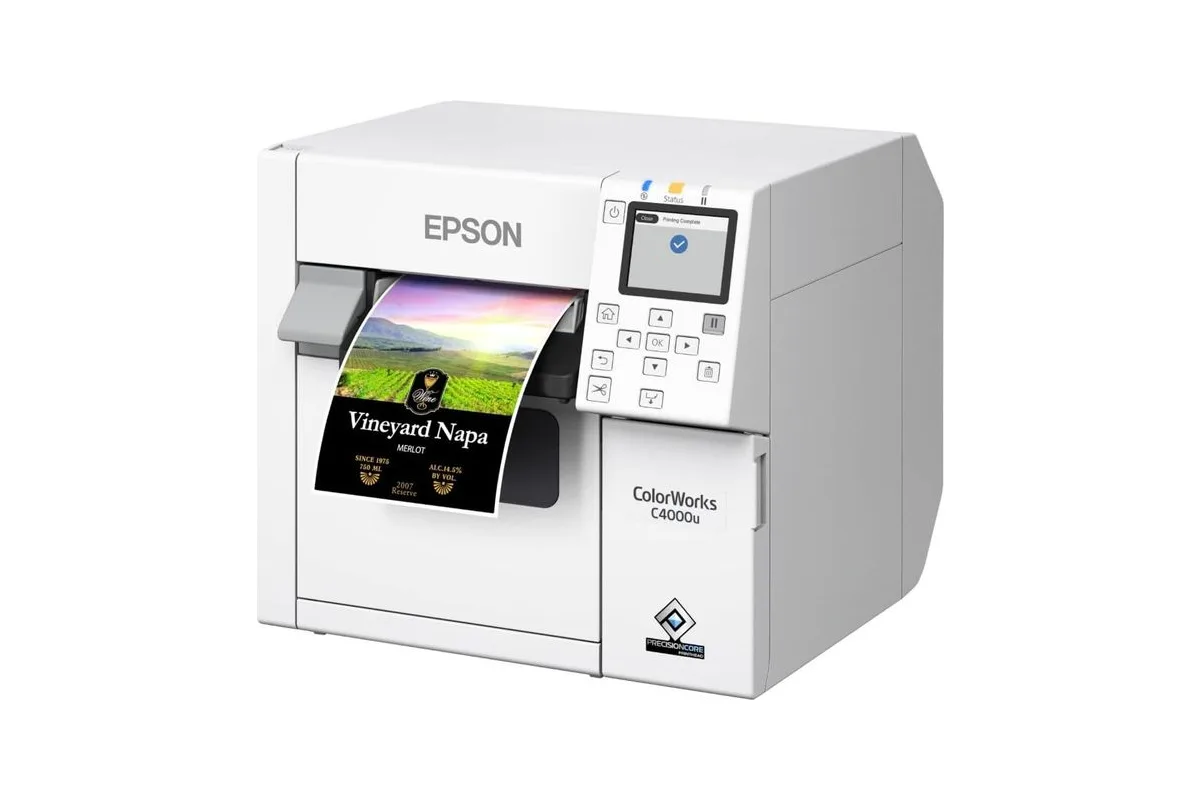
Epson ColorWorks CW-C4000
- Type
- Pigment inkjet (CMYK)
- Max media width
- 4.25 in
- Speed
- Up to 4 ips
- Ink
- 4 × 50 mL cartridges
Best for printing and cutting custom shapes
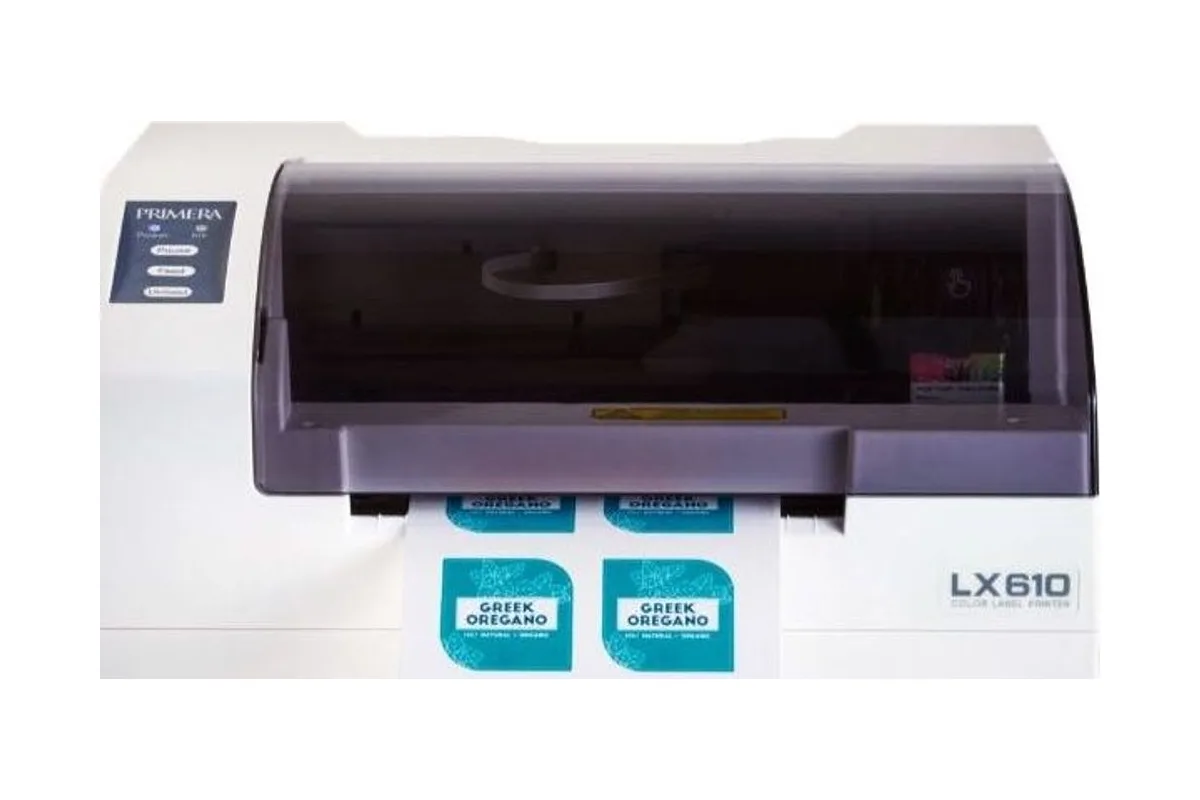
Primera LX610
- Type
- Inkjet with plotter cutter
- Max media width
- Speed
- Ink
Cheapest dedicated color label printer
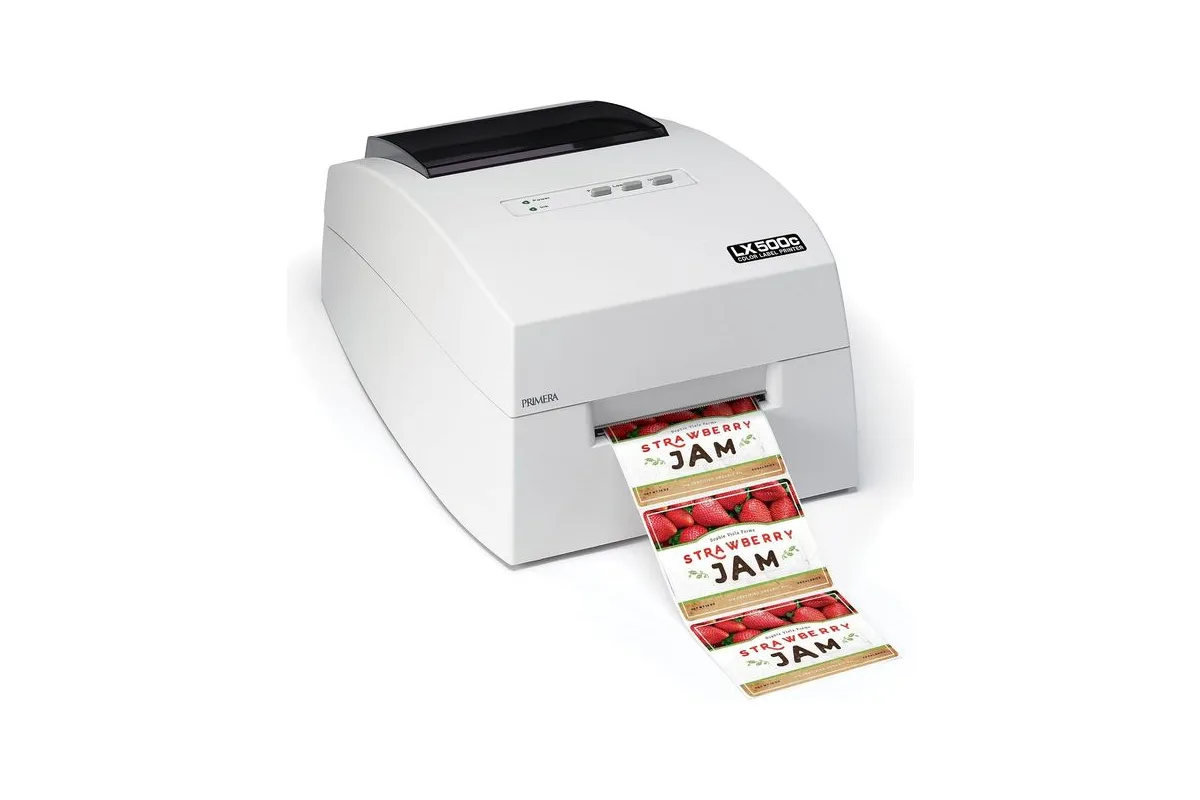
Primera LX500
- Type
- Dye inkjet (CMY)
- Max media width
- Speed
- 2.5 ips
- Ink
Best for black-and-red food and nutrition labels
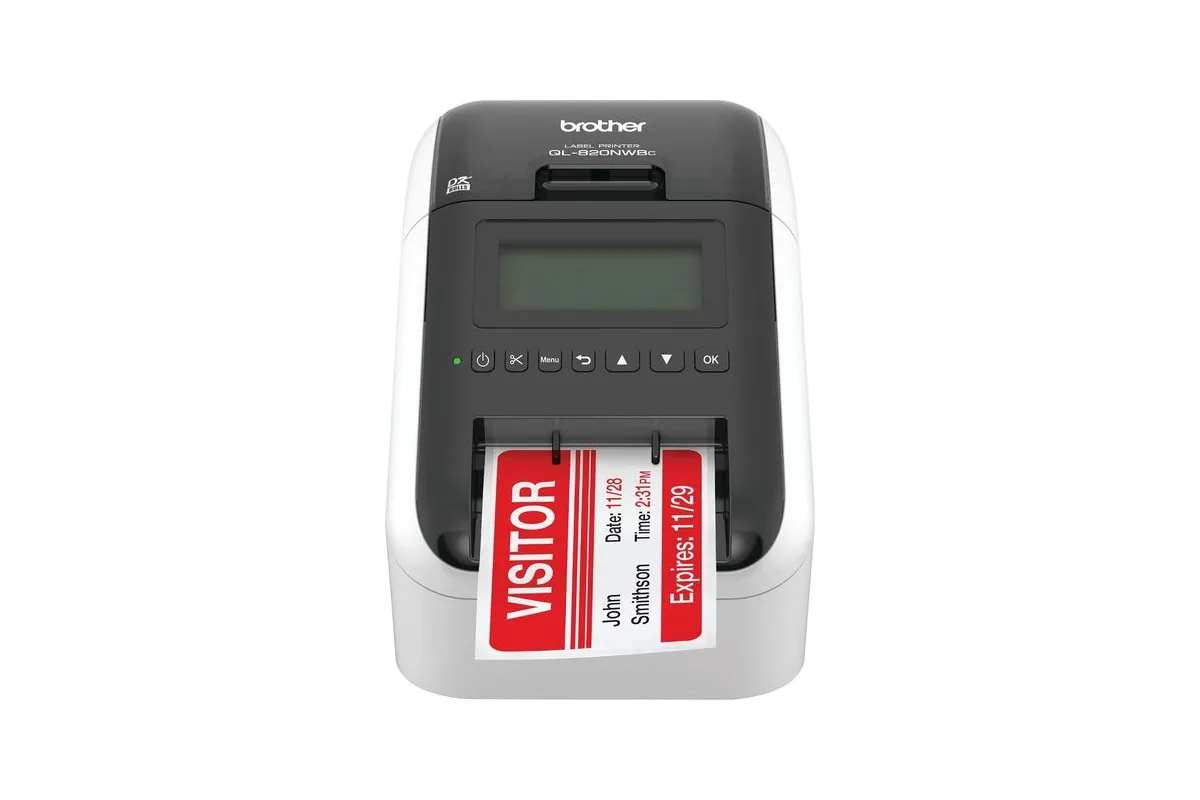
Brother QL-820NWBc
- Type
- Direct thermal (black and red)
- Max media width
- Speed
- Up to 110 labels/min
- Ink
Best for short runs on sheet labels
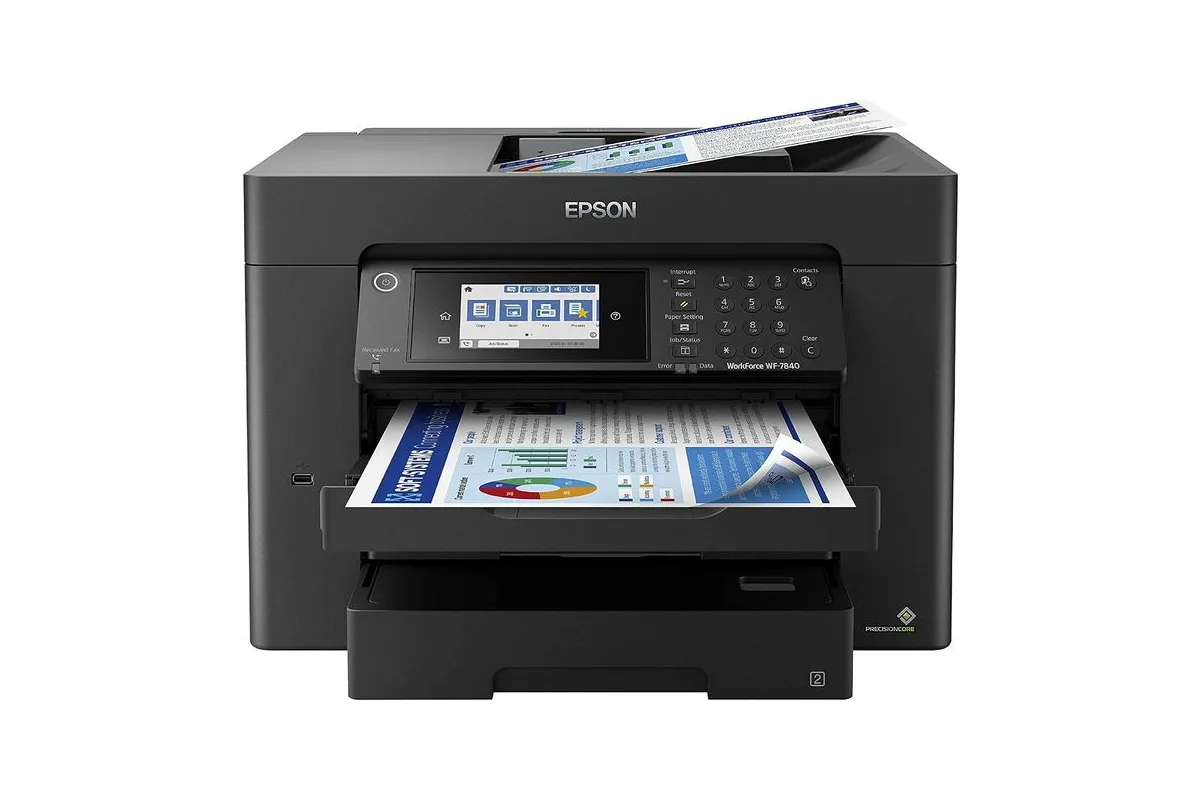
Epson WorkForce Pro WF-7840
- Type
- Pigment inkjet (DURABrite Ultra)
- Max media width
- Speed
- Ink
01Best color label printer for product labels
Epson ColorWorks CW-C4000
Epson's 4-inch pigment inkjet label printer with ZPL II support; the matte version, listed with an auto cutter, is $2,619.90 at Amazon in November 2026.
The C4000 is the color label printer to buy if your product gets wet, handled or shipped and you change designs often. It prints Epson's UltraChrome DL pigment ink from four separate 50 mL cartridges at up to 1200 x 1200 dpi, on roll or fanfold labels 1 to 4.25 inches wide, at up to 4 inches a second in Epson's Max Speed Mode. Epson says the printer with this ink and Neenah Kimdura poly media is BS 5609 certified, and pitches it for GHS chemical labels. It speaks ZPL II, so software written for a Zebra thermal printer can drive it, and it has Ethernet and USB, with Wi-Fi as an optional dongle.
It's $2,499 at CDW for either the gloss or the matte black model in November 2026, and $2,619.90 for the matte model from a third-party seller at Amazon. Buy the gloss model unless you print only on matte paper: Epson says gloss black works on the widest range of label stock, and matte black isn't recommended on gloss media. Cartridges were $39 each at CDW and [$29.99 at Amazon](https://www.amazon.com/dp/B0FQC7HY25?tag=theprinterreview-20), but Epson publishes no cost per label and designs the printer for Epson cartridges only. The roll holder takes rolls only 4 inches across, and the warranty is one year. Read our [C4000 review](/reviews/epson-colorworks-c4000-review).
Good for
- Pigment CMYK ink for water-resistant labels
- 4.25 in media, ZPL II, Ethernet and USB
- 50 mL cartridges at about $30–$39 each
Consider
- Gloss and matte black are different models
- No published cost per label and a 1-year warranty
02Best for printing and cutting custom shapes
Primera LX610
A color label printer with a built-in plotter that die-cuts any shape, $2,695 at Primera in November 2026 and not sold on Amazon.
The LX610 is the only printer here that cuts as well as prints. Its built-in plotter-cutter die-cuts each label around your design, so one roll of continuous stock covers every shape you sell; contour cutting needs Primera's PTCreate Pro software. It prints up to 4.1 inches wide when it cuts (5 inches on pre-die-cut labels), at up to 4.5 inches a second in draft mode, from rolls up to 6 inches across on a 3-inch core. Primera claims $0.03 to $0.07 of ink per 4 x 3-inch label at 50% coverage, or 1,300 to 1,800 labels per cartridge.
It's $2,695 at Primera, or $2,845 with PTCreate Pro, and it isn't sold on Amazon in November 2026. One cartridge holds all three colors (CMY), $94.95 on Primera's store in dye or pigment, so one color running low means a new cartridge. Primera says its dye ink has high water resistance and its pigment the best UV resistance. It connects by USB 2.0 only, the included PTCreate Standard runs only on Windows, and Mac owners have to buy PTCreate Pro. The warranty is one year. See [Primera LX610 vs Epson ColorWorks C4000](/comparisons/primera-lx610-vs-epson-colorworks-c4000).
Good for
- Prints and cuts labels in any shape
- Pigment ink option for water resistance
- Primera claims $0.03–$0.07 of ink per 4x3 label
Consider
- USB only, one CMY cartridge
- Mac users must buy PTCreate Pro
03Cheapest dedicated color label printer
Primera LX500
Primera's entry color roll-label printer with a built-in cutter and one tri-color dye cartridge, $1,622.47 at Amazon in November 2026.
The LX500 is the cheapest printer here built only for color roll labels: $1,549 at Primera and $1,622.47 from a third-party seller at Amazon in November 2026. It prints dye ink up to 4.25 inches wide at 2.5 inches a second on rolls with a 2-inch core, and Primera rates it at up to 1,000 labels a day, enough for a small candle, soap or sauce brand.
The savings come out of speed and ink. It takes one tri-color CMY dye cartridge ($68.95 high-yield), so black is mixed from the three colors, there's no pigment option for labels that sit in the sun, and Primera publishes no cost per label for it. At nearly the same price, Epson's new dye CW-D3800 ($1,339.99 at CDW, on sale from $1,499) has separate CMYK cartridges and 600 x 1200 dpi, though its ink costs about twice as much per milliliter as the C4000's.
Good for
- Prints 4.25 in wide color labels on rolls
- Built-in cutter
- Lowest price of the dedicated color label printers
Consider
- Dye ink in one CMY cartridge: no black, and it wastes ink
- 2.5 ips and a 1-year warranty
04Best for black-and-red food and nutrition labels
Brother QL-820NWBc
A 300 dpi direct thermal label printer with Wi-Fi, Ethernet and Bluetooth that also prints black and red, $229.99 at Amazon in November 2026.
Nutrition Facts panels, ingredient lists, allergen and date labels don't need color at all. The FDA's labeling rule (21 CFR 101.9) asks for the Nutrition Facts panel in black or one other color on a white or neutral background, in a boxed hairline layout with type no smaller than 8 point. The QL-820NWBc prints that at 300 dpi with no ink, and adds red as a second color on Brother's DK-2251 tape ($31.49 for 50 feet) for a price, a flavor name or a "new" flash. Brother rates it at up to 110 labels a minute, and it connects by USB, Ethernet, Wi-Fi and Bluetooth.
It's $229.99 at Amazon and Brother in November 2026 ($239.99 as the QL-820NWB). Brother's 1.1 x 3.5-inch DK-1201 labels work out to 3.5¢ each, and the free P-touch Editor can link a template to an Excel or CSV file, so one layout prints a whole product line. The limits: it prints only 2.3 inches wide, takes Brother DK rolls, and its direct thermal labels darken with heat and light, so they're for short-life food labels, not candles or bottles on a sunny shelf. Read our [QL-820NWB review](/reviews/brother-ql-820nwb-review).
Good for
- 300 dpi and up to 110 labels a minute
- Wi-Fi, Ethernet, Bluetooth and a display
- Prints black and red on DK-2251 tape; free P-touch Editor imports Excel
Consider
- Takes Brother DK rolls only, up to 2.3 in wide printed
- Direct thermal only: no ribbon for long-life labels
05Best for short runs on sheet labels
Epson WorkForce Pro WF-7840
A 13x19 all-in-one with DURABrite Ultra pigment ink and a rear tray, $199.99 at Amazon in November 2026.
If you need 50 labels in each of a dozen designs, a roll label printer is more machine than you need. Weatherproof inkjet label sheets on a pigment inkjet do the job with no minimum order. The WF-7840 prints Epson's DURABrite Ultra pigment ink in every color from a 50-sheet rear tray and takes paper up to 13 x 19 inches, and it was $199.99 at Epson (regularly $379.99) and Amazon in November 2026.
OnlineLabels' weatherproof matte inkjet sheets (eight 3.75 x 2.44-inch labels to a sheet) cost $79.81 per 100 sheets, or 10¢ a label before ink (our arithmetic). That's less than a print service's laminated roll labels at 1,000 (15¢ to 22¢), with no wait, though there's no laminate either. The labels come pre-cut, so you're limited to the sheet's shapes, and the WF-7840 uses ink cartridges rather than tanks. For printers that cut stickers, see [the best sticker printers](/buying-guides/best-sticker-printers).
Good for
- Pigment ink in all colors for washable fabric prints
- Prints up to 13x19 from a 50-sheet rear tray
- Cheap for a wide-format printer
Consider
- Cartridges, not tanks
- Epson doesn't list fabric sheets as supported media
How to choose
What you make
Stickers, labels and sublimation blanks each need a different machine. Start with the project, not the printer.
Supplies and lock-ins
Check the price of tape, label rolls, sticker paper or ink, and whether the printer only accepts its maker's supplies.
App and account
Many label and sticker printers only work through a phone app. Check whether it needs an account or a subscription.
What is the best color label printer for product labels?
The Epson ColorWorks CW-C4000. It prints pigment CMYK ink from four separate 50 mL cartridges at up to 1200 x 1200 dpi on labels up to 4.25 inches wide, Epson rates it at up to 4 inches a second, and it’s BS 5609 certified when it prints on Neenah Kimdura poly labels. It was $2,499 at CDW in November 2026.
A color label printer is an inkjet built for rolls of labels instead of sheets of paper. It feeds a roll through the head, cuts or tears the finished labels, and uses ink formulated for label stocks like gloss paper and polypropylene (BOPP). That’s what separates a $2,500 label printer from a $200 office inkjet: a roll of hundreds of labels in a run, without feeding sheets by hand.
If your labels are black only (shipping, barcodes, Nutrition Facts panels), you don’t need any of this. A thermal printer prints them with no ink: see the best barcode label printers.
Color label printers compared
| Printer | Price (Nov 2026) | Ink | Max print width | Rated speed (maker) | Maker’s cost per label |
|---|---|---|---|---|---|
| Epson ColorWorks C4000 | $2,499 (CDW); $2,619.90 matte (Amazon) | Pigment CMYK, 4 x 50 mL | 4.25 in | 4.0 ips | Not published |
| Primera LX610 | $2,695 (Primera); not on Amazon | Dye or pigment, one CMY cartridge | 4.1 in die-cut, 5 in pre-cut | 4.5 ips (draft) | $0.03–$0.07 of ink per 4 x 3 in label |
| Primera LX500 | $1,549 (Primera); $1,622.47 (Amazon) | Dye, one CMY cartridge | 4.25 in | 2.5 ips | Not published |
| Brother QL-820NWBc | $229.99 | Direct thermal, black and red | 2.3 in | 110 labels/min | No ink; 3.5¢ per address label |
| Epson WF-7840 | $199.99 | Pigment cartridges, sheets | 13 x 19 in sheets | Not a label rating | No figure; sheets 10¢ a label |
Speeds are the makers’ own: Epson’s is print engine speed in Max Speed Mode (300 x 600 dpi), Primera’s is draft mode, Brother’s is standard address labels with text only. Primera’s cost figure is ink only, at 50% coverage. Every price is a Black Friday-week snapshot.
What is the best printer for candle and soap labels?
The Primera LX610 if your jars, tins and bars take labels in odd shapes, the Epson C4000 for rectangles and rounds in volume, and a pigment inkjet with weatherproof sheets if you sell a few hundred units a month or fewer.
Candle and soap labels have three problems: oils, moisture and lots of small runs of different scents. Some answers:
- Shapes: the LX610 cuts any outline from continuous stock, so a new scent with a new shape needs no new label order. With the C4000 or LX500, you buy pre-die-cut rolls in each shape you use.
- Oil and water: pick a synthetic or laminated label, not plain paper. OnlineLabels offers oil-resistant and water-resistant finishes on custom rolls, and Sticker Mule sells its BOPP labels with a laminate as waterproof and dishwasher-safe. No desktop printer maker we read rates its labels against fragrance oil, so test a few labels on your product before you buy a case.
- Warning labels: a black-only candle warning label doesn’t need color ink. A thermal printer like the QL-820NWBc prints one for a few cents.
- Short runs: weatherproof matte inkjet sheets cost about 10¢ a label (our arithmetic from OnlineLabels’ 100-sheet price) on a printer like the WF-7840, with no minimum order.
What is the best printer for waterproof labels?
For color, the Epson ColorWorks C4000 on synthetic labels: with Neenah Kimdura poly media, its pigment ink is BS 5609 certified, the only such certification among our picks. For black text and barcodes, a thermal transfer printer with a resin ribbon on polypropylene or polyester labels, such as the Zebra ZD421t ($613.57 at Barcodes, Inc.).
How each type of label holds up, by the makers’ own descriptions:
| Label | Water and wear | Cost |
|---|---|---|
| C4000 pigment on Kimdura poly | BS 5609 certified (that combination only) | Ink not published; poly stock extra |
| Primera LX610 pigment or dye | Primera: dye “high water-resistance”, pigment best for UV | $0.03–$0.07 ink per 4 x 3 label (Primera) |
| Thermal transfer, resin ribbon | Zebra: the image “cannot be rubbed off”; resin for chemical exposure | Black only |
| Weatherproof polyester laser sheets | Sold as weatherproof | 8.2¢ a label plus toner |
| Weatherproof matte inkjet sheets | Sold as weatherproof | 10¢ a label plus ink |
| Print service BOPP with laminate | Sticker Mule: “waterproof, dishwasher-safe” | 15¢–22¢ a label at 1,000 |
| Direct thermal (Brother QL, Rollo) | Zebra: “extremely sensitive” to heat and light | 3¢–5¢; not for long-life labels |
The sheet prices are OnlineLabels’ OL575 sheets at 100 sheets, our arithmetic. Direct thermal labels aren’t the answer for anything that has to last; direct thermal vs thermal transfer explains why. For ink, see dye vs pigment ink.
What is the best printer for wine and beer labels?
The Epson ColorWorks C4000 for front labels up to 4.25 inches tall or wide, and an 8-inch printer for full wraparound labels. Bottles get chilled, handled wet and sit on shelves under light, so they need pigment ink or a laminated synthetic label.
The widest color label printers on the makers’ lists:
| Printer | Max print width | Ink | Price (Nov 2026) |
|---|---|---|---|
| Epson ColorWorks C4000 | 4.25 in | Pigment, separate CMYK | $2,499 (CDW) |
| Primera LX610 | 4.1 in die-cut | Dye or pigment, one CMY | $2,695 (Primera) |
| Primera LX910 | 8.25 in | Dye or pigment, one CMY | $2,749 (Primera) |
| Afinia L502 Duo Ink | 8.5 in | Dye or pigment, separate CMYK | $2,795 (Afinia) |
| Primera LX4000 | 8.25 in | Dye or pigment, separate CMY tanks | $3,295 (Primera) |
| Epson ColorWorks C6500A | 8.34 in | Pigment, separate CMYK | $3,965 (CDW) |
The LX610 is the pick for custom-shaped labels on a limited release. Among the 8-inch printers, the LX4000 is Primera’s newest and carries its lowest cost claim, $0.005 to $0.03 of ink per 4 x 3-inch label at 50% coverage, and the C6500A is the 8-inch version of Epson’s pigment printer.
What is the best printer for food labels with nutrition facts?
A 300 dpi thermal printer like the Brother QL-820NWBc ($229.99) for the Nutrition Facts panel, ingredients and allergens, and a color printer like the Epson C4000 only if the same label carries your branding in color.
What the FDA’s rule (21 CFR 101.9) asks of the panel, as it read in November 2026:
- One color: the panel is “all black or one color type,” printed on a white or other neutral contrasting background whenever practical, set off in a box with hairlines.
- Type size: nutrient information no smaller than 8 point, and “Calories” no smaller than 16 point (10 point on the tabular and linear formats allowed for small packages).
- Type style: a single easy-to-read type style, upper and lower case, with at least one point of leading, and letters that never touch.
So any printer that prints 8-point type and hairlines cleanly can print a compliant panel, black-only thermal printers included. The Brother QL printers print at 300 dpi, against the 203 dpi that Rollo calls the courier industry standard for shipping labels. For a panel wider than 2.3 inches, step up to the 4-inch Brother QL-1110NWB ($334.99).
Many small sellers don’t need the panel at all. The rule exempts food sold by a person whose annual gross sales to consumers are no more than $500,000, or whose food sales to consumers are no more than $50,000, as long as the label makes no nutrition claims. A separate low-volume provision lets a business with fewer than 10 full-time-equivalent employees skip filing a notice for products selling fewer than 10,000 units a year. This isn’t legal advice; read the rule or ask the FDA if you’re near a line.
The printer doesn’t work out the nutrition values for you; that comes from your recipe data or a lab.
What does it cost to print a color label?
From about 6¢ for a 2 x 3-inch paper label on a Primera LX610, by our estimate, against 15¢ to 22¢ from a print service at 1,000 labels. The catch is the printer: at those prices it takes tens of thousands of labels to pay for itself.
Our estimate for the LX610, with its inputs:
- Ink: Primera claims $0.03 to $0.07 per 4 x 3-inch label at 50% coverage. A 2 x 3-inch label is half that area, so about $0.015 to $0.035.
- Label stock: Primera’s continuous gloss paper is $84.15 for two 125-foot rolls, 4.75 inches wide. Two labels across with a 1/8-inch gap gives about 1,920 labels, or about 4.4¢ each.
- Total: about $0.06 to $0.08 per 2 x 3-inch unlaminated paper label, before printheads, waste and your time.
Epson publishes no ink-per-label figure for the C4000, so we can’t build one. What we can say: its ink costs $0.78 a milliliter at CDW’s $39 a cartridge (about $0.60 at Amazon’s $29.99), against $1.60 a milliliter for the dye CW-D3800 and $0.74 for the larger C6000. Epson’s own claim is that the C4000’s printer and supply costs are similar to comparable thermal transfer printers and supplies.
Print services, for 2 x 3-inch roll labels in November 2026:
| Service | Label | 500 labels | 1,000 labels | Turnaround |
|---|---|---|---|---|
| UPrinting | White BOPP, gloss laminate | $106.83 (21¢) | $149.79 (15¢) | 6 business days, plus shipping |
| OnlineLabels | White paper, gloss laminate | $121.63 (24¢) | $155.70 (16¢) | 2–3 business days after approval |
| Sticker Mule | BOPP with laminate (3 x 2 in) | $145 (29¢) | $219 (22¢) | 4 days, free shipping |
Our break-even estimate for a $2,695 LX610 is about 17,000 to 19,000 labels against Sticker Mule and 27,000 to 34,000 against OnlineLabels’ paper labels. That’s not quite like-for-like: the services’ labels are laminated, and the in-house estimate isn’t. Print labels in-house or use a print service? runs the numbers in detail.
Which color label printers are new or discontinued?
- Epson: the ColorWorks C3500 is discontinued. The new dye CW-D3800 ($1,339.99 at CDW) now sits below the C4000, and the CW-C8000 (11.8 inches a second) sits at the top.
- Primera: the LX3000 is gone from Primera’s printer list, and the new LX4000 ($3,295, dye or pigment, separate CMY tanks) is its top model. LX600 and LX610 cartridges are now $94.95 on Primera’s store, though the LX610 page’s FAQ still lists $76.95.
- Afinia: the L801 Plus has become the L801 Pro ($7,995), and the L502 is now the L502 Duo Ink, with dye and pigment interchangeable.
How we chose
We compared every current color label printer from Epson, Primera and Afinia, plus thermal and sheet-label alternatives, using makers’ spec sheets, line guides, warranty pages and store prices, and dealer prices from CDW and Barcodes, Inc., all read on November 27, 2026. Cost-per-label and break-even figures are our arithmetic from maker claims and print services’ published prices, with the inputs shown. We haven’t tested these printers ourselves; see how we score.
Also consider
- Epson ColorWorks CW-D3800 ($1,339.99 at CDW): Epson’s new dye model, 600 x 1200 dpi, 3.94 ips, 4.25 inches wide, with separate 40 mL CMYK cartridges at $63.99 each. Epson pitches it at makers and to-go labels. It has a one-year depot warranty.
- Epson ColorWorks CW-C6000A ($3,059 at CDW): the C4000’s bigger sibling, at 5 ips with 80 mL cartridges and rolls up to 8 inches across, so fewer roll changes.
- Primera LX4000 ($3,295): 8.25 inches wide with separate CMY ink tanks ($66.95 each), Primera’s lowest claimed cost per label, and BarTender UltraLite in the box (Windows).
- Primera LX600 ($1,995): the LX610 without the cutter, 5 inches wide at 4.5 ips, with a dye or pigment cartridge.
- A print service: under a few thousand labels a year, ordering laminated roll labels is cheaper than any printer here.
Questions people ask
Can a thermal label printer print in color?
No. Thermal printers print black, and Brother’s QL printers add red on their DK-2251 black-and-red tape only. For full color, you need an inkjet label printer like the Epson C4000 or a Primera, or label sheets on a regular inkjet.
Are color inkjet labels waterproof?
Only with the right ink and label stock together. Epson’s C4000 is BS 5609 certified with its pigment ink on Kimdura poly labels; on other stocks, Epson makes no such claim. Primera rates its dye ink for water resistance and its pigment for UV. Paper labels with no laminate aren’t waterproof on any printer.
What is the cheapest color label printer?
The Primera LX500 at $1,549 among dedicated roll printers, or Epson’s new CW-D3800 at $1,339.99 at CDW. Cheaper still is a pigment inkjet like the $199.99 Epson WF-7840 with weatherproof label sheets at about 10¢ a label.
Is it cheaper to print your own product labels?
Only at volume. By our estimate a 2 x 3-inch paper label costs about 6¢ to 8¢ in ink and stock on a Primera LX610, against 15¢ to 22¢ from a print service at 1,000, so the $2,695 printer takes about 17,000 to 34,000 labels to pay off. Printing in-house wins on speed and on short runs of many designs.
Do color label printers work with a Mac?
The Epson C4000 has Mac drivers, as well as Windows and Linux. The Primera LX610 has Mac drivers, but its included PTCreate Standard design software is Windows only, so Mac owners need PTCreate Pro, which Primera sells with the printer for $150 more.
What’s the difference between the gloss and matte Epson C4000?
Only the black ink. Epson says the gloss model’s black is made for gloss label stock, which works on the widest range of materials, and doesn’t recommend the matte model’s black on gloss labels. Unless you print only on matte paper, buy the gloss model. Both were $2,499 at CDW.
Sources
- Epson ColorWorks CW-C4000 (gloss), Epson
- Epson SJIC41P ink cartridges for the ColorWorks C4000, Epson
- Epson: ColorWorks C4000 now shipping (June 28, 2022), Epson
- Epson ColorWorks color label printers, Epson
- Epson ColorWorks Label Printers 2025 Line Guide, mediaserver.goepson.com
- Epson ColorWorks CW-D3800 specification sheet, cdn.bfldr.com
- Epson ColorWorks CW-C6000P, Epson
- Epson: ColorWorks C6000 series announcement (September 23, 2019), Epson
- Epson ColorWorks C3500 (discontinued), Epson
- CDW: Epson ColorWorks CW-C4000 prices, cdw.com
- CDW: Epson SJIC41P ink prices, cdw.com
- CDW: Epson ColorWorks CW-D3800 prices, cdw.com
- Primera color label printers, primera.com
- Primera LX610 color label printer and cutter, primera.com
- Primera LX4000 color label printer, primera.com
- Primera LX610 ink, primera.com
- Primera LX610 premium gloss paper, continuous, primera.com
- Primera warranty policy, primera.com
- Afinia L502 Duo Ink label printer, afinialabel.com
- Afinia L801 Pro label printer, afinialabel.com
- Brother QL-820NWBc, Brother
- Brother QL-1110NWBc, Brother
- Epson WorkForce Pro WF-7840, Epson
- Zebra: direct thermal vs thermal transfer, zebra.com
- eCFR: 21 CFR 101.9, nutrition labeling of food, ecfr.gov
- OnlineLabels OL575WJ weatherproof matte inkjet labels, onlinelabels.com
- OnlineLabels OL575LP weatherproof polyester laser labels, onlinelabels.com
- OnlineLabels custom roll labels, onlinelabels.com
- Sticker Mule rectangle labels, stickermule.com
- Sticker Mule custom labels, stickermule.com
- UPrinting roll labels, uprinting.com
- Epson ColorWorks CW-C4000 on Amazon, amazon.com
- Epson SJIC41P cartridge on Amazon, amazon.com
Keep exploring

Buying guide
The best edible printers for cakes and cookies
The best edible printer for cakes is a new Canon PIXMA TS702a bought in an edible ink bundle: $295 to $299 in November 2026, for letter and legal-size frosting sheets at about $1 to $3 a cake topper. For printing straight onto cookies, the Primera Eddie is $2,995 and uses about 6¢ of ink per cookie.
Read story
Buying guide
The best printers for screen printing film
The Epson EcoTank Photo ET-8550 is the best printer for screen printing film: borderless 13 x 19-inch film positives, refillable tanks and a place among AccuRIP's top four supported desktop printers, for $499.99 at Epson in November 2026. The Epson XP-15000 ($249.99) is the cheapest 13 x 19 option, and the ET-15000 ($449.99) suits an all-black dye ink setup.
Read story