Printers in this guide
How do I laser engrave a tumbler?
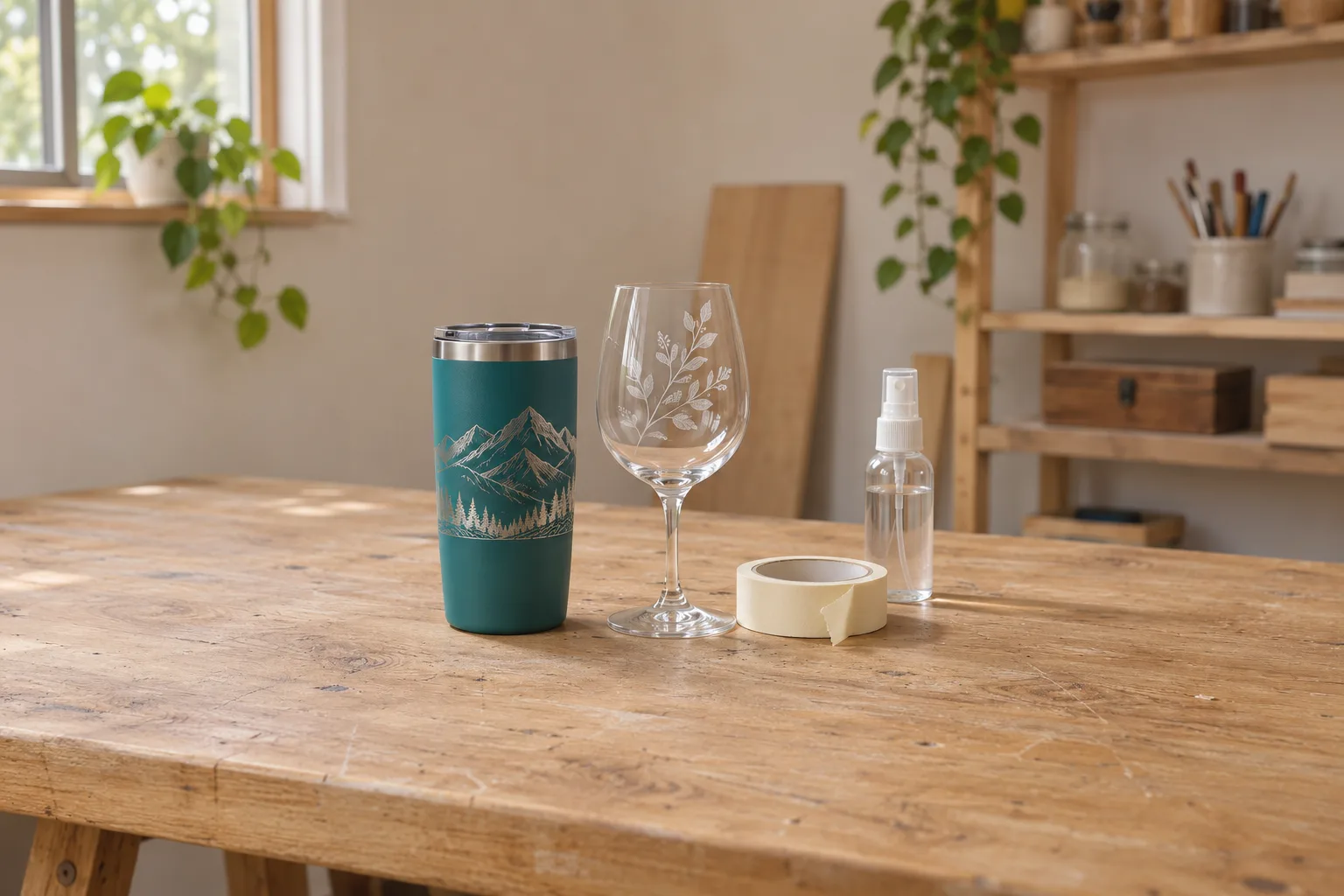
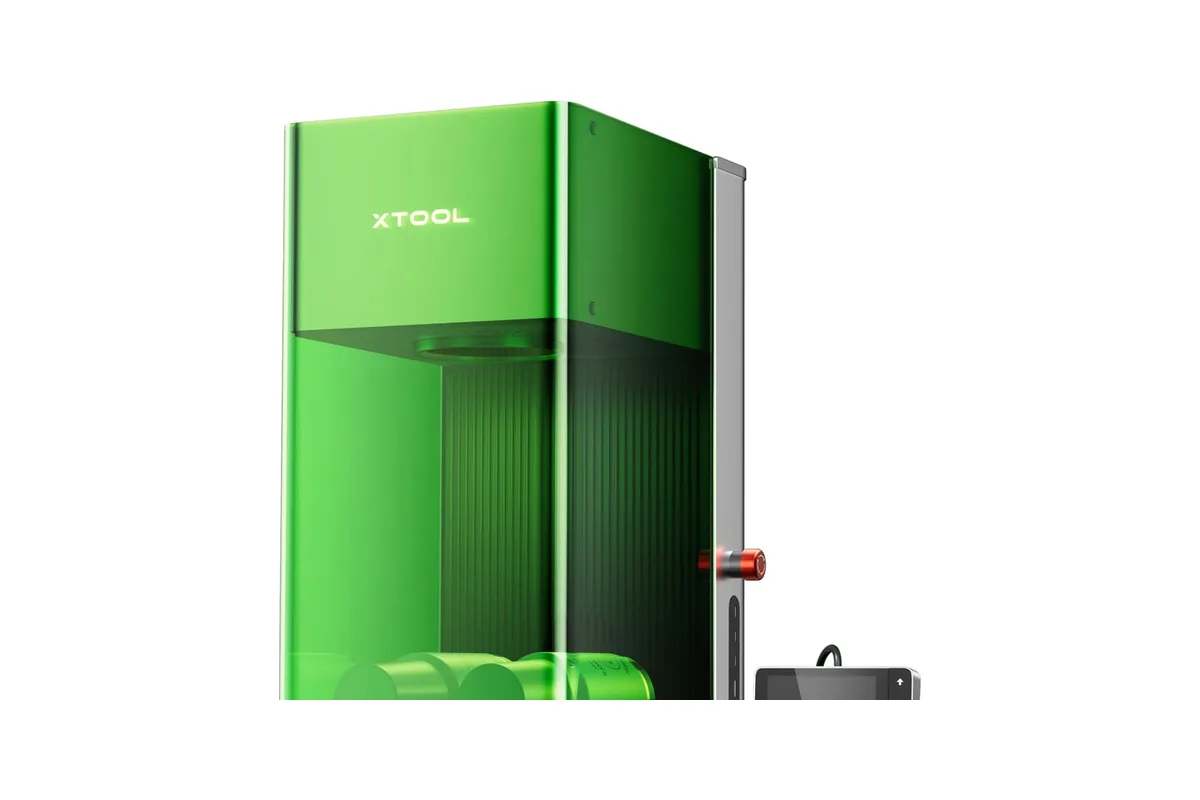
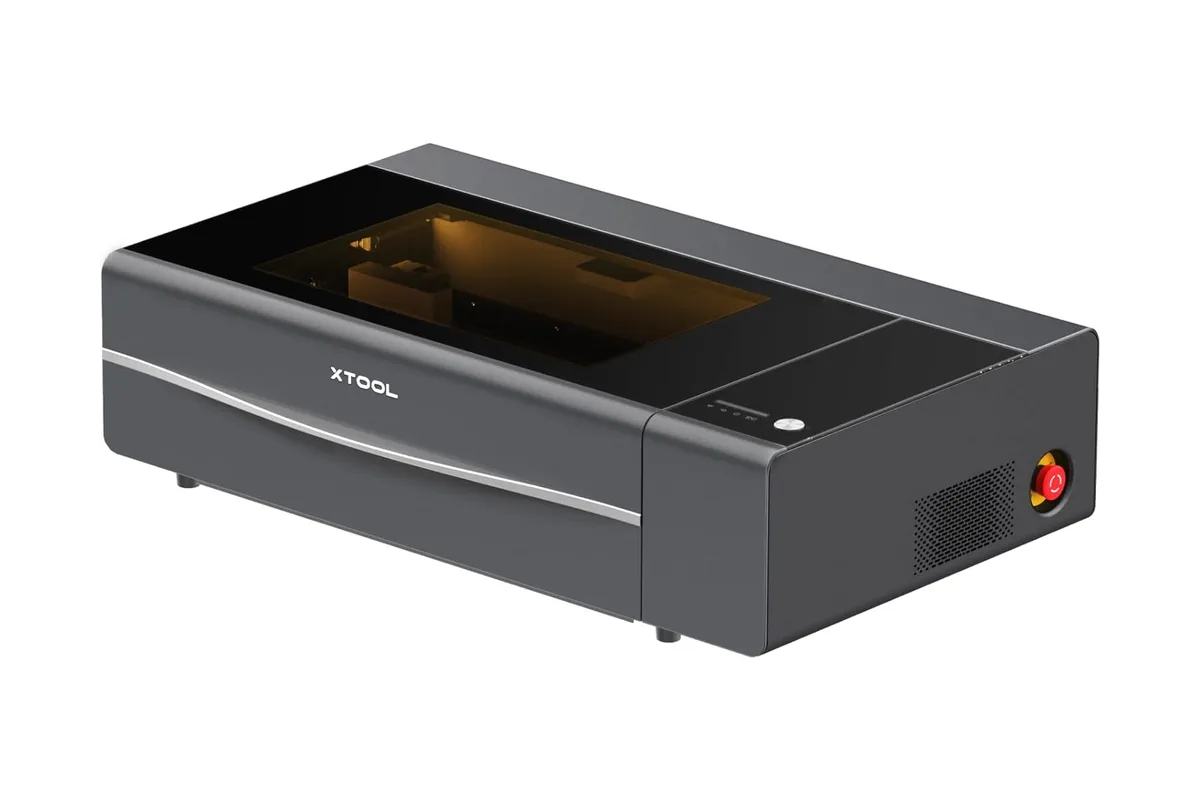
Put the tumbler on a rotary, pick the laser that matches its finish, then focus, frame and engrave. A powder-coated tumbler works with any laser, because the beam removes the coating to show bright steel underneath. Bare stainless is different: for a clean mark without coating, use a fiber laser like the xTool F1 Ultra ($2,299 at xTool in November 2026, $2,173 at Amazon), or a diode with an infrared module.
| Tumbler finish | Diode | CO2 (like the xTool P2S) | Fiber (like the F1 Ultra) |
|---|---|---|---|
| Powder-coated | Yes; Creality lists powder-coated surfaces | Yes; removes the coating to bare steel | Yes |
| Bare stainless | Makers disagree; use an infrared module | Only with a marking compound | Yes, without pre-treatment |
| Stainless with color | No | No | MOPA fiber only, such as the xTool F2 Ultra ($4,799) |
On bare stainless and blue diodes: xTool and Creality say their blue diodes can engrave stainless, while LightBurn says blue diodes “can’t interact with metals.” Plan on infrared (xTool M2’s 3W module, Creality A1 Pro’s 2W) or fiber if bare steel is your product. For machines, see the best laser engravers for tumblers and metal.
What you need
- A rotary. It turns the tumbler under the beam. LightBurn describes two kinds: a roller, where the object rests on turning wheels, and a chuck, with adjustable jaws that grab the object. OMTech sells its roller for “perfectly-cylindrical objects” and chucks for irregular shapes. Prices: Creality Rotary Kit Pro $109 (A1 package $139), xTool RA3 Lite for the M2 $259, RA2 Pro (roller, chuck, sphere and ring) $269, RA3 $349, OMTech roller $129.99 and chuck $289.99.
- Room under the head. The F1 Ultra fits objects and rotaries up to 145 mm. The P2S takes a 3–50 mm rotary diameter on its own, or 0–180 mm with its $499 riser base, which the RA3 needs on that machine.
- A blank. xTool sells a 20 oz stainless tumbler for $12.99, and a 40 oz with handle for $11.39 to $18.99 ($161.99 for ten).
Steps (xTool’s method, condensed)
- Remove the handle if it unscrews, and bend the attachment points down so they clear the laser head.
- Measure the tumbler’s diameter, circumference and height. In rotary mode, the wrap around the cup becomes the design’s height in the software, and the cup’s height becomes its width. The wrap is the circumference: pi times the diameter, so a 3-inch-wide cup has about a 9.4-inch wrap.
- Turn on rotary mode in the software and enter the dimensions. Mount the tumbler level on the rotary.
- Pick a tumbler preset for power and speed, then test on a spare if you have one.
- Focus, frame and engrave. Framing traces the outline so you can check placement.
- Clean off the residue and refit the handle.
Never leave the machine while it runs, and keep the exhaust or purifier on. Our laser safety guide covers both.
Rotary settings in LightBurn
If you use LightBurn instead of the maker’s software, three settings decide whether the design comes out stretched:
- mm per rotation: “the distance of commanded movement in millimeters required to spin the rotary one complete rotation.” Wrong, and the output is stretched or squashed.
- Object diameter: on a chuck, measure each new object “with calipers” and enter it. On a roller, only the roller’s diameter matters, set once.
- Tapered cups: use the largest diameter.
LightBurn’s test button should turn the rotary exactly one full turn and back.
Can a laser engraver engrave glass?
Yes, with a CO2 or UV laser directly, or with a diode on a coating. Not with fiber. xTool lists glass as “not suitable” for fiber lasers.
| Laser | Glass? | How |
|---|---|---|
| CO2 (xTool P2S, $2,999) | Yes, directly | Engraves the surface; no coating needed |
| Diode | Only with a coating or marking paper | The beam passes through clear glass otherwise |
| Fiber (F1 Ultra’s fiber source) | No | xTool: “not suitable for wood, glass and clear acrylic” |
| UV laser (xTool F2 Ultra UV, $3,299) | Yes, on the surface and inside | Inside engraving needs K9 optical crystal |
With CO2, Epilog, a laser maker, recommends draping a damp sheet of newspaper or paper towel over the glass to limit cracks and craters, or coating the glass with a thin layer of dish detergent and reapplying as it dries. Masking tape gives a frosted look. Lead crystal cracks more easily than ordinary soda-lime glass.
With a diode, xTool’s glass guide uses black laser color paper on clean, dry glass: soak the paper for a minute, apply it, engrave, then soak and peel. Put a contrasting material underneath to absorb the beam, and adjust the power “to avoid excessive penetration.” Wear goggles for the laser’s wavelength, ventilate, and never leave it running.
Inside the glass, a UV laser marks tiny points in the crystal to build a 3D image. xTool’s F2 Ultra UV needs K9 optical crystal (“not all transparent glass is suitable”), an inner-engraving lens and riser, and xTool Studio’s inner-engraving mode with 3D files. The maximum block is 70 x 70 x 150 mm, and too much power makes “too many micro-explosion points inside the glass.” xTool sells a K9 crystal ball kit for $75.99.
LightBurn vs xTool Creative Space: which software should I use?
If you have an xTool, use xTool Studio. xTool Creative Space (XCS) is finished: its final version is 2.7, released in June 2025, and xTool Studio replaces it. xTool says the P3 and every product launched after August 2025 run only in Studio, and that Studio supports all xTool devices. Add LightBurn ($99 or $199, one-time) if your xTool supports it and you want its finer control, or if you run lasers from more than one brand.
| LightBurn | xTool Studio | |
|---|---|---|
| Price | Core $99 (G-code lasers); Pro $199 (adds DSP and galvo controllers). One-time, with a year of updates; $40 for another year | No price on xTool’s release notes; no subscription needed to run xTool machines |
| Runs | GRBL, Smoothieware, Marlin, FluidNC, grblHAL and xTool controllers on Core; Ruida, Trocen, TopWisdom and EZCad galvo on Pro | xTool machines only |
| License | 3 seats per license; old versions keep working after updates lapse | — |
| Strength | One program across many brands of laser | Full use of xTool’s cameras, autofocus and material presets |
Which xTool machines work with LightBurn
| xTool machine | LightBurn? |
|---|---|
| F2, F1 Ultra, F2 Ultra UV | Yes |
| F2 Ultra | Yes, LightBurn 2.2.0 or later |
| P2S | Yes, but “camera and auto-focus functions are not supported by LightBurn” |
| M2, P3, X1 | xTool Studio only on their spec tables |
So for the F1 Ultra, either works. For the P2S, Studio keeps the cameras and autofocus that make placement easy; LightBurn is the choice if you want its tools and don’t mind focusing by hand. For the M2 and P3, Studio is the only option.
LightBurn lists xTool among the controllers its $99 Core license runs, and publishes a Hardware Compatibility Matrix for checking a specific model before you buy.
Software for other brands
| Brand | Its software | LightBurn? |
|---|---|---|
| Creality Falcon | Falcon Design Space, free (“not intended for use with third-party laser machines”); LaserGRBL also listed | Yes; Creality lists it as paid with a trial |
| Glowforge | Glowforge’s web app, free for owners | No. Glowforge machines run only through Glowforge’s app; Premium exports LightBurn files for other lasers |
| OMTech CO2 | RDWorks included | Yes (Ruida controllers need Pro); some sale bundles include it |
| OMTech fiber | EzCad2 for Windows | Yes, on Pro |
| Any GRBL diode | LaserGRBL, free, Windows only | Yes, on Core |
How long does a laser engraver last?
The laser source is what wears out, and the makers rate them very differently: glass CO2 tubes for about 1,500 to 10,000 hours, diode modules 10,000 to 20,000 hours, RF CO2 tubes 10,000 to 30,000 hours and up, and fiber sources up to 100,000 hours. These are maker ratings, not guarantees, and none gives test conditions.
| Laser source | Maker’s rating | Warranty on the source |
|---|---|---|
| Blue diode module | Creality: 10,000+ hours for its 1.6W module; xTool support: about 10,000 hours, varying by maker; Atomstack’s A70 Max page: 20,000 hours | Creality and Atomstack: no separate term; the 1-year machine warranty applies |
| Glass CO2 tube, hobby machines | OMTech: often 1,500 to 4,000 hours in hobby systems. OMTech’s MF1624-60: full 60W “for up to 1,000 hours”, with life “doubled” at lower settings | xTool: 6 months. OMTech: 6 months on 40–60W tubes, 1 year on 70W and up |
| Glass CO2 tube, xTool | P2S: 6,000 to 8,000 hours, with power “approximately down to 95% at 1000 hours”; xTool Laserbox tube: about 10,000 hours | 6 months |
| RF metal CO2 tube | xTool: up to 10,000 hours. OMTech: well-made RF tubes “often boast lifespans of more than 30,000 hours”, at about 10 times the price of glass | Epilog: RF tubes typically carry two-year warranties, glass six months |
| Fiber source | OMTech MOPA 60: “mean time to failure exceeding 100,000 hours”. xTool: MOPA lasers last “up to 100,000 hours” | OMTech: 1 year on fiber sources |
What that means in years (our estimate)
Hours of laser-on time divided by use per year, at 5 hours a week (260 a year) and 20 hours a week (1,040 a year):
| Rated hours | At 5 hours a week | At 20 hours a week |
|---|---|---|
| 1,500 (low end for a hobby glass tube) | About 5.8 years | About 1.4 years |
| 4,000 | About 15 years | About 3.8 years |
| 6,000–8,000 (xTool P2S tube) | About 23–31 years | About 5.8–7.7 years |
| 10,000 (diode module) | About 38 years | About 9.6 years |
These count laser-on hours only and ignore age, so treat the long figures as a ceiling, not a forecast. The short ones are the useful warning: a glass tube on a busy side business can wear out within a few years, and its warranty is usually only 6 months.
What shortens a laser’s life
- Running at high power. OMTech says high-power use will shorten a tube’s life. xTool says the P2S is an exception: running it at 100% in software “will not affect the machine’s lifespan”, because 100% is a capped limit.
- Temperature. xTool says to keep its Laserbox tube between 0 and 35°C. Both xTool and OMTech exclude tubes that crack from freezing from their warranties.
- Dirty optics. xTool’s S1 FAQ says to clean the lens every 30 minutes to 2 hours depending on the module; air assist helps it stay clean.
What a worn tube costs to replace
Glass tubes cost “a few hundred dollars, depending on wattage”, per OMTech: $289.99 for its Polar 50W tube, $319.99 for the Polar Lite 55W and $429.99 for a 90W. xTool’s P3 80W tube is $402.90. We didn’t find a listed replacement price for the P2S tube. Our laser engraver cost guide covers running costs and warranties in full.
Questions people ask
Can a diode laser engrave a Yeti or other powder-coated tumbler?
Yes. Diodes engrave powder-coated metal, removing the coating to show the steel. You need a rotary, and a machine with room for the cup under the head.
Do I need a rotary to engrave a tumbler?
For a full wrap or anything beyond a small flat area, yes. A roller suits straight cylinders; a chuck grips irregular shapes, and for tapered cups LightBurn says to set the largest diameter.
Can you laser engrave wine glasses?
Yes, with a CO2 laser and a rotary, or a diode with marking paper. Epilog’s damp paper towel or dish detergent tricks reduce cracking. Fiber won’t do it.
Is xTool Creative Space still available?
XCS stopped at version 2.7 in June 2025 and gets no new versions. Machines launched after August 2025 work only in xTool Studio, which runs every xTool machine.
Is LightBurn a subscription?
No. Core ($99) and Pro ($199) are one-time purchases that include a year of updates. After that, the version you have keeps working; another year of updates is $40.
Does LightBurn work with Glowforge?
No. Glowforge machines run only through Glowforge’s own app. Glowforge’s Premium tier can export LightBurn and xTool files for use on other lasers.
What wears out on a laser engraver besides the laser?
Filters (xTool’s AP2 mini filter and Glowforge’s cartridges are rated at up to 100 hours), lenses that need cleaning, and on CO2 machines the air pump, which xTool also covers for only 6 months on the X1.
Sources
- xTool: How to make personalized tumblers, xtool.com
- xTool RA2 Pro rotary, xtool.com
- xTool RA3 rotary, xtool.com
- xTool P2S 55W CO2 laser, xtool.com
- xTool P2S FAQs, support.xtool.com
- xTool F1 Ultra fiber and diode laser, xtool.com
- xTool F2 Ultra UV laser, xtool.com
- xTool support: beginner's guide to laser processing of transparent glass, support.xtool.com
- xTool support: start inner engraving with xTool F2 Ultra UV, support.xtool.com
- xTool: Fiber laser vs CO2 laser vs diode laser, xtool.com
- xTool: What is a MOPA laser, xtool.com
- xTool support: transition from XCS to xTool Studio, support.xtool.com
- xTool Studio and Creative Space release notes, support.xtool.com
- xTool support: consumables wear and tear, support.xtool.com
- xTool after-sale policies (warranty), xtool.com
- LightBurn: which license do you need?, lightburnsoftware.com
- LightBurn license FAQ, docs.lightburnsoftware.com
- LightBurn docs: laser types explainer, docs.lightburnsoftware.com
- LightBurn docs: rotary mode (G-code), docs.lightburnsoftware.com
- LightBurn Hardware Compatibility Matrix, lightburnsoftware.com
- LaserGRBL, lasergrbl.com
- Creality Falcon: free laser software, crealityfalcon.com
- Creality Falcon laser engravers and FAQ, crealityfalcon.com
- Glowforge Premium account FAQ, support.glowforge.com
- Epilog Laser: laser engraving tips for glassware, epiloglaser.com
- Epilog Laser: glass vs metal CO2 laser tubes, epiloglaser.com
- OMTech: the difference between DC glass and RF metal laser tubes, omtech.com
- OMTech MOPA 60W fiber laser, omtech.com
- OMTech 60W CO2 laser, 16 x 24 in, omtech.com
- OMTech warranty, omtech.com
- Atomstack A70 Max, atomstack.com
Keep exploring

Buying guide
The best color label printers for product labels
The Epson ColorWorks CW-C4000 is the best color label printer for product labels: pigment CMYK ink at up to 1200 dpi, rolls up to 4.25 inches wide, 4 inches a second and BS 5609 certification on Kimdura poly, for $2,499 at CDW in November 2026. Get the Primera LX610 ($2,695) to print and cut custom shapes, or the Primera LX500 ($1,549) on a budget.
Read story
Buying guide
The best edible printers for cakes and cookies
The best edible printer for cakes is a new Canon PIXMA TS702a bought in an edible ink bundle: $295 to $299 in November 2026, for letter and legal-size frosting sheets at about $1 to $3 a cake topper. For printing straight onto cookies, the Primera Eddie is $2,995 and uses about 6¢ of ink per cookie.
Read story