
Printers in this guide
Is laser engraving safe, and do I need ventilation?
Yes, you need ventilation, every time and with every laser. Glowforge puts it plainly: “Like all laser cutters, your Glowforge requires ventilation.” Whether laser engraving is low-risk at home depends on how you handle its three hazards:
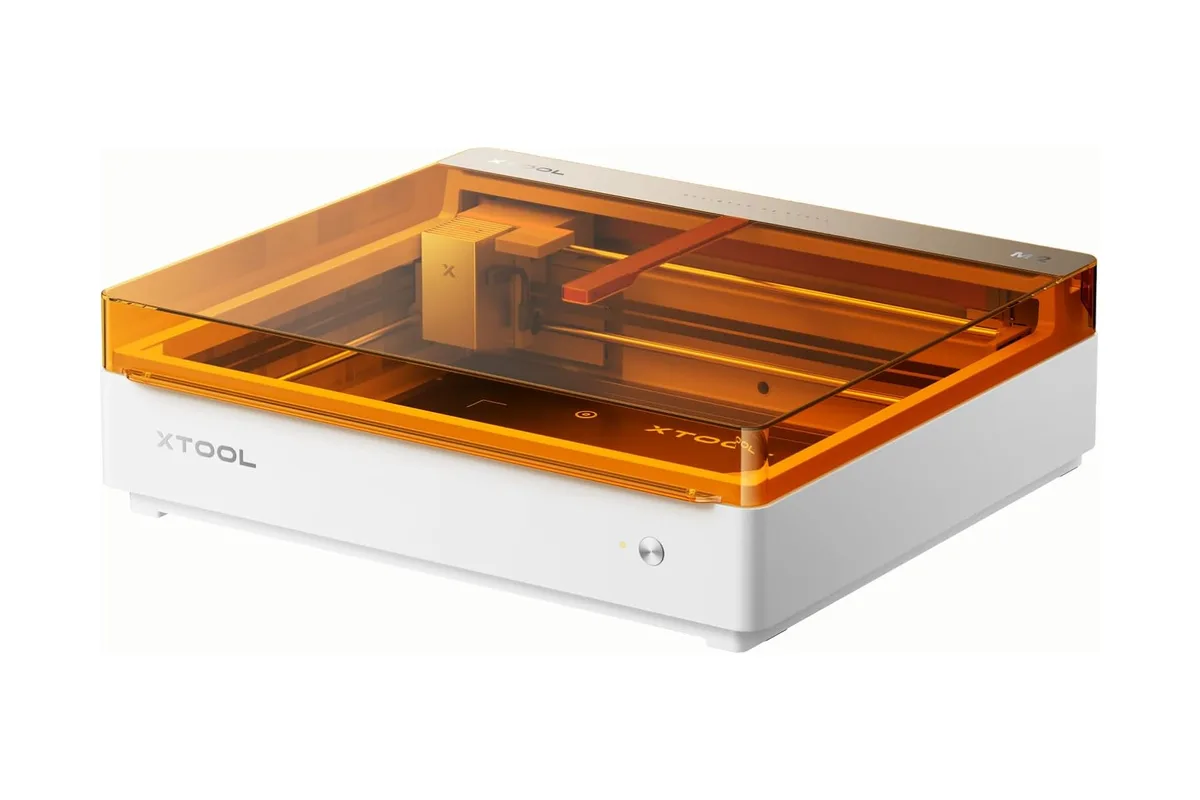
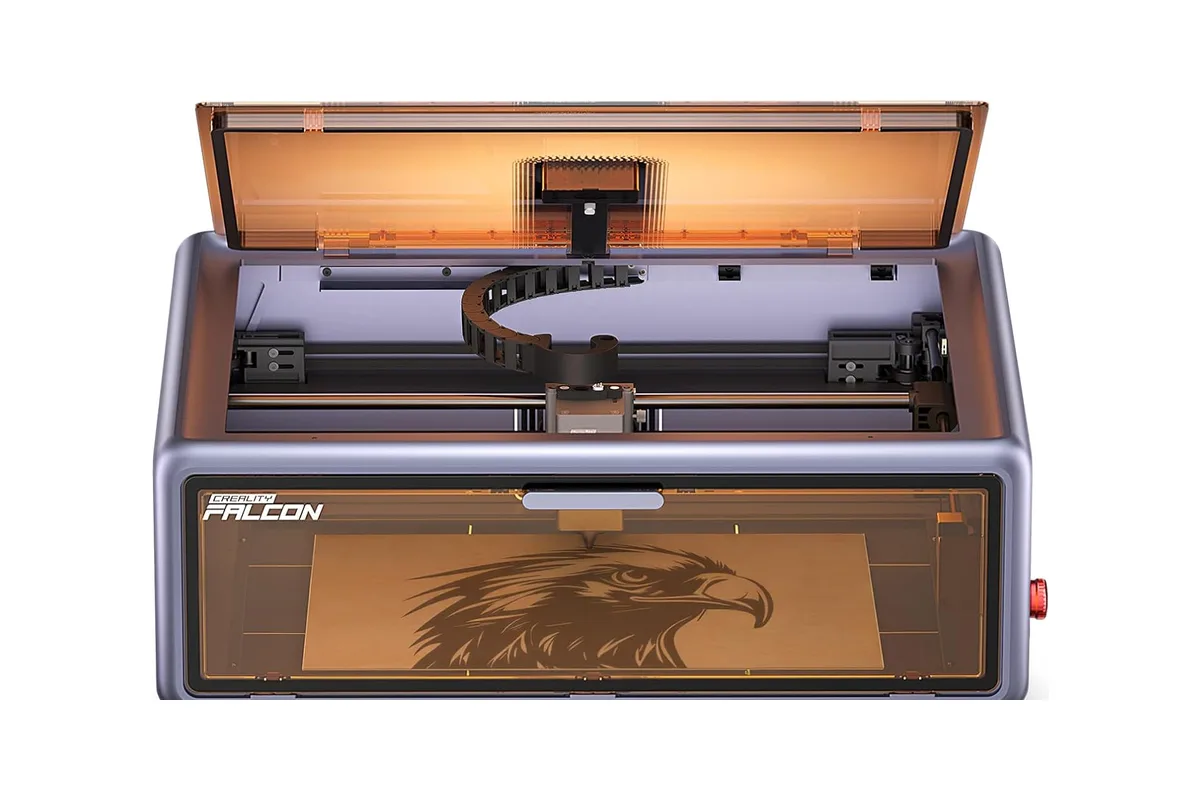
- The beam can burn eyes and skin, including by reflection. An enclosed Class 1 machine like the xTool M2 or the $439 Creality Falcon A1 keeps it inside in normal use. Open-frame diodes and some covered machines are Class 4 and need glasses matched to the laser’s wavelength with an OD rating.
- Fire. MIT’s safety office says: “Never leave an operating laser cutter unattended.”
- Fumes. Laser smoke can carry “the same combustion by-products as a fire”, per MIT, and some materials give off chlorine or cyanide gas. Vent outdoors or use a filter sized for the machine, and never cut the materials listed below.
The safety guidance here comes from the FDA, OSHA, and the safety offices at MIT, the University of Illinois, UT Austin and Emory. Maker statements are only for their own machines.
What do laser classes mean?
Class 1 means the laser is enclosed in normal use. Class 4 means the beam can reach you. The FDA regulates laser products under 21 CFR 1040.10 and 1040.11, and Class II to IV products must carry a label with the class and output power.
| Class (FDA) | What the FDA says |
|---|---|
| I | “Considered non-hazardous”, though the hazard rises with optical aids |
| II | Hazard “increases when viewed directly for long periods of time” |
| IIIa (3R) | Can be momentarily hazardous when viewed directly |
| IIIb (3B) | Immediate skin hazard from the direct beam, and immediate eye hazard when viewed directly |
| IV (4) | Immediate skin and eye hazard from the direct or reflected beam, and “may present a fire hazard” |
A Class 1 laser cutter still has a powerful laser inside. Illinois’ Division of Research Safety says that with interlocks in place, a laser cutter is a Class 1 system while the laser inside “is normally Class 3B or 4.” MIT says most commercial laser cutters are housed in an enclosure that “reduces the hazard level of the Class 4 laser to Class 1.” Hobby cutters without an enclosure, per MIT, “do not meet EHS requirements and may present hazards to the user and bystanders.”
Which machines are Class 1 and which are Class 4
| Machine | Class | Price, November 2026 |
|---|---|---|
| xTool M2 (diode) | Class 1 (TÜV SÜD certified) | $499–$1,299 |
| Creality Falcon A1 and A1 Pro (diode) | Class 1 (FDA) | $439 and $835 |
| Glowforge Aura (diode) and Plus (CO2) | Class 1 | Aura $699 for Black Friday |
| xTool P3 (CO2) | Class 1 | $5,899 |
| xTool P2S (CO2) | Class 4, though enclosed | $2,999 |
| Glowforge Pro (CO2) | Class 4: “a Class 4 laser product” | $2,499 Certified Rebuilt |
| xTool F2, F1 Ultra, F2 Ultra (galvo) | Class 4; the F2 and F1 Ultra have eye-protection covers | $1,149–$4,799 |
| LaserPecker LP5 | Class 1 only with its $599 Safety Enclosure | $2,429.10 |
| Creality Falcon T1 | Class 1, but “not Class 1 compliant” in conveyor and rotary open-cover modes | From $1,999 |
| Open-frame diodes (Falcon2, Atomstack A-series) | Class 4: an open beam (the makers’ pages we read state no class) | $119–$1,349 |
Classes are the makers’ own ratings except for the open-frame row. Prices are maker store prices, mostly on sale for Black Friday. On an enclosed Class 1 machine, MIT says the viewing window lets you see flare-ups and “should not be covered.”
Do I need laser safety glasses?
Yes on any Class 4 machine, and they must be rated for your laser’s wavelength. OSHA’s rule: “All laser eye wear shall be clearly labeled with OD values and wavelengths for which protection is afforded.” OD (optical density) is how strongly the lens blocks that wavelength, and OSHA calculates the OD needed from the worst-case exposure.
The wavelength matters because each type of laser damages the eye differently, per OSHA:
| Laser | Wavelength | Eye injury (OSHA) |
|---|---|---|
| Blue diode | About 445–455 nm (visible) | “Photochemical and thermal retinal injury” |
| Fiber and infrared modules | 1,064 nm (infrared A) | “Cataract, retinal burns” |
| CO2 | 10,600 nm (infrared C) | “Corneal burn only” |
All three can burn skin. One pair doesn’t cover every laser: glasses for a 455 nm diode do nothing at CO2’s 10,600 nm.
Read the label, not the listing. xTool’s $49 goggles are listed for 316–450 nm and 900–1,080 nm, while xTool rates its diodes at 455 nm. Creality’s $29.99 glasses are listed for 180–534 nm. Neither store page states an OD rating, so check that the glasses themselves are marked with an OD at your laser’s exact wavelength before you rely on them.
How do I ventilate a laser engraver?
Vent it outdoors, or run it through a filter rated for the machine’s airflow, and keep extraction running for a short while after the job. Official guidance:
- OSHA: “Adequate ventilation shall be installed to reduce noxious or potentially hazardous fumes and vapors.”
- Illinois: install dedicated ventilation per the maker, keep the duct route clear, don’t vent into occupied areas, and change filters on schedule.
- MIT: exhaust per the maker’s specifications, and wait 10–15 seconds or longer after a job before opening the lid so the smoke clears. “If odors are detected do not use the laser cutter until the problem is resolved.”
- On filters instead of venting, MIT accepts a filter unit that vents into the room only with occasional use, good general ventilation and a limited range of materials.
A 2024 study of a 40W desktop CO2 cutter, held in CDC’s NIOSH collection (an academic study, not NIOSH guidance), found cardboard gave the most respirable particles without ventilation, at 253.9 mg/m³. Wood and cardboard gave off VOCs and carbon monoxide; glass gave off neither. Ventilation, it found, “effectively reduces the emissions of respirable particles and completely removes gaseous contaminants.”
Venting vs a purifier: what it costs
| Option | Prices | Notes |
|---|---|---|
| Vent out a window | Glowforge includes a 4 in hose; xTool includes its IF2 2.0 inline fan with the P3 | The cheapest route |
| Inline duct fan | OMTech 6 in, 318 cfm, $99.99; xTool IF2 2.0 $179 | For a longer duct or extra pull |
| Purifier for the Falcon A1 | Creality A1 Desktop Smoke Purifier $179; AP1 mini $239 | Creality says to use its lasers near a window with an exhaust fan, or with a purifier |
| Purifier for the xTool M2 | xTool AP2 mini $299 (100 m³/h); AP2 $999 (150 m³/h) | xTool rates the AP2 mini filter at up to 100 hours |
| Big CO2 machines | xTool AP2 Max $2,499 (700 m³/h) | xTool says the P3 pulls 238 m³/h, more than the AP2’s 150, so the AP2 “must be paired with a duct fan” on a P3 |
Match the filter’s airflow to the machine’s exhaust, and budget for cartridges: Glowforge also rates its filter cartridges at “up to 100 hours of printing.” Our laser engraver cost guide adds these to each setup.
What materials should you never laser cut?
PVC and vinyl, faux leather, polycarbonate, ABS, HDPE, foam, fiberglass, coated carbon fiber and PTFE (Teflon), among others. These come from university safety offices’ prohibited lists, which are written for laser cutters in their shops.
| Material | Hazard, as the safety office states it | Listed by |
|---|---|---|
| PVC and vinyl | Illinois: “Can emit chlorine gas when cut.” MIT: “generates hydrogen chloride and corrodes optics” | Illinois, MIT, Emory, UT Austin |
| Faux leather, pleather | Can contain PVC; UT Austin groups it with PVC | UT Austin, Emory |
| Polycarbonate (Lexan) | Illinois: thicker than 1 mm “cuts very poorly, discolors, may ignite.” MIT: “cuts poorly and generates soot” | Illinois, MIT, Emory, UT Austin |
| ABS | Illinois: “Emits cyanide gas and melts” | Illinois, UT Austin |
| HDPE | Illinois: “Melts. Leaves deposits”, and may ignite | Illinois, Emory, UT Austin |
| Polystyrene and polypropylene foam, foam core | Illinois: “A top cause of laser cutter fires.” MIT: foam core has been involved in fires at MIT | Illinois, MIT, Emory, UT Austin |
| Fiberglass | Illinois: gives off fumes | Illinois, Emory, UT Austin |
| Coated carbon fiber | Illinois: “noxious fumes” | Illinois, Emory |
| PTFE (Teflon) | Prohibited | UT Austin, Emory |
| Delrin (acetal) | Prohibited by UT Austin and Emory; MIT allows only thin sheets | UT Austin, Emory, MIT |
| Polypropylene | Fire and melting | UT Austin, Emory |
| Rubber and neoprene | MIT’s example neoprene SDS lists hydrogen chloride | UT Austin, Emory, MIT |
| MDF and plywood with formaldehyde glue | Prohibited | UT Austin, Emory |
| Chrome-tanned leather | Prohibited | Emory |
| Flame-retardant, glued or self-adhesive materials | Prohibited; UT Austin says adhesives damage optics | Emory, UT Austin |
| Powders and flammable liquids | Illinois: the beam “will act as an ignition source” | Illinois |
Three rules from MIT for anything not on a list: lists “may vary between shops due to laser cutter model”; don’t allow “materials of unknown composition”; and for a new material, check section 10 of its safety data sheet (hazardous decomposition products). A maker’s material chart doesn’t override these bans; if a chart lists a plastic that’s on the list above, don’t laser it.
Food is the one place makers and makerspaces differ. Glowforge lists food among its materials, while Emory and UT Austin ban food in their shops.
How do I prevent a laser fire?
Watch every job, keep an extinguisher in reach, and clean the machine. OSHA calls Class IV lasers “a potential fire hazard and a skin hazard.” MIT’s guidance:
- “Never leave an operating laser cutter unattended.” xTool’s own instructions say the same.
- What causes fires: not watching, wrong power and pulse settings, poor exhaust, unsuitable material, dirty optics and not cleaning out the cutter.
- Extinguisher: one near the cutter is required. Class ABC dry chemical is standard, and a CO2 or Halotron extinguisher is “less likely to damage the laser cutter optics.”
- If a fire starts: shut off the laser, air assist and filter, then smother it with a fire blanket.
- Placement: keep the cutter off wood and other combustible surfaces. “Regular vacuuming of the cutting deck… is very important for preventing fires!”
xTool sells a Fire Safety Set with automatic extinguishing for $169. It doesn’t replace watching the job.
Do I need air assist for a laser engraver?
For cutting, yes. For engraving, it’s usually turned low or off. Air assist blows a stream of air at the spot the laser hits. xTool says it clears “debris, smoke, and fumes”, “preventing flare-ups, reducing charring.” MIT says it “can be helpful in preventing flare-ups and charring especially for more combustible materials”, recommends buying it when it’s optional, and says to “Ensure the air assist is working before each run, especially before vector cutting.”
- Cutting wood and acrylic: air on, higher. xTool’s P2S FAQ says to raise the air pump for cutting and lower it for engraving.
- Engraving: low or off. xTool says strong airflow can weaken the engraving effect and blur patterns on light metals.
- Lens upkeep: air assist keeps smoke off the lens. xTool’s S1 FAQ says to clean the lens about every 2 hours on its 10W module, every hour on 20W and every 30 minutes on 40W, and that air assist “significantly helps” keep it clean longer.
Many machines have it built in: the xTool P2S has an air pump, Creality’s Falcon2 22W has integrated air assist, and 18 of OMTech’s 26 CO2 machines include it. Add-ons cost $39 (xTool’s for the M1) to $99 (xTool Smart Air Assist), or $475.99 for OMTech’s CO2 module.
Questions people ask
Can I use a laser engraver in my house or apartment?
Only with ventilation that takes fumes outside or a filter matched to the machine, and only with materials you know. MIT accepts a filter venting into the room only for occasional use with good general ventilation and limited materials, and Illinois says not to vent into occupied areas. An enclosed Class 1 machine keeps the beam contained, but not the smoke.
Do I need safety glasses with a Class 1 laser?
Not in normal use with the lid closed and interlocks working; that’s what Class 1 means. You do with any Class 4 machine, including the enclosed xTool P2S and the F-series, and with a LaserPecker LP5 used outside its enclosure.
Are laser engraving fumes harmful?
They can be. MIT says laser smoke can cause “respiratory irritation and inhalation of toxic particles and gases”, and cutting PVC gives off hydrogen chloride. In the 2024 study above, ventilation removed the gases completely. MIT says to stop using the laser if you smell odors at all.
Can you laser cut faux leather or vinyl?
No. Vinyl is PVC, and faux leather can contain it. University safety offices ban both because cutting PVC releases chlorine or hydrogen chloride. Cut vinyl with a blade cutter; see laser engraver vs Cricut.
Is a diode laser less hazardous than a CO2 laser?
Not by type. An open-frame diode and an enclosed Class 4 CO2 both need glasses, and they need different glasses. Blue diode light can injure the retina; CO2 light burns the cornea (OSHA). What lowers the beam hazard is a Class 1 enclosure.
Does air assist prevent fires?
It helps. MIT says it “can be helpful in preventing flare-ups and charring”, but it doesn’t replace watching the job and keeping an extinguisher by the machine. For tumblers, glass and software, see our laser engraving how-to.
Sources
- MIT EHS: Laser Cutter Safety Guidance (PDF), ehs.mit.edu
- University of Illinois Division of Research Safety: Laser Cutters, Safe Use, drs.illinois.edu
- UT Austin School of Architecture: Prohibited Laser Cutter Materials, cloud.wikis.utexas.edu
- Emory: Prohibited Materials for Laser Cutting, ats.emory.edu
- FDA: Laser Products and Instruments, fda.gov
- FDA product classification: laser marker or engraver, accessdata.fda.gov
- OSHA Technical Manual, Section III Chapter 6: Laser Hazards, osha.gov
- Fang et al., Respirable Particles and Gas Contaminants Emissions from a Desktop Laser Cutter and Engraver (CDC Stacks, NIOSH collection), stacks.cdc.gov
- xTool M2 color craft laser, xtool.com
- xTool P2S FAQs, support.xtool.com
- xTool SafetyPro AP2 air purifiers, xtool.com
- xTool S1 FAQs (lens cleaning), support.xtool.com
- xTool support: air assist or smoke purifier, support.xtool.com
- xTool support: beginner's guide to laser processing of transparent glass, support.xtool.com
- xTool laser safety goggles, xtool.com
- xTool Smart Air Assist, xtool.com
- xTool Fire Safety Set, xtool.com
- Creality Falcon A1 enclosed laser, crealityfalcon.com
- Creality Falcon laser engravers and FAQ, crealityfalcon.com
- Glowforge regulatory information, support.glowforge.com
- Glowforge air filter, glowforge.com
- LaserPecker LP5 (US store), us.laserpecker.net
- OMTech CO2 laser engravers, omtech.com
Keep exploring

Buying guide
The best color label printers for product labels
The Epson ColorWorks CW-C4000 is the best color label printer for product labels: pigment CMYK ink at up to 1200 dpi, rolls up to 4.25 inches wide, 4 inches a second and BS 5609 certification on Kimdura poly, for $2,499 at CDW in November 2026. Get the Primera LX610 ($2,695) to print and cut custom shapes, or the Primera LX500 ($1,549) on a budget.
Read story
Buying guide
The best edible printers for cakes and cookies
The best edible printer for cakes is a new Canon PIXMA TS702a bought in an edible ink bundle: $295 to $299 in November 2026, for letter and legal-size frosting sheets at about $1 to $3 a cake topper. For printing straight onto cookies, the Primera Eddie is $2,995 and uses about 6¢ of ink per cookie.
Read story