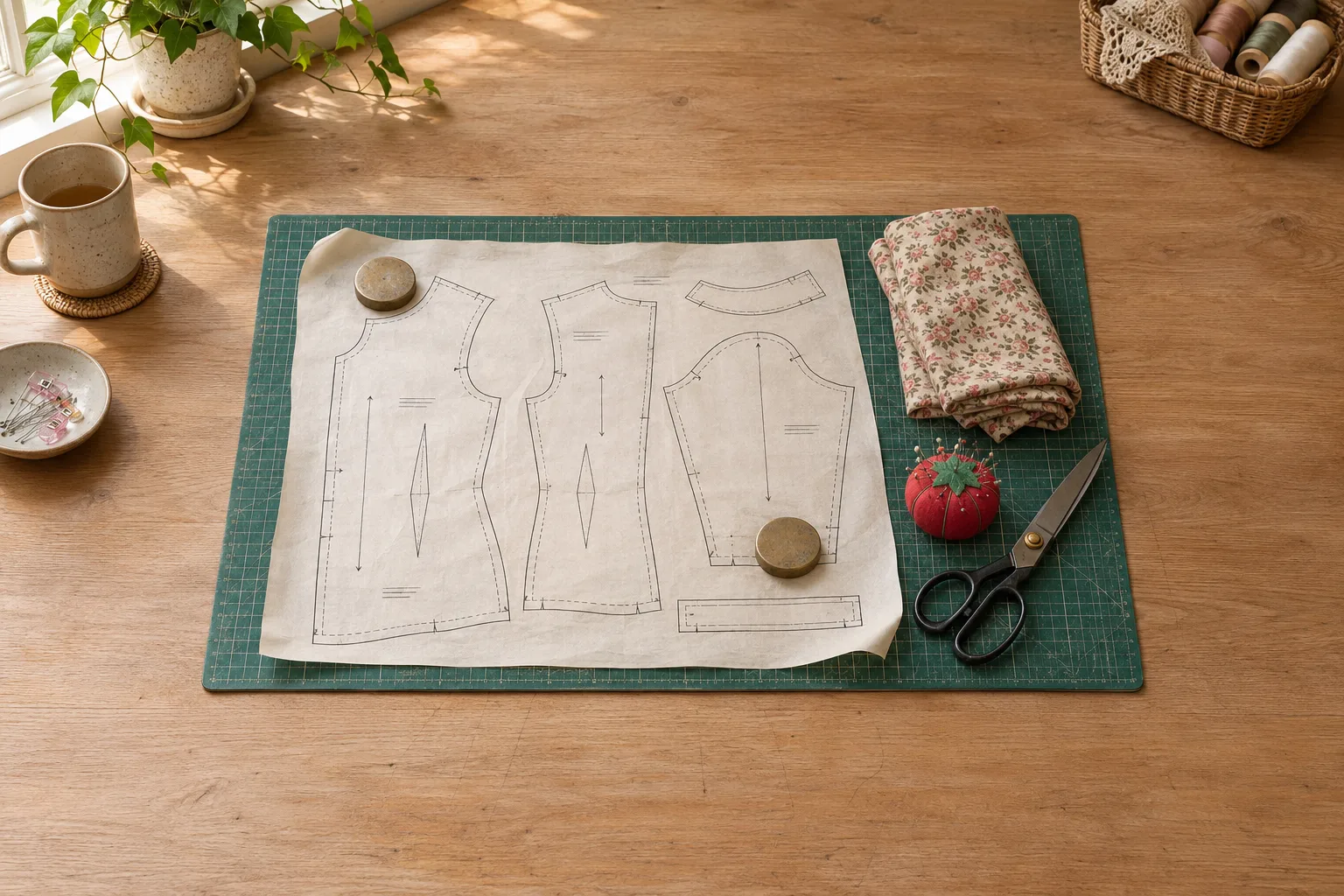
Printers in this guide
What is the best printer for printing sewing patterns?
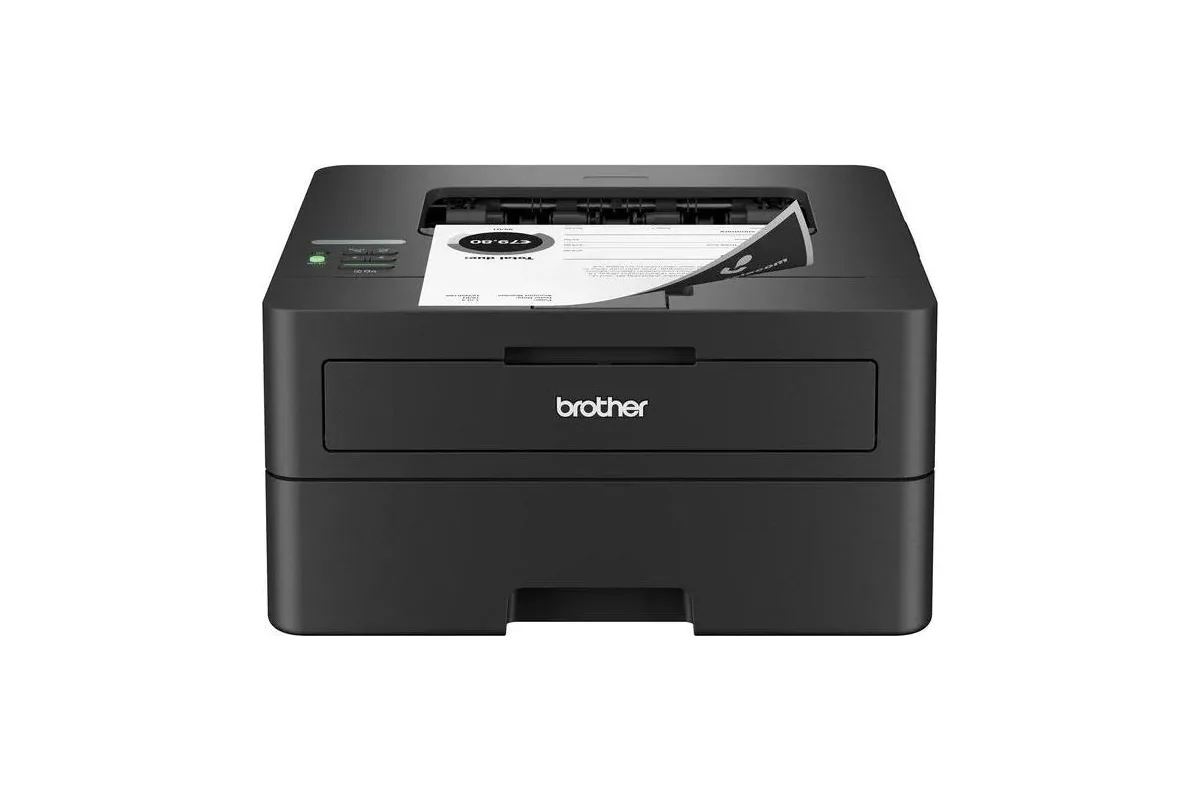
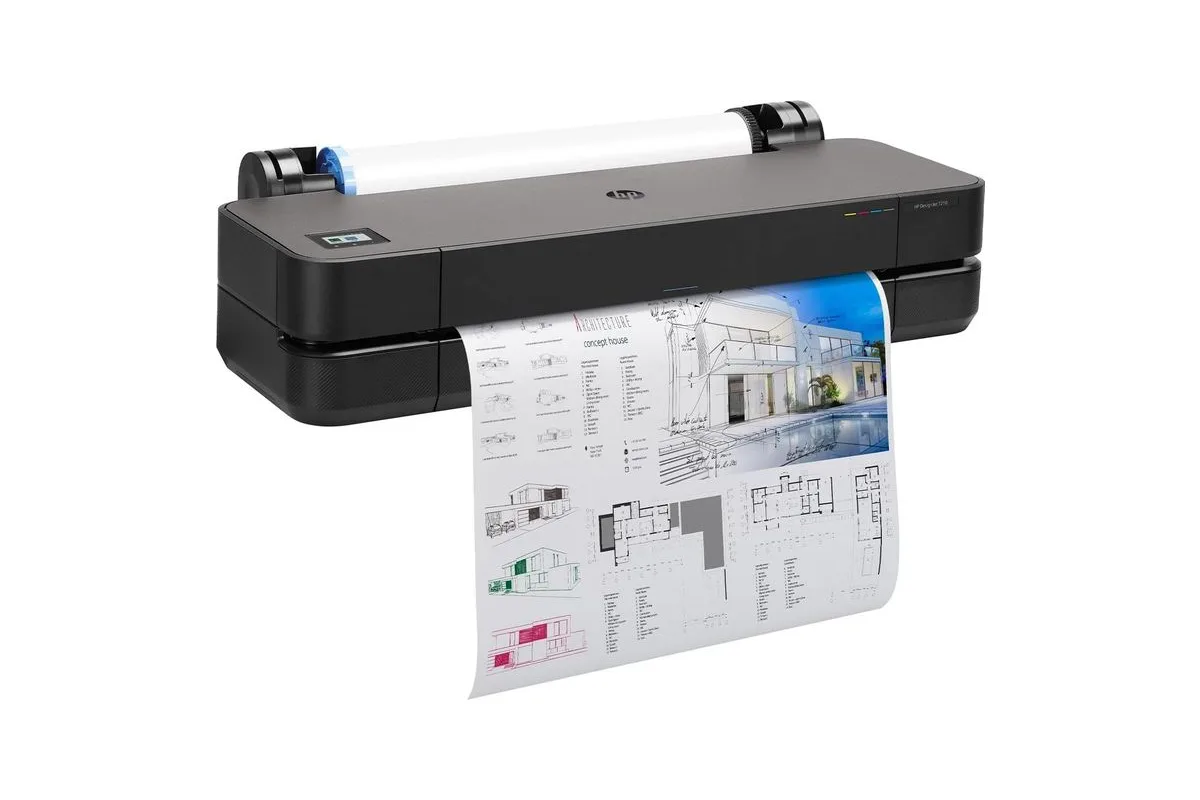
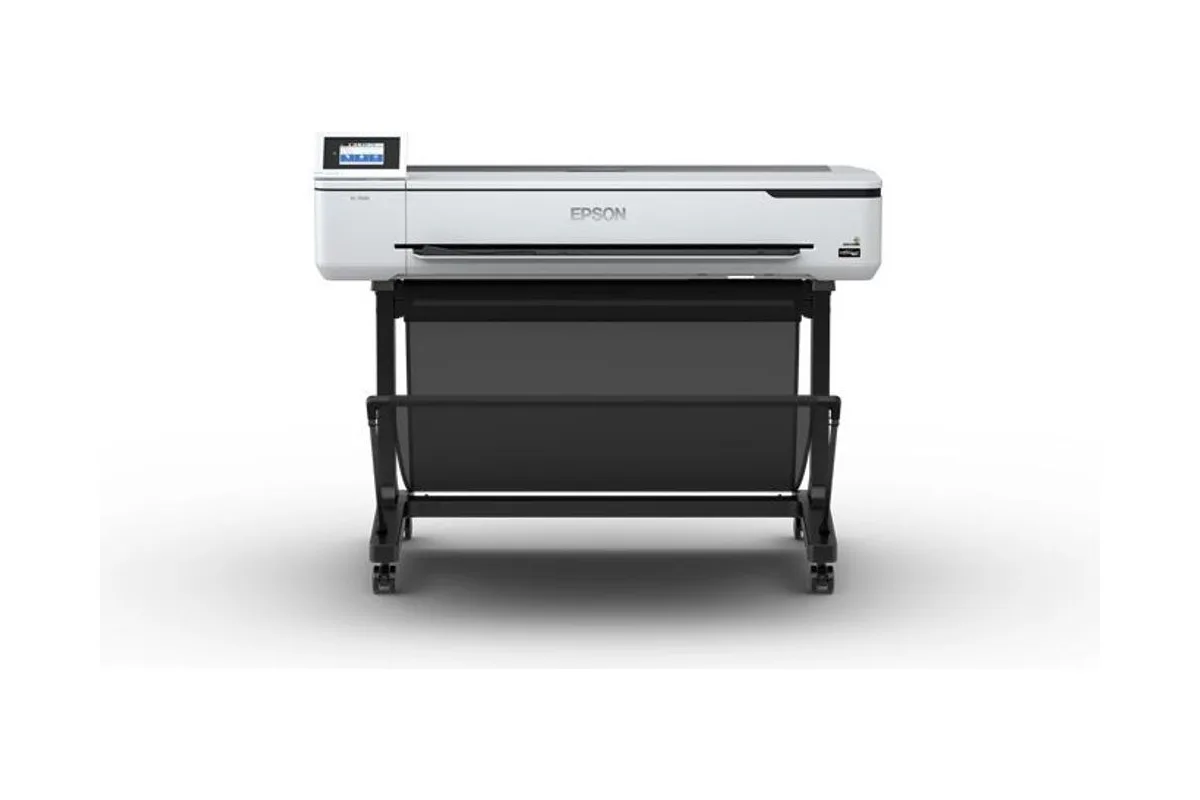
For most sewists, a black-and-white laser for the letter-size “print at home” file, plus a print service for the large-format one. A laser such as the Brother HL-L2460DW never dries out between patterns, and an online plotting service prints an A0 sheet for $3.33 in November 2026. Buy a wide-format printer only if you print large-format patterns every week or sell them: a 24-inch model like the HP DesignJet T210 ($719) prints A0 in two panels, and a full A0 sheet needs a 36-inch printer such as the Epson SureColor T5170 ($2,045).
| Brother HL-L2460DW | Epson ET-15000 (13x19) | HP DesignJet T210 | Epson SureColor T5170 | |
|---|---|---|---|---|
| Type | Mono laser | Home ink tank | 24-inch roll printer | 36-inch roll printer |
| Price (November 2026) | See our review | $449.99 (list $699.99) | $719 at HP, Black Friday (list $789); $718.90 at Amazon | $2,045 (list $2,495) |
| Prints a pattern as | Letter tiles | 13x19 tiles | Two panels per A0 sheet | One full A0 or copy-shop sheet |
| Sheets per A0 page | about 25 | about 8–9 | 2 | 1 |
| Running cost | about 4¢ a page with XL toner and drum | not priced here | about $1.30–$3.30 per A0 sheet | paper about $1–$2 per A0 sheet; Epson publishes no ink-use figure |
| Taping | lots | some | one seam | none |
Sheet counts and the T210 and T5170 costs are our estimates (method below). The ET-15000 is in the best 11x17 printers; it cuts the taping but isn’t one of our picks for patterns.
Brother HL-L2460DW. The safest home pick. It’s a print-only mono laser with auto duplex, Wi-Fi and Ethernet, prints about 37 pages a minute, and is ready to print after weeks unused, which suits patterns you print in bursts. Pages cost about 4¢ with XL toner and the separate drum at Brother’s October 2026 prices. Graphics can show banding at default settings, but pattern lines are simple. Colored size lines print as shades of gray, so turn on only your size before printing (below).
HP DesignJet T210. The cheapest new 24-inch printer from a major maker. It takes rolls 11 to 24 inches wide and has an automatic cutter, Wi-Fi and HP’s Click app for Mac and Windows. A 24-inch roll is too narrow for an A0 sheet, so it prints each page in two panels you tape down the middle. It’s 47.4 lb and about 40 inches wide, so it needs a long table or the $340 stand. See the T210 against the Epson T3170.
Epson SureColor T5170. The cheapest 36-inch printer here, with its stand in the box. It takes rolls 13 to 36 inches wide, so A0 and copy-shop sheets print whole. It’s rated at 31 seconds per D-size page and carries a one-year on-site warranty. With the stand it’s 50 x 28 x 36 inches and 101 lb, so it’s a piece of furniture, sized for a pattern business or a sewing studio. Epson listed it out of stock on its own site on November 27, 2026; CDW and Amazon had it at $2,045.
How do I print an A0 sewing pattern?
The cheapest way is an online plotting service; the fastest is a copy shop. Both print the large-format file on one sheet, so there’s no taping.
At an online plotting service
- In Adobe Acrobat, open the A0 or copy-shop PDF, turn on only the size layers you want, and save a copy.
- Upload it to a pattern-printing service. PDF Plotting charges 31¢ per square foot, the same for color or black and white, so an A0 sheet is $3.33. It prints on 36-inch paper.
- Pay shipping. PDF Plotting quotes UPS Ground at “$12.99 or less”, and it ran a Black Friday discount of 20% to 40% through December 2, 2026.
At a copy shop
- Save the PDF with only your size layers turned on.
- Ask for an engineering print in black and white, not a poster print. Love Notions, a pattern maker, says to ask for “Engineer Prints”, and FedEx lists sewing patterns among the uses of its engineering prints.
- Ask for actual size, no scaling, on 36-inch-wide bond paper.
- Expect about $9 to $10 a sheet: FedEx charges $9.53 for a 36x48 black-and-white print on bond, and Staples’ blueprints start at $9.00 for 36x48.
- Measure the test square before you leave.
At home on letter paper
Use the pattern’s print-at-home file if it has one, since it’s laid out for letter or A4 with assembly marks. If you only have the A0 file, tile it:
- Open the PDF in Acrobat and choose File > Print.
- Under Page Sizing & Handling, choose Poster and set Tile Scale to 100%.
- Set a small overlap and tick Cut marks and Labels.
- Check the preview: an A0 sheet comes to about 25 letter pages (our estimate, with 10 mm margins).
- Print one page with the test square, measure it, then print the rest.
- Trim, line up the marks and tape.
Adobe documents the Poster option for Acrobat; we couldn’t confirm whether the free Acrobat Reader still has it. If yours doesn’t, use the pattern’s print-at-home file. More tiling tools are in how to print a poster at home.
What size is A0, and what is a copy-shop file?
A0 is 841 x 1189 mm, or 33.1 x 46.8 inches, under the ISO 216 standard. A1 is exactly half of it: 594 x 841 mm (23.4 x 33.1 in).
A “copy shop” file is the US version, laid out for wide bond paper. Its size depends on the pattern maker: Love Notions says US large-format printing is typically on 36 x 48 inch sheets, while Helen’s Closet describes copy-shop paper as 36 x 46 inches and ships one “Copyshop-A0” file that works for both. So check the sheet size in the file before you order.
| Sheet | Size | Prints whole on |
|---|---|---|
| A1 | 594 x 841 mm (23.4 x 33.1 in) | a 24-inch printer, just (see below) |
| A0 | 841 x 1189 mm (33.1 x 46.8 in) | a 36-inch printer |
| Copy shop | 36 x 46 to 36 x 48 in, by pattern maker | a 36-inch printer, from the roll |
Love Notions says most of its large-format files run 2 to 6 sheets, with an average of 4. More on sheet sizes and which printers take them in plotter sizes explained.
Can a 24-inch plotter print an A0 pattern?
Not in one piece. A0’s short side is 841 mm (33.1 in), wider than a 24-inch (610 mm) roll. A 24-inch printer can print an A0 sheet as two panels that you tape together.
Our arithmetic: HP gives the T200-series printers, including the T210, a 5 mm (0.2 in) margin on rolls, so the printable width is about 600 mm (23.6 in). Two ways to split the sheet:
- Two A1-sized halves. Each half is 594 mm wide, which just fits the 600 mm printable width, with about 3 mm to spare on each side. There’s almost no room for overlap, so the halves have to butt together exactly.
- Two overlapping strips, using Acrobat’s Poster option. This leaves room for an overlap and cut marks, at the cost of a little more paper.
A 36 x 48 copy-shop sheet split into two 24 x 36 halves won’t fit edge to edge, because of the margins; it needs the overlapping method. We found no HP or pattern-maker instructions for either method, so treat them as workarounds and make a test print first.
- In Acrobat, turn on only the size layers you need.
- Choose File > Print, pick the T210 and the roll, and set a custom paper size 24 inches wide and a little longer than the pattern sheet. HP lists custom sheet sizes up to 24 x 74.7 inches.
- Choose Poster, set Tile Scale to 100% and add a small overlap with cut marks.
- Check that the preview shows two panels, then print.
- Measure the test square on the panel that has it.
- Trim one panel along its cut marks, lay it over the other, line up the pattern lines and tape.
Paper and ink for one A0 sheet come to roughly $1.30 to $3.30 on the T210, by our estimate: 11 to 17 square feet of 24-inch bond at 8–16¢ a square foot, plus about 0.4 ml of ink. HP says 20 ml of ink prints 101 D-size line drawings at 5.2% coverage, maintenance included, and an A0 sheet is about twice that size; HP 712 ink costs $1.05–$1.48 per ml.
Can a 36-inch plotter print an A0 pattern?
Yes, in one sheet off the roll. On the Epson T5170, rolls run 13 to 36 inches wide, so A0’s 33.1-inch short side fits with room to spare. Print from the roll rather than cut sheets: the T5170’s single sheets stop at 46.8 inches long, exactly A0’s length, and a 36 x 48 copy-shop sheet has to come off the roll.
- In Acrobat, turn on only your size layers.
- Choose File > Print, pick the 36-inch roll, and set the paper size to the pattern sheet (A0, or 36 x 46 or 36 x 48 for a copy-shop file).
- Set scaling to Actual size, with no fit-to-page, and use a draft or fast mode.
- Print, then measure the test square.
A copy-shop file that’s a full 36 inches wide fills the roll edge to edge, so the printer’s margins clip a few millimeters at each side. If your pattern comes in both versions, print the A0 one on a 36-inch roll.
Paper for an A0 sheet comes to about $1 to $2, if 36-inch bond costs about what the 24-inch rolls we priced do per square foot (8–16¢). Epson publishes no ink-use figure for the T5170.
How much does it cost to print a sewing pattern?
For a typical four-sheet large-format pattern, in November 2026:
| Where | Price per sheet | Four-sheet pattern |
|---|---|---|
| PDF Plotting (online) | $3.33 per A0 | $13.32, plus up to $12.99 shipping |
| Staples blueprints (B&W, 36x48) | from $9.00 | from $36.00 |
| FedEx Office engineering print (B&W, 36x48) | $9.53 | $38.12 |
| HP T210 at home (our estimate) | about $1.30–$3.30 | about $5–$13 |
| Brother laser, letter tiles (our estimate) | about 25 pages at about 4¢ each | about $4 in toner and drum, plus paper and taping |
Love Notions puts large-format pattern prints at $1.50 to $7.00 a sheet. Prices on our table are single sheets before tax and coupons; your local shop can differ.
When does a plotter pay off? Against FedEx or Staples, the T210 saves about $5.70 to $8.20 a sheet, so it pays for itself after roughly 90 to 125 A0 sheets, or about 22 to 30 four-sheet patterns (our estimate). Against mail-order printing with shipping, it takes roughly 35 to 55 patterns. The T5170 needs roughly 250 to 300 sheets against copy-shop prices, before counting its ink. The full math for posters and drawings is in plotter or print shop.
How do you print a pattern at the right scale?
- Open the pattern in Adobe Acrobat, not a browser’s PDF viewer.
- Turn on only the sizes you need in the layers list. On a black-and-white printer this matters: colored size lines all print gray, and one size per print keeps the lines readable.
- Print at Actual Size, with no scaling and no fit-to-page. Love Notions recommends draft quality for large-format sheets.
- Print the page with the test square first and measure it with a ruler in both directions. Love Notions uses a 4-inch square; other makers use other sizes, so check what your pattern says.
- If the square is off, check the scaling setting before printing the rest.
Should you buy a plotter just for sewing patterns?
Usually not. A plotter makes sense if you print several large-format patterns a week, sell printed patterns, or draft your own. For everyone else, a print service is cheaper and nothing to maintain.
An inkjet plotter also wants regular use. HP’s guidance is to leave its DesignJets switched on so they can run automatic printhead maintenance, and Epson’s manual for its SureColor T3270 recommends printing once a week to keep the nozzles from clogging. A laser like the Brother doesn’t clog at all. More on upkeep in do plotters clog?, and the wider field in the best wide-format printers.
Questions people ask
Can I print an A0 sewing pattern at Staples or FedEx?
Yes. Ask for a black-and-white engineering or blueprint print at actual size. FedEx charges $9.53 for a 36x48 on bond, and Staples starts at $9.00.
Is a copy-shop pattern the same as A0?
No. A0 is 33.1 x 46.8 inches. US copy-shop files are 36 inches wide and 46 to 48 inches long, depending on the pattern maker. Some makers ship one file that works for both.
Can I print an A0 pattern on a home printer?
Yes, by tiling it. An A0 sheet comes to about 25 letter pages, or 8 to 9 sheets of 13x19, by our estimate. Use the pattern’s print-at-home file if it has one.
What paper do copy shops use for sewing patterns?
Plain bond paper, the kind used for engineering prints. On your own plotter, 20 lb bond costs about 8–10¢ per square foot.
Can a 24-inch plotter print a copy-shop pattern?
Only in two overlapping panels taped together. A 36-inch-wide sheet is too wide for a 24-inch roll.
Do I need color to print sewing patterns?
No. Black and white is fine and often cheaper at copy shops. Turn on one size layer at a time so the lines stay distinct.
Sources
- ISO 216 paper sizes (University of Cambridge), cl.cam.ac.uk
- How to print A0 copy shop large format sewing patterns (Love Notions), lovenotions.com
- Sewing pattern printing (Helen's Closet), helensclosetpatterns.com
- PDF Plotting pattern printing, pdfplotting.com
- FedEx Office architecture, construction and engineering prints, office.fedex.com
- Staples engineering and blueprint printing, staples.com
- Print posters and banners (Adobe Acrobat help), helpx.adobe.com
- Brother HL-L2460DW on Amazon, amazon.com
- HP DesignJet T210 24-in printer (HP Store), HP
- HP DesignJet T210 spec sheet, pcb.inc.hp.com
- HP DesignJet T230 spec sheet, pcb.inc.hp.com
- HP DesignJet T200/T600 user guide, inquirecontent2.ingrammicro.com
- HP 712 80 ml black DesignJet ink cartridge, HP
- Epson SureColor T5170, Epson
- Epson SureColor T5170 specification sheet, mediaserver.goepson.com
- Epson SureColor T5170 media FAQ, Epson
- Office Depot Alliance CAD bond paper, officedepot.com
Keep exploring

Buying guide
The best barcode label printers
The Zebra ZD421 is the best barcode label printer for most businesses: 4-inch labels at 6 inches a second, any brand of label roll and a 24-month warranty, for about $480 to $526 in November 2026. Get the Brother QL-820NWBc ($229.99) for an office or shop counter, and a thermal transfer model for inventory labels that have to last.
Read story
Buying guide
The best check printers for a small business
The TROY 3001dw ($509.15 at TROY, $530 at Amazon in November 2026) is the best check printer for a small business: a 35 ppm Wi-Fi laser with MICR toner, rated for 350 to 2,500 checks a month, at about 5¢ to 7¢ per check three to a page by our estimate. Get the TROY 4001dn for a locking tray, or the VersaCheck M15 MXD ($399.99) for software in the box.
Read story