How it scores
- Running costs25%6.0
About 4¢ a page with the TN830XL twin pack and the separate DR830 drum at Brother's November 2026 prices, the same supplies as the HL-L2460DW.
- Document quality20%7.0
Judged from its sibling, the MFC-L2820DW: outstanding print quality, with most fonts readable at 4 point and slight banding in graphics.
- Color and photo quality10%n/a
Not scored for black-only printers.
- Features and paper handling20%7.0
50-page document feeder, flatbed, auto two-sided printing, a 250-sheet tray, dual-band Wi-Fi and Ethernet. No two-sided scanning or copying, and no fax.
- Reliability and ownership15%8.0
Lasers don't clog, no account or subscription is needed, and Brother says its firmware doesn't block third-party toner.
- Speed and ease of use10%7.0
Rated at 36 pages a minute one-sided and up to 8.5 seconds to the first page, but it has a 2-line LCD rather than a touchscreen.
Overall 6.9/10, the weighted average.How we score →
Is the Brother DCP-L2640DW a good printer?
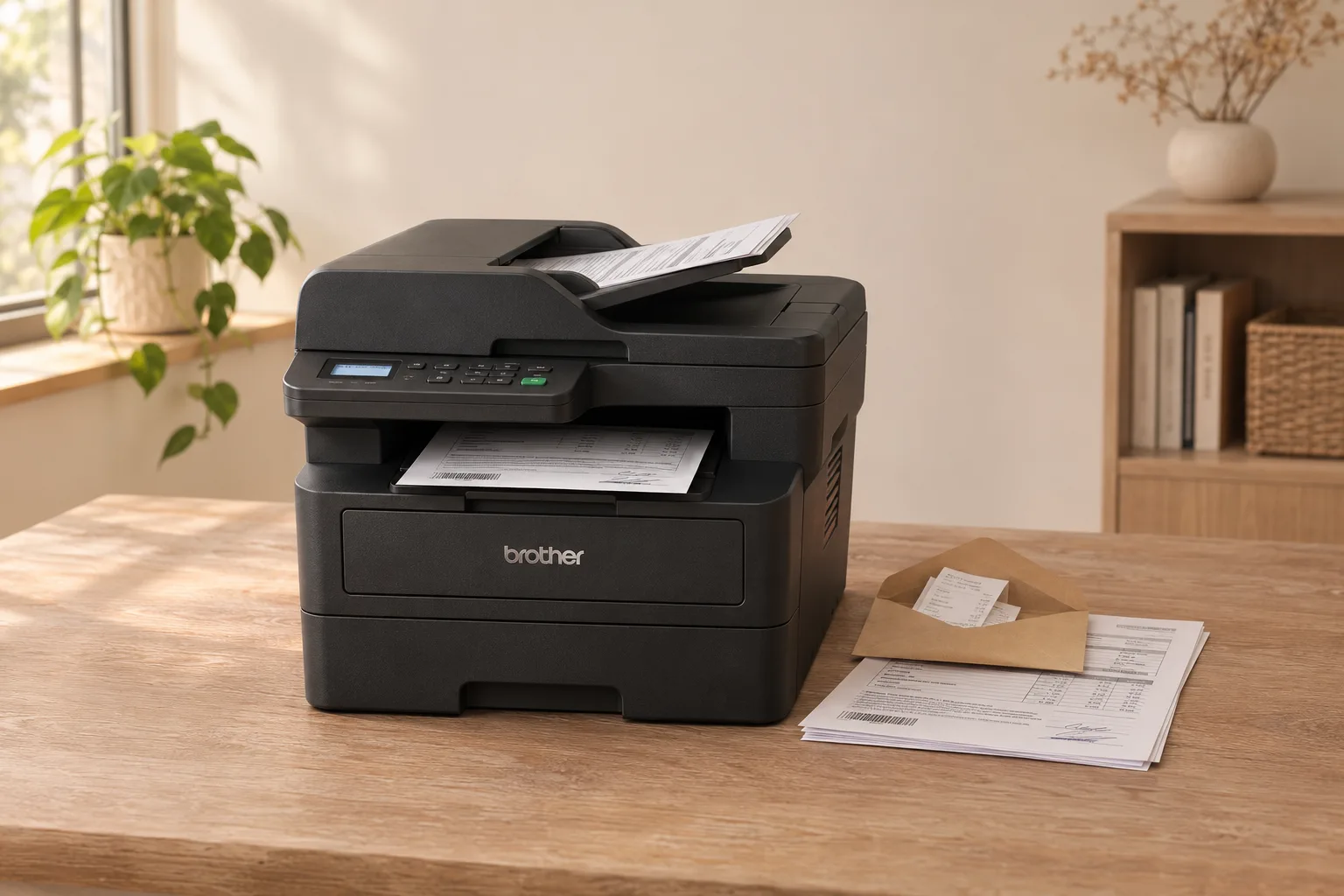
Yes, for black-and-white paperwork: at $209.99 at Brother in November 2026, it prints, scans and copies, has a 50-page document feeder and automatic two-sided printing, and costs about 4¢ a page with XL toner and its drum. Its one real limit is that the feeder scans and copies one side of a page at a time.
The DCP-L2640DW is a $30 step up from the print-only HL-L2460DW. It’s the HL-L2460DW’s printing with a flatbed scanner, a feeder and a copier on top, and it uses the same TN830 toner and DR830 drum, so it costs exactly the same per page. Like any laser, it can sit for weeks and print a clean page on the first try. It prints black only and has no fax.
| Spec | Brother DCP-L2640DW |
|---|---|
| Price (Brother, November 2026) | $209.99 |
| Functions | Print, scan, copy (no fax) |
| Rated speed | 36 ppm (one-sided) |
| First page out | Up to 8.5 seconds |
| Two-sided printing | Automatic (Letter and Legal) |
| Document feeder | 50 pages, one side at a time |
| Feeder scan speed | 23.6 ipm black, 7.9 ipm color (one-sided) |
| Paper input | 250-sheet tray + 1-sheet manual slot |
| Display | 2-line LCD |
| Connectivity | Dual-band Wi-Fi, Wi-Fi Direct, Ethernet, USB 2.0 |
| Size and weight | 16.1 x 15.7 x 12.5 in, 25 lb |
| Starter toner | 700 pages (DR830 drum included) |
| Warranty | 1 year |
Source: Brother’s specifications, read November 23, 2026.
How much does a DCP-L2640DW page cost?
About 4.0¢ a black page with Brother’s TN830XL twin pack and the DR830 drum. The math at Brother’s prices in November 2026:
| Toner | Price ÷ ISO yield | Toner per page | With drum |
|---|---|---|---|
| TN830XL twin pack | $176.49 ÷ 6,000 | 2.9¢ | 4.0¢ |
| TN830XL | $98.29 ÷ 3,000 | 3.3¢ | 4.3¢ |
| TN830 standard | $60.99 ÷ 1,200 | 5.1¢ | 6.1¢ |
The drum costs $157.99 and lasts about 15,000 pages, which adds 1.05¢ a page. At 100 pages a month, that’s about 12 years of printing, so many homes will never buy one. Brother lists the TN830V Value High Yield cartridge as compatible too; we didn’t price it. Amazon charged the same $98.29 for a TN830XL and $176.48 for the twin pack in November 2026.
The 700-page starter cartridge runs out early, so plan on an XL. Over three years at 100 pages a month (3,600 pages), the printer plus supplies comes to about $354: $209.99 + (3,600 × 4.0¢). See how that compares with ink tanks in the cheapest printer to run.
Can the DCP-L2640DW scan both sides?
No. Brother lists both duplex scanning and duplex copying as “No.” The 50-page feeder handles one side of each original, so a two-sided document means running the stack through twice or using the glass. Brother rates the feeder at 23.6 images a minute in black and 7.9 in color.
That’s fine for bills, receipts, forms and one-sided reports. If you scan two-sided contracts or school packets every week, Brother’s models with single-pass duplex feeders, such as the MFC-L2900DW, cost more.
The scanner works with Brother Mobile Connect, AirPrint scanning, and TWAIN, WIA and SANE drivers, and Brother includes Kofax PaperPort SE with OCR for Windows as a download. Copies can be reduced or enlarged from 25% to 400%, with 2-in-1 and 4-in-1 layouts.
How good is the print quality?
Sharp text, ordinary graphics. We couldn’t find print results measured on the DCP-L2640DW itself, so these come from its sibling, the MFC-L2820DW, which uses the same toner and drum. Print quality is outstanding overall. Most fonts are readable at 4 point, and business fonts are clear at 6 point.
Graphics show the price, with slight banding in charts and dark, grainy photos. It prints black only, so anything in color needs a different printer. Brother’s 36 ppm rating is for one-sided pages, and two-sided printing is on by default, so change that setting if you want the full speed.
Is it reliable?
Yes. A laser has no printhead to clog, and maintenance is undemanding: replace the toner when asked and the drum every 15,000 pages or so. No account or subscription is needed. Brother’s Refresh EZ Print toner plan is optional.
In 2025, Brother faced claims that firmware updates degraded third-party toner. Brother said publicly that its updates don’t block third-party supplies, and we found no documented block on the TN830 printers. HP’s LaserJets are designed to reject cartridges without an HP chip.
DCP-L2640DW vs MFC-L2820DW and HL-L2460DW
The DCP-L2640DW sits between the print-only HL-L2460DW and the MFC-L2820DW. All three use the same toner and drum.
| HL-L2460DW | DCP-L2640DW | MFC-L2820DW | |
|---|---|---|---|
| Brother price (November 2026) | $179.99 | $209.99 | $279.99 |
| Scan and copy | No | Yes, 50-page feeder | Yes, 50-page feeder |
| Fax | No | No | Yes |
| Display | One-line LCD | 2-line LCD | 2.7-inch touchscreen |
| Rated speed | 36 ppm | 36 ppm | 34 ppm |
| Cost per page (XL twin pack + drum) | 4.0¢ | 4.0¢ | 4.0¢ |
For $30 over the HL-L2460DW, the DCP adds a scanner, copier and feeder, the cheapest route to a feeder among Brother’s TN830 printers covered here. The MFC-L2820DW costs $70 more for fax and a touchscreen; read our MFC-L2820DW review if you need those. The HL-L2480DW ($249.99) has a touchscreen and flatbed but no document feeder, so the DCP is the better scanner for less money.
If you only print, save the money: see the HL-L2460DW review or the cheaper HL-L2405W review. All our picks are in the best cheap printers and the best laser printers.
Should you buy it?
Yes, if you print black pages and scan or copy one-sided paperwork. It adds a feeder, scanner and copier to the HL-L2460DW for $30, it costs about 4¢ a page, and it’s always ready to print. Skip it if you need color, fax, or two-sided scanning.
Own the older model? See DCP-L2550DW vs DCP-L2640DW.
Questions people ask
Does the Brother DCP-L2640DW print double-sided?
Yes. Automatic two-sided printing is on by default, for Letter and Legal paper. It can’t scan or copy both sides automatically.
Does the DCP-L2640DW have a document feeder?
Yes, a 50-page automatic document feeder for scanning and copying, plus a flatbed for books and single pages.
Can the DCP-L2640DW fax?
No. “DCP” models print, scan and copy only. The MFC-L2820DW ($279.99) adds fax with the same toner.
What toner does the DCP-L2640DW use?
Brother TN830 toner and the DR830 drum. The TN830XL twin pack ($176.49 for 6,000 pages) brings the cost to about 4¢ a page with the drum.
Does the DCP-L2640DW print in color?
No. It prints in black only, though it can scan in color.
Does the DCP-L2640DW work with a Mac?
Yes, through AirPrint. Brother says Mac printing uses AirPrint rather than a Brother printer driver, and AirPrint scanning is supported too, as it is from iPhones and iPads.
Key specifications
| Feature | BrotherDCP-L2640DW |
|---|---|
| Type | Mono laser |
| Functions | Print, scan, copy |
| Document feeder | 50-sheet ADF (one side) |
| Auto duplex printing | Yes |
| Color printing | No |
| Where to buy | Check price at Amazon |
Brother DCP-L2640DW
- Type
- Mono laser
- Functions
- Print, scan, copy
- Document feeder
- 50-sheet ADF (one side)
- Auto duplex printing
- Yes
- Color printing
- No
Sources
- DCP-L2640DW product page and specifications, Brother
- HL-L2460DW product page, Brother
- HL-L2405W product page, Brother
- HL-L2480DW product page, Brother
- MFC-L2820DW product page, Brother
- TN830 Standard Yield Toner, Brother
- TN830XL High Yield Toner, Brother
- TN830XL2PK High Yield Toner Twin Pack, Brother
- DR830 Drum Unit, Brother
- Brother MFC-L2820DW, DCP-L2640DW and HL-L2480DW review, RTINGS
- Brother MFC-L2820DW XL review, PCMag
- Oh Brother. Printer giant denies dirty toner tricks, The Register
Keep exploring

Buying guide
The best barcode label printers
The Zebra ZD421 is the best barcode label printer for most businesses: 4-inch labels at 6 inches a second, any brand of label roll and a 24-month warranty, for about $480 to $526 in November 2026. Get the Brother QL-820NWBc ($229.99) for an office or shop counter, and a thermal transfer model for inventory labels that have to last.
Read story
Buying guide
The best check printers for a small business
The TROY 3001dw ($509.15 at TROY, $530 at Amazon in November 2026) is the best check printer for a small business: a 35 ppm Wi-Fi laser with MICR toner, rated for 350 to 2,500 checks a month, at about 5¢ to 7¢ per check three to a page by our estimate. Get the TROY 4001dn for a locking tray, or the VersaCheck M15 MXD ($399.99) for software in the box.
Read story