How it scores
- Running costs25%8.0
About 1.9¢ a page with the 18,000-page TN920UXXL toner plus the DR920 drum, at Brother's November 2026 prices; 2.5¢ with TN920XXL.
- Document quality20%7.5
A 1200 x 1200 dpi mono laser built for business text. We haven't seen print samples from this model, so this score is provisional.
- Color and photo quality10%n/a
Not scored for black-only printers.
- Features and paper handling20%9.0
70-sheet single-pass duplex feeder, legal-size glass, fax, auto two-sided printing, Gigabit Ethernet and dual-band Wi-Fi; the standard tray holds only 250 sheets.
- Reliability and ownership15%8.0
No account, app or subscription needed, and no documented block on third-party toner, but only a one-year warranty.
- Speed and ease of use10%8.5
Rated at 50 ppm with a 6.7-second first page and a 5-inch touchscreen; Mac users print and scan through AirPrint because Brother provides no Mac drivers.
Overall 8.2/10, the weighted average.How we score →
Is the Brother MFC-L5915DW good for a small office?
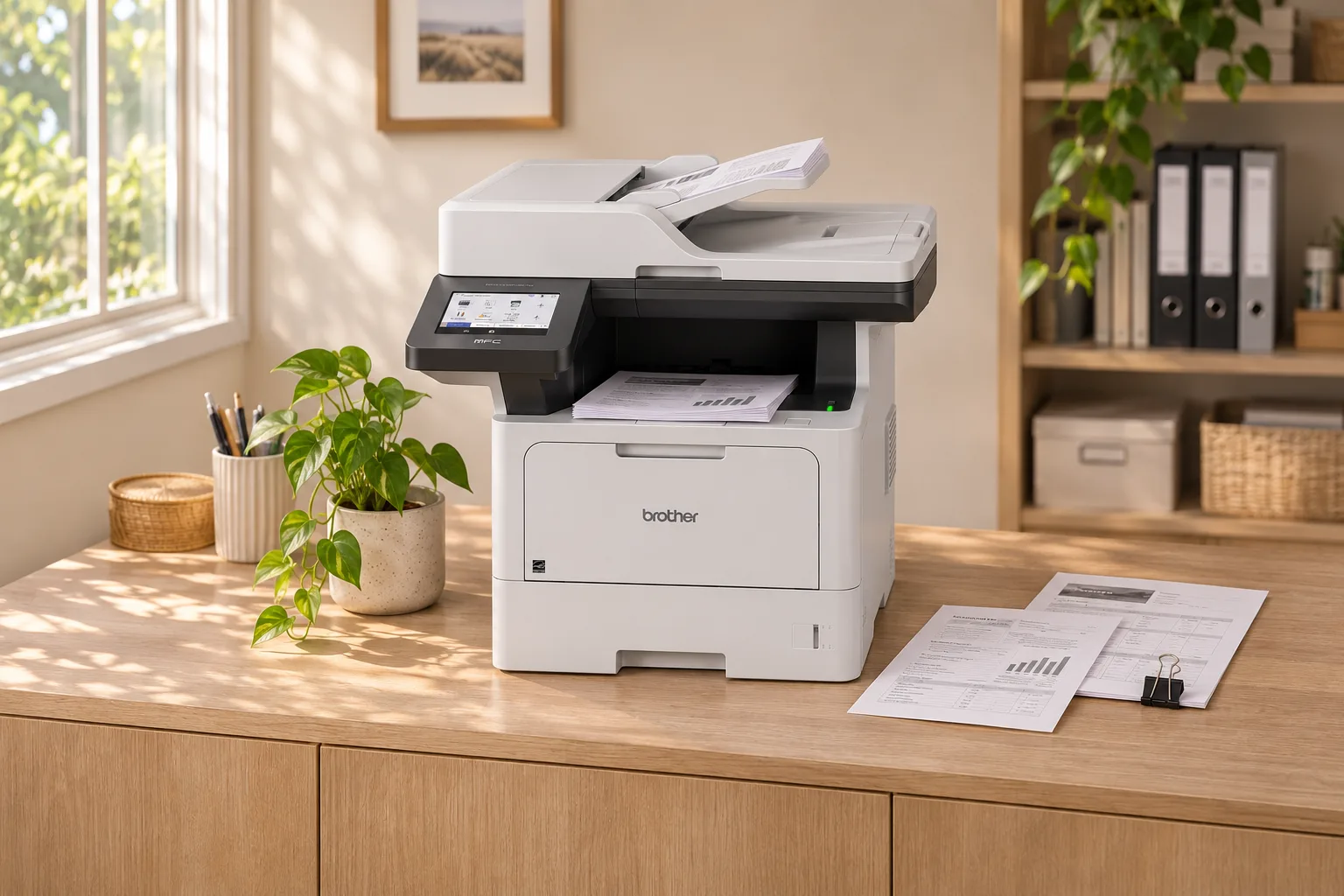
Yes, if your office prints and scans mostly in black and white: it’s rated at 50 pages per minute, scans both sides of a page in one pass from a 70-sheet feeder, and costs about 1.9¢ a page with Brother’s 18,000-page TN920UXXL toner and the drum. It costs $589.99 at Brother and at Amazon in November 2026.
Brother rates it for up to 8,000 pages a month, which covers an office of 2–10 people with room to spare. It has the things a law, medical or accounting office asks for: a legal-size scanner glass, PIN-released Secure Print, fax, Gigabit Ethernet and scan to email, network folders and SharePoint. The trade-offs are a 250-sheet main tray, no color, and a one-year warranty.
| Spec | Brother MFC-L5915DW |
|---|---|
| Price (November 2026) | $589.99 at Brother and Amazon |
| Functions | Print, scan, copy, fax (black and white printing) |
| Rated speed | Up to 50 ppm; first page in 6.7 seconds |
| Document feeder | 70 sheets, single-pass two-sided, up to legal |
| Scan speed (rated, ISO/IEC 17991) | 30 ipm black one-sided, 60 ipm two-sided |
| Scanner glass | Legal (8.5 x 14 in) |
| Paper input | 250-sheet tray + 100-sheet multipurpose tray; up to 1,390 sheets with two optional trays |
| Display | 5-inch color touchscreen, up to 64 shortcuts |
| Connectivity | Gigabit Ethernet, dual-band Wi-Fi, Wi-Fi Direct, USB, front USB port |
| Recommended volume | Up to 8,000 pages a month (duty cycle 125,000) |
| Size and weight | 19.5 x 18.6 x 19.1 in, 38.3 lb |
| In the box | TN920 toner (3,000 pages) and DR920 drum (45,000 pages) |
| Warranty | 1 year |
How much does an MFC-L5915DW page cost?
About 1.9¢ a page with the TN920UXXL cartridge and the drum, at Brother’s November 2026 prices. The 3,000-page cartridge in the box and the standard TN920 cost twice as much per page, so buy the UXXL when the starter runs out.
| TN920 toner (Brother price, November 2026) | Toner per page | With DR920 drum |
|---|---|---|
| TN920UXXL ($241.49 ÷ 18,000 pages) | 1.3¢ | 1.9¢ |
| TN920XXL ($204.29 ÷ 11,000 pages) | 1.9¢ | 2.5¢ |
| TN920XL two-pack ($229.49 ÷ 12,000 pages) | 1.9¢ | 2.5¢ |
| TN920XL ($128.29 ÷ 6,000 pages) | 2.1¢ | 2.7¢ |
| TN920 standard ($95.49 ÷ 3,000 pages) | 3.2¢ | 3.8¢ |
The drum is a separate part: $273.49 at Brother for 45,000 pages, or 0.6¢ a page. Amazon had it for about $260 and the TN920UXXL at Brother’s price. Brother’s own store was out of every TN920 size except the UXXL on November 25, so buy toner before tax season or a big filing, not the day it runs out.
What that means for a year of printing, with TN920UXXL and the drum:
| Pages a month | Toner and drum a year |
|---|---|
| 500 | about $117 |
| 1,000 | about $234 |
| 2,000 | about $468 |
| 4,000 | about $936 |
For the full math across office lasers and ink tanks, see what an office printer costs to run.
How good is the scanner and document feeder?
It’s the reason to buy this model over a cheaper mono laser. The 70-sheet feeder scans both sides of each page in one pass, rated at 60 images a minute in black and 42 in color, and takes originals up to legal size. The glass is legal-size too, so a deed, lease or medical form fits flat.
Scans can go to a PC, email, a network folder (Windows CIFS), SharePoint, FTP, SFTP, a USB stick or cloud services including Google Drive, OneDrive, Dropbox and Box. File types include searchable PDF, PDF/A, password-protected PDF and Word, Excel and PowerPoint files. Cloud destinations need an internet connection and an account with that service; the others don’t.
Fax is built in at 33.6 kbps with 500 pages of memory, and incoming faxes can be forwarded to email or a network folder instead of printing.
Is it secure enough for a law, medical or accounting office?
It has the standard business controls, which is what those offices need from the printer itself. Secure Print holds a job until the person who sent it enters a PIN at the printer, so client files don’t sit in the tray. Secure Function Lock limits what each user can do, and the printer supports Active Directory and LDAP, 802.1x, TLS/SSL, IPSec, IP filtering and SNMPv3. There’s a lock slot and support for an external card reader, but no built-in badge reader.
A printer alone doesn’t make an office compliant with HIPAA or client-confidentiality rules. Change the admin password, keep the firmware current and turn off protocols you don’t use. The step-up MFC-L6915DW adds a built-in NFC badge reader if you want card release.
How fast is it, and is it easy to set up?
Brother rates it at up to 50 pages per minute, with the first page out in 6.7 seconds. That top speed is one-sided; the printer defaults to two-sided printing, and you change a setting to get the full rate. It’s 54 dB while printing and 35 dB on standby.
Setup is ordinary for a network printer. Plug it into Ethernet, or join it to 2.4 or 5 GHz Wi-Fi from the 5-inch touchscreen. Windows and Linux have Brother drivers. Macs, iPhones and iPads use AirPrint, because Brother doesn’t provide Mac drivers for its business lasers. Android uses Mopria, and Brother lists ChromeOS printing and scanning. You don’t need the Brother Mobile Connect app, a Brother account or an internet connection to print, copy or scan locally.
At 38.3 pounds and 19.1 inches tall, it needs a cabinet or a sturdy shelf, not a corner of a desk.
What are the downsides?
- A small main tray. The standard tray holds 250 sheets, half a ream. A busy office will want the 520-sheet LT-6505 ($247.79 at Brother), or Brother’s MFC-L6915DW, which starts with a 520-sheet tray.
- Letter and legal only. No 11x17.
- One-year warranty. Canon’s MF465dw II comes with three.
- Third-party toner. Brother’s toner pages say non-Brother supplies “could cause damage” that the warranty may not cover. That’s a warranty statement; we found no documented firmware block on TN920 printers.
Brother’s Refresh EZ Print subscription is optional. Its mono Power plan is $29.99 for 1,500 pages, about 2¢ a page including drum replacement, roughly what buying TN920UXXL outright costs.
MFC-L5915DW vs MFC-L5710DW: is the upgrade worth it?
For most offices, yes. The MFC-L5710DW is $90 cheaper, but it can’t take the TN920UXXL, so its best page costs 2.5¢ instead of 1.9¢. That 0.5¢ difference pays back the $90 after about 17,500 pages, or about 18 months at 1,000 pages a month.
| MFC-L5915DW | MFC-L5710DW | Canon MF465dw II | |
|---|---|---|---|
| Price (November 2026) | $589.99 | $499.99 at Brother | $302.99 at Canon |
| Best page, toner and drum | 1.9¢ | 2.5¢ | 2.9¢ (070H; drum built in) |
| Rated speed | 50 ppm | 48 ppm | 42 ppm |
| Feeder | 70 sheets, duplex | 50 sheets, duplex | 50 sheets, duplex |
| Scanner glass | Legal | Letter | Letter |
| Touchscreen | 5 in | 3.5 in | 5 in |
| Recommended volume | 8,000 a month | 5,000 a month | 750–4,000 a month |
| Warranty | 1 year | 1 year | 3 years |
The L5710DW also has a letter-size glass and a smaller screen. Buy it if you print under about 1,000 pages a month and never scan legal pages.
What are the alternatives?
- Canon imageCLASS MF465dw II ($302.99 at Canon, $301.41 at Amazon): almost $290 less, with a three-year warranty, PCL and PostScript, and a 100-image-a-minute duplex feeder. Pages cost about 2.9¢ with Canon’s 070H, so the Brother’s cheaper toner only pays back its higher price after about 30,000 pages, two and a half years at 1,000 pages a month. Better for a lighter-printing office that values the warranty.
- Brother MFC-L5710DW ($499.99): the same platform with a smaller feeder and a letter-size glass, for lighter use.
- Brother MFC-L6915DW: 52 ppm, a 520-sheet tray, an 80-sheet feeder at 104 images a minute and a badge reader, rated for 16,000 pages a month. Brother sells it through dealers; Amazon had it only from a third-party seller at about $873.
- Brother MFC-L2820DW ($279.99): fine for a home office under a few hundred pages a month, at about 4¢ a page, but its feeder scans one side at a time. Read our MFC-L2820DW review.
- Need color? The Brother MFC-L8930CDW is Brother’s business color all-in-one.
See where it ranks in the best small-office printers and the best business laser printers. If you’re weighing brands, read Brother vs HP for a small office.
Questions people ask
How many pages a month can the MFC-L5915DW handle?
Brother recommends up to 8,000 pages a month and gives a maximum duty cycle of 125,000. Plan around the 8,000 figure; duty cycle explained covers why.
What toner does the MFC-L5915DW use?
Brother TN920 in standard, XL, XXL and the 18,000-page UXXL size, plus the DR920 drum. TN920UXXL is cheapest at about 1.3¢ a page for toner, or 1.9¢ with the drum.
Does the MFC-L5915DW scan both sides at once?
Yes. Its 70-sheet feeder scans both sides in a single pass, rated at 60 images a minute in black and 42 in color.
Can the MFC-L5915DW print in color?
No. It prints black only, though it scans and copies originals in color.
Does the MFC-L5915DW work with a Mac?
Yes, through AirPrint for printing and scanning. Brother doesn’t provide a Mac driver, and you don’t need one.
Is the MFC-L5915DW good for a law office?
Yes. It handles legal paper in the tray, the feeder and on the glass, holds confidential jobs with Secure Print, makes searchable PDFs and faxes.
Key specifications
| Feature | BrotherMFC-L5915DW | BrotherMFC-L5710DW | CanonimageCLASS MF465dw II | BrotherMFC-L6915DW |
|---|---|---|---|---|
| Type | Mono laser | Mono laser | Mono laser | Mono laser |
| Functions | Print, scan, copy, fax | Print, scan, copy, fax | Print, scan, copy, fax | Print, scan, copy, fax |
| Document feeder | 70-sheet single-pass duplex ADF | 50-sheet single-pass duplex ADF | 50-sheet single-pass duplex ADF | 80-sheet single-pass duplex ADF |
| Auto duplex printing | Yes | Yes | Yes | Yes |
| Color printing | No | No | No | No |
| Where to buy | Check price at Amazon | Check price at Amazon | Check price at Amazon | Check price at Amazon |
Brother MFC-L5915DW
- Type
- Mono laser
- Functions
- Print, scan, copy, fax
- Document feeder
- 70-sheet single-pass duplex ADF
- Auto duplex printing
- Yes
- Color printing
- No
Brother MFC-L5710DW
- Type
- Mono laser
- Functions
- Print, scan, copy, fax
- Document feeder
- 50-sheet single-pass duplex ADF
- Auto duplex printing
- Yes
- Color printing
- No
Canon imageCLASS MF465dw II
- Type
- Mono laser
- Functions
- Print, scan, copy, fax
- Document feeder
- 50-sheet single-pass duplex ADF
- Auto duplex printing
- Yes
- Color printing
- No
Brother MFC-L6915DW
- Type
- Mono laser
- Functions
- Print, scan, copy, fax
- Document feeder
- 80-sheet single-pass duplex ADF
- Auto duplex printing
- Yes
- Color printing
- No
Sources
- MFC-L5915DW product page, Brother
- MFC-L5915DW brochure, assets.brother.com
- MFC-L5915DW system requirements, assets.brother.com
- TN920 Standard Yield Toner, Brother
- TN920XL High Yield Toner, Brother
- TN920XXL Super High Yield Toner, Brother
- TN920UXXL Ultra High Yield Toner, Brother
- DR920 Drum Unit, Brother
- LT-6505 520-sheet tray, Brother
- MFC-L5710DW product page, Brother
- MFC-L6915DW product page, Brother
- Refresh EZ Print Subscription, Brother
- imageCLASS MF465dw II product page, Canon
- Canon 070 H Black Toner, Canon
- Brother MFC-L5915DW on Amazon, amazon.com
Keep exploring

Buying guide
The best barcode label printers
The Zebra ZD421 is the best barcode label printer for most businesses: 4-inch labels at 6 inches a second, any brand of label roll and a 24-month warranty, for about $480 to $526 in November 2026. Get the Brother QL-820NWBc ($229.99) for an office or shop counter, and a thermal transfer model for inventory labels that have to last.
Read story
Buying guide
The best check printers for a small business
The TROY 3001dw ($509.15 at TROY, $530 at Amazon in November 2026) is the best check printer for a small business: a 35 ppm Wi-Fi laser with MICR toner, rated for 350 to 2,500 checks a month, at about 5¢ to 7¢ per check three to a page by our estimate. Get the TROY 4001dn for a locking tray, or the VersaCheck M15 MXD ($399.99) for software in the box.
Read story