How it scores
- Output quality25%8.5
Laminated TZe labels that Brother rates for water, sun, cleaners and -80°C to 150°C; Brother doesn't list the resolution.
- Supply costs20%6.5
Genuine TZe-231 is about 63¢ a foot; cheap compatible TZe tape is widely sold.
- Ease of use and software20%7.0
Brother's free Design&Print 2 app is simple, but every label starts on your phone.
- Features and media15%5.0
12 mm tape maximum, AAA batteries or the included adapter, and no computer printing.
- Reliability and lock-ins20%8.5
No chipped tape, no in-app purchases, and an app whose privacy label lists only unlinked analytics; a phone is required.
Overall 7.3/10, the weighted average.How we score →
Is the Brother P-touch Cube worth it?
Not for most people. The original P-touch Cube (PT-P300BT) prints Brother’s laminated TZe labels from a phone, and those labels are among the most durable you can make at home. But at $69.99 at Brother in November 2026, it costs $40 more than the PT-D220 ($29.99), which prints the same 12 mm tape from its own keyboard.
What the extra money buys is a phone app instead of a keyboard. If that’s what you want, spend $45 more on the Cube Plus (PT-P710BT, $114.99). It takes tape up to 24 mm, has a built-in rechargeable battery, and prints from a computer too.
| Spec | P-touch Cube PT-P300BT | Cube Plus PT-P710BT |
|---|---|---|
| Price (Brother, Nov 2026) | $69.99 | $114.99 |
| Tape | TZe, 3.5 to 12 mm | TZe, 3.5 to 24 mm |
| Printing | Thermal transfer | Thermal transfer |
| Power | 6 AAA (not included) or included AC adapter | Built-in lithium-ion battery, USB |
| Connection | Bluetooth | Bluetooth, USB |
| Apps and software | Design&Print 2 (iOS, Android) | Design&Print 2, iPrint&Label, P-touch Editor (Windows, Mac) |
| Keyboard | None | None |
Source: Brother’s US product pages, read November 25, 2026.
What is the P-touch Cube?
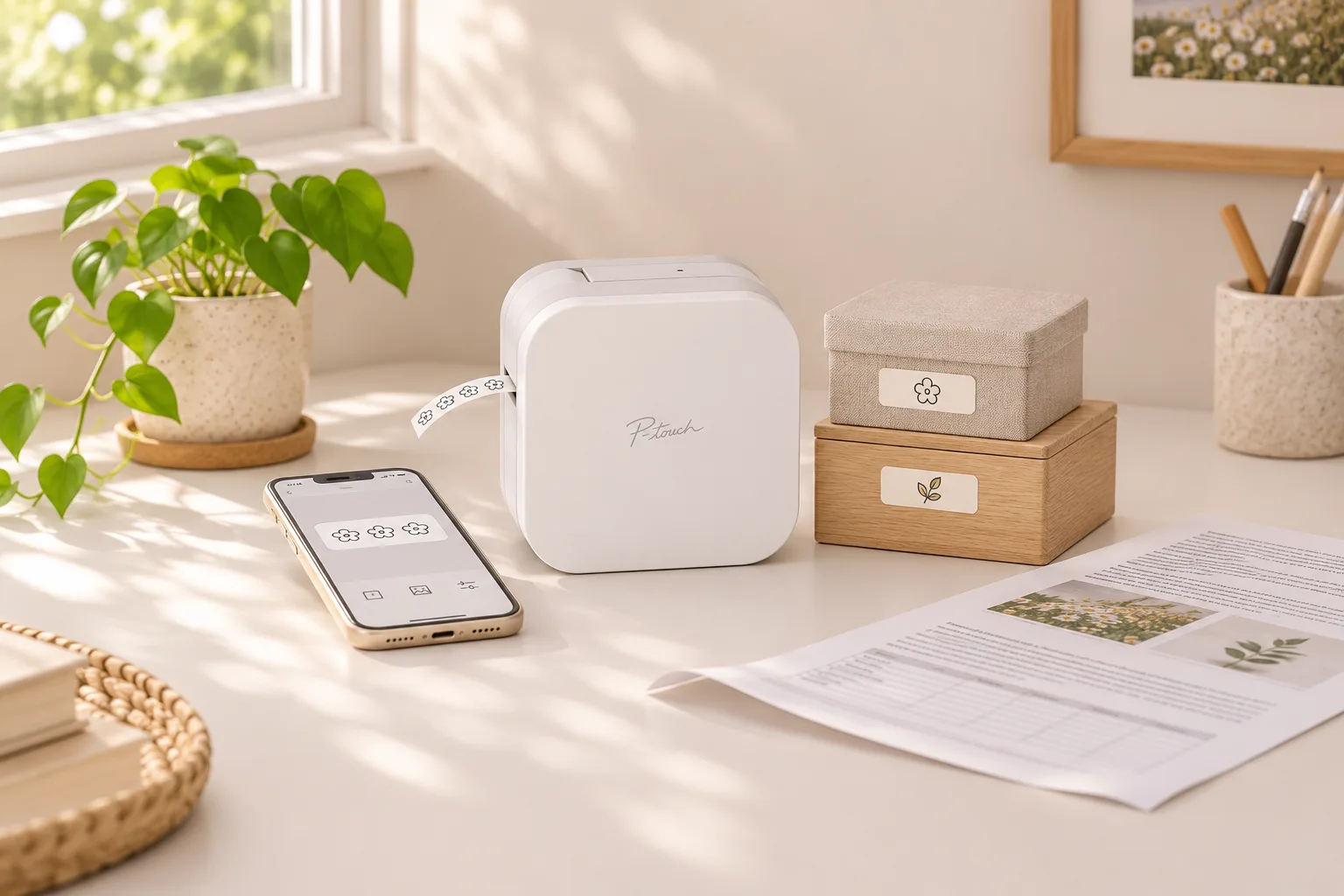
A small, keyboardless label maker that prints whatever you design in Brother’s P-touch Design&Print 2 app. Brother’s page says plainly that the free app and a wireless connection are required. It takes the same TZe tape as Brother’s keyboard P-touch models, from 3.5 to 12 mm wide, and runs on six AAA batteries or the AC adapter in the box.
How good are the labels?
Very good, because of the tape rather than the printer. TZe is thermal transfer tape with a clear laminate over the print. Brother’s own durability tests found the print unchanged after:
- 3 days at -80°C and 2 days at 150°C (the tape discolored at the high end, but the text survived)
- 30 days under water or salt water at 40°C
- 478 hours of simulated sunlight, which Brother says approximates a year outdoors (red, yellow and fluorescent tapes faded more)
The text also stayed legible after 50 passes of an abrasion tester. That’s the reason to buy a P-touch at all: labels on cleaning bottles, freezer bins and outdoor gear stay readable far longer than heat-printed thermal labels. Brother doesn’t list the Cube’s resolution on its page.
How much does the tape cost?
Genuine TZe-231 (black on white, 12 mm) is $16.49 for 26.2 ft at Brother, about 63¢ a foot, or roughly 10.5¢ for a 2-inch label before the blank margin the Cube feeds with each one. Compatible TZe tape from other brands sells for a fraction of that, about 7¢ a foot in multipacks, and there’s no chip to stop it. Brother’s durability figures apply only to its own tape. See are Brother TZe tapes worth the price?
Is the app any good?
It’s simple and free. Design&Print 2 has templates, fonts and symbols, no in-app purchases, and its App Store privacy label lists only analytics data that isn’t linked to you. The listing doesn’t mention an account. The catch is that you have to open the app for every label, and the Cube can’t print from a computer at all.
Is the PT-D220 better?
For most homes, yes. The PT-D220 prints the same TZe tape up to 12 mm, has a QWERTY keyboard and 15-character screen, and was $29.99 at Brother in November 2026 (list $44.99). It doesn’t need a phone, so anyone can grab it. You lose the app’s design freedom, but for pantry, closet and cable labels a keyboard is faster.
Should you buy the Cube Plus instead?
Yes, if you want to design labels on a phone. The Cube Plus ($114.99) prints TZe tape up to 24 mm, twice the Cube’s width, which makes bin, shelf and box labels much easier to read. It charges from its built-in battery instead of eating AAAs, and it prints from Windows and Mac with P-touch Editor as well as from phones. It’s our pick for the best Bluetooth label maker.
Should you buy the Brother P-touch Cube?
Only if you specifically want phone-designed TZe labels, never need anything wider than 12 mm, and find it on sale near the PT-D220’s price. Otherwise buy the PT-D220 for a keyboard and the lowest price, or the Cube Plus for the full phone-and-computer experience. If cheap tape matters more than durability, Brother’s PT-N25BT ($39.99) is a phone-only Brother for less, but it takes Btag tape, not TZe.
Questions people ask
Is the Brother P-touch Cube worth it?
For most people, no. At $69.99 it costs $40 more than the PT-D220 for the same 12 mm TZe tape. If you want phone control, the Cube Plus ($114.99) is the better buy.
What’s the difference between the P-touch Cube and Cube Plus?
The Cube Plus takes tape up to 24 mm instead of 12 mm, has a built-in rechargeable battery instead of AAAs, and prints from a computer over USB as well as from a phone.
Does the P-touch Cube need an app?
Yes. It has no keyboard, and Brother says the free Design&Print 2 app and a wireless connection are required.
What tape does the P-touch Cube use?
Brother TZe tape from 3.5 to 12 mm wide, the same tape as the PT-D220. It doesn’t take Brother’s newer Btag tape.
Does the P-touch Cube need ink?
No. Each TZe cassette contains its own ribbon and laminate, so the tape is the only thing you buy.
Can the P-touch Cube print from a computer?
No. The Cube Plus does, over USB with Brother’s P-touch Editor for Windows and Mac.
Key specifications
| Feature | BrotherP-touch Cube PT-P300BT | BrotherP-touch Cube Plus PT-P710BT | BrotherP-touch PT-D220 |
|---|---|---|---|
| Type | Tape label maker | Tape label maker | Tape label maker |
| Media | Brother TZe tape | Brother TZe tape | Brother TZe tape |
| Max size | 12 mm tape | 24 mm tape | 12 mm tape |
| Connection | Bluetooth | Bluetooth, USB | None (keyboard) |
| Where to buy | Check price at Amazon | Check price at Amazon | Check price at Amazon |
Brother P-touch Cube PT-P300BT
- Type
- Tape label maker
- Media
- Brother TZe tape
- Max size
- 12 mm tape
- Connection
- Bluetooth
Brother P-touch Cube Plus PT-P710BT
- Type
- Tape label maker
- Media
- Brother TZe tape
- Max size
- 24 mm tape
- Connection
- Bluetooth, USB
Brother P-touch PT-D220
- Type
- Tape label maker
- Media
- Brother TZe tape
- Max size
- 12 mm tape
- Connection
- None (keyboard)
Sources
- Brother P-touch Cube PT-P300BT, Brother
- Brother P-touch Cube Plus PT-P710BT, Brother
- Brother P-touch PT-D220, Brother
- Brother TZe-231 laminated tape, Brother
- Brother: durability test data for laminated TZe labels, brother.com.au
- Brother P-touch Design&Print 2 on the App Store, apps.apple.com
Keep exploring

Buying guide
The best color label printers for product labels
The Epson ColorWorks CW-C4000 is the best color label printer for product labels: pigment CMYK ink at up to 1200 dpi, rolls up to 4.25 inches wide, 4 inches a second and BS 5609 certification on Kimdura poly, for $2,499 at CDW in November 2026. Get the Primera LX610 ($2,695) to print and cut custom shapes, or the Primera LX500 ($1,549) on a budget.
Read story
Buying guide
The best edible printers for cakes and cookies
The best edible printer for cakes is a new Canon PIXMA TS702a bought in an edible ink bundle: $295 to $299 in November 2026, for letter and legal-size frosting sheets at about $1 to $3 a cake topper. For printing straight onto cookies, the Primera Eddie is $2,995 and uses about 6¢ of ink per cookie.
Read story