How it scores
- Scan and OCR quality20%8.0
600 dpi optical (1200 dpi is interpolated), 600 dpi TIFF for archiving, and auto color restoration, red-eye reduction and de-skew. No film, slides or negatives.
- Speed and paper handling25%9.0
About one 4x6 print a second at 300 dpi (Epson's rating) from a 36-photo feeder, fronts and backs in one pass; 45 ppm / 90 ipm for documents from a 100-sheet stack.
- Software and destinations20%8.0
FastFoto software captures handwriting on the backs, ScanSmart adds OCR for documents, and the phone app scans straight to iOS or Android. Epson doesn't publish its 600 dpi photo speed.
- Reliability and ownership15%8.5
A $47.29 roller kit rated for 200,000 scans and no account or subscription, but Epson says to wipe the rollers every 300 scans.
- Ease of use and connectivity10%8.0
Wi-Fi and USB 3.0, a few buttons and no screen, so you work from a computer or the phone app. Fragile prints go through one at a time in a carrier sheet.
- Value10%7.5
$529.99 on sale at Epson ($629.99 regular) in November 2026: good value for thousands of prints, poor value for a few hundred.
Overall 8.3/10, the weighted average.How we score →
Is the Epson FastFoto FF-680W worth it?
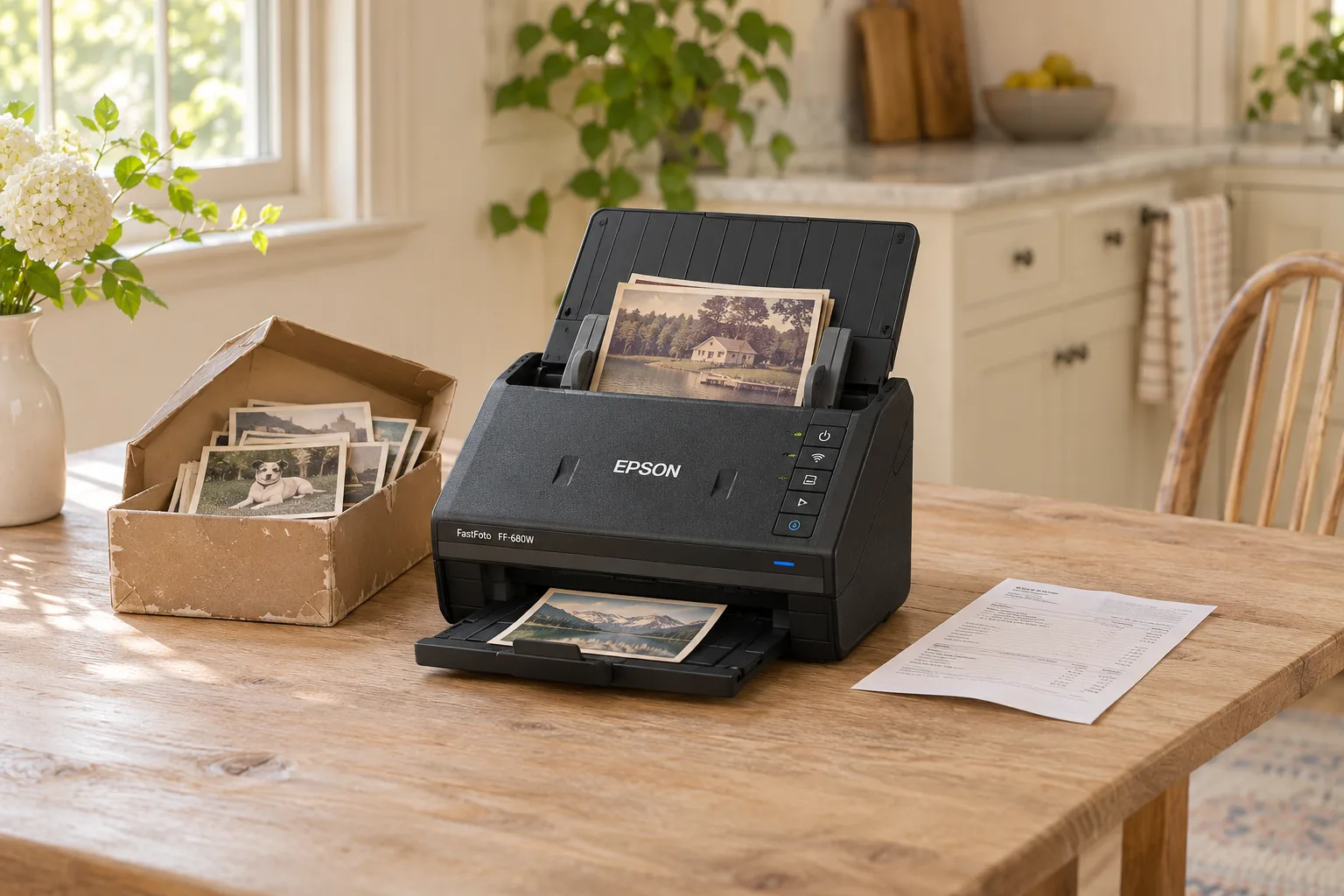
Yes, if you have more than about 1,100 loose prints to scan: it feeds a stack of up to 36 photos at about one 4x6 a second at 300 dpi, scanning the backs in the same pass, and at $529.99 on sale it costs less than a 48¢-a-photo scanning service once you pass about 1,100 photos. It isn’t worth it for film, slides, photos stuck in albums, or a few hundred pictures.
The FastFoto is a sheetfed scanner, like an office document scanner tuned for photos. That’s its strength, speed, and its limit: anything that can’t bend through rollers has to go on a flatbed instead.
| Spec | Epson FastFoto FF-680W |
|---|---|
| Price (November 2026) | $529.99 Black Friday sale at Epson (Nov 22–28); $629.99 regular; $529.00 at Amazon |
| Type | Sheetfed, single-pass two-sided photo and document scanner |
| Optical resolution | 600 dpi (1200 dpi output is interpolated) |
| Photo speed | About 1 photo a second (4x6, 300 dpi, Epson’s rating) |
| Document speed | 45 ppm / 90 ipm (letter, 300 dpi, color, USB) |
| Feeder | 36 photos, or 100 sheets of paper |
| Photo sizes | Wallet, 3x5, 4x6, 5x7, 8x10, Polaroid, panoramic up to 8.5 x 36 in |
| Film and slides | None |
| Connections | Wi-Fi 802.11 b/g/n, USB 3.0 |
| Size and weight | 11.7 x 6.7 x 6.9 in, 8.2 lb |
| Warranty | 1 year |
How fast is it?
Very fast at 300 dpi: Epson rates it at about one 4x6 print a second, measured across a 36-photo stack. In feed time alone, 1,000 prints take about 17 minutes (1,000 seconds) in roughly 28 stacks. Sorting, loading and naming batches will take longer than the scanning.
Epson doesn’t publish a speed at 600 dpi, the setting you’d use for an archive, so expect it to be slower than the headline rating. Even so, no flatbed comes close: Epson’s Perfection V39 II takes about 30 seconds per pass at 600 dpi, and you place and flip every print by hand.
How good are the scans?
Good for family snapshots, with a hard ceiling of 600 dpi. That’s enough for 4x6 and 5x7 prints: a 4x6 scanned at 600 dpi is 2,400 x 3,600 pixels (8.6 megapixels), enough to reprint at 8x12 inches at 300 pixels per inch. The 1200 dpi “enlarge” setting is interpolated by software, so it adds pixels, not detail.
The software can restore faded color, reduce red-eye, straighten and crop each print, and rotate it. It also captures handwriting on the backs in the same pass, which is the feature many families buy it for: names and dates stay with the picture.
Two cases where a flatbed does better:
- Small prints you’ll want to enlarge. A wallet photo at 600 dpi is about 1,500 x 2,100 pixels, fine for a 5x7 reprint but no bigger. A flatbed like the V39 II (4800 dpi optical) can go higher.
- Fragile, curled or valuable prints. These shouldn’t go through rollers in a stack. Use the carrier sheet one at a time, or a flatbed.
What photos can it feed?
Loose prints from wallet size to 8x10, Polaroids and panoramas up to 36 inches long. Epson’s user guide limits a stack to 36 photos thinner than 0.23 mm, or 30 photos between 0.24 and 0.30 mm, with the whole stack under 8 mm. You can mix 4x6 and 5x7 prints in one batch.
It can’t scan slides, negatives or film, and it can’t scan photos fixed in albums or frames. For those, see our guide to digitizing old photos.
FastFoto vs a scanning service: which is cheaper?
The FastFoto is cheaper past about 1,100 photos at regular service prices. ScanCafe charges 48¢ a photo at 600 dpi and ScanMyPhotos 50¢ (both before shipping and fees), so $529.99 ÷ 48¢ = 1,104 photos is the break-even. During ScanCafe’s late-November 2026 sale at 17¢ a photo, it moves to about 3,100 photos.
| Photos | FastFoto ($529.99 sale) | ScanCafe at 48¢ | ScanMyPhotos at 50¢ (600 dpi) | ScanCafe at 17¢ (Black Friday sale) |
|---|---|---|---|---|
| 500 | $529.99 | $240 | $250 | $85 |
| 1,000 | $529.99 | $480 | $500 | $170 |
| 2,500 | $529.99 | $1,200 | $1,250 | $425 |
| 5,000 | $529.99 | $2,400 | $2,500 | $850 |
Service prices are from each service’s own page in November 2026 and exclude shipping. ScanMyPhotos also charges for its download link ($5.95 for five days up to $29.95 for a year) and return shipping. The scanner’s cost doesn’t include your time, but it does mean your photos never leave the house, and it scans documents afterward. We go through the services in how to digitize old photos.
Is the FastFoto better than the Epson Perfection V600?
They do different jobs, and the V600 is discontinued. Epson’s page marks it “Discontinued” and names the FastFoto as its replacement, but the FastFoto can’t scan film. If you need slides and negatives, Epson’s only current film flatbed is the Perfection V850 Pro at $1,999.00, out of stock at Epson in November 2026. For prints alone, the FastFoto is far faster; for film, a flatbed with a transparency unit is the only Epson option.
Can it scan documents too?
Yes. It’s rated at 45 ppm and 90 images a minute for letter pages at 300 dpi, from a 100-sheet stack, and Epson ScanSmart adds OCR for searchable PDFs. It handles paper from 37 to 413 g/m² and documents up to 240 inches long. It has no touchscreen, so it’s less convenient than the Epson ES-590W as a daily office scanner.
Does it work with a Mac and a phone?
Yes. FastFoto software and Epson ScanSmart run on Windows and Mac. Epson’s product page still lists macOS 10.13 as the newest version, but its support site offers Mac downloads for current macOS versions. The FastFoto app for iOS and Android scans straight to a phone over Wi-Fi at up to 600 dpi as JPEGs, so you don’t need a computer at all.
Scans can upload automatically to Dropbox or Google Drive, which needs an account with that service. Epson lists no Epson account or subscription for scanning.
What does it cost to run?
The roller kit (B12B819031) costs $47.29 and is rated for 200,000 scans: $47.29 ÷ 200,000 = 0.024¢ a scan. The real upkeep is cleaning. Epson’s guide says to wipe the rollers with the included microfiber cloth after every 300 scans, which is about every eight stacks of 36. Extra carrier sheets cost $50.59 for five.
What are the alternatives?
- Epson Perfection V39 II ($119.99 sale, $129.99 regular): a 4800 dpi flatbed for fragile prints, album pages and small photos you’ll enlarge. One pass at a time, no film.
- Canon CanoScan LiDE 400 ($97.99 at Canon, $89.99 at Amazon): a USB-powered 4800 dpi flatbed that scans a 4x6 in about 4 seconds at 300 dpi, with dust and fading correction on Windows.
- Epson Perfection V850 Pro ($1,999.00): for slides, negatives and medium-format film.
All our picks are in the best photo scanners.
Questions people ask
Can the Epson FastFoto scan slides or negatives?
No. It scans prints and documents only. For film, Epson’s current option is the Perfection V850 Pro flatbed at $1,999.00.
What resolution should I use on the FastFoto?
600 dpi for an archive, saved as TIFF. It’s the scanner’s optical maximum; 300 dpi is fine for sharing, and the 1200 dpi setting is interpolated.
Does the FastFoto scan the backs of photos?
Yes. It scans both sides in one pass and keeps handwritten notes on the back with the picture.
Do you need a computer to use the FastFoto?
No. The FastFoto app for iOS and Android scans over Wi-Fi straight to your phone at up to 600 dpi. A computer gives you TIFF archives and the full software.
Does the FastFoto scan Polaroids?
Yes. Epson lists Polaroid prints among supported sizes, along with wallet through 8x10 and panoramas up to 36 inches.
Is it cheaper to buy a FastFoto or use a scanning service?
Buying is cheaper past about 1,100 photos at 48¢ a scan, the regular price at ScanCafe. Below that, a service usually costs less.
Key specifications
| Feature | EpsonFastFoto FF-680W | EpsonPerfection V39 II | CanonCanoScan LiDE 400 |
|---|---|---|---|
| Type | Sheetfed photo scanner | Flatbed photo scanner | Flatbed scanner |
| Feeder | 36 photos / 100 sheets | None (flatbed) | None (flatbed) |
| Duplex | Single pass | No | No |
| Scan speed | 1 photo per second (4x6, 300 dpi) | About 10 s per letter page (300 dpi) | About 8 seconds per letter page (300 dpi, color) |
| Connection | Wi-Fi, USB | USB (bus-powered) | USB-C |
| Where to buy | Check price at Amazon | Check price at Amazon | Check price at Amazon |
Epson FastFoto FF-680W
- Type
- Sheetfed photo scanner
- Feeder
- 36 photos / 100 sheets
- Duplex
- Single pass
- Scan speed
- 1 photo per second (4x6, 300 dpi)
- Connection
- Wi-Fi, USB
Epson Perfection V39 II
- Type
- Flatbed photo scanner
- Feeder
- None (flatbed)
- Duplex
- No
- Scan speed
- About 10 s per letter page (300 dpi)
- Connection
- USB (bus-powered)
Canon CanoScan LiDE 400
- Type
- Flatbed scanner
- Feeder
- None (flatbed)
- Duplex
- No
- Scan speed
- About 8 seconds per letter page (300 dpi, color)
- Connection
- USB-C
Sources
- Epson FastFoto FF-680W product page, Epson
- Epson FastFoto FF-680W user's guide, Epson
- Epson FastFoto FF-680W support and downloads, Epson
- Epson Roller Assembly Kit (B12B819031), Epson
- Epson Carrier Sheets (B12B819051), Epson
- Epson Cleaning Kit (B12B819291), Epson
- Epson Perfection V600 (discontinued), Epson
- Epson Perfection V850 Pro product page, Epson
- Epson Perfection V39 II product page, Epson
- Canon CanoScan LiDE 400 product page, Canon
- ScanCafe pricing, scancafe.com
- ScanMyPhotos individual photo scanning service, scanmyphotos.com
- Epson FastFoto FF-680W on Amazon, amazon.com
Keep exploring

Buying guide
The best barcode label printers
The Zebra ZD421 is the best barcode label printer for most businesses: 4-inch labels at 6 inches a second, any brand of label roll and a 24-month warranty, for about $480 to $526 in November 2026. Get the Brother QL-820NWBc ($229.99) for an office or shop counter, and a thermal transfer model for inventory labels that have to last.
Read story
Buying guide
The best check printers for a small business
The TROY 3001dw ($509.15 at TROY, $530 at Amazon in November 2026) is the best check printer for a small business: a 35 ppm Wi-Fi laser with MICR toner, rated for 350 to 2,500 checks a month, at about 5¢ to 7¢ per check three to a page by our estimate. Get the TROY 4001dn for a locking tray, or the VersaCheck M15 MXD ($399.99) for software in the box.
Read story