How it scores
- Output quality25%8.0
Epson's own ink, 1200 x 600 dpi and transfer-paper driver modes; letter width only.
- Supply costs20%8.5
$17.82 per 100 ml of genuine T49M ink, the cheapest maker ink in sublimation, but Epson ink only.
- Ease of use and software20%7.0
Wi-Fi, a color screen and a 150-sheet tray; no design software in the box.
- Features and media15%7.0
Sheets 3.5 to 8.5 inches wide and up to 47.2 inches long; USB, Ethernet, Wi-Fi and Wi-Fi Direct.
- Reliability and lock-ins20%6.5
A 1-year exchange warranty, opened ink lasts six months, and stock was scarce in November 2026.
Overall 7.5/10, the weighted average.How we score →
Is the Epson SureColor F170 worth it?
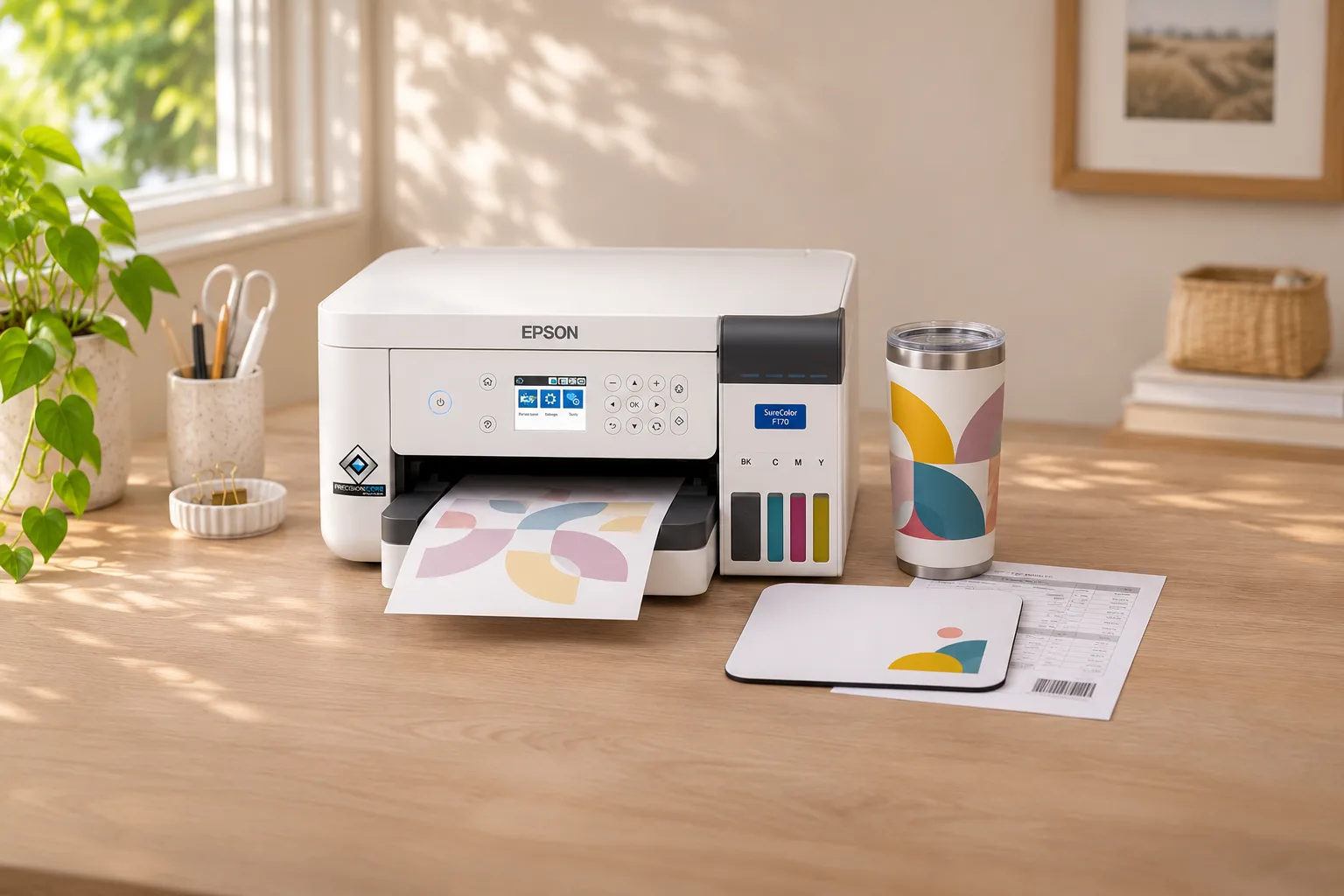
Yes, if you can find one near $399. The F170 is Epson’s own letter-size sublimation printer, and its ink is the cheapest of any purpose-built sublimation printer: $24.95 for a 140 ml bottle, or $17.82 per 100 ml. That’s about a quarter of what Brother charges for SP-1 ink and about a fifteenth of Sawgrass’s price.
There are three catches. It only prints 8.5 inches wide. Its warranty is one year, against two for the Brother SP-1 and three for the Sawgrass SG500. And in November 2026 it was out of stock at Epson, with Amazon listings from third-party sellers at about $399 to $440. If you need a printer now, the Brother SP-1 ($379.99) is the closest alternative.
| Spec | Epson SureColor F170 |
|---|---|
| Price (Nov 2026) | $399 at Epson (out of stock); about $399–$440 from third-party sellers on Amazon |
| Printhead | PrecisionCore MicroTFP, 784 nozzles |
| Resolution | Up to 1200 x 600 dpi |
| Paper width | 3.5 to 8.5 in |
| Longest sheet | 47.2 in |
| Side margins | 3 mm |
| Paper tray | 150 sheets |
| Ink | Epson T49M, 140 ml bottles (CMYK) |
| Connection | USB, Ethernet, Wi-Fi, Wi-Fi Direct |
| Screen | 2.4 in color LCD |
| Weight | 10.2 lb |
| Warranty | 1-year exchange; extended plans up to 3 years ($170) |
Source: Epson’s product and ink pages, read November 25, 2026.
How much does the ink cost?
$17.82 per 100 ml, the lowest of any sublimation printer sold for the job:
| Printer | Ink | Price | Per 100 ml |
|---|---|---|---|
| Epson F170 | 140 ml bottle | $24.95 | $17.82 |
| Brother SP-1 | 47 ml cartridge | $34.99 | $74.45 |
| Sawgrass SG500 | 31 ml cartridge | About $85 | About $274 |
A full set of four F170 bottles, 560 ml in all, costs $99.80. The printer ships with a full set, though some of it goes to priming the ink lines. Epson’s letter-size DS Transfer Multi-Use paper is $27 a pack.
Two things to know. The F170 only takes Epson’s T49M bottles; Epson says it’s designed for Epson ink only. And opened bottles are meant to be used within six months, so a printer that sits idle for long stretches wastes ink. In November 2026 Epson’s own store had black and magenta out of stock, so stock up when you can.
What can it print on?
Anything sublimation works on, up to 8.5 inches wide: polyester shirts, poly-coated mugs, tumblers, mousepads, coasters and metal panels. A 20 oz skinny tumbler wrap fits on letter paper, and long sheets up to 47.2 inches suit wraps and banners.
Like every sublimation printer, it needs white or light blanks with a high polyester content. Epson recommends 100% polyester and says it can’t guarantee quality or color on cotton or cotton blends. Epson’s new Sublimation Primer for Cotton ($149.95) is meant to make white and light cotton work, but Epson hadn’t published instructions or wash data for it in November 2026.
Is it easy to use?
Mostly. It connects over Wi-Fi, Ethernet or USB, has a color screen and a 150-sheet tray, and Epson’s driver has modes for transfer paper, so you don’t need to install color profiles the way you do with a converted EcoTank. There’s no design software in the box, so you design in Canva, Photoshop or a similar app and print through Epson’s driver. Sawgrass, by contrast, bundles its own design and color software.
Epson doesn’t advertise automatic clog prevention the way Sawgrass does, so print regularly to keep the printhead healthy.
Is the F170 better than a converted EcoTank?
For most people, yes. A converted EcoTank costs from $189.99, and third-party sublimation ink can be cheaper still, but you’re on your own: Epson won’t pay for damage it traces to the ink, and you have to find and install the ink maker’s color profiles. The F170 is made for sublimation, uses Epson ink and profiles, and is covered for sublimation use. See how to convert an EcoTank.
F170 or F370?
The F370 is Epson’s new 13 x 19 inch sublimation printer, at $999. It uses the same T49M bottles and has a 1-year warranty, and it handles full-front shirt designs and larger panels that the F170 can’t. In November 2026 Epson showed it as “Notify Me” with no cart button. If letter size covers what you make, the F170 is $600 cheaper.
Should you buy the Epson SureColor F170?
Buy it if you can find it close to $399 and expect to print regularly, because the ink savings add up fast. Buy the Sawgrass SG500 if you want automatic maintenance, a 3-year warranty and bundled software, and don’t mind paying far more for ink. Buy the Brother SP-1 if you want a purpose-built printer in stock today. See Sawgrass vs Epson and the best sublimation printers.
Questions people ask
Is the Epson F170 good for beginners?
Yes. It’s built for sublimation, uses Epson’s own ink and print modes, and needs no conversion or color-profile setup.
Why is the Epson F170 out of stock?
Epson doesn’t say. In November 2026 its store showed “Notify Me” with no restock date, though the F170 isn’t marked discontinued, and Epson also lists a refurbished unit.
Can you use third-party ink in the Epson F170?
Epson says the F170 is designed for its T49M bottles only. Since Epson’s own ink costs $17.82 per 100 ml, there’s little reason to switch.
What size does the Epson F170 print?
Sheets from 3.5 to 8.5 inches wide and up to 47.2 inches long. For 13 x 19, look at the Epson F370.
Does the F170 work with a Cricut?
Yes, as a printer. You can design in Cricut Design Space or any app, print through Epson’s driver, and press with a Cricut EasyPress or Mug Press.
How long does Epson F170 ink last?
Epson rates the bottles for two years from production, or six months after opening.
Key specifications
| Feature | EpsonSureColor F170 | BrotherSP-1 | Sawgrass SG500 |
|---|---|---|---|
| Type | Sublimation printer | Sublimation printer | Sublimation printer |
| Media | Sublimation paper | Sublimation paper | Sublimation paper |
| Max size | 8.5 x 47.2 in | Letter | 8.5 x 14 in |
| Connection | Wi-Fi, Ethernet, USB | Wireless (Artspira app) | Wi-Fi, Ethernet, USB |
| Where to buy | Check price at Amazon | Check price at Amazon | Check price at Amazon |
Epson SureColor F170
- Type
- Sublimation printer
- Media
- Sublimation paper
- Max size
- 8.5 x 47.2 in
- Connection
- Wi-Fi, Ethernet, USB
Brother SP-1
- Type
- Sublimation printer
- Media
- Sublimation paper
- Max size
- Letter
- Connection
- Wireless (Artspira app)
Sawgrass SG500
- Type
- Sublimation printer
- Media
- Sublimation paper
- Max size
- 8.5 x 14 in
- Connection
- Wi-Fi, Ethernet, USB
Sources
- Epson SureColor F170 product page, Epson
- Epson T49M ink bottles, Epson
- Epson DS Transfer Multi-Use paper, Epson
- Epson SureColor F370 product page, Epson
- Epson FAQ: sublimating to cotton and blends, Epson
- Brother SP-1 product page, Brother
- Sawgrass SG500 and SG1000 printers, sawgrassink.com
Keep exploring

Buying guide
The best color label printers for product labels
The Epson ColorWorks CW-C4000 is the best color label printer for product labels: pigment CMYK ink at up to 1200 dpi, rolls up to 4.25 inches wide, 4 inches a second and BS 5609 certification on Kimdura poly, for $2,499 at CDW in November 2026. Get the Primera LX610 ($2,695) to print and cut custom shapes, or the Primera LX500 ($1,549) on a budget.
Read story
Buying guide
The best edible printers for cakes and cookies
The best edible printer for cakes is a new Canon PIXMA TS702a bought in an edible ink bundle: $295 to $299 in November 2026, for letter and legal-size frosting sheets at about $1 to $3 a cake topper. For printing straight onto cookies, the Primera Eddie is $2,995 and uses about 6¢ of ink per cookie.
Read story