The quick answer
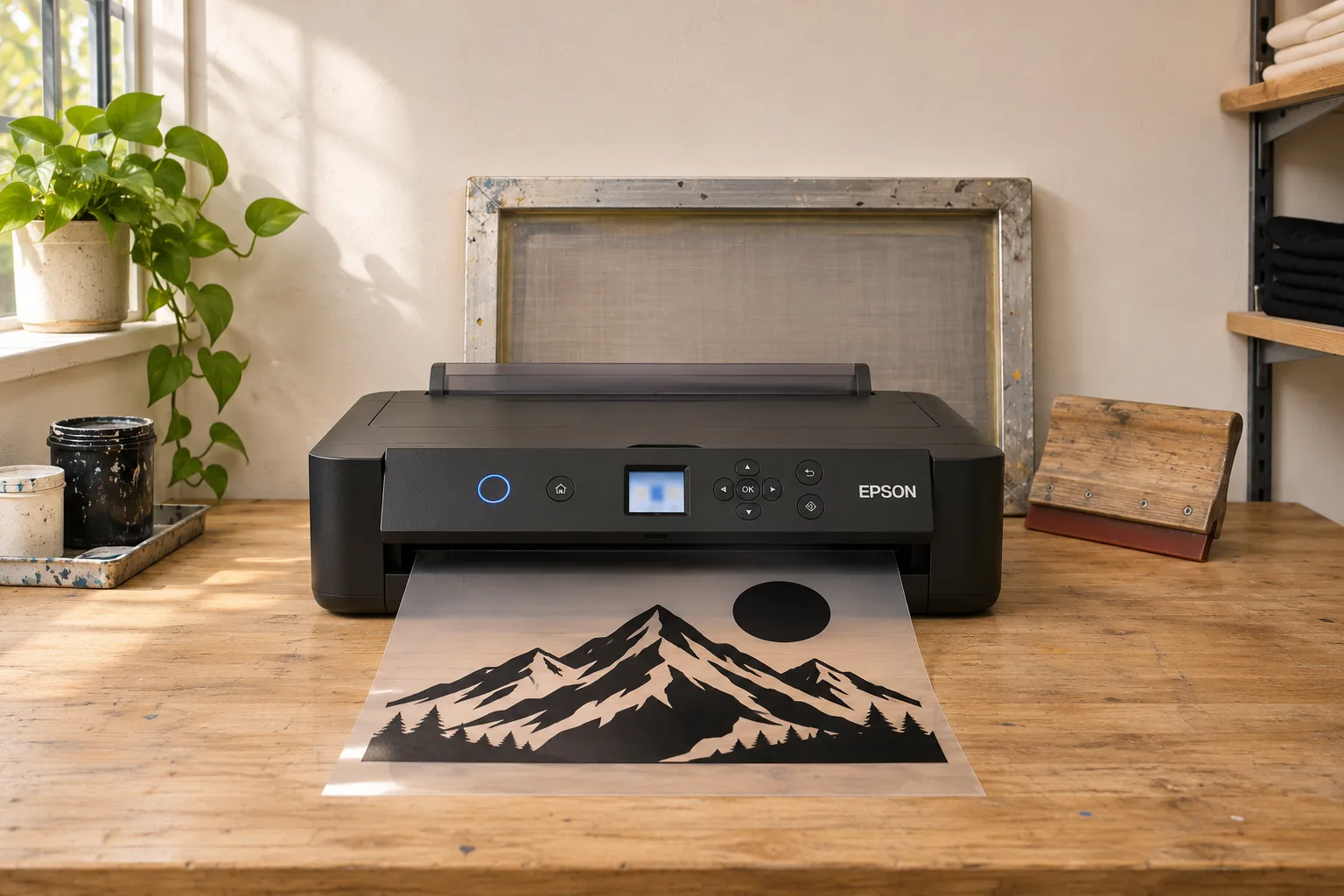
The best printer for screen printing film is the Epson EcoTank Photo ET-8550: borderless film positives up to 13 x 19 inches, refillable tanks, and a place among the top four printers for the AccuRIP Emerald RIP, for $499.99 at Epson on sale in November 2026. Epson itself doesn't list inkjet transparencies as supported media, though. The cheapest 13 x 19 option is the Epson XP-15000 ($249.99), and the Epson ET-15000 ($449.99) suits an all-black dye ink setup. Budget 93¢ to $1.40 per 13 x 19 sheet of waterproof film and $0 to $199 a year for a RIP.
Our quick picks
Compare the picks
| Feature | Best printer for screen printing filmEpsonEcoTank Photo ET-8550 | Cheapest 13 x 19 film printerEpsonExpression Photo XP-15000 | Best budget ink tank for dye film inkEpsonEcoTank ET-15000 |
|---|---|---|---|
| Type | Photo ink tank, 5 dye inks + pigment black | Dye inkjet, 6 cartridges | Ink-tank printer (convertible) |
| Max print size | 13x19 in | ||
| Scanner | Yes | ||
| Ink system | Refillable tanks | ||
| Where to buy | Check price at Amazon | Check price at Amazon | Check price at Amazon |
Best printer for screen printing film
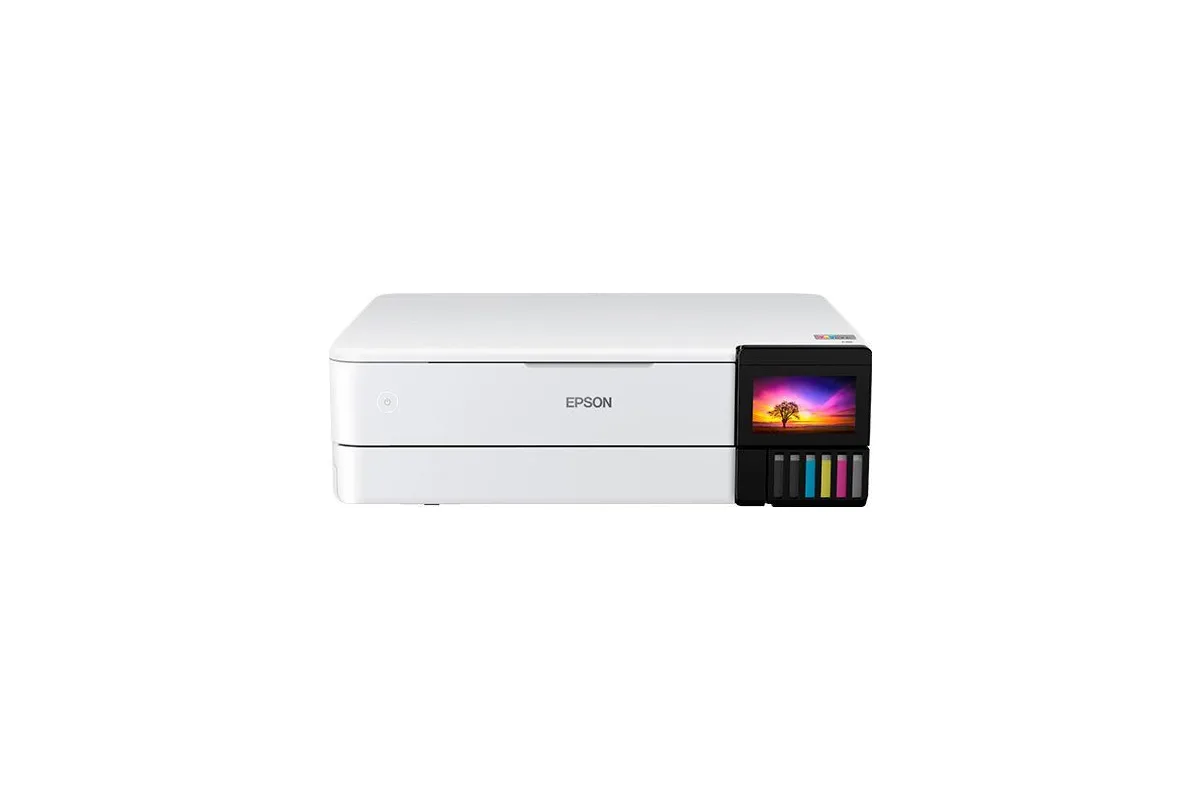
Epson EcoTank Photo ET-8550
- Type
- Photo ink tank, 5 dye inks + pigment black
- Max print size
- 13x19 in
- Scanner
- Yes
- Ink system
- Refillable tanks
Cheapest 13 x 19 film printer
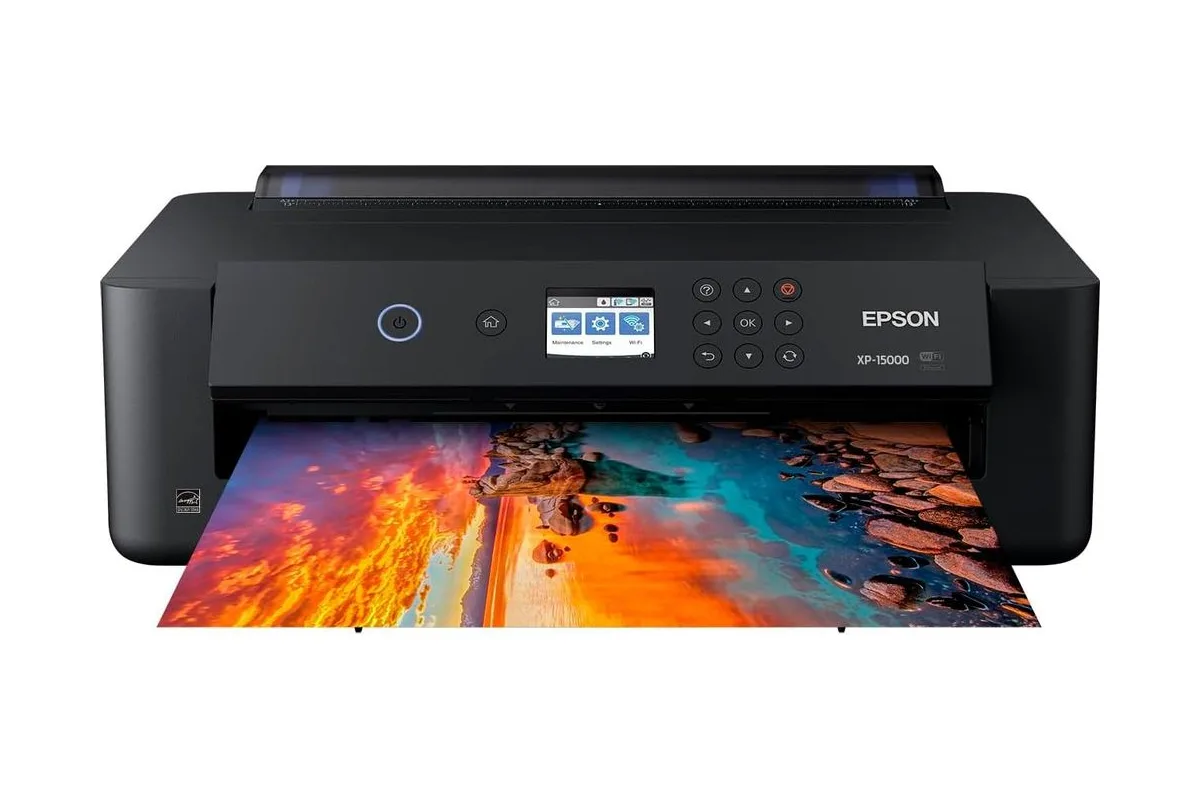
Epson Expression Photo XP-15000
- Type
- Dye inkjet, 6 cartridges
- Max print size
- Scanner
- Ink system
Best budget ink tank for dye film ink
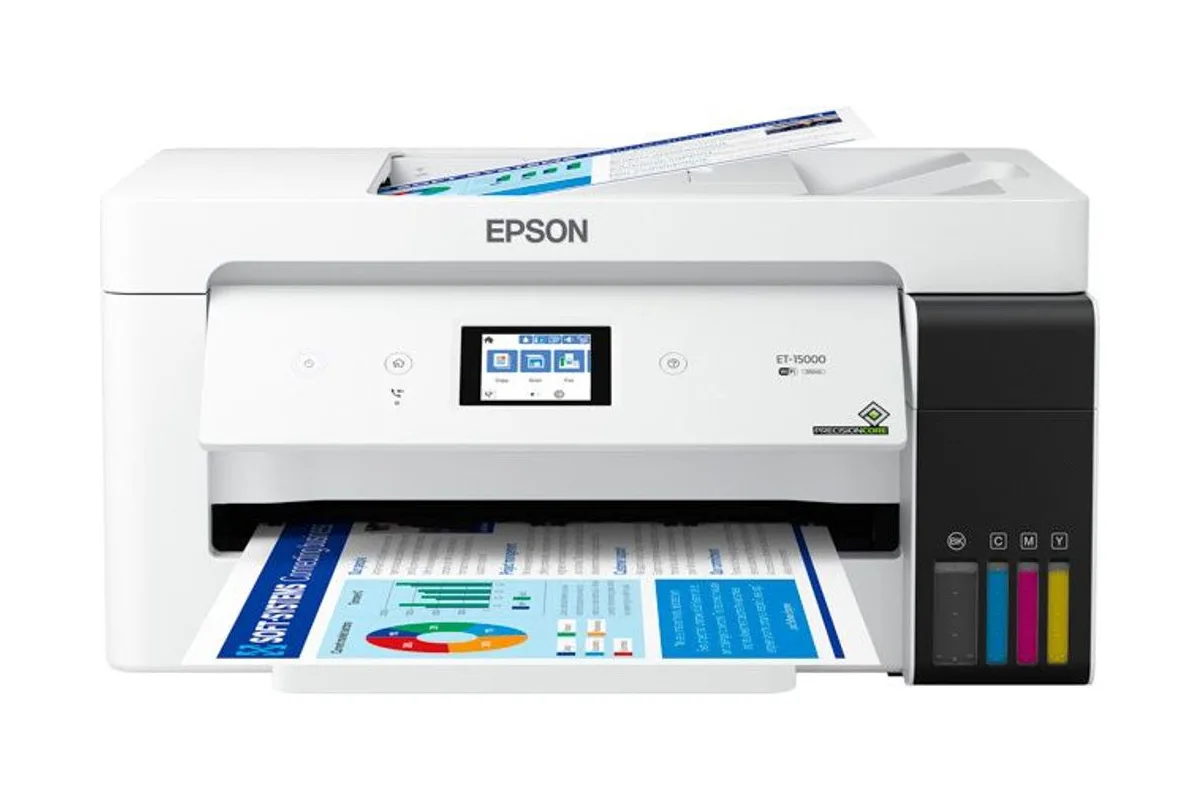
Epson EcoTank ET-15000
- Type
- Ink-tank printer (convertible)
- Max print size
- Scanner
- Ink system
01Best printer for screen printing film
Epson EcoTank Photo ET-8550
A six-ink photo ink-tank all-in-one that prints borderless up to 13x19 inches for a few cents of ink per 4x6.
The ET-8550 is the printer screen printing software makers build around. Freehand, the maker of AccuRIP, lists it among the top four printers for its AccuRIP Emerald RIP, Zorofilm supports it in beta, and Lawson's $1,999 SP-1319 film positive package is an ET-8550 with a RIP and six bottles of all-black ink. It prints borderless up to 13 x 19 inches, so a 13-inch sheet of film is printable edge to edge, and its rear straight path takes one sheet up to 1.3 mm thick.
The catch is Epson itself: its ET-8550 FAQ says inkjet transparencies aren't supported media. That doesn't stop the RIP makers, but don't expect Epson support for film problems. It was $499.99 at Epson in November 2026, on sale from $749.99, and showing "Notify Me" there, so check Amazon and other stores. Read our [ET-8550 review](/reviews/epson-et-8550-review).
Good for
- Ink costs about 4–6¢ per 4x6: Epson claims 4¢, and the in-box set is rated for about 2,300 prints
- Prints borderless up to 13x19 inches and feeds media up to 1.3 mm thick through a straight rear path
- Also scans and copies, and connects over Wi-Fi, Ethernet, USB and SD card
Consider
- Colors can look oversaturated with default settings, and some are visibly inaccurate
- Stock comes and goes at Epson; $499.99 there on sale in November 2026 (list $749.99)
02Cheapest 13 x 19 film printer
Epson Expression Photo XP-15000
A 6-color dye inkjet that prints borderless up to 13x19 from the rear tray, $249.99 at Amazon in November 2026.
The XP-15000 is the cheapest way to print full 13 x 19-inch film positives: $249.99 at Epson (on sale from $429.99) and at [Amazon](https://www.amazon.com/dp/B076PLTQQT?tag=theprinterreview-20) in November 2026. It prints borderless from 4 x 6 up to 13 x 19 inches from its rear tray, and AccuRIP Emerald supports it.
It uses six small Claria Photo HD cartridges (312 and 314XL) rather than refillable tanks, so ink costs more per film than on an EcoTank, and Zorofilm lists it only as experimental. It's the right buy if you print a few films a week and want to spend the savings on a RIP and good film.
Good for
- Prints 13x19 film from the rear tray
- Cheapest 13x19 printer in this list
- Works with film RIP software
Consider
- Small cartridges cost more per page than a tank
- Listed as experimental, not supported, by some film software
03Best budget ink tank for dye film ink
Epson EcoTank ET-15000
A four-color wide-format EcoTank that prints up to 13 x 19 inches, popular for converting to sublimation.
The ET-15000 is a four-tank 13 x 19 EcoTank that Freehand says produces high-quality prints with its Dmax dye ink, and Freehand's AccuRIP table lists it under both its Select Tank and ABI setups. It was $449.99 at Epson in November 2026, on sale from $699.99, and its 502 bottles hold 127 ml of black and 70 ml of each color.
Two limits. Freehand warns that its paper sensor sometimes struggles to detect clear film, so you may need tape or a carrier sheet. And it prints borderless only up to 11 x 17, so 13 x 19 film keeps a margin. Zorofilm lists it as coming soon.
Good for
- Prints up to 13 x 19 inches through the rear feed
- Four ink tanks, so four-color sublimation ink kits fit
- $449.99 in November 2026 (list $699.99)
Consider
- Epson won't cover damage it traces to sublimation ink
- Once converted, it can't go back to regular ink
How to choose
What you make
Stickers, labels and sublimation blanks each need a different machine. Start with the project, not the printer.
Supplies and lock-ins
Check the price of tape, label rolls, sticker paper or ink, and whether the printer only accepts its maker's supplies.
App and account
Many label and sticker printers only work through a phone app. Check whether it needs an account or a subscription.
What is the best printer for transparencies and screen printing film?
The Epson EcoTank Photo ET-8550. It prints borderless up to 13 x 19 inches, wide enough for a full-front shirt design with registration marks, refills from bottles, and has the strongest software support of the printers here: Freehand lists it among the top four printers for AccuRIP Emerald, and Zorofilm supports it in beta. It was $499.99 at Epson on sale in November 2026.
A film positive is your design printed in solid black on clear film. You lay it on a screen coated with light-sensitive emulsion and expose it to UV light; the black areas block the light, the emulsion under them stays soft and washes out, and ink passes through there when you print. So the printer’s job is narrow: put down black dense enough to stop UV, with sharp edges and halftone dots, on a sheet as large as your biggest design.
Two warnings before you buy. Epson’s ET-8550 FAQ says inkjet transparencies aren’t supported media, even though the RIP makers build their setups around it. And Epson’s pigment-only EcoTanks, including the ET-16650 and ET-5850, can’t take the dye-based film inks screen printers add, because Epson says dye ink may damage them.
Printers for screen printing film compared
| Printer | Price (Nov 2026) | Largest film | Borderless to | Ink | AccuRIP Emerald | Zorofilm |
|---|---|---|---|---|---|---|
| Epson ET-8550 | $499.99 at Epson (was $749.99) | 13 x 19 in | 13 x 19 in | 6 refillable tanks | Top-four printer | Beta |
| Epson XP-15000 | $249.99 at Epson and Amazon (was $429.99) | 13 x 19 in | 13 x 19 in | 6 cartridges | Supported | Experimental |
| Epson ET-15000 | $449.99 at Epson (was $699.99) | 13 x 19 in | 11 x 17 in | 4 refillable tanks | Supported | Coming soon |
| Canon PIXMA iX6820 | $248.99 at Canon, out of stock | 13 x 19 in | Not stated | 4 dye cartridges + pigment black | Supported | Not listed |
| Epson ET-16650 | $1,159.99 | 13 x 19 in | 11 x 17 in | Pigment only | Not listed | Not listed |
| Epson SureColor T3170x | $2,395 at ScreenPrinting.com | 24 in roll | — | Refillable | Top-four wide format | Coming soon |
AccuRIP support is from Freehand’s Windows compatibility table; Zorofilm’s status is from its printer page. Epson prices are sale prices at Epson’s store.
Does Epson support transparency film on the ET-8550?
No. Epson’s FAQ for the ET-8500 and ET-8550 says “inkjet transparencies, vellum, and paper with holes punched in it are not supported.” Freehand still lists the ET-8550 among the top four printers for AccuRIP Emerald, and Lawson sells it as the base of its $1,999 SP-1319 film positive package, with a ColorMate RIP, six 70 ml bottles of all-black ink and a pack of 11 x 17 film.
In practice, that means the RIP and ink makers support the ET-8550 for film, and Epson doesn’t. If you have film feeding or density problems, you’ll be working them out with Freehand, Zorofilm or your film seller, not Epson. Epson’s own Screen Positive Film lists only its SureColor T3270, SureColor P800 and Stylus Pro 4900 as compatible.
Do you need dye ink or pigment ink for film positives?
Dye ink, by the RIP maker’s advice. Freehand says stock inks are designed for paper, and that “for the best screen print positive prints use dye ink and dye film.” Its Dmax Dye Ink is $89 a liter with an accessory kit, and Freehand rates it at a density “at or near 5.0,” which it says lets through only about 1 in 100,000 UV photons. It’s one formula for any Epson or Canon dye-ink printer, in refillable cartridges or EcoTank tanks.
You can start with the printer’s original inks: Freehand’s compatibility table notes users reporting success with the makers’ own dye and pigment inks as well as Dmax. Zorofilm, though, is built for printers converted to black ink in every channel. Going all black, with black ink in every tank or cartridge, gives the densest film, and turns the printer into a film-only machine. Freehand sells all-black kits for refillable cartridges at $229, and ScreenPrinting.com sells an AccuInk all-black cartridge for the Canon iX6820’s large black slot at $39.95.
Pigment isn’t ruled out, but the desktop options are gone. Epson certified the pigment UltraChrome HD ink in its SureColor P800 Screen Print Edition for screen printing up to a 4.0 Dmax, and that printer is discontinued. Epson’s pigment-only EcoTanks, the ET-16650 and ET-5850, are designed for pigment inks only, and Epson says dye inks may cause damage its warranty won’t cover, so neither is a candidate for a Dmax setup. More on the ink types in dye vs pigment ink.
What RIP software do you need?
A RIP turns your art into solid black dots at the density and halftone you set, and it’s what makes an ordinary photo printer a film printer. All three below support at least one of our picks.
| RIP | Price | Runs on | Supports our picks |
|---|---|---|---|
| AccuRIP Emerald (Freehand) | $199 a year; 8-day free trial; $399 a year with Separation Studio NXT | Mac and Windows | ET-8550 (top four), XP-15000, ET-15000 |
| FilmMaker v11 DTP+ | $495 once (Desktop); $795 XL PRO | Windows only | None of ours: Canon iX6820, Epson 1430, P400, 4800, 4880, 4900, T3270, T3170x |
| Zorofilm | Free for 10 films a month on one computer; €8 a month; €15 a month Pro (5 computers); yearly saves 25% | Mac, Windows, Linux | ET-8550 (beta), XP-15000 (experimental); ET-15000 coming soon |
Zorofilm is new in 2026 (version 0.4.15 when we checked) and is built for converted Epsons with black in every channel. Its free tier is the cheapest way to try a RIP. AccuRIP is the established option for both Mac and Windows; FilmMaker is a one-time purchase but Windows only and doesn’t list our picks.
What film should you buy?
Waterproof inkjet film for an inkjet printer. Prices at the sellers in November 2026:
| Film | Size and pack | Price | Per sheet (our arithmetic) |
|---|---|---|---|
| Baselayr Waterproof Film | 13 x 19 in, 100 | $92.95 | 93¢ |
| Baselayr Waterproof Film | 13 x 19 in, 25 | $34.95 | $1.40 |
| Baselayr Waterproof Film | 8.5 x 11 in, 100 | $39.95 | 40¢ |
| Rite Premium Waterproof Film | 13 x 19 in, 100 | $139.95 | $1.40 |
| Rite Premium Waterproof Film | 8.5 x 11 in, 100 | $59.95 | 60¢ |
| Jacquard SolarFast Film | 8.5 x 11 in, 100 | $125.99 | $1.26 |
| R Laser Film (laser printers only) | 8.5 x 11 in, 100 | $55.95 | 56¢ |
| R Laser Film (laser printers only) | 11 x 17 in, 100 | $86.95 | 87¢ |
Both Baselayr and Rite are 5 mil. ScreenPrinting.com rates Baselayr at a UV Dmax above 3.0 and Rite Premium above 4.0, and says Rite can be reused. Freehand’s DarkStar dye film starts at $85 for 13 x 19 sheets. Rolls (Baselayr from $65.95 for 13 inches x 100 feet) are for roll-fed printers; Freehand says its roll film isn’t meant for desktop printers.
Print on the coated side. The Rite seller’s tip: dampen a finger, and the side that feels sticky is the side that takes ink. It also suggests the driver’s best photo quality with a premium glossy paper setting when you aren’t using a RIP.
How much does a film positive cost?
About 93¢ to $1.40 for a 13 x 19-inch sheet of film, or 40¢ to 60¢ for letter size, plus ink and a share of the RIP. Ink makers don’t publish ink use per film, so we can’t price the ink. The RIP is the bigger variable for a small shop: AccuRIP’s $199 a year spread over 10 films a month is about $1.66 a film (our arithmetic), while Zorofilm’s free tier covers those 10 films.
Each film exposes one color’s screen, so a four-color design needs four films. Rite says its waterproof film positives can be reused, so you print them once, not for every run.
Can you print screen printing film on a laser printer?
Yes, on laser film, but only up to 11 x 17 inches. R Laser Film is the only laser film we found, at $55.95 for 100 letter sheets or $86.95 for 100 tabloid sheets, and its seller says its UV density is comparable with silver-sensitized graphic arts films. Its seller says it’s for laser printers only, and we found no 13 x 19-inch laser film.
Is the Canon PIXMA iX6820 still worth buying?
If you can find one. The iX6820 has been the budget 13 x 19 film printer for years, Freehand’s AccuRIP table lists it under both its Select Tank and ABI setups, and FilmMaker supports it. But it was out of stock at Canon in November 2026 ($248.99), so we didn’t make it a pick. ScreenPrinting.com sells it in a film output package with Separation Studio NXT and AccuRIP Emerald for $1,124.80, or with FilmMaker for $1,199.95.
What printer do you need for films wider than 13 inches?
A 24-inch roll printer. The Epson SureColor T3170x is $2,395 at ScreenPrinting.com, or $3,204.20 with Separation Studio and AccuRIP, and Freehand lists it among its top four wide-format printers. Epson’s own 17-inch film printer, the SureColor P800 Screen Print Edition, is discontinued. For oversized prints in general, see the best wide-format printers.
How we chose
We compared the 13 x 19-inch desktop printers that screen printing RIP makers support, using Epson and Canon product pages and FAQs, Freehand’s AccuRIP compatibility table, Zorofilm’s printer list, and film, ink and printer prices from Epson, Canon, Freehand, ScreenPrinting.com, Lawson and Jacquard, all read on November 27, 2026. We favored printers that print 13 x 19 inches, have current RIP support and were in stock somewhere. Per-sheet and per-film figures are our arithmetic from those prices. We haven’t printed film on these printers ourselves; see how we score.
Questions people ask
Can you use a regular inkjet printer for screen printing transparencies?
Yes, with waterproof inkjet film and ideally a RIP. The film positive needs dense, sharp black, which a RIP controls. Freehand says stock inks are made for paper and recommends dye ink and dye film for the best positives. A 13 x 19-inch printer such as the ET-8550 or XP-15000 fits full-front shirt designs.
Do you need a RIP to print film positives?
Not strictly, but it’s the difference between gray, uneven black and film dense enough to block UV. Zorofilm is free for 10 films a month, and AccuRIP Emerald has an 8-day free trial.
Can I use the ET-8550 without converting it to all-black ink?
Yes. Freehand’s compatibility notes include users reporting success with the makers’ own inks, though it recommends dye ink and dye film for the best positives. An all-black conversion gives denser film, but then the printer only makes film.
How wide can a 13 x 19 printer print film?
About 13 inches on a borderless model like the ET-8550 or XP-15000. The ET-15000 and ET-16650 print borderless only up to 11 x 17, so 13 x 19 film keeps a margin. Leave room for the registration marks a RIP adds.
Is the Epson ET-15000 good for screen printing film?
It’s a good budget tank printer for dye film ink: Freehand says it produces high-quality prints with its Dmax dye ink. Its paper sensor can miss clear film, so you may need tape or a carrier sheet, and it doesn’t print borderless at 13 x 19.
Can I use a pigment printer like the ET-5850 for film?
Not with dye film inks. Epson says the ET-5850 and ET-16650 are designed for pigment inks only and that dye inks may cause damage its warranty doesn’t cover. Neither is on Freehand’s or Zorofilm’s lists for film.
Should I make my own films or order them?
If you’re only starting out, see DTF vs screen printing and how to start a T-shirt business first. A film setup costs about $250 to $500 for the printer plus film and a RIP, and makes sense once you’re burning your own screens regularly.
Sources
- Epson EcoTank Photo ET-8550, Epson
- Epson ET-8500/ET-8550 FAQ: supported media, Epson
- Epson EcoTank Pro ET-15000, Epson
- Epson EcoTank Pro ET-16650, Epson
- Epson EcoTank Pro ET-5850, Epson
- Epson Expression Photo XP-15000, Epson
- Epson Screen Positive Film, Epson
- Epson SureColor P800 Screen Print Edition, Epson
- Canon PIXMA iX6820, Canon
- Freehand AccuRIP Emerald, solutionsforscreenprinters.com
- Freehand printer compatibility, solutionsforscreenprinters.com
- Freehand Dmax dye ink, solutionsforscreenprinters.com
- Freehand DarkStar film, solutionsforscreenprinters.com
- Zorofilm, zorofilm.com
- Zorofilm pricing, zorofilm.com
- Zorofilm supported printers, zorofilm.com
- ScreenPrinting.com products (film, ink, printers, FilmMaker), screenprinting.com
- Lawson SP-1319 film positive printer package, lawsonsp.com
- Jacquard store (SolarFast film), store.jacquardproducts.com
- Epson XP-15000 on Amazon, amazon.com
- Epson ET-8550 on Amazon, amazon.com
- Epson ET-15000 on Amazon, amazon.com
Keep exploring

Buying guide
The best color label printers for product labels
The Epson ColorWorks CW-C4000 is the best color label printer for product labels: pigment CMYK ink at up to 1200 dpi, rolls up to 4.25 inches wide, 4 inches a second and BS 5609 certification on Kimdura poly, for $2,499 at CDW in November 2026. Get the Primera LX610 ($2,695) to print and cut custom shapes, or the Primera LX500 ($1,549) on a budget.
Read story
Buying guide
The best edible printers for cakes and cookies
The best edible printer for cakes is a new Canon PIXMA TS702a bought in an edible ink bundle: $295 to $299 in November 2026, for letter and legal-size frosting sheets at about $1 to $3 a cake topper. For printing straight onto cookies, the Primera Eddie is $2,995 and uses about 6¢ of ink per cookie.
Read story