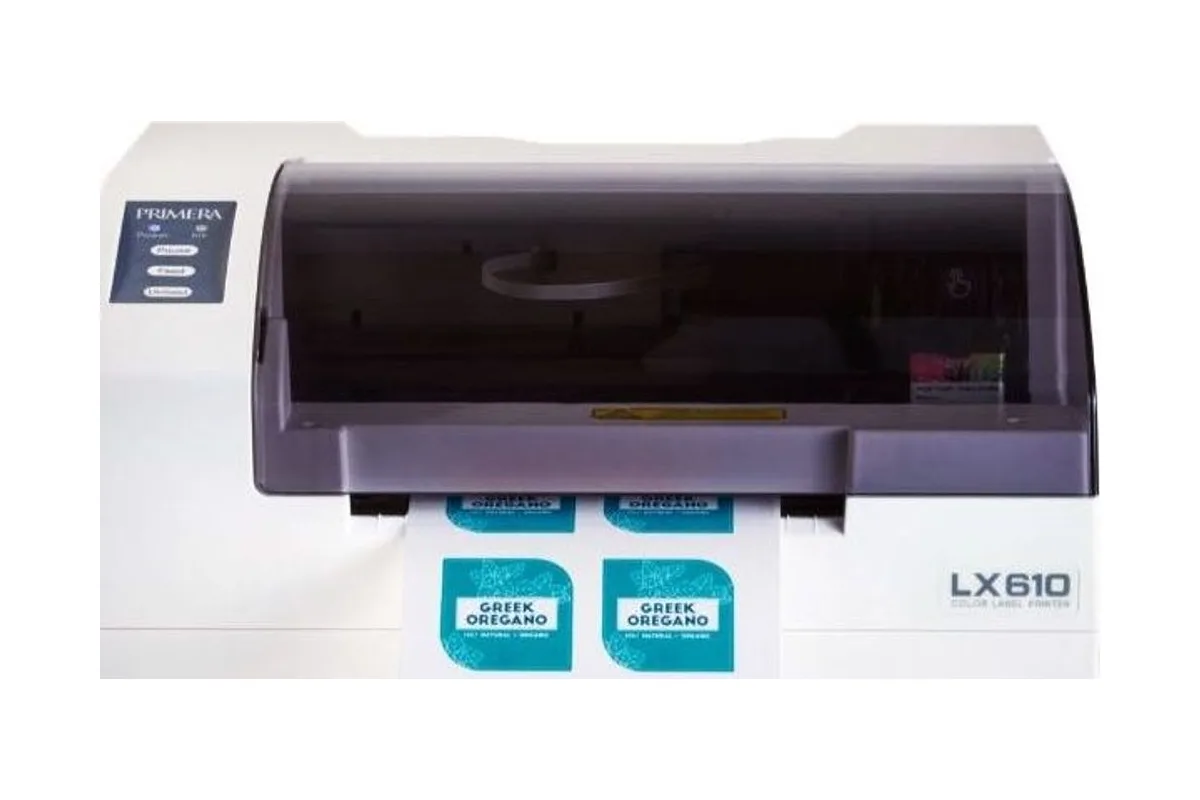
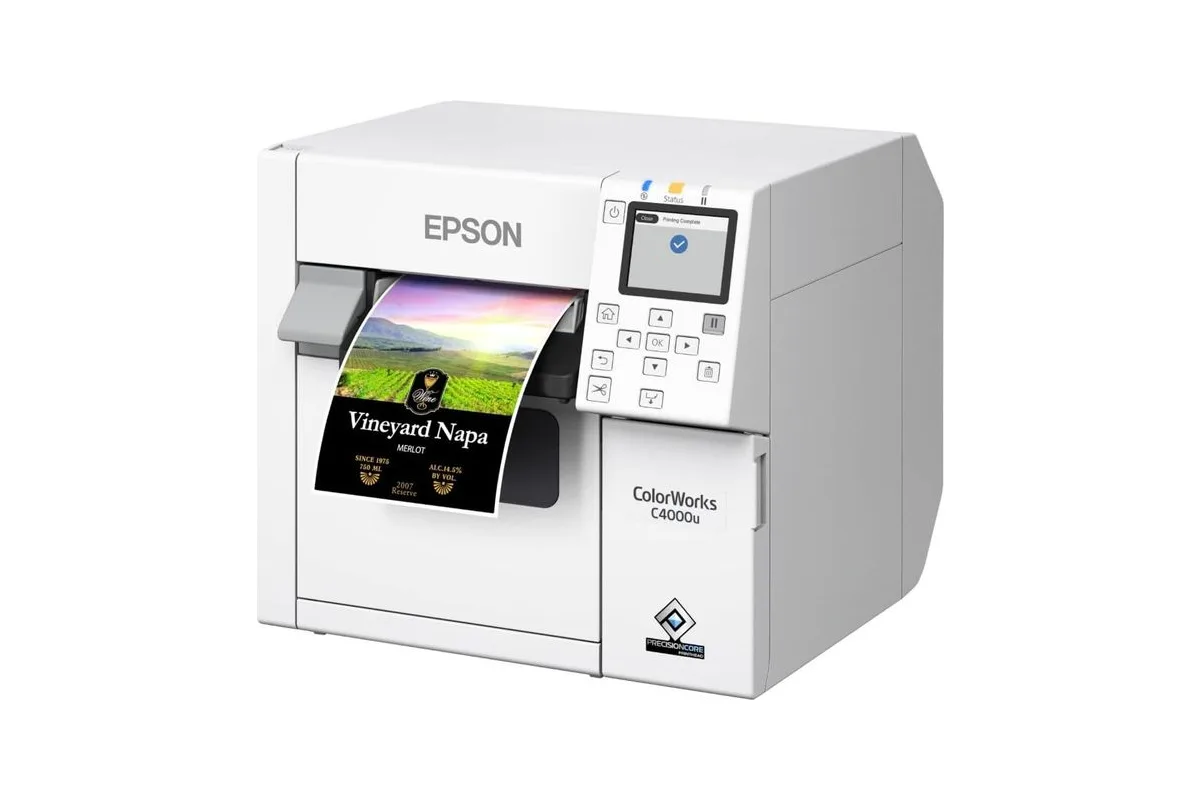
Side by side
| Feature | Primera LX610 | EpsonColorWorks CW-C4000 |
|---|---|---|
| Type | Inkjet with plotter cutter | Pigment inkjet (CMYK) |
| Max print width | 4.25 in | |
| Cartridge | CMY, $94.95 | |
| Connection | USB | |
| Where to buy | Check price at Amazon |
Primera LX610
- Type
- Inkjet with plotter cutter
- Max print width
- 4.25 in
- Cartridge
- CMY, $94.95
- Connection
- USB
Epson ColorWorks CW-C4000
- Type
- Pigment inkjet (CMYK)
- Max print width
- Cartridge
- Connection
Primera LX610 vs Epson ColorWorks: which is better?
The Primera LX610 if your labels need custom shapes; the Epson ColorWorks C4000 for everything else. The LX610 prints a label and then cuts it out of a blank roll with a built-in plotter, so circles, ovals and contour-cut logo shapes need no custom die. It’s $2,695 at Primera, and Primera puts its ink at 3¢ to 7¢ per 4 x 3-inch label at 50% coverage.
The C4000 prints on pre-cut or continuous labels and can’t cut shapes, but it’s the better production machine. It has four separate pigment cartridges, Ethernet and native ZPL II, and with Neenah Kimdura poly media it’s certified to BS 5609, a durability standard Epson pitches for GHS chemical labels. It was $2,499 at CDW in November 2026 and $2,619.90 at Amazon for the matte black version. Epson publishes no cost per label.
“Epson ColorWorks” is a family. The C4000 is the model priced closest to the LX610, so it’s the fair match; the bigger C6000 and C6500 come up at the end.
Side by side
| Primera LX610 | Epson ColorWorks CW-C4000 | |
|---|---|---|
| Price (November 2026) | $2,695 at Primera; $2,845 with PTCreate Pro; not on Amazon | $2,499 at CDW (gloss or matte); $2,619.90 at Amazon (matte) |
| Cuts label shapes | Yes: built-in die-cutting knife plus a straight cutter | No: prints pre-cut or continuous labels and cuts straight across |
| Ink | One tri-color CMY cartridge, dye or pigment; black is mixed from CMY unless you buy CMY+ Ultra Black | Four separate pigment cartridges (CMYK), 50 mL each |
| Cartridge price | $94.95 at Primera | $39 at CDW; $29.99 at Amazon |
| Maker’s ink cost per label | 3¢–7¢ per 4 x 3 in at 50% coverage | Not published |
| Resolution | Up to 1200 x 4800 dpi | Up to 1200 x 1200 dpi |
| Rated speed | 4.5 in/sec (draft mode) | 4.0 in/sec (max speed mode, 300 x 600 dpi) |
| Max print width | 4.1 in when die-cutting; 5 in on pre-cut labels | 4.25 in |
| Roll size | Up to 6 in across on a 3 in core | Up to 4 in across on a core up to 2.25 in |
| Connection | USB 2.0 only | Ethernet and USB 2.0; Wi-Fi with an optional dongle |
| ZPL support | No | Native ZPL II |
| Software | PTCreate Standard (Windows only); Mac needs PTCreate Pro | Windows, Mac and Linux drivers, iOS and Android SDKs, SAP |
| Durability claim | Dye “high water-resistance”; pigment “best UV resistance” (Primera) | BS 5609 certified with Kimdura poly (Epson) |
| Warranty | 1 year, parts and service, plus a 30-day satisfaction guarantee | 1 year; plans to 5 years |
Speeds are each maker’s best case under its own settings, and the dpi figures aren’t measured the same way, so neither row is a real-world comparison.
Which makes custom-shaped labels?
The Primera, and that’s the main reason to buy it. The LX610 prints on a continuous blank roll and its built-in die-cutting knife cuts each label to shape, then a pizza-wheel cutter separates them. A candle maker who wants a round label for tins and an arched one for jars can print both from the same roll, and a new shape costs nothing.
Two catches. Contour cutting, where the knife follows the outline of your artwork, needs Primera’s PTCreate Pro, which brings the LX610 to $2,845 as a bundle. And cutting narrows the printable width to 4.1 inches; on pre-cut labels, the LX610 prints up to 5 inches wide.
The Epson prints only on labels that are already cut, die-cut rolls or fanfold stock from a label supplier, or on continuous stock that its cutter cuts straight across. Any shape other than a rectangle means ordering that die-cut roll first. For shape-cut stickers on a smaller budget, see the best sticker printers.
Which costs less per label?
Only Primera gives you a number. Primera says ink for a 4 x 3-inch label at 50% coverage costs 3¢ to 7¢ on the LX610, and that one cartridge prints about 1,300 to 1,800 such labels. At the cartridge’s current $94.95 store price, that yield works out to about 5¢ to 7¢ a label (our arithmetic), so plan on the upper half of Primera’s range.
Epson publishes no ink-use or labels-per-cartridge figure for the C4000. Its ink costs $39 per 50 mL cartridge at CDW, about 78¢ a mL, or $29.99 at Amazon, about 60¢ a mL. Without Epson’s ink use per label, any per-label figure would be a guess, so we don’t give one. Epson’s own claim is only that its printer and supply costs are “similar to comparably featured leading-brand thermal transfer printers.”
The cartridge designs cut in opposite directions:
- Primera’s single CMY cartridge is simple to change, but when any one color runs low, the whole cartridge goes. Artwork heavy in one color, or in black, which the LX610 mixes from all three colors unless you buy the $96.95 CMY+ Ultra Black cartridge, empties it sooner.
- Epson’s four cartridges let you replace only the color that runs out, and black is its own ink.
Media matters as much as ink. Primera’s continuous gloss paper for die-cutting is $84.15 for two 4.75-inch x 125-foot rolls. By our estimate, that’s about 4¢ of paper per 2 x 3-inch label, and about 6¢ to 8¢ per label with ink. Our guide to printing labels in-house vs a print service works through the break-even.
Which labels hold up better to water and handling?
The Epson, on the evidence the makers publish. The C4000’s UltraChrome DL ink is pigment in all four colors, and Epson says the printer with that ink and Neenah Kimdura poly media has been BS 5609 certified. The certification covers that combination only, not paper labels or other stock.
The LX610 ships with a dye cartridge. Primera describes its dye as having “high water-resistance” and offers a pigment cartridge, also $94.95, for “best UV resistance”. Primera cites no test standard for either. If your labels go on soap, lotion bottles or anything that lives near a sink or in a fridge, use the pigment cartridge on a synthetic label stock, or choose the Epson.
The C4000 comes in two versions that differ only in black ink. Epson says the gloss black works on the widest variety of label stocks, and it doesn’t recommend the matte black on gloss labels. Buy the gloss version unless you only print on matte stock.
Which is faster and suits bigger runs?
The Epson, despite a lower rated speed. Primera rates the LX610 at 4.5 inches a second in draft mode and Epson rates the C4000 at 4.0 in its max speed mode, both best cases. What tips it to Epson is the workflow: Ethernet, so several people can print to it, and native ZPL II, so it accepts jobs from label and warehouse software written for ZPL printers such as Zebra’s thermal models.
The LX610 takes larger rolls: up to 6 inches across on a 3-inch core, against the Epson’s 4 inches on a core of 2.25 inches or less. Larger rolls mean fewer changes in a long run, and labels wound on 3-inch cores won’t fit the Epson at all. Cutting shapes slows the Primera down, and it’s USB only.
Which works on a Mac?
The Epson, out of the box. Epson provides Windows, Mac and Linux drivers. The LX610’s included PTCreate Standard design software runs only on Windows; Primera says Mac users must buy PTCreate Pro, the $150 step to the $2,845 bundle. Primera’s FAQ says BarTender UltraLite, a Windows barcode label program, can be downloaded free.
Which has the better warranty?
Neither stands out. Both carry one year. Primera’s covers parts and service and adds a worldwide 30-day satisfaction guarantee. Epson’s is a one-year limited warranty, and Epson sells extended plans for the C4000: two years of return-for-repair for $256, three years of exchange for $505, four years of return-for-repair for $488 and five years of exchange for $692. Epson says the C4000 is designed for Epson cartridges only.
Which is better for candle, soap, cosmetic and food labels?
| Label | Better choice | Why |
|---|---|---|
| Candle tins and jars in several shapes | Primera LX610 | Cuts any shape from one roll |
| Soap, lotion and shampoo bottles | Epson C4000 | Pigment CMYK on poly stock resists water |
| Stickers and limited editions that change often | Primera LX610 | New shapes cost nothing |
| GHS chemical labels | Epson C4000 | BS 5609 with Kimdura poly |
| Long runs from shipping or inventory software | Epson C4000 | Ethernet and ZPL II |
| Nutrition facts panels | Either | The FDA wants them in one color, on white or another neutral background |
The FDA’s nutrition labeling rule (21 CFR 101.9) asks for a boxed panel in all black or one color on a neutral background, with nutrient type no smaller than 8 point. Either printer manages that, and so does a black-and-red thermal printer for the panel alone. Our best color label printers guide covers each kind of label.
What else should you consider?
- Primera LX4000 ($3,295): Primera’s newest and largest, with separate CMY tanks ($66.95 each), dye or pigment, 8.25-inch print width and Primera’s lowest claimed ink cost, 0.5¢ to 3¢ per 4 x 3-inch label. It doesn’t cut shapes. It replaced the LX3000, which is no longer on Primera’s printer list.
- Primera LX500 ($1,549 at Primera, $1,622.47 at Amazon): the cheapest roll color label printer here, with a built-in cutter, one dye CMY cartridge ($68.95) and a 2.5-inch-a-second rated speed.
- Epson CW-D3800 ($1,339.99 at CDW): Epson’s new low-end model with dye ink in 40 mL cartridges. It’s cheaper, but you give up the pigment durability that sets the C4000 apart.
- Epson CW-C6000A ($3,059) and CW-C6500A ($3,965) at CDW: Epson’s step up, rated at 5 inches a second, with 80 mL cartridges and rolls up to 8 inches across (6 on the C6500), which prints 8.34 inches wide. Epson’s older ColorWorks C3500 is discontinued.
The verdict
Buy the Primera LX610 if custom shapes are part of your product: it’s the only one of the two that prints and cuts in one pass, and Primera’s 3¢ to 7¢ ink claim is the only published running cost in this matchup. Budget $2,845 if you want contour cutting or use a Mac.
Buy the Epson ColorWorks C4000 for rectangular or pre-cut labels that have to last, in larger runs, on a network. Pick the gloss version, use poly stock for anything wet, and accept that Epson won’t tell you what a label costs to print.
Questions people ask
Does the Epson ColorWorks C4000 cut labels?
It cuts straight across between labels, but it can’t cut shapes. For round or custom-shaped labels it prints on pre-cut die-cut rolls, or you need a printer with a plotter cutter like the Primera LX610.
Can the Primera LX610 use pigment ink?
Yes. It ships with a dye cartridge, and Primera sells a high-yield pigment cartridge for the same $94.95, along with a CMY+ Ultra Black dye cartridge for $96.95.
Which is cheaper to run, Primera or Epson?
We can’t say from maker data. Primera puts the LX610’s ink at 3¢ to 7¢ per 4 x 3-inch label, or about 5¢ to 7¢ at its current cartridge price by our arithmetic. Epson publishes no ink use per label for the C4000, though its separate cartridges waste less when one color runs out.
Is the Primera LX610 sold on Amazon?
Not in November 2026. Primera sells it directly for $2,695. The Epson C4000 is on Amazon through third-party sellers, at $2,619.90 for the matte version.
Should I buy the gloss or matte Epson C4000?
The gloss version for most people. The two differ only in black ink: Epson says the gloss black works on the widest variety of label stocks, while it doesn’t recommend the matte black on gloss labels.
Are the labels waterproof?
The Epson’s can be, with the right stock: pigment ink on Kimdura poly media is BS 5609 certified. Primera says its pigment ink gives the best UV resistance and its dye has high water resistance, but cites no standard. Paper labels from either printer aren’t waterproof.
Sources
- Primera LX610 color label printer and cutter, primera.com
- Primera LX610 configurations and prices, primera.com
- Primera color label printers (lineup and prices), primera.com
- Primera LX610 ink cartridges, primera.com
- Primera high-yield color ink cartridge, primera.com
- Primera LX610 Premium Gloss Paper, continuous, primera.com
- Primera warranty policy, primera.com
- Primera LX4000 color label printer, primera.com
- Epson ColorWorks CW-C4000 (gloss), Epson
- Epson SJIC41P ink cartridges for the ColorWorks C4000, Epson
- Epson: ColorWorks C4000 now shipping (June 28, 2022), Epson
- Epson ColorWorks label printers, Epson
- Epson ColorWorks C3500 (discontinued), Epson
- Epson CW-D3800 specification sheet, cdn.bfldr.com
- Epson ColorWorks CW-C6000P, Epson
- CDW: Epson ColorWorks CW-C4000, cdw.com
- CDW: Epson SJIC41P ink, cdw.com
- eCFR: 21 CFR 101.9, nutrition labeling of food, ecfr.gov
- Epson ColorWorks CW-C4000 on Amazon, amazon.com
- Epson SJIC41P cartridge on Amazon, amazon.com
Keep exploring

Buying guide
The best color label printers for product labels
The Epson ColorWorks CW-C4000 is the best color label printer for product labels: pigment CMYK ink at up to 1200 dpi, rolls up to 4.25 inches wide, 4 inches a second and BS 5609 certification on Kimdura poly, for $2,499 at CDW in November 2026. Get the Primera LX610 ($2,695) to print and cut custom shapes, or the Primera LX500 ($1,549) on a budget.
Read story
Buying guide
The best edible printers for cakes and cookies
The best edible printer for cakes is a new Canon PIXMA TS702a bought in an edible ink bundle: $295 to $299 in November 2026, for letter and legal-size frosting sheets at about $1 to $3 a cake topper. For printing straight onto cookies, the Primera Eddie is $2,995 and uses about 6¢ of ink per cookie.
Read story