How it scores
- Print quality and durability20%9.0
Up to 1200 x 1200 dpi with variable droplets and UltraChrome DL pigment ink. With Neenah Kimdura poly media it's BS 5609 certified, and Epson pitches it for GHS chemical labels. That's the 300-dpi-plus, water-resistant pigment band.
- Label and ink cost20%5.5
Ink is $39 per 50 mL cartridge at CDW ($0.78 a mL) and $29.99 at Amazon, but Epson publishes no ink use per label, and the printer is designed for Epson cartridges only. That's the locked-ink band, with no way to confirm the cost per label.
- Media range and speed15%7.0
Roll or fanfold labels 1 to 4.25 inches wide at up to 4 ips in Max Speed Mode, with an optional cutter. Rolls are limited to 4 inches across on a core up to 2.25 inches, half the C6000's 8-inch rolls.
- Software and connections15%7.5
Ethernet and USB 2.0, Wi-Fi with an optional dongle, Windows, Mac and Linux drivers, and native ZPL II for software built for Zebra printers. Epson's pages list drivers and SDKs, not a label design program.
- Reliability and warranty15%6.5
A one-year limited warranty, with extended plans from $256 for two years to $692 for five. Short for a $2,499 printer, against two years on Brother and Zebra thermal printers.
- Value15%7.0
$2,499 at CDW for gloss or matte, $2,619.90 for the matte model at Amazon. The Primera LX610 adds a cutter for $196 more; Epson's new dye CW-D3800 is $1,339.99. Reasonable for what it does.
Overall 7.1/10, the weighted average.How we score →
Is the Epson ColorWorks C4000 worth it?
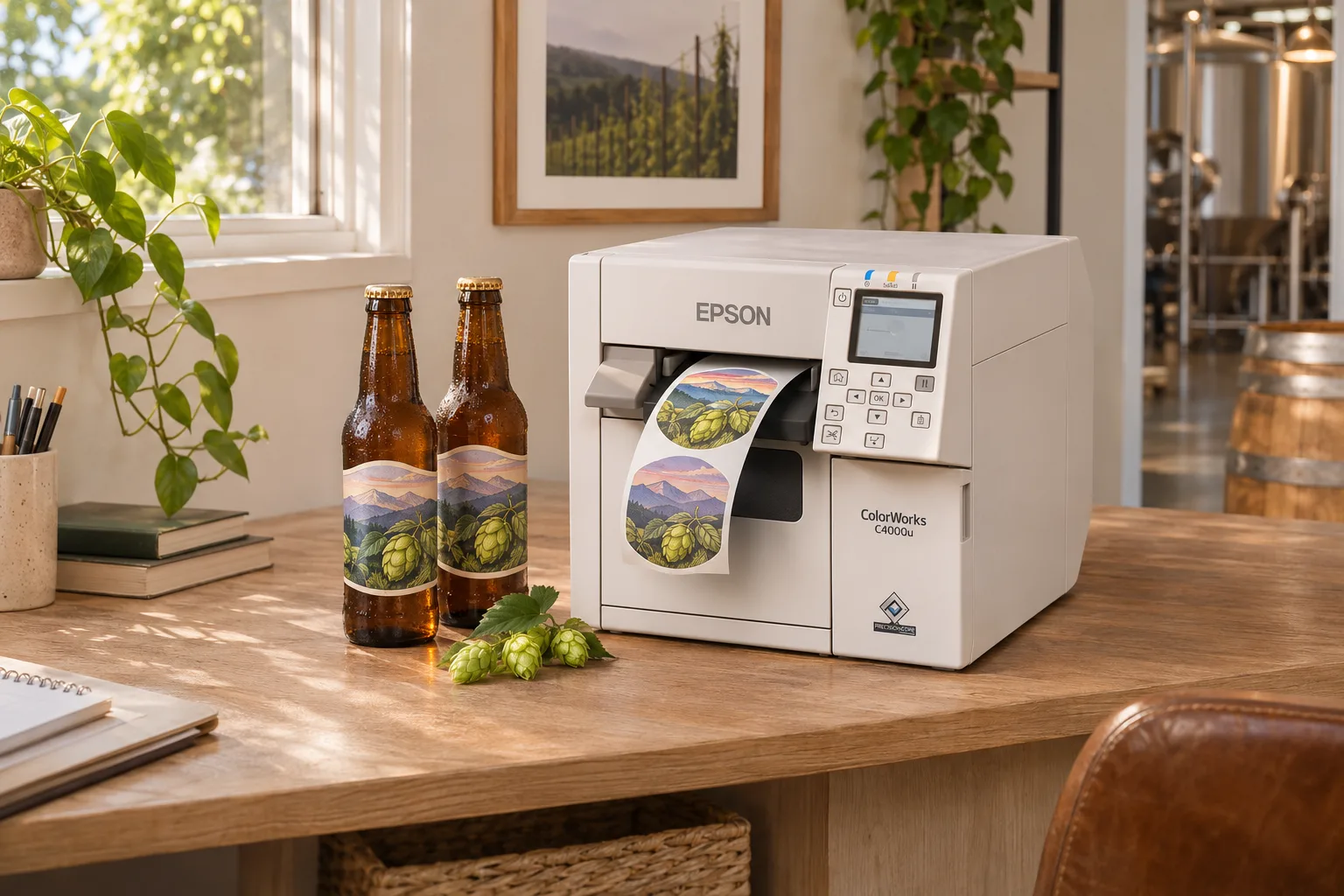
Yes, if you sell a physical product, print thousands of color labels a year and change designs often. The ColorWorks CW-C4000 prints Epson’s UltraChrome DL pigment ink from four separate 50 mL cartridges at up to 1200 x 1200 dpi, on roll or fanfold labels up to 4.25 inches wide, at up to 4 inches a second. With Neenah Kimdura poly labels it’s BS 5609 certified. It was $2,499 at CDW in November 2026, for either version.
It’s not worth it in three cases:
- You need a few hundred labels at a time. A print service sells 1,000 laminated 2 x 3-inch roll labels for $149.79 to $219, so the printer takes tens of thousands of labels to pay off (our estimate below).
- Your labels aren’t rectangles or rounds. The C4000 can’t die-cut shapes. The Primera LX610 ($2,695) prints and cuts any outline.
- You want to know your cost per label before you buy. Epson doesn’t publish one for the C4000, and nothing we read lets us build one.
| Spec | Epson ColorWorks CW-C4000 |
|---|---|
| Price (November 2026) | $2,499 at CDW (gloss or matte); $2,619.90 matte at Amazon (third-party seller); no price on epson.com |
| Models | Gloss black (C31CK03A9991) or matte black (C31CK03A9981) |
| Ink | UltraChrome DL pigment, CMYK, four 50 mL SJIC41P cartridges |
| Resolution | Up to 1200 x 1200 dpi, variable droplets |
| Rated speed (Epson) | Up to 4.0 ips (Max Speed Mode, 300 x 600 dpi, 4 in wide; engine speed only) |
| Max print width | 4.25 in |
| Media | Roll or fanfold, 1 to 4.25 in wide; rolls up to 4 in across on a core up to 2.25 in |
| Cutter | Optional cutter unit |
| Printer languages | ESC/Label and ZPL II |
| Connections | Ethernet, USB 2.0; Wi-Fi with an optional dongle |
| Software support | Windows, Mac and Linux drivers; iOS and Android SDKs; SAP and middleware |
| Durability | BS 5609 certified with Neenah Kimdura poly media |
| Warranty | 1-year limited; extended plans sold separately |
| On sale since | June 28, 2022 |
Gloss or matte: which C4000 should you buy?
The gloss model, unless you print only on matte paper. The two differ only in the black ink. Epson says the gloss black is made for gloss label stock and works on the widest variety of materials, and it doesn’t recommend the matte black on gloss labels. CDW had both at $2,499. Check which one a listing is before you buy: Amazon’s November 2026 listing was the matte model.
How much does the C4000 cost to run?
We can’t give you a cost per label, and neither does Epson. Here’s what is known:
- Ink price: $39 per 50 mL cartridge at CDW, or $0.78 a milliliter; one SJIC41P cartridge was $29.99 at Amazon, about $0.60 a milliliter. A full set of four at CDW is $156. Epson’s own store showed “notify me” with no price.
- Ink use: Epson publishes no milliliters per label and no labels per cartridge for the C4000.
- Epson’s claim: the C4000 “helps reduce costs vs. thermal label printers,” and Epson’s launch release footnotes that its printer and consumable costs are similar to comparably featured leading-brand thermal transfer printers and supplies.
- Lock-in: Epson says the printer is designed for use with Epson cartridges only.
How that compares with the alternatives, from their makers’ figures:
| Printer | Ink | Price per mL | Maker’s cost per label |
|---|---|---|---|
| Epson C4000 | 50 mL pigment, $39 (CDW) | $0.78 | Not published |
| Epson C6000A | 80 mL pigment, $59 (CDW) | $0.74 | Not published |
| Epson CW-D3800 | 40 mL dye, $63.99 (CDW) | $1.60 | Not published |
| Primera LX610 | One CMY cartridge, $94.95 | Not published | $0.03–$0.07 of ink per 4 x 3 in label at 50% coverage |
| Primera LX4000 | Separate CMY tanks, $66.95 each | Not published | $0.005–$0.03 per 4 x 3 in label |
Price per milliliter is our arithmetic. On the Primera LX610, our estimate for a 2 x 3-inch paper label is about 6¢ to 8¢ with ink and label stock; see the best color label printers for the inputs.
When does the C4000 pay for itself?
After tens of thousands of labels against a print service, by our estimate. Since Epson gives no ink figure, here’s the arithmetic the other way round: how many labels the $2,499 printer takes to pay off at each saving per label, set against what services charged for 2 x 3-inch roll labels in November 2026.
| Your saving per label vs a service | Labels to cover $2,499 |
|---|---|
| 5¢ | About 50,000 |
| 10¢ | About 25,000 |
| 15¢ | About 16,700 |
Services charged 15¢ (UPrinting, white BOPP with gloss laminate) to 22¢ (Sticker Mule, laminated BOPP) a label at 1,000, and 21¢ to 29¢ at 500. To save 10¢ against UPrinting, your ink, label stock and waste would have to come to 5¢ a label. That leaves out cleaning ink, the optional cutter, labor and the warranty plans. Print labels in-house or use a print service? works through it in full.
Where the printer wins is time and variety. The services quote 2 to 6 business days of turnaround, and their prices are per design; the C4000 prints 30 labels of a new scent this afternoon.
Are C4000 labels waterproof?
On the right stock. Epson says the C4000, using UltraChrome DL pigment ink with Neenah Kimdura poly media, is BS 5609 certified, and that certification covers that combination only. Epson describes the printer as engineered for GHS, BS 5609 and other demanding applications. On paper labels or other synthetics, Epson makes no durability claim, so test your own label stock with water, oils or whatever your product meets.
Pigment ink also gives it the edge over a dye-only printer like the Primera LX500 for labels that sit in the sun: Primera itself rates pigment as its best ink for UV resistance. Dye vs pigment ink explains the difference.
How fast is it, and how big are its rolls?
Epson rates it at up to 4 inches a second, but that’s print engine speed in Max Speed Mode at 300 x 600 dpi on a 4-inch-wide label. Epson doesn’t publish a speed at full 1200 dpi quality.
The bigger limit is roll size. The C4000 takes rolls only up to 4 inches across, on a core up to 2.25 inches. The C6000A takes 8-inch rolls on a 3-inch core, so it runs longer between roll changes and can use larger rolls of label stock. If you’ll print thousands of labels a week, that’s the reason to step up to the C6000A ($3,059 at CDW), which Epson also rates faster, at 5 ips.
What software and connections does it have?
Ethernet and USB 2.0 come standard, and Wi-Fi needs an optional dongle. Epson supplies Windows, Mac and Linux drivers, SDKs for iOS and Android, and SAP and middleware support. It understands ZPL II natively, so labeling, shipping and inventory software written for a Zebra thermal printer can send it jobs, and a business can often add color without changing its label software. Epson’s pages we read list drivers and SDKs rather than a bundled label design program, so plan on your own design software.
What does the warranty cover?
One year. Epson gives the C4000 a one-year limited warranty and sells extended plans: two years for $256, three years with exchange for $505, four years for $488 and five years with exchange for $692. That’s short for a $2,499 printer: Zebra gives its desktop thermal printers 24 months, and Brother’s TD-4 printers come with two years including the printhead. Primera’s LX printers carry one year, the same as the C4000.
C4000 vs Primera LX610, LX500 and Epson’s other ColorWorks
| Epson C4000 | Primera LX610 | Primera LX500 | Epson CW-D3800 | Epson C6000A | |
|---|---|---|---|---|---|
| Price (Nov 2026) | $2,499 (CDW) | $2,695 (Primera) | $1,549 (Primera) | $1,339.99 (CDW) | $3,059 (CDW) |
| Ink | Pigment, separate CMYK | Dye or pigment, one CMY cartridge | Dye, one CMY cartridge | Dye, separate CMYK | Pigment, separate CMYK |
| Resolution | Up to 1200 x 1200 dpi | Up to 1200 x 4800 dpi | Not captured | 600 x 1200 dpi | 1200 x 1200 dpi |
| Max width | 4.25 in | 4.1 in die-cut, 5 in pre-cut | 4.25 in | 4.25 in | 4.25 in |
| Rated speed | 4.0 ips | 4.5 ips (draft) | 2.5 ips | 3.94 ips | 5.0 ips |
| Cutting | Optional straight cutter | Built-in die-cutter | Auto cutter (A model) | ||
| Rolls | 4 in across | 6 in across, 3 in core | 2 in core | 4 in across | 8 in across, 3 in core |
| Connections | Ethernet, USB, Wi-Fi option | USB only | Ethernet, USB | Ethernet, USB | |
| ZPL II | Yes | No | Yes | ||
| Warranty | 1 year | 1 year | 1 year | 1 year depot | 1 year |
- Primera LX610: the one to get for custom shapes. It prints and die-cuts in one pass, for $196 more, and Primera publishes a cost per label. But it connects by USB only, its single CMY cartridge is replaced whole, and Mac owners must buy PTCreate Pro. See Primera LX610 vs Epson ColorWorks C4000.
- Primera LX500: $950 cheaper, with dye ink only and at 2.5 ips; Primera rates it at up to 1,000 labels a day.
- Epson CW-D3800: Epson’s new dye model, $1,159 cheaper, with separate cartridges and a color display, but at about twice the C4000’s ink cost per milliliter and with dye ink.
- Epson C6000A: $560 more for 8-inch rolls, 80 mL cartridges, 5 ips and an auto cutter (the C6000P peels and presents instead).
What’s new in ColorWorks?
The C4000 has been on sale since June 28, 2022, and it’s still current. Around it, the ColorWorks C3500 is discontinued and missing from Epson’s 2025 line guide; the dye CW-D3800 now sits below the C4000; and the CW-C8000, at 11.8 inches a second with 480 mL ink packs, sits at the top. Primera has replaced its LX3000 with the LX4000 ($3,295).
What are the alternatives?
- Primera LX610 ($2,695 at Primera): prints and cuts custom shapes. Not sold on Amazon in November 2026.
- Primera LX500 ($1,549 at Primera, $1,622.47 at Amazon): the cheapest dedicated color roll printer, with dye ink.
- Epson CW-C6000A ($3,059 at CDW): the same ink in a bigger printer for higher volume.
- A thermal printer for black-only labels: if your Nutrition Facts, barcodes or warnings are black, a Brother QL-820NWB ($229.99) prints them with no ink.
- A print service: under a few thousand labels a year, ordering laminated roll labels costs less.
All our picks are in the best color label printers.
Questions people ask
Does the Epson C4000 have a cutter?
Epson lists a cutter unit as an option for the C4000. It cuts straight across between labels; it doesn’t die-cut shapes. For printing and cutting custom shapes, look at the Primera LX610.
Does the C4000 work with a Mac?
Yes. Epson supplies Mac drivers as well as Windows and Linux, and SDKs for iOS and Android.
Can you use third-party ink in the Epson C4000?
Epson says the printer is designed for use with Epson cartridges only. The cartridges are SJIC41P, 50 mL each: $39 at CDW and $29.99 at Amazon in November 2026.
Is the Epson C4000 a thermal printer?
No. It’s a color inkjet that prints on label rolls. It does speak ZPL II, the language Zebra thermal printers use, so it can replace a thermal printer in software built for one.
Is the Epson ColorWorks C4000 discontinued?
No. It’s current in Epson’s 2025 line guide and sold by dealers such as CDW. The older ColorWorks C3500 is the one Epson has discontinued.
What’s the cost per label on the C4000?
Epson doesn’t publish one, and it publishes no ink use per label, so there’s no honest figure to quote. Its ink costs $0.78 a milliliter at CDW’s $39 a cartridge. If you need a number before you buy, ask a dealer to print your own label design and report the ink used.
Key specifications
| Feature | EpsonColorWorks CW-C4000 | Primera LX610 | Primera LX500 |
|---|---|---|---|
| Type | Pigment inkjet (CMYK) | Inkjet with plotter cutter | Dye inkjet (CMY) |
| Max media width | 4.25 in | ||
| Speed | Up to 4 ips | 2.5 ips | |
| Ink | 4 × 50 mL cartridges | ||
| Where to buy | Check price at Amazon | Check price at Amazon |
Epson ColorWorks CW-C4000
- Type
- Pigment inkjet (CMYK)
- Max media width
- 4.25 in
- Speed
- Up to 4 ips
- Ink
- 4 × 50 mL cartridges
Primera LX610
- Type
- Inkjet with plotter cutter
- Max media width
- Speed
- Ink
Primera LX500
- Type
- Dye inkjet (CMY)
- Max media width
- Speed
- 2.5 ips
- Ink
Sources
- Epson ColorWorks CW-C4000 (gloss), Epson
- Epson SJIC41P ink cartridges for the ColorWorks C4000, Epson
- Epson: ColorWorks C4000 now shipping (June 28, 2022), Epson
- Epson ColorWorks Label Printers 2025 Line Guide, mediaserver.goepson.com
- Epson ColorWorks color label printers, Epson
- Epson ColorWorks CW-C6000P, Epson
- Epson: ColorWorks C6000 series announcement (September 23, 2019), Epson
- Epson ColorWorks CW-D3800 specification sheet, cdn.bfldr.com
- Epson ColorWorks C3500 (discontinued), Epson
- CDW: Epson ColorWorks CW-C4000 prices, cdw.com
- CDW: Epson SJIC41P ink prices, cdw.com
- CDW: Epson ColorWorks CW-C6000A prices, cdw.com
- CDW: Epson ColorWorks CW-D3800 prices, cdw.com
- Primera color label printers, primera.com
- Primera LX610 color label printer and cutter, primera.com
- Primera LX610 ink, primera.com
- Primera LX4000 color label printer, primera.com
- Primera warranty policy, primera.com
- Zebra product warranty exceptions list (November 2026), zebra.com
- OnlineLabels custom roll labels, onlinelabels.com
- Sticker Mule rectangle labels, stickermule.com
- UPrinting roll labels, uprinting.com
- Epson ColorWorks CW-C4000 on Amazon, amazon.com
- Epson SJIC41P cartridge on Amazon, amazon.com
Keep exploring

Buying guide
The best color label printers for product labels
The Epson ColorWorks CW-C4000 is the best color label printer for product labels: pigment CMYK ink at up to 1200 dpi, rolls up to 4.25 inches wide, 4 inches a second and BS 5609 certification on Kimdura poly, for $2,499 at CDW in November 2026. Get the Primera LX610 ($2,695) to print and cut custom shapes, or the Primera LX500 ($1,549) on a budget.
Read story
Buying guide
The best edible printers for cakes and cookies
The best edible printer for cakes is a new Canon PIXMA TS702a bought in an edible ink bundle: $295 to $299 in November 2026, for letter and legal-size frosting sheets at about $1 to $3 a cake topper. For printing straight onto cookies, the Primera Eddie is $2,995 and uses about 6¢ of ink per cookie.
Read story