The quick answer
The Liene PixCut S1 ($237.99 in November 2026) is the best sticker printer: it prints, laminates and cuts 4x7-inch sticker sheets in one machine, with no subscription. The Cricut StickerPix Print + Cut ($249) does the same inside Cricut Design Space. For letter-size sheets, vinyl and bulk runs, pair an inkjet like the Canon PIXMA G620 ($229.99) with a Cricut Explore 5 ($199). The best Epson for stickers is the ET-8550, and the best mini sticker printer is the Phomemo M02 Pro ($68.99).
Prices are from the makers' stores on November 25, 2026, and most are Black Friday sale prices.
Our quick picks

Compare the picks
| Feature | Best sticker printerLiene PixCut S1 | Best for Cricut usersCricut StickerPix Print + Cut | Best for vinyl and big batchesCricut Explore 5 | Best inkjet for stickersCanonPIXMA G620 | Best Epson for stickersEpsonEcoTank Photo ET-8550 | Best mini sticker printerPhomemo M02 Pro | Best for color journal stickersCanonIVY 2 |
|---|---|---|---|---|---|---|---|
| Type | Dye-sub printer with cutter | Dye-sub printer with cutter | Cutting machine | Photo ink tank, 6 dye inks | Photo ink tank, 5 dye inks + pigment black | Thermal mini printer | |
| Media | 4x7 in sticker sheets, 4x6 in photo paper | 4x7 in sticker sheets, 4x6 in photo paper | Printable vinyl, sticker paper, cardstock, HTV | 15, 25 and 53 mm thermal rolls | Zink photo and sticker paper | ||
| Max size | 4 x 7 in | 4 x 7 in | 12 x 24 in mat | 53 mm wide | |||
| Connection | Bluetooth | Bluetooth, internet required | Bluetooth, USB | Bluetooth | Bluetooth 5.0 | ||
| Where to buy | Check price at Amazon | Check price at Amazon | Check price at Amazon | Check price at Amazon | Check price at Amazon | Check price at Amazon | Check price at Amazon |
Best sticker printer
Liene PixCut S1
- Type
- Dye-sub printer with cutter
- Media
- 4x7 in sticker sheets, 4x6 in photo paper
- Max size
- 4 x 7 in
- Connection
- Bluetooth
Best for Cricut users
Cricut StickerPix Print + Cut
- Type
- Dye-sub printer with cutter
- Media
- 4x7 in sticker sheets, 4x6 in photo paper
- Max size
- 4 x 7 in
- Connection
- Bluetooth, internet required
Best for vinyl and big batches
Cricut Explore 5
- Type
- Cutting machine
- Media
- Printable vinyl, sticker paper, cardstock, HTV
- Max size
- 12 x 24 in mat
- Connection
- Bluetooth, USB
Best inkjet for stickers
Canon PIXMA G620
- Type
- Photo ink tank, 6 dye inks
- Media
- Max size
- Connection
Best Epson for stickers
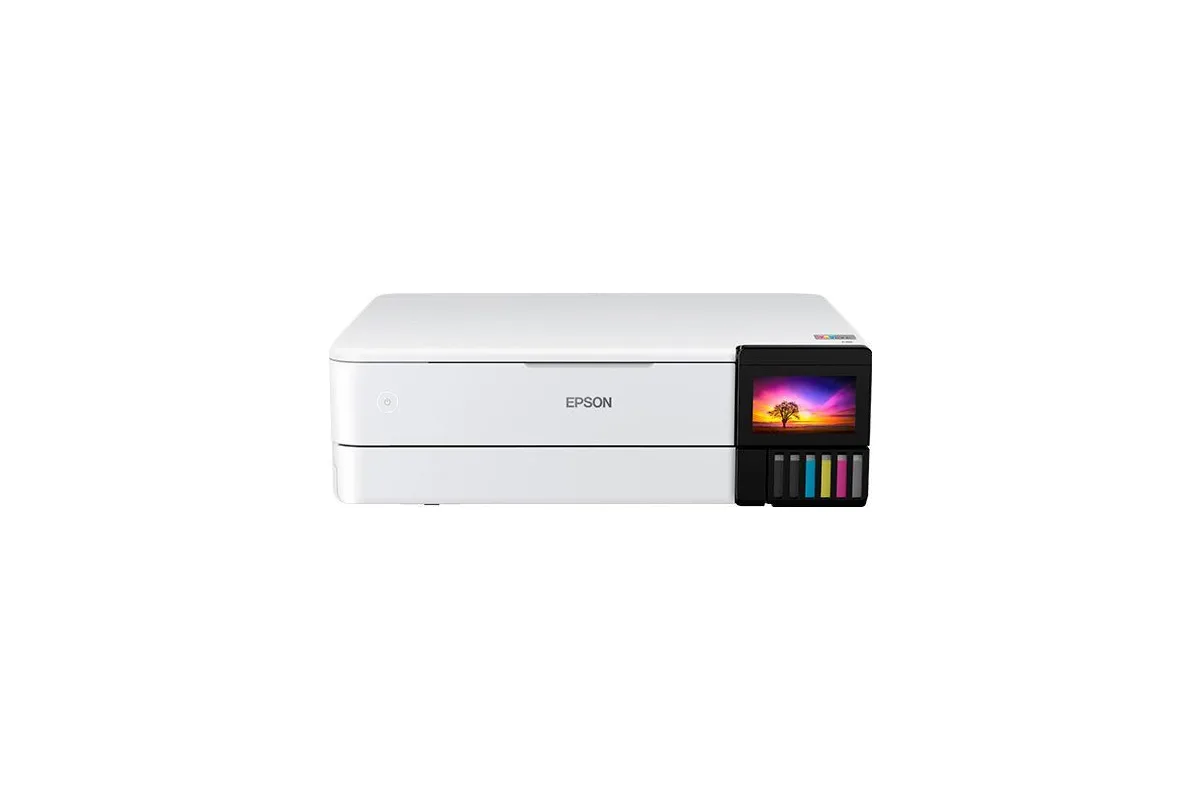
Epson EcoTank Photo ET-8550
- Type
- Photo ink tank, 5 dye inks + pigment black
- Media
- Max size
- Connection
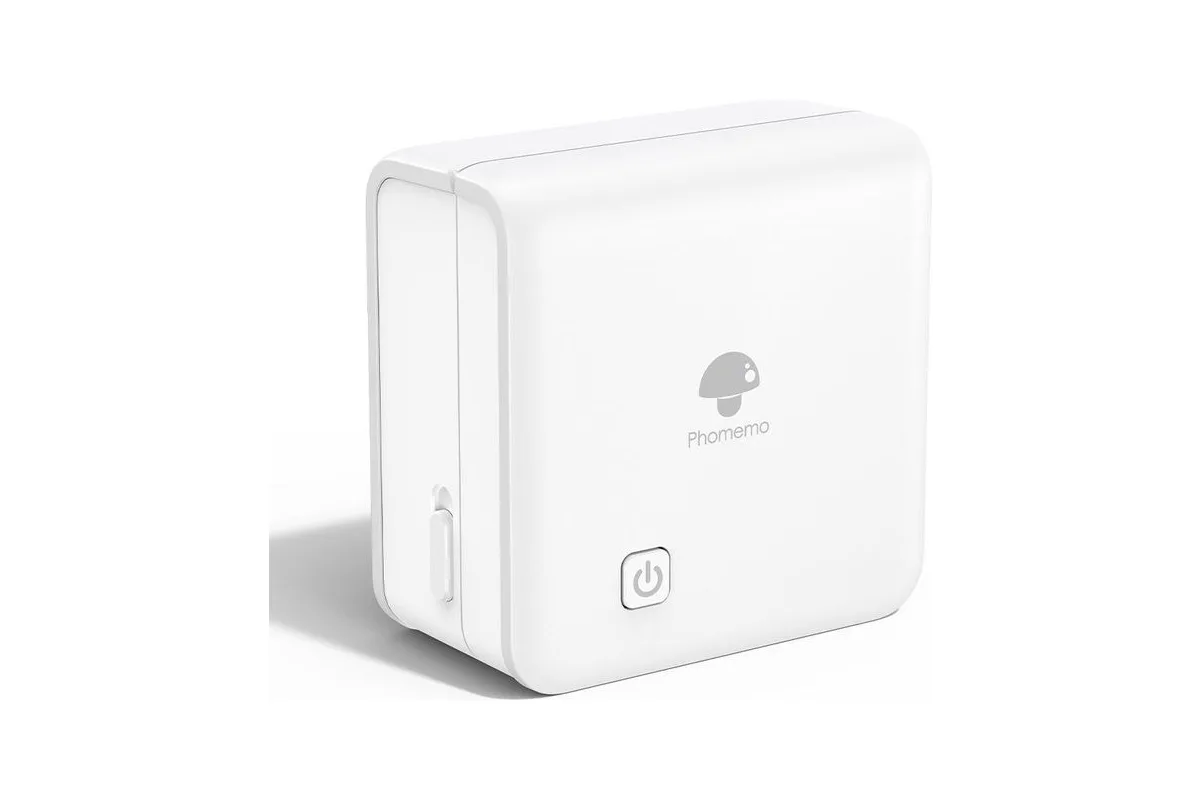
Best mini sticker printer
Phomemo M02 Pro
- Type
- Thermal mini printer
- Media
- 15, 25 and 53 mm thermal rolls
- Max size
- 53 mm wide
- Connection
- Bluetooth
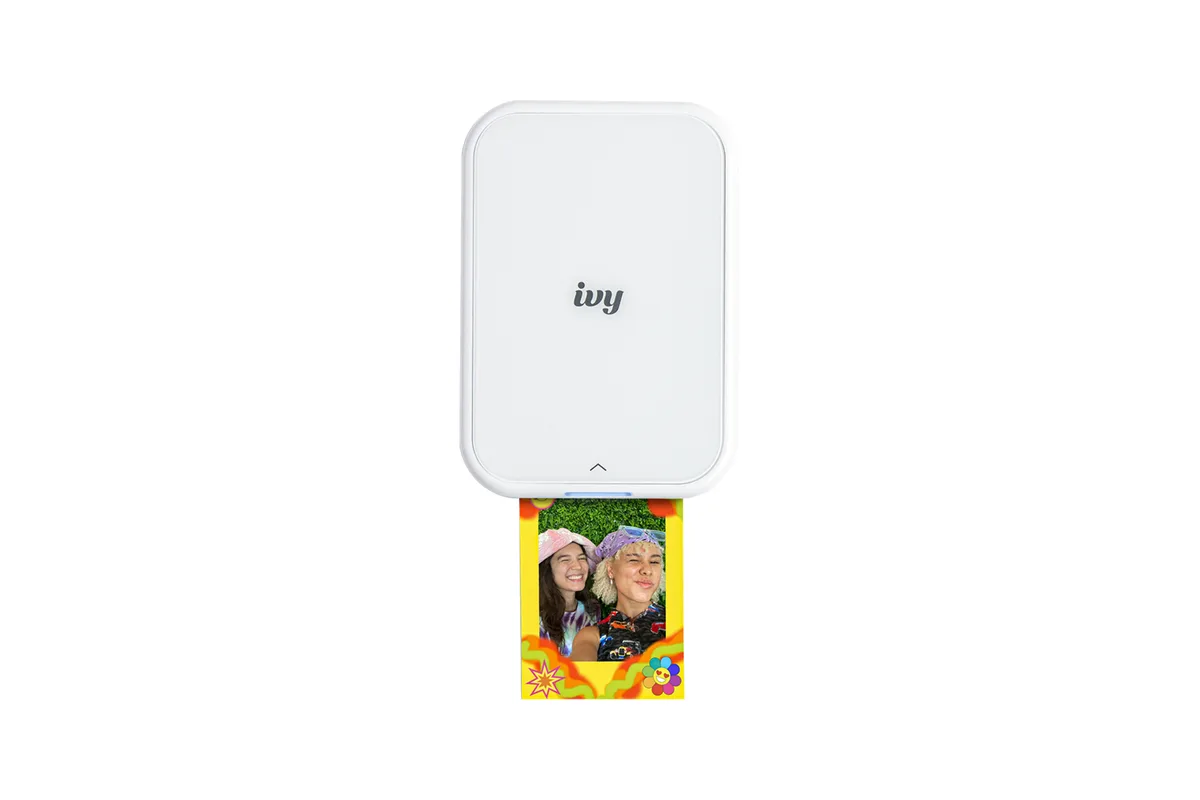
Best for color journal stickers
Canon IVY 2
- Type
- Media
- Zink photo and sticker paper
- Max size
- Connection
- Bluetooth 5.0
01Best sticker printer
Liene PixCut S1
A dye-sub sticker printer with a built-in cutter that prints, laminates and kiss-cuts 4x7-inch sheets.
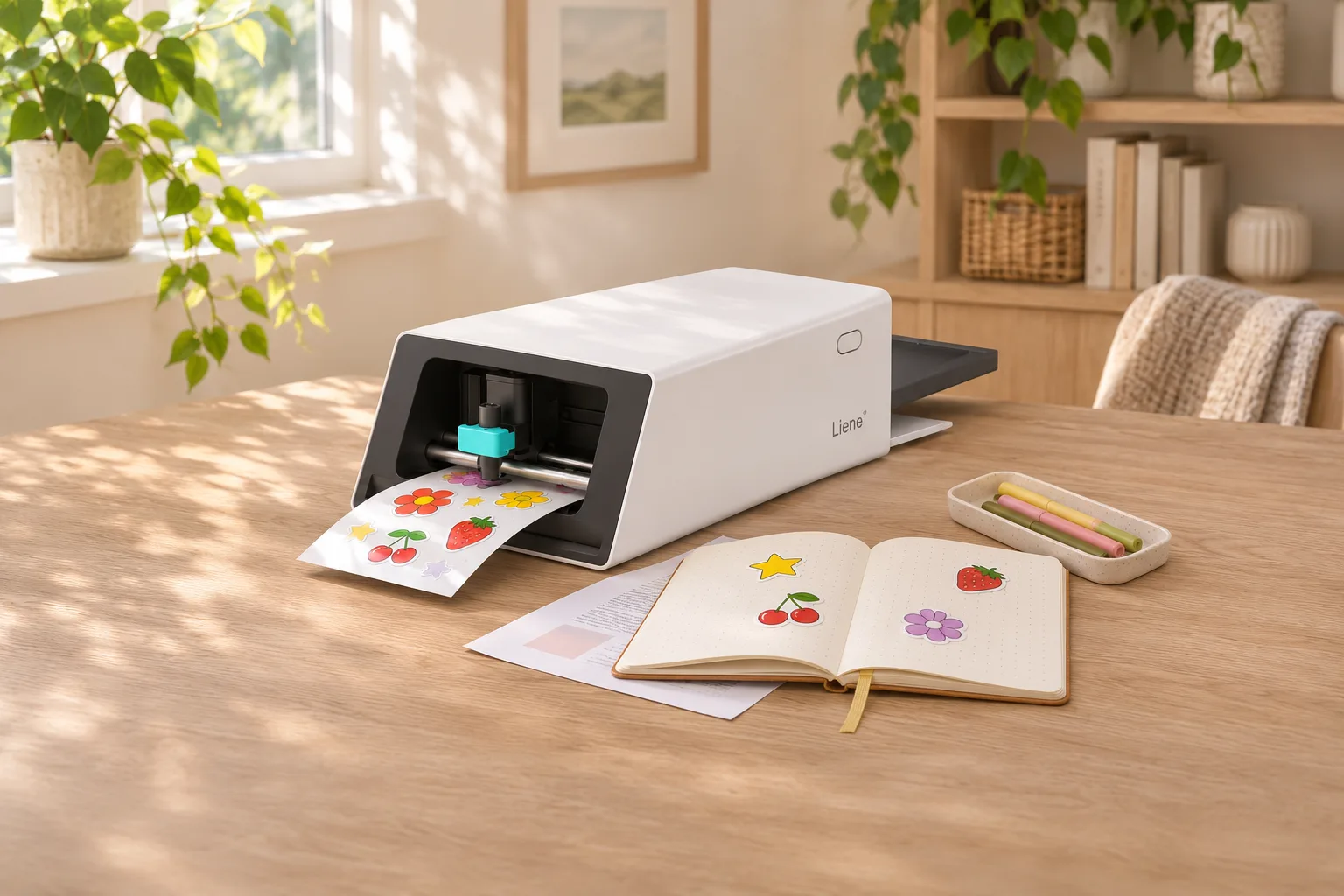
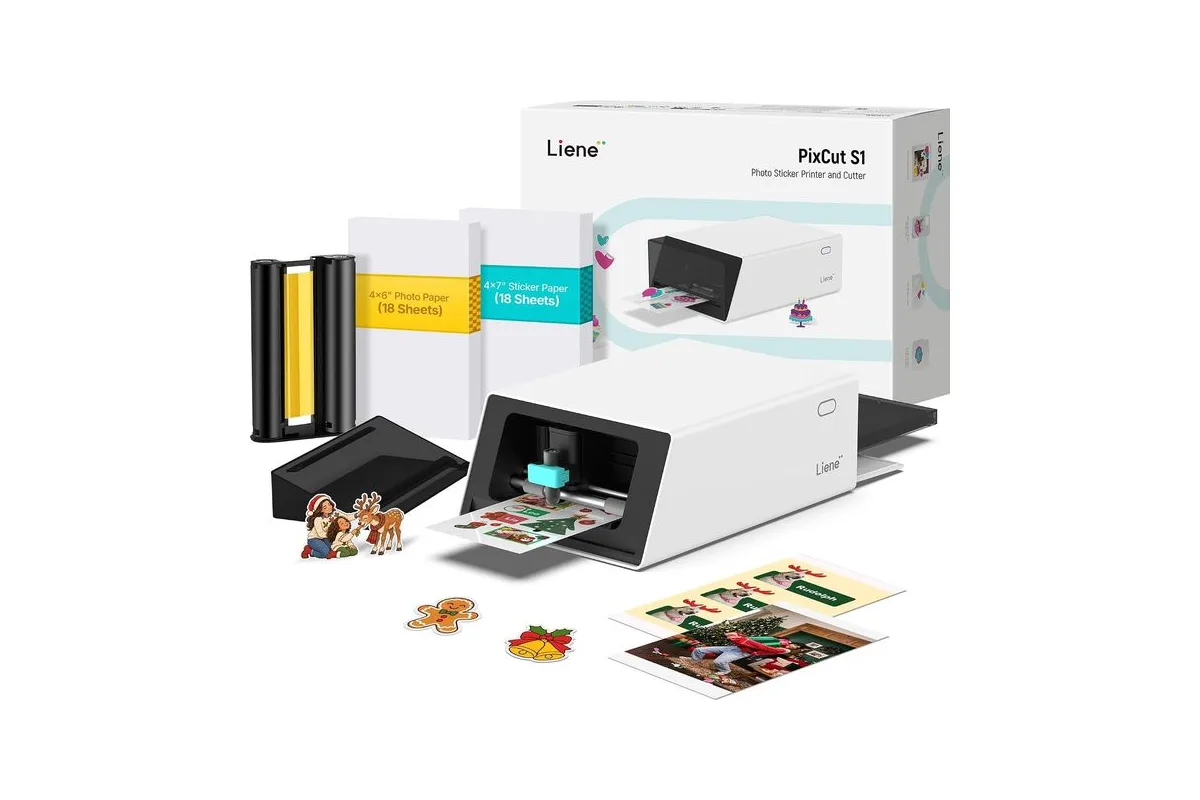
The best sticker printer for most people. It prints a 4x7-inch sheet, adds a clear laminate layer, then cuts around every design by itself, with no mats or registration marks. It's $237.99 at Liene in November 2026 (list $279.99), on a Black Friday sale that ends around November 30.
Refills are about 60¢ a sheet ($42.99 for 72 sheets and two cartridges), so a sheet of six 2-inch stickers costs about 10¢ a sticker. The app is subscription-free. Read our [PixCut S1 review](/reviews/liene-pixcut-s1-review).
Good for
- Prints, laminates and cuts around each design in one pass, with no mats or registration marks
- Subscription-free app on phone and computer
- Refills cost about 60¢ a sheet: $42.99 for 72 sheets and two cartridges
Consider
- Stickers are limited to a 4x7-inch sheet
- Kiss-cut only: stickers stay on the sheet's backing
02Best for Cricut users
Cricut StickerPix Print + Cut
Cricut's 2026 dye-sub sticker printer with a cutter, using the same 4x7-inch sheet size as the PixCut S1.
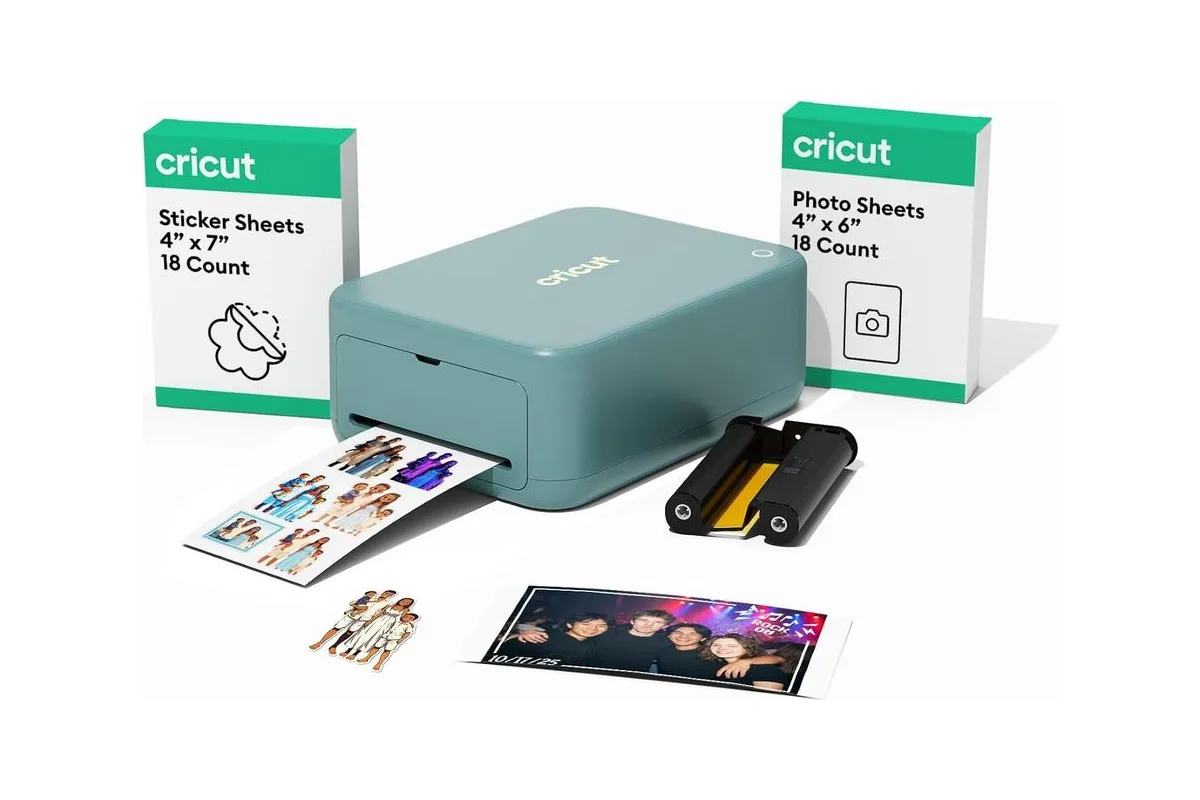
Cricut's version of the same idea, launched in September 2026: a dye-sub printer that prints, laminates and kiss-cuts 4x7-inch sheets. It's $249 at Cricut in November 2026 (list $299), though some colors were out of stock.
Pick it if you already design in Cricut Design Space. It needs an internet connection, its full sticker library needs Cricut Access ($9.99 a month), and its 72-sheet refill costs $47.99 against Liene's $42.99. See [PixCut S1 vs StickerPix](/comparisons/liene-pixcut-s1-vs-cricut-stickerpix).
Good for
- Prints, laminates and kiss-cuts stickers in one machine
- Works inside Cricut Design Space with its huge image library
- $249 in November 2026 (list $299)
Consider
- Needs an internet connection and Design Space; the full sticker library needs Cricut Access ($9.99 a month)
- Refills cost more than Liene's: $47.99 for 72 sticker sheets
03Best for vinyl and big batches
Cricut Explore 5
Cricut's 2026 full-size cutter, the cheapest Cricut with 12-inch mats and tabloid-size Print Then Cut.
The best way to make bigger sheets, vinyl stickers and bulk runs. Print on letter-size sticker paper or printable vinyl with any color inkjet, and the Explore 5 reads the registration marks and cuts around each design. It's $199 at Cricut in November 2026.
Cricut's Print Then Cut area on letter paper is about 7.4 x 9.9 inches, room for twelve 2-inch stickers, and the Explore 5 can go larger on tabloid sheets. Supplies are the cheapest of any color method here. See [the best printers for Cricut](/buying-guides/best-printers-for-cricut).
Good for
- 12 x 12 and 12 x 24 inch mats, and up to 12 feet of Smart Materials without a mat
- Sensor that recognizes and cuts around inkjet-printed images
- $199 in November 2026
Consider
- You still need a separate inkjet printer
- Design Space needs an internet connection; Cricut Access is a paid extra
04Best inkjet for stickers
Canon PIXMA G620
A six-ink photo ink-tank all-in-one that prints letter-size photos for under 3¢ of ink per 4x6.
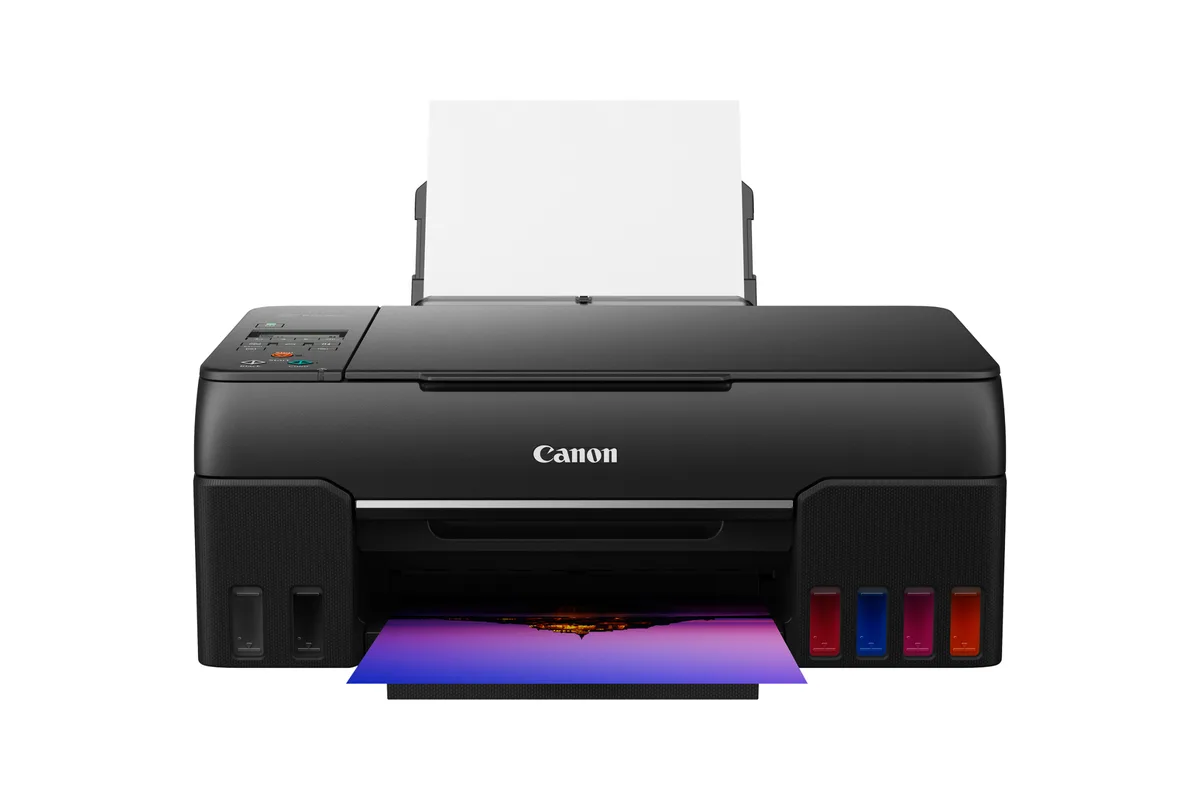
Our inkjet pick to pair with a cutter. Its six dye inks print bright, accurate color for about 2.8¢ of ink per 4x6, the cheapest ink here, and it's $229.99 at Canon in November 2026 (list $356.99).
Feed sticker sheets one at a time through the rear tray. Canon's spec for non-Canon paper is 64–105 g/m², lighter than most printable vinyl, so for thick stock the ET-8550 is the safer choice. Read our [G620 review](/reviews/canon-pixma-g620-review).
Good for
- About 2.8¢ of ink per 4x6, from Canon's rated 3,800 photos per bottle set at current prices
- Six dye inks, including red and gray, for brilliant, accurate color
- User-replaceable printheads and maintenance cartridge
Consider
- Letter is the largest borderless size, and it's slow: about 47 seconds per 4x6 and 6 pages a minute for documents
- 2.4 GHz Wi-Fi only, with no Ethernet, card slot, document feeder or touchscreen
05Best Epson for stickers
Epson EcoTank Photo ET-8550
A six-ink photo ink-tank all-in-one that prints borderless up to 13x19 inches for a few cents of ink per 4x6.
The best Epson for stickers. Its rear straight-through path takes one sheet up to 1.3 mm thick, so heavy vinyl and sticker stock don't have to bend, and it prints borderless up to 13x19 inches, enough for tabloid sticker sheets on an Explore 5. It's $499.99 at Epson in November 2026 (list $749.99).
Its color inks are dye, so laminate stickers that will get wet. Read our [ET-8550 review](/reviews/epson-et-8550-review).
Good for
- Ink costs about 4–6¢ per 4x6: Epson claims 4¢, and the in-box set is rated for about 2,300 prints
- Prints borderless up to 13x19 inches and feeds media up to 1.3 mm thick through a straight rear path
- Also scans and copies, and connects over Wi-Fi, Ethernet, USB and SD card
Consider
- Colors can look oversaturated with default settings, and some are visibly inaccurate
- Stock comes and goes at Epson; $499.99 there on sale in November 2026 (list $749.99)
06Best mini sticker printer
Phomemo M02 Pro
A pocket thermal printer that prints black stickers and journal notes with no ink, at 300 dpi.
The best mini sticker printer for journals, labels and to-do lists. It prints with heat, so there's no ink, at 300 dpi on rolls 15, 25 or 53 mm wide. A 53 mm sticker costs under a cent on Phomemo's rolls. It's $68.99 at Phomemo in November 2026 (list $78.99).
It prints black only, and thermal prints fade with heat, sunlight and rubbing.
Good for
- No ink or cartridges: it prints with heat
- 300 dpi and rolls 15, 25 or 53 mm wide
- Stickers cost under a cent each on Phomemo's rolls
Consider
- Black only (or black on colored paper)
- Thermal prints fade with heat, sunlight and rubbing
07Best for color journal stickers
Canon IVY 2
An inkless Zink printer that turns phone photos into 2x3 stickers, with the cheapest prints of the pocket printers.
The pick for color photo stickers on the go. Every 2x3-inch Zink print is a peel-and-stick sticker, with no ink to buy, for about 50¢ a print with Canon's 100-sheet pack. Canon also sells pre-cut circle sheets.
Zink prints are softer than dye-sub, and you get one sticker per sheet. Read our [IVY 2 review](/reviews/canon-ivy-2-review).
Good for
- The lowest media cost here, about 50¢ a print with Canon's 100-sheet pack
- Every print is a peel-and-stick sticker, and Canon sells pre-cut circle sticker sheets
- No ink to buy; Canon rates Zink prints as smudge-free and water- and tear-resistant
Consider
- Image quality is mediocre: Zink prints can't match dye-sub
- About 20 prints per charge, and laptop USB ports may not charge it
How to choose
What you make
Stickers, labels and sublimation blanks each need a different machine. Start with the project, not the printer.
Supplies and lock-ins
Check the price of tape, label rolls, sticker paper or ink, and whether the printer only accepts its maker's supplies.
App and account
Many label and sticker printers only work through a phone app. Check whether it needs an account or a subscription.
Sticker printers compared
| Printer | Price (Nov 2026) | Type | Sticker size | Cuts stickers | Best for |
|---|---|---|---|---|---|
| Liene PixCut S1 | $237.99 | Dye-sub with cutter | 4x7 in sheet | Yes, kiss-cut | Best overall, easiest |
| Cricut StickerPix Print + Cut | $249 | Dye-sub with cutter | 4x7 in sheet | Yes, kiss-cut | Cricut Design Space users |
| Cricut Explore 5 + inkjet | $199 + printer | Cutter for inkjet prints | About 7.4 x 9.9 in on letter | Yes | Vinyl, big sheets, bulk |
| Canon PIXMA G620 | $229.99 | 6-ink dye inkjet | Up to letter | No (needs a cutter) | Cheapest color ink |
| Epson ET-8550 | $499.99 | 6-ink inkjet | Up to 13x19 in | No (needs a cutter) | Thick stock, tabloid sheets |
| Phomemo M02 Pro | $68.99 | Thermal, black only | 15–53 mm rolls | No | Journals, labels, kids |
| Canon IVY 2 | See review | Zink, color | 2x3 in | No | Color photo stickers |
Prices from the makers’ stores on November 25, 2026.
How to choose a sticker printer
There are four kinds, and the right one depends on how big your stickers are and how many you make.
- All-in-one dye-sub print-and-cut machines (PixCut S1, StickerPix Print + Cut) print, laminate and cut in one step. They’re the easiest, and the laminate makes stickers water- and scratch-resistant, according to the makers. The limit is one 4x7-inch sheet size and the makers’ own refills.
- An inkjet plus a cutting machine (any color inkjet with a Cricut or Silhouette) handles letter and tabloid sheets, printable vinyl, clear stickers and any paper you like. It’s the cheapest per sticker and the most flexible, but it’s two machines and more steps.
- Thermal mini printers (Phomemo) print black stickers from a roll with no ink. They’re cheap and simple, but black only, and prints fade.
- Zink and dye-sub pocket printers (Canon IVY 2, HP Sprocket, Polaroid Hi-Print) print one 2x3 photo sticker at a time from a phone. See ZINK vs dye-sub vs Instax.
What is the best printer for making stickers at home?
For most people, the Liene PixCut S1. You design or pick an image in Liene’s app, and the machine prints it, laminates it and cuts around the outline. There’s no mat, no alignment and no separate cutter to buy.
If you want bigger sheets, vinyl or many stickers at once, an inkjet plus a Cricut Explore 5 is better and cheaper to run. A letter sheet holds about twice as many stickers as a PixCut sheet. See how to make stickers at home.
What is the best printer for vinyl stickers?
An inkjet and a cutter, with printable vinyl and a clear laminate. Cricut’s printable vinyl costs about 42¢ a letter sheet on sale in its 50-pack. The G620’s inks and the ET-8550’s color inks are dye, which can smear when wet, so laminate vinyl stickers that go on bottles or laptops. For thick vinyl, the ET-8550’s straight rear path is the safest feed.
The PixCut S1 and StickerPix print on the makers’ own sticker sheets rather than vinyl, but laminate every sheet automatically.
What is the best sticker printer for a small business?
An Epson ET-8550 and a Cricut Explore 5, if you sell stickers in volume. The ET-8550 prints tabloid sheets and takes thick stock, the Explore 5 cuts tabloid sheets on its 12 x 24-inch mat, and supplies cost a few cents a sticker. If you’d rather avoid Cricut’s online software, see Cricut vs Silhouette.
For 100 or more identical die-cut stickers, ordering is often simpler: Sticker Mule charged $73 for 100 2-inch die-cut vinyl stickers in November 2026, with weatherproof vinyl and free shipping.
What is the best sticker printer and cutter?
The Liene PixCut S1 is the best printer and cutter in one machine. The Cricut StickerPix Print + Cut is the alternative, at $249. Both make kiss-cut stickers, which stay on the backing sheet, on 4x7-inch sheets.
If you want separate machines, an inkjet and a Cricut Explore 5 together cost about $430 with the G620, but cut larger sheets, take printable vinyl and cost less per sticker.
What is the best mini sticker printer?
The Phomemo M02 Pro for black-and-white stickers, and the Canon IVY 2 for color. The M02 Pro is palm-sized, prints at 300 dpi with no ink, and a 53 mm sticker costs under a cent. Phomemo rates its standard white sticker roll for about two years of storage and says to keep prints away from heat, sunlight and friction.
The IVY 2 prints full-color 2x3 photo stickers for about 50¢ each. See the best portable photo printers.
What is the best printer for journal stickers?
The Canon IVY 2 for photos, and the Phomemo M02 Pro for text, doodles and washi-style strips. Every IVY 2 print is a sticker, and Canon sells pre-cut circles. The Phomemo prints on narrow rolls, so it suits planner headers, labels and small icons. For sharper color photos, the dye-sub Polaroid Hi-Print costs about 70 to 85¢ a print.
For custom-shaped journal stickers in color, the PixCut S1 cuts around each design, at about 2.5¢ a sticker when you fit 24 one-inch stickers on a sheet.
What is the best sticker printer for kids?
The Phomemo M02 Pro. There’s no ink to spill and no cutting blade, it costs $68.99, and stickers cost under a cent, so kids can print as many as they like. For color photos, the Canon IVY 2 has no ink either. Both work from a phone app, so a parent’s phone or tablet is needed.
What is the best Epson printer for stickers?
The Epson ET-8550. It’s the only Epson here with a straight rear path for media from 0.61 to 1.3 mm thick, loaded one sheet at a time, according to Epson, and it prints up to 13x19 inches. That suits heavy vinyl and tabloid sticker sheets. It’s $499.99 at Epson in November 2026, down from $749.99.
If you only need letter-size sheets, a cheaper EcoTank with a rear feeder does the job; see the best printers for Cricut.
How much does a homemade sticker cost?
| Method | Supplies per sheet | Stickers per sheet (example) | Per sticker |
|---|---|---|---|
| Liene PixCut S1 | 59.7¢ (4x7) | 6 at 2 in, or 24 at 1 in | About 10¢, or 2.5¢ |
| Cricut StickerPix Print + Cut | 66.7¢ (4x7) | 6 at 2 in | About 11¢ |
| Inkjet + Cricut, Cricut printable vinyl | 42–70¢ (letter) plus ink | 12 at 2 in | About 4–6¢ plus ink |
| Add a self-adhesive laminate sheet | About 50¢ to $1.10 more | 12 at 2 in | About 4–9¢ more |
| Phomemo M02 Pro | 53 mm roll | One label | Under 1¢ (black only) |
| Canon IVY 2 | 50¢ (2x3) | 1 | About 50¢ |
| Sticker Mule, 100 die-cut | — | — | 73¢ at 2 in |
Our arithmetic from the makers’ November 2026 prices; the vinyl range runs from Cricut’s sale price to its list price. Machine costs aren’t included. Ink adds a few cents to an inkjet sheet: on the G620, a fully covered letter page uses about 11¢ of ink at Canon’s rated yields, and sticker sheets cover less.
How we chose
We compared print-and-cut machines, cutting machines, inkjets, thermal printers and pocket photo printers sold in November 2026, using the makers’ specifications and prices, the cost of each maker’s refills and sticker paper, and published review findings. We weighted ease, cost per sticker and water resistance most. We haven’t tested these printers hands-on.
Questions people ask
What is the best sticker printer?
The Liene PixCut S1. It prints, laminates and cuts 4x7-inch sticker sheets in one machine, costs $237.99 in November 2026, and its app needs no subscription.
Can I make stickers with a regular printer?
Yes. Any color inkjet prints on sticker paper or printable vinyl; cut the stickers with scissors or a cutting machine like the Cricut Explore 5. Laser printers need laser-rated sticker stock.
What printer do I need for Cricut stickers?
A color inkjet. Cricut says its standard printable materials are inkjet only, because a laser printer’s heat can damage them. See the best printers for Cricut.
Are sticker printers waterproof?
Dye-sub print-and-cut machines add a clear laminate that Liene and Cricut say makes stickers water-resistant. Inkjet stickers printed with dye ink can smear when wet unless you laminate them. Thermal stickers aren’t waterproof.
Is it cheaper to print your own stickers?
Per sticker, yes: about 4 to 11¢ at home against 52 to 73¢ for 100 ordered 2-inch die-cut stickers. Ordering wins if you’d buy the machine for one batch. See how to make stickers at home.
What is the best cheap sticker printer?
The Phomemo M02 Pro, at $68.99, for black-and-white stickers that cost under a cent each. If you already own a color inkjet, adding a Cricut Explore 5 ($199) is the cheapest way to cut custom color stickers.
Sources
- Liene PixCut S1 product page, liene-life.com
- Cricut StickerPix Print + Cut product page, cricut.com
- Cricut Explore 5 product page, cricut.com
- Epson ET-8550 FAQ: loading thick paper in the rear feed, Epson
- Canon PIXMA G600 series manual: compatible media, ij.manual.canon
- Sticker Mule die cut stickers, stickermule.com
- Liene PixCut S1 review, newatlas.com
Keep exploring

Buying guide
The best color label printers for product labels
The Epson ColorWorks CW-C4000 is the best color label printer for product labels: pigment CMYK ink at up to 1200 dpi, rolls up to 4.25 inches wide, 4 inches a second and BS 5609 certification on Kimdura poly, for $2,499 at CDW in November 2026. Get the Primera LX610 ($2,695) to print and cut custom shapes, or the Primera LX500 ($1,549) on a budget.
Read story
Buying guide
The best edible printers for cakes and cookies
The best edible printer for cakes is a new Canon PIXMA TS702a bought in an edible ink bundle: $295 to $299 in November 2026, for letter and legal-size frosting sheets at about $1 to $3 a cake topper. For printing straight onto cookies, the Primera Eddie is $2,995 and uses about 6¢ of ink per cookie.
Read story