Printers in this guide
How do ID card printers work?
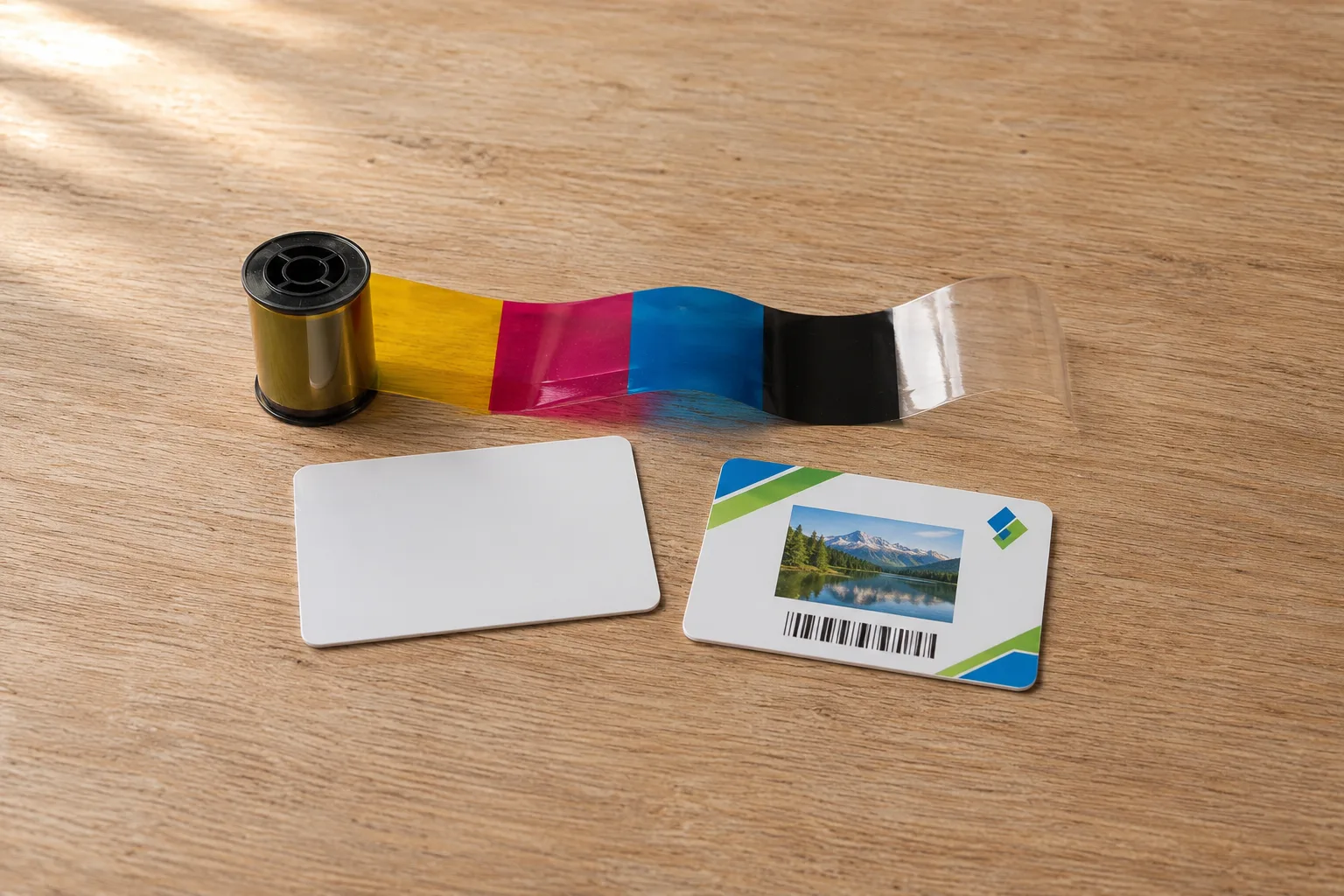
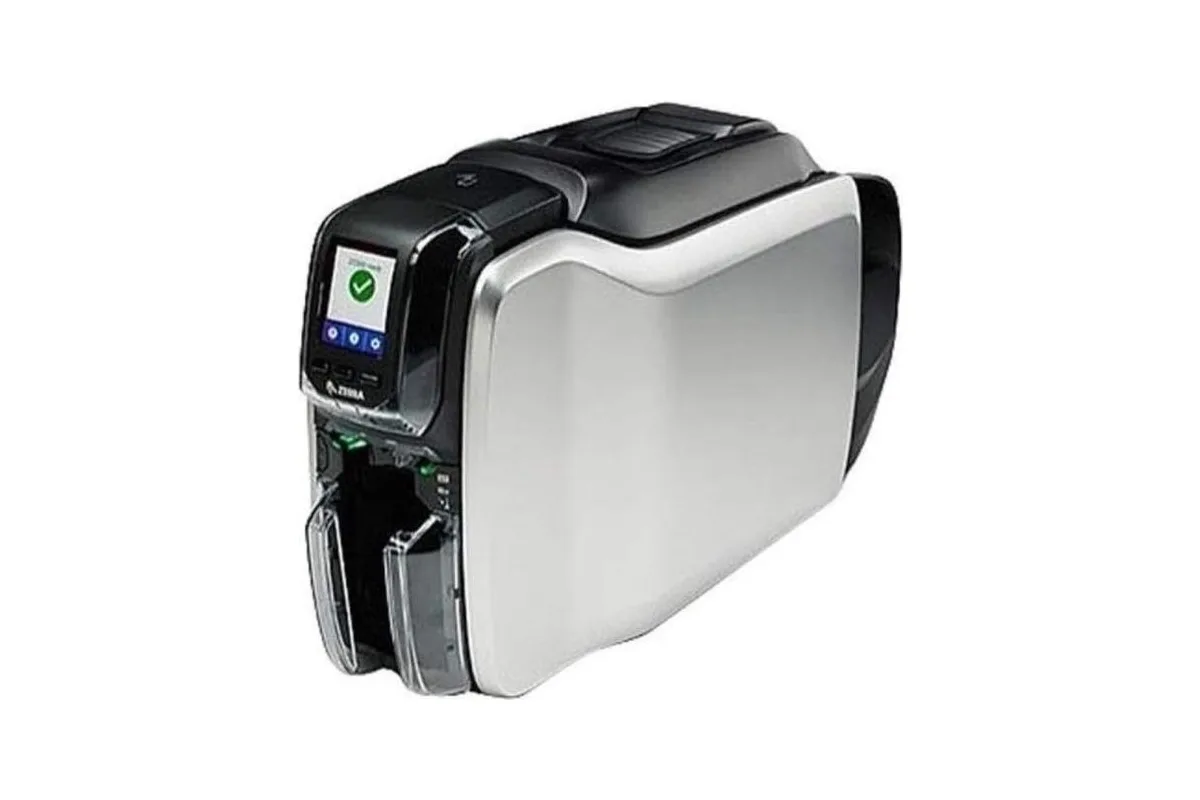
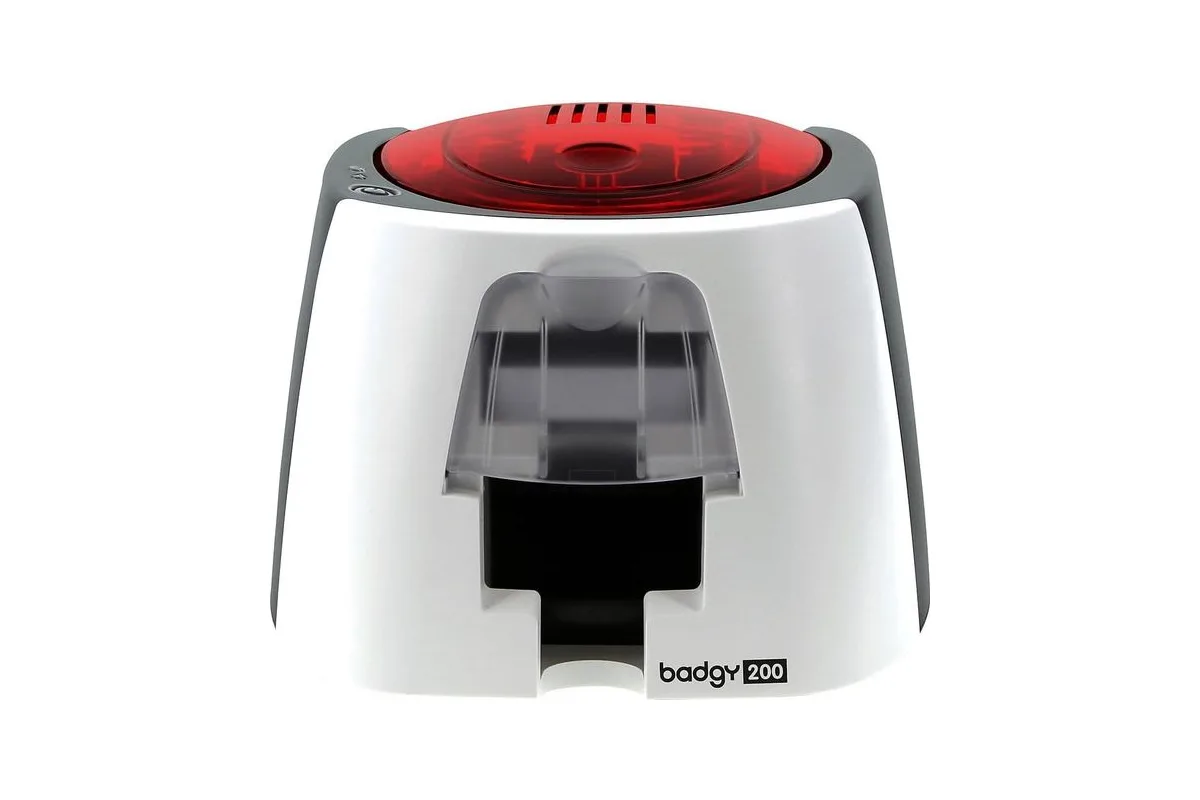
An ID card printer heats a ribbon of colored panels onto a plastic card, one panel at a time. There’s no ink. On a direct-to-card printer such as the Zebra ZC300, a heated printhead presses a yellow panel against the card, then magenta, then cyan, then black, then a clear protective overlay. Zebra rates it at up to 200 full-color cards an hour. The cards are usually CR80 size, 3.375 x 2.125 in, and 30 mil (0.76 mm) thick.
What happens to each card:
- The card feeds from the input hopper, which holds 100 cards on the ZC300, and passes a cleaning roller. Zebra, HID and Magicard put a fresh roller in every ribbon cartridge.
- The printhead heats the yellow, magenta and cyan panels. Zebra explains that the dyes diffuse into the card’s surface and blend into millions of colors. That’s dye sublimation, and it’s how card printers print photos.
- The black (K) panel prints text and barcodes. It’s a resin black, which Zebra says gives the richest black and suits barcodes, text and simple logos best.
- The clear overlay (O) panel seals the card. Zebra says dye images fade under UV light without an overlay; HID calls it the panel “for color fade prevention.”
- A dual-sided printer flips the card and prints the back, often in black only.
- Optional modules finish it. An encoder writes the magnetic stripe or chip, and a laminator adds a clear or holographic patch. The card drops into the output hopper.
That’s the basic machine. The rest of this guide covers the choices that change what you buy: direct-to-card or retransfer, ribbons, card size and thickness, single- or dual-sided, encoding, edge-to-edge printing, lamination and security features.
What is the difference between direct-to-card and retransfer card printing?
A direct-to-card printer prints on the card itself. A retransfer printer prints on a clear film and then bonds the film to the card. Retransfer costs about twice as much to buy and more per card, but it prints over the edge, copes with uneven chip and prox cards, and makes a tougher surface.
| Direct-to-card | Retransfer | |
|---|---|---|
| How it prints | Printhead presses the ribbon onto the card | Prints a reverse image onto clear film, then heat-fuses the film to the card |
| Edges | “Edge-to-edge,” but stops a hair short (HID’s DTC1500 print area is 85.3 x 53.7 mm on an 85.6 x 54 mm card) | “Over-the-edge”; the film covers the whole card |
| Card thickness | About 10–40 mil (some to 50) | Starts at 30 mil (HID HDP5000e 30–50 mil; HDP6600 30–40 mil) |
| Card types | PVC, composite and some PET; flat surfaces work best | PVC, composite, PET, PETG, polycarbonate; uneven prox and smart cards |
| Durability | Overlay panel protects the dye | Film is bonded on and can’t be peeled off without damage; no overlay needed |
| Printhead warranty | 3 years on most (Zebra, HID DTC, Evolis) | Lifetime on HID’s HDP5000e (registered) and HDP6600, and Evolis’s Avansia |
| Printer price, November 2026 | $759 (Badgy200) to about $2,100 | $3,299.95 (HDP5000e) and $3,479.95 (HDP6600) single-sided at B&H |
| Consumables per card (ribbon, or ribbon plus film) | About 23–47¢ | About 42–51¢ (HID ribbons and film at CDW and B&H), before the card |
| Examples | Zebra ZC100, ZC300, ZC350; HID DTC1250e, DTC1500; Evolis Badgy, Zenius 2, Primacy 2; Magicard 300 | HID HDP5000e, HDP6600; Evolis Avansia; IDP SMART-81 |
Consumables per card are our estimate: ribbon price ÷ rated yield, plus film price ÷ film yield for retransfer (HID’s HDP5000e YMCK ribbon $171.99 for 500 plus clear film $119.99 for about 1,500 is 42¢; the HDP6600’s is 51¢). At list prices, HID’s retransfer supplies come to about 63–68¢ a card before the card itself.
Why retransfer for prox and smart cards: an embedded antenna or chip can leave the card surface slightly uneven. Zebra says direct-to-card printers “can’t print reliably on uneven card surfaces such as key tag or smart cards,” and Evolis says its Avansia retransfer printer handles them. Flat, printable prox cards are fine on direct-to-card: HID rates its printable ISOProx II prox card for direct-image and thermal-transfer card printers.
Which to buy: direct-to-card for employee, student, member and volunteer badges, which is most organizations. Retransfer if every card carries a chip or antenna, you want color right to the edge, or cards must survive years of daily use.
What is a YMCKO ribbon?
A YMCKO ribbon is the standard full-color ribbon for card printers, with five panels for each card side: yellow (Y), magenta (M) and cyan (C) dyes for the photo and colors, resin black (K) for text and barcodes, and a clear overlay (O) that protects the image. The printer uses one full set of five panels per side, whether the card is a full-bleed photo or just a name.
| Letters | What you get | Typical use |
|---|---|---|
| YMCKO | Full color, black, overlay | One-sided color badges |
| YMCKOK | Full color and overlay on the front, black on the back | Photo on the front, text or a barcode on the back |
| Half-panel YMCKO | Color panels half as long, so more prints per roll | Pre-printed cards that need a photo and name added |
| KO | Black and overlay | Black-only cards that need protection |
| K | Black only (also white, red, blue, gold, silver) | Text badges, reprinting pre-printed cards |
| YMCKOO | Two overlays, one able to carry a UV effect (Evolis) | Extra wear protection or a UV mark |
| YMCKT | Entrust’s name for YMCKO (T is its topcoat, the overlay) | Entrust Datacard (Sigma) printers |
| F, L, H, P panels | Fluorescing (UV), luster, heat seal, pearlescent | Security and specialty cards |
| YMCK plus film | Retransfer ribbon; the film replaces the overlay | HID HDP, IDP SMART-81 |
Ribbons aren’t interchangeable between brands, and often not between models. Zebra’s ZC300 accepts only genuine Zebra ribbons, and HID says non-HID consumables void its warranties.
How many cards does an ID card printer ribbon print?
Usually 200–300 single-sided color cards, and 100 to 700 depending on the printer. Black-only ribbons print 500 to 3,000.
| Printer | Color YMCKO | Half-panel YMCKO | YMCKOK (two-sided) | Black |
|---|---|---|---|---|
| Evolis Badgy100, Badgy200 | 100 | — | — | 500 |
| Zebra ZC100 | 200 | 400 | — | 1,500–2,000 |
| Zebra ZC300 | 200 or 300 | 400 | 200 | 1,500–2,000 |
| Evolis Zenius 2 | 200 | 400 | — | Up to 2,000 |
| Evolis Primacy 2 | 200 or 300 | 400 | 200 | Up to 2,000 |
| HID Fargo DTC1250e | 300 | 350 | 250 | 1,000 |
| HID Fargo DTC1500 | 700 | 1,000 | 600 | 3,000 |
| Magicard 300 | 100, 200 or 300 | — | 250 | 1,000 (resin colors) |
| Entrust Datacard DS1, DS2 | 250 or 500 (YMCKT) | 650 (short panel) | 350 (DS2) | 1,500 |
| IDP SMART-31 | 250 | — | — | 1,200 |
Maker-rated “up to” yields. HID’s current DTC1500 datasheet rates its YMCKO at 700 prints; an older HID sheet lists an earlier 500-print ribbon for the same printer, so check the part number. Entrust’s datasheets and supplies sheet disagree on black ribbon yield (2,500 vs 1,500); we’ve used the supplies sheet.
Two things cut the yield:
- Color on both sides uses two panel sets, so a 300-print YMCKO ribbon makes 150 cards.
- Test prints and misfeeds use panels like any other card.
To turn yield into cost per card, see how much ID card printers cost to run.
Can I print ID cards on a regular inkjet printer?
Not proper PVC badges. Card printers make a durable plastic card by heating dye and resin from a ribbon into the card, which an ink printer doesn’t do. We found no card-printer maker guidance on feeding blank PVC cards through an office inkjet, and we didn’t research the inkjet-printable cards and trays some sellers offer, so we can’t recommend that route.
What an inkjet or label printer can do is a paper badge: print the name on cardstock or a label and slip it into a holder. For one-day events that’s often the better choice. A Brother QL label printer prints a paper badge for about 9¢ on a 62 mm DK roll, by our estimate, and the two event check-in apps we checked, Guest Manager and Gatsby, both support Brother QL printers. See the best badge printers for events and the best label makers.
What size is a standard ID card?
CR80: 3.375 x 2.125 in (85.6 x 54 mm), the ID-1 size in the ISO/IEC 7810 standard. Every desktop printer in this guide prints it. Some also take CR79, which is slightly smaller.
| Size | Inches | Millimeters | Used for |
|---|---|---|---|
| CR80 (ISO/IEC 7810 ID-1) | 3.375 x 2.125 | 85.6 x 54 | Standard badges and member cards |
| CR79 | 3.313 x 2.063 | 84.1 x 52.4 | Adhesive cards stuck onto prox cards |
Figures are from HID’s 2026 DTC1500 datasheet. If you design in another app, set the page to 3.375 x 2.125 in; at 300 dpi that’s about 1012 x 638 pixels (our estimate). Zebra gives the ZC100’s printable image as 1006 x 640 pixels.
What thickness of PVC card should I use?
30 mil (0.76 mm). It’s the thickness every maker quotes hopper capacity at, the thickness online card services print on, and the one magnetic stripe encoding expects: Zebra and Evolis encode stripes on 30 mil cards only.
| Thickness | What it’s for |
|---|---|
| 10 mil (0.25 mm) | Adhesive-back cards and business-card-style cards; Evolis prints 10 mil in black only |
| 20 mil (0.50 mm) | Thin, flexible cards; Badgy sells 20 mil packs |
| 30 mil (0.76 mm) | Standard badges, member cards and prox cards |
| 40–50 mil | Heavier, stiffer cards; only some printers take 50 mil |
What each printer accepts, per the makers’ spec sheets:
| Printer | Card thickness |
|---|---|
| Evolis Badgy100, Badgy200 | 20–30 mil |
| Evolis Zenius 2 | 10–30 mil |
| IDP SMART-31 | 15–30 mil |
| Zebra ZC100, ZC300, ZC350 | 10–40 mil |
| HID Fargo DTC1250e, DTC1500 | 9–40 mil (30–40 mil with the DTC1500 laminator) |
| Entrust Datacard DS1, DS2, DS3 | 10–40 mil |
| Evolis Primacy 2 | 10–50 mil |
| Magicard 300 | 20–50 mil |
| HID HDP5000e (retransfer) | 30–50 mil |
If you laminate, use composite PVC/PET cards: HID says plain PVC isn’t recommended in its DTC1500 and HDP5000 lamination modules.
What is the difference between single-sided and dual-sided ID card printers?
A dual-sided printer has a flipper that turns the card over and prints the back in the same job. A single-sided printer prints the front; for a back, you feed the card through again by hand. Dual-sided costs about $300–$520 more on the same model in November 2026 and prints fewer cards an hour.
| Zebra ZC300 single | Zebra ZC300 dual | |
|---|---|---|
| Price, November 2026 | $1,479 at B&H | $1,999.99 at Amazon and B&H |
| Color cards an hour | 200 (YMCKO) | 140 (YMCKOK) |
| Black cards an hour | 900 | 450 |
| Reject bin | No | 10 cards |
Get dual-sided if your cards carry a barcode, a signature strip, emergency contacts or return-if-found text on the back. Single-sided is enough for a photo, name, logo and title.
Can you upgrade later? It depends on the model:
- Upgradeable: HID’s DTC1250e (field upgrade) and DTC1500 (dual-sided printing is built in and unlocked with an RFID tag; the flipper key is $828.99 at ID Wholesaler), the Evolis Primacy 2 (RFID key) and the Magicard 300 (electronic upgrade, $574.99 at ID Wholesaler).
- Not stated: Zebra lists the ZC300’s card flipper as a field-upgradeable option but doesn’t explicitly say a single-sided unit converts.
- Single-sided only: Zebra ZC100, Evolis Zenius 2, Badgy100 and Badgy200, Entrust Datacard DS1.
What is card encoding for ID cards (magstripe, prox, smart card)?
Encoding stores data in the card itself, so a reader can check it without looking at the printing. There are three kinds: a magnetic stripe you swipe, a 125 kHz prox card you hold near a reader, and a smart card with a chip, either contact or contactless.
| Magnetic stripe | Prox (125 kHz) | Smart card | |
|---|---|---|---|
| How it’s read | Swiped | Held near a reader | Contact chip, or 13.56 MHz contactless (iCLASS, MIFARE, DESFire) |
| Who writes it | Your printer’s encoder | Usually the card maker, before shipping | Your printer’s encoder |
| Card cost | 20–26¢ (Fargo LoCo and HiCo, 500 packs) | $4.97–$6.05 (HID 1386 ISOProx II) | Varies by chip; not priced here |
| Printer support | ZC100, ZC300, DTC1500, Primacy 2, Zenius 2 Expert, Magicard 300 and others (ISO 7811, tracks 1–3) | Prox reader option on HID DTC printers; Entrust DS1 and DS2 options | ZC350; HID DTC1500; Evolis Primacy 2 and Zenius 2 Expert; Magicard 300; Entrust DS1 and DS2 |
What to know before you pay for encoding:
- HiCo or LoCo stripes. Stripes come in high (HiCo) and low (LoCo) coercivity, and HiCo cards cost more: Fargo’s are $127.99 vs $100.99 for 500. The ISO 7811 encoders on Zebra, HID and Evolis printers write both.
- Prox cards come pre-programmed. You order HID’s 1386 card with your format: for 26-bit H10301, you supply the facility code and starting card number and track the numbers yourself; for 37-bit H10302, HID controls numbering. The minimum is 100, and custom cards can’t be returned. HID’s prox option on its card printers is a reader: it reads the card’s number so it can be recorded with the cardholder. InstantCard describes 26-bit Prox as technology “without encryption, best suited to everyday doors.”
- Smart card encoders cost extra. Fargo’s modules for the DTC4500e family are $327.99 for a contact chip encoder and $1,090.99 for iCLASS/MIFARE plus contact, at ID Wholesaler. Your software also has to support it: smart encoding is in HID Asure ID Exchange and Zebra CardStudio Professional only, and it’s Windows only even in cardPresso.
- Ask your access-control vendor first. The reader decides which card technology and format you need. Buying cards that match the reader matters more than which printer prints them.
- Some printers don’t encode at all. The Badgy100 and Badgy200 have no encoder, and Zebra’s US ZC300 spec page lists only a magnetic stripe encoder.
Can an ID card printer print edge to edge?
Yes, most current direct-to-card printers print edge to edge on CR80 cards, but they stop about 0.15 mm short of each edge. Only retransfer printers print truly over the edge.
| Printer | Edge printing |
|---|---|
| Evolis Badgy100 | No: 1.35 mm (0.05 in) white margin |
| Evolis Badgy200, Zenius 2, Primacy 2 | Edge to edge |
| Zebra ZC100, ZC300, ZC350 | Edge to edge on CR80 |
| HID Fargo DTC1250e, DTC1500 | Edge to edge on CR80 (print area 85.3 x 53.7 mm) |
| IDP SMART-31, SMART-51 | Edge to edge on CR80 |
| Magicard 300, Entrust Datacard DS series | Not stated on the maker pages we read |
| HID HDP5000e, HDP6600; IDP SMART-81 | Over the edge (retransfer) |
The 0.15 mm figure is our estimate from HID’s print area on an 85.6 x 54 mm card. In practice, design your background to run to the card edge and let the printer driver handle the overprint; see our Canva guide.
Do I need a laminator for ID cards?
No, not for most badges. The clear overlay panel on a YMCKO ribbon already protects the image on a direct-to-card printer, and retransfer film does the same job on a retransfer printer. Lamination is for cards that get heavy daily wear, need to last for years, or need a holographic layer.
If you do need it, buy a printer with a lamination module rather than a separate laminator:
| Printer with a laminator | Option | Laminate cost per card (our estimate) |
|---|---|---|
| HID Fargo DTC1500 | Single-sided lamination module | 16¢ (thermal-transfer overlaminate, $77.99 for 500); 33¢ (1.0 mil PolyGuard, $81.99 for 250) |
| HID Fargo DTC4500e | Single- or dual-sided lamination | HID overlaminates; not priced here |
| Evolis Primacy 2 | Dual-sided Card Lamination Module | 13¢ (clear varnish, $152.10 for 1,200); 27¢ (1.0 mil clear patch, $160.91 for 600) |
| HID Fargo HDP6600 | Wasteless LMX lamination | Not priced |
Laminate prices are ID Wholesaler’s in November 2026. Use composite PVC/PET cards with any laminator (about 34¢ each for Fargo’s, against 15¢ for plain PVC). We found no card-printer maker guidance on running printed PVC cards through an office pouch laminator; pouches are generally used for paper badges.
How do I add a hologram or security feature to ID cards?
Pick a printer that builds the feature in, or add a holographic laminate on a printer with a lamination module. These features are for making your organization’s own employee, student or member badges easy to check and hard to fake. They aren’t for imitating government IDs, and card printers sold for badges aren’t meant for that.
| Feature | How you get it | Extra cost per card |
|---|---|---|
| Magicard HoloKote watermark | Printed across every card by the Magicard 300 or 600 from the ribbon’s overlay panel; 4 standard designs on the 300, custom designs optional | No extra consumable |
| Magicard HoloPatch | Cards with a gold seal patch, made to be verified from a distance | Card price |
| HID custom overlay watermark | Your logo or text built into the overlay panel on the DTC1500 and DTC4500e | Uses the ribbon’s overlay panel |
| UV (fluorescing) panel | YMCFKO or YMCFK ribbons (HID, IDP), YMCKOO (Evolis), YMCKF-KT (Entrust); shows under black light | Higher ribbon price |
| Holographic overlaminate | Laminating printer (DTC1500, DTC4500e, Primacy 2) | 34¢ (HID thermal-transfer holographic, $170.99 for 500) to 73¢ (holographic PolyGuard, $182.99 for 250) |
| Pearlescent or watermark ribbon | Zebra ZC350 ribbons; watermark visible at an angle or under UV light | Higher ribbon price |
| Holographic HDP film | HID retransfer printers | Film price (500 per roll) |
Steps to add one:
- Decide how badges will be checked. A guard at a desk can tilt a card for a hologram or HoloKote; a UV mark needs a black light; a door reader needs encoding instead.
- Match the feature to your printer. On a Magicard 300, HoloKote is built in, with four standard designs. On a DTC1500, set up the custom watermark. Other printers need a UV ribbon or a laminator.
- Order the supplies from the printer maker’s line, since ribbons and laminates are model-specific.
- Print a test card and check it the way your staff will.
- Pair it with something unique per card, such as an employee number, a barcode or an encoded chip, so a copied design alone doesn’t pass.
The printers also protect the data, not just the card: Zebra and HID encrypt print jobs (HID uses AES-256-GCM), Magicard’s Digital Shredding fragments job data after printing, and Evolis offers Kineclipse to mask what’s left on a used black panel.
Questions people ask
What does YMCKO stand for?
Yellow, magenta, cyan, black (K) and overlay (O): the five ribbon panels used to print one side of a color card.
Do ID card printers use ink?
No. They use a ribbon and heat. Color comes from dye panels, black from resin, and a clear overlay panel protects the finished card.
What is a CR79 card?
A slightly smaller card, 3.313 x 2.063 in (84.1 x 52.4 mm). HID sells CR79 adhesive cards made to stick onto prox cards, and Zebra’s ZC series prints both CR80 and CR79.
Can a card printer print on both sides?
Only a dual-sided model does it automatically, such as the Zebra ZC300 dual ($1,999.99). Single-sided printers like the ZC100 and Badgy200 need you to feed the card through again.
Can an ID card printer encode RFID cards?
Some can, with an encoder module: the Zebra ZC350 adds contactless and UHF RFID encoders, and HID’s DTC1500 offers iCLASS, MIFARE and DESFire. Most 125 kHz prox cards are bought already programmed.
Is retransfer printing worth it?
Only if you print on chip or prox cards with uneven surfaces, need color over the very edge, or want the toughest surface. It costs about $3,300 and up for the printer and roughly 42–51¢ a card in ribbon and film, against about $1,479 and 23–35¢ for a mainstream direct-to-card printer.
Sources
- Card print quality white paper (Zebra), zebra.com
- Zebra ZC100 specification sheet, zebra.com
- Zebra ZC300 series specification sheet, zebra.com
- Zebra ZC300 specification sheet (PDF), zebra.com
- Zebra ZC350 specification sheet, zebra.com
- HID FARGO DTC1500, hidglobal.com
- HID FARGO DTC1500 datasheet (2026), hidglobal.com
- HID FARGO DTC1500 consumables specification, hidglobal.com
- HID FARGO DTC1250e datasheet, hidglobal.com
- HID FARGO HDP5000e specification sheet, hidglobal.com
- HID FARGO HDP6600, hidglobal.com
- HID FARGO HDP6600 specification sheet, hidglobal.com
- HID visual security solutions, hidglobal.com
- Evolis Primacy 2 specification sheet, us.evolis.com
- Evolis Primacy 2 brochure, us.evolis.com
- Evolis Zenius 2, us.evolis.com
- Evolis Zenius 2 specification sheet, us.evolis.com
- Evolis Avansia, us.evolis.com
- Evolis Badgy200 specification sheet, us.evolis.com
- Badgy printers, us.badgy.com
- Badgy consumables and accessories, us.badgy.com
- Magicard 300, magicard.com
- Magicard HoloKote, magicard.com
- Entrust Datacard DS2 datasheet, entrust.com
- IDP SMART-81D, idpamericas.com
- ISO/IEC 7810 edition 4 preview (IEC), assets.vde-verlag.de
- HID 1386 ISOProx II cards (ID Wholesaler), idwholesaler.com
- Blank PVC cards (ID Wholesaler), idwholesaler.com
- Fargo encoder modules and laminates (ID Wholesaler), idwholesaler.com
- Evolis Primacy 2 ribbons and laminates (ID Wholesaler), idwholesaler.com
- Fargo HDP5000 ribbons and film (ID Wholesaler), idwholesaler.com
- Fargo 45630 YMCKO ribbon (AlphaCard), alphacard.com
- Zebra and Fargo ribbon searches (CDW), cdw.com
- Zebra ZC300 search (B&H), bhphotovideo.com
- Fargo HDP5000e search (B&H), bhphotovideo.com
- InstantCard pricing, instantcard.net
Keep exploring

Buying guide
The best barcode label printers
The Zebra ZD421 is the best barcode label printer for most businesses: 4-inch labels at 6 inches a second, any brand of label roll and a 24-month warranty, for about $480 to $526 in November 2026. Get the Brother QL-820NWBc ($229.99) for an office or shop counter, and a thermal transfer model for inventory labels that have to last.
Read story
Buying guide
The best check printers for a small business
The TROY 3001dw ($509.15 at TROY, $530 at Amazon in November 2026) is the best check printer for a small business: a 35 ppm Wi-Fi laser with MICR toner, rated for 350 to 2,500 checks a month, at about 5¢ to 7¢ per check three to a page by our estimate. Get the TROY 4001dn for a locking tray, or the VersaCheck M15 MXD ($399.99) for software in the box.
Read story