How it scores
- Print size and speed20%4.5
One PrecisionCore Micro TFP head at 2400 x 1200 dpi, but the largest platen Epson lists is 10 x 12 inches, so film prints one sheet at a time and never wider than 10 inches. Epson publishes no print speed.
- Cost per transfer20%5.5
Epson publishes no ink-use figure. Its UltraChrome DG2 ink is $89.95 per 250 ml, about $360 a liter against $69–$118 for third-party DTF ink, which puts DTF supplies at about $0.65–$1.95 a square foot (our estimate). White ink is also used in maintenance.
- White ink and upkeep20%5.0
Automatic fabric head wiper and nozzle verification, but Epson says nothing about white-ink circulation. Its guide says to remove and shake the white packs every working day, power on at least every 7 days, and run a storage procedure after two weeks idle.
- Warranty and support15%8.0
A one-year limited warranty with a whole-unit exchange or on-site service at Epson's discretion, and service plans from $1,132 for a year to $3,622 for four. Epson ink packs only, at Epson prices.
- Software and setup15%7.5
Garment Creator 2 comes with it for Windows and Mac, and it has USB, Ethernet, Wi-Fi and a 4.3-inch touchscreen. DTF powdering and curing are by hand, and Epson doesn't say which film or powder to use.
- Value10%6.0
$4,995 at Epson and Imaging Spectrum in November 2026 is a fair price for Epson's cheapest DTG printer, and $8,000 less than the F2270. As a DTF printer it costs about twice a 13-inch Procolored setup.
Overall 5.9/10, the weighted average.How we score →
Is the Epson SureColor F1070 worth it?
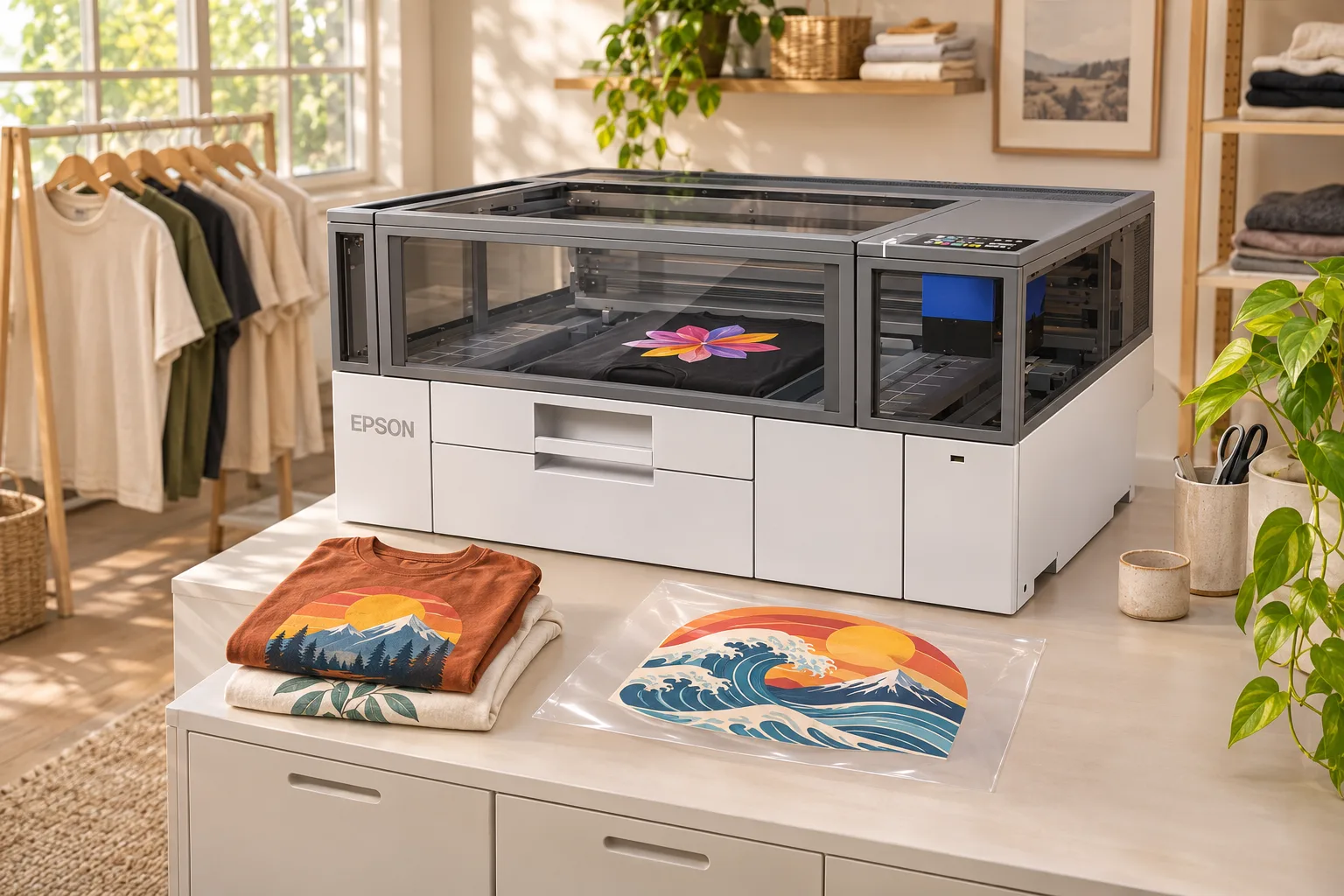
Worth it if you want to print directly on cotton shirts and make DTF transfers from one machine, with Epson’s ink, Mac software and support. The F1070 is a hybrid DTG (direct-to-garment) and “DTFilm” printer, and Epson’s cheapest garment printer. In November 2026 the Standard Edition was $4,995 at Epson and Imaging Spectrum, down from $7,495 when Epson relaunched it as a hybrid in May 2024. The Business Edition, launched in September 2025 at $7,995, is now marked discontinued on epson.com.
For DTF alone, it’s a poor buy. The largest platen Epson lists is 10 x 12 inches, so it prints one film sheet at a time, no wider than 10 inches. Epson publishes no print speed. Its ink is about $360 a liter, three to five times what DTF printers use, and Epson sells no film, powder or curing equipment for it. A 13-inch Procolored F13 Panda with an oven and starter supplies was $2,699.
| Spec | Epson SureColor F1070 (Standard Edition) |
|---|---|
| Price (November 2026) | $4,995 MSRP at Epson; $4,995 at Imaging Spectrum |
| Type | Hybrid DTG and DTF (Epson calls it DTFilm) |
| Printhead | 1 PrecisionCore Micro TFP, 400 nozzles x 6 channels, Nozzle Verification Technology |
| Resolution | 2400 x 1200 dpi |
| Inks | UltraChrome DG2: cyan, magenta, yellow, black, white, in 250 ml packs |
| In the box | 6 x 250 ml packs (CMYK + 2 white), 250 ml maintenance liquid, small platen |
| Platens | Small 10 x 12 in; extra small 7 x 8 in; sleeve 4 x 4 in |
| Garments | Up to 1 in thick; automatic height adjustment |
| Rated speed | None published |
| Software | Epson Garment Creator 2, Windows 8.1+ and macOS 10.12+ |
| Connections | USB 3.0, Gigabit Ethernet, Wi-Fi, Wi-Fi Direct; 4.3-in touchscreen |
| Size and weight | 35 x 28 x 17 in, 152 lb |
| Warranty | 1-year limited, whole-unit exchange or on-site at Epson’s discretion |
What else do you need for DTF on the F1070?
Everything except the printer and ink. Epson’s user guide lists the equipment for printing on film:
- a heat press, which Epson uses for curing as well as pressing;
- commercially available DTF film and powder;
- a heat-resistant release sheet (parchment for a matte finish, Teflon for gloss);
- opaque tape to hold the film, since clear tape “may cause head striking”;
- a tray larger than the film and a sieve or powder shaker;
- a mask and protective eyewear.
The workflow is manual. The printer lays down CMYK, then white, mirrored on the film; you powder the wet ink by hand in the tray, cure it, then press it. Epson says the powder won’t stick to the film without white ink, so a printer set up in its high-speed color mode can’t print film at all, and it warns not to apply powder near the printer.
For DTG, the other half of the machine, Epson says pretreatment is necessary when printing white ink or onto polyester, and to stick to cotton and cotton-polyester blends. DTFilm needs no pretreatment and works on almost any fabric. Our DTF vs DTG guide explains when each wins.
How much does it cost to print on the F1070?
More than a dedicated DTF printer, mostly because of the ink. Epson’s UltraChrome DG2 is $89.95 per 250 ml pack, white included, or about $360 a liter. DTF inks from Procolored, xTool and other ink makers cost about $69–$118 a liter in November 2026. Epson says the F1070 is “designed for use with Epson ink packs only, not third-party ink systems”.
Epson doesn’t publish ink use per print. Using the same ink-use figures we use for other DTF printers (about 1.3–3.7 ml a square foot), DTF supplies on the F1070 come to roughly $0.65–$1.95 a square foot of film, against about $0.26–$1.04 for a DTF printer on those inks (our estimates, with film at $0.15–$0.48 and powder at $0.02–$0.12 a square foot). A full set of six replacement packs, four colors and two whites, comes to $539.70 at Epson’s price (our arithmetic).
Epson also notes that white ink is used during maintenance “even when printing only with color ink”, so a printer that sits idle still costs money. See how much DTF printing costs for every printer’s numbers.
How fast is the F1070?
Epson doesn’t say. Neither the product page nor the spec sheet gives a print time, for DTG or film. Epson does publish times for the bigger F2270 (below). If you need to quote turnaround, ask a dealer for a demo print of your own design.
What limits throughput more is the format: the F1070 prints one garment or one sheet of film at a time on a platen. Roll-fed DTF printers like the F13 Panda print a run of transfers on a 13-inch roll and cut them, and the xTool Apparel Printer Plus is rated at up to 50 square feet an hour.
How much maintenance does the F1070 need?
Daily, mostly around the white ink. Epson’s F1070 user guide says to:
- remove the white ink packs at the start of every working day, or every 24 hours, and shake them, and shake the color packs once a month;
- store ink packs flat and level;
- run a nozzle check each time you print, and a head cleaning when it finds clogs;
- turn the printer on at least once every seven days if you skip pre-storage maintenance;
- after more than two weeks idle with white loaded, use the optional cleaning ink pack and run long-term storage maintenance, or the head “may become impossible to unclog”; for two weeks to a month, switch to color ink mode.
It has an automated fabric head wiper and nozzle verification, but Epson’s pages don’t mention white-ink circulation. Epson also says to wear protective eyewear, gloves and a mask for maintenance, and to run it at 50–95 °F and 20–80% humidity. Our DTF printer maintenance guide covers the problems white ink causes.
What’s the F1070’s warranty?
One year, limited, with Epson deciding between exchanging the whole unit and sending a technician. Epson’s service plans for the F1070 cost $1,132 for one year at purchase, $2,039 for two and $3,622 for four.
Epson’s spec sheet says the F1070 is designed for Epson ink packs only, not third-party ink systems, so there’s no cheaper ink to switch to. Compare the cover with Procolored, whose warranty gives one free printhead within six months and excludes non-Procolored ink, and xTool’s 12 months on the Apparel Printer Plus.
F1070 Standard Edition vs Business Edition
Buy the Standard Edition; it’s the only one Epson still sells. The Business Edition came with 12 x 250 ml packs, eight of them white, plus three maintenance liquid packs, two maintenance boxes and a head maintenance set, at $7,995 MSRP. Epson.com now labels it discontinued, though Imaging Spectrum still listed it at $7,995 in November 2026. That’s $3,000 more for supplies you can buy separately.
Is the Epson SureColor F2270 worth it?
For an established DTG shop printing full fronts every day, yes; for DTF, no. The F2270 is Epson’s bigger hybrid: its MSRP was $12,995 in November 2026, down from an estimated $18,995 at its 2023 launch, and Imaging Spectrum and AA Print Supply sold it for $11,995 with a $1,000 Epson rebate valid through November 30, 2026.
| Epson F1070 | Epson F2270 | |
|---|---|---|
| Price (November 2026) | $4,995 | $12,995 MSRP; $11,995 at dealers with rebate |
| Platen in the box | 10 x 12 in | 14 x 16 in |
| Ink packs | 250 ml, $89.95 (about $36 per 100 ml) | 800 ml, $199.95 at Imaging Spectrum (about $25 per 100 ml) |
| Rated time, 14 x 16 in print (Epson, print engine only) | Not published | Light garments 0:28–1:21; dark 1:29–3:11, by quality mode |
| Weight | 152 lb | 209 lb |
| Warranty | 1 year, exchange or on-site | 1 year with on-site service |
| Service plans | $1,132–$3,622 | $2,367 (1 year) to $7,575 (4 years) |
The F2270 fixes the F1070’s two weak spots for DTG: it fits a 14 x 16-inch adult full front, and Epson publishes speeds for it. Its ink costs about 30% less per milliliter. But it’s still a platen printer that makes film one sheet at a time. If DTF transfers are the business, Epson’s own roll printer is the SureColor G6070, its first DTF-only printer: 35 inches wide, $14,995 MSRP, with no shaker or curing unit included.
Is the Brother GTX DTG printer worth it?
Possibly, but you’ll have to get a quote to find out: Brother publishes no prices for its current GTX printers. The GTX300, a DTG and DTF hybrid announced in July 2026, replaces the GTX Pro (GTX Pro 423) in Brother’s line-up, according to Brother Australia, and the GTXpro is no longer on Brother USA’s garment-printer page. Brother USA now lists the GTX300, GTXpro B, GTX600 and the DTRX100 roll DTF system.
Brother’s figures for the GTX300 make it a production step above the F1070:
- two piezo heads, 1200 x 1200 dpi, CMYK plus white with continuous white-ink circulation;
- a 14 x 16.54-inch standard platen, or 16 x 21 inches with the optional wide platen;
- about 41 seconds for a light shirt, 63 seconds for a dark one and about 75 seconds for a DTF cut sheet;
- a one-year limited warranty that includes the printheads.
For a sense of scale, Brother’s last GTXpro bundle with DTF adhesive and curing units was $15,995, an offer that ended June 30, 2026, and the industrial GTX600 leases from $1,961 a month. If you can’t keep a DTG printer busy every day, the F1070 or a DTF printer costs far less to own.
Epson F1070 vs Procolored F13 Panda
The Procolored for DTF, the Epson for DTG. The F13 Panda prints 13-inch roll film at about 91¢ in supplies per letter-size print by Procolored’s figures, for $2,299, or $2,699 with an oven and starter supplies. It’s Windows only, and Procolored’s warranty is six months on the printhead. The F1070 costs more and makes smaller transfers, but it prints straight onto shirts, runs on a Mac, and comes with Epson’s one-year warranty. Our F13 Panda vs F1070 comparison goes through each difference.
What are the alternatives?
The F1070 isn’t sold on Amazon, but these DTF printers are:
- Procolored F13 Panda ($2,299 at Procolored and Amazon): 13-inch roll DTF with circulating white ink, at about 91¢ per letter-size print by Procolored’s figures. Windows only. Read our F13 Panda review.
- xTool Apparel Printer Plus ($4,699 for Black Friday): about the F1070’s price, but a dedicated 14-inch roll DTF printer rated at up to 50 sq ft an hour, with automatic ink stirring, capping and humidifying and software for Mac and Windows. Read our xTool review.
See all our picks in the best DTF printers. If you’d print only a few shirts a week, compare the cost of buying DTF transfers instead, and see how to start a T-shirt business for every method’s startup cost.
Questions people ask
Can the Epson F1070 print DTF transfers?
Yes. Epson calls it DTFilm: the F1070 prints CMYK and then white onto film on its platen, and you powder, cure and press the transfer yourself. Film and powder are bought separately.
What’s the largest print on the F1070?
The largest platen Epson lists is 10 x 12 inches, which comes in the box. Extra-small (7 x 8 inches) and sleeve (4 x 4 inches) platens are also available.
Does the F1070 need pretreatment?
For DTG, yes, when you print white ink or print onto polyester, according to Epson. DTF transfers made on it need no pretreatment.
Does the F1070 work with a Mac?
Yes. Epson’s Garment Creator 2 software runs on Windows and macOS, and Epson says leading third-party RIPs support the printer too.
Can you use third-party ink in the Epson F1070?
Epson says it’s designed for Epson ink packs only, not third-party ink systems. Plan on Epson’s UltraChrome DG2 packs at $89.95 each.
Is the F1070 Business Edition discontinued?
Yes, epson.com labels it discontinued. The Standard Edition, at $4,995, is the current model.
Key specifications
| Feature | EpsonSureColor F1070 | Procolored F13 Panda | xTool Apparel Printer Plus |
|---|---|---|---|
| Type | Hybrid DTG and DTF printer | Desktop DTF printer | Desktop DTF printer |
| Width | 10 x 12 in platen | 13 in roll film | 14 in (max print 14 x 23.5 in) |
| Heads | 1 Epson PrecisionCore Micro TFP, CMYK + white | 1 Epson L1800, CMYK + 2 white | 2 Epson I1600, CMYK + 4 white |
| Software | Epson Garment Creator 2 (Mac, Windows) | Procolored Pro RIP (Windows) | xTool Studio (Mac, Windows, iOS, Android) |
| Where to buy | Check price at Amazon | Check price at Amazon |
Epson SureColor F1070
- Type
- Hybrid DTG and DTF printer
- Width
- 10 x 12 in platen
- Heads
- 1 Epson PrecisionCore Micro TFP, CMYK + white
- Software
- Epson Garment Creator 2 (Mac, Windows)
Procolored F13 Panda
- Type
- Desktop DTF printer
- Width
- 13 in roll film
- Heads
- 1 Epson L1800, CMYK + 2 white
- Software
- Procolored Pro RIP (Windows)
xTool Apparel Printer Plus
- Type
- Desktop DTF printer
- Width
- 14 in (max print 14 x 23.5 in)
- Heads
- 2 Epson I1600, CMYK + 4 white
- Software
- xTool Studio (Mac, Windows, iOS, Android)
Sources
- Epson SureColor F1070 Standard Edition, Epson
- Epson SureColor F1070 Business Edition, Epson
- Epson SureColor F1070 SE specification sheet (CPD-64002R1), cdn.shopify.com
- Epson SureColor F1070 User's Guide, Epson
- Epson F1070 User's Guide: handling white ink packs, Epson
- Epson: DTG and DTF printers for small businesses, Epson
- Epson T55A UltraChrome DG2 ink packs, Epson
- Epson SureColor F2270 Standard Edition, Epson
- Epson SureColor F2270 brochure, cdn.shopify.com
- Epson SureColor G6070, Epson
- Imaging Spectrum: Epson SureColor F1070, imagingspectrum.com
- Imaging Spectrum: Epson SureColor F2270, imagingspectrum.com
- AA Print Supply: Epson F2270, aaprintsupplyco.com
- Brother introduces the GTX300 (July 17, 2026), Brother
- Brother USA garment printers, Brother
- Brother Australia: GTX300NC launch (July 20, 2026), brother.com.au
- Brother GTX300, dtgprinters.brother.com
- Brother GTXpro offer page, dtgprinters.brother.com
- Brother GTX600, dtgprinters.brother.com
- Procolored F13 Panda DTF printer, procolored.com
Keep exploring

Buying guide
The best color label printers for product labels
The Epson ColorWorks CW-C4000 is the best color label printer for product labels: pigment CMYK ink at up to 1200 dpi, rolls up to 4.25 inches wide, 4 inches a second and BS 5609 certification on Kimdura poly, for $2,499 at CDW in November 2026. Get the Primera LX610 ($2,695) to print and cut custom shapes, or the Primera LX500 ($1,549) on a budget.
Read story
Buying guide
The best edible printers for cakes and cookies
The best edible printer for cakes is a new Canon PIXMA TS702a bought in an edible ink bundle: $295 to $299 in November 2026, for letter and legal-size frosting sheets at about $1 to $3 a cake topper. For printing straight onto cookies, the Primera Eddie is $2,995 and uses about 6¢ of ink per cookie.
Read story