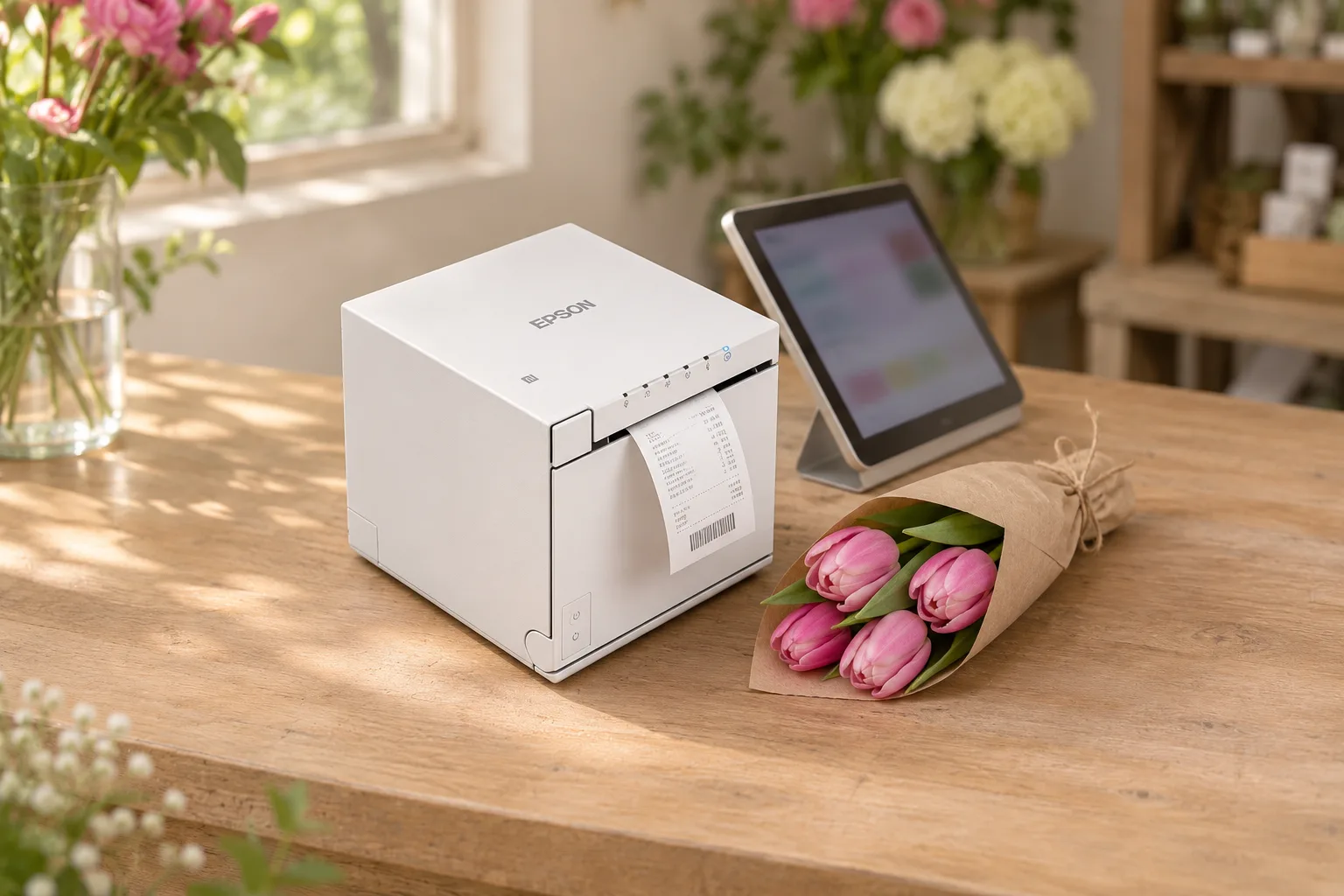
How it scores
- POS compatibility25%7.5
Shopify sells it, Lightspeed X-Series supports no other receipt printer, and Lightspeed R and K list it. Square, Toast and Loyverse list only older TM-m30 models. Drivers for iOS, Android, Windows, Mac and Linux.
- Speed and print quality15%9.0
Rated at 300 mm/s at 203 dpi, with an auto-cutter that makes partial or full cuts and paper exiting from the top or front.
- Connections and setup20%9.5
USB-C, USB-B, Ethernet and a USB-A port, plus Wi-Fi 5 and Bluetooth 5.0 on the wireless model. Server Direct Print, a drawer port, NFC setup and 18 W tablet charging.
- Durability and warranty20%8.0
Epson rates the head at 150 km and the cutter at 2.2 million partial cuts, with IPX2 spill resistance on front exit. 2-year warranty, extendable to 5 years.
- Value20%8.5
$289 at Shopify and $299 at Lightspeed in November 2026 ($312.58 at Amazon), the same as the Star TSP143IV X4 for more speed and a longer-rated head.
Overall 8.4/10, the weighted average.How we score →
Is the Epson TM-m30III worth it?
Yes, if you use Shopify POS or Lightspeed. The TM-m30III is the receipt printer Shopify sells, at $289 for the Wi-Fi and Bluetooth model in November 2026, and the only receipt printer Lightspeed X-Series supports ($299 at Lightspeed). For that price you get Epson’s rated 300 mm/s, USB-C, Ethernet, Wi-Fi and Bluetooth in a 5-inch cube, and a USB-C port that charges a tablet at up to 18 W.
It isn’t the pick for Square or Toast. Square’s list names only the first two TM-m30 generations, and Toast lists the original “TM-M30”. On Square, buy the Star TSP143IV instead.
Amazon had the white Wi-Fi and Bluetooth model for $312.58 in November 2026, from third-party sellers. Shopify and Lightspeed showed no Black Friday discounts, but both were already cheaper than Amazon and dealers like CDW ($336.99).
| Spec | Epson OmniLink TM-m30III |
|---|---|
| Price (November 2026) | $289 at Shopify (Wi-Fi + Bluetooth); $299 at Lightspeed; $312.58 at Amazon; $336.99 at CDW |
| Type | 3-inch direct thermal receipt printer, no ink |
| Rated speed | 300 mm/s (on Epson-approved paper) |
| Resolution | 203 dpi |
| Paper | 80 mm, or 58 mm with the included spacer; rolls up to 83 mm across; top or front exit |
| Cutter | Partial (default) or full cut; rated 2.2 million partial cuts |
| Head life (Epson’s rating) | 150 km |
| Reliability | MCBF 65 million lines; MTBF 360,000 hours |
| Connections | USB-C (18 W charging), USB-B, Ethernet, 1 USB-A peripheral port; Wi-Fi 5 and Bluetooth 5.0 on the wireless model |
| Cloud and SDK | Server Direct Print; ePOS SDK for iOS, Android and JavaScript |
| Cash drawer | Drawer kick port |
| Systems | iOS, Android, Windows, Mac, Linux; APD, Mac driver, CUPS, OPOS, JavaPOS |
| Other | IPX2 spill resistance (front exit), NFC setup, 53 dBA |
| Size and weight | 127 x 128 x 129 mm, 1.3 kg (2.87 lb) |
| Warranty | 2 years; Epson Preferred Plus plans to 5 years in total |
Which TM-m30III should you buy?
The Wi-Fi and Bluetooth model (C31CK50021 white, C31CK50022 black) unless you know you’ll only ever plug in a cable. It’s the version Shopify sells, and at $289 it costs $30 less than Square’s wired Star TSP143IV.
| Model | Part numbers | What’s different | Price (November 2026) |
|---|---|---|---|
| TM-m30III | C31CK50011/12 | USB-C, USB-B, Ethernet, 1 USB-A port | Dealers |
| TM-m30III Wi-Fi + Bluetooth | C31CK50021/22 | Adds Wi-Fi 5 and Bluetooth 5.0 | $289 at Shopify; $336.99 at CDW |
| TM-m30III-H Wi-Fi + Bluetooth | C31CK51021 | Adds a USB-C and two USB-A peripheral ports (up to 4 devices) | $379.99 at CDW |
The -H prints exactly like the standard model. Its extra ports are for scanners, customer displays and other USB accessories run through the printer. Most counters don’t need it.
Which POS systems support the TM-m30III?
Shopify and Lightspeed. Square, Toast and Loyverse list only older TM-m30 models, and Clover’s wording is unclear.
| POS system | TM-m30III supported? | Notes |
|---|---|---|
| Shopify POS | Yes | Sells it for $289; iPadOS or iOS 15.1+, or Android 10+ |
| Lightspeed X-Series | Yes, the only one | Windows, Mac and iPad (iOS 17.5+); USB, LAN, Wi-Fi, Bluetooth |
| Lightspeed R-Series | Yes | USB and LAN, on Mac and Windows desktops |
| Lightspeed K-Series | Yes | USB, LAN, Wi-Fi, Bluetooth |
| Square | No | Lists the TM-m30 and TM-m30II only |
| Clover | Unclear | Its FAQ names “Epson TM-30*” without a generation, and Clover doesn’t sell it |
| Toast | No | Lists the original “TM-M30” (wireless by dongle) |
| Loyverse | No | Lists the TM-m30 and TM-m30II-SL |
Shopify’s requirements carry three details worth knowing before you set it up. A direct USB-C connection works only with Android; an iPad connects by USB through the Shopify POS Hub instead. Wi-Fi setup has to be done from an Android device, such as Shopify’s POS Go. And Shopify POS supports only 80 mm receipt paper, so leave the 58 mm spacer in the box.
If your POS isn’t on this list, the TM-m30III still speaks Epson’s ESC/POS and has Windows, Mac and Linux drivers, so most PC-based POS software can drive it. Our receipt printers for POS systems guide covers each system’s list.
Can the TM-m30III charge an iPad?
Yes, at up to 18 W over its USB-C port, and it can share its network connection with the tablet over the same cable (Epson rates that tethering at up to 20 Mbps on iOS, Android and Windows). On a counter where the iPad is the register, that’s one less power cable.
Two catches from Epson’s own manual. Bluetooth can’t be used while an iOS device is plugged into the USB-C port in the default charging mode. And for a Lightning iPad, Epson says to use an MFi-certified cable. If you’re on Shopify with an iPad, charging works, but printing goes over the network, Bluetooth or the POS Hub.
How fast is it, and how good are the receipts?
Quick. At the rated 300 mm/s, a 6-inch receipt feeds in about half a second (our estimate). That’s 20% faster than the Star TSP143IV and TM-T20IV (250 mm/s), though well short of the TM-T88VII’s 500 mm/s.
It prints at 203 dpi. You choose a partial cut, which leaves a small tab, or a full cut, and paper can exit from the top or the front. Epson says its paper-saving settings cut paper use by up to 49%.
For a logo, store it in the printer with the TM-m30III Utility, and the printer adds it to the top or bottom of every receipt. Epson notes that its logo memory should be rewritten no more than 10 times a day, which only matters if software reprograms it constantly.
How long does the TM-m30III last?
Epson rates the head at 150 km, the cutter at 2.2 million partial cuts (1.5 million full cuts) and the mechanism at 17 million lines. Epson’s own spec sheets call these estimates, not warranties.
| Receipts a day | 150 km head lasts about | 2.2 million partial cuts last about |
|---|---|---|
| 100 | 27 years | 60 years |
| 300 | 9 years | 20 years |
| 1,000 | 2.7 years | 6 years |
Our estimates, assuming 6-inch receipts: 150 km is about 984,000 receipts. On full cuts, 1.5 million cuts last about 4.1 years at 1,000 receipts a day. The front exit is rated IPX2 for spills.
The warranty is 2 years, and Epson Preferred Plus plans extend it to 5 years in total. There’s no ink; paper costs about 0.3¢ to 0.9¢ per 6-inch receipt by the case (our estimate). See the receipt paper guide and what a receipt printer costs to run.
Does it open a cash drawer and print online orders?
Yes to both. The drawer kick port (an RJ12 jack) powers a printer-driven drawer with a 24 V pulse, and Epson’s optional buzzer uses the same port. Our receipt printer setup guide explains the wiring.
For web and cloud orders, Epson’s Server Direct Print lets the printer fetch jobs from a web server over the internet, without a POS app in between. The ordering system has to support it. The ePOS SDK covers apps for iOS, Android and web pages.
TM-m30III vs Star TSP143IV: which is better?
The TM-m30III, unless you’re on Square. Shopify sells both for $289, and the Epson has the faster rated speed, the longer-rated head and tablet charging.
| Epson TM-m30III | Star TSP143IV | |
|---|---|---|
| Price at Shopify | $289 (Wi-Fi + Bluetooth) | $289 (UEWB X4) |
| Square | Not listed | Sold and recommended ($319) |
| Lightspeed X-Series | The only supported printer | No |
| Speed | 300 mm/s | 250 mm/s |
| Head (maker rating) | 150 km | 100 km |
| Cutter | 2.2 million, partial or full | 2 million, partial only |
| Tablet charging | Up to 18 W | No |
| Size | 127 x 128 x 129 mm cube | 140 x 123 x 169 mm |
| Warranty | 2 years | 2 years |
Read our Star TSP143IV review for the Square case.
TM-m30III vs Star mC-Print3 and Epson TM-T88VII
The Star mC-Print3 is the other cube. Square sells the first generation for $369, at a slower 250 mm/s. The second generation is splash-rated too (IP22) and beats the Epson at 400 mm/s and a 200 km head, but costs more from dealers ($431.27 at Barcodes Inc). Our TM-m30III vs mC-Print3 comparison goes side by side.
The Epson TM-T88VII is Epson’s heavy-duty model: 500 mm/s, a 200 km head, 3 million cuts and a 4-year warranty, for $329.95 at Amazon. But it has no built-in Wi-Fi or Bluetooth, prints at 180 dpi, and fewer POS systems list it. Buy it for a busy wired lane, not an iPad counter.
What are the alternatives?
- Star TSP143IV ($319 at Square): the printer to buy for Square, and Shopify’s other pick at $289. Read our TSP143IV review.
- Star mC-Print3 ($369 at Square): a splash-proof cube Square sells for receipts and kitchen tickets. Read our mC-Print3 review.
- Epson TM-T88VII ($329.95 at Amazon): faster and longer-rated, with a 4-year warranty, for wired, high-volume counters. Read our TM-T88VII review.
All our picks are in the best receipt printers, and Epson vs Star receipt printers compares the two brands.
Questions people ask
Does the Epson TM-m30III work with Square?
Not officially. Square’s compatibility list names the TM-m30 and TM-m30II but not the III, and Square doesn’t sell it. Square’s own receipt printer is the Star TSP143IV.
Does the TM-m30III have Bluetooth?
The Wi-Fi + Bluetooth model does (C31CK50021 and C31CK50022, the version Shopify sells). The standard model is wired only: USB-C, USB-B and Ethernet.
Does the TM-m30III work with an iPad?
Yes, over Wi-Fi, Ethernet or Bluetooth, and it charges the iPad over USB-C at up to 18 W. Shopify supports iPadOS 15.1 or later and needs its POS Hub for a USB connection to an iPad.
Does the TM-m30III work with a Mac?
Yes. Epson lists a Mac printer driver and a CUPS driver, and Lightspeed X-Series supports it on Mac.
What’s the difference between the TM-m30III and TM-m30III-H?
Only the ports. The -H adds a USB-C and two USB-A ports for up to four USB accessories, against two on the standard model. Print speed, size and ratings are the same.
Can the TM-m30III print on 58 mm paper?
Yes, with the included spacer. Shopify POS supports only 80 mm paper, though.
How long is the TM-m30III’s warranty?
2 years. Epson Preferred Plus plans extend it to 5 years in total.
Key specifications
| Feature | EpsonOmniLink TM-m30III | Star Micronics TSP143IV | Star Micronics mC-Print3 | EpsonOmniLink TM-T88VII |
|---|---|---|---|---|
| Type | 3-inch direct thermal receipt printer | 3-inch direct thermal receipt printer | 3-inch direct thermal receipt printer | 3-inch direct thermal receipt printer |
| Speed | 300 mm/s | 250 mm/s | 250 mm/s (1st gen), 400 mm/s (2nd gen) | Up to 500 mm/s |
| Paper | 80 or 58 mm | 80 mm (58 mm with guide) | 80 mm (58 mm with guide) | 80 or 58 mm |
| Connection | USB-C, USB-B, Ethernet, Wi-Fi, Bluetooth | USB-C, USB-A, Ethernet (Wi-Fi and Bluetooth on UEWB) | Ethernet, USB (Bluetooth on some models) | USB, Ethernet (Wi-Fi by dongle) |
| Where to buy | Check price at Amazon | Check price at Amazon | Check price at Amazon | Check price at Amazon |
Epson OmniLink TM-m30III
- Type
- 3-inch direct thermal receipt printer
- Speed
- 300 mm/s
- Paper
- 80 or 58 mm
- Connection
- USB-C, USB-B, Ethernet, Wi-Fi, Bluetooth
Star Micronics TSP143IV
- Type
- 3-inch direct thermal receipt printer
- Speed
- 250 mm/s
- Paper
- 80 mm (58 mm with guide)
- Connection
- USB-C, USB-A, Ethernet (Wi-Fi and Bluetooth on UEWB)
Star Micronics mC-Print3
- Type
- 3-inch direct thermal receipt printer
- Speed
- 250 mm/s (1st gen), 400 mm/s (2nd gen)
- Paper
- 80 mm (58 mm with guide)
- Connection
- Ethernet, USB (Bluetooth on some models)
Epson OmniLink TM-T88VII
- Type
- 3-inch direct thermal receipt printer
- Speed
- Up to 500 mm/s
- Paper
- 80 or 58 mm
- Connection
- USB, Ethernet (Wi-Fi by dongle)
Sources
- Epson OmniLink TM-m30III product page, Epson
- Epson TM-m30III specification sheet (CPD-62919), mediaserver.goepson.com
- Epson TM-m30III brochure, download.epson.com.sg
- Epson TM-m30III Technical Reference Guide, Epson
- Epson OmniLink TM-m30III-H product page, Epson
- Epson TM-m30III-H specification sheet (CPD-62920), mediaserver.goepson.com
- Shopify Hardware Store: Epson TM-m30III, hardware.shopify.com
- Shopify POS: TM-m30III requirements, help.shopify.com
- Shopify POS supported receipt printers, help.shopify.com
- Lightspeed X-Series supported hardware, x-series-support.lightspeedhq.com
- Lightspeed R-Series supported hardware, retail-support.lightspeedhq.com
- Lightspeed K-Series supported hardware, k-series-support.lightspeedhq.com
- Lightspeed hardware store, store.lightspeedhq.com
- Square compatible printers, squareup.com
- Clover FAQ: compatible printers, clover.com
- Toast compatible printers, support.toasttab.com
- Loyverse supported printers, help.loyverse.com
- CDW: Epson TM-m30III, cdw.com
- CDW: Epson TM-m30III-H, cdw.com
- Epson TM-m30III on Amazon, amazon.com
Keep exploring

Buying guide
The best barcode label printers
The Zebra ZD421 is the best barcode label printer for most businesses: 4-inch labels at 6 inches a second, any brand of label roll and a 24-month warranty, for about $480 to $526 in November 2026. Get the Brother QL-820NWBc ($229.99) for an office or shop counter, and a thermal transfer model for inventory labels that have to last.
Read story
Buying guide
The best check printers for a small business
The TROY 3001dw ($509.15 at TROY, $530 at Amazon in November 2026) is the best check printer for a small business: a 35 ppm Wi-Fi laser with MICR toner, rated for 350 to 2,500 checks a month, at about 5¢ to 7¢ per check three to a page by our estimate. Get the TROY 4001dn for a locking tray, or the VersaCheck M15 MXD ($399.99) for software in the box.
Read story