Printers in this guide
What size paper does a receipt printer use?
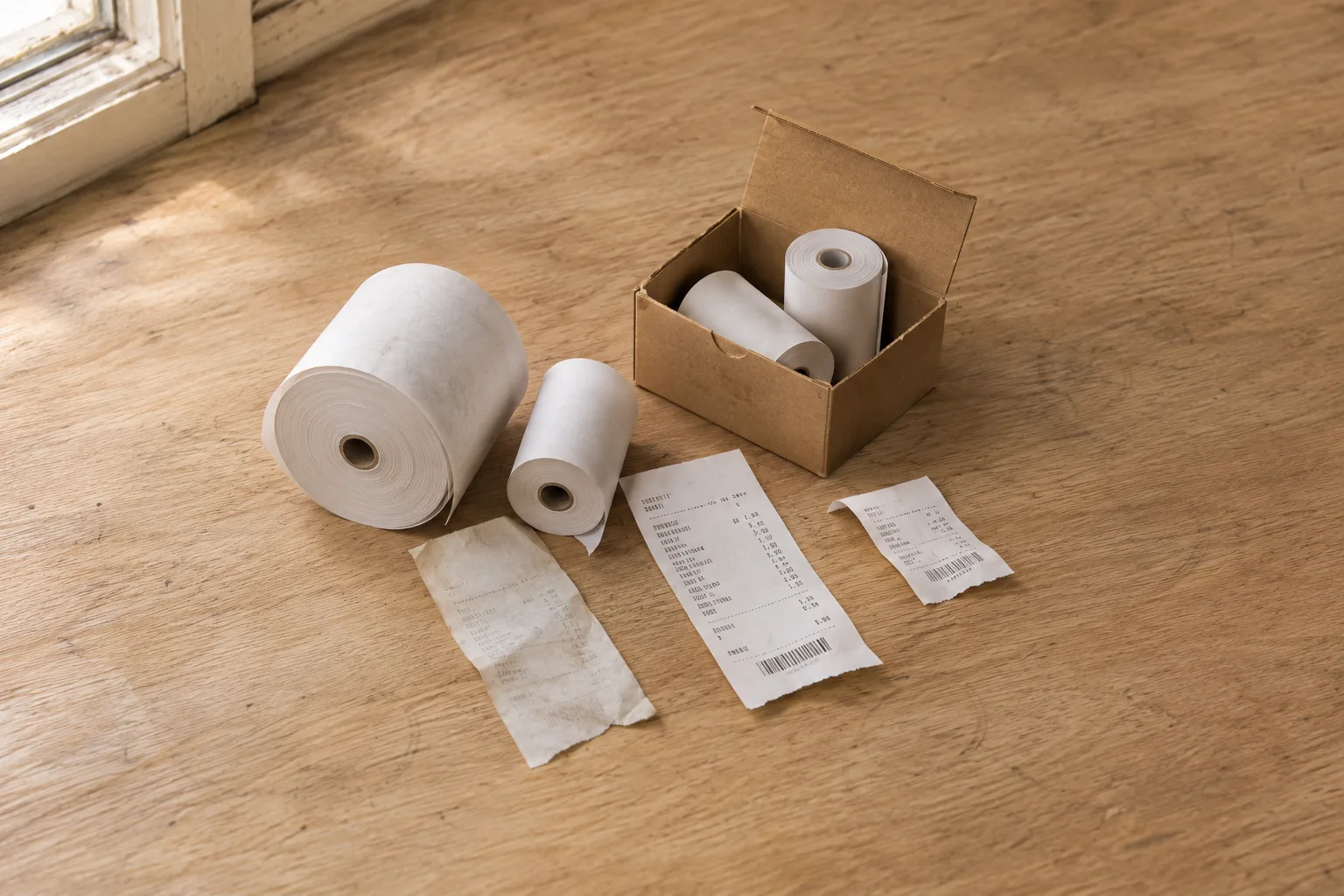
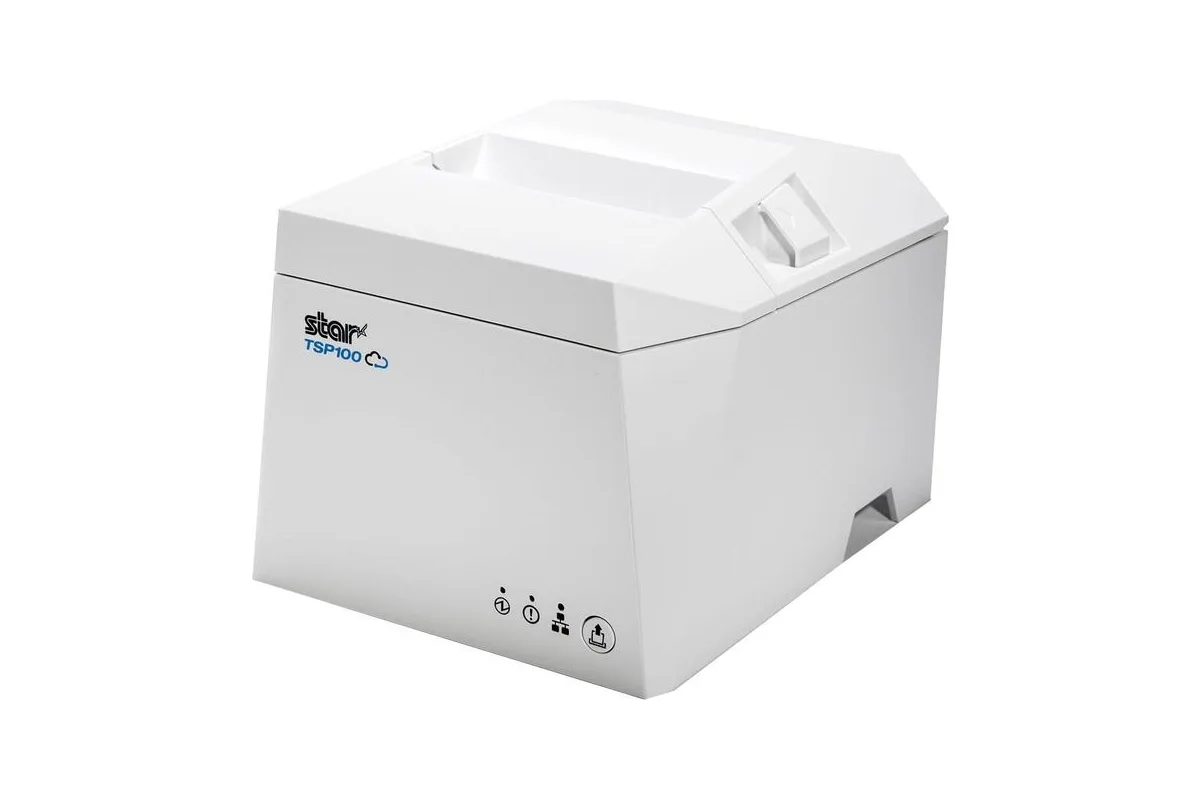
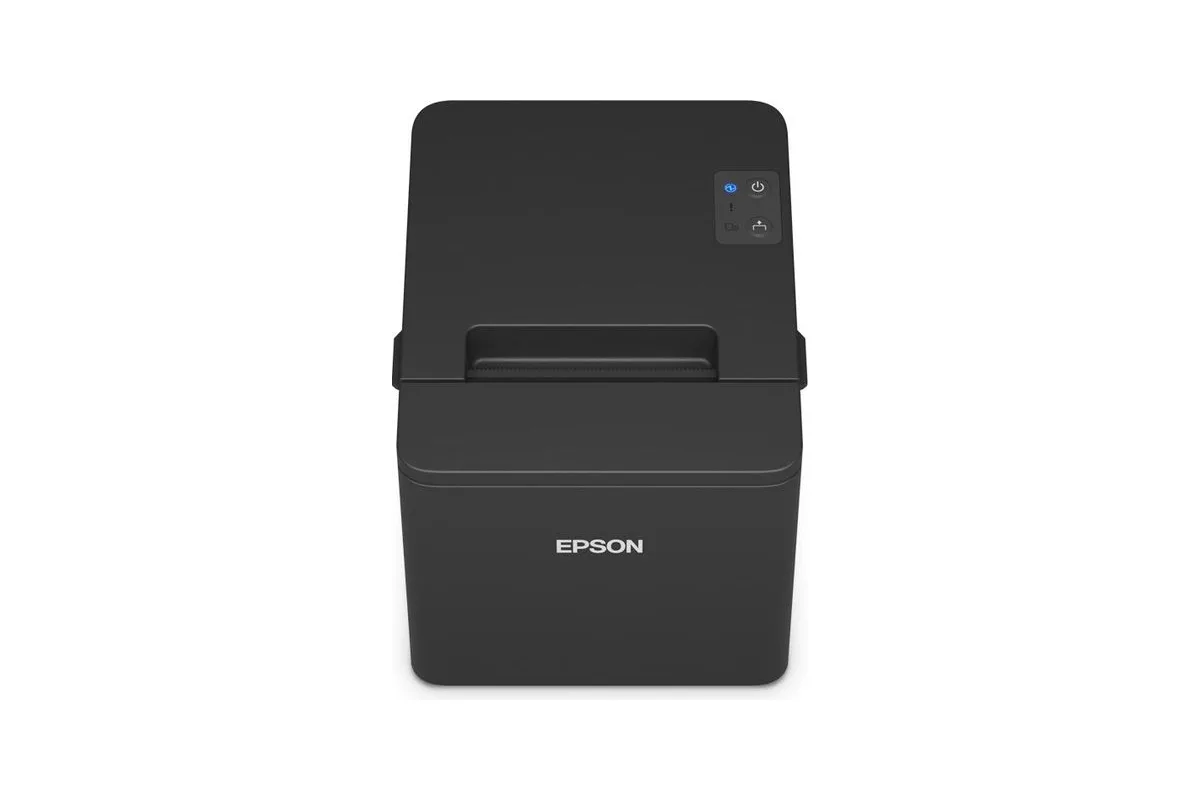
Most countertop receipt printers take 3-1/8 inch (80 mm) wide thermal rolls, 230 feet (70 m) long. That’s the paper for the Star TSP143IV, Epson TM-T20IV, Epson TM-m30III and Epson TM-T88VII, and Toast says the same 3-1/8 in. x 230 ft roll fits its own TP200 and the Epson printers it supports. Card terminals and small printers use 2-1/4 inch (57–58 mm) rolls, and impact kitchen printers use 3 inch (76 mm) plain bond.
| Size | Paper | Used in |
|---|---|---|
| 3-1/8 in. (80 mm) x 230 ft | Thermal | Countertop receipt printers: Star TSP143IV and mC-Print3, Epson TM-T20IV, TM-m30III and TM-T88VII, Toast TP200, Clover Station Printer |
| 2-1/4 in. (57–58 mm) x 85 ft | Thermal | Card terminals and small printers, such as Clover Mini, Flex and Compact |
| 2-1/4 in. x 50 ft | Thermal | Handheld and mobile printers |
| 3 in. (76 mm) x 150–165 ft | 1-ply bond | Impact kitchen printers: Star SP742, Epson TM-U220 |
| 3 in. x 90 ft | 2-ply carbonless | Kitchen tickets with a copy, on impact printers |
Check two numbers before you buy: the width and the largest roll the printer takes. Desktop 80 mm printers from Epson and Star take rolls up to 83 mm (3.27 in.) across; Square’s own 230 ft roll measures 83 mm, so a full-length roll fits. Mobile printers take far smaller rolls: 40 mm across for the 58 mm Epson TM-P20II and 51 mm for the 80 mm TM-P80II, so they need shorter rolls.
Two warnings from the POS companies:
- Kitchen impact printers take bond, never 3-ply. Toast says its Epson U220 and TKP300 kitchen printers take 1-ply bond or 2-ply carbonless, and “The 3-ply paper must never be used in these printers.”
- Square’s 57 mm paper is for Square Terminal only. Square sells it as “Compatible with Square Terminal only.”
What’s the difference between 58 mm and 80 mm receipt paper?
Width, and so how much fits on a line. On 80 mm paper the printable area is 72 mm wide (576 dots on a 203 dpi printer); on 58 mm paper it’s 50.8 mm on the Star TSP143IV and 52.5 mm on the older Epson TM-T20III. Fewer characters fit on each 58 mm line, so long item names wrap sooner.
| 58 mm (2-1/4 in.) | 80 mm (3-1/8 in.) | |
|---|---|---|
| Printable width | 50.8–52.5 mm | 72 mm |
| Typical roll | 85 ft or 50 ft | 230 ft |
| Cost per foot, 50-roll case at POS Paper and Uline (our estimate) | 0.63–0.92¢ | 0.59–0.86¢ |
| Used in | Card terminals, mobile printers | Countertop POS printers |
Narrow paper isn’t cheaper per foot. At POS Paper a 50-roll case of 2-1/4 in. x 85 ft works out to about 0.63¢ a foot and 3-1/8 in. x 230 ft to about 0.59¢; at Uline it’s about 0.92¢ against 0.86¢. Small packs of narrow rolls are the worst value: Office Depot’s 6-pack of 2-1/4 in. x 50 ft works out to about 10¢ a foot.
Most 80 mm countertop printers also take 58 mm rolls: the Star TSP143IV with its paper guide, and the Epson TM-m30III with the spacer in the box. A 58 mm mobile printer such as the TM-P20II takes 58 mm paper only. And some POS apps print to one width: “Shopify POS supports only 80mm receipt paper,” Shopify says.
How much does receipt paper cost?
About $1.36 to $4.13 a roll for standard 3-1/8 in. x 230 ft thermal paper bought by the case in November 2026, or $68 to $200 for 50 rolls. That’s about 0.3–0.9¢ for a 6-inch receipt. Office-store 10-packs cost about twice as much per roll.
| 3-1/8 in. x 230 ft thermal | Price | Rolls | Per roll | Per 6-in. receipt (our estimate) |
|---|---|---|---|---|
| POS Paper, BPA-free | $67.95 | 50 | $1.36 | 0.30¢ |
| Staples unbranded, phenol-free (336419) | $91.99 | 50 | $1.84 | 0.40¢ |
| POS Paper, phenol-free | $98.50 | 50 | $1.97 | 0.43¢ |
| Uline S-16161 (BPA, BPS and phenol free) | $99.00 | 50 | $1.98 | 0.43¢ |
| Shopify ThermaMark, phenol-free | $109.00 | 50 | $2.18 | 0.47¢ |
| Munbyn 80 mm x 230 ft | $26.99 | 10 | $2.70 | 0.59¢ |
| Staples brand, BPA-free (18296-CC) | $198.29 | 50 | $3.97 | 0.86¢ |
| Office Depot brand (818629) | $199.99 | 50 | $4.00 | 0.87¢ |
| Square 80 mm, phenol-free | $99.00 | 24 | $4.13 | 0.90¢ |
| Office Depot brand 10-pack (109282) | $80.49 | 10 | $8.05 | 1.75¢ |
Prices are before tax, delivered, read on November 27, 2026. Per-receipt cost is our estimate: price ÷ rolls ÷ 460, the number of 6-inch receipts in 230 feet. Real receipts also feed some blank paper above and below the print, so treat these as floors. A 12-inch receipt costs twice as much.
Other sizes cost less per roll because they’re shorter:
| Other sizes | Price | Rolls | Per roll |
|---|---|---|---|
| POS Paper 2-1/4 in. x 85 ft thermal | $26.95 | 50 | $0.54 |
| Uline 2-1/4 in. x 85 ft thermal | $39.00 | 50 | $0.78 |
| Office Depot 2-1/4 in. x 85 ft thermal | $35.99 | 9 | $4.00 |
| Uline 2-1/4 in. x 50 ft thermal | $29.00 | 50 | $0.58 |
| POS Paper 3 in. x 165 ft 1-ply bond | $44.95 | 50 | $0.90 |
| Uline 3 in. x 165 ft 1-ply bond | $67.00 | 50 | $1.34 |
| Office Depot 3 in. x 150 ft bond | $99.99 | 50 | $2.00 |
| Uline 3 in. x 90 ft 2-ply carbonless | $75.00 | 50 | $1.50 |
Bond paper for impact printers costs no more than thermal, but impact printers also need ribbons: POS Paper sells Epson ERC-30/34/38 black-and-red ribbons from $8.25 a box of six, and Square sells an SP742 ribbon for $9.
As a check, Epson puts paper at “about $204 per printer per year” for a business printing 100 receipts a day. That’s about 0.56¢ a receipt, inside the range above. For the rest of the running costs, see how much a receipt printer costs to buy and run.
Is phenol-free paper worth the extra cost?
It usually costs little or nothing extra. Phenol-free paper contains no BPA and no BPS. In November 2026 it cost 0% to about 45% more than “BPA-free” paper at the same store:
- POS Paper: $98.50 against $67.95 a case, 45% more.
- Office Depot: $214.99 against $199.99 for 50 rolls (7.5% more), and $92.99 against $80.49 for a 10-pack (15.5% more).
- Staples: its unbranded phenol-free case ($91.99) cost less than its own BPA-free case ($198.29).
- Uline, Square and Shopify sell only phenol-free 80 mm paper.
How long do thermal receipts last?
Paper makers rate standard receipt paper for about 10–12 years in good storage and top-coated or archival grades for 20–25 years, but archivists see real fading in as little as five years. Heat, light and handling make it much faster.
| Paper | Maker’s image-life rating |
|---|---|
| Domtar POS 48S and POS 55H (standard) | 10 years, under proper storage; 3 years shelf life before printing |
| Mitsubishi thermoscript, BPA-free grades | 10 years |
| Mitsubishi thermoscript, most phenol-free grades | 12 years |
| Zebra 8000D 3.2 mil (top-coated) | Up to 20 years if stored properly |
| Mitsubishi thermoscript P 5037 (phenol-free) | 25 years |
Archives are more cautious. The National Archives of Australia says thermal images “can be entirely lost in as little as five years” and can show significant fading in five years even in good storage. The University of Illinois preservation guide says thermal copies begin to fade within five years “even under appropriate storage conditions.”
What fades or darkens a receipt:
- Light and heat. All thermal paper is sensitive to light, and heat darkens the background until the print is hard to read.
- Plastic sleeves. Vapors from PVC folders and other plasticizers damage the image.
- Solvents and oils. Alcohol, some highlighters, cleaners, vegetable oil and skin oil. Zebra rates even its top-coated paper “not recommended” for alcohol and acetone.
- Friction. Rubbing or scratching darkens the coating. That’s how the scratch test works.
How to keep receipts readable:
- Scan or photocopy anything you must keep, such as tax records, warranties or expense receipts, soon after you get it. See how to scan receipts and go paperless.
- Store paper copies cool, dry and dark: Zebra says below 77°F at 45–65% humidity, and the National Archives of Australia says no more than 68°F (20°C) and 50% humidity.
- Keep them in paper folders or envelopes, away from PVC sleeves and other papers.
- Don’t leave them in a car, a sunny window or a pocket.
We couldn’t find a US retail price for a top-coated 3-1/8 in. x 230 ft roll at Uline, Staples, Office Depot, Square or POS Paper.
Is thermal receipt paper toxic?
It can carry BPA or BPS, which pass through skin. The risk is mostly for people who handle receipts all day, such as cashiers. The easy fixes: buy phenol-free paper, offer digital receipts, and wash your hands after changing rolls.
What the evidence says:
- BPA and BPS are the developers that make the coating darken with heat, and “BPA can be absorbed into the body through the skin,” according to the Minnesota Pollution Control Agency (MPCA).
- They’re common. MPCA found BPA in half the thermal paper samples it took from 18 Minnesota hospitality businesses, at 54–79 micrograms per square centimeter.
- Cashiers absorb it. A 2016 study by researchers from the National Institute of Environmental Health Sciences, the National Cancer Institute and the FDA followed 77 cashiers. Urinary BPS rose significantly over a shift, and post-shift BPA was higher than in non-cashiers. The authors call thermal paper “a potential source of exposure.”
- “BPA-free” usually means BPS. MPCA says some papers sold as BPA-free “actually use BPS, which has similar harmful effects.” Square’s own 57 mm roll carries a California Prop 65 warning for BPS, and Epson’s TM-T88VII spec sheet warns that the paper roll in the box can expose you to BPA and BPS. Only “phenol-free” paper has neither.
Where BPA in receipts is banned
| Where | Rule | From |
|---|---|---|
| European Union | BPA at 0.02% or more by weight banned in thermal paper | January 2, 2020 |
| Washington State | All intentionally added bisphenols banned in thermal paper | January 1, 2026 |
| California (AB 1604) | BPA banned in paper proof of purchase | January 1, 2028 |
| California (AB 1604) | All intentionally added bisphenols banned | January 1, 2029 |
California’s law, signed September 30, 2026, sets penalties of up to $5,000 for a first violation and $10,000 after that. Minnesota has guidance but no receipt ban. Uline already tells Washington customers to order its phenol-free paper.
How to handle receipts safely
MPCA’s advice for businesses:
- Ask “Do you want your receipt?” MPCA says this can cut paper use by about 30%, and skipping the merchant copy when the sale is stored electronically can cut it by 50%.
- Switch to phenol-free paper, or better, digital receipts.
- Give staff gloves or silicone fingertips for changing rolls, and have them wash hands after changing rolls and before eating.
- Avoid handling receipts right after using alcohol-based cleaners, or with wet, greasy or lotioned hands.
- Never hand receipts to babies or toddlers, and don’t put thermal tickets directly on food.
- Don’t recycle or compost thermal receipts.
To tell thermal paper from plain bond, scratch it with a coin or paperclip: thermal paper is thin and slick and darkens where you scratch. Bond paper uses no chemical developer.
Why is my receipt printer printing blank receipts?
Usually because the paper is in upside down or isn’t thermal paper at all. Star names three causes: the paper isn’t thermal, it’s loaded incorrectly, or the print head is blocked or dirty. Work through them in order:
- Do the scratch test. Scratch both sides of the roll with a fingernail or coin. If neither side darkens, it isn’t thermal paper; buy single-ply thermal rolls in the right size.
- Reload the roll so the dark-scratching side faces the head. Star says paper “must exit either from the bottom-up or from the top-down,” depending on the model, so check the diagram inside the lid.
- Run a self-test. On the Epson TM-m30III, hold the Feed button while you turn the printer on. If the self-test prints, the printer is fine and the problem is the connection or the POS app.
- Clean the print head if the self-test is blank or patchy (steps below).
- Check the connection. In Square, look under Settings > Hardware > Printers, power-cycle the printer, and make sure a network printer is on the same network as the POS device. Square doesn’t support more than one POS device on one Bluetooth printer connection.
Impact kitchen printers such as the Star SP742 use plain bond paper and a ribbon instead; for those, see the best kitchen printers.
Why is my receipt printer printing faded?
A dirty print head, old or poor paper, or a low density setting. Star lists the same three causes. Fix them in this order:
- Try a roll from a different box. If the new roll prints dark, the old paper was the problem. Unused thermal paper has a shelf life (Domtar rates its standard paper for 3 years before printing), and paper stored somewhere hot can darken or print weakly.
- Clean the print head. Let it cool first; don’t clean it right after printing. Star says to wipe it with a cotton swab or soft cloth moistened with 70% isopropyl alcohol and let it dry. Epson says to clean the head with ethanol or isopropyl alcohol on a swab about once every three months, and the rubber platen roller with a swab lightly moistened with water.
- Raise the print density. On Star printers, use the Star Quick Setup Utility app (Printer Settings > Memory Switch Settings > Print Density), Star’s Windows utilities, or CUPS on a Mac, where positive numbers print darker. Star warns that your POS software may override it. Toast Printers have Low, Normal, High and Extra high settings, with Normal the default Toast recommends.
- Look for streaks. Epson says faint printing or banding means the head “may be stained badly”; clean it again before you suspect a worn head.
If receipts print dark but fade later, the cause is storage, not the printer: see how long thermal receipts last.
Questions people ask
How many receipts are on a roll of receipt paper?
About 460 six-inch receipts on a 3-1/8 in. x 230 ft roll, by our estimate (230 feet is 2,760 inches). A 2-1/4 in. x 85 ft roll holds about 170, and a 50 ft roll about 100.
Can you use regular paper in a receipt printer?
Not in a thermal printer: it prints with heat on coated paper, and plain paper comes out blank. Impact printers such as the Star SP742 do use plain bond paper, with an ink ribbon. The same goes for thermal document printers; see are thermal portable printers any good?
Is 3-1/8 inch the same as 80 mm receipt paper?
Yes. Sellers label the same roll 3-1/8 in. or 80 mm; 230 feet is 70 meters. Likewise 2-1/4 in. paper is sold as 57 or 58 mm.
Do receipt printers need ink?
Thermal printers don’t; paper is all you buy. Impact kitchen printers need a ribbon: POS Paper sells a box of six Epson ribbons from $8.25, and Square sells an SP742 ribbon for $9. More in how much a receipt printer costs to run.
What paper does Square sell for its receipt printers?
80 mm thermal paper, 230 ft rolls, 24 for $99, phenol-free and “Compatible with all Receipt Printers.” That’s $4.13 a roll, so a case from a paper seller costs a half to a third as much.
Can I recycle thermal receipts?
No. MPCA says not to recycle or compost thermal receipts. Throw them in the trash, or skip printing them.
Which receipt printer should I buy?
For most businesses, the Star TSP143IV, which takes 80 mm and 58 mm paper and is the printer Square sells. See the best receipt printers and how to set one up.
Sources
- Cash register paper, all sizes (Uline), uline.com
- Uline S-16161 thermal paper, 3-1/8 in. x 230 ft, uline.com
- Phenol-free thermal POS rolls, 3-1/8 in. x 230 ft, 50 rolls (Staples), staples.com
- Staples thermal POS rolls, 3-1/8 in. x 230 ft, 50 rolls, staples.com
- Thermal paper rolls 3-1/8 x 230 (Office Depot search), officedepot.com
- Thermal paper rolls 2-1/4 x 85 (Office Depot search), officedepot.com
- 3-1/8 in. x 230 ft BPA-free thermal paper, 50 rolls (POS Paper), pospaper.com
- 3-1/8 in. x 230 ft phenol-free thermal paper, 50 rolls (POS Paper), pospaper.com
- 2-1/4 in. x 85 ft thermal paper, 50 rolls (POS Paper), pospaper.com
- 80 mm thermal receipt printer paper (Square Shop), squareup.com
- 57 mm thermal paper for Square Terminal (Square Shop), squareup.com
- Receipt printers and paper (Shopify Hardware Store), hardware.shopify.com
- Epson TM-m30III requirements (Shopify Help Center), help.shopify.com
- Printer paper rolls and ink ribbons (Toast), intercom.help
- Change the darkness setting on your Toast Printer (Toast), intercom.help
- Star TSP143IV thermal receipt printer, starmicronics.com
- Epson TM-T20IV thermal receipt printer, Epson
- How to troubleshoot blank printing on thermal printers (Star Micronics), starmicronics.com
- How to troubleshoot faded or light printing on thermal printers (Star Micronics), starmicronics.com
- How to adjust print density on a thermal printer (Star Micronics), starmicronics.com
- TM-m30III cleaning the printer (Epson), download4.epson.biz
- TM-m30III print quality problems (Epson), download4.epson.biz
- TM-m30III cannot print (Epson), download4.epson.biz
- Are you overspending on receipt paper? (Epson), blog.epson.com
- Domtar POS 48S-2.1 thermal paper spec sheet, domtar.com
- Mitsubishi HiTec thermoscript grade overview, mitsubishi-paper.com
- Zebra 8000D 3.2 mil high-temp receipt paper spec sheet, zebra.com
- Managing records on thermal papers (National Archives of Australia), naa.gov.au
- Thermal office copies (Preservation Self-Assessment Program, University of Illinois), psap.library.illinois.edu
- BPA and BPS in thermal paper (Minnesota Pollution Control Agency), pca.state.mn.us
- Thayer et al., BPA and BPS exposure in cashiers (Environmental Health Perspectives, 2016), pmc.ncbi.nlm.nih.gov
- Commission Regulation (EU) 2016/2235 (BPA in thermal paper), eur-lex.europa.eu
- WAC 173-337-114 (Washington State, bisphenols in thermal paper), app.leg.wa.gov
- California AB 1604 (bisphenols in proof-of-purchase paper), leginfo.legislature.ca.gov
Keep exploring

Buying guide
The best barcode label printers
The Zebra ZD421 is the best barcode label printer for most businesses: 4-inch labels at 6 inches a second, any brand of label roll and a 24-month warranty, for about $480 to $526 in November 2026. Get the Brother QL-820NWBc ($229.99) for an office or shop counter, and a thermal transfer model for inventory labels that have to last.
Read story
Buying guide
The best check printers for a small business
The TROY 3001dw ($509.15 at TROY, $530 at Amazon in November 2026) is the best check printer for a small business: a 35 ppm Wi-Fi laser with MICR toner, rated for 350 to 2,500 checks a month, at about 5¢ to 7¢ per check three to a page by our estimate. Get the TROY 4001dn for a locking tray, or the VersaCheck M15 MXD ($399.99) for software in the box.
Read story