How it scores
- Output quality25%8.0
300 dpi dye-sub in continuous tone, with a clear laminate layer Liene says makes stickers waterproof and scratch-resistant; the cutter follows each design's outline.
- Supply costs20%7.5
About 60¢ per 4x7 sheet ($42.99 for 72 sheets and two cartridges), or about 10¢ per 2-inch sticker; Liene's own sheets and cartridges only.
- Ease of use and software20%9.0
No mats, registration marks or alignment: the machine finds each design and cuts around it. Apps for iOS, Android, Windows and macOS.
- Features and media15%6.0
One 4x7-inch sticker sheet plus 4x6 photo paper, kiss-cut only, Bluetooth to up to three devices.
- Reliability and lock-ins20%7.0
Subscription-free app with 50,000+ graphics and 10,000+ templates, but it takes only Liene's own sheets and cartridges.
Overall 7.6/10, the weighted average.How we score →
Is the Liene PixCut S1 worth it?
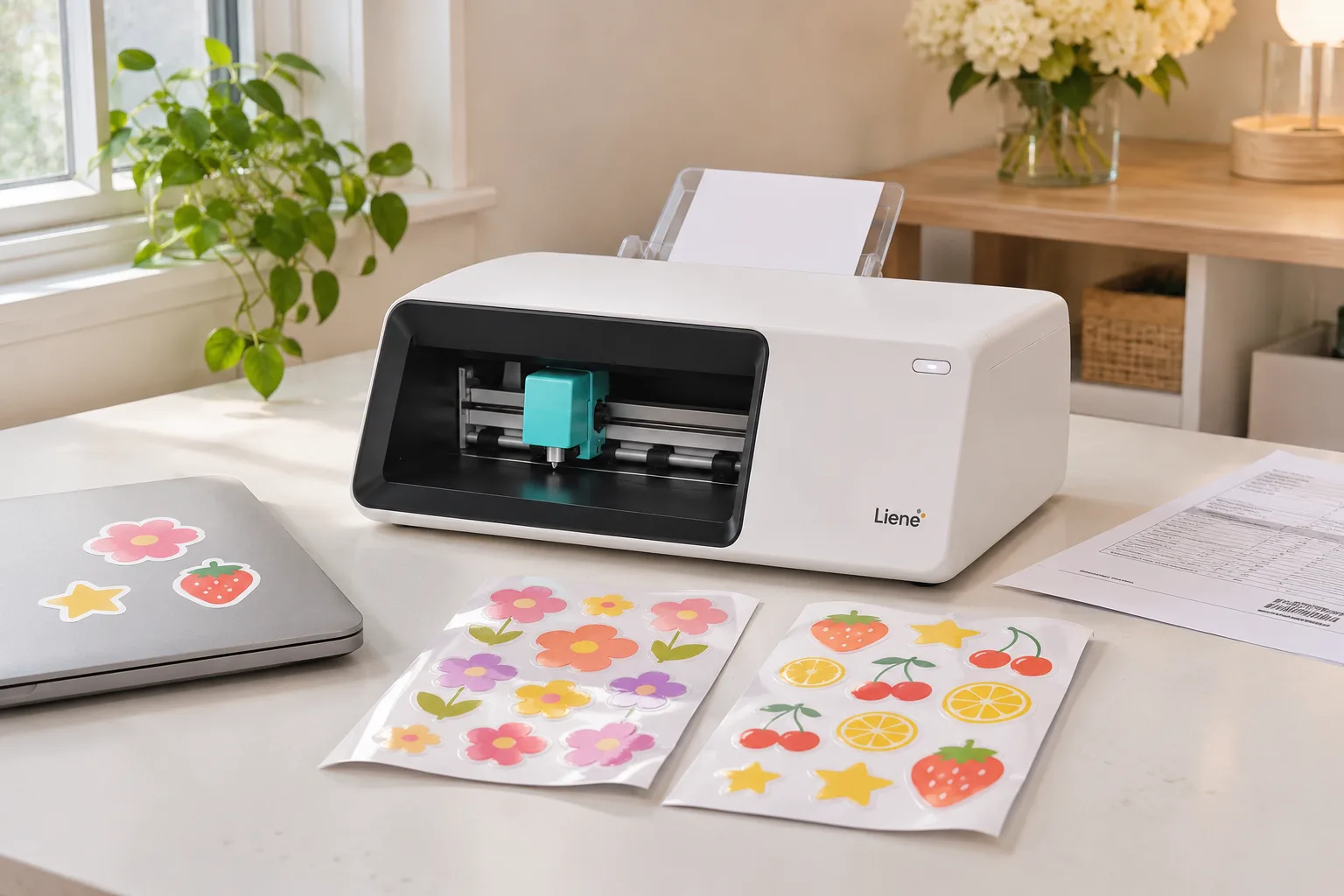
Yes, if you want custom stickers without learning a cutting machine. The PixCut S1 prints a 4x7-inch sticker sheet, seals it with a clear laminate, then cuts around each design by itself. There are no mats, no registration marks and no second machine. It’s $237.99 at Liene in November 2026 (list $279.99), on a Black Friday sale that ends around November 30.
Refills cost about 60¢ a sheet, which works out to about 10¢ for a 2-inch sticker. The app is subscription-free.
It isn’t worth it if you need stickers bigger than about 4x7 inches, vinyl, or hundreds at a time. For those, an inkjet and a Cricut Explore 5 are cheaper per sticker and more flexible. It’s the top pick in our best sticker printers guide.
| Spec | Liene PixCut S1 |
|---|---|
| Price (Liene, Nov 2026) | Starter Kit $237.99 (list $279.99); Creator Pack $273.99 (list $322.99) |
| Print technology | Dye-sublimation, 300 dpi, with a clear laminate layer |
| Cutter | Built-in contour cutter, 0.1 mm blade with pressure sensing |
| Cut type | Kiss-cut (stickers stay on the backing sheet) |
| Media | 4x7 in sticker sheets, 4x6 in photo paper |
| Cartridge yield | About 36 sheets (Liene) |
| Connection | Bluetooth 5.0, up to three devices |
| Apps | iOS, Android, Windows, macOS; no subscription |
| Starter Kit contents | 18 sticker sheets, 18 photo sheets, 1 cartridge |
Source: Liene’s product page and store, read November 25, 2026.
How does the PixCut S1 work?
It’s a dye-sub printer and a cutter in one box. A ribbon cartridge prints the image in three color passes and then a fourth clear layer, the laminate. Then the built-in cutter, which Liene says uses AI to recognize each design, follows its contours and kiss-cuts it, so the stickers peel off the sheet’s backing.
You design in Liene’s app, using your own photos or its library of more than 50,000 graphics and 10,000 templates, and send the sheet over Bluetooth. A full sheet of cut stickers can take a few minutes.
How good are the stickers?
Dye-sub prints in continuous tone rather than dots, so photos and gradients look smooth, and 300 dpi is sharp at sticker sizes. Liene says the laminate makes stickers waterproof and scratch-resistant. That’s the maker’s claim: we couldn’t find a published water or fade test for these stickers, so treat them as water-resistant rather than dishwasher-proof.
They’re kiss-cut, not die-cut. Each sticker sits on the sheet’s backing, which is how most sticker sheets are sold, but you can’t hand out single die-cut stickers without trimming them by hand.
How much do PixCut S1 refills cost?
| Refill (Liene, Nov 2026) | Price | Per sheet |
|---|---|---|
| 72 sticker sheets (4x7) + 2 cartridges | $42.99 | 59.7¢ |
| 72 photo sheets (4x6) + 2 cartridges | $33.99 | 47.2¢ |
Paper and cartridges come together, sized to run out at the same time, so the pack price is the whole running cost. Per sticker, it depends on how many you fit on a sheet:
- Six 2-inch stickers: about 10¢ each.
- 24 one-inch stickers: about 2.5¢ each.
- One big 4x6 sticker: about 60¢.
That’s far less than ordering: Sticker Mule charged $73 for 100 2-inch die-cut stickers in November 2026, or 73¢ each. The machine costs $237.99, though, so it pays off only if you keep making stickers.
Does the PixCut S1 need a subscription?
No. Liene calls the app subscription-free, and its graphics and templates are included. That’s the biggest practical difference from the Cricut StickerPix Print + Cut, which needs Cricut Design Space and an internet connection and keeps its full sticker library behind Cricut Access at $9.99 a month.
What are the downsides?
- One sheet size. Stickers can be no bigger than the 4x7-inch sheet, and you can’t feed letter-size vinyl or sticker paper.
- Liene’s supplies only. It uses Liene’s own sheets and cartridges, so you can’t shop around for cheaper paper.
- Kiss-cut only. No single die-cut stickers.
PixCut S1 or Cricut StickerPix Print + Cut?
The PixCut S1, for most people. Both are dye-sub print-and-cut machines using 4x7-inch sheets and 36-sheet cartridges. The PixCut is cheaper in November 2026 ($237.99 against $249), its refills cost less ($42.99 against $47.99 for 72 sticker sheets), and its app has no paid tier. Pick the StickerPix if you already use Design Space and want its library. See PixCut S1 vs StickerPix.
Should you buy the Liene PixCut S1?
Buy it if you want the simplest way to make custom photo or art stickers for journals, gifts, planners, kids’ projects or a small shop’s packaging. Skip it if you need large, vinyl or bulk stickers; an inkjet plus a cutter does those better. See how to make stickers at home and the best sticker printers.
Questions people ask
Is the Liene PixCut S1 worth it?
Yes, if you want easy custom stickers. It prints, laminates and cuts in one machine for $237.99 in November 2026, and stickers cost about 10¢ each. It’s limited to 4x7-inch sheets.
Are PixCut S1 stickers waterproof?
Liene says its clear laminate layer makes them waterproof and scratch-resistant. We couldn’t find an independent water or fade test, so treat them as water-resistant.
Does the Liene PixCut S1 need a subscription?
No. Liene’s app is subscription-free and includes more than 50,000 graphics and 10,000 templates.
How much do Liene PixCut S1 refills cost?
$42.99 for 72 sticker sheets and two cartridges, about 60¢ a sheet, at Liene in November 2026. Photo paper refills are $33.99 for 72 sheets.
Can the PixCut S1 use other sticker paper?
It’s built for Liene’s own 4x7-inch sticker sheets and cartridges, which are sold together. It can’t take letter-size sheets or printable vinyl.
Does the PixCut S1 work with a computer?
Yes. Liene’s app runs on Windows and macOS as well as iOS and Android, over Bluetooth.
Does the PixCut S1 make die-cut stickers?
No. It kiss-cuts, so the stickers stay on the sheet’s backing. Trim around them by hand for single stickers.
Key specifications
| Feature | Liene PixCut S1 | Cricut StickerPix Print + Cut |
|---|---|---|
| Type | Dye-sub printer with cutter | Dye-sub printer with cutter |
| Media | 4x7 in sticker sheets, 4x6 in photo paper | 4x7 in sticker sheets, 4x6 in photo paper |
| Max size | 4 x 7 in | 4 x 7 in |
| Connection | Bluetooth | Bluetooth, internet required |
| Where to buy | Check price at Amazon | Check price at Amazon |
Liene PixCut S1
- Type
- Dye-sub printer with cutter
- Media
- 4x7 in sticker sheets, 4x6 in photo paper
- Max size
- 4 x 7 in
- Connection
- Bluetooth
Cricut StickerPix Print + Cut
- Type
- Dye-sub printer with cutter
- Media
- 4x7 in sticker sheets, 4x6 in photo paper
- Max size
- 4 x 7 in
- Connection
- Bluetooth, internet required
Sources
- Liene PixCut S1 product page, liene-life.com
- Liene Black Friday and Cyber Monday deals, liene-life.com
- Cricut StickerPix Print + Cut product page, cricut.com
- Cricut StickerPix Print + Cut sticker sheets and cartridges, 72 prints, cricut.com
- Liene PixCut S1 review, newatlas.com
- Sticker Mule die cut stickers, stickermule.com
Keep exploring

Buying guide
The best color label printers for product labels
The Epson ColorWorks CW-C4000 is the best color label printer for product labels: pigment CMYK ink at up to 1200 dpi, rolls up to 4.25 inches wide, 4 inches a second and BS 5609 certification on Kimdura poly, for $2,499 at CDW in November 2026. Get the Primera LX610 ($2,695) to print and cut custom shapes, or the Primera LX500 ($1,549) on a budget.
Read story
Buying guide
The best edible printers for cakes and cookies
The best edible printer for cakes is a new Canon PIXMA TS702a bought in an edible ink bundle: $295 to $299 in November 2026, for letter and legal-size frosting sheets at about $1 to $3 a cake topper. For printing straight onto cookies, the Primera Eddie is $2,995 and uses about 6¢ of ink per cookie.
Read story