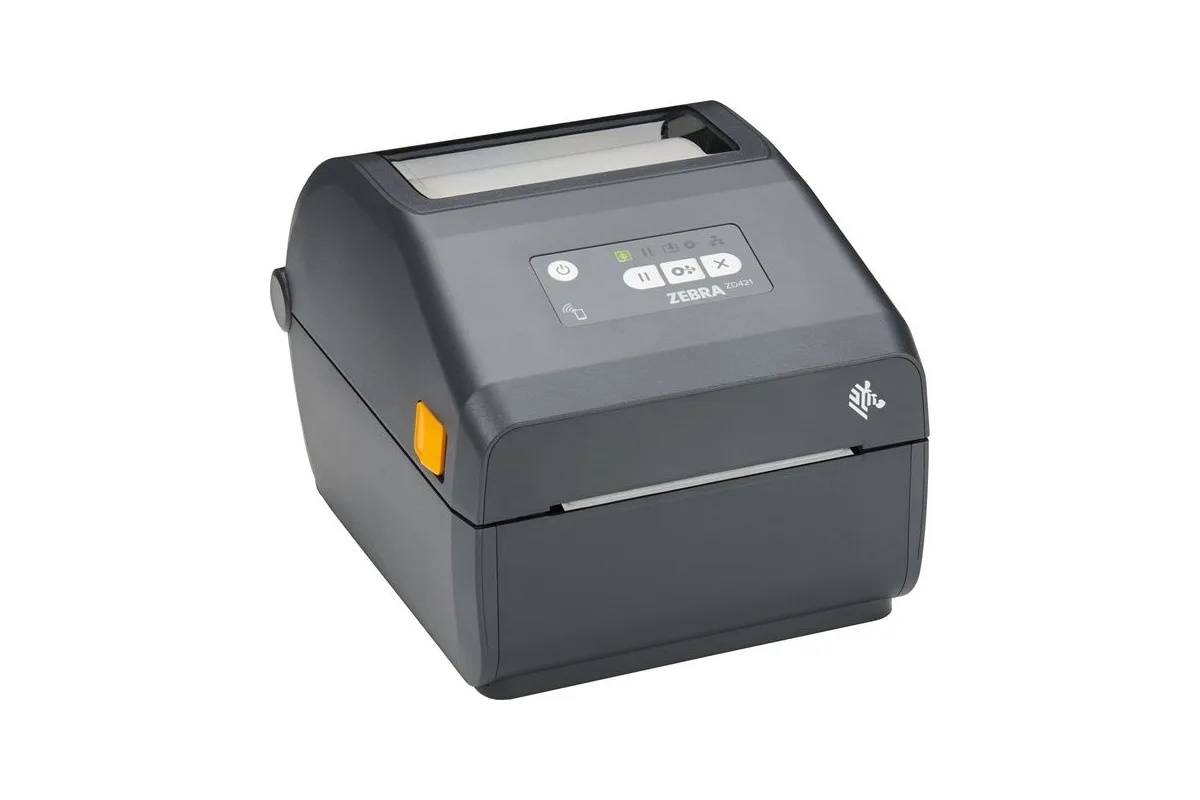
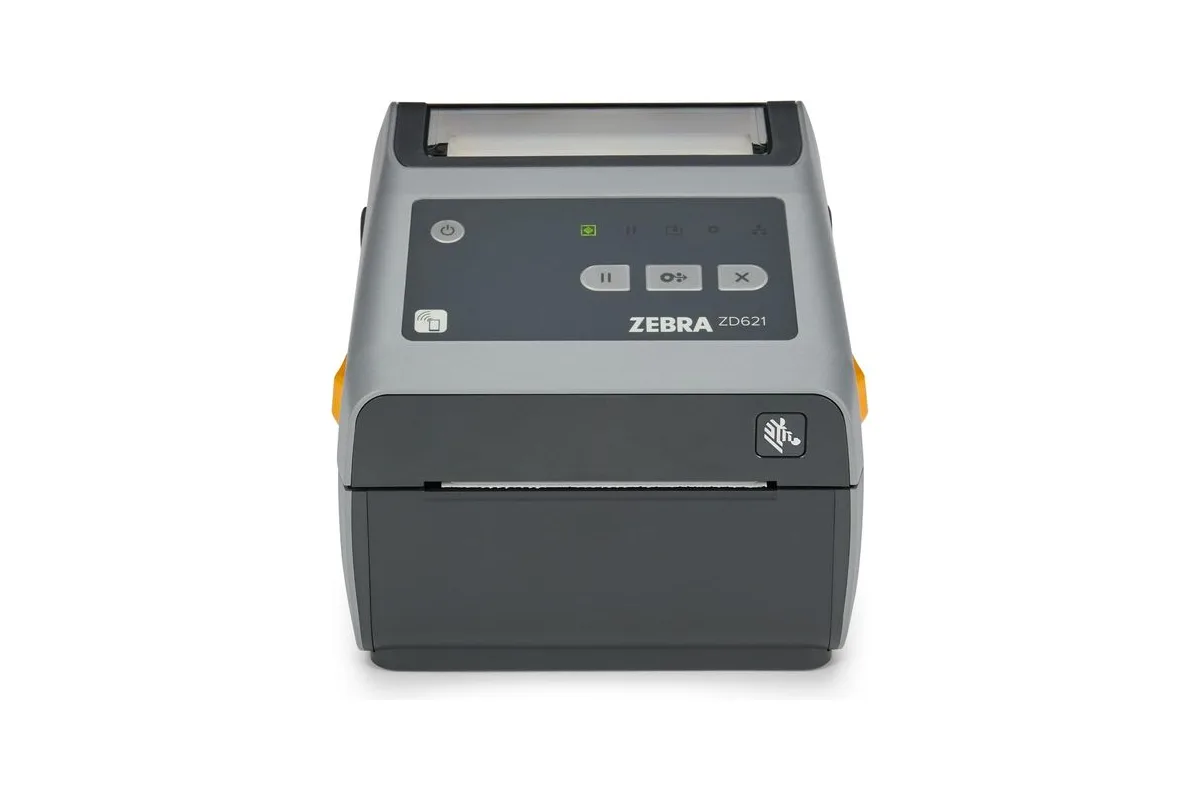
Side by side
| Feature | Zebra ZD421 | Zebra ZD621 |
|---|---|---|
| Type | Direct thermal (thermal transfer version available) | Direct thermal (thermal transfer version available) |
| Resolution | 203 dpi (300 dpi optional) | 203 dpi (300 dpi optional) |
| Max print width | 4.09 in | 4.09 in |
| Speed | 6 ips | 8 ips |
| Where to buy | Check price at Amazon | Check price at Amazon |
Zebra ZD421
- Type
- Direct thermal (thermal transfer version available)
- Resolution
- 203 dpi (300 dpi optional)
- Max print width
- 4.09 in
- Speed
- 6 ips
Zebra ZD621
- Type
- Direct thermal (thermal transfer version available)
- Resolution
- 203 dpi (300 dpi optional)
- Max print width
- 4.09 in
- Speed
- 8 ips
Zebra ZD421 vs ZD621: which should you buy?
The ZD421, for most businesses. Both are 4-inch desktop thermal printers with the same 203 or 300 dpi heads, the same 5-inch label rolls, the same ZPL language and the same 24-month warranty. The ZD421 costs about $200 less at dealers: $510.48 against $711.43 at CDW in November 2026 for the 203 dpi direct thermal models, and $525.79 against $732.77 at Barcodes, Inc.
The ZD621 is worth the extra if you print big batches, if several people will print to it over the network, or if you need features the ZD421 doesn’t offer. Zebra rates it at 8 inches a second at 203 dpi against the ZD421’s 6, and 6 against 4 at 300 dpi. Ethernet and serial are built in, and Zebra offers it with a 4.3-inch color touchscreen, RFID encoding (the ZD621R) and linerless labels.
At Amazon, where both were sold by third-party sellers, the gap was smaller: about $480 for the ZD421 and $570 for the ZD621. Check which configuration a listing is before comparing.
Side by side
| Zebra ZD421 | Zebra ZD621 | |
|---|---|---|
| Price, 203 dpi direct thermal (Nov 2026) | $510.48 (CDW); $525.79 (Barcodes, Inc.); about $480 (Amazon, third-party) | $711.43 (CDW); $732.77 (Barcodes, Inc.); $570 (Amazon, third-party) |
| Thermal transfer or 300 dpi version | $613.57 (Barcodes, Inc.) | $824.38 (Barcodes, Inc.) |
| Max speed (Zebra) | 6 in/sec (203 dpi); 4 in/sec (300 dpi) | 8 in/sec (203 dpi); 6 in/sec (300 dpi) |
| Max print width | 4.09 in (203); 4.16 in (300) | 4.09 in (203); 4.27 in (300) |
| Rolls | Up to 5 in across; 0.5 and 1 in cores, larger with adapters | Same |
| Ribbon | 300 m or 74 m rolls; 74 m cartridge on the ZD421c | 300 m or 74 m rolls; no cartridge |
| Media dancer (thermal transfer) | No | Yes |
| Connections, standard | USB, USB Host | USB, USB Host, Ethernet, serial |
| Wi-Fi and Bluetooth | Option | Option |
| Display | 5 status icons, 3 buttons | Same, or a 4.3 in color touchscreen on display models |
| RFID | No | ZD621R |
| Linerless labels | No | Yes (direct thermal) |
| Languages | ZPL II, EPL 2 and more | Same |
| Software | ZebraDesigner Essentials free; Professional paid | Same |
| Warranty | 24 months; printhead 1 year or 1 million inches | Same |
Specs are from Zebra’s January 2025 spec sheets; warranty from Zebra’s November 2026 exceptions list. Dealer prices are for USB direct thermal models unless noted.
How much faster is the ZD621?
A third faster at 203 dpi and half again as fast at 300 dpi, at Zebra’s maximum speeds. For a 4x6 shipping label, that’s the difference between about 1 second and 0.75 seconds of printing at 203 dpi, and 1.5 seconds and 1 second at 300 dpi. Over a batch, our estimates of print time at full speed, before gaps between labels and the time your computer takes to send them:
| Batch of 4x6 labels | ZD421, 203 dpi | ZD621, 203 dpi | ZD421, 300 dpi | ZD621, 300 dpi |
|---|---|---|---|---|
| 100 | 1.7 min | 1.3 min | 2.5 min | 1.7 min |
| 1,000 | 16.7 min | 12.5 min | 25 min | 16.7 min |
If you print a label at a time as orders come in, you won’t notice. If you print 1,000 labels at the end of each day, the ZD621 saves about 4 minutes at 203 dpi and about 8 at 300 dpi. That only matters when someone is standing at the printer waiting.
Is the ZD621 worth the extra money?
Price it with the connections you need. A USB-only ZD421 is about $200 cheaper than a ZD621, but the ZD621’s price includes Ethernet and serial, which on the ZD421 are factory or field options. We didn’t find a published price for those options, so if the printer will sit on a network, get a quote for a ZD421 with Ethernet before you decide; the real gap may be smaller.
Pay for the ZD621 if:
- You print big batches. Hundreds of labels at a time, where the 25 to 33% shorter print time adds up.
- The whole office shares it. Ethernet is built in, so it can sit on the network from day one.
- You need RFID, linerless labels or a touchscreen. The ZD421 offers none of them.
- You print a lot of thermal transfer labels. The ZD621 adds a media dancer on its thermal transfer models, which Zebra says is there for print quality.
Stick with the ZD421 if:
- You print as orders come in, a few hundred labels a day or fewer.
- You want the ribbon cartridge. Only the ZD421c has one, with a chip that tells you when the ribbon needs replacing, but it takes Zebra’s 74-meter cartridges only.
- You’d rather spend the difference on labels. $200 buys about 2,600 4x6 labels at 7.6¢ each on standard rolls (our arithmetic).
Is the ZD621 more reliable than the ZD421?
Zebra doesn’t say so. It gives both the same 24-month printer warranty and the same 1-year or 1-million-inch printhead cover. A million inches is about 167,000 4x6 labels (our arithmetic) on either printer. If uptime matters, Zebra OneCare plans add printhead, wear and accidental damage cover to both.
Do they use the same labels and ribbons?
Yes. Both take rolls up to 5 inches across on 0.5 or 1-inch cores, with adapters for 1.5 to 3-inch cores, and both take 300-meter and 74-meter ribbon rolls; the ZD421t comes with adapters for non-Zebra ribbons. The one difference is the ZD421c, which uses Zebra’s 74-meter ribbon cartridges instead of loose rolls. Both print direct thermal and, in their “t” versions, thermal transfer; our guide to direct thermal vs thermal transfer explains which you need.
Do they use the same software?
Yes. Both run Zebra’s free ZebraDesigner Essentials, which has no database connection, and ZebraDesigner Professional, a paid one-time licence that imports Excel, Access and text files and adds RFID encoding. Zebra’s pages don’t say whether the two printers come with different tiers of Zebra’s management software. See how to print barcode labels.
The verdict
Buy the Zebra ZD421 for a small business printing labels as orders come in: it does the same job on the same labels with the same warranty for about $200 less, and the 300 dpi or thermal transfer version is still under $620 at Barcodes, Inc.
Buy the ZD621 for a warehouse, a busy shipping desk or a shared office printer, or for RFID and linerless labels. If you need a ZD421 with Ethernet, price both before choosing. For other brands, including Brother’s TD-4550DNWB with its printhead-covering warranty, see the best barcode label printers.
Questions people ask
What is the difference between the Zebra ZD421 and ZD621?
Speed, connections and options. The ZD621 prints at up to 8 inches a second against 6 (at 203 dpi), has Ethernet and serial built in, adds a media dancer for thermal transfer, and offers a color touchscreen, RFID and linerless labels. The ZD421 alone has a ribbon-cartridge version. Labels, resolution, software and warranty are the same.
Is the ZD621 faster than the ZD421?
Yes: 8 against 6 inches a second at 203 dpi, and 6 against 4 at 300 dpi, by Zebra’s ratings. A batch of 1,000 4x6 labels takes about 12.5 minutes of print time instead of 16.7 at 203 dpi (our estimate).
Does the ZD421 have Ethernet?
Not as standard. Ethernet, Wi-Fi with Bluetooth and serial are options on the ZD421. The ZD621 has Ethernet and serial built in.
Do the ZD421 and ZD621 have the same warranty?
Yes. Zebra’s November 2026 warranty exceptions list gives both 24 months for printers bought after June 28, 2020, and printheads 1 year or 1 million inches.
Can the ZD621 print color?
No. Both are one-color thermal printers. For color product labels, see the best color label printers.
Is the ZD611 a 2-inch ZD621?
Yes. The ZD611 is the 2-inch model in Zebra’s ZD600 series, as the ZD411 is in the ZD400 series.
Sources
- Zebra ZD400 series spec sheet (ZD421; Jan 2025), zebra.com
- Zebra ZD600 series spec sheet (ZD621; Jan 2025), zebra.com
- Zebra ZD400 series, zebra.com
- Zebra ZD600 series, zebra.com
- Zebra product warranty exceptions list (November 2026), zebra.com
- ZebraDesigner label design software, zebra.com
- CDW: Zebra ZD421 203 dpi direct thermal, cdw.com
- CDW: Zebra ZD621d, cdw.com
- Zebra ZD421 on Amazon, amazon.com
- Zebra ZD621 on Amazon, amazon.com
Keep exploring

Buying guide
The best barcode label printers
The Zebra ZD421 is the best barcode label printer for most businesses: 4-inch labels at 6 inches a second, any brand of label roll and a 24-month warranty, for about $480 to $526 in November 2026. Get the Brother QL-820NWBc ($229.99) for an office or shop counter, and a thermal transfer model for inventory labels that have to last.
Read story
Buying guide
The best check printers for a small business
The TROY 3001dw ($509.15 at TROY, $530 at Amazon in November 2026) is the best check printer for a small business: a 35 ppm Wi-Fi laser with MICR toner, rated for 350 to 2,500 checks a month, at about 5¢ to 7¢ per check three to a page by our estimate. Get the TROY 4001dn for a locking tray, or the VersaCheck M15 MXD ($399.99) for software in the box.
Read story