Printers in this guide
Diode vs CO2 vs fiber laser: which should I buy?
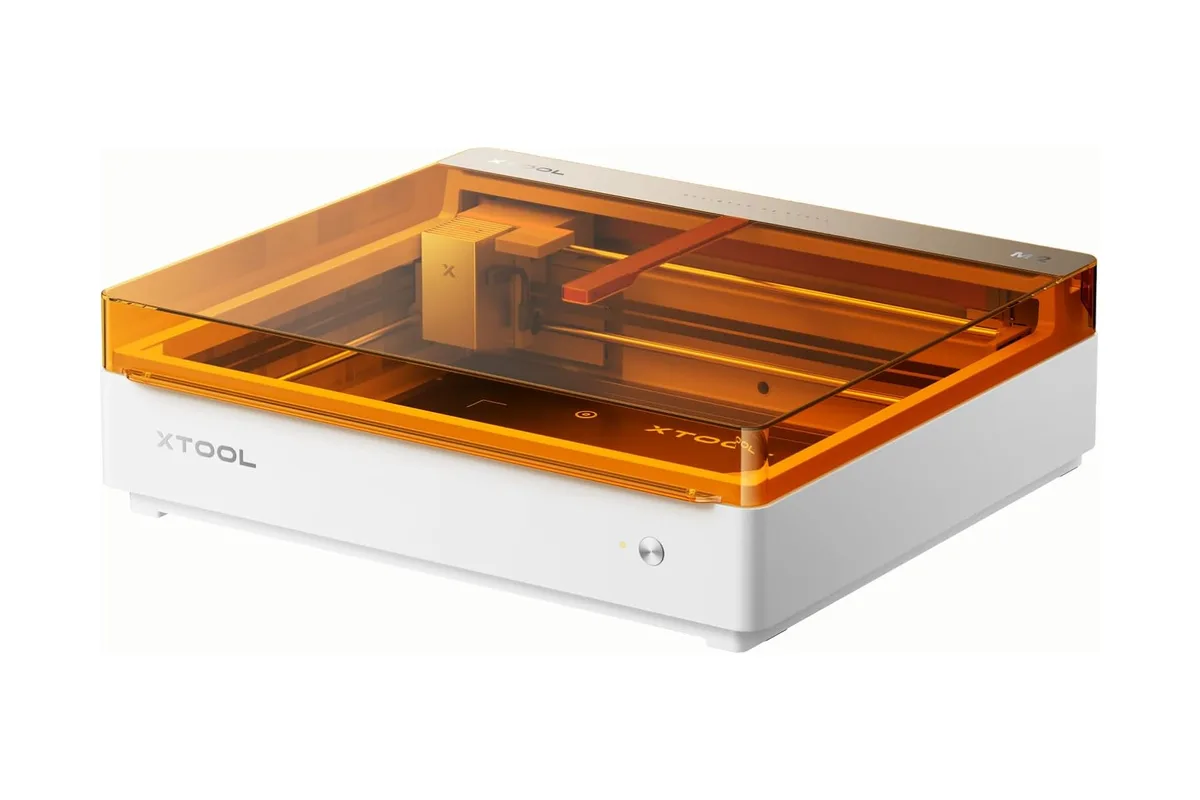
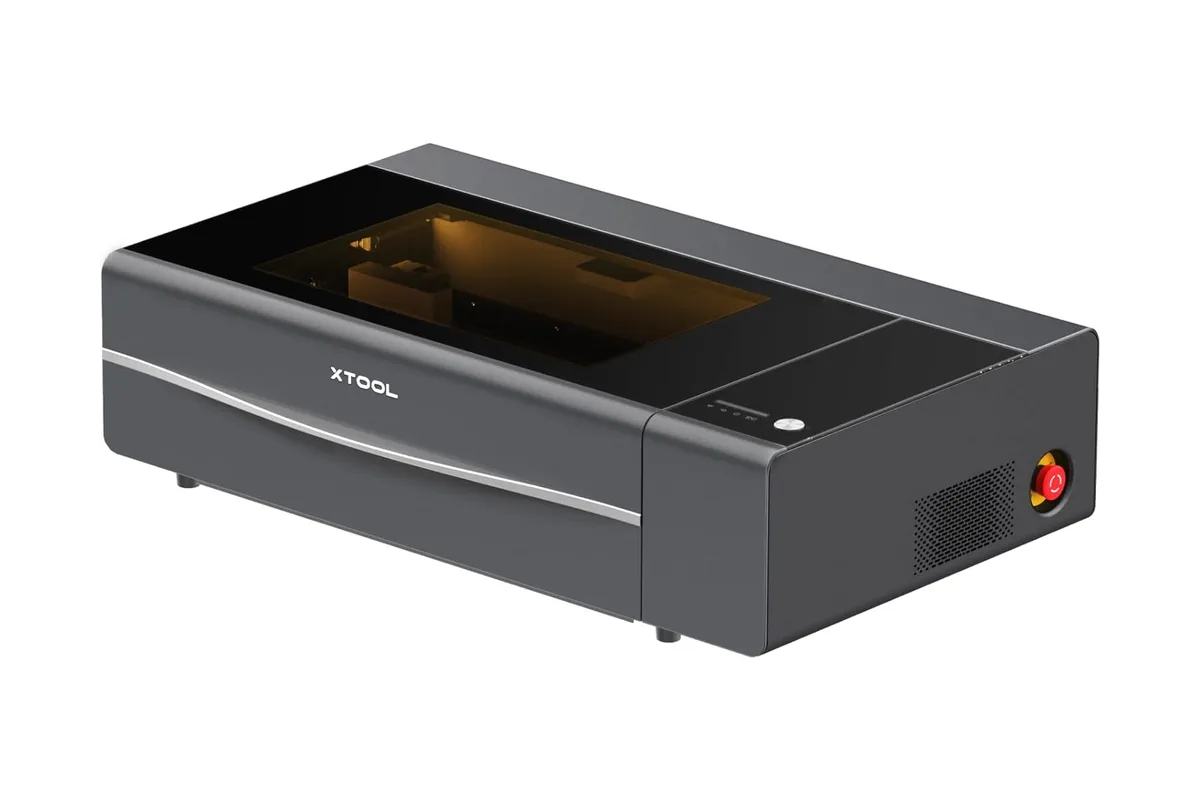
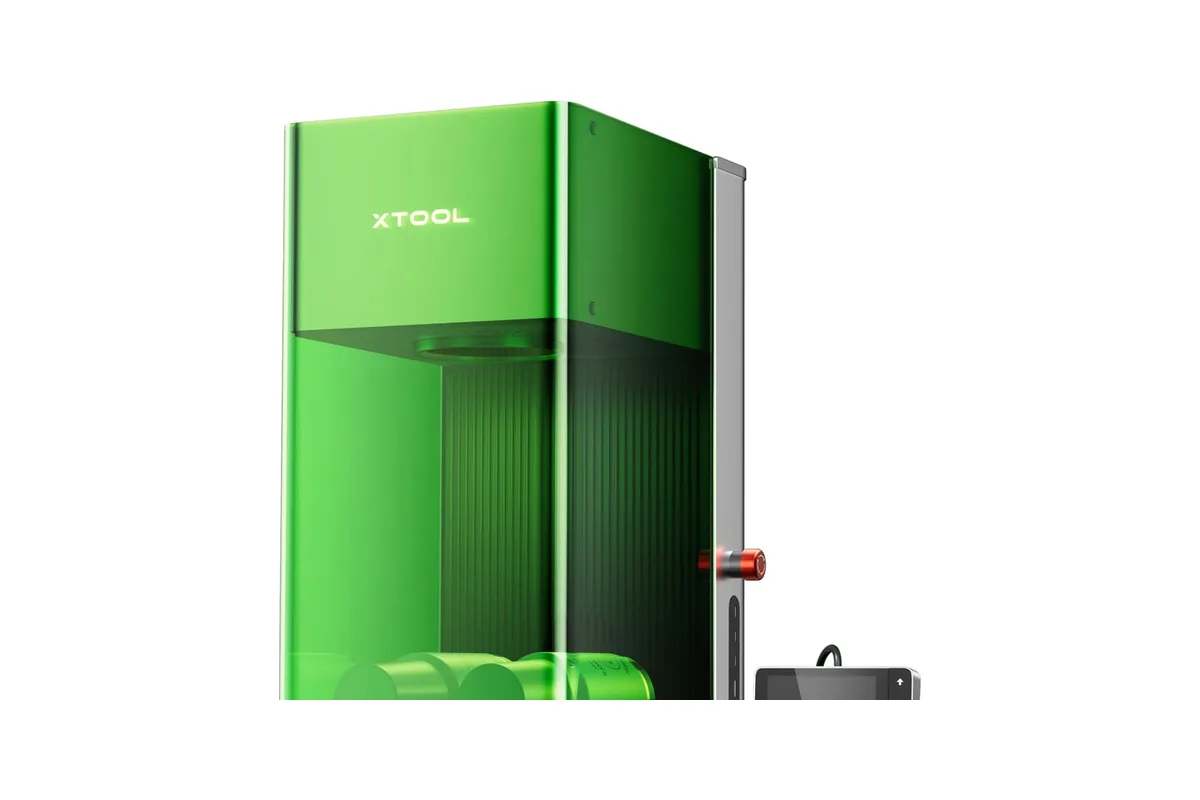
Pick by material, not by watts. A diode laser like the xTool M2 ($499 for 10W at xTool in November 2026) engraves and cuts wood, leather and dark acrylic. A CO2 laser like the 55W xTool P2S ($2,999) adds clear acrylic and glass, and cuts thicker stock in one pass. A fiber laser like the xTool F1 Ultra ($2,299, with a diode built in) is the one for bare metal, and xTool says fiber is “not suitable for wood, glass and clear acrylic.”
If you work mostly in wood and want to spend under $1,000, buy a diode. If you want clear acrylic signs or glassware, buy CO2. If you engrave stainless, brass or jewelry, buy fiber or a fiber-and-diode combo. Most store prices here are Black Friday sale prices and will rise.
| Diode | CO2 | Fiber | |
|---|---|---|---|
| Wavelength | About 455 nm (blue) | 10,600 nm (10.6 µm) | About 1,064 nm (infrared) |
| Power range (xTool’s figures) | 5–40W | 40–150W | 20–100W and up |
| Cuts | Wood, plywood, MDF, leather, paper, felt, cork, dark opaque acrylic | Wood, acrylic including clear, paper, rubber, fabric, cork | Thin metal only (0.3 mm stainless on the F1 Ultra) |
| Engraves | Wood, leather, slate, stone, coated metal, dark acrylic; glass and ceramic only with a coating | All of those plus glass, ceramic and clear acrylic | Stainless, aluminum, brass, copper, titanium, gold, silver; some stone and leather |
| Can’t | Clear acrylic; white and blue acrylic; bare metal and glass without help | Bare metal without a marking compound | Wood, glass, clear acrylic |
| Desktop price, November 2026 | $119 to about $1,970 | $579.99 to $5,899, Glowforge to $7,999 | About $1,300 to $2,430; MOPA $2,400 to $4,800 |
| Example | xTool M2: $499 / $899 / $1,299 (10 / 20 / 40W) | xTool P2S 55W: $2,999 | xTool F1 Ultra 20W fiber + 20W diode: $2,299 |
What each type does comes from xTool’s own comparison, LightBurn’s laser-types guide and Creality’s FAQ. Prices are maker store prices: Creality’s open-frame Falcon CR 5W at $119 (was $299), OMTech’s K40+ at $579.99, xTool’s P3 at $5,899, Glowforge’s Pro HD at $7,999, ComMarker’s B4 20W fiber at $1,299 and LaserPecker’s LP5 at $2,429.10.
By what you want to make
| You mostly make | Buy | Why |
|---|---|---|
| Wood signs, coasters, cutting boards, leather patches | Diode, 10–20W | Cuts 8–10 mm basswood in one pass on xTool’s M2 (10W and 20W) |
| Powder-coated tumblers | Diode, CO2 or fiber, with a rotary | All three remove the coating to bare steel |
| Clear or colored acrylic signs | CO2 | Diodes can’t cut clear acrylic and fail on white and blue |
| Glassware | CO2 | Engraves glass directly; a diode needs a coating, and fiber isn’t suited |
| Bare stainless, brass, jewelry, metal business cards | Fiber | Marks metal without a coating; MOPA fiber adds color |
| Thick plywood and production cutting | CO2, 55W and up | The P2S cuts 18 mm basswood in one pass, and xTool advises 12 mm or less for plywood |
Combo machines blur the lines
Several machines carry two sources, which can save buying two lasers:
- xTool F1 Ultra ($2,299): 20W fiber plus 20W diode, 220 x 220 mm, Class 4. Cuts 0.4 mm brass and 0.3 mm stainless, per xTool.
- xTool F2 ($1,149; $1,091 at Amazon): 15W diode plus 5W infrared. It replaced the F1 and F1 Lite, which xTool has discontinued. See our xTool F2 review.
- xTool M2: an optional 3W infrared module adds metal marking to the enclosed diode.
- Creality Falcon A1 Pro ($835): 20W diode with an optional 2W infrared module.
- xTool F2 Ultra ($4,799): 60W MOPA fiber plus 40W diode. xTool rates it for “100+ consistent colors on metals.”
A MOPA laser is a fiber laser with adjustable pulses (xTool lists 2–500 ns against about 120 ns for standard Q-switched fiber). That’s what lets it color-mark stainless. A UV laser (355 nm) is a fourth type for fine marking and engraving inside crystal glass. It lays down no ink, so it isn’t a UV printer.
What wattage laser engraver do I need?
For a diode, 10W engraves well and cuts up to about 8 mm basswood; 20W cuts 10 mm and leaves margin on harder woods; 40W is for cutting 1/2-inch stock often. For CO2, a 55W desktop machine cuts thicker acrylic in one pass than any diode charted here, and clear acrylic too. For fiber, 20W marks metal; more watts mostly buy speed and thicker metal cuts.
Check whether watts are light or wall power
Compare machines by optical output, the laser light that reaches the material. Creality defines optical power as “the actual laser energy output that interacts with the material” and labels its machines that way: the Falcon A1 is 10W optical with a 120W maximum machine power. Atomstack’s A20 Pro V2 lists “Output Power: 20W” and “Input Power: 120W”, so the light is about 17% of the wall power by our arithmetic. xTool lists the laser (such as “55W CO2”) and a separate “Max. Machine Input Power” (200W for the M2, 700W for the P2S).
A listing that leads with a number like 80W or 120W for a small diode is usually quoting input. Look for the optical or output figure.
One-pass cut depth per watt (maker charts)
These are the makers’ own ratings for cutting all the way through in one pass, at slow speeds, with air assist where the machine has it. Depth per watt is our arithmetic.
| Laser | Basswood, one pass | Dark acrylic, one pass | Depth per watt (wood, our estimate) |
|---|---|---|---|
| xTool M2 10W (diode) | 8 mm | 3 mm black | 0.8 mm/W |
| xTool M2 20W (diode) | 10 mm | 8 mm black | 0.5 mm/W |
| Creality Falcon2 22W (diode) | 10 mm | 4.6 mm black | 0.45 mm/W |
| xTool M2 40W (diode) | 15 mm | 11 mm black | 0.38 mm/W |
| Creality Falcon2 40W (diode) | 15 mm | 4.6 mm black | 0.38 mm/W |
| Creality Falcon2 Pro 60W (diode) | 22 mm | Not charted | 0.37 mm/W |
| xTool P2S 55W (CO2) | 18 mm | 20 mm acrylic | 0.33 mm/W |
| xTool P3 80W (CO2) | 20 mm | 25 mm acrylic | 0.25 mm/W |
Sources: xTool’s M2, P2S and P3 spec tables; Creality’s Falcon2 settings table and Falcon2 Pro page.
Two things stand out. Doubling diode watts doesn’t double the depth: 10W to 20W adds about 2 mm on the M2, and 20W to 40W adds 5 mm. And CO2 cuts less wood per watt than a diode but more acrylic: 20 mm on the 55W P2S against 11 mm of black on the 40W M2, and the CO2 cuts clear acrylic the diode can’t.
Other maker figures for scale:
- Atomstack A40 Pro V2: “48W cuts 18mm wood in one pass.”
- OMTech, 100W CO2: “as deep as 10 mm” on many non-metals, with plywood ideally “no more than 10 mm”, and acrylic “up to 0.7 inches (20 mm)” (those two units don’t match: 0.7 inch is 17.8 mm).
- Glowforge: its lasers cut, engrave and score materials “up to ½” thick”. The 6W Aura cuts up to 1/4 inch.
- xTool’s P2S FAQ advises against cutting plywood thicker than 12 mm, even though it rates 18 mm basswood.
Creality’s FAQ gives bigger maximums (up to 22 mm wood and 30 mm acrylic for the Falcon2 Pro) without saying how many passes. Its own settings table tops out at 15 mm basswood in one pass on the 40W, so use the one-pass figures above when comparing.
Wattage by project
| Project | Diode wattage that does it in one pass (maker charts) |
|---|---|
| Engraving wood, leather, slate, coated tumblers | Any; 10W is plenty |
| Cutting 1/8 in (3.2 mm) plywood or basswood | 10W |
| Cutting 1/4 in (6.4 mm) basswood | 10W rates 8 mm on the M2; 20W leaves margin for harder woods |
| Cutting 3/8 in (9.5 mm) basswood | 20W |
| Cutting 1/2 in (12.7 mm) basswood | 40W |
| Clear acrylic of any thickness | None. Buy CO2 |
Denser woods take more passes. xTool’s 20W chart cuts 8 mm of solid basswood, pine or walnut in one pass, but beech, cherry and bamboo need two or three.
xTool’s own 10W figures disagree: its shop page says 6 mm of wood and its S1 page says 3 mm basswood plywood. The M2’s 8 mm is the current machine’s rating.
What can a diode laser cut?
Wood, plywood, MDF, bamboo, leather, paper, cardboard, felt, cork, fabric and dark, opaque acrylic. xTool and Creality list those. A 20W diode like the M2 cuts 10 mm basswood and 8 mm black acrylic in one pass, by xTool’s rating. LightBurn’s summary is that diodes “generally make nice engravings but poor cuts” next to CO2.
What a diode can’t cut, by the makers’ own statements:
- Clear acrylic. Creality: “clear acrylic cannot be cut.” The light passes straight through.
- White and blue acrylic. In xTool’s 20W test, 5 mm white and blue acrylic could not be cut in one pass “due to wavelength limitations”, while black, red, orange, yellow and light green cut fine. Glowforge tells Aura owners to avoid clear, white and blue acrylic.
- Transparent colored acrylic cuts slowly. Creality’s Falcon2 chart needs two or three passes for 3 mm transparent red, yellow or green, against one for opaque.
- Metal, beyond foil. xTool’s 40W module cuts 0.1 mm stainless in one pass, and Creality’s Falcon2 Pro 60W cuts 0.2 mm. Creality says its diodes “are primarily designed for engraving metal surfaces rather than cutting thick metal materials.”
- Glass. A diode can’t cut it, and engraving clear glass needs a coating or marking paper.
What a diode can engrave but not cut: slate, stone, ceramic (with a coating), anodized aluminum and powder-coated metal. On bare stainless, the makers disagree. xTool and Creality say their blue diodes can engrave it; LightBurn says blue diodes “can’t interact with metals or glass.” Plan on an infrared or fiber module for bare metal.
Some materials no laser should cut, whatever it can physically do: PVC and vinyl, polycarbonate, ABS, HDPE, foam, fiberglass and coated carbon fiber among them. Our laser safety guide lists them with the university safety offices that ban them.
Diode cut depth by wattage
| Optical power | Basswood, one pass | Black acrylic, one pass | Example |
|---|---|---|---|
| 6W | Up to 1/4 in (6.4 mm) | Not charted | Glowforge Aura ($699 for Black Friday) |
| 10W | 8 mm | 3 mm | xTool M2 10W ($499) |
| 20W | 10 mm | 8 mm | xTool M2 20W ($899) |
| 40W | 15 mm | 11 mm | xTool M2 40W ($1,299) |
| 60W | 22 mm | Not charted | Creality Falcon2 Pro 60W ($1,899) |
What can CO2 and fiber do that a diode can’t?
CO2 cuts clear acrylic (xTool lists “acrylic (including transparent varieties)”), engraves glass and ceramic directly, and cuts thicker material in one pass. It can’t mark bare metal: xTool says CO2 “can not engrave on uncoated metal”, though coatings allow “limited metal marking.” The catch is size and setup. The P2S weighs 45 kg, needs venting or a purifier, and xTool treats its glass tube as a wearing part with a 6-month warranty. OMTech notes that glass CO2 tubes need water cooling.
Fiber marks bare stainless, aluminum, brass, copper, titanium and precious metals without a coating, and cuts thin sheet. It’s a poor choice for wood, glass and clear acrylic. Most desktop fiber machines are galvo units, which steer the beam with mirrors: fast (10,000 mm/s on the F1 Ultra) but limited to a small area (220 x 220 mm). See the best laser engravers for metal.
Which type is easiest to run at home?
The laser type matters less than the enclosure. The M2 is Class 1 (TÜV SÜD certified), meaning the beam stays inside in normal use. The P2S and F1 Ultra are Class 4, like any open-frame diode, so you need glasses rated for the wavelength whenever the beam can escape, and a pair for a 455 nm diode does nothing at CO2’s 10,600 nm. Every type makes smoke and needs venting or a filter. Our laser engraving safety guide covers each.
What changed in 2026
- xTool discontinued the F1 and F1 Lite; the F2 replaces them. The S1 is no longer sold new on xtool.com (a refurbished 40W is $1,199), and the M1 Ultra reached end of life from August 2026.
- xTool’s new X1 ($3,399) is a 55W CO2 with swappable diode, UV, fiber and MOPA modules.
- New xTool machines run only xTool Studio. xTool Creative Space stopped at version 2.7. See LightBurn vs xTool Studio.
- Creality dropped the Falcon2 12W; the Falcon2 Pro S is out of stock. Its new A1C (from $242) and T1 five-in-one galvo (from $1,999) are new.
- OMTech’s K40+ is now listed as 45W.
Questions people ask
Is a 40W diode as good as a 40W CO2 laser?
No, they do different jobs. A 40W diode cuts about 15 mm basswood in one pass but can’t cut clear acrylic. A CO2 at 40–55W cuts clear acrylic and engraves glass, and the 55W P2S cuts 20 mm acrylic in one pass.
Can a diode laser engrave metal?
It engraves coated metal (powder-coated tumblers, anodized aluminum) and can mark some bare stainless, per xTool and Creality. For reliable bare-metal marks, add an infrared module (xTool M2’s 3W, Creality’s 2W) or buy fiber.
Can a CO2 laser engrave metal?
Not bare metal. It removes powder coat and other coatings to show the steel underneath, and it can mark metal with a marking compound.
Can a fiber laser cut wood?
xTool says fiber is “not suitable for wood, glass and clear acrylic.” Combo machines like the F1 Ultra add a diode for wood.
Is a 5W or 10W laser enough?
For engraving, yes. For cutting, a 10W diode cuts about 8 mm basswood in one pass on the M2, enough for 1/8-inch and most 1/4-inch craft plywood. It can’t cut clear acrylic at any wattage.
Which laser type lasts longest?
Makers rate fiber sources longest (up to 100,000 hours on OMTech’s and xTool’s MOPA figures, a rating rather than a guarantee) and glass CO2 tubes shortest (xTool rates the P2S tube at 6,000–8,000 hours). See how long laser engravers last.
How much does each type cost to set up?
By our arithmetic from maker prices, an M2 10W with rotary is $758, a P2S with the riser its rotary needs is $3,847, and an F1 Ultra with rotary is $2,648. See laser engraver cost.
Sources
- xTool: Fiber laser vs CO2 laser vs diode laser, xtool.com
- xTool: What is a MOPA laser, xtool.com
- xTool: UV laser engraving machine, xtool.com
- xTool support: choosing the right laser module, 10W, 20W or 40W, support.xtool.com
- xTool support: 40W laser module cutting test, support.xtool.com
- xTool M2 color craft laser, xtool.com
- xTool P2S 55W CO2 laser, xtool.com
- xTool P3 80W CO2 laser, xtool.com
- xTool F1 Ultra fiber and diode laser, xtool.com
- xTool F2 diode and IR laser, xtool.com
- xTool F2 Ultra MOPA and diode laser, xtool.com
- xTool F1 and F1 Lite announcement, xtool.com
- xTool laser engravers and cutters (store prices), xtool.com
- LightBurn docs: laser types explainer, docs.lightburnsoftware.com
- Creality Falcon laser engravers and FAQ, crealityfalcon.com
- Creality Falcon2 engraving and cutting parameter settings, crealityfalcon.com
- Creality Falcon: laser engraver optical power, crealityfalcon.com
- Creality Falcon2 Pro enclosed laser, crealityfalcon.com
- Atomstack A20 Pro V2, atomstack.com
- Atomstack A40 Pro V2, atomstack.com
- Atomstack laser engravers (store prices), atomstack.com
- OMTech: how deep can a 100W CO2 laser engraver cut?, omtech.com
- OMTech CO2 laser engravers (store prices), omtech.com
- Glowforge, glowforge.com
Keep exploring

Buying guide
The best color label printers for product labels
The Epson ColorWorks CW-C4000 is the best color label printer for product labels: pigment CMYK ink at up to 1200 dpi, rolls up to 4.25 inches wide, 4 inches a second and BS 5609 certification on Kimdura poly, for $2,499 at CDW in November 2026. Get the Primera LX610 ($2,695) to print and cut custom shapes, or the Primera LX500 ($1,549) on a budget.
Read story
Buying guide
The best edible printers for cakes and cookies
The best edible printer for cakes is a new Canon PIXMA TS702a bought in an edible ink bundle: $295 to $299 in November 2026, for letter and legal-size frosting sheets at about $1 to $3 a cake topper. For printing straight onto cookies, the Primera Eddie is $2,995 and uses about 6¢ of ink per cookie.
Read story