Printers in this guide
How does UV printing work?
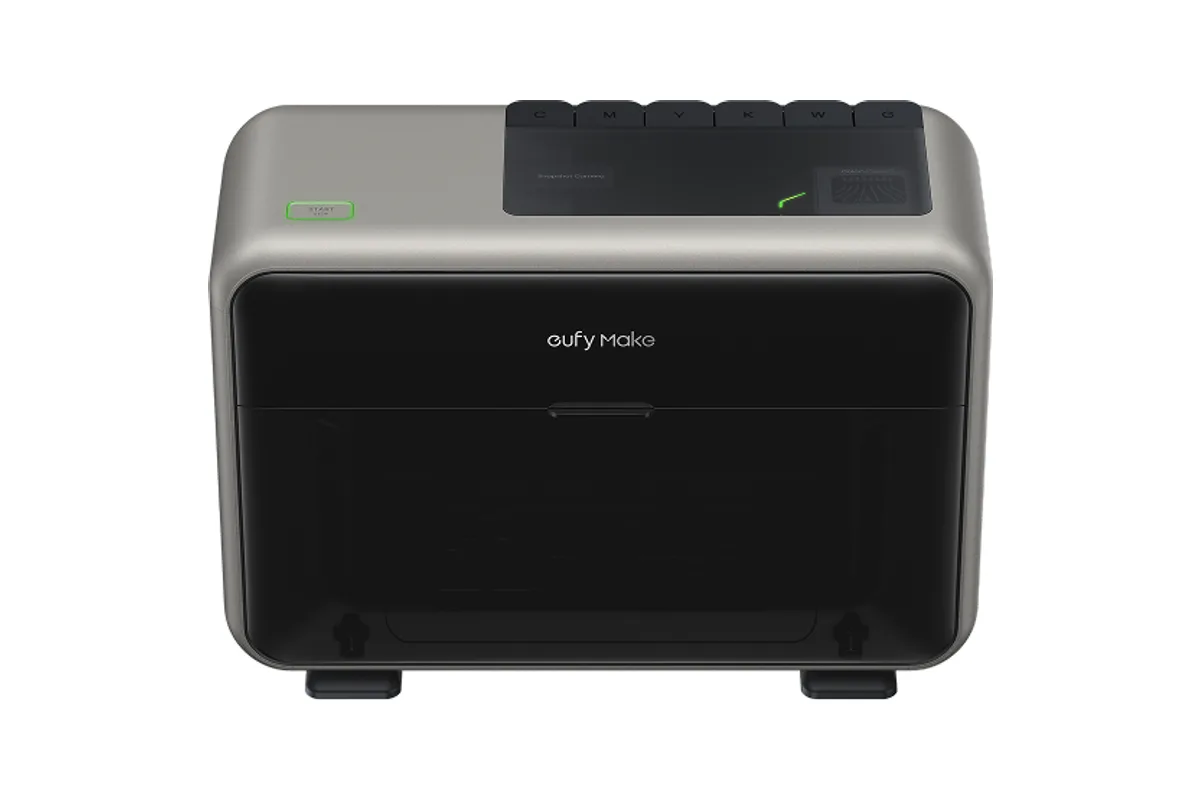
A UV printer sprays liquid ink onto the object with an inkjet printhead, and an ultraviolet lamp hardens it almost instantly. The ink is a photosensitive resin mixed with pigment and photoinitiators, with no added solvents, in eufyMake’s description. The photoinitiators react to the UV light and harden the resin, so the print is dry almost as soon as the lamp passes over it. That’s why it works on surfaces that don’t absorb ink, such as metal, glass and acrylic.
A typical desktop print runs like this, using the eufyMake E1 as the example:
- Place the object on the bed. The E1’s bed takes items up to 330 x 420 mm (13 x 16.5 inches). Everything on the bed must be the same height, and one object can vary by no more than 2 mm.
- Measure it. Two lasers and an 8 MP camera find the object’s height and outline, even on transparent materials, and the printer sets its head height automatically.
- Print white, then color. On dark or clear surfaces, the printer lays down an opaque white base and prints color on top (eufyMake’s “White + CMYK” mode). On clear acrylic it can print in reverse, color first and white behind it, so the design reads through the back.
- Cure each pass. The UV lamp follows the head. The E1’s lamp peaks at 395 nm, which is in the UV-A band.
- Add gloss or texture. A gloss or varnish channel adds shine. Raised texture is built by stacking layers of white ink and finishing with color: up to 5 mm on the E1’s flatbed and 1 mm on its rotary. xTool’s O1 Omni, still on pre-order, is rated at 7 mm.
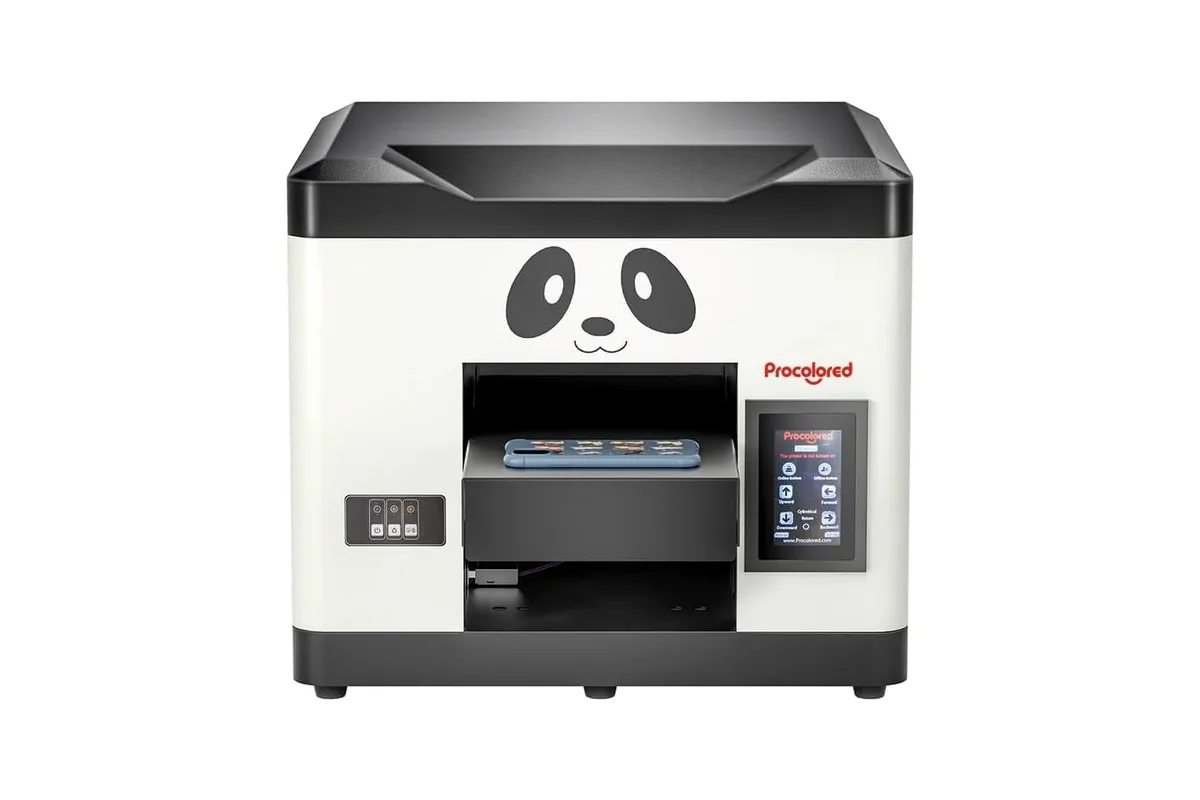
It’s slow by paper-printer standards. eufyMake says the E1 prints a 57 x 57 mm fridge magnet in 5 minutes in its two-way mode. Procolored rates its V6 Panda at about 23 minutes for an A4 print and its two-head V11 Pro at 8 to 9 minutes.
UV printer vs a UV laser
They’re different machines. A UV laser, such as xTool’s F2 Ultra UV, uses a 355 nm laser beam to mark and engrave; it lays down no ink and no color. See laser engraver vs Cricut vs UV printer.
What can you print on with a UV printer?
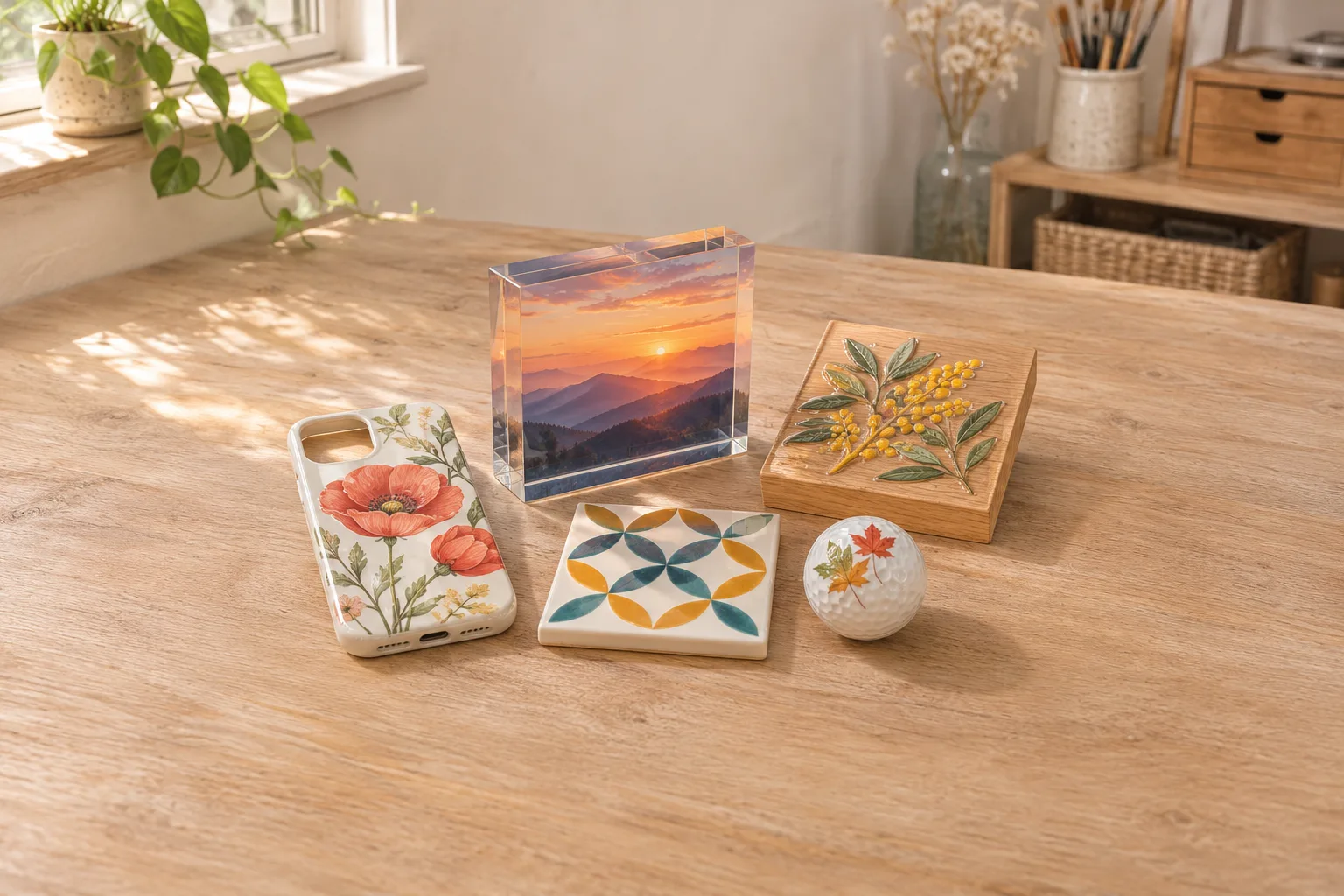
Most hard, flat or gently curved objects that fit under the head: wood, metal, acrylic, glass, ceramic, stone, leather and many plastics. The makers’ own lists:
- eufyMake: metal, wood, acrylic, ceramic, stone, glass, canvas, leather, fabric and film. Fabric and other soft surfaces need its flexible white ink.
- Procolored: phone cases, leather, acrylic, CDs, USB drives, nameplates, wood, tile, crystal, aluminum sheet, PVC, ABS, stone, KT board and foam board.
- Epson (SureColor V1070): acrylic, wood, keychains, golf balls and pens.
T-shirts are the big exception. Procolored says UV printing is “not recommended” on clothes. For shirts, use DTF or sublimation; xTool’s O1 Omni handles fabric only in its UV+DT edition, which adds a separate fabric printhead.
How tall an object fits
The bed size decides how big a print can be; the clearance under the head decides what objects fit at all.
| Printer | Price (November 2026) | Print area | Tallest object (maker) |
|---|---|---|---|
| Procolored V4 | $2,099 | 120 x 170 mm (A5) | 15 mm (another line on the page says 20 mm) |
| Epson SureColor V1070 | $9,299 | 212 x 299 mm | 70 mm |
| eufyMake E1 | $1,799 with ink | 330 x 420 mm | 100 mm (FAQ; the spec table says 130 mm) |
| Roland VersaSTUDIO BD-8 | $11,595 | 210 x 148 mm | 102 mm |
| Procolored V6 Panda | $3,199 | 6.7 in wide (A4) | 110 mm |
| Procolored V11 Pro | $5,299 | 287 x 420 mm | 140 mm |
| Mimaki UJF-3042 MkII e | $21,995 | 300 x 420 mm | 153 mm |
| Mimaki UJF200-3042 | $29,995 | 11.8 x 16.5 in | 250 mm |
Prices are each maker’s store price, most on sale for Black Friday. Our UV printer cost guide has dealer prices and running costs.
When you need a primer
UV ink sits on top of the surface, so slick materials need help to grip. eufyMake recommends its pre-coating liquid on glass and glazed ceramics “to avoid peeling or wrinkling”, on metal in humid places or where temperatures change fast, and on acrylic that has to stand up to heavy scratching. Procolored puts metal, acrylic and glass coatings in the box with its V11 Pro and sells adhesion promoter at $59 for 500 ml; xTool sells primer wipes at $15 for 50. Roland and Mimaki print primer from a dedicated ink channel.
Two more cautions from the makers. Procolored ships soft ink by default because it also works on leather and silicone; hard ink grips slightly better but can crack on soft surfaces. And eufyMake warns that thin acrylic, about 1 mm, may warp after about 30 prints from the lamp’s heat.
Can a UV printer print on curved surfaces?
Gently curved ones on the flatbed, and cylinders with a rotary attachment. On a flatbed, the curve has to stay close to the head: the E1 allows 2 mm of height variation on one object. Anything rounder, like a tumbler, has to turn under the head, so you need a rotary or a dedicated cylinder printer.
| Printer | How it prints cylinders | Maker’s limits |
|---|---|---|
| eufyMake E1 | Rotary attachment ($399.99, $320 for Black Friday) | 40–100 mm across; largest and smallest diameter no more than 35 mm apart; taper up to 13°; “perfectly round with straight sides” |
| xTool O1 Omni | OR1 rotary ($399) | Up to 101.6 mm across and 250 mm tall; taper −8° to 12°; spheres 47–101.6 mm. Not for objects with no opening, most narrow-neck bottles or stemmed glasses |
| Procolored V6 / V11 Pro | Cylinder jig ($219 for A4, $229 for A3); mug jig $169 | Not stated |
| Epson SureColor V1070 | No rotary listed | — |
| Roland VersaSTUDIO BD-8 | Rotary, $1,384.99 | Up to 2 in (about 51 mm) across |
| Roland VersaOBJECT RC-300 | Dedicated cylinder printer, $69,995 | 45–127 mm across, taper up to 10°; Roland times a 20 oz tumbler at about 60 seconds |
A tapered cup is the hard case. The E1’s 13° taper limit and xTool’s −8° to 12° range cover many tumblers, but not handles, waists or bulges. For those shapes, makers point to UV DTF stickers instead: Mimaki markets UV DTF for “curved or uneven surfaces”.
UV printer vs sublimation: which is better?
It depends on the blank. Sublimation works only on polyester fabric or polyester-coated blanks, only in white or light colors, with no white ink, and it needs a heat press. A UV printer has white ink and prints on uncoated wood, metal, glass, acrylic and leather, in any color, with no heat press.
| UV printer | Sublimation | |
|---|---|---|
| Blanks | Most hard materials, uncoated | Polyester or polyester-coated only |
| Dark or clear items | Yes, with white ink | No |
| Shirts | Not recommended (Procolored) | Yes, white or light polyester |
| Raised texture | Yes, on printers with texture modes | No |
| Heat press | Not needed | Needed |
| Printer price | From $1,599 (eufyMake E1, printer only) | See the best sublimation printers |
Choose UV for signs, phone cases, acrylic, wood and metal gifts, or dark blanks. Choose sublimation for polyester shirts and coated blanks. If shirts are your main product, compare sublimation and DTF instead.
UV printing vs UV DTF: what is the difference?
Direct UV printing puts the ink on the object inside the printer. UV DTF prints a sticker on film that you apply to the object afterward. For UV DTF, the printer prints onto an adhesive A film, a laminator presses a clear B film over it, and you rub the sticker onto the item and peel the film away. No heat press or powder is involved, and it’s for hard goods, not fabric.
| Direct UV | UV DTF | |
|---|---|---|
| Where the ink goes | Straight onto the object | Onto A film, laminated with B film |
| Object size | Must fit on the bed and under the head | Any size; the object never enters the printer |
| Shapes | Flat, gently curved, or round on a rotary | Curved, tapered and uneven surfaces |
| Extra equipment | Rotary or jigs for cylinders | Laminator and A/B film |
| Sell the prints on their own | No | Yes, as stickers |
Most desktop UV printers do UV DTF only with a laminator added:
- eufyMake E1: UV DTF laminator $399.99 ($320 for Black Friday), plus an A/B film kit at $99 (25 sheets of A film at $49.99 and a 30 m roll of B film at $49.99).
- xTool O1 Omni: needs its LM1 laminator ($499); an A/B roll set is $69.99.
- Procolored V11 Pro: sold with a laminator for $5,999.
- Dedicated UV DTF printer: Procolored’s VF13 Pro prints and laminates 13-inch rolls for $5,699 at Procolored ($5,899 at Amazon). It can’t print directly on objects.
Procolored says its UV DTF stickers stick to flat, curved, metal, plastic and wood surfaces.
Is UV printer ink toxic, and do UV printers need ventilation?
Liquid UV ink is hazardous to handle, and yes, every maker says to ventilate. Every UV ink safety data sheet (SDS) we read, from eufyMake, Epson and Mimaki, carries the signal word “Danger”, classes the liquid ink as a skin sensitizer that may cause an allergic skin reaction, and lists serious eye damage. All three tell you to wear protective gloves and eye protection and to work with ventilation.
The hazard lists go further in places, and they differ by brand and color:
- eufyMake white ink: also harmful if swallowed, toxic in contact with skin, causes severe skin burns, suspected of causing cancer, and may cause organ damage through prolonged exposure.
- Epson’s V1000-series white: suspected of damaging fertility or the unborn child.
- Mimaki LH-100 magenta: may damage fertility or the unborn child, and suspected of causing cancer.
No SDS gave a VOC figure. The gloves the SDSs name are PVC, “plastic or rubber” or “chemical resistant”; none names nitrile, so check your ink’s SDS before you buy gloves. Epson puts a pair of gloves in the V1070’s box.
What “GREENGUARD Gold” covers: eufyMake says its ink is certified for low VOC emissions “in finished prints”. That’s about the cured print, not the liquid ink, and it doesn’t change the hazard lines in the SDS. xTool and Epson make GREENGUARD claims for their inks too.
What the makers say to do
- Ventilate. eufyMake says to use the printer “in a well-ventilated area” and expect an odor while printing. Epson says work areas should be ventilated “to prevent the accumulation of ink fumes”. Roland’s RC-300 manual says the ink is flammable and the work area must be ventilated.
- Keep your distance. eufyMake’s safety notice says to stay at least 50 cm (20 inches) from the printer while it runs, to wear gloves when handling anything with wet ink, and that the printer isn’t suitable where children are likely to be.
- Filter the air if you can’t vent it. eufyMake’s Purifier P1 kit is $699.99 ($349 for Black Friday), with a $199.99 filter that lasts up to 9 months at 2 hours a day; an exhaust fan kit is $199.99. Procolored says the V6’s built-in filter cuts ink odors by over 70%. xTool’s O1 Omni has built-in air purification, but xTool says it captures less with the cover open.
- Don’t look at the lamp. eufyMake says never to look straight at the UV lamps, even with eye protection, and to keep UV light off your skin. Opening the E1’s cover pauses or ends the print, and its enclosure blocks more than 90% of UV light when closed.
How durable is UV printing?
Durable enough for signs, gifts and phone cases, but no maker calls UV prints dishwasher-safe, and none gives a lifespan in years. eufyMake says to hand wash UV-printed items and never put them in a dishwasher. The ink sits on the surface, so heavy abrasion can wear it: in its own comparison with laser engraving, eufyMake says uncoated UV ink “may wear with heavy abrasion”, while laser marks are permanent.
- Food and lips: eufyMake says not to use UV-printed items as food containers or eating utensils and not to print where food or lips touch. xTool says UV-printed areas aren’t meant for direct contact with food or drink, and not to print on children’s toys. Mimaki advises against printing anything that may touch skin or be swallowed, because a surface can hold unreacted ink, though it calls fully cured prints harmless.
- Scratches: xTool says its flexible white ink is less scratch-resistant than its rigid white, so use flexible ink only where the item bends. Primer on glass, ceramic and metal (above) is the makers’ main fix for peeling.
- Outdoors and sunlight: eufyMake describes UV ink in general as resisting wear, water and chemicals and suitable for outdoor use, and Procolored calls its prints fade-resistant. Neither gives a number of years.
- Varnish: gloss and varnish channels add finish and texture; no maker we read claims a measured gain in protection from them.
For a tumbler, that means a UV print is fine for display and hand washing, but cups and lids that touch your mouth are better left unprinted at the rim. For marks that can’t wear off, a laser engraves into the surface instead.
Questions people ask
Can a UV printer print on T-shirts?
Not well. Procolored says UV printing isn’t recommended on clothes. eufyMake’s flexible white ink handles soft surfaces such as leather and canvas. For shirts, use a DTF printer or sublimation.
Are UV-printed tumblers dishwasher-safe?
No maker we read says so. eufyMake says hand wash only and never use a dishwasher, and both eufyMake and xTool say to keep UV prints away from food and lips.
Does a UV printer need a heat press?
No. The UV lamp cures the ink inside the printer. UV DTF stickers don’t need one either; you rub them on.
Do UV prints need a primer?
eufyMake recommends one on glass and glazed ceramic, on metal in humid places or where temperatures change quickly, and on acrylic that must resist heavy scratching.
Is UV printer ink safe once it’s cured?
Cured prints are a different matter from liquid ink. Mimaki describes fully cured prints as harmless, and eufyMake’s GREENGUARD Gold rating covers emissions from finished prints. The makers still say to keep prints off food-contact surfaces and children’s toys.
How long does a UV print take?
Minutes, not seconds. eufyMake quotes 5 minutes for a 57 x 57 mm magnet, and Procolored about 23 minutes for an A4 print on the V6 and 8 to 9 minutes on the two-head V11 Pro.
Sources
- eufyMake UV Printer E1 (specs and FAQ), eufymake.com
- eufyMake: all about eufyMake UV ink, eufymake.com
- eufyMake demo room safety notice, eufymake.com
- eufyMake UV Ink Cartridge (W) safety data sheet, V7290 (Anker Japan), ankerjapan.com
- eufyMake UV Ink Cartridge (C) safety data sheet, V7250 (Anker Japan), ankerjapan.com
- eufyMake store: ink, laminator, rotary and purifier, us.eufymake.com
- eufyMake: laser engraving vs UV printing, eufymake.com
- Procolored UV printers, procolored.com
- Procolored V6 Panda A4 UV printer, procolored.com
- Procolored V11 Pro A3 UV printer, procolored.com
- xTool O1 Omni printer, xtool.com
- xTool O1 Omni FAQ, support.xtool.com
- xTool O1 Omni OR1 rotary workpiece limits, support.xtool.com
- xTool: UV laser engraving machines, xtool.com
- Epson SureColor V1070 specification sheet (CPD-64197R1), itsupplies.com
- Epson: guidance on safe handling of UV inks for SureColor V1000 (PDF), download.epson.eu
- Epson T53RA UV white ink safety data sheet (Epson Australia), epson.co.nz
- Mimaki UV ink LH-100 Magenta safety data sheet, mimaki.com
- Mimaki ink FAQ, mimaki.com
- Mimaki UJF-3042 MkII e, mimakiusa.com
- Mimaki UJF200-3042, mimakiusa.com
- Roland DGA VersaSTUDIO BD series, rolanddga.com
- Roland DGA VersaOBJECT RC-300, rolanddga.com
- Roland DGA: RC-300 and IO-300 announcement (Sep 1, 2026), rolanddga.com
- Roland RC-300 safety precautions (manual), downloadcenter.rolanddg.com
- Procolored V6 Panda on Amazon, amazon.com
Keep exploring

Buying guide
The best color label printers for product labels
The Epson ColorWorks CW-C4000 is the best color label printer for product labels: pigment CMYK ink at up to 1200 dpi, rolls up to 4.25 inches wide, 4 inches a second and BS 5609 certification on Kimdura poly, for $2,499 at CDW in November 2026. Get the Primera LX610 ($2,695) to print and cut custom shapes, or the Primera LX500 ($1,549) on a budget.
Read story
Buying guide
The best edible printers for cakes and cookies
The best edible printer for cakes is a new Canon PIXMA TS702a bought in an edible ink bundle: $295 to $299 in November 2026, for letter and legal-size frosting sheets at about $1 to $3 a cake topper. For printing straight onto cookies, the Primera Eddie is $2,995 and uses about 6¢ of ink per cookie.
Read story