How it scores
- Running costs25%7.0
About 2.9¢ a black page and 17.3¢ a color page with 069H toner at Canon's November 2026 prices; the drum is built into each cartridge, so there are no other parts to buy.
- Document quality20%9.0
Outstanding black text that stays crisp at very small point sizes, and clean business graphics.
- Color and photo quality10%7.0
Bright, professional color documents; photos on plain paper look muted, as on most color lasers.
- Features and paper handling20%9.0
50-sheet single-pass duplex feeder, auto two-sided printing, fax, a 50-sheet multipurpose tray, an optional 550-sheet drawer, Gigabit Ethernet, Wi-Fi and USB thumb-drive printing.
- Reliability and ownership15%8.5
No printhead to clog, no account or subscription required, and a three-year exchange/carry-in warranty against one year on most rivals.
- Speed and ease of use10%8.0
Rated 35 ppm with a first page in about 7 seconds and a 5-inch touchscreen, but it weighs 48.5 lb and the screen can be over-sensitive.
Overall 8.1/10, the weighted average.How we score →
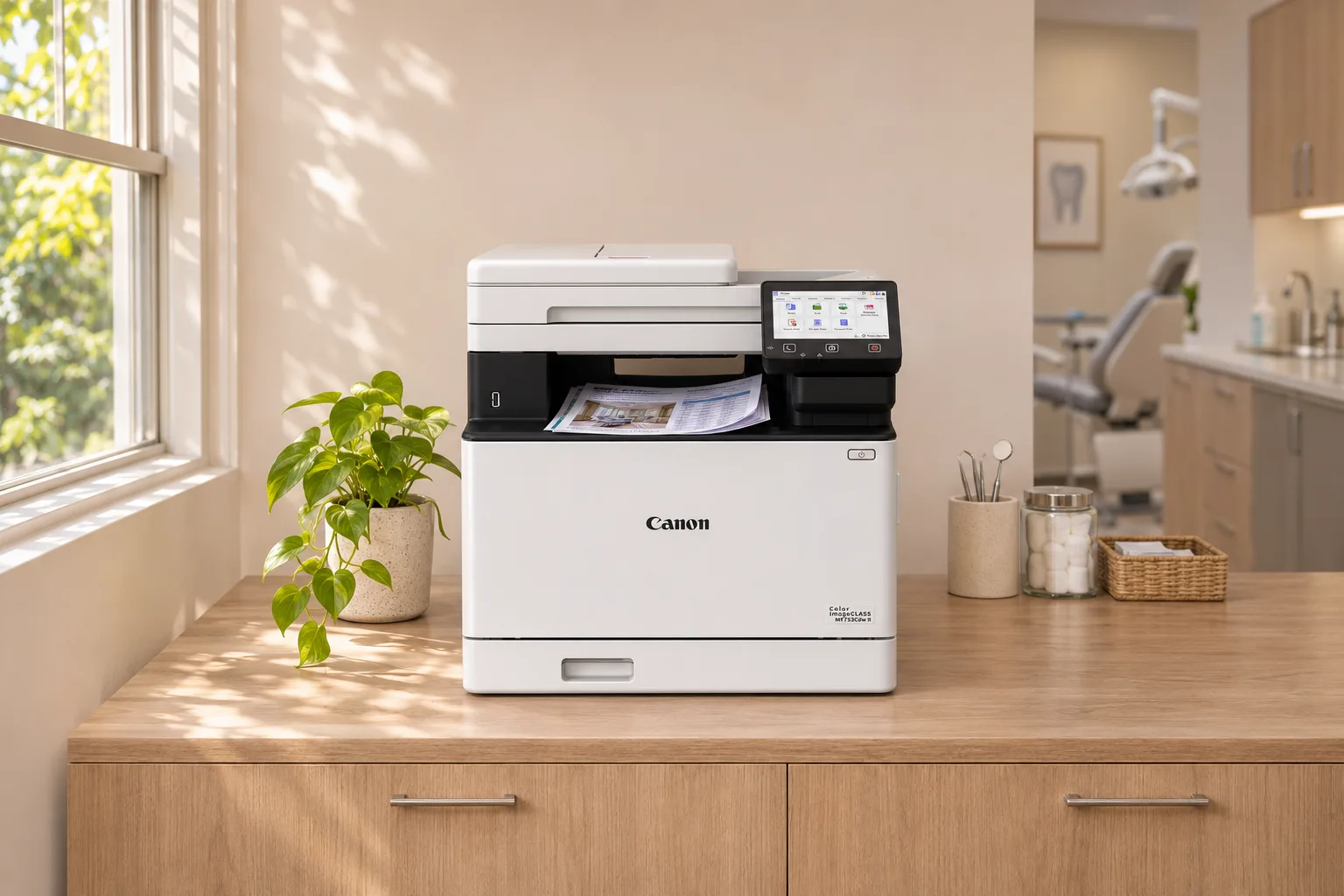
Is the Canon MF753Cdw II good for an office?
Yes, for a small office that prints 750–4,000 pages a month, Canon’s recommended range: it prints 35 pages a minute in black and color, scans both sides of a 50-sheet stack in one pass, and carries a three-year warranty. Black pages cost about 2.9¢ and color pages about 17.3¢ with Canon’s 069H toner at Canon’s November 2026 prices.
It costs $436.99 at Canon (list $702.99) and $436.00 at Amazon in November 2026. Text is outstanding, the 50-sheet multipurpose tray handles envelopes and heavy stock, and Secure Print and Department ID limits come built in. The catch is color toner: a full set of 069H cartridges costs $1,011.96. If you print mostly color, Brother’s MFC-L8930CDW costs less per color page.
| Spec | Canon Color imageCLASS MF753Cdw II |
|---|---|
| Price (November 2026) | $436.99 at Canon (list $702.99); $436.00 at Amazon |
| Functions | Color laser: print, scan, copy, fax |
| Rated speed | 35 ppm letter, black and color |
| First page out | About 7 seconds |
| Document feeder | 50 sheets, single-pass two-sided, up to legal |
| Scan speed (rated, 300 dpi) | 100 ipm black, 80 ipm color two-sided |
| Paper input | 250-sheet cassette + 50-sheet multipurpose tray; 850 sheets with the optional 550-sheet PF-K1 |
| Largest paper | Legal (8.5 x 14 in); no 11x17 |
| Display | 5-inch color touchscreen |
| Connectivity | Gigabit Ethernet, Wi-Fi 802.11b/g/n, Wi-Fi Direct, USB 2.0, USB thumb drive |
| Printer language | Canon UFR II (no PCL or PostScript listed) |
| Recommended volume | 750–4,000 pages a month |
| Size and weight | 16.8 x 18.2 x 17 in, 48.5 lb |
| Warranty | 3-year exchange/carry-in |
How much does an MF753Cdw II page cost?
About 2.9¢ for a black page and 17.3¢ for a color page with the high-capacity 069H cartridges. The standard 069 cartridges nearly double that, so buy 069H.
| Canon 069 toner (Canon prices, November 2026) | Black page | Color page |
|---|---|---|
| 069H (black $216.99 ÷ 7,600; each color $264.99 ÷ 5,500) | 2.9¢ | 17.3¢ |
| 069 (black $118.99 ÷ 2,100; each color $142.99 ÷ 1,900) | 5.7¢ | 28.2¢ |
A color page is black plus all three colors at ISO coverage: 2.86¢ + 3 × 4.82¢ = 17.3¢. Canon builds the drum into each cartridge, and its user guide lists no other replaceable supplies, so there’s no separate drum, belt or waste box to price in. Amazon sold the 069H black for $188.66 in November 2026, which brings a black page to 2.5¢.
At 1,500 pages a month with a fifth in color, that’s 1,200 × 2.86¢ = $34 for black pages and 300 × 17.3¢ = $52 for color pages, about $86 a month or $1,035 a year. Our office printer cost guide shows the same math for lasers and ink tanks side by side.
The starter color cartridges are rated at 1,100 pages. Canon’s store calls the black a standard 2,100-page cartridge, but the user guide lists it at 1,200, so buy black toner early.
How good is the print quality?
Excellent for documents. Black text is sharp down to very small point sizes, and color reports, charts and flyers come out bright and professional. For contracts, invoices and handouts, it’s as good as color lasers get.
Photos are where any color laser falls short. On plain paper they look muted and lack detail. For listing photos or marketing prints, an ink tank such as those in the best ink tank printers for an office does better, and its color pages cost far less.
How good is the scanner and document feeder?
Very good. The 50-sheet feeder scans both sides of each page in a single pass, rated at 100 images a minute in black and 80 in color at 300 dpi, which clears a 50-page two-sided contract in about a minute. Two-sided copying runs at 80 images a minute in black.
From the touchscreen it scans to email (with OAuth 2.0 sign-in for Microsoft 365 and Google Workspace mail), a network folder over SMB, FTP or a USB stick, in PDF, searchable PDF, encrypted PDF, JPEG or TIFF. The flatbed is letter-size, so legal originals go through the feeder.
Is it secure enough for an office?
Yes, for a small office. Secure Print holds a job until the sender types a PIN at the printer, and an admin can force every computer job to print that way. Department ID Management gives each person or team a PIN, counts their pages and can cap them or block color, scanning or fax.
On the network it supports IEEE 802.1X, TLS 1.3, IPsec, SNMPv3, IP and MAC filtering and syslog export, and Fax Memory Lock holds incoming faxes. Canon lists no firmware-verification feature, and Canon’s uniFLOW print-management pages don’t list it. Our office printer security guide covers what to switch on.
Does it work with Macs, Chromebooks and phones?
Yes, without an app or account. It prints over AirPrint and Mopria, and AirPrint also scans and faxes from a Mac. Canon’s user guide documents native Chromebook printing with no driver, plus IPP Everywhere and Microsoft Universal Print. One catch: if you block unknown Department IDs, Chromebook printing stops working.
What paper does it handle?
Letter and legal, plus envelopes, labels and card stock. The cassette and the duplexer take heavy paper up to 163 g/m² and coated stock up to 200 g/m²; the 50-sheet multipurpose tray adds uncoated card up to 176 g/m² (about 65 lb cover). No. 10, Monarch, C5 and DL envelopes and labels feed from the cassette or the multipurpose tray, one side only. It can’t print 11x17; see the best 11x17 printers if you need tabloid.
MF753Cdw II vs Brother MFC-L8930CDW
The Canon is cheaper to buy, faster to the first page and has three years of warranty. The Brother is cheaper to run in color, has the bigger feeder, and is rated for more pages a month.
| Canon MF753Cdw II | Brother MFC-L8930CDW | |
|---|---|---|
| Price (November 2026) | $436.99 | $699.99 |
| Black page, best toner with parts | 2.9¢ | 2.8¢ |
| Color page, best toner with parts | 17.3¢ | 14.4¢ |
| Rated speed / first page | 35 ppm / ~7 s | 33 ppm / 9.9 s |
| Feeder | 50 sheets, 100 ipm two-sided | 80 sheets, 104 ipm two-sided |
| Recommended volume | 750–4,000 pages a month | Up to 6,500 pages a month |
| Badge reader | No | Built-in NFC |
| Warranty | 3 years | 1 year |
The $263 price gap pays for itself on the Brother only if you print a lot of color: at 500 color pages a month, its 2.9¢ saving takes about 18 months to cover the difference. For more on how the two brands compare, see Brother vs Canon office printers.
MF753Cdw II vs the first MF753Cdw
They’re the same printer: Canon’s spec tables match on speed, paper, toner and security, and the II adds documented Universal Print, IPP Everywhere and OAuth 2.0 mail support and a 1 W standby rating (24 W before). Canon has discontinued the original, and Amazon’s “Old Model” listing was $499 in November 2026, more than the II, so buy the II.
What are the alternatives?
- Canon imageCLASS MF465dw II ($302.99): the mono version of this deal, and the current replacement for the MF455dw. It prints 42 ppm, scans both sides in one pass at 100 images a minute, adds PCL and PostScript, and costs about 2.9¢ a page with 070H toner (Canon’s price). Same three-year warranty.
- Brother MFC-L8930CDW ($699.99): cheaper color pages, an 80-sheet feeder and an NFC badge reader. Read our MFC-L8930CDW review.
- Canon MF665Cdw ($549.99 list, $389.99 at Amazon in November 2026): a slower 26 ppm sibling with a one-sheet manual slot and costlier toner, 19.7¢ a color page. Read our MF665Cdw review.
- Brother MFC-L5915DW ($589.99): if you print black only in volume, it costs about 1.9¢ a page. Read our MFC-L5915DW review.
All our office picks are in the best business laser printers.
Questions people ask
Is the Canon imageCLASS MF455dw still a good printer?
It was, but Canon no longer sells it new; only its support page remains. Its toner is still in stock (057H, $254.99 for 10,000 pages, 2.5¢ a page). Buy the MF465dw II instead: it’s faster at 42 ppm against 40, adds WPA3 Wi-Fi security, and costs $302.99 with a three-year warranty.
Does the MF753Cdw II scan both sides at once?
Yes. Its 50-sheet feeder scans both sides in one pass, rated at 100 images a minute in black and 80 in color.
What toner does the MF753Cdw II use?
Canon 069 (2,100 black, 1,900 per color) and 069H (7,600 black, 5,500 per color). The drum is part of each cartridge.
Can the MF753Cdw II print 11x17?
No. Its largest paper is legal, 8.5 x 14 inches.
Does the MF753Cdw II need an account or subscription?
No. It prints over USB, Ethernet or Wi-Fi with no account. Canon’s cloud print and scan service needs the printer registered, and toner auto-replenishment is optional.
How heavy is the MF753Cdw II?
48.5 pounds, and 16.8 x 18.2 x 17 inches. Two people should lift it.
Key specifications
| Feature | CanonColor imageCLASS MF753Cdw II | CanonimageCLASS MF465dw II |
|---|---|---|
| Type | Color laser | Mono laser |
| Functions | Print, scan, copy, fax | Print, scan, copy, fax |
| Document feeder | 50-sheet single-pass duplex ADF | 50-sheet single-pass duplex ADF |
| Auto duplex printing | Yes | Yes |
| Color printing | Yes | No |
| Where to buy | Check price at Amazon | Check price at Amazon |
Canon Color imageCLASS MF753Cdw II
- Type
- Color laser
- Functions
- Print, scan, copy, fax
- Document feeder
- 50-sheet single-pass duplex ADF
- Auto duplex printing
- Yes
- Color printing
- Yes
Canon imageCLASS MF465dw II
- Type
- Mono laser
- Functions
- Print, scan, copy, fax
- Document feeder
- 50-sheet single-pass duplex ADF
- Auto duplex printing
- Yes
- Color printing
- No
Sources
- Color imageCLASS MF753Cdw II (Canon USA store), Canon
- imageCLASS MF753Cdw II support, specifications and warranty, Canon
- Canon imageCLASS 3-year exchange/carry-in limited warranty, downloads.canon.com
- MF753Cdw II / MF751Cdw II User's Guide: basic specifications, oip.manual.canon
- MF753Cdw II User's Guide: feeder specifications, oip.manual.canon
- MF753Cdw II User's Guide: usable paper, oip.manual.canon
- MF753Cdw II User's Guide: list of consumables, oip.manual.canon
- MF753Cdw II User's Guide: Secure Print, oip.manual.canon
- MF753Cdw II User's Guide: Department ID Management, oip.manual.canon
- MF753Cdw II User's Guide: printing from a Chrome OS device, oip.manual.canon
- MF753Cdw II User's Guide: security specifications, oip.manual.canon
- Canon 069 toner cartridges, Canon
- Canon 069 H high-capacity toner cartridges, Canon
- Color imageCLASS MF753Cdw (first version, discontinued), Canon
- imageCLASS MF465dw II (Canon USA store), Canon
- imageCLASS MF455dw support and specifications, Canon
- Canon 070 H toner cartridge, Canon
- Canon 057 H toner cartridge, Canon
- Brother MFC-L8930CDW product page, Brother
- Canon MF753Cdw II on Amazon, amazon.com
- Canon 069 H black toner on Amazon, amazon.com
- Canon Color imageCLASS MF753Cdw/MF751Cdw review, RTINGS
- Canon Color imageCLASS MF753Cdw / i-SENSYS MF754Cdw review, TechRadar
Keep exploring

Buying guide
The best barcode label printers
The Zebra ZD421 is the best barcode label printer for most businesses: 4-inch labels at 6 inches a second, any brand of label roll and a 24-month warranty, for about $480 to $526 in November 2026. Get the Brother QL-820NWBc ($229.99) for an office or shop counter, and a thermal transfer model for inventory labels that have to last.
Read story
Buying guide
The best check printers for a small business
The TROY 3001dw ($509.15 at TROY, $530 at Amazon in November 2026) is the best check printer for a small business: a 35 ppm Wi-Fi laser with MICR toner, rated for 350 to 2,500 checks a month, at about 5¢ to 7¢ per check three to a page by our estimate. Get the TROY 4001dn for a locking tray, or the VersaCheck M15 MXD ($399.99) for software in the box.
Read story