How it scores
- Running costs25%6.0
About 3.6¢ a black page and 19.7¢ a color page with 075H toner at Canon's November 2026 list prices, with the drum built into each cartridge.
- Document quality20%8.0
Very sharp text and clean business documents.
- Color and photo quality10%7.0
Good color documents, but photos come out flat with a narrow color range.
- Features and paper handling20%8.5
50-sheet single-pass duplex feeder, auto two-sided printing, fax, Gigabit Ethernet and a 5-inch touchscreen, but only a 1-sheet manual slot and 2.4 GHz Wi-Fi.
- Reliability and ownership15%8.5
No clogging, minimal maintenance, a three-year limited warranty, and an optional toner auto-replenishment service.
- Speed and ease of use10%8.0
Easy 5-inch tilting touchscreen and a first page in about 10.3 seconds; rated at 26 pages per minute, and quicker over Wi-Fi than Brother's rival.
Overall 7.6/10, the weighted average.How we score →
Is the Canon MF665Cdw a good printer?
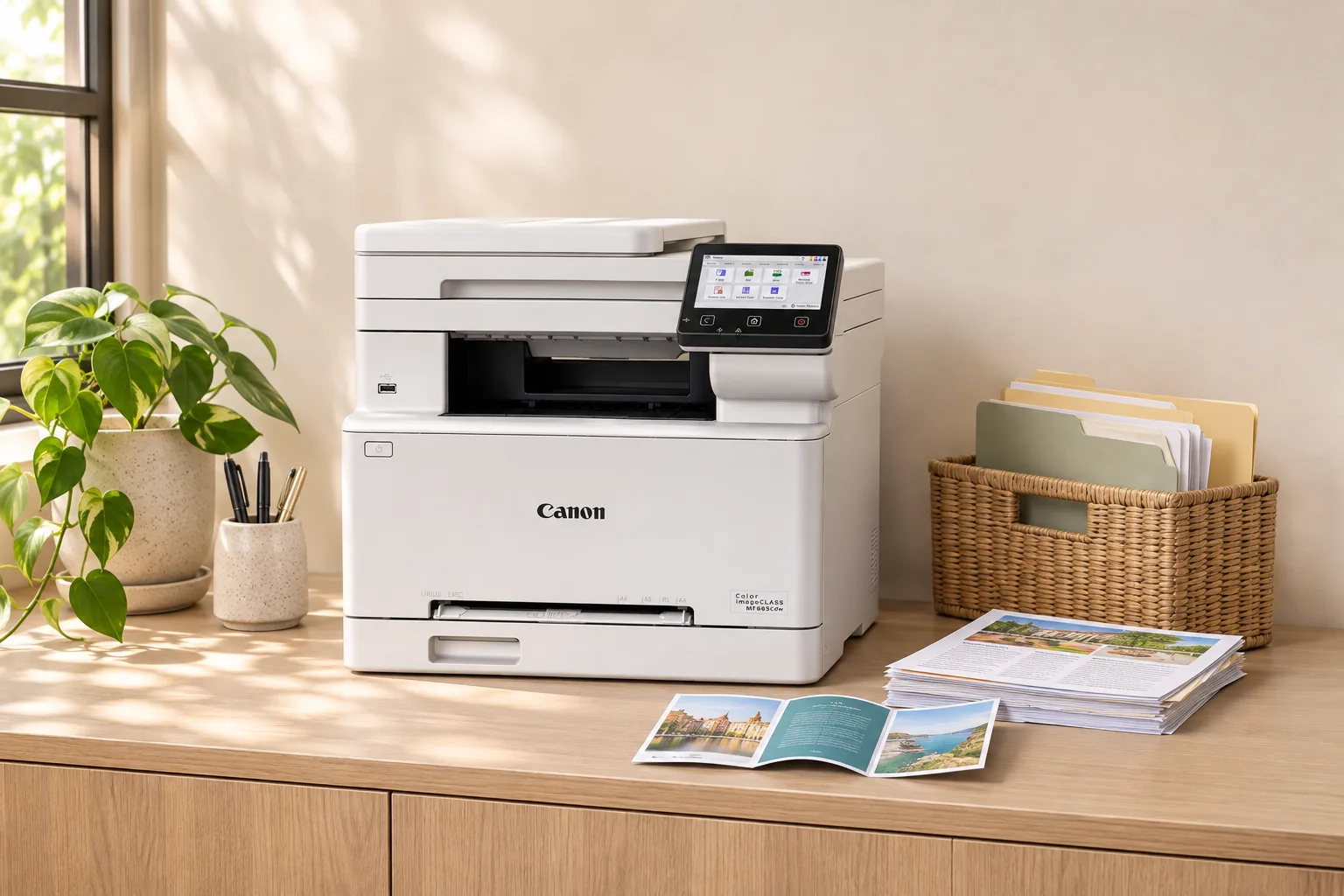
Yes: it’s one of the best color laser all-in-ones for a home office, with very sharp documents, a 50-sheet feeder that scans both sides in one pass, and a three-year warranty. Black pages cost about 3.6¢ and color pages about 19.7¢ with Canon’s 075H toner at list price in November 2026.
It lists at $549.99 at Canon and has sold for as little as $389 (October 2026), and at that price it’s an easy pick. Its two real limits are paper handling, with a single-sheet manual slot instead of a multipurpose tray, and Wi-Fi that works only on 2.4 GHz. If you print a lot of color or batches of envelopes, Brother’s MFC-L3780CDW is the better fit.
| Spec | Canon Color imageCLASS MF665Cdw |
|---|---|
| List price (November 2026) | $549.99 |
| Functions | Print, scan, copy, fax |
| Rated speed | 26 ppm (letter) |
| First page out | About 10.3 seconds, black or color |
| Document feeder | 50 sheets, single-pass two-sided |
| Paper input | 250-sheet cassette + 1-sheet manual feed slot |
| Paper sizes | 3 x 5 in to 8.5 x 14 in |
| Display | 5-inch color touchscreen |
| Connectivity | Wi-Fi 802.11b/g/n (2.4 GHz), Wi-Fi Direct, Gigabit Ethernet, USB, USB thumb-drive printing |
| Size and weight | 16.8 x 18.2 x 15.7 in, 48.5 lb |
| Starter toner | 700 black, 500 per color |
| Recommended volume | 150–2,500 pages a month |
| Warranty | 3-year limited |
How much does an MF665Cdw page cost?
About 3.6¢ a black page and 19.7¢ a color page with the high-capacity 075H cartridges. The standard 075 cartridges cost nearly twice as much per page, so buy 075H.
| Canon toner (Canon list, November 2026) | Black page | Color page |
|---|---|---|
| 075H (black $125.99 ÷ 3,500; each color $133.99 ÷ 2,500) | 3.6¢ | 19.7¢ |
| 075 (black $83.99 ÷ 1,300; each color $100.99 ÷ 1,300) | 6.5¢ | 29.8¢ |
A color page is black plus all three colors at the standard ISO coverage. The drum is built into each cartridge, and Canon’s manual lists only the four toner cartridges as replacement supplies, so there are no separate drum or belt costs to add.
That makes black pages slightly cheaper than on Brother’s color lasers, which need a separate drum, belt and waste box: the MFC-L3780CDW works out to 4.2¢ black with those parts. Color goes the other way. Brother’s XXL toner brings its color pages to 16.3¢, and Canon has no XXL tier.
Budget for toner early. The starter cartridges are rated at only 700 black and 500 color pages, against 2,300 and 1,200 on the Brother. Canon showed the black 075H in stock on November 9, 2026, after listing it as backordered in October.
How good is the print quality?
Very good for documents: text is very sharp, and business pages, forms and color reports look clean. It’s a small step up from Canon’s previous MF656Cdw in both quality and speed.
Photos are the weak spot, as on most lasers. They come out flat, with a narrow color range, which is fine for a flyer and disappointing for a family picture. Use an ink tank for photos; see ink tank or laser.
How good is the scanner?
Excellent, and the main reason to buy it. The 50-sheet feeder scans both sides of a page in a single pass, so a two-sided contract goes through once, and scan quality is outstanding. It can save scans as searchable files, and you can print JPG, TIFF or PDF files straight from a USB thumb drive.
What does the three-year warranty cover?
Canon gives the MF665Cdw a three-year limited warranty, three times the one year Brother gives the MFC-L3780CDW. Conditions are on Canon’s warranty card. Canon also sells eCarePAK extended service plans; a two-year plan was $43 in November 2026.
For a printer that should last many years, this is the Canon’s clearest advantage over the MFC-L3780CDW.
Does the 2.4 GHz-only Wi-Fi matter?
Only if your network has no 2.4 GHz band. The MF665Cdw supports 802.11b/g/n, so it can’t join a 5 GHz-only network, but it works with any router that broadcasts 2.4 GHz. It also has Gigabit Ethernet, and Wi-Fi Direct for printing from a phone without a router. Over Wi-Fi it prints slightly faster than the Brother MFC-L3780CDW, so the single band doesn’t slow it down.
Manual slot vs multipurpose tray: why it matters
The MF665Cdw takes special paper one sheet at a time through its manual feed slot. That’s fine for the occasional envelope or card. For a stack of 20 envelopes or several sheets of labels, it’s tedious: you feed each one by hand.
Brother’s MFC-L3780CDW and HL-L3295CDW have a 30-sheet multipurpose tray for exactly that job. If you print envelopes, labels or card stock in batches, that tray is worth more than the Canon’s bigger screen.
How fast is it?
Canon rates it at 26 pages per minute, with a first page in about 10.3 seconds in black or color. That’s slower on paper than the Brother’s 31 ppm, but it’s fast in practice and quicker than the Brother over Wi-Fi. The 5-inch tilting touchscreen is easier to use than the Brother’s 3.5-inch screen.
MF665Cdw vs Brother MFC-L3780CDW
They’re close. The Canon wins on warranty, screen and black-page cost; the Brother wins on color cost, starter toner, paper handling and 5 GHz Wi-Fi.
| Canon MF665Cdw | Brother MFC-L3780CDW | |
|---|---|---|
| List price (November 2026) | $549.99 | $569.99 |
| Black page, best toner with parts | 3.6¢ | 4.2¢ |
| Color page, best toner with parts | 19.7¢ | 16.3¢ |
| Special paper | 1-sheet slot | 30-sheet tray |
| Wi-Fi | 2.4 GHz only | 2.4 and 5 GHz |
| Warranty | 3 years | 1 year |
The full breakdown is in Brother MFC-L3780CDW vs Canon MF665Cdw.
What are the alternatives?
- Brother MFC-L3780CDW ($569.99): the pick for heavy color printing and envelope batches. Read our MFC-L3780CDW review.
- Brother HL-L3295CDW ($429.99): print only, with the same cheap XXL toner. Read our HL-L3295CDW review.
- Brother MFC-L2820DW ($279.99): if you only print black, a mono all-in-one costs about half as much. Read our MFC-L2820DW review.
More picks are in the best laser printers.
Questions people ask
Does the Canon MF665Cdw scan two-sided?
Yes. Its 50-sheet feeder scans both sides of each page in a single pass, for scanning, copying and faxing.
What toner does the MF665Cdw use?
Canon 075 (standard, 1,300 pages) and 075H (high capacity, 3,500 black and 2,500 color pages). The 075H is cheaper per page: about 3.6¢ black and 19.7¢ color at Canon’s November 2026 list prices.
Does the MF665Cdw work with 5 GHz Wi-Fi?
No. It connects to 2.4 GHz networks only, or by Ethernet, USB or Wi-Fi Direct.
Does the MF665Cdw have a drum to replace?
No separate one. The drum is built into each toner cartridge, and Canon’s manual lists the toner cartridges as the only replacement supplies.
How long is the Canon MF665Cdw warranty?
Three years, limited. Canon’s eCarePAK plans can extend coverage.
Does the MF665Cdw need a subscription?
No. Canon offers an optional Auto Replenishment toner service at checkout, set to “Do not enroll” by default.
Key specifications
| Feature | CanonColor imageCLASS MF665Cdw |
|---|---|
| Type | Color laser |
| Functions | Print, scan, copy, fax |
| Document feeder | 50-sheet single-pass duplex ADF |
| Auto duplex printing | Yes |
| Color printing | Yes |
| Where to buy | Check price at Amazon |
Canon Color imageCLASS MF665Cdw
- Type
- Color laser
- Functions
- Print, scan, copy, fax
- Document feeder
- 50-sheet single-pass duplex ADF
- Auto duplex printing
- Yes
- Color printing
- Yes
Sources
- Color imageCLASS MF665Cdw product page, Canon
- 075 Toner Cartridge, High Capacity, Canon
- 075 Toner Cartridge, Canon
- MF665Cdw user's guide: replacement toner cartridges, oip.manual.canon
- Canon Color imageCLASS MF665Cdw review, RTINGS
- Canon MF665Cdw vs. Brother MFC-L3780CDW comparison, RTINGS
- The best laser printers, RTINGS
- MFC-L3780CDW product page, Brother
- TN229XXLBK Super High Yield Black Toner, Brother
- TN229XXLC Super High Yield Cyan Toner, Brother
- HL-L3295CDW product page, Brother
Keep exploring

Buying guide
The best barcode label printers
The Zebra ZD421 is the best barcode label printer for most businesses: 4-inch labels at 6 inches a second, any brand of label roll and a 24-month warranty, for about $480 to $526 in November 2026. Get the Brother QL-820NWBc ($229.99) for an office or shop counter, and a thermal transfer model for inventory labels that have to last.
Read story
Buying guide
The best check printers for a small business
The TROY 3001dw ($509.15 at TROY, $530 at Amazon in November 2026) is the best check printer for a small business: a 35 ppm Wi-Fi laser with MICR toner, rated for 350 to 2,500 checks a month, at about 5¢ to 7¢ per check three to a page by our estimate. Get the TROY 4001dn for a locking tray, or the VersaCheck M15 MXD ($399.99) for software in the box.
Read story