How it scores
- Running costs25%9.5
About 0.4¢ a black page and 1.0¢ a color page with GI-21 bottles at Canon's November 2026 prices, the cheapest color page we priced.
- Document quality20%7.5
Pigment black ink for sharp, crisp documents. We couldn't find a published measurement of small type.
- Color and photo quality10%6.5
Glossy photos can look pleasing, but the color gamut is limited and color accuracy poor.
- Features and paper handling20%5.0
Prints, scans and copies, but no automatic two-sided printing, no document feeder, no Ethernet and a 100-sheet rear tray.
- Reliability and ownership15%7.0
No account or subscription needed, and Canon says the printheads and maintenance cartridge are user-replaceable. It can clog if left unused.
- Speed and ease of use10%6.0
Easy setup and dual-band Wi-Fi, but slow at 11 ipm black and 6 ipm color, with a 1.35-inch monochrome screen.
Overall 7.2/10, the weighted average.How we score →
Is the Canon PIXMA G3270 worth it?
Yes, if you print more than a few pages a week. At $144.99 on Canon’s store in November 2026 (list $248.99), it’s the cheapest ink-tank printer we priced, and its GI-21 bottles cost about 0.4¢ a black page and 1¢ a color page. Skip it if you need automatic two-sided printing, a document feeder or speed.
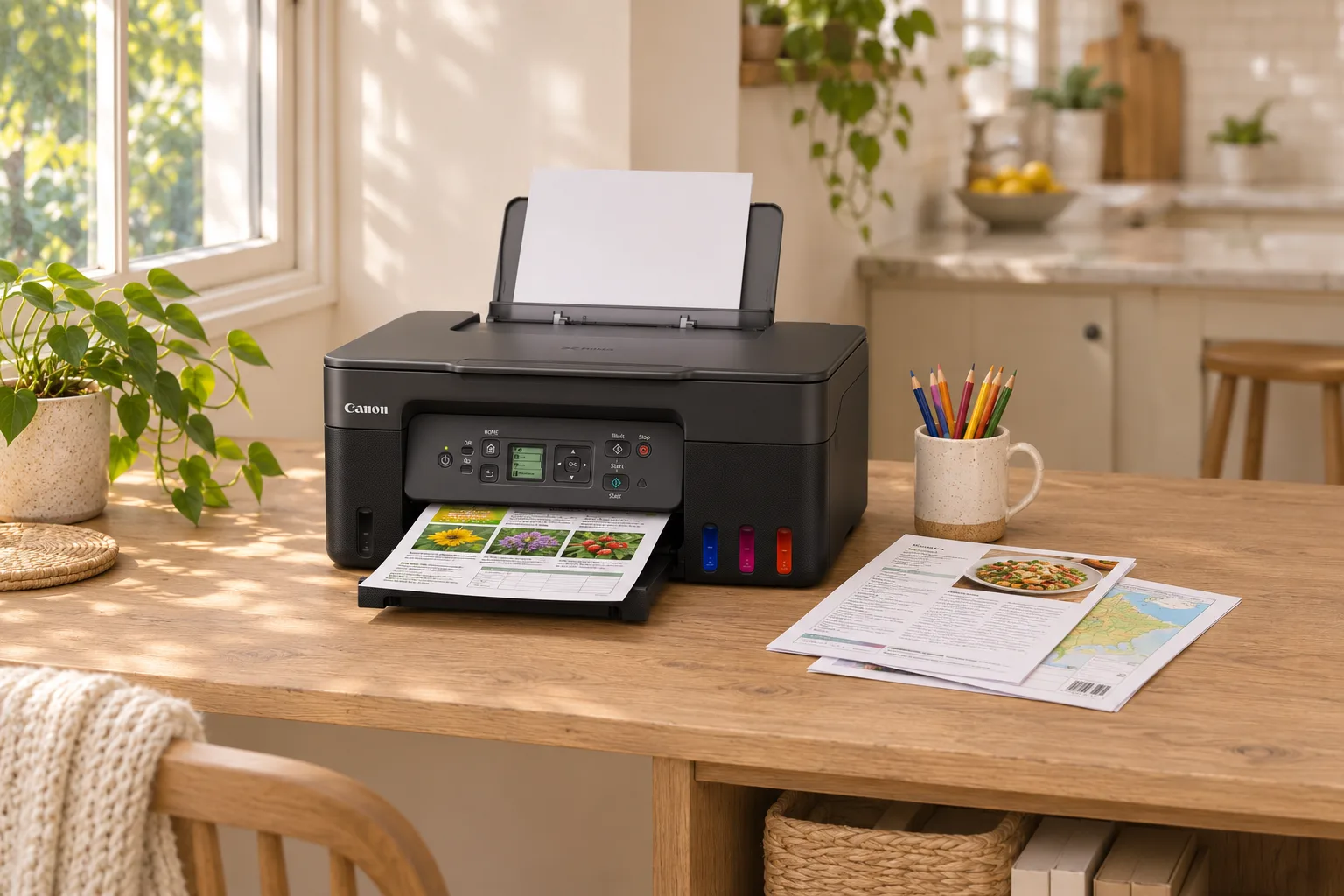
The G3270 is Canon’s entry-level MegaTank all-in-one: it prints, scans and copies, and you fill it from bottles instead of buying cartridges. It’s our pick for the best cheap printer because nothing else we priced is cheaper to own once you pass a few hundred pages. Everything else about it is basic: a 100-sheet rear tray, a 1.35-inch monochrome screen, a flatbed scanner, and one-sided printing only.
| Spec | Canon PIXMA G3270 |
|---|---|
| Price (Nov 2026) | $144.99 at Canon (list $248.99); about $144 at Amazon |
| Functions | Print, scan, copy |
| Rated speed | 11 ipm black, 6 ipm color |
| Two-sided printing | Manual only |
| Paper input | 100-sheet rear tray |
| Ink | GI-21: pigment black (135 ml), dye cyan, magenta, yellow (70 ml each) |
| Rated yield per bottle set | 6,000 black / 7,700 color pages |
| Connectivity | Wi-Fi (2.4 and 5 GHz), Wi-Fi Direct, USB; no Ethernet |
| Weight | 13.2 lb |
| Warranty | 1 year |
How much does the G3270’s ink cost per page?
About 0.4¢ for a black page and 1.0¢ for a color page, at Canon’s own November 2026 prices. The math, using Canon’s rated yields in its default print mode:
| Ink | Price (Canon, Nov 23, 2026) | Rated yield | Cost per page |
|---|---|---|---|
| GI-21 pigment black | $22.99 | 6,000 pages | 0.38¢ |
| GI-21 cyan, magenta, yellow | $14.99 each ($44.97) | 7,700 pages | 0.58¢ |
| Color page (color inks plus black) | 0.97¢ |
In economy mode, Canon’s spec table rates the black bottle at up to 7,600 pages, which brings a black page to about 0.3¢. Canon’s yield footnote gives a different economy figure (8,300), so we use the lower one.
To put that in dollars: 1,000 pages with 20% color costs about $5 in ink. The same 1,000 pages on Canon’s $54.99 PIXMA TS3720 with XL cartridges costs about $159. The G3270 makes up its $90 higher price after about 590 pages with some color. See do ink tank printers pay for themselves? for the break-even at different print volumes.
One stock note: on November 23, Canon’s store showed the GI-21 black bottle as out of stock, with the three colors in stock.
How long does the ink last?
Canon says the bottles in the box last about two years at 200 pages a month. The starter bottles print fewer pages than replacements, because some ink is used to fill the printheads during setup.
A replacement black bottle lasts years at typical home volumes:
| You print | A $22.99 black bottle (6,000 pages) lasts |
|---|---|
| 50 pages a month | about 10 years |
| 100 pages a month | about 5 years |
| 200 pages a month | about 2.5 years |
The three color bottles are rated for 7,700 color pages together, so if most of your pages are black text, they last even longer. These assume Canon’s rated yields. Real yields vary with what you print, and inkjets use some ink for cleaning, so treat them as upper limits. At 100 pages a month with 20% color, you’d spend about $6 a year on ink.
Can the Canon G3270 print double-sided?
No, not automatically. Canon lists it as single-sided (simplex) printing only. You can print both sides by printing the odd pages, flipping the stack and feeding it back in, but the printer won’t do it for you. If you print long documents and want two-sided pages, the Brother HL-L2460DW laser and the Epson ET-2980 ink tank both print on both sides automatically.
The scanner has the same limit: it’s a flatbed only, with no document feeder, so you scan multi-page documents one page at a time.
How good is the print quality?
Good for documents, mixed for photos. The G3270 uses pigment black ink, which stays sharp on plain paper. Lettering is crisp, with well-resolved fine details.
Photos are less consistent. Glossy prints can look pleasing, with a slightly warm bias, but the color gamut is limited and color accuracy is poor. Epson’s ET-2800 is the better choice for photos. The G3270 does print borderless up to letter size, but if photos matter most, see the best photo printers.
Is it fast and easy to use?
Easy, yes; fast, no. Canon rates it at 11 images per minute in black and 6 in color, and real-world timings match that. That’s slow, and long documents are tedious without two-sided printing.
Setup takes a few steps. You install the two printheads, fill four tanks from bottles whose tips only fit the right tank, and wait while the printer primes, which can take about six minutes. It has dual-band Wi-Fi, AirPrint, Mopria and Canon’s PRINT app. The 1.35-inch screen is small and fixed in place, and all paper loads from the rear tray.
Is it reliable?
Mostly. Like any inkjet, it can clog if left unused for long stretches, so print a page every week or two. Canon says the printheads and the maintenance cartridge (which collects waste ink) are user-replaceable, which can save a printer that would otherwise need service. It needs no account or subscription to print; Canon’s ink auto-replenishment service is optional. Canon’s warranty is one year.
How does it compare?
- Epson EcoTank ET-2800: about the same ink cost (0.4¢ black, 1.1¢ color), better photos and scans, but $95 more at $239.99, a lower black yield, and being replaced by the ET-2900.
- Canon PIXMA TS3720: $90 cheaper to buy, but about 13¢ a black page with XL cartridges.
- Brother HL-L2460DW: a black-and-white laser for $179.99 that prints both sides automatically and never clogs, at about 4¢ a page.
For the full ranking, see the cheapest printer to run and EcoTank vs MegaTank vs INKvestment.
Should you buy it?
Yes, if you want the lowest cost per page for the least money upfront, and you print in color or need a scanner. Skip it if you print long reports (no two-sided printing), print rarely (an ink tank can dry out; a laser won’t), or want the best photos for the money.
Need two-sided printing and a paper cassette with the same ink costs? See our Canon G6020 review. Comparing brands? See Epson vs Canon.
Questions people ask
How much does the Canon G3270 cost?
$144.99 on Canon’s store and about $144 at Amazon in November 2026. Canon’s list price is $248.99.
Does the Canon G3270 print double-sided?
Not automatically. It prints on one side only; you can flip the paper by hand for two-sided pages.
How long does the ink in the box last?
Canon says about two years at 200 pages a month. A replacement black bottle is rated for 6,000 pages, about five years at 100 pages a month.
How much does G3270 ink cost?
$22.99 for the GI-21 black bottle and $14.99 for each color on Canon’s store in November 2026. That’s about 0.4¢ a black page and 1¢ a color page.
Does the Canon G3270 need a subscription?
No. It prints without an account or subscription. Canon’s auto-replenishment service is optional.
Can the G3270 scan multiple pages at once?
No. It has a flatbed scanner and no document feeder, so you scan one page at a time.
Key specifications
| Feature | CanonPIXMA G3270 |
|---|---|
| Type | Ink tank inkjet |
| Functions | Print, scan, copy |
| Document feeder | None (flatbed only) |
| Auto duplex printing | No |
| Color printing | Yes |
| Where to buy | Check price at Amazon |
Canon PIXMA G3270
- Type
- Ink tank inkjet
- Functions
- Print, scan, copy
- Document feeder
- None (flatbed only)
- Auto duplex printing
- No
- Color printing
- Yes
Sources
- MegaTank PIXMA G3270 product page and specifications, Canon
- GI-21 Pigment Black Ink Tank, Canon
- GI-21 Cyan Ink Tank, Canon
- Canon PIXMA G3270 review, RTINGS
- Canon MegaTank Pixma G3270 review, digitaltrends.com
- Canon MegaTank Pixma G3270, Consumer Reports
- Canon Pixma G3270 (G3570) review, TechRadar
- Epson EcoTank ET-2800 product page, Epson
- Canon PIXMA TS3720 product page, Canon
Keep exploring

Buying guide
The best barcode label printers
The Zebra ZD421 is the best barcode label printer for most businesses: 4-inch labels at 6 inches a second, any brand of label roll and a 24-month warranty, for about $480 to $526 in November 2026. Get the Brother QL-820NWBc ($229.99) for an office or shop counter, and a thermal transfer model for inventory labels that have to last.
Read story
Buying guide
The best check printers for a small business
The TROY 3001dw ($509.15 at TROY, $530 at Amazon in November 2026) is the best check printer for a small business: a 35 ppm Wi-Fi laser with MICR toner, rated for 350 to 2,500 checks a month, at about 5¢ to 7¢ per check three to a page by our estimate. Get the TROY 4001dn for a locking tray, or the VersaCheck M15 MXD ($399.99) for software in the box.
Read story