How it scores
- Running costs25%9.5
About 0.4¢ a black page (0.3¢ in economy mode) and 1.0¢ in color with GI-20 bottles at Canon's November 2026 prices, plus two extra black bottles in the box.
- Document quality20%7.5
Dark, sharp text that's legible at every size, with minor banding in some dark fills in charts and graphics.
- Color and photo quality10%7.0
Detailed, vivid photos and borderless printing up to letter size, though colors aren't especially accurate.
- Features and paper handling20%6.5
Automatic two-sided printing, a 250-sheet cassette plus a 100-sheet rear tray, and Ethernet, but no document feeder and 2.4 GHz-only Wi-Fi.
- Reliability and ownership15%6.5
No account or subscription, but waste ink goes to an internal absorber that Canon must service, and replacement printheads have been hard to find.
- Speed and ease of use10%6.0
Rated 13 ipm black and 6.8 ipm color; two-sided pages are slow, and the two-line display isn't backlit. Setup and Canon's app are easy.
Overall 7.5/10, the weighted average.How we score →
Is the Canon PIXMA G6020 a good printer?
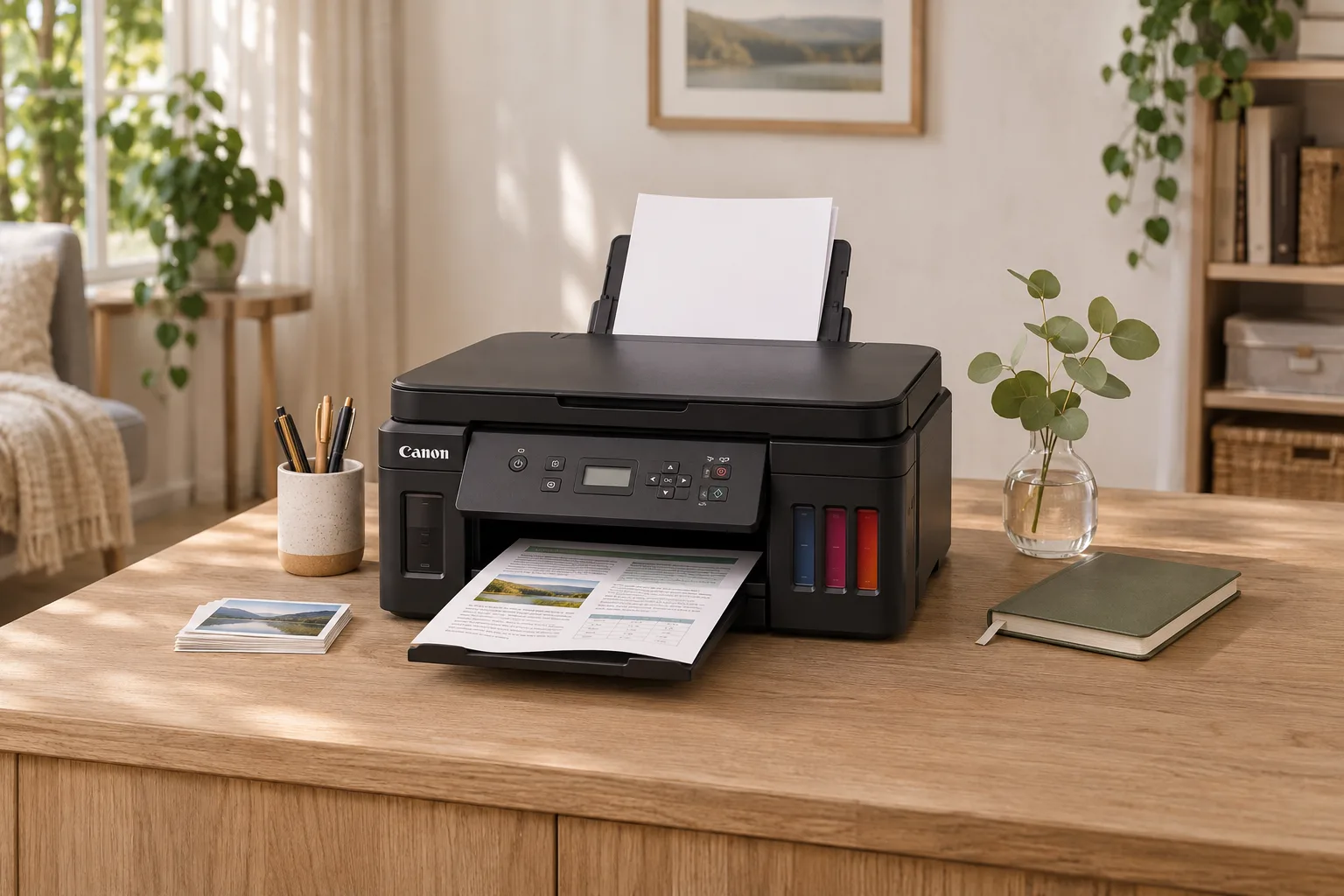
Yes, if you want an ink-tank printer that prints on both sides of the page. It costs $199.99 on Canon’s store in November 2026 (list $323.99) and $198.94 on Amazon, and its GI-20 bottles work out to about 0.4¢ a black page and 1¢ in color, the same as the cheaper G3270. For the extra $55, it adds automatic two-sided printing, a 250-sheet paper cassette and Ethernet.
It’s also a 2019 design, and it shows: Wi-Fi is 2.4 GHz only, the display is a two-line monochrome screen, and waste ink collects in an internal absorber that Canon has to service when it fills. If you print one-sided pages, the Canon G3270 does the same job for less.
| Spec | Canon PIXMA G6020 |
|---|---|
| Price (Canon, November 2026) | $199.99 (list $323.99) |
| Functions | Print, scan, copy (no fax) |
| Rated speed | 13.0 ipm black, 6.8 ipm color |
| First page out | About 9 s black, 14 s color |
| Two-sided printing | Automatic |
| Paper input | 250-sheet front cassette + 100-sheet rear tray |
| Borderless printing | 3.5 x 3.5 in up to 8.5 x 11 in |
| Connectivity | 2.4 GHz Wi-Fi, Wi-Fi Direct, Ethernet, USB |
| Phone printing | AirPrint, Mopria, Canon PRINT app |
| Display | Two-line monochrome LCD |
| Ink | GI-20: pigment black (170 ml), dye cyan, magenta, yellow (70 ml) |
| In the box | A full set of bottles plus two extra black bottles |
| Size and weight | 15.9 x 14.6 x 7.7 in, 17.8 lb |
| Warranty | 1 year, with InstantExchange |
Source: Canon’s specifications, read November 24, 2026.
How much does a G6020 page cost?
About 0.4¢ in black and 1¢ in color, among the cheapest pages you can buy. Here’s the math at Canon’s November 2026 prices:
| Ink | Price ÷ rated yield | Per page |
|---|---|---|
| GI-20 pigment black | $22.99 ÷ 6,000 pages | 0.38¢ |
| GI-20 black, economy mode | $22.99 ÷ 8,300 pages | 0.28¢ |
| GI-20 cyan + magenta + yellow | $44.97 ÷ 7,700 pages | 0.58¢ |
| Color page, with black | 0.58¢ + 0.38¢ | 0.97¢ |
Canon’s CMY value pack ($43.99) trims the color page to 0.95¢. There’s one bottle size, so there’s no XL to hunt for.
The box holds a full set of bottles plus two extra black bottles. At Canon’s prices, those are worth about $46 and up to 12,000 more black pages, which covers most of the $55 gap to the G3270 if you print a lot of text. Canon calls the in-box ink about two years of printing at 200 pages a month, though the first bottles yield less because some ink fills the printheads at setup.
Over three years at 100 pages a month (3,600 pages, 20% with color), the G6020 costs about $218 to buy and run: $199.99 plus about $18 of ink. That’s about $55 more than the G3270 and far less than any cartridge printer. Our cheapest printer to run guide ranks 18 budget printers, including the G3270, whose page costs match the G6020’s.
What does the G6020 add over the G3270?
Mostly paper handling. The ink and cost per page are the same.
| Canon G6020 | Canon G3270 | |
|---|---|---|
| Canon price (Nov 2026) | $199.99 | $144.99 |
| Black / color page | 0.4¢ / 1.0¢ | 0.4¢ / 1.0¢ |
| Automatic two-sided printing | Yes | No |
| Paper | 250-sheet cassette + 100-sheet rear | 100-sheet rear |
| Ethernet | Yes | No |
| Wi-Fi | 2.4 GHz only | 2.4 and 5 GHz |
| Rated speed | 13 / 6.8 ipm | 11 / 6 ipm |
| Extra black bottles in the box | Two | None |
| Maintenance cartridge | None (internal absorber) | User-replaceable |
| Weight | 17.8 lb | 13.2 lb |
Buy the G6020 if you print school packets, newsletters or reports on both sides, load a lot of plain paper, or want to plug the printer into your router. Buy the G3270 if you print a few one-sided pages a week and want the newer Wi-Fi and a replaceable maintenance cartridge.
How good is the print quality, and is it fast?
Very good for an ink tank. Text is dark, sharp and legible at every size, with slightly lumpy edges up close. Color charts are detailed and saturated, with mild banding in some dark fills. Glossy photos are detailed and vivid, and borderless printing works up to letter size, though colors aren’t the most accurate. It uses pigment black for text, so plain-paper pages look crisper than on printers that use dye black.
Speed is middling. Plain black pages come out at about 10 to 13 pages a minute, but mixed text and color pages drop to 2 to 4 a minute, and two-sided printing slows to a little over 2 pages a minute because the printer pauses to dry each side before printing the other. A borderless 4x6 photo takes about 35 to 45 seconds.
Is the G6020 reliable?
Mostly, with two caveats that come from its age.
- Waste ink goes to an internal absorber. Every inkjet sends some ink to a waste pad during cleaning. On newer MegaTanks, such as the G3270, that’s a maintenance cartridge you swap yourself. Canon lists no maintenance cartridge for the G6020. When its absorber fills, the printer shows support code 5B00, and Canon’s manual says to request a repair. Most homes won’t reach that point for years, but heavy users and anyone who runs lots of cleaning cycles should know about it.
- Printheads are replaceable but have been scarce. You install the black (BH-20) and color (CH-20) printheads yourself, so a dead head is a part, not a new printer. Owners have reported long waits for both parts in recent years.
Like any inkjet, it can clog if it sits for weeks. Print a page with some color once a week. It needs no account or subscription, and Canon’s app is optional.
Should you buy the Canon PIXMA G6020?
Buy it if you want MegaTank running costs with automatic two-sided printing and a proper paper cassette, and your router supports 2.4 GHz Wi-Fi or you’ll use Ethernet. It’s one of the cheapest printers to own for a family or home office that prints a few hundred pages a month.
Skip it if you print one-sided pages: the G3270 is $55 cheaper with the same ink. Skip it too if you need a document feeder for multi-page scans; the Epson ET-3950 has one. For black text only, a laser won’t clog.
See where it fits in the best printers under $200.
Questions people ask
Does the Canon G6020 print double-sided?
Yes, automatically. It prints and copies on both sides of letter-size plain paper. Two-sided printing is slow, at a little over 2 pages a minute, because the printer pauses to let each side dry.
What ink does the Canon G6020 use?
Canon GI-20 bottles: a 170 ml pigment black ($22.99, about 6,000 pages) and 70 ml cyan, magenta and yellow ($14.99 each, about 7,700 color pages). It doesn’t use the G3270’s GI-21 bottles.
Does the Canon G6020 have a maintenance cartridge?
No. Canon lists no user-replaceable maintenance cartridge for the G6020. Waste ink goes to an internal absorber, and when it’s full the printer shows support code 5B00 and needs a Canon repair.
Does the Canon G6020 work with 5 GHz Wi-Fi?
No. It connects over 2.4 GHz Wi-Fi, Wi-Fi Direct, Ethernet or USB. Most routers broadcast both bands, so this only matters on a 5 GHz-only network.
Is the Canon G6020 discontinued?
No. Canon still sold it new for $199.99 in November 2026, and Amazon sold it for $198.94. We found no direct replacement.
Can the Canon G6020 print photos?
Yes, borderless from 3.5 x 3.5 inches up to letter size, with detailed, vivid results on glossy paper. A 4x6 photo takes about 35 to 45 seconds. For a dedicated photo printer, see the best photo printers.
Key specifications
| Feature | CanonPIXMA G6020 |
|---|---|
| Type | Ink tank inkjet |
| Functions | Print, scan, copy |
| Document feeder | None (flatbed only) |
| Auto duplex printing | Yes |
| Color printing | Yes |
| Where to buy | Check price at Amazon |
Canon PIXMA G6020
- Type
- Ink tank inkjet
- Functions
- Print, scan, copy
- Document feeder
- None (flatbed only)
- Auto duplex printing
- Yes
- Color printing
- Yes
Sources
- Canon PIXMA G6020 product page and specifications, Canon
- Canon GI-20 pigment black ink bottle, Canon
- Canon G6000 series support code 5B00, ij.manual.canon
- Canon PIXMA G3270 product page, Canon
- Canon Pixma G6020 MegaTank All-in-One Printer review, PCMag
- Canon Pixma G6020 MegaTank review, tomsguide.com
- Canon PIXMA G6020 review, RTINGS
- Canon MegaTank PIXMA G6020, Consumer Reports
Keep exploring

Buying guide
The best barcode label printers
The Zebra ZD421 is the best barcode label printer for most businesses: 4-inch labels at 6 inches a second, any brand of label roll and a 24-month warranty, for about $480 to $526 in November 2026. Get the Brother QL-820NWBc ($229.99) for an office or shop counter, and a thermal transfer model for inventory labels that have to last.
Read story
Buying guide
The best check printers for a small business
The TROY 3001dw ($509.15 at TROY, $530 at Amazon in November 2026) is the best check printer for a small business: a 35 ppm Wi-Fi laser with MICR toner, rated for 350 to 2,500 checks a month, at about 5¢ to 7¢ per check three to a page by our estimate. Get the TROY 4001dn for a locking tray, or the VersaCheck M15 MXD ($399.99) for software in the box.
Read story