How it scores
- Speed and capacity15%7.0
Zebra rates it at 150 color cards an hour and 700 in black, with a 100-card input hopper and 100-card output. Cards from 10 to 40 mil.
- Cost per card25%7.0
The 200-print YMCKO ribbon is $70 at B&H, about 35¢ a card, and there's no 300-print ribbon. A 400-print half-panel ribbon suits pre-printed cards, and black ribbons print 1,500–2,000 cards.
- Features and security20%5.5
Single-sided only, with no dual-sided upgrade. Edge-to-edge on CR80, a field-upgradeable magnetic stripe encoder, AES encryption and a cover lock, but no smart card encoder.
- Warranty and reliability20%9.0
3 years on the printer and printhead, with no pass limit stated. Genuine Zebra ribbons only, each with a cleaning roller.
- Software and setup10%7.0
Windows 7 to 11 on Zebra's spec page, and the Amazon package includes software. USB only as standard (Ethernet and Wi-Fi are options), and Mac support is listed only for OS X 10.13.
- Value10%8.5
$873.97 for the LT package at Amazon in November 2026, about $115 more than a Badgy200 for a printer 1.6 times as fast with a 100-card hopper. Other dealers charged $1,179–$1,307.
Overall 7.3/10, the weighted average.How we score →
Is the Zebra ZC100 worth it?
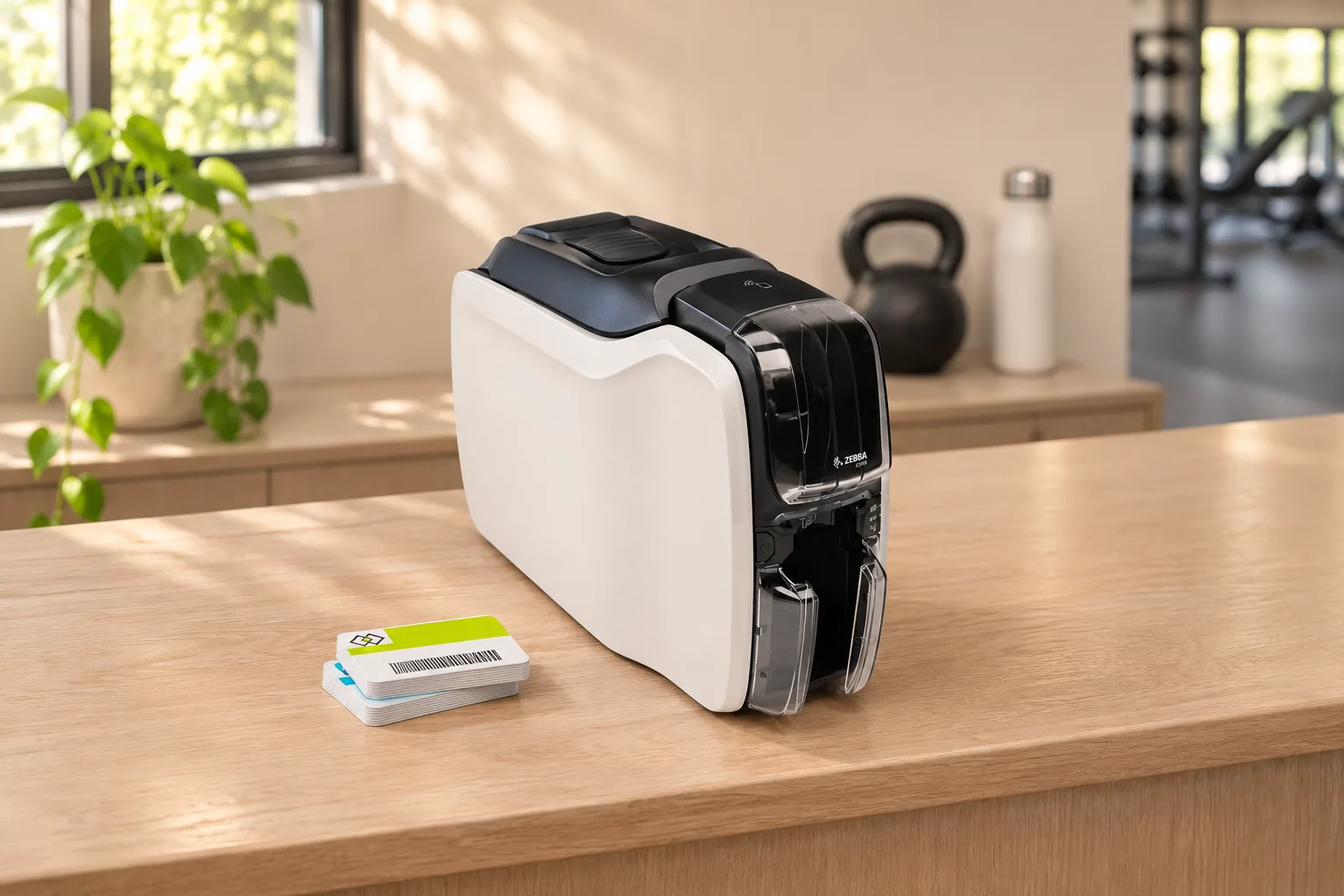
Yes, if you print single-sided photo badges for staff, students or members and use Windows. The ZC100 is Zebra’s entry ID card printer: Zebra rates it at 150 full-color cards an hour from a 100-card hopper, the printer and printhead are covered for 3 years, and Zebra’s spec page lists Windows 11. In November 2026 the ZC100 LT package was $873.97 at Amazon, with cards, a ribbon and software. Other dealers charged more for the bare printer: $1,179 at ID Security Online and $1,307.24 for the USB and Ethernet model at B&H.
Color costs about 35¢ a card in ribbon, or about 45¢ with a blank card (our estimate). That’s a few cents more than the ZC300, because the ZC100 has no 300-print color ribbon.
It’s not worth it if you need anything on the back of the card. The ZC100 is single-sided only, and it can’t be upgraded. It’s also a poor fit for Macs: Zebra lists Mac support only for OS X 10.13.
| Spec | Zebra ZC100 |
|---|---|
| Price (November 2026) | $873.97 LT package at Amazon; $1,179 at ID Security Online; $1,307.24 (USB and Ethernet) at B&H |
| Type | Direct-to-card dye-sublimation and resin thermal transfer |
| Sides | Single only |
| Resolution | 300 dpi; edge-to-edge on CR80 |
| Rated speed (Zebra, batch over USB) | 150 color cards/hour (YMCKO); 700 black |
| Hoppers | 100-card input, 100-card output; manual feed slot |
| Cards | CR80 and CR79, 10–40 mil; PVC, PVC composite, adhesive-back and writable-back |
| Encoding | Magnetic stripe (ISO 7811, tracks 1–3, HiCo and LoCo, 30 mil cards), field-upgradeable |
| Connections | USB 2.0; 10/100 Ethernet and 802.11ac Wi-Fi optional |
| Systems (Zebra spec page) | Windows 7 to 11, Windows Server 2008–2025, Ubuntu 16; OS X 10.13 |
| Security | Printer-to-host authentication, AES encryption, cover lock, Kensington slot |
| Size and weight | 10.2 x 6.2 x 15.1 in, 8.6 lb |
| Warranty | 3 years on the printer and printhead |
Which ZC100 should you buy?
The Amazon LT package at $873.97 if you want everything in one box; the ZC100 LT (ZC11-0000000USLT) is also sold by AlphaCard. If you’ll print from more than one computer, get a model with Ethernet, such as B&H’s ZC11-000C000US00 at $1,307.24, or the magnetic stripe model ZC11-0M00000US00 at $1,376.54 if your cards need a stripe.
One B&H listing to ignore: the USB-only ZC11-0000000US00 was listed at $2,024.26 in November 2026, more than the better-equipped Ethernet model. ID Security Online had the same USB-only printer at $1,179.
How much does it cost to print a card on the ZC100?
About 35¢ in ribbon for a full-color card, plus 8–15¢ for a blank 30 mil card. Zebra’s ZC100 YMCKO ribbon (800100-150) yields 200 cards and was $70 at B&H in November 2026.
| Ribbon | Yield | Price (November 2026) | Ribbon per card |
|---|---|---|---|
| YMCKO 800100-150 | 200 | $70 at B&H | 35¢ |
| Half-panel YMCKO | 400 | Not priced this round | – |
| Black | 2,000 or 1,500 | Not priced this round | – |
| White resin 800100-109 | 1,500 | $60 at B&H | 4¢ |
Our arithmetic: ribbon price ÷ Zebra’s rated yield. A full-color badge on a 10¢ card (AlphaCard sells 100 blank 30 mil cards for $9.99) comes to about 45¢. The ZC100 takes only genuine Zebra ribbons, and each one comes with a cleaning roller.
Against an outside service, the $873.97 package pays for itself quickly if each card is personalized: after about 160 cards against IDCoast’s $6 a card at 100–249, or about 360 against Watkins Printing’s $2.90 a card at 500 (our estimates, before software and staff time). Our ID card printer cost guide covers the rest.
Zebra ZC100 vs ZC300: what is the difference?
Sides, speed, networking and ribbon choice. Both are 300 dpi direct-to-card printers from the same Zebra family, with the same 100-card hoppers, edge-to-edge printing on CR80 cards, a magnetic stripe option, the same footprint and a 3-year warranty. Since resolution and print method match, the ZC300’s advantages are speed and features, not sharper cards:
| Zebra ZC100 | Zebra ZC300 | |
|---|---|---|
| Sides | Single only | Single (ZC31) or dual (ZC32) |
| Color speed (Zebra) | 150 cards/hour | 200 single-sided, 140 dual-sided |
| Black speed | 700 cards/hour | 900 single-sided, 450 dual |
| Ethernet | Optional | Standard |
| Wi-Fi | Optional | Optional |
| Encoding | Magnetic stripe | Magnetic stripe (stripe up or down on dual) |
| Full-color ribbons | YMCKO 200 | YMCKO 200 or 300, YMCKOK 200 |
| Other ribbons | Half-panel YMCKO 400, black, colored resin | Adds half-panel YMCKOKO, KrO, KdO and metallic silver |
| Color ribbon per card | 35¢ (200-print, $70) | 28–33¢ (300-print, $84.99–$100) |
| Windows 11 | On Zebra’s spec page | On Zebra’s driver page, not its US spec page |
| Size and weight | 10.2 x 6.2 x 15.1 in, 8.6 lb | Single 10.2 x 6.2 x 15.1 in, 8.8 lb; dual 18.4 in deep, 9.7 lb |
| Price (November 2026) | $873.97 at Amazon; $1,179 at ID Security Online | $1,479 single at B&H; $1,999.99 dual at Amazon and B&H; $1,548 single at ID Security Online |
The ZC300 is 33% faster in color and 29% faster in black. At the same dealer, ID Security Online, the single-sided ZC300 cost $369 more than the ZC100. The cheaper ribbon doesn’t close that gap: at 2–7¢ a card saved, it would take thousands of cards (our estimate).
Buy the ZC100 if every card is single-sided, one computer prints them over USB, and you print up to a few hundred cards at a time.
Buy the ZC300 if you need a barcode or text on the back, several people print over the network, or you’d like the option of a dual-sided model. Read our ZC300 review.
Neither encodes smart cards; Zebra’s ZC350 does.
Does the ZC100 work with Windows 11 and Mac?
Windows 11, yes: Zebra’s ZC100 spec page lists Windows 7 through 11 and Windows Server up to 2025. Mac support is listed only as OS X 10.13, and while Zebra posts a 2024 Mac driver for its ZC series, it doesn’t say which macOS versions it supports. Zebra’s CardStudio 2.0 design software is Windows only.
On a Mac, look at Evolis instead. The Evolis Zenius 2 and Badgy200 have drivers for macOS 14 to 26, including Apple Silicon.
What are the alternatives?
- Evolis Zenius 2 ($1,152 Classic at Amazon and B&H): faster at 180 color cards an hour, about 29¢ a card with its 200-print ribbon, current Mac drivers and bundled design software, but a 50-card feeder and USB only on the Classic. Read our Zenius 2 review.
- Evolis Badgy200 ($759 at Amazon and B&H): the cheapest name-brand color card printer, edge-to-edge with Badge Studio+ software and Mac drivers, but slow at 95 cards an hour from a 25–40 card feeder, about 47¢ a card in ribbon, and a 2-year warranty. Good for a few hundred cards a year.
- Zebra ZC300 ($1,479 single-sided): faster, dual-sided option, Ethernet built in. Read our ZC300 review.
All our picks are in the best ID card printers. For conference and event badges, see the best badge printers for events, and for schools, churches and gyms, the best ID card printers for schools and churches.
Questions people ask
Can the Zebra ZC100 print on both sides?
No. The ZC100 is single-sided only and has no dual-sided upgrade. For two-sided cards, buy the dual-sided ZC300.
How fast is the Zebra ZC100?
Zebra rates it at 150 full-color cards an hour and 700 black cards an hour in batch printing over USB. Zebra says that’s up to 15% faster in color and 30% faster in black than Zebra’s older ZXP Series 1.
Does the ZC100 have Ethernet or Wi-Fi?
Both are options. USB is standard, Ethernet is built into some models, and 802.11ac Wi-Fi is optional (not in Europe, the Middle East and Africa).
What cards does the ZC100 take?
CR80 and CR79 cards from 10 to 40 mil, including adhesive-back and writable-back cards. Use 30 mil, the standard thickness, and the one Zebra rates its 100-card hopper and magnetic stripe encoder at.
Can the ZC100 encode cards?
Only magnetic stripes, with a field-upgradeable encoder on 30 mil cards. It has no prox or smart card encoder. Most offices buy prox cards pre-programmed and print on them.
How long is the ZC100 warranty?
3 years on the printer and the printhead. Our ID card printer maintenance guide covers cleaning, which keeps dust from damaging the printhead.
Key specifications
| Feature | Zebra ZC100 | Zebra ZC300 | Evolis Zenius 2 | Evolis Badgy200 |
|---|---|---|---|---|
| Type | Direct-to-card dye-sub ID card printer | Direct-to-card dye-sub ID card printer | Direct-to-card dye-sub ID card printer | Direct-to-card dye-sub ID card printer |
| Sides | Single | Single or dual (dual model linked) | Single | Single |
| Color speed | Up to 150 cards/hour | Up to 200 cards/hour (single-sided) | About 180 cards/hour | About 95 cards/hour |
| Connection | USB (Ethernet, Wi-Fi optional) | USB, Ethernet (Wi-Fi optional) | USB (Ethernet on Expert) | USB |
| Where to buy | Check price at Amazon | Check price at Amazon | Check price at Amazon | Check price at Amazon |
Zebra ZC100
- Type
- Direct-to-card dye-sub ID card printer
- Sides
- Single
- Color speed
- Up to 150 cards/hour
- Connection
- USB (Ethernet, Wi-Fi optional)
Zebra ZC300
- Type
- Direct-to-card dye-sub ID card printer
- Sides
- Single or dual (dual model linked)
- Color speed
- Up to 200 cards/hour (single-sided)
- Connection
- USB, Ethernet (Wi-Fi optional)
Evolis Zenius 2
- Type
- Direct-to-card dye-sub ID card printer
- Sides
- Single
- Color speed
- About 180 cards/hour
- Connection
- USB (Ethernet on Expert)
Evolis Badgy200
- Type
- Direct-to-card dye-sub ID card printer
- Sides
- Single
- Color speed
- About 95 cards/hour
- Connection
- USB
Sources
- Zebra ZC100 specification sheet (US), zebra.com
- Zebra ZC300 Series specification sheet (US), zebra.com
- Zebra ZC300 support and downloads, zebra.com
- Zebra CardStudio 2.0 fact sheet, zebra.com
- B&H: Zebra ZC100 printers and ribbons, bhphotovideo.com
- B&H: Zebra ZC300 printers, bhphotovideo.com
- ID Security Online: ID card printers, idsecurityonline.com
- AlphaCard: ID card printers, alphacard.com
- CDW: Zebra 800300-350 YMCKO ribbon, cdw.com
- ID Wholesaler: Zebra 800300-550 YMCKO ribbon, idwholesaler.com
- AlphaCard Standard Blank PVC Cards (CR80, 30 mil), alphacard.com
- Watkins Printing plastic ID cards, printwatkins.com
- IDCoast ID card pricing, idcoast.com
- Evolis Zenius 2 product page, us.evolis.com
- Evolis Zenius 2 specification sheet, us.evolis.com
- Evolis Badgy200 specification sheet, us.evolis.com
- Evolis drivers compatibility chart, us.evolis.com
- B&H: Evolis Badgy printers and ribbons, bhphotovideo.com
- Zebra ZC100 on Amazon, amazon.com
- Zebra ZC300 on Amazon, amazon.com
Keep exploring

Buying guide
The best barcode label printers
The Zebra ZD421 is the best barcode label printer for most businesses: 4-inch labels at 6 inches a second, any brand of label roll and a 24-month warranty, for about $480 to $526 in November 2026. Get the Brother QL-820NWBc ($229.99) for an office or shop counter, and a thermal transfer model for inventory labels that have to last.
Read story
Buying guide
The best check printers for a small business
The TROY 3001dw ($509.15 at TROY, $530 at Amazon in November 2026) is the best check printer for a small business: a 35 ppm Wi-Fi laser with MICR toner, rated for 350 to 2,500 checks a month, at about 5¢ to 7¢ per check three to a page by our estimate. Get the TROY 4001dn for a locking tray, or the VersaCheck M15 MXD ($399.99) for software in the box.
Read story