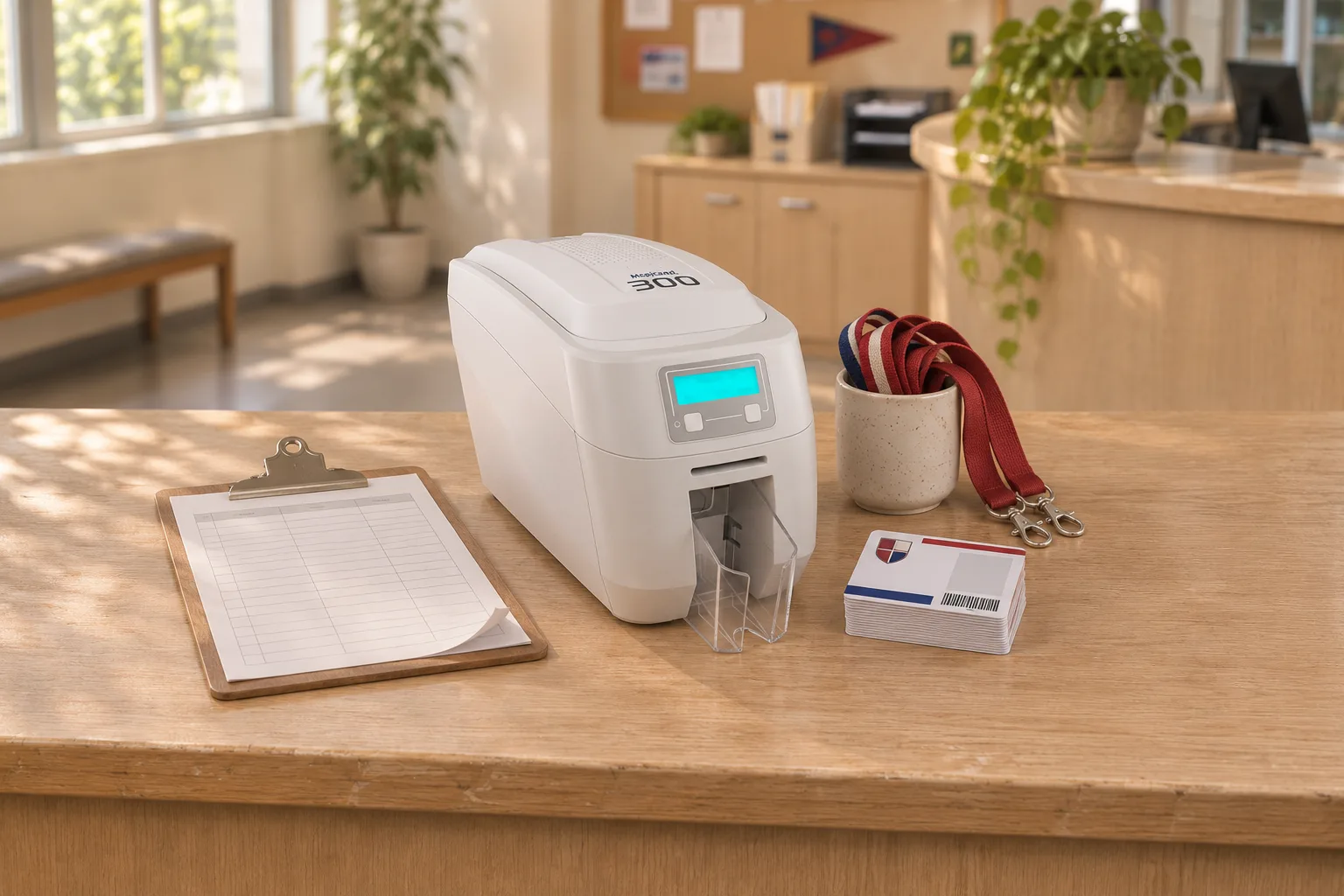
The quick answer
For schools, the Zebra ZC300 prints up to 200 color student IDs an hour (140 dual-sided) from a 100-card hopper over USB or Ethernet, for $1,479 single-sided or $1,999.99 dual-sided in November 2026. Churches and gyms that print a few badges a week need only the single-sided Zebra ZC100 ($873.97 as a complete package), or the Evolis Zenius 2 ($1,152) on a Mac. Hospitals should look at the Magicard 300 for watermarked badges staff can check by eye, and the Entrust Datacard DS1 for HID Prox, iCLASS and Seos access badges.
Our quick picks
Compare the picks
| Feature | Best ID card printer for schoolsZebra ZC300 | Best for badges staff check by eyeMagicard 300 | Best ID card printer for churches and gymsZebra ZC100 | Best for a Mac front officeEvolis Zenius 2 | Best for hospital access badgesEntrust Datacard DS1 (Sigma DS1) |
|---|---|---|---|---|---|
| Type | Direct-to-card dye-sub ID card printer | Direct-to-card dye-sub ID card printer | Direct-to-card dye-sub ID card printer | Direct-to-card dye-sub ID card printer | Direct-to-card dye-sub ID card printer |
| Sides | Single or dual (dual model linked) | Single (electronic upgrade to dual) | Single | Single | Single |
| Color speed | Up to 200 cards/hour (single-sided) | 160 cards/hour | Up to 150 cards/hour | About 180 cards/hour | 175 cards/hour |
| Connection | USB, Ethernet (Wi-Fi optional) | USB, Ethernet | USB (Ethernet, Wi-Fi optional) | USB (Ethernet on Expert) | USB (Wi-Fi optional) |
| Where to buy | Check price at Amazon | Check price at Amazon | Check price at Amazon | Check price at Amazon | Check price at Amazon |
Best ID card printer for schools
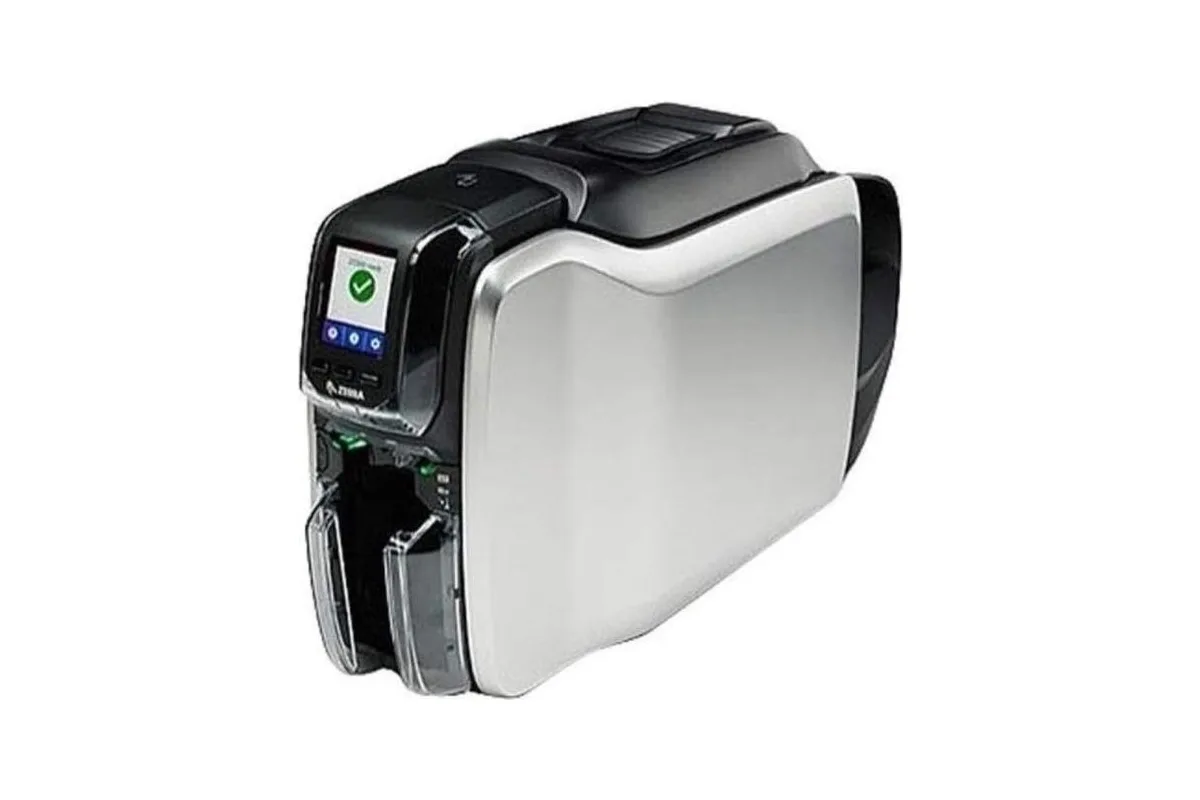
Zebra ZC300
- Type
- Direct-to-card dye-sub ID card printer
- Sides
- Single or dual (dual model linked)
- Color speed
- Up to 200 cards/hour (single-sided)
- Connection
- USB, Ethernet (Wi-Fi optional)
Best for badges staff check by eye
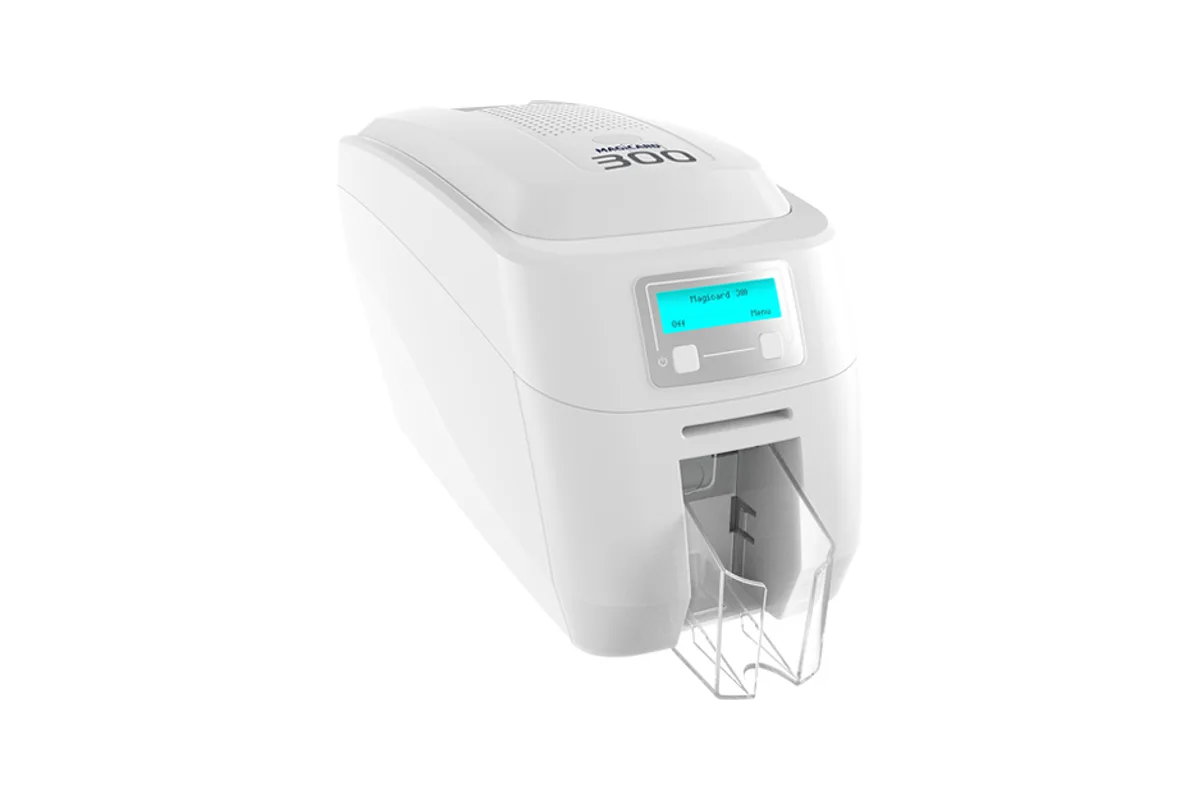
Magicard 300
- Type
- Direct-to-card dye-sub ID card printer
- Sides
- Single (electronic upgrade to dual)
- Color speed
- 160 cards/hour
- Connection
- USB, Ethernet
Best ID card printer for churches and gyms
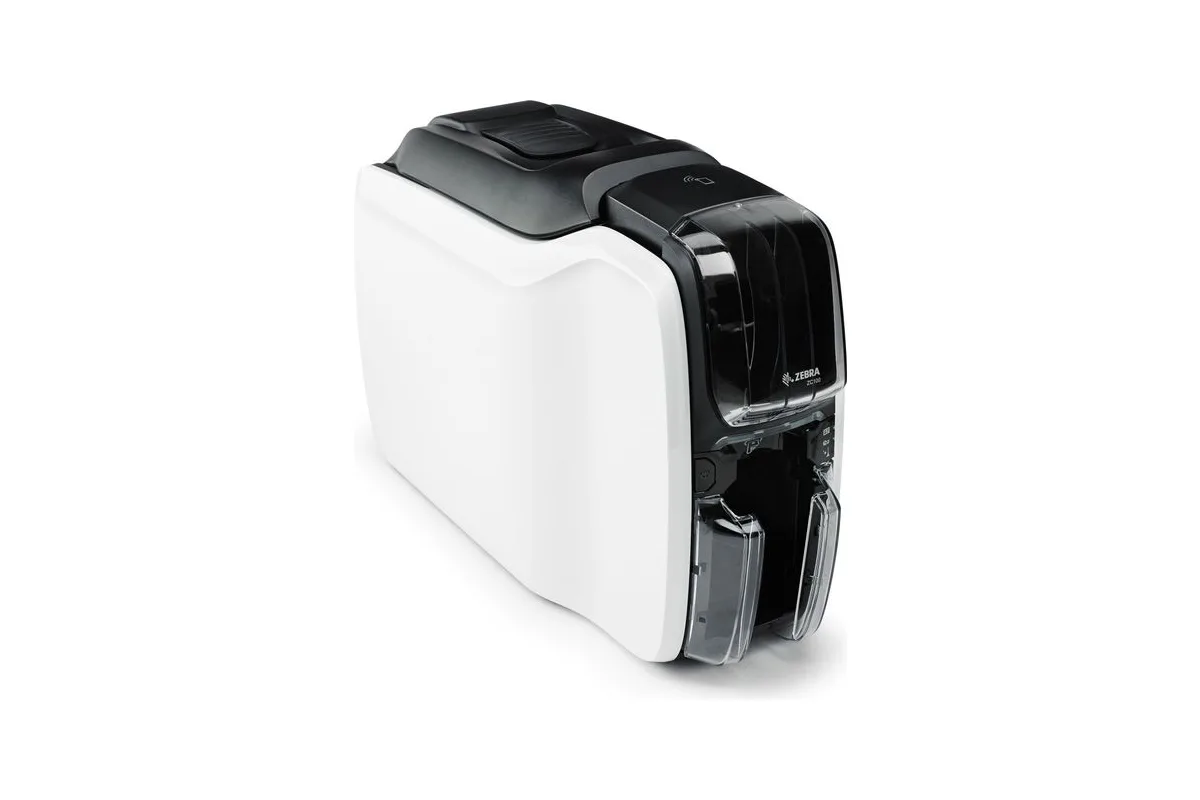
Zebra ZC100
- Type
- Direct-to-card dye-sub ID card printer
- Sides
- Single
- Color speed
- Up to 150 cards/hour
- Connection
- USB (Ethernet, Wi-Fi optional)
Best for a Mac front office
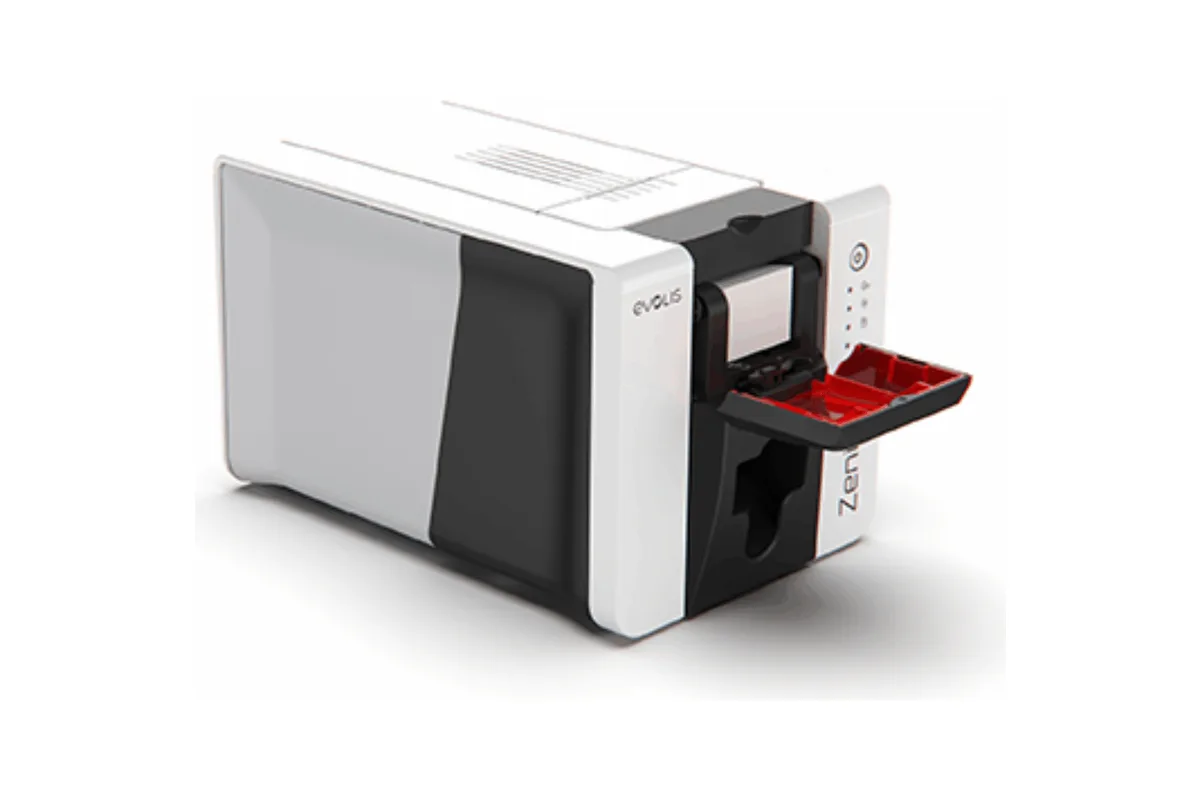
Evolis Zenius 2
- Type
- Direct-to-card dye-sub ID card printer
- Sides
- Single
- Color speed
- About 180 cards/hour
- Connection
- USB (Ethernet on Expert)
Best for hospital access badges
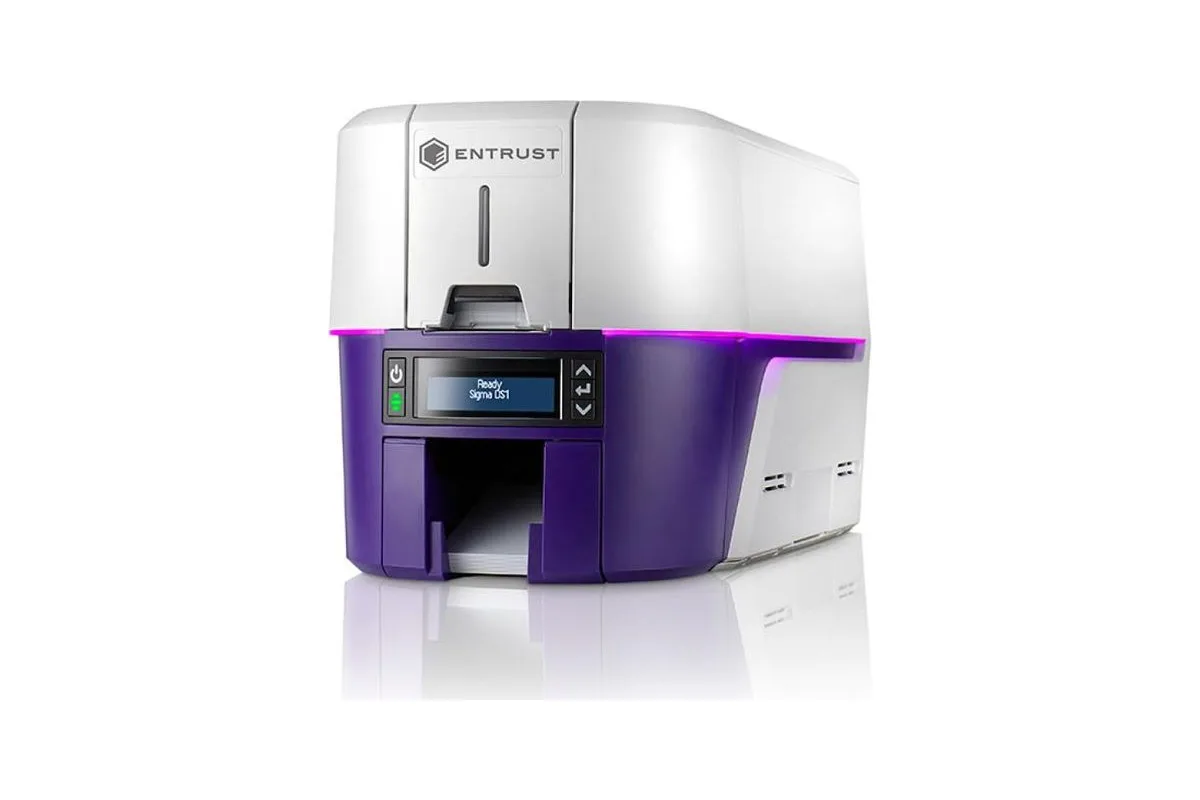
Entrust Datacard DS1 (Sigma DS1)
- Type
- Direct-to-card dye-sub ID card printer
- Sides
- Single
- Color speed
- 175 cards/hour
- Connection
- USB (Wi-Fi optional)
01Best ID card printer for schools
Zebra ZC300
Zebra's mainstream direct-to-card printer: 300 dpi color badges at up to 200 cards an hour, single- or dual-sided, with USB and Ethernet and a 3-year warranty on the printer and printhead.
The ZC300 is the printer for a school that prints a whole roster every fall. Zebra rates it at 200 color cards an hour single-sided and 140 with a black back, so 500 student IDs take about 2.5 hours single-sided or about 3.6 hours dual-sided (our estimate from Zebra's ratings), refilling the 100-card hopper four times. USB and Ethernet are built in, so the front office, library and IT can all print to it, and the printer and printhead carry a 3-year warranty.
It's $1,479 single-sided at B&H and $1,999.99 dual-sided at Amazon and B&H in November 2026. Color costs about 33–35¢ a card in ribbon plus 8–15¢ for the card; a color-front, black-back card is about 47¢ in ribbon at Zebra's list price. Zebra's US spec page lists neither Windows 11 (check Zebra's driver page, which does) nor a smart card encoder, and it takes only Zebra ribbons. Read our [ZC300 review](/reviews/zebra-zc300-review).
Good for
- Up to 200 color cards an hour single-sided (140 dual-sided) and 900 an hour in black
- USB and Ethernet built in, a 100-card hopper, and cards from 10 to 40 mil
- 3-year printer and printhead warranty, and a half-panel ribbon that brings color down to about 16¢ a card
Consider
- Zebra's US spec page lists neither Windows 11 nor smart card encoding (the ZC350 does)
- Takes only Zebra ribbons; Mac support is listed only for an old macOS version
02Best for badges staff check by eye
Magicard 300
Magicard's main direct-to-card printer: 160 color cards an hour, USB and Ethernet, HoloKote watermarks on every card, and a 3-year warranty.
The Magicard 300 prints a HoloKote watermark across every card from the ribbon's overlay panel, so a teacher, nurse or security guard can tilt a badge and see it's genuine, with no extra consumable. Four standard designs come with it and custom designs are an option; HoloPatch cards add a gold seal Magicard says can be checked from six feet away. It prints 160 color cards an hour from a 100-card hopper, takes 20 to 50 mil cards, has USB and Ethernet, and encodes magnetic stripes, contact chips, MIFARE, DESFire and iCLASS with the right options.
The single-sided Uno is $1,695.62 at Amazon, B&H, ID Security Online and CDW in November 2026, and upgrades electronically to dual-sided; the Duo is $2,119.73. Color is about 34¢ a card in ribbon. Its printhead coverage is capped at 50,000 cards or 250,000 panels, and it has no Wi-Fi. Magicard lists Mac drivers for macOS 10.15 through 26. Read our [Magicard 300 review](/reviews/magicard-300-review).
Good for
- HoloKote prints a security watermark on every card at no extra cost
- Single-sided Uno upgrades to dual-sided electronically
- USB and Ethernet, cards from 20 to 50 mil, and a Mac driver
Consider
- Slower than the ZC300 at 160 color cards an hour
- Printhead coverage is capped at 50,000 cards or 250,000 panels
03Best ID card printer for churches and gyms
Zebra ZC100
Zebra's entry ID card printer: single-sided 300 dpi color at up to 150 cards an hour, the same 100-card hopper as the ZC300, and a 3-year warranty.
Most churches and gyms print a few new badges or membership cards a week, single-sided, and the ZC100 is built for exactly that. Zebra rates it at 150 color cards an hour and 700 in black, it takes the same 100-card hopper as the ZC300, prints edge to edge on 10 to 40 mil cards, and Zebra's spec page lists Windows 11. A magnetic stripe encoder is a field upgrade for gyms that use swipe cards. The printer and printhead are covered for 3 years.
The Amazon listing is a complete package with cards, ribbon and software for $873.97 in November 2026; ID Security Online has the bare USB unit at $1,179. Color costs about 35¢ a card in ribbon (200-print roll, $70 at B&H) plus the card. It's single-sided only with no upgrade path, USB is standard (Ethernet and Wi-Fi are options), and Zebra's listed Mac support is old. Read our [ZC100 review](/reviews/zebra-zc100-review).
Good for
- 150 color or 700 black cards an hour with a 100-card hopper and output
- Windows 11 listed on Zebra's spec page, and cards from 10 to 40 mil
- 3-year printer and printhead warranty; the Amazon listing is a complete package with cards, ribbon and software
Consider
- Single-sided only, with no upgrade to dual-sided
- USB standard; Ethernet and Wi-Fi are options
04Best for a Mac front office
Evolis Zenius 2
Evolis's compact single-sided printer, which replaced the original Zenius: 180 color cards an hour, Mac and Windows drivers, and a 3-year warranty with unlimited printhead passes.
If the church office or school front desk runs on Macs, get the Zenius 2. Evolis's October 2026 driver chart covers macOS 14 through 26 on Intel and Apple Silicon, and it ships with cardPresso's ID-ALL Starter Edition, which runs on Mac and Windows. It prints 180 color or 700 black cards an hour, single-sided and edge to edge, and it can print rewritable cards that are erased and reused for visitor passes. The printer and printhead are covered for 3 years with unlimited printhead passes.
The Classic is $1,152 at Amazon and B&H in November 2026, with USB only; the $1,328 Expert adds Ethernet and magnetic stripe, contact and contactless encoding. Color is about 29¢ a card in ribbon. The feeder holds 50 cards, and the bundled software stops at 50 records, so a school roster needs a paid edition. It replaced the original Zenius; check for "Zenius 2". Read our [Zenius 2 review](/reviews/evolis-zenius-2-review).
Good for
- 180 color or 700 black cards an hour, faster than the ZC100
- Current macOS drivers (macOS 14–26) as well as Windows
- 3-year warranty with unlimited printhead passes, and color for about 29¢ a card
Consider
- Single-sided only, with a 50-card feeder
- USB only on the Classic; Ethernet needs the Expert model
05Best for hospital access badges
Entrust Datacard DS1 (Sigma DS1)
Entrust's single-sided entry printer, being renamed from Sigma DS1 to Entrust Datacard DS1: 175 color cards an hour from a 125-card hopper.
The Entrust Datacard DS1 (formerly the Sigma DS1; Entrust is renaming the line) suits a hospital badge office that issues access cards all day. It has the biggest input hopper here at 125 cards, prints 175 color or 660 black cards an hour, and its encoder options cover HID Prox, iCLASS, iCLASS SE and Seos, MIFARE and DESFire, contact chips and magnetic stripes. Entrust lists Secure Boot, a TPM chip and TLS 1.2/1.3 for the family, and the warranty runs 36 months.
It's $1,231.83 at Amazon and $1,882.43 at ID Security Online and CDW in November 2026. Its 500-print YMCKT ribbon ($182.50 at AlphaCard) makes color about 37¢ a card. Drivers are Windows and Linux only, the output stacker holds 25 cards unless you add the 100-card option, and it's single-sided; the DS2 ($2,269.46) adds dual-sided printing and Ethernet. Read our [DS1 review](/reviews/entrust-sigma-ds1-review).
Good for
- 125-card input hopper, the biggest here
- 175 color or 660 black cards an hour
- 500-print YMCKT ribbons and a 36-month warranty
Consider
- No Mac driver (Windows and Linux only), and USB only unless you add Wi-Fi
- Single-sided only; the DS2 adds dual-sided and Ethernet
How to choose
What you print
Mostly black text suits a mono laser. Color documents and the occasional photo suit an ink tank or inkjet.
Running costs
Compare cost per page rather than cartridge prices. Ink tanks and lasers cost more upfront and far less over time.
Ink and account terms
Check whether the printer blocks third-party ink or toner, or requires an account or subscription to work.
What is the best ID card printer for schools?
The Zebra ZC300. Zebra rates it at 200 color cards an hour single-sided and 140 dual-sided, so a 500-student roster takes about 2.5 to 3.6 hours of printing (our estimate), and its USB and Ethernet let several offices share it. It’s $1,479 single-sided at B&H and $1,999.99 dual-sided at Amazon and B&H in November 2026, with a 3-year printer and printhead warranty.
Buy the dual-sided model if student IDs carry a barcode, emergency contacts or rules on the back. A YMCKOK ribbon prints full color on the front and black text or barcodes on the back in one pass. If the front office uses Macs, the Evolis Zenius 2 has current macOS drivers but only a 50-card feeder; for a Mac school that prints dual-sided, our main ID card printer guide recommends the Evolis Primacy 2.
| Printer | Price (Nov 2026) | Sides | Color cards/hour | Hopper | Color ribbon per card | Mac driver |
|---|---|---|---|---|---|---|
| Zebra ZC300 | $1,479 (1-side); $1,999.99 (2-side) | 1 or 2 | 200 (140 dual) | 100 | 33–35¢ | 2024 driver, versions not listed |
| Magicard 300 | $1,695.62 (Uno); $2,119.73 (Duo) | 1 or 2 | 160 | 100 | 34¢ | macOS 10.15–26 |
| Zebra ZC100 | $873.97 (package) | 1 | 150 | 100 | 35¢ | Old version listed |
| Evolis Zenius 2 | $1,152 (Classic) | 1 | 180 | 50 | 29¢ | macOS 14–26 |
| Entrust Datacard DS1 | $1,231.83 | 1 | 175 | 125 | 37¢ | No |
Speeds are the makers’ ratings. Ribbon cost per card is our estimate (dealer ribbon price ÷ rated yield) before the blank card, which adds 8–15¢ for 30 mil PVC.
Is a printer cheaper than ordering student IDs?
For a whole school, yes, within the first year. Here’s our estimate for 500 personalized student IDs:
| Option | Per card | 500 cards |
|---|---|---|
| In house, ZC300, color front only | About 41–50¢ | About $205–$250 |
| In house, ZC300, color front and black back | About 56–63¢ | About $280–$315 |
| Watkins Printing, name and photo on each card | $2.90 | $1,451.04 |
| Watkins, with a printed back | About $3.65 | About $1,826 |
| IDCoast (250 or more cards) | $5 | $2,500 |
In-house figures are ribbon and card only, using Zebra’s list price for the YMCKOK ribbon. At about $2.45 saved per single-sided card, a $1,479 ZC300 pays for itself after about 600 cards; at about $3.05 saved per dual-sided card, the $1,999.99 model pays back after about 660 (our estimates, before software, lanyards and staff time). Our ID card printer cost guide has the full break-even math.
Do student IDs need encoding?
Usually not. If doors or buses use prox cards, buy them pre-programmed (HID’s 1386 ISOProx II is $6.05 each, $5.46 at 500 and $4.97 at 1,000; you supply the format, facility code and starting number) and print the photo on them. Library and lunch barcodes print in black resin, which Zebra recommends for barcodes. Magnetic stripes need a stripe encoder and 30 mil striped cards, which cost $100.99 to $127.99 per 500 against $72.99 for plain ones. Encoder modules for prox and smart cards run hundreds of dollars more, so buy one only if you program cards yourself; the main guide covers the options.
What software does a school need?
One that holds the whole roster. The free software bundled with printers is usually capped: ID-ALL Starter (with the Zenius 2) stops at 50 records, Jolly’s free ID Flow edition at 50 cardholders, and HID’s Asure ID Solo ($215.99) at 200 records. A school importing a student spreadsheet needs a higher edition: Asure ID Express is $790.99, and cardPresso’s paid editions run from $254.99 (XS) to $2,162.99 (XXL) at ID Wholesaler. Check the record limit before you buy. Asure ID and Zebra CardStudio are Windows only; cardPresso and ID-ALL also run on a Mac.
What is the best ID card printer for churches?
The Zebra ZC100. A church printing staff, volunteer and children’s ministry badges a few at a time needs single-sided color, not speed, and the ZC100 is $873.97 at Amazon as a package with cards, ribbon and software in November 2026. Zebra rates it at 150 color cards an hour, covers the printer and printhead for 3 years, and lists Windows 11 on its spec page.
If the church office runs on Macs, get the Evolis Zenius 2 ($1,152) instead, or the cheaper Evolis Badgy200 ($759), which has current macOS drivers and Mac-compatible software; it’s in our main guide. For weekly name tags at the welcome desk, paper labels are far cheaper than PVC; see the best badge printers for events.
Should a church buy a printer or order badges?
Count the badges first. Online services charge about $6 each for 100 to 249 personalized cards (IDCoast) or about $3.15 each at 100 (Watkins). At about 45¢ a card in supplies, the $873.97 ZC100 package pays for itself after roughly 160 to 330 badges (our estimate). A church that issues fewer than that over a few years, with no reprints, is better off ordering.
What is the best ID card printer for gym and membership cards?
The Zebra ZC100 for most gyms and clubs. Membership cards are single-sided, printed one at a time at the front desk as members join, and need a sharp barcode or a magnetic stripe more than a photo. The ZC100 prints the barcode in resin black, which Zebra recommends for barcodes and text, and a magnetic stripe encoder is a field upgrade. It’s $873.97 as a package at Amazon.
The cheapest way to make good-looking membership cards is to order the color design pre-printed and personalize them in black at the desk. Print shops charge about $1.64 a card for 500 cards with the same design. The ZC100 prints black at up to 700 cards an hour, and black ribbons cost about 1.5–3¢ a card.
A few gym-specific limits:
- Key tags: direct-to-card printers can’t print reliably on uneven key tags, Zebra says, so order those printed.
- Magnetic stripes: Zebra’s encoder needs 30 mil cards, and striped cards cost more: Fargo’s HiCo (high-coercivity) cards are $127.99 per 500, against $100.99 for LoCo and $72.99 for plain.
- Door access: if members open a door with a prox card, buy the cards pre-programmed (HID’s 1386 ISOProx II is about $5–$6 each) and print on them. No encoder is needed.
- Mac front desk: the Evolis Zenius 2 has current macOS drivers, and its bundled ID-ALL Starter software prints Code 39 and Code 128 barcodes.
What is the best ID card printer for hospitals?
The Entrust Datacard DS1 for single-sided access badges and the Magicard 300 for badges staff check by eye. Hospitals issue badges all day, usually on HID Prox, iCLASS or Seos cards that also open doors, and the DS1’s 125-card hopper and encoder options (HID Prox, iCLASS, iCLASS SE, Seos, MIFARE, DESFire, contact and magnetic stripe) fit that work. It’s $1,231.83 at Amazon in November 2026.
The Magicard 300 ($1,695.62) prints a HoloKote watermark across every badge at no extra cost, so a nurse or guard can tilt a badge to check it, and its Duo model or electronic upgrade handles a printed back. For a printed back on an Entrust, step up to the DS2: $2,269.46 single-sided at ID Security Online and CDW, with the dual-sided model listed at $2,957.40. The DS3 has no public price.
Two other routes for larger hospital systems:
- Retransfer: HID’s Fargo HDP5000e ($3,299.95 single-sided at B&H) prints onto film fused to the card, which copes better with the uneven surface of chip and prox cards and prints over the edge. It carries a 4-year printer warranty and lifetime printhead coverage with registration. Ribbon and film cost about 42¢ a card before the card.
- Zebra ZC350: the ZC300’s sibling with contactless MIFARE, contact and UHF RFID encoders, $1,696 single-sided at ID Security Online.
If any badge station is a Mac, note that HID and Entrust have no Mac drivers.
Which ID card printer is easiest for volunteers to use?
The Zebra ZC100 or ZC300 for batches, because their 100-card hoppers need half the refills of the Zenius 2’s 50-card feeder, and Zebra’s ribbons come with a cleaning roller built in. On a Mac, the Zenius 2 is the simpler setup, since its driver and bundled software both run on macOS. Keep cards in their wrapper and handle them by the edges; dust on cards causes white spots, and debris dragged under the printhead can damage it for good. Clean the printer at every ribbon change. Our maintenance guide covers it.
How we chose
We picked five direct-to-card printers sold new in the US in November 2026 for the way schools, churches, gyms and hospitals print: batch rosters, a few badges a week, front-desk membership cards and encoded access badges. We compared the makers’ spec sheets, driver lists and warranty terms, and dealer prices for printers, ribbons, cards and software, all checked on November 27, 2026. Cost per card and break-even figures are our arithmetic. We haven’t tested these printers ourselves; see how we score.
Also consider
- Evolis Primacy 2: faster (235 cards an hour) and dual-sided with current Mac drivers, $1,768 single-sided. See the best ID card printers.
- HID Fargo DTC1500: about 23¢ a card in color with its 700-print ribbon, and HID’s optional laminator takes an “Education Design” holographic overlaminate made for schools. See our DTC1500 review.
- Evolis Badgy200: $759 for a church or club that prints under a few hundred cards a year.
- Comparing brands? Read Zebra vs Fargo vs Evolis.
Questions people ask
What size and thickness should student ID cards be?
CR80, 3.375 x 2.125 inches (85.6 x 54 mm), at 30 mil (0.76 mm). That’s the credit-card size every printer here takes, and the thickness every maker rates its hoppers at. Magnetic stripe encoding on Zebra and Evolis printers needs 30 mil cards.
How much do blank cards cost for a school?
About 8–15¢ each: $39.99 for 500 30 mil PVC cards from Bodno, $72.99 for 500 HID UltraCards. HID says its warranty is void with non-HID supplies, so use its cards on a Fargo printer.
Can a church print badges from a Mac?
Yes, with an Evolis printer (Zenius 2, Primacy 2 or Badgy200, all with macOS 14–26 drivers) or a Magicard (macOS 10.15–26). HID Fargo and Entrust printers have no Mac drivers, and Zebra’s Mac driver doesn’t list the macOS versions it supports.
Can visitor badges be reused?
On an Evolis Zenius 2 or Primacy 2, yes: both print rewritable cards that are erased and reprinted, which Evolis suggests for visitor badges and temporary student cards.
Do hospital badges need a hologram?
Not necessarily. A Magicard 300 prints its HoloKote watermark on every card from the ribbon, and HID’s DTC1500 can print a custom watermark into the overlay panel. A holographic laminate needs a printer with a lamination module and adds roughly 34–73¢ a card on HID Fargo laminating printers.
Sources
- Zebra ZC300 Series specifications, zebra.com
- Zebra ZC300 drivers and downloads, zebra.com
- Zebra ZC100 specifications, zebra.com
- Zebra ZC350 specifications, zebra.com
- Magicard 300, magicard.com
- Magicard HoloKote, magicard.com
- Magicard Mac OS X printer driver, support.magicard.com
- Evolis Zenius 2, us.evolis.com
- Evolis Zenius 2 specification sheet, us.evolis.com
- Evolis drivers compatibility chart, us.evolis.com
- Entrust Datacard DS1, entrust.com
- Entrust Datacard DS1 datasheet, entrust.com
- Entrust Datacard DS2 datasheet, entrust.com
- Entrust DS1/DS2 supplies datasheet, entrust.com
- HID FARGO DTC1500 consumables, hidglobal.com
- HID FARGO HDP5000e specifications, hidglobal.com
- HID Asure ID Solo, hidglobal.com
- ID Wholesaler ID card software prices, idwholesaler.com
- cardPresso ID-ALL editions, cardpresso.com
- Jolly ID Flow free ID card software, jollytech.com
- B&H Zebra ZC300 listings, bhphotovideo.com
- B&H Zebra ZC100 listings, bhphotovideo.com
- ID Security Online ID card printers, idsecurityonline.com
- ID Wholesaler blank PVC cards, idwholesaler.com
- Bodno CR80 30 mil PVC cards, bodno.com
- Watkins Printing plastic ID cards, printwatkins.com
- IDCoast ID cards, idcoast.com
- InstantCard pricing, instantcard.net
- HID 1386 ISOProx II cards (ID Wholesaler), idwholesaler.com
Keep exploring

Buying guide
The best barcode label printers
The Zebra ZD421 is the best barcode label printer for most businesses: 4-inch labels at 6 inches a second, any brand of label roll and a 24-month warranty, for about $480 to $526 in November 2026. Get the Brother QL-820NWBc ($229.99) for an office or shop counter, and a thermal transfer model for inventory labels that have to last.
Read story
Buying guide
The best check printers for a small business
The TROY 3001dw ($509.15 at TROY, $530 at Amazon in November 2026) is the best check printer for a small business: a 35 ppm Wi-Fi laser with MICR toner, rated for 350 to 2,500 checks a month, at about 5¢ to 7¢ per check three to a page by our estimate. Get the TROY 4001dn for a locking tray, or the VersaCheck M15 MXD ($399.99) for software in the box.
Read story