
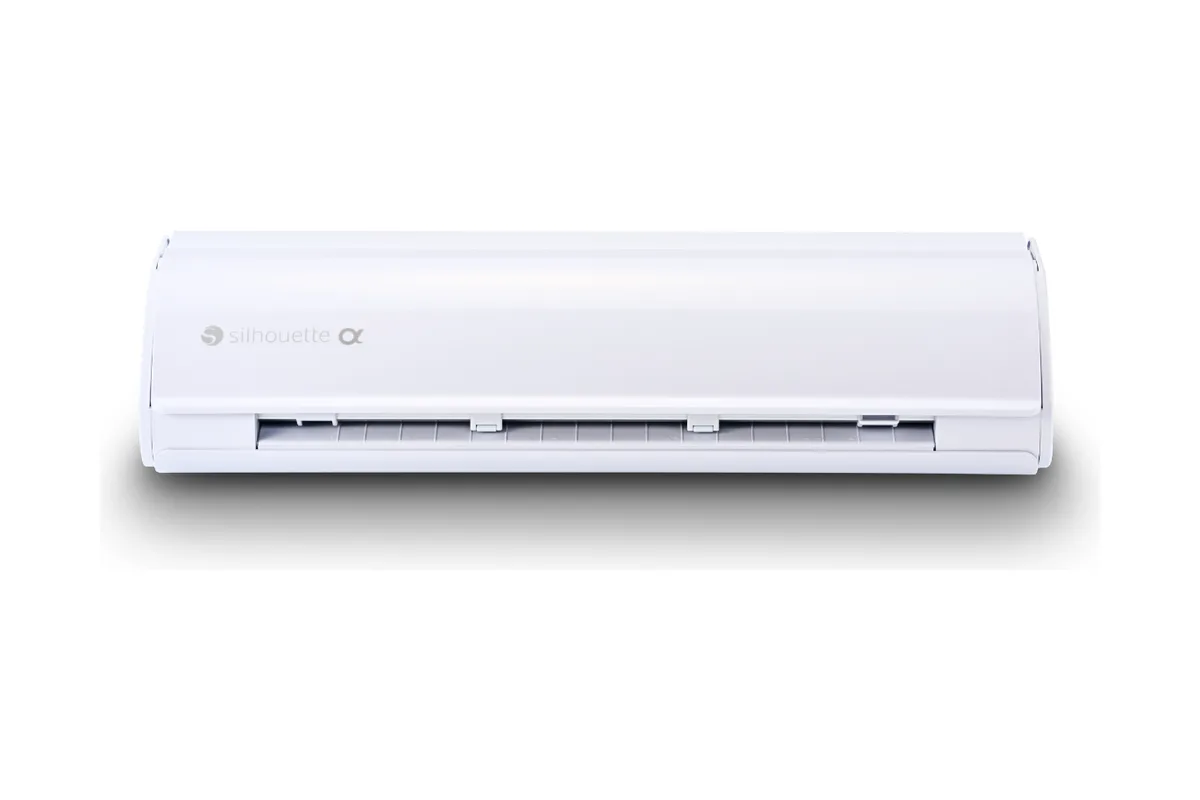
Side by side
| Feature | Cricut Explore 5 | Silhouette Cameo 5α |
|---|---|---|
| Type | Cutting machine | Cutting machine |
| Media | Printable vinyl, sticker paper, cardstock, HTV | Printable vinyl, sticker paper, cardstock, HTV |
| Max size | 12 x 24 in mat | 12 x 24 in mat |
| Connection | Bluetooth, USB | Bluetooth, USB |
| Where to buy | Check price at Amazon | Check price at Amazon |
Cricut Explore 5
- Type
- Cutting machine
- Media
- Printable vinyl, sticker paper, cardstock, HTV
- Max size
- 12 x 24 in mat
- Connection
- Bluetooth, USB
Silhouette Cameo 5α
- Type
- Cutting machine
- Media
- Printable vinyl, sticker paper, cardstock, HTV
- Max size
- 12 x 24 in mat
- Connection
- Bluetooth, USB
Cricut or Silhouette for stickers?
The Cricut Explore 5, for most people. It’s $80 cheaper than the Silhouette CAMEO 5α in November 2026 ($199 against $279.99), it Print Then Cuts larger tabloid sheets, and Cricut’s free Design Space imports SVG files with no upgrade. Both machines cut printed sticker sheets from any color inkjet, using registration marks to line up the cut.
Buy the Silhouette CAMEO 5α if the software model matters to you. Silhouette Studio Basic is free and works offline, and its paid editions are one-time purchases rather than a monthly subscription. Cricut’s Design Space needs an internet connection, and its bigger image library comes with Cricut Access at $9.99 a month.
What’s the difference for stickers?
| Cricut Explore 5 | Silhouette CAMEO 5α | |
|---|---|---|
| Price (maker, Nov 2026) | $199 | $279.99; Print and Cut Bundle $369.99 |
| Mat | 12 x 12 or 12 x 24 in | 12 x 24 in cut area |
| Without a mat | Smart Materials up to 12 ft | 11.6 in x 16 ft on lined material |
| Print-and-cut area | About 7.4 x 9.9 in on letter; about 10 x 16 in on tabloid | Up to 12 x 12 in material, limited by your printer |
| Registration | Sensor that recognizes inkjet-printed images | Four-point registration |
| Software | Design Space, free; internet needed | Studio Basic, free; works offline |
| Paid extras | Cricut Access, $9.99 a month | One-time upgrades, $39.99–$79.99 on sale |
| SVG import | Free | Designer edition or higher |
| Smaller model | Joy Xtra, $129 (letter-size Print Then Cut) | Portrait 4, $189.99 (8.5 x 11 in Print & Cut) |
Source: Cricut and Silhouette product and software pages, read November 25, 2026. Print-and-cut limits come from the makers’ help pages and depend on the machine, paper and software version.
Does Cricut or Silhouette need a subscription?
Neither does for stickers. Cricut Design Space is free, and Print Then Cut isn’t a paid feature. Cricut Access, at $9.99 a month after a 30-day trial, adds a larger image and font library, AI design tools and member discounts.
Silhouette’s software page says “no subscriptions required”. Studio Basic is free and does Print & Cut. The paid editions are one-time purchases: Designer is $39.99 on sale ($49.99), Designer Plus $59.99 ($74.99) and Business $79.99 ($99.99). You need Designer to import SVG files, the format many sticker design files come in. Business adds multi-cutter support and automatic nesting for small shops.
Over two years, Cricut Access costs about $240, while Silhouette’s Business edition costs $79.99 once. If you’d pay for extras either way, Silhouette is cheaper long-term.
Which has the bigger Print and Cut area?
Cricut, on tabloid paper. Cricut’s Print Then Cut limit is about 7.4 x 9.9 inches on letter paper, and an Explore or Maker can go to about 10 x 16 inches on 11x17 tabloid paper with a 12 x 24 mat. Silhouette says the CAMEO handles Print & Cut on material up to 12 x 12 inches on a mat, and the printer sets the printable area. With a letter-size printer, which is most home printers, the two are close.
Tabloid sheets need a printer that prints 11x17, like the Epson ET-8550. See the best printers for Cricut.
Which is cheaper?
Cricut, up front. The Explore 5 is $199 and the CAMEO 5α $279.99. At the small end, Cricut’s Joy Xtra is $129 on sale and Silhouette’s Portrait 4 $189.99. Both brands’ machines take any brand of inkjet sticker paper and printable vinyl, so supply costs are the same.
Which is better for a small sticker business?
Silhouette, if you’ll use its Business edition. One-time software, offline cutting, multi-cutter support and automatic nesting suit a shop that cuts the same sheets every day. Cricut’s tabloid Print Then Cut fits more stickers per sheet, though. For runs of 100 or more identical die-cut stickers, ordering from a printer like Sticker Mule is often simpler; see how to make stickers at home.
Which should you buy?
The Cricut Explore 5 if you want the cheapest full-size cutter and the biggest sticker sheets. The Silhouette CAMEO 5α if you want software that works offline and is yours to keep. If you’d rather skip the cutter and the printer altogether, an all-in-one like the Liene PixCut S1 prints and cuts 4x7-inch sheets in one machine. See the best sticker printers.
Questions people ask
Is Cricut or Silhouette better for stickers?
The Cricut Explore 5 for most people: it’s $199, Print Then Cuts larger tabloid sheets and imports SVGs for free. The Silhouette CAMEO 5α suits people who want offline, subscription-free software.
Does Silhouette have a subscription?
Not for the software. Silhouette Studio Basic is free, and upgrades are one-time purchases from $39.99 on sale.
Does Cricut Design Space work offline?
No. Design Space needs an internet connection. Silhouette Studio works offline.
Can Silhouette import SVG files?
Yes, with the Designer edition or higher ($39.99 on sale). Studio Basic doesn’t import SVGs. Cricut Design Space imports them for free.
Which is cheaper, Cricut or Silhouette?
Cricut, up front: the Explore 5 is $199 against $279.99 for the CAMEO 5α. Long-term, Silhouette’s one-time software can cost less than a Cricut Access subscription.
Do Cricut and Silhouette need a special printer?
No. Both work with any color inkjet. Cricut says its standard printable materials are inkjet only.
Sources
- Cricut Explore 5 product page, cricut.com
- Cricut Access free trial, cricut.com
- Silhouette CAMEO 5α product page, silhouetteamerica.com
- Silhouette Studio software editions, silhouetteamerica.com
- Silhouette Portrait 4 product page, silhouetteamerica.com
- Cricut Joy Xtra product page, cricut.com
- Cricut Print and Cut size guide, jennifermaker.com
Keep exploring

Buying guide
The best color label printers for product labels
The Epson ColorWorks CW-C4000 is the best color label printer for product labels: pigment CMYK ink at up to 1200 dpi, rolls up to 4.25 inches wide, 4 inches a second and BS 5609 certification on Kimdura poly, for $2,499 at CDW in November 2026. Get the Primera LX610 ($2,695) to print and cut custom shapes, or the Primera LX500 ($1,549) on a budget.
Read story
Buying guide
The best edible printers for cakes and cookies
The best edible printer for cakes is a new Canon PIXMA TS702a bought in an edible ink bundle: $295 to $299 in November 2026, for letter and legal-size frosting sheets at about $1 to $3 a cake topper. For printing straight onto cookies, the Primera Eddie is $2,995 and uses about 6¢ of ink per cookie.
Read story