How it scores
- Running costs25%9.0
About 0.4¢ a black page and 1.0¢ a color page with GI-21 bottles at Canon's November 2026 prices, the same as the G3270.
- Document quality20%7.5
We couldn't find a published review of the G3290. It shares the G3270's print engine, which prints crisp text and well-resolved fine detail.
- Color and photo quality10%6.5
Fine for color documents, but the G3270, its twin, has a limited photo color gamut and poor color accuracy.
- Features and paper handling20%6.5
Prints, scans and copies with automatic two-sided printing and dual-band Wi-Fi, but no document feeder, no Ethernet and a 100-sheet rear tray.
- Reliability and ownership15%7.0
No account or subscription needed, and refills are cheap, but the G3270, its twin, can clog if left unused.
- Speed and ease of use10%6.0
The 2.7-inch touchscreen beats the G3270's 1.35-inch screen, but printing is slow at a rated 11 ipm black and 6 ipm color.
Overall 7.4/10, the weighted average.How we score →
Is the Canon PIXMA G3290 worth it?
Yes, if you print on both sides of the page. At $199.99 on Canon’s store in November 2026 (list $269.99), it costs about 0.4¢ a black page and 1¢ a color page, and adds automatic two-sided printing and a 2.7-inch touchscreen to the $144.99 Canon G3270. If you only print single-sided pages, the G3270 is the same printer for $55 less.
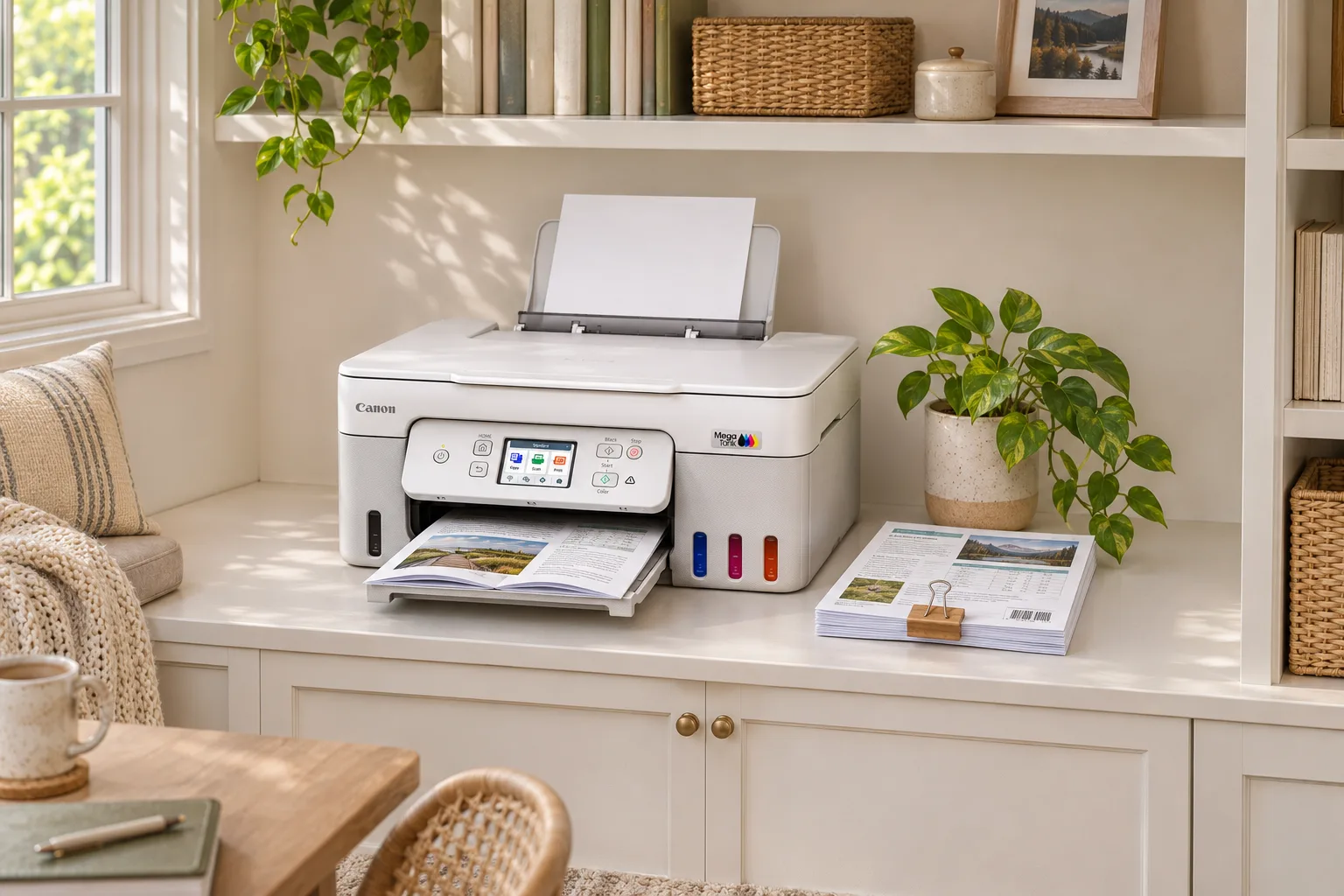
The G3290 is a Canon MegaTank all-in-one: it prints, scans and copies, and you refill its four ink tanks from bottles instead of buying cartridges. That makes it one of the cheapest printers to run, with ink that Canon says lasts about two years in the box. What it doesn’t fix is the G3270’s other weak spots. It’s still slow, it has no document feeder, and paper loads from a 100-sheet rear tray.
We couldn’t find a published review of the G3290 as of November 2026. Its spec sheet shows the same print engine as the G3270: the same 1,792 nozzles, ink, resolution and speed ratings. So for print quality we go by how the G3270 performs, and say so where we do.
What does the G3290 add over the G3270?
Two things: automatic two-sided printing and a bigger touchscreen. Everything that decides print quality and cost is identical. Here’s how the two compare on Canon’s own spec sheets, read November 23, 2026:
| Canon G3290 | Canon G3270 | |
|---|---|---|
| Price on Canon’s store (Nov 2026) | $199.99 (list $269.99) | $144.99 (list $248.99) |
| Automatic two-sided printing | Yes | No (one side only) |
| Display | 2.7-inch color touchscreen | 1.35-inch LCD |
| Rated speed (ISO) | 11 ipm black, 6 ipm color | 11 ipm black, 6 ipm color |
| Ink | GI-21 bottles | GI-21 bottles |
| Yield per bottle set | 6,000 black / 7,700 color | 6,000 black / 7,700 color |
| Paper input | 100-sheet rear tray | 100-sheet rear tray |
| Scanner | Flatbed, no feeder | Flatbed, no feeder |
| Wi-Fi | Dual-band (2.4/5 GHz) | Dual-band (2.4/5 GHz) |
| Size (closed) | 16.4 x 14.3 x 7.0 in | 16.4 x 13.3 x 7.0 in |
| Weight | 14.2 lb | 13.2 lb |
The G3290 is an inch deeper and a pound heavier, which is room for the duplex unit. Canon’s G3290 spec sheet also lists a 2,200-page yield for color photos, a figure the G3270 page doesn’t give.
How much does a G3290 page cost?
About 0.4¢ for a black page and 1.0¢ for a color page, the same as the G3270, because both use the same GI-21 bottles. At Canon’s November 23, 2026 prices:
| Bottle | Price | Canon’s yield | Cost per page |
|---|---|---|---|
| GI-21 pigment black (135 ml) | $22.99 | 6,000 pages | 0.4¢ ($22.99 ÷ 6,000) |
| GI-21 black, economy mode | $22.99 | 7,600 pages | 0.3¢ ($22.99 ÷ 7,600) |
| GI-21 cyan, magenta, yellow (70 ml each) | $14.99 each | 7,700 pages per set | 0.6¢ ($44.97 ÷ 7,700) |
| Color page (color inks plus black) | 1.0¢ (0.58¢ + 0.38¢) |
So 1,000 pages of black text cost about $4 in ink. A cartridge printer like the Canon TR4720 costs about 13¢ a black page with XL cartridges, or $130 for the same 1,000 pages.
The printer comes with a full set of bottles, which Canon says lasts up to two years at 200 pages a month. Canon’s yields come from its own test method using the ISO/IEC 24712 chart in default mode. The black bottle was out of stock on Canon’s store on November 23, but with two years of ink in the box, that won’t matter for a while. For the full ranking, see the cheapest printer to run.
Is two-sided printing worth $55?
It is if you print reports, schoolwork or anything you’d staple. Automatic duplex halves the paper on two-sided jobs, with no turning pages over by hand. The touchscreen also makes Wi-Fi setup and copying easier than the G3270’s small screen and buttons.
If you print single pages (tickets, labels, photos, forms), the G3270 does the same job for $55 less. Both cost the same per page, so the price gap never closes on ink.
How good is the print quality?
Expect sharp text and so-so photos. The G3290 shares the G3270’s engine, and the G3270’s print quality is good, with crisp lettering and well-resolved fine detail. Black text uses pigment ink, which stays sharp on plain paper.
Photos are the weak point. The G3270’s color gamut is limited and its color accuracy poor, so it’s fine for school projects and the odd snapshot but not for framing. If photos matter, look at our best photo printers.
Is it fast?
No. Canon rates it at 11 images per minute in black and 6 in color, the same as the G3270. That’s fine for a few pages at a time but slow for long jobs, and two-sided printing is slower still, because each sheet has to pass through twice.
Does it clog?
It can if it sits unused for weeks. The G3270 can clog when left idle, and the G3290 uses the same printheads and ink. Printing a page or two each week helps. If your printer sits for a month at a time, a laser such as the Canon imageCLASS LBP122dw avoids the problem, at about 4.3¢ a page.
It needs no account or subscription. Canon’s automatic ink reordering is optional.
G3290 vs the alternatives
- Canon PIXMA G3270 ($144.99): the same printer without auto duplex and with a smaller screen. Buy it if you print one side only.
- Epson EcoTank ET-2980 ($329.99): also an ink tank with auto duplex and a 100-sheet rear tray, at about 0.3¢ black and 1.1¢ color. It costs $130 more. Read our ET-2980 review.
- Brother MFC-J1360DW ($69.99): adds a 20-sheet document feeder and auto duplex for much less, but pages cost about 7.9¢ in black and 22¢ in color. Read our MFC-J1360DW review.
At 7.9¢ against 0.4¢, the G3290’s $130 extra over the Brother pays back after about 1,700 black pages ($130 ÷ 7.5¢), under a year at 200 pages a month. Compare the ink systems in EcoTank vs MegaTank vs INKvestment.
Should you buy it?
Buy the G3290 if you want the cheapest color pages around and print on both sides of the page. It has the same 1¢ color page as the G3270 and costs $130 less than Epson’s ET-2980, the duplex ink tank it competes with. Skip it if you need a document feeder or fast printing, and save $55 on the G3270 if you don’t need two-sided printing.
Questions people ask
What is the difference between the Canon G3290 and G3270?
The G3290 adds automatic two-sided printing and a 2.7-inch color touchscreen (the G3270 has a 1.35-inch screen). Ink, yields, speed, the 100-sheet tray and the flatbed scanner are the same. It cost $55 more on Canon’s store in November 2026.
How long does the ink in the Canon G3290 last?
Canon says the bottles in the box last up to two years at 200 pages a month. A full set is rated for 6,000 black and 7,700 color pages in default mode.
Does the Canon G3290 print on both sides automatically?
Yes. It has automatic two-sided printing. It scans one side at a time from the flatbed, with no document feeder.
Does the Canon G3290 need a subscription?
No. It prints without an account or subscription. Canon’s automatic ink reordering is optional.
How much does it cost to print a page on the Canon G3290?
About 0.4¢ for a black page and 1¢ for a color page, at Canon’s November 2026 bottle prices ($22.99 black, $14.99 per color).
Can the Canon G3290 print borderless photos?
Yes, from 3.5 x 3.5 inches up to letter size, including 4x6, 5x7 and 8x10. The rear tray holds 20 sheets of 4x6 photo paper.
Key specifications
| Feature | CanonPIXMA G3290 |
|---|---|
| Type | Ink tank inkjet |
| Functions | Print, scan, copy |
| Document feeder | None (flatbed only) |
| Auto duplex printing | Yes |
| Color printing | Yes |
| Where to buy | Check price at Amazon |
Canon PIXMA G3290
- Type
- Ink tank inkjet
- Functions
- Print, scan, copy
- Document feeder
- None (flatbed only)
- Auto duplex printing
- Yes
- Color printing
- Yes
Sources
- MegaTank PIXMA G3290 product page, Canon
- MegaTank PIXMA G3270 product page, Canon
- GI-21 Pigment Black Ink Tank, Canon
- GI-21 Cyan Ink Tank, Canon
- Canon PIXMA G3270 review, RTINGS
- EcoTank ET-2980 product page, Epson
- MFC-J1360DW product page, Brother
Keep exploring

Buying guide
The best barcode label printers
The Zebra ZD421 is the best barcode label printer for most businesses: 4-inch labels at 6 inches a second, any brand of label roll and a 24-month warranty, for about $480 to $526 in November 2026. Get the Brother QL-820NWBc ($229.99) for an office or shop counter, and a thermal transfer model for inventory labels that have to last.
Read story
Buying guide
The best check printers for a small business
The TROY 3001dw ($509.15 at TROY, $530 at Amazon in November 2026) is the best check printer for a small business: a 35 ppm Wi-Fi laser with MICR toner, rated for 350 to 2,500 checks a month, at about 5¢ to 7¢ per check three to a page by our estimate. Get the TROY 4001dn for a locking tray, or the VersaCheck M15 MXD ($399.99) for software in the box.
Read story