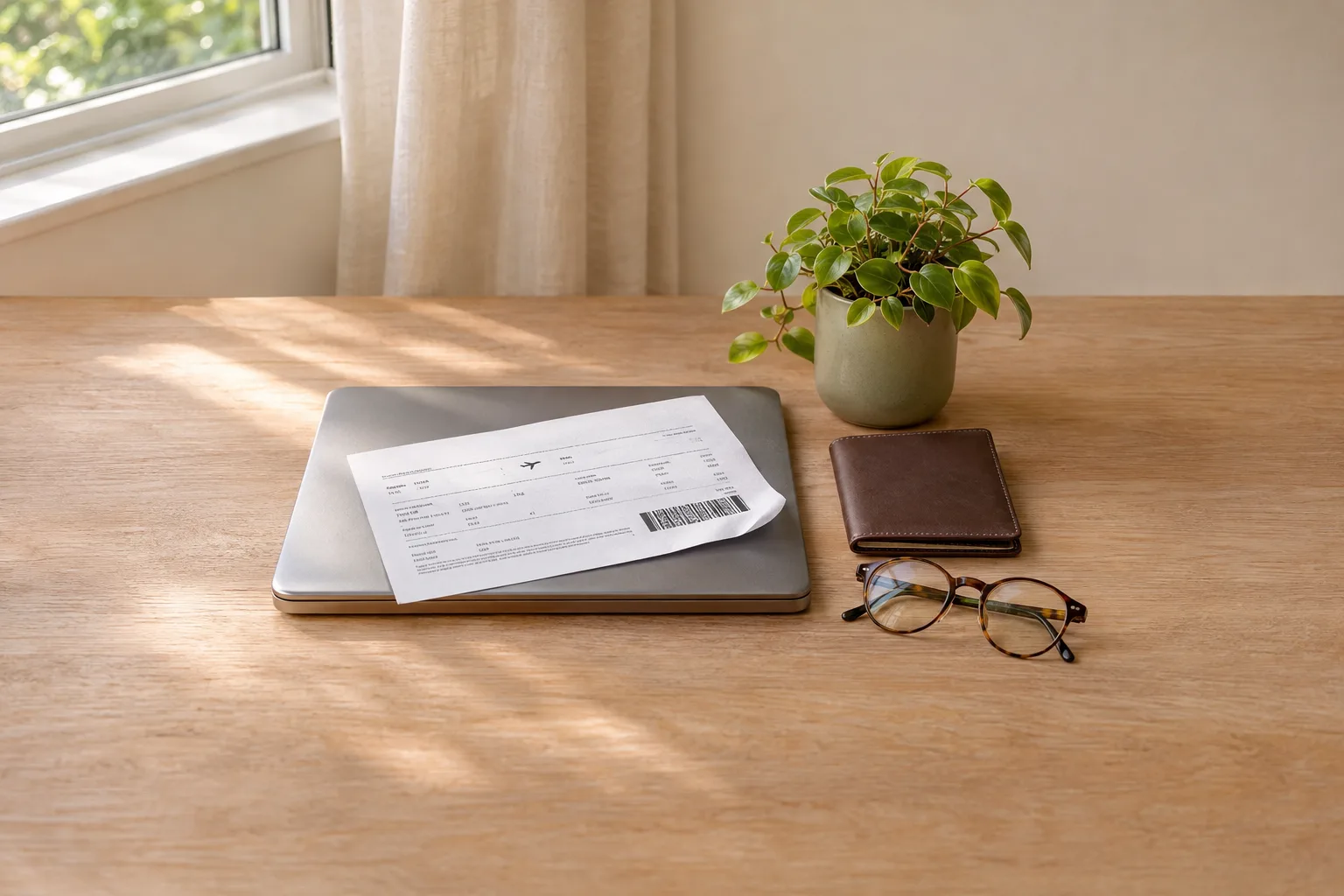
The quick answer
The Brother HL-L2460DW mono laser is the best printer for occasional use, because toner is a dry powder that can't dry out or clog, so it prints cleanly after weeks or months unused, for about 4¢ a page. For occasional photos, the Canon SELPHY CP1500 dye-sub printer is the equivalent: no liquid ink, no printhead, 37¢ per 4x6.
Our quick picks
Compare the picks
| Feature | Best mono laserBrotherHL-L2460DW | Best mono all-in-oneBrotherMFC-L2820DW | Best color laserBrotherHL-L3295CDW | Best for 4x6 printsCanonSELPHY CP1500 | Best overallEpsonEcoTank ET-2980 |
|---|---|---|---|---|---|
| Type | Mono laser | Mono laser | Color LED laser | Dye-sublimation | Ink tank inkjet |
| Functions | Print only | Print, scan, copy, fax | Print only | Print, scan, copy | |
| Document feeder | None | 50-sheet ADF (one side) | None | None (flatbed only) | |
| Auto duplex printing | Yes | Yes | Yes | Yes | |
| Color printing | No | No | Yes | Yes | |
| Where to buy | Check price at Amazon | Check price at Amazon | Check price at Amazon | Check price at Amazon | Check price at Amazon |
Best mono laser
Brother HL-L2460DW
- Type
- Mono laser
- Functions
- Print only
- Document feeder
- None
- Auto duplex printing
- Yes
- Color printing
- No
Best mono all-in-one
Brother MFC-L2820DW
- Type
- Mono laser
- Functions
- Print, scan, copy, fax
- Document feeder
- 50-sheet ADF (one side)
- Auto duplex printing
- Yes
- Color printing
- No
Best color laser
Brother HL-L3295CDW
- Type
- Color LED laser
- Functions
- Print only
- Document feeder
- None
- Auto duplex printing
- Yes
- Color printing
- Yes
Best for 4x6 prints
Canon SELPHY CP1500
- Type
- Dye-sublimation
- Functions
- Document feeder
- Auto duplex printing
- Color printing
Best overall
Epson EcoTank ET-2980
- Type
- Ink tank inkjet
- Functions
- Print, scan, copy
- Document feeder
- None (flatbed only)
- Auto duplex printing
- Yes
- Color printing
- Yes
01Best mono laser
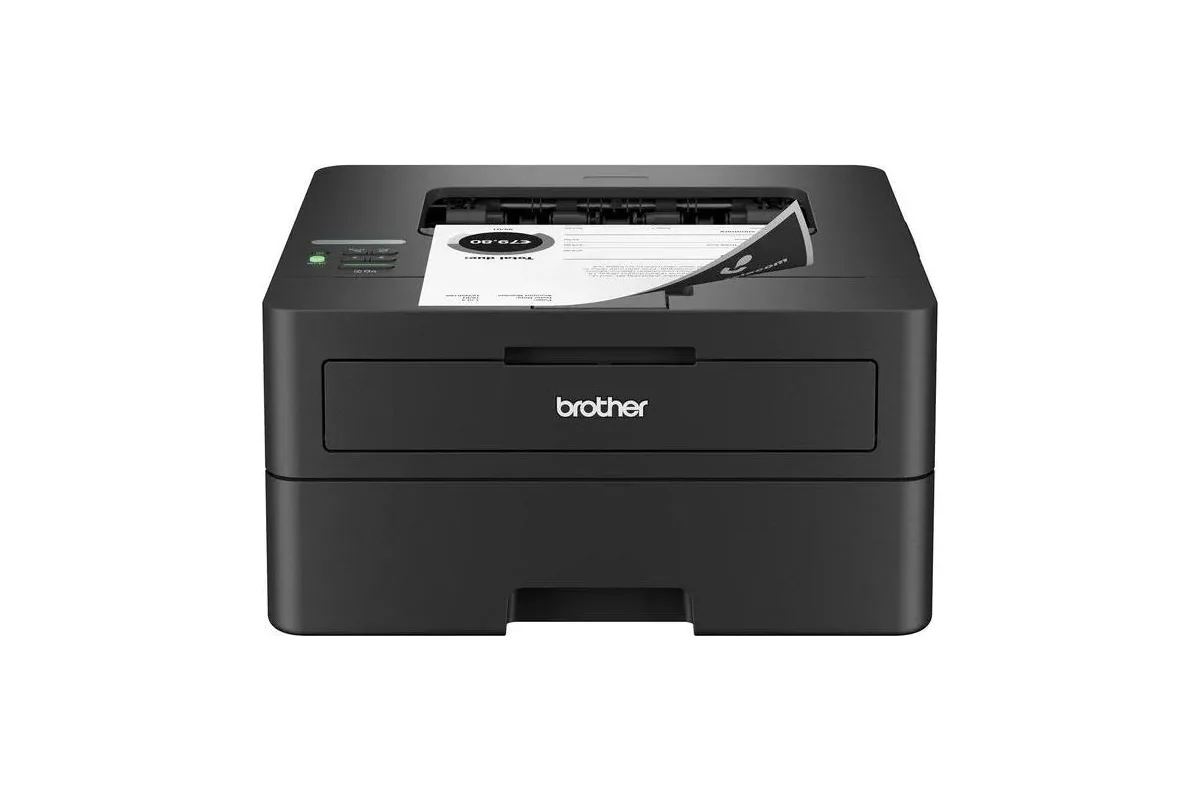
Brother HL-L2460DW
A compact print-only mono laser with auto duplex, dual-band Wi-Fi and Ethernet that never clogs, no matter how long it sits.
The best printer for occasional use is the HL-L2460DW. It's a mono laser, so there's no liquid ink to dry and no nozzles to clog, and it prints a clean page after weeks or months untouched. It has automatic two-sided printing, dual-band Wi-Fi, Ethernet and USB, and Brother lists it at $179.99.
Pages cost about 4¢ with the TN830XL twin pack and DR830 drum at Brother's October 2026 prices. If you print 20 pages a month, the 6,000-page twin pack lasts 25 years, so for light users the real cost is the printer. Change a few default print settings for sharper output. Read our [full review](/reviews/brother-hl-l2460dw-review).
Good for
- Auto duplex plus Wi-Fi, Wi-Fi Direct, Ethernet and USB, the best-connected of Brother's HL-L24xx print-only models
- Prints about 37 pages per minute after the first page, beating its 36 ppm rating
- Ready to print after weeks unused, with no clogging
Consider
- Default print quality is below Brother's norm: graphics can show banding, and settings may need adjusting
- About 4¢ a page with XL toner and the separate drum at Brother's October 2026 prices; standard toner costs more
02Best mono all-in-one
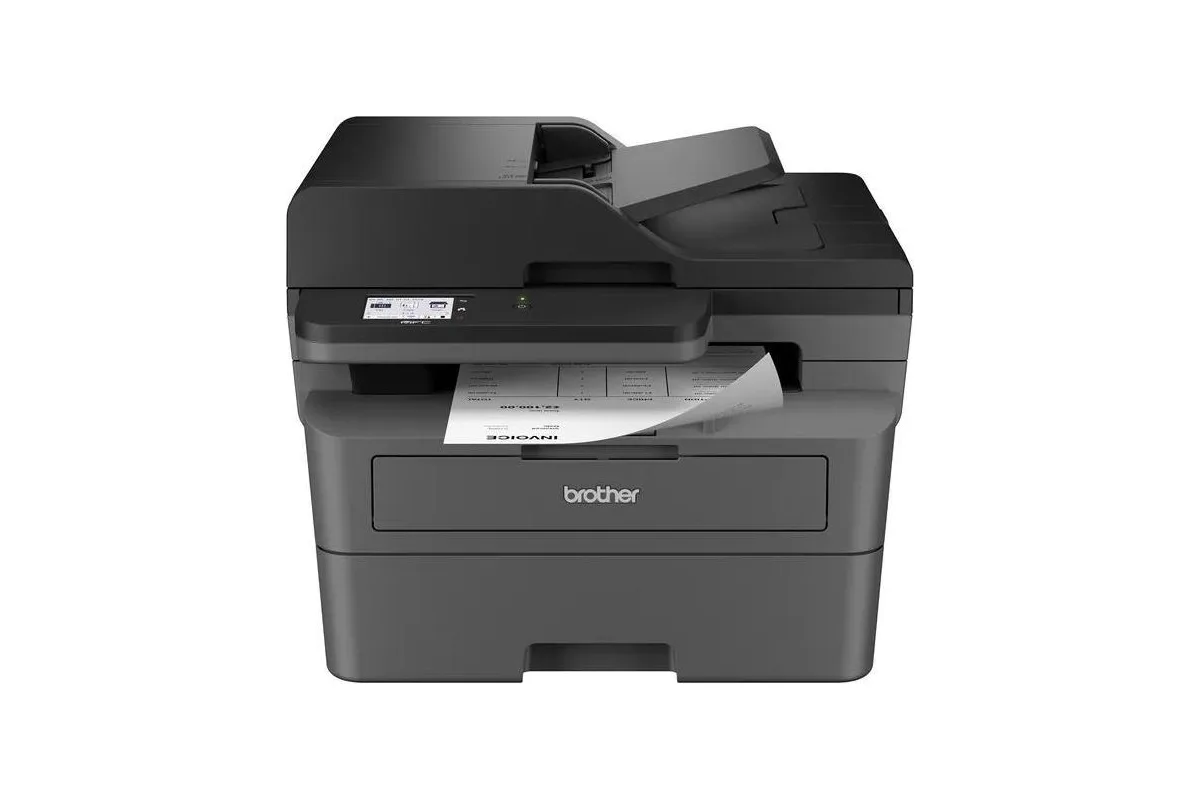
Brother MFC-L2820DW
A black-and-white laser all-in-one that adds a 50-sheet document feeder, flatbed, fax and touchscreen to the same cheap supplies as the HL-L2460DW.
If you also scan or copy now and then, get the MFC-L2820DW. It's the same laser engine with a flatbed, a 50-sheet document feeder, fax and a touchscreen, and it uses the same TN830 toner and DR830 drum, so pages cost the same 4¢.
The feeder scans one side at a time. Brother lists it at $279.99, $100 more than the print-only model.
Good for
- Among the best black-and-white printers and mid-range lasers
- 50-sheet document feeder, flatbed scanner, fax and a 2.7-inch color touchscreen
- Uses the same TN830 toner and DR830 drum as Brother's print-only HL-L2460DW
Consider
- The document feeder scans one side only, so two-sided originals mean flipping pages
- The MFC-L2900DW adds a single-pass duplex feeder for about $50 more
03Best color laser
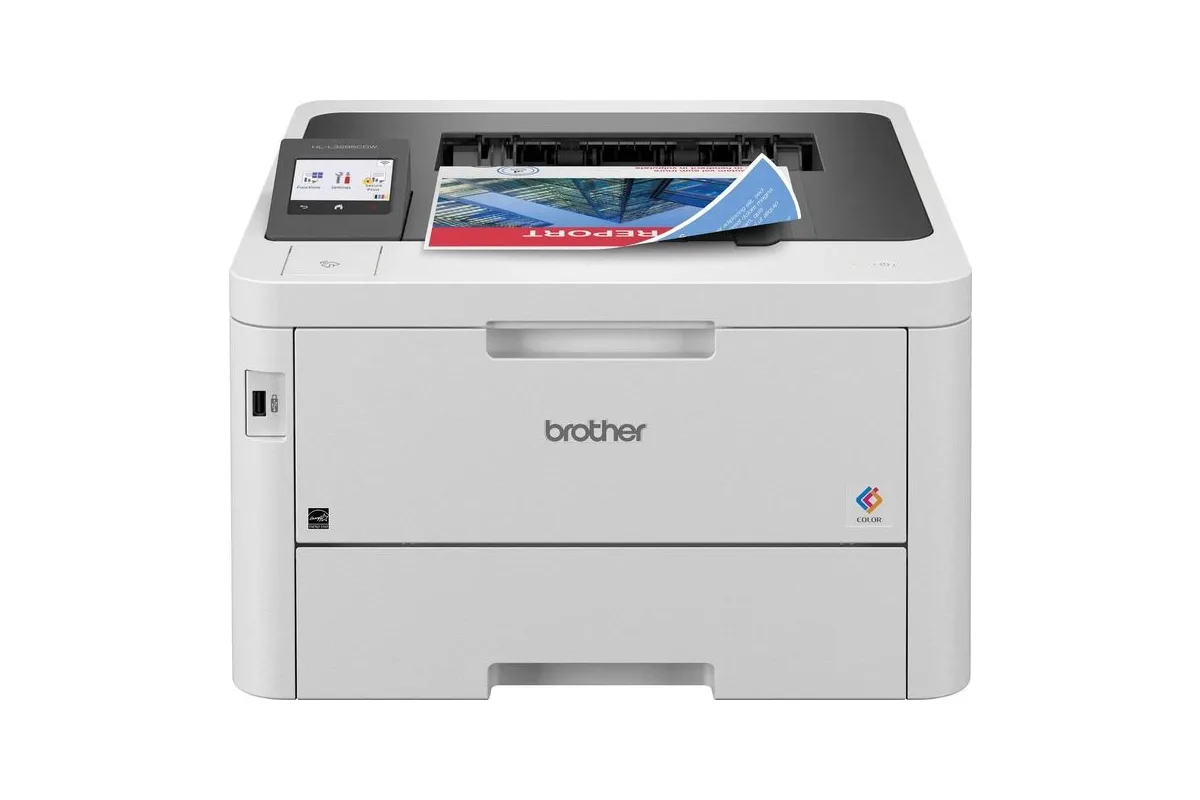
Brother HL-L3295CDW
A print-only color LED laser with crisp text, low color costs with XXL toner, and generous starter cartridges.
For occasional color (school projects, charts, a flyer) without inkjet upkeep, choose the HL-L3295CDW color LED laser. Like any laser, it has nothing to dry out. Its starter toner is rated for 2,300 black and 1,200 color pages, which can last a light user for years.
Color pages cost about 16¢ and black pages about 4¢ with XXL toner, counting the drum, belt and waste box. It's print-only and isn't meant for photos.
Good for
- One of the best budget color lasers
- About 15¢ per color page with XXL toner at Brother's October 2026 prices, low for a color laser
- Ships with near-full starter toner: 2,300 black and 1,200 per color
Consider
- Print only: no scanner or copier
- Two-sided printing drops to about half speed, around 13 ppm
04Best for 4x6 prints
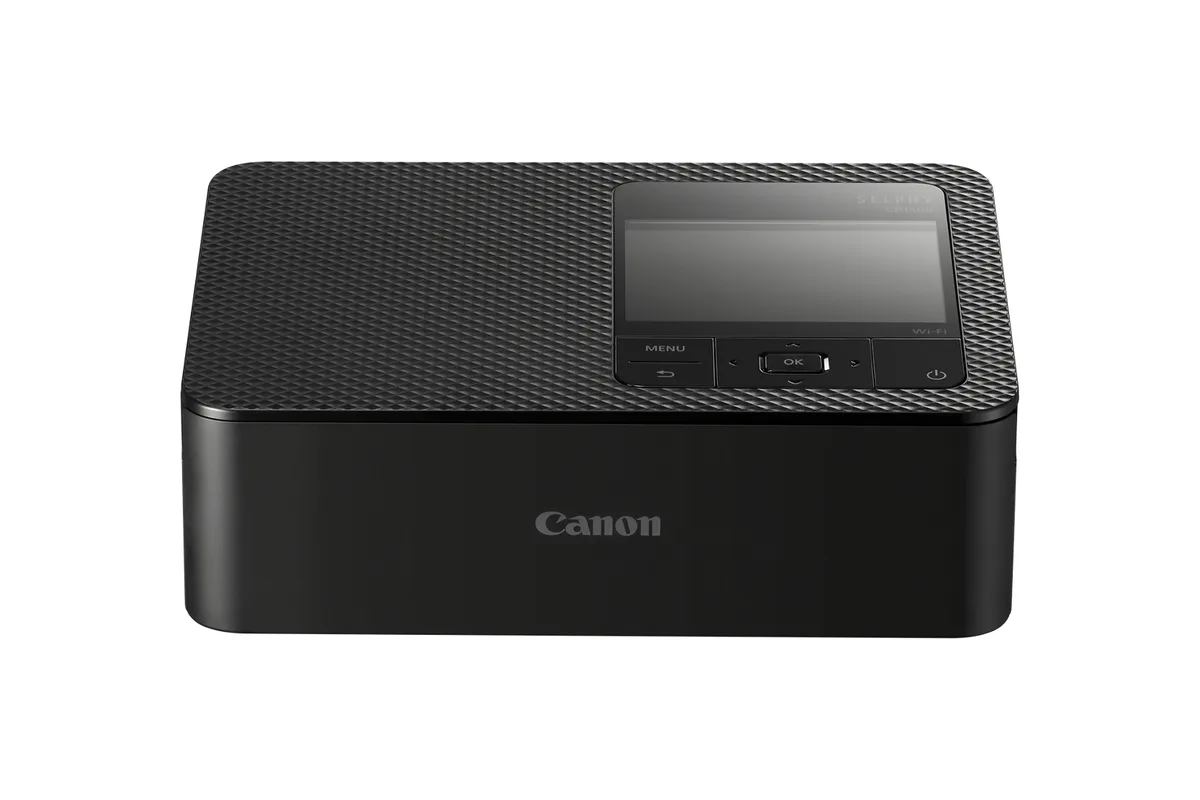
Canon SELPHY CP1500
A compact dye-sub printer that turns out dry, coated 4x6 prints in about 41 seconds, from your phone, an SD card or a USB drive.
For photos in occasional bursts, the SELPHY CP1500 is the printer that won't dry out. It's dye-sublimation: the dye sits on a dry ribbon and is transferred by heat, so there's no liquid ink and no printhead to clog. Each 4x6 comes out dry and overcoated in about 41 seconds.
Ink and paper come together in Canon's RP-108 kit: $39.99 for 108 prints, or 37¢ a print. The largest print is 4x6. Read our [full review](/reviews/canon-selphy-cp1500-review).
Good for
- Dry, overcoated 4x6 prints in about 41 seconds that resist water and fingerprints
- About 37–39¢ per 4x6 for ink and paper together at Canon's list prices, less on sale
- Prints from an SD card, USB-C drive, AirPrint or a well-rated app, with no computer needed
Consider
- The battery is optional, costs about $200, and the printer can't charge over USB-C
- Wi-Fi is 2.4 GHz only, with no Bluetooth, and the largest print is 4x6
05Best overall
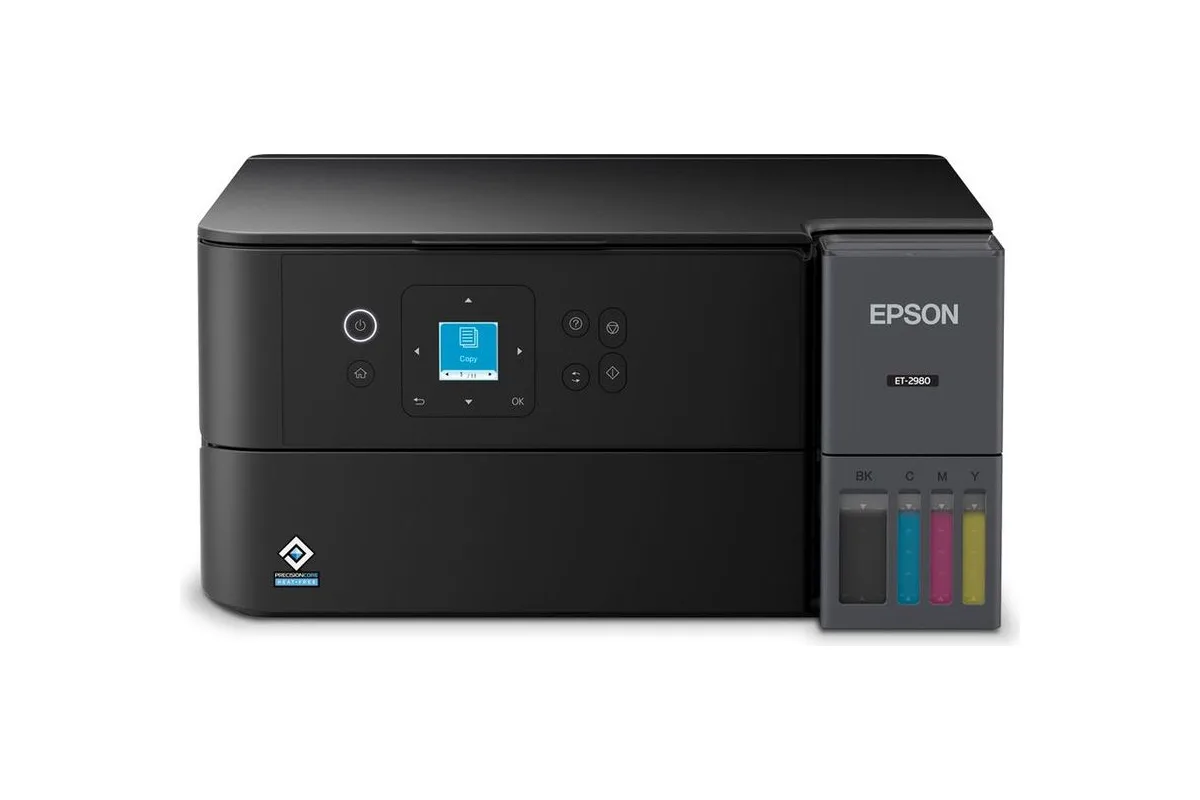
Epson EcoTank ET-2980
A compact ink-tank all-in-one with automatic two-sided printing and ink that costs well under a cent per black page.
If you want one printer for color documents and photos and you'll print every week or two, the ET-2980 ink tank is the compromise. Its ink is the cheapest here, about 0.3¢ per black page and 1.1¢ per color page, so the ink it spends on cleaning costs little.
The caveat is idle time. It can clog if left unused, its printhead isn't user-replaceable, and Epson says ink yields drop when you print infrequently. Leave it plugged in, switch it off with its power button, and print a page weekly. Read our [full review](/reviews/epson-et-2980-review).
Good for
- About 0.3¢ per black page and 1.1¢ per color page at Epson's October 2026 prices and rated yields
- One of the best all-in-one inkjets for homes, with superbly sharp black-and-white documents
- In-box ink rated for up to 6,600 black and 5,500 color pages, with a user-replaceable maintenance box
Consider
- No document feeder, so multi-page scans and copies go one sheet at a time
- Basic paper handling: one 100-sheet rear tray and no Ethernet
How to choose
What you print
Mostly black text suits a mono laser. Color documents and the occasional photo suit an ink tank or inkjet.
Running costs
Compare cost per page rather than cartridge prices. Ink tanks and lasers cost more upfront and far less over time.
Ink and account terms
Check whether the printer blocks third-party ink or toner, or requires an account or subscription to work.
What is the best printer for occasional use?
Inkjets are the wrong tool if your printer sits idle for a month at a time. They clog, and they spend ink cleaning themselves. If you need color documents and print at least every week or two, an ink tank like the Epson ET-2980 is still fine.
Why do inkjet printers dry out when you don’t use them?
An inkjet fires liquid ink through microscopic nozzles, and ink left at the nozzle face can dry and block them. Printers protect the nozzles by capping the printhead when they power down. Epson warns that unplugging an EcoTank before its power light goes off can leave the head uncapped, and the ink can dry out.
The other cost is ink spent on maintenance. Canon’s G600-series manual says its MegaTanks clean themselves automatically according to their condition, using a small amount of every color. Epson’s EcoTank manual says some ink is used for maintenance and even when the printer is turned on, and that yields vary with how often you print. Used only occasionally, an inkjet can put half or less of its ink on paper.
How often should you print to keep an inkjet working?
Print at least one color page a week. That’s Epson’s own advice for keeping ink moving through the nozzles, and it applies to any inkjet. Three more habits help:
- Leave it plugged in and switch it off with the power button, so it caps the head.
- Keep it out of sun and away from heaters, which dry ink in the nozzles faster.
- Clean the head only when prints show gaps or bands. Epson and Canon both say cleaning uses ink, so run a nozzle check first and clean only if it shows missing lines.
After a long break, the makers escalate in steps: nozzle check, cleaning, then a deeper cleaning, then a rest (12 hours for Epson, 24 for Canon’s deep cleaning) before trying again. The last resort, Epson’s Power Ink Flushing or Canon’s Ink Flush, replaces the ink in the lines, and Canon says it uses a large amount. Epson’s EcoTank manual recommends Power Ink Flushing if the printer hasn’t been used for a long time.
Why don’t laser and dye-sub printers clog?
They have nothing liquid to dry. A laser fuses dry toner onto the page with heat, so it has no nozzles and runs no cleaning cycles. Its drum wears with pages printed, and Brother rates the DR830 for about 15,000. A dye-sub printer like the SELPHY heats dye from a dry ribbon onto the paper, then adds a clear overcoat. Ink ribbon and paper come in matched kits, so one never runs out before the other.
Here’s what each pick costs and how it handles idle time, at the makers’ October 2026 prices and rated yields:
| Printer | Type | Idle risk | Black page | Color page or photo |
|---|---|---|---|---|
| Brother HL-L2460DW | Mono laser | None | about 4.0¢ | — |
| Brother MFC-L2820DW | Mono laser all-in-one | None | about 4.0¢ | — |
| Brother HL-L3295CDW | Color LED laser | None | about 4.2¢ | about 16.3¢ per page |
| Canon SELPHY CP1500 | Dye-sublimation | None | — | 37¢ per 4x6 with paper |
| Epson ET-2980 | Ink tank | Can clog; uses ink for cleaning | about 0.3¢ | about 1.1¢ per page |
The math: the HL-L2460DW’s TN830XL twin pack costs $176.49 for 6,000 pages (2.9¢) and its DR830 drum $157.99 for about 15,000 pages (about 1¢), for about 4.0¢ a page. The SELPHY’s RP-108 kit is $39.99 for 108 prints, or 37¢ each. The ET-2980’s figures exclude the ink spent on cleaning, which grows the less you print.
Is an ink tank OK if you print rarely?
Yes, if “rarely” means every week or two; no, if it means once a month or less. An ink tank’s ink is so cheap that cleaning cycles cost little, which makes it more forgiving than a cartridge printer. But it can still clog, and on the ET-2980 the printhead isn’t user-replaceable. Canon’s PIXMA G620 is one ink tank with user-replaceable printheads, which helps if a clog won’t clear.
Avoid cartridge inkjets for occasional printing. A cartridge model like the Brother MFC-J1360DW costs about 8 to 9¢ per black page, and it won’t print at all if one color runs out, which cleaning cycles hasten. Our ink tank or laser comparison goes through the trade-off in detail, and do ink tank printers pay for themselves? shows how long a tank takes to pay back at 10, 25 or 50 pages a month.
Also consider
- Best laser printers: more lasers, including the Brother MFC-L3780CDW color all-in-one.
- Best photo printers: if you print photos often enough to keep an ink tank healthy, the Epson ET-8550 and Canon G620 print bigger than the SELPHY.
- Best printers without a subscription: every pick here works without an ink plan, and that guide explains which plans to avoid.
Questions people ask
What kind of printer doesn’t dry out?
Laser and dye-sublimation printers. Toner is a dry powder and dye-sub ribbons hold solid dye, so neither has liquid ink or nozzles to clog.
Does laser toner dry out if you don’t use it?
No. Toner is a dry powder, so there’s nothing to evaporate, which is why a laser prints cleanly after weeks unused. The part that wears is the drum, and the HL-L2460DW’s is rated for about 15,000 pages.
How often should you use an inkjet printer?
At least once a week. Epson recommends printing one color page weekly to keep ink flowing, and leaving the printer plugged in so it can cap its printhead.
Do ink tank printers clog?
They can, like every inkjet, especially after long idle periods. Their cheap ink makes cleaning cycles inexpensive, and Epson and Canon both give step-by-step cleaning and flushing procedures for clogs.
What’s the best photo printer for occasional use?
The Canon SELPHY CP1500. It has no liquid ink or printhead, so it’s ready after months unused, and each 4x6 costs 37¢ with Canon’s RP-108 kit.
Is a laser cheaper than an inkjet for occasional printing?
Per page, no: the Epson ET-2980 costs about 0.3¢ per black page against about 4¢ for the Brother HL-L2460DW. But a laser wastes no ink on cleaning and won’t clog, so at a few pages a month it’s the cheaper printer to own.
Sources
- Brother HL-L2460DW review, RTINGS
- Inkjet vs. laser printers, RTINGS
- HL-L2460DW product page, Brother
- MFC-L2820DW product page, Brother
- TN830XL2PK High Yield Toner Twin Pack, Brother
- DR830 Drum Unit, Brother
- HL-L3295CDW product page, Brother
- TN229XXLBK Super High Yield Black Toner, Brother
- SELPHY CP1500 product page, Canon
- SELPHY ink and paper kits, Canon
- EcoTank ET-2980 product page, Epson
- ET-3930/ET-3940/ET-3950 Series User's Guide (PDF), Epson
- How to fix print quality issues on Epson inkjet printers, epson.co.uk
- Print head maintenance (EcoTank user's guide), Epson
- G600 series online manual: ink tips, ij.manual.canon
- G600 series online manual: maintenance procedure, ij.manual.canon
- The high cost of wasted printer ink, Consumer Reports
- MFC-J1360DW product page, Brother
Keep exploring

Buying guide
The best barcode label printers
The Zebra ZD421 is the best barcode label printer for most businesses: 4-inch labels at 6 inches a second, any brand of label roll and a 24-month warranty, for about $480 to $526 in November 2026. Get the Brother QL-820NWBc ($229.99) for an office or shop counter, and a thermal transfer model for inventory labels that have to last.
Read story
Buying guide
The best check printers for a small business
The TROY 3001dw ($509.15 at TROY, $530 at Amazon in November 2026) is the best check printer for a small business: a 35 ppm Wi-Fi laser with MICR toner, rated for 350 to 2,500 checks a month, at about 5¢ to 7¢ per check three to a page by our estimate. Get the TROY 4001dn for a locking tray, or the VersaCheck M15 MXD ($399.99) for software in the box.
Read story