The quick answer
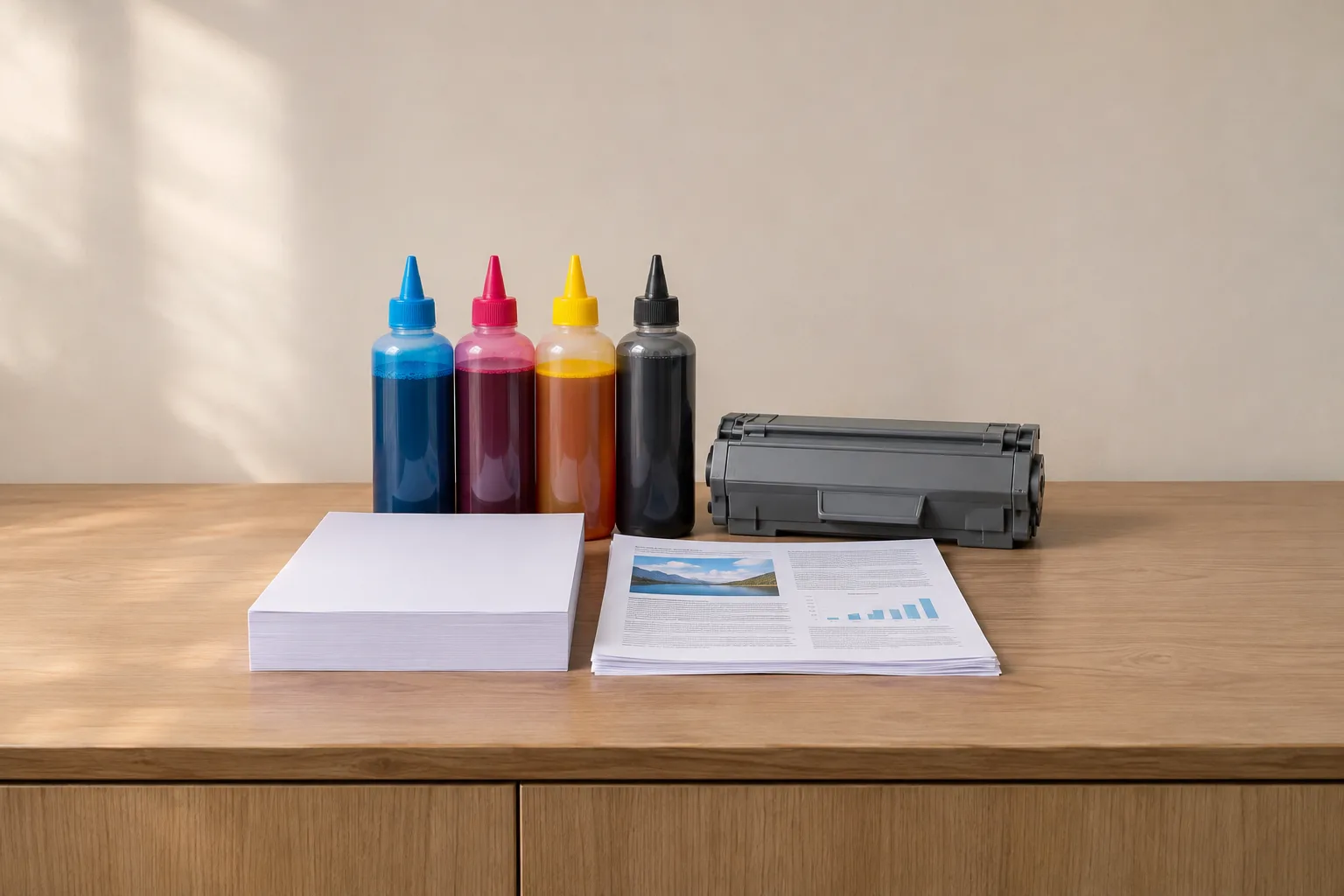
The Epson EcoTank ET-2980 is the best printer without a subscription: it needs no account, has no ink plan, uses chip-free refill bottles, and costs about 0.3¢ per black page. For black text only, the Brother HL-L2460DW laser is the better choice, at about 4¢ a page with toner that never dries out.
Our quick picks
Compare the picks
| Feature | Best overallEpsonEcoTank ET-2980 | Best mono laserBrotherHL-L2460DW | Best mono all-in-oneBrotherMFC-L2820DW | Best with a document feederEpsonEcoTank ET-3950 | Best value ink tankCanonPIXMA G620 | Best color laser all-in-oneCanonColor imageCLASS MF665Cdw |
|---|---|---|---|---|---|---|
| Type | Ink tank inkjet | Mono laser | Mono laser | Ink tank inkjet | Photo ink tank, 6 dye inks | Color laser |
| Functions | Print, scan, copy | Print only | Print, scan, copy, fax | Print, scan, copy | Print, scan, copy, fax | |
| Document feeder | None (flatbed only) | None | 50-sheet ADF (one side) | 30-sheet ADF (auto two-sided scanning) | 50-sheet single-pass duplex ADF | |
| Auto duplex printing | Yes | Yes | Yes | Yes | Yes | |
| Color printing | Yes | No | No | Yes | Yes | |
| Where to buy | Check price at Amazon | Check price at Amazon | Check price at Amazon | Check price at Amazon | Check price at Amazon | Check price at Amazon |
Best overall
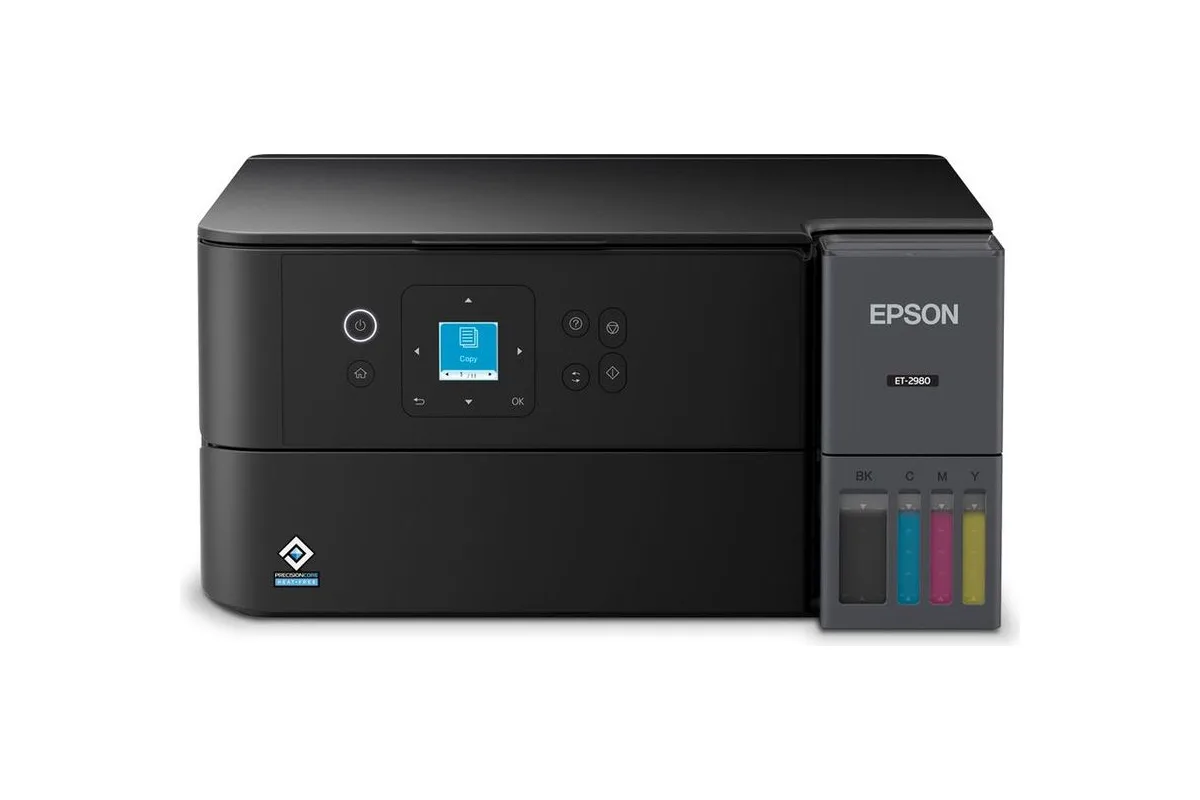
Epson EcoTank ET-2980
- Type
- Ink tank inkjet
- Functions
- Print, scan, copy
- Document feeder
- None (flatbed only)
- Auto duplex printing
- Yes
- Color printing
- Yes
Best mono laser
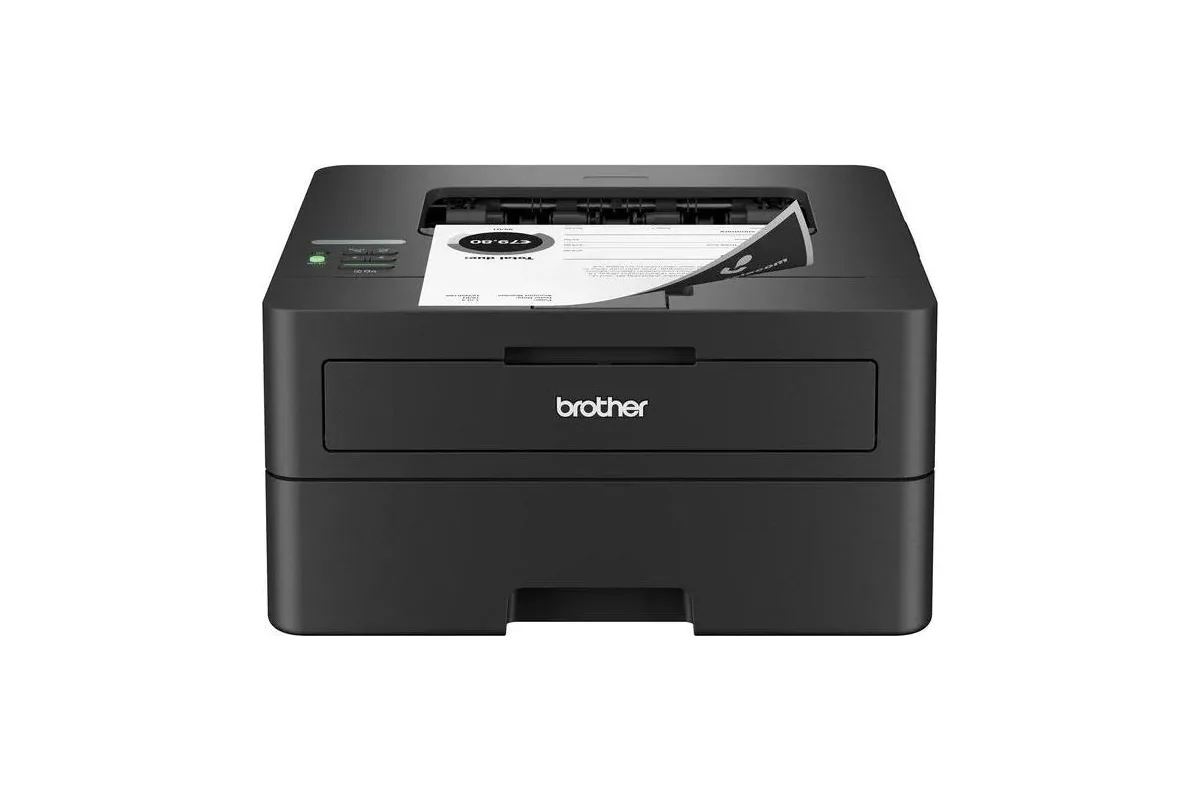
Brother HL-L2460DW
- Type
- Mono laser
- Functions
- Print only
- Document feeder
- None
- Auto duplex printing
- Yes
- Color printing
- No
Best mono all-in-one
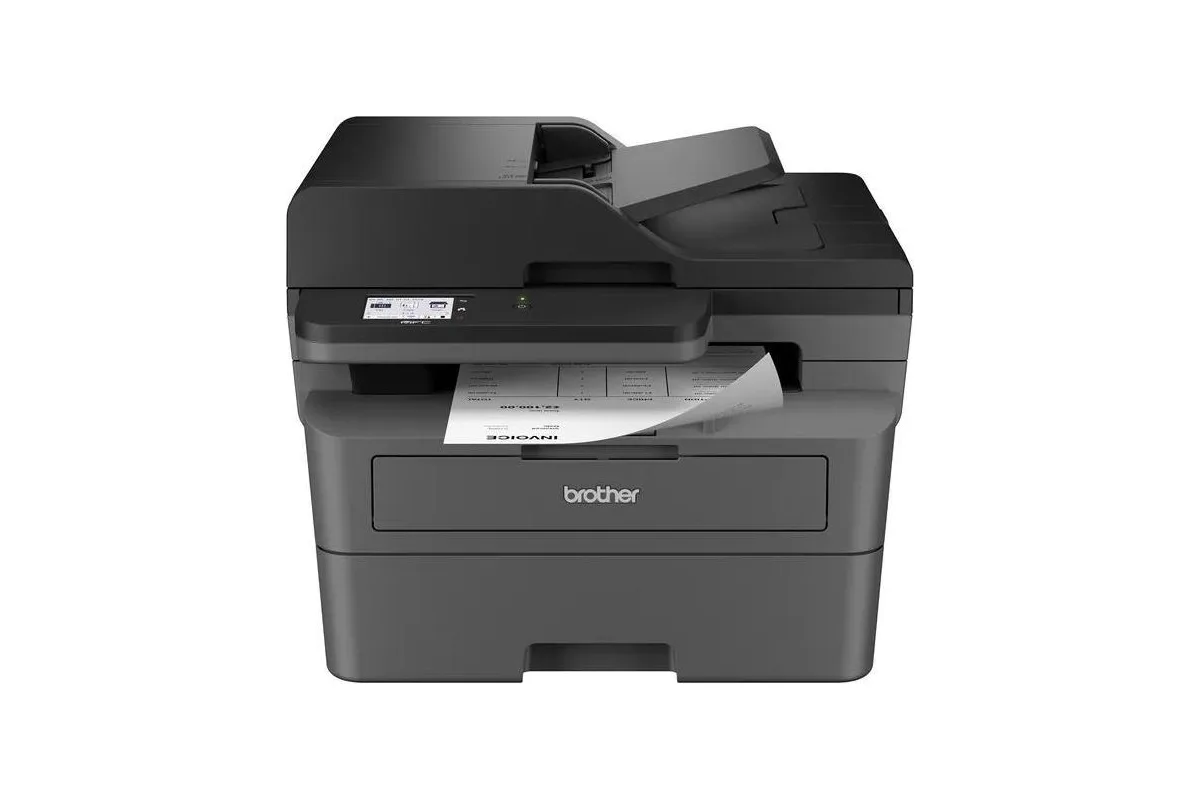
Brother MFC-L2820DW
- Type
- Mono laser
- Functions
- Print, scan, copy, fax
- Document feeder
- 50-sheet ADF (one side)
- Auto duplex printing
- Yes
- Color printing
- No
Best with a document feeder
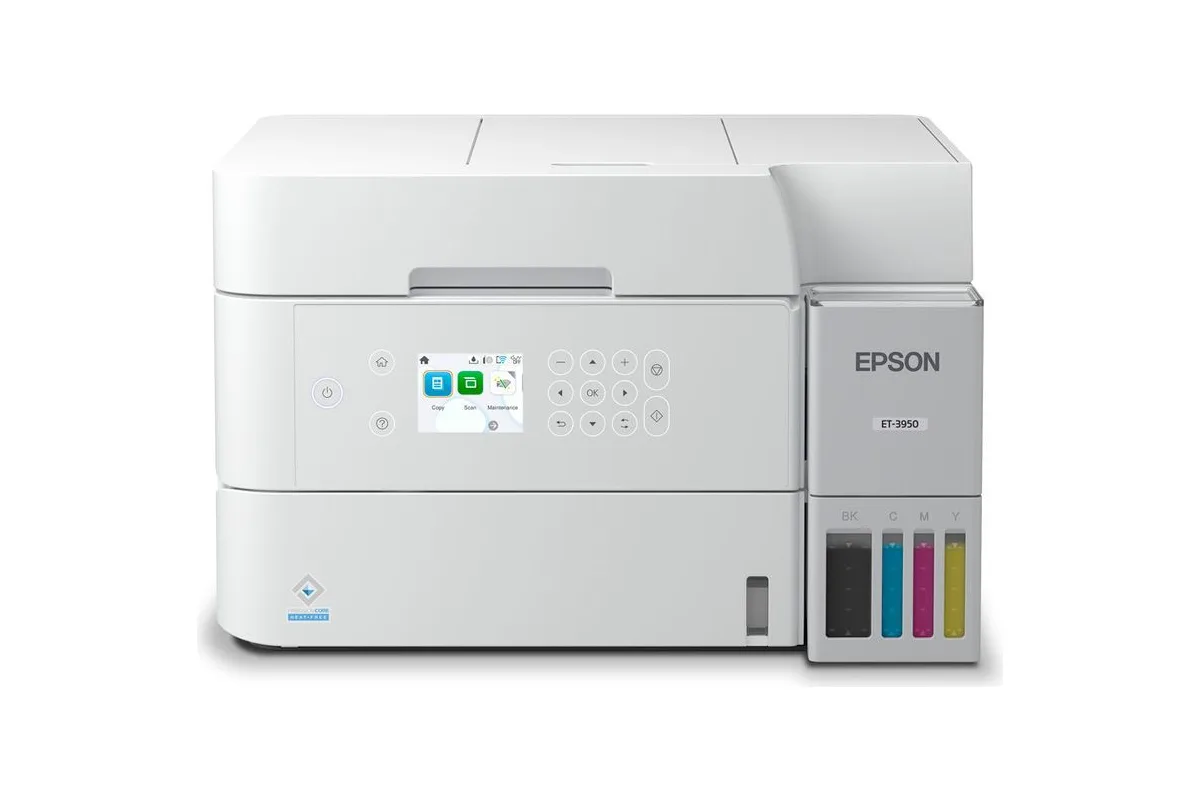
Epson EcoTank ET-3950
- Type
- Ink tank inkjet
- Functions
- Print, scan, copy
- Document feeder
- 30-sheet ADF (auto two-sided scanning)
- Auto duplex printing
- Yes
- Color printing
- Yes
Best value ink tank
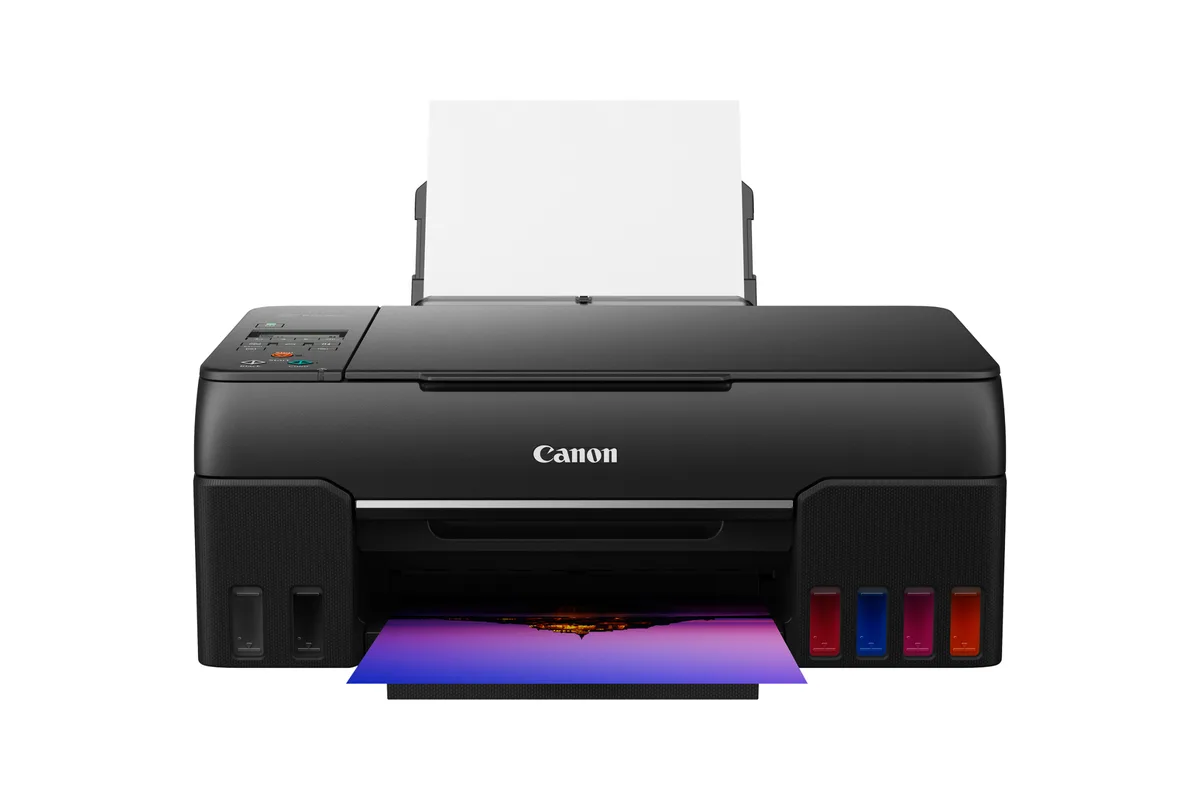
Canon PIXMA G620
- Type
- Photo ink tank, 6 dye inks
- Functions
- Document feeder
- Auto duplex printing
- Color printing
Best color laser all-in-one
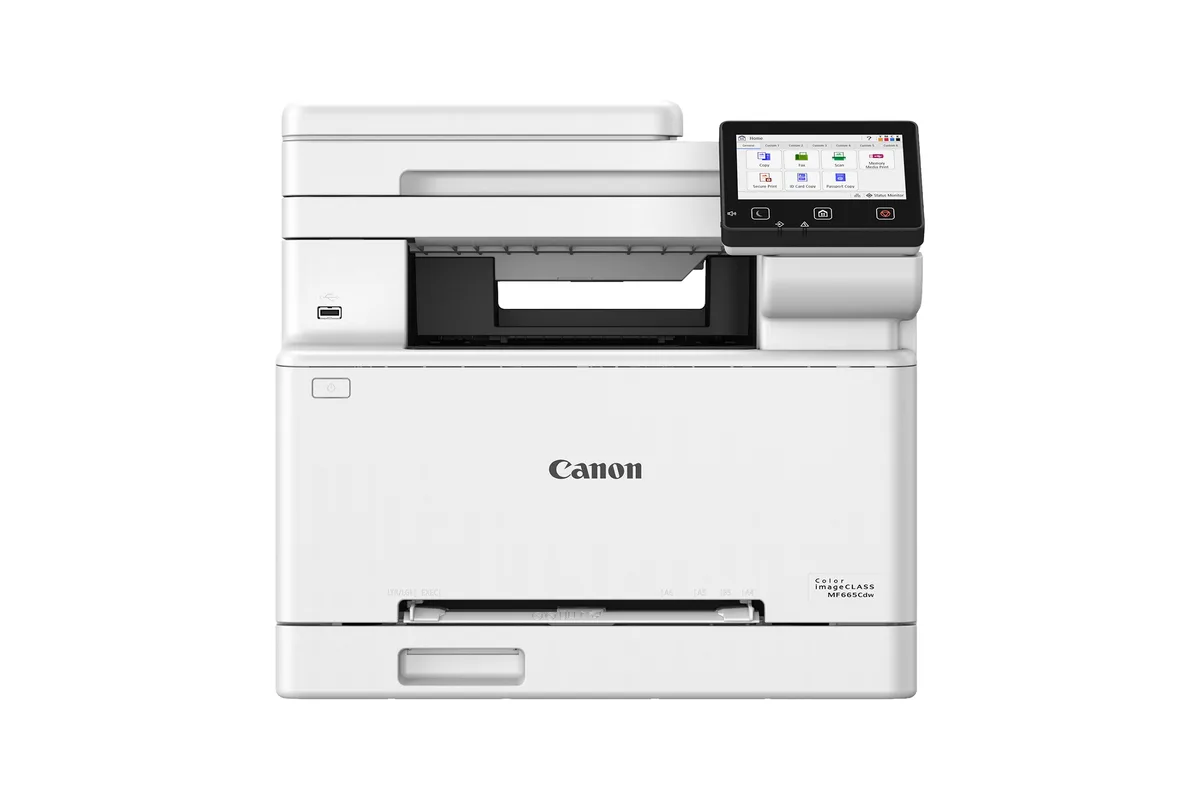
Canon Color imageCLASS MF665Cdw
- Type
- Color laser
- Functions
- Print, scan, copy, fax
- Document feeder
- 50-sheet single-pass duplex ADF
- Auto duplex printing
- Yes
- Color printing
- Yes
01Best overall
Epson EcoTank ET-2980
A compact ink-tank all-in-one with automatic two-sided printing and ink that costs well under a cent per black page.
The best printer without a subscription is the ET-2980. It needs no account, Epson offers no ink plan for it, and its ink comes in bottles with no chips to block. The bottles in the box are rated for up to 6,600 black and 5,500 color pages, and refills cost about 0.3¢ per black page and 1.1¢ per color page at Epson's October 2026 prices. That's cheaper per page than any subscription on this page.
It's a flatbed all-in-one with automatic two-sided printing and Wi-Fi, and its waste-ink box is user-replaceable. It has no document feeder. Buy the retail ET-2980, not the ET-2980U: the "U" version is Epson's ReadyPrint subscription printer and won't work without a plan. Read our [full review](/reviews/epson-et-2980-review).
Good for
- About 0.3¢ per black page and 1.1¢ per color page at Epson's October 2026 prices and rated yields
- One of the best all-in-one inkjets for homes, with superbly sharp black-and-white documents
- In-box ink rated for up to 6,600 black and 5,500 color pages, with a user-replaceable maintenance box
Consider
- No document feeder, so multi-page scans and copies go one sheet at a time
- Basic paper handling: one 100-sheet rear tray and no Ethernet
02Best mono laser
Brother HL-L2460DW
A compact print-only mono laser with auto duplex, dual-band Wi-Fi and Ethernet that never clogs, no matter how long it sits.
If you print black text, this mono laser is the subscription-free printer to get. It prints without an account, Brother's Refresh EZ Print plan is optional, and Brother said in March 2025 that its firmware updates don't block third-party toner. Toner can't dry out, so it's ready after weeks unused.
Pages cost about 4¢ with the TN830XL twin pack and the DR830 drum at Brother's October 2026 prices, more than the ET-2980 but with no ink spent on cleaning. Brother lists it at $179.99. Read our [full review](/reviews/brother-hl-l2460dw-review).
Good for
- Auto duplex plus Wi-Fi, Wi-Fi Direct, Ethernet and USB, the best-connected of Brother's HL-L24xx print-only models
- Prints about 37 pages per minute after the first page, beating its 36 ppm rating
- Ready to print after weeks unused, with no clogging
Consider
- Default print quality is below Brother's norm: graphics can show banding, and settings may need adjusting
- About 4¢ a page with XL toner and the separate drum at Brother's October 2026 prices; standard toner costs more
03Best mono all-in-one
Brother MFC-L2820DW
A black-and-white laser all-in-one that adds a 50-sheet document feeder, flatbed, fax and touchscreen to the same cheap supplies as the HL-L2460DW.
The MFC-L2820DW is the HL-L2460DW with a flatbed scanner, a 50-sheet document feeder, fax and a touchscreen. It uses the same TN830 toner and DR830 drum, so pages cost the same 4¢, and the same rules apply: no account to print, an optional Refresh plan, and no documented toner block.
Its feeder scans one side at a time. Brother lists it at $279.99.
Good for
- Among the best black-and-white printers and mid-range lasers
- 50-sheet document feeder, flatbed scanner, fax and a 2.7-inch color touchscreen
- Uses the same TN830 toner and DR830 drum as Brother's print-only HL-L2460DW
Consider
- The document feeder scans one side only, so two-sided originals mean flipping pages
- The MFC-L2900DW adds a single-pass duplex feeder for about $50 more
04Best with a document feeder
Epson EcoTank ET-3950
An ink-tank all-in-one with a 30-sheet document feeder that scans both sides, a 250-sheet cassette and Ethernet.
The ET-3950 is the ET-2980 for a home office. It uses the same chip-free 502 bottles (0.3¢ black, 1.1¢ color) and adds a 30-sheet feeder that scans both sides, a 250-sheet cassette and Ethernet. Epson's Connect cloud account is optional.
As with the ET-2980, avoid the ET-3950U, which is the ReadyPrint subscription version. The retail model has been hard to find in stock, and Epson lists it at $399.99.
Good for
- About 0.3¢ per black page and 1.1¢ per color page with Epson's 502 bottles
- 30-sheet document feeder with automatic two-sided scanning, rare on an ink-tank printer
- One of the best inkjets for a home office
Consider
- Color accuracy is only passable, with a reddish cast in photos
- No fax, and at $399.99 at Epson in November 2026 it costs more than the fax-equipped ET-4950 on sale ($359.99)
05Best value ink tank
Canon PIXMA G620
A six-ink photo ink-tank all-in-one that prints letter-size photos for under 3¢ of ink per 4x6.
For photos without a plan, the PIXMA G620 is the pick. Canon's PIXMA Print Plan doesn't cover it (the plan lists only cartridge PIXMA TR and TS models), and its six dye inks come in refill bottles rated for about 3,800 4x6 photos per set, about 2.8¢ of ink per print.
It prints borderless up to letter size and has user-replaceable printheads. It's slow, at about 47 seconds per 4x6. Canon sold it for $299.99 in November 2026.
Good for
- About 2.8¢ of ink per 4x6, from Canon's rated 3,800 photos per bottle set at current prices
- Six dye inks, including red and gray, for brilliant, accurate color
- User-replaceable printheads and maintenance cartridge
Consider
- Letter is the largest borderless size, and it's slow: about 47 seconds per 4x6 and 6 pages a minute for documents
- 2.4 GHz Wi-Fi only, with no Ethernet, card slot, document feeder or touchscreen
06Best color laser all-in-one
Canon Color imageCLASS MF665Cdw
A color laser all-in-one with a single-pass duplex document feeder, sharp documents, a 5-inch touchscreen and a three-year warranty.
If you need color documents, scanning and fax without a plan, the MF665Cdw is the color laser to buy. It prints without an account or subscription, has a 50-sheet feeder that scans both sides in one pass, and comes with a three-year warranty.
Color pages cost about 20¢ at Canon's list prices, so it's for documents, not photos. It weighs nearly 49 pounds.
Good for
- One of the best upper-mid-range lasers, with very sharp documents and outstanding scans
- 50-sheet single-pass duplex document feeder and a large 5-inch touchscreen
- Three-year limited warranty, versus one year on most rivals
Consider
- Only a 1-sheet manual feed slot for envelopes and labels, and 2.4 GHz-only Wi-Fi
- Color pages cost more than Brother's XXL-toner lasers: about 20¢ at Canon's list prices
How to choose
What you print
Mostly black text suits a mono laser. Color documents and the occasional photo suit an ink tank or inkjet.
Running costs
Compare cost per page rather than cartridge prices. Ink tanks and lasers cost more upfront and far less over time.
Ink and account terms
Check whether the printer blocks third-party ink or toner, or requires an account or subscription to work.
Which printer works best without a subscription?
Every printer in this guide prints without an account or a plan. Brother sells an optional subscription for its lasers, and no subscription is needed to buy or use the others. The printers to avoid are HP+ models, which need an HP account, an internet connection and HP ink for life, and Epson’s “U” EcoTanks, which only work with an active ReadyPrint plan.
Which printers need an account or a subscription?
None of our picks needs either; HP+ printers need both an account and HP ink. Here is what each maker’s own pages and terms say, checked November 9, 2026. A dash means the maker’s documents don’t settle it, so we’ve left it blank rather than guess.
| Printer | Needs an account? | Works without a subscription? | Third-party ink or toner, per the maker |
|---|---|---|---|
| Epson ET-2980 | No (Epson Connect is optional) | Yes | Bottles have no chips; Epson’s warranty excludes damage from third-party ink |
| Brother HL-L2460DW | No | Yes (Refresh EZ Print is optional) | Not blocked by firmware, Brother said in March 2025 |
| Brother MFC-L2820DW | No (only for cloud services) | Yes (Refresh EZ Print is optional) | Not blocked by firmware, Brother said in March 2025 |
| Epson ET-3950 | No (Epson Connect is optional) | Yes | Bottles have no chips; Epson’s warranty excludes damage from third-party ink |
| Canon PIXMA G620 | — | Yes (no Canon plan covers it) | — |
| Canon MF665Cdw | No | Yes | — |
| HP LaserJet M209dw | — | Yes | Blocked: Dynamic Security rejects cartridges without an HP chip |
| Any HP+ printer | Yes, plus an internet connection | Yes, after the Instant Ink trial is canceled | No: original HP ink is required for the printer’s life |
| Epson ET-2980U, ET-3950U | Yes (ReadyPrint) | No | No: ReadyPrint supplies the ink |
Which ink subscriptions are optional?
All four big makers’ ink plans are optional on printers bought at retail. What differs is what happens when you stop paying.
HP Instant Ink. HP says plainly that there is no requirement to use it. Plans charge per page, not per drop of ink: in November 2026 they ran from $1.99 for 10 pages a month (19.9¢ a page) to $32.99 for 700 pages (4.7¢ a page), with yearly plans from $20.99 for 120 pages (17.5¢) to $355.99 for 8,400 (4.2¢). Instant Ink cartridges stop working at the end of the billing cycle in which you cancel, and the printer must stay online.
Brother Refresh EZ Print. Optional, with no contract, and Brother says you can cancel any time without penalty. Enrolling needs a Brother account, and the printer has to stay on and connected to Wi-Fi. Brother’s trial and bonus-page offers nudge you to sign up within 7 days of first power-on, but you can ignore them. Refresh cartridges stop working immediately when you cancel, so keep a retail cartridge on hand first.
Epson ReadyPrint. In the US this isn’t an add-on for an EcoTank you own. It’s a separate program built around “U” printers such as the ET-2980U ($14.99 a month) and ET-3950U ($19.99 a month), with unlimited ink, a two-year commitment and a permanent internet connection. Epson warns that U printers can’t be activated or used without an active plan, so never buy one secondhand or from a marketplace seller. Over the two years, the ET-2980U plan costs $14.99 × 24 = $359.76, against $329.99 to buy a retail ET-2980 from Epson in November 2026, which comes with ink for up to 6,600 black pages.
Canon PIXMA Print Plan. It covers only selected cartridge PIXMA TR and TS printers, from $4.99 for 30 pages a month (16.6¢ a page) to $11.99 for 200 (6¢), or 20¢ a page pay-per-print. It needs a MyCanon account and an internet connection, and plan cartridges stop after a limited number of pages offline. If you cancel, Canon returns the printer to normal mode and it prints with retail cartridges. Canon’s MegaTank and imageCLASS printers, including the G620 and MF665Cdw, aren’t on the list.
What do HP+ and Dynamic Security actually require?
HP+ requires an HP account, an internet connection and original HP ink for the lifetime of the printer, according to HP’s ENVY Inspire page (checked November 23, 2026). On HP’s current pages, the printers sold with HP+ have model numbers ending in “e”, and HP calls HP+ optional on them, so you can skip it during setup. HP has removed the FAQ that explained whether HP+ can be turned off later, so treat the setup choice as permanent. For more, see HP “e” printers, HP+ and Instant Ink explained. Skip it if you might want cheaper ink later. HP+ isn’t itself a subscription, but it comes with an Instant Ink trial that bills monthly afterward unless you cancel.
Dynamic Security applies to many HP printers with or without HP+. HP says these printers are meant to work only with cartridges that have a new or reused HP chip, so refilled cartridges with an original chip still work and clones may not. HP also says firmware updates can block cartridges that work today, and that enrolling in Instant Ink requires automatic firmware updates. The LaserJet M209dw is a good printer with this catch, which is why it’s in our laser printer guide but not here.
Is a printer subscription ever worth it?
Rarely, if you can buy an ink tank instead. HP’s biggest monthly plan costs 4.7¢ a page; the ET-2980 costs 0.3¢ per black page and 1.1¢ per color page, with no fee in months you don’t print. A plan makes sense mainly when you already own a cartridge printer and print a steady number of color pages, since cartridges cost far more: about 15 to 17¢ a black page for HP’s 67XL at October 2026 retail prices. Our guide to why printer ink costs so much explains the model.
Also consider
- Printers that work without an app or account: how to set up any of these from the printer itself.
- Ink tank or laser? If you can’t choose between the ET-2980 and the HL-L2460DW, this comparison settles it by how often you print.
- Best home printers: our broader picks, including the Epson ET-8500 for photos and documents.
- Best photo printers: the Epson ET-8550 prints 13x19 photos with no plan or account.
Questions people ask
Do Epson EcoTank printers need a subscription?
No. Retail EcoTanks such as the ET-2980 and ET-3950 print without an account or plan. Only the “U” models sold through Epson ReadyPrint need an active subscription.
Does Brother make you sign up for Refresh?
No. Refresh EZ Print is optional and Brother says you can cancel any time without penalty. Refresh cartridges stop working when you cancel, but retail Brother toner works without it.
Can you use an HP printer without Instant Ink?
Yes. HP says Instant Ink isn’t required. But an HP+ printer still needs an HP account, an internet connection and original HP ink, so decline HP+ at setup if you want a choice of ink.
What happens to Instant Ink cartridges when you cancel?
They stop working at the end of the billing cycle in which you cancel, even with ink left in them. Have standard or XL HP cartridges ready before that date.
What is the cheapest printer to run without a subscription?
The Epson ET-2980, at about 0.3¢ per black page and 1.1¢ per color page from Epson’s 502 bottles. For black text, the Brother HL-L2460DW costs about 4¢ a page but never wastes ink on cleaning.
Sources
- HP ENVY Inspire printers, HP
- HP home printers, HP
- HP Instant Ink, HP
- HP printers: Dynamic Security enabled printers, support.hp.com
- HP LaserJet M209dw product page, HP
- Refresh EZ Print Subscription FAQs, Brother
- Black and white laser subscription info, Brother
- HL-L2460DW product page, Brother
- MFC-L2820DW product page, Brother
- TN830XL2PK High Yield Toner Twin Pack, Brother
- DR830 Drum Unit, Brother
- Oh Brother. Printer giant denies dirty toner tricks, The Register
- Epson ReadyPrint printer plans, readyprint.epson.com
- EcoTank ET-2980 product page, Epson
- EcoTank ET-3950 product page, Epson
- ET-3930/ET-3940/ET-3950 Series User's Guide (PDF), Epson
- Epson 502 Black Ink Bottle, Epson
- Canon PIXMA Print Plan, Canon
- PIXMA Print Plan service terms and conditions, Canon
- PIXMA G620 product page, Canon
- Color imageCLASS MF665Cdw product page, Canon
- The best home printers, RTINGS
Keep exploring

Buying guide
The best barcode label printers
The Zebra ZD421 is the best barcode label printer for most businesses: 4-inch labels at 6 inches a second, any brand of label roll and a 24-month warranty, for about $480 to $526 in November 2026. Get the Brother QL-820NWBc ($229.99) for an office or shop counter, and a thermal transfer model for inventory labels that have to last.
Read story
Buying guide
The best check printers for a small business
The TROY 3001dw ($509.15 at TROY, $530 at Amazon in November 2026) is the best check printer for a small business: a 35 ppm Wi-Fi laser with MICR toner, rated for 350 to 2,500 checks a month, at about 5¢ to 7¢ per check three to a page by our estimate. Get the TROY 4001dn for a locking tray, or the VersaCheck M15 MXD ($399.99) for software in the box.
Read story