The quick answer
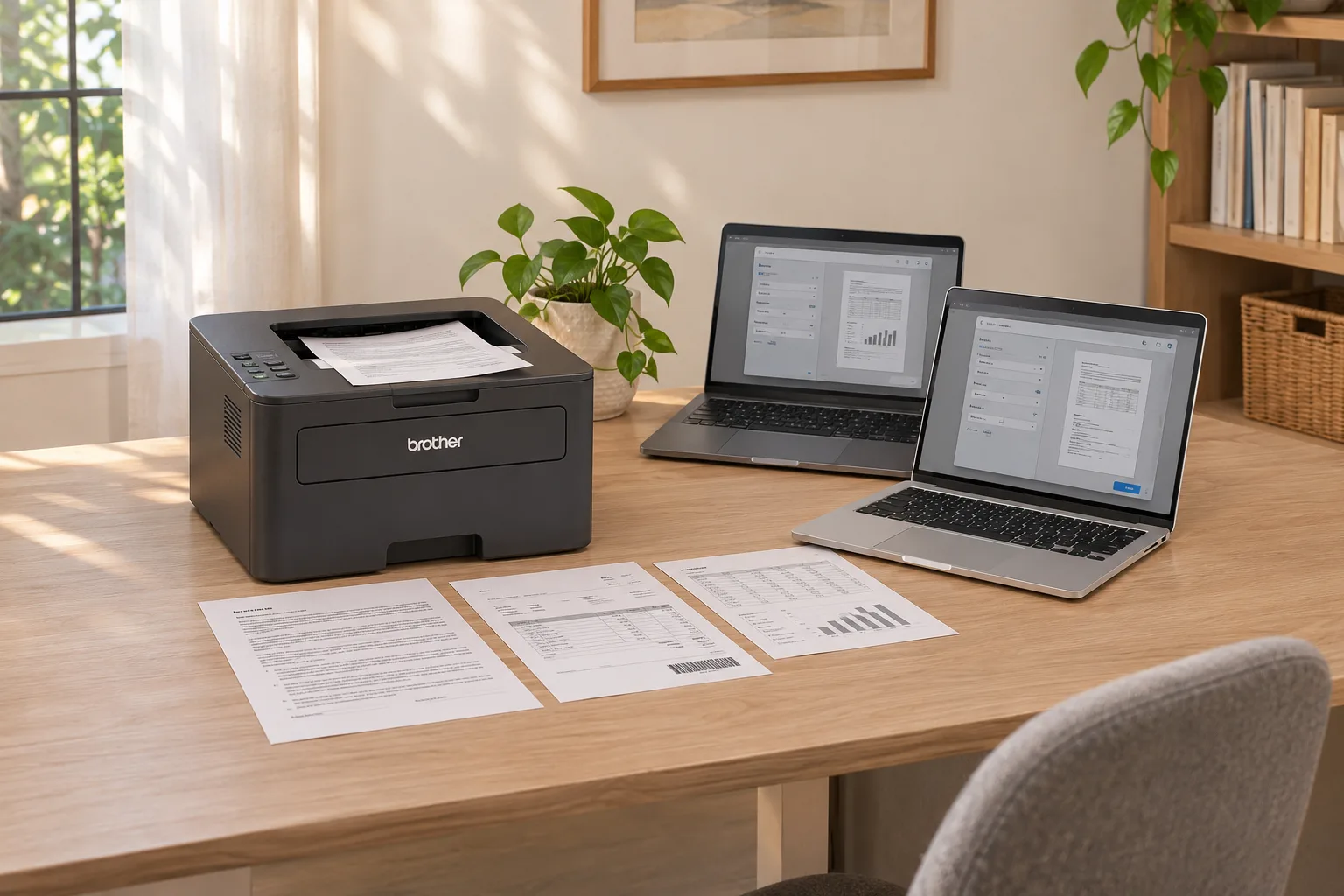
The best printer for a Mac or Chromebook is the Brother HL-L2460DW ($179.99): Brother lists it as compatible with Mac and Chrome OS, it prints over AirPrint and Mopria with no driver, app or account, and pages cost about 4¢. To scan too, get the Canon MF753Cdw II ($436.99), which scans from a Mac over AirPrint and prints from a Chromebook with no driver. For cheap color, the Epson ET-4950 ($359.99) supports both and costs about 1.1¢ a color page.
Our quick picks
Best all-in-one for Mac and Chromebook
Canon Color imageCLASS MF753Cdw II
Compare the picks
| Feature | Best for Mac and ChromebookBrotherHL-L2460DW | Best all-in-one for Mac and ChromebookCanonColor imageCLASS MF753Cdw II | Best color ink tank for Mac and ChromebookEpsonEcoTank ET-4950 | Best mono all-in-oneCanonimageCLASS MF465dw II | Best for a busy officeBrotherMFC-L8930CDW | Cheapest all-in-one for a MacBrotherMFC-L2820DW |
|---|---|---|---|---|---|---|
| Type | Mono laser | Color laser | Ink tank inkjet | Mono laser | Color laser | Mono laser |
| Functions | Print only | Print, scan, copy, fax | Print, scan, copy, fax | Print, scan, copy, fax | Print, scan, copy, fax | Print, scan, copy, fax |
| Document feeder | None | 50-sheet single-pass duplex ADF | 30-sheet ADF (auto two-sided scanning) | 50-sheet single-pass duplex ADF | 80-sheet single-pass duplex ADF | 50-sheet ADF (one side) |
| Auto duplex printing | Yes | Yes | Yes | Yes | Yes | Yes |
| Color printing | No | Yes | Yes | No | Yes | No |
| Where to buy | Check price at Amazon | Check price at Amazon | Check price at Amazon | Check price at Amazon | Check price at Amazon | Check price at Amazon |
Best for Mac and Chromebook
Brother HL-L2460DW
- Type
- Mono laser
- Functions
- Print only
- Document feeder
- None
- Auto duplex printing
- Yes
- Color printing
- No
Best all-in-one for Mac and Chromebook
Canon Color imageCLASS MF753Cdw II
- Type
- Color laser
- Functions
- Print, scan, copy, fax
- Document feeder
- 50-sheet single-pass duplex ADF
- Auto duplex printing
- Yes
- Color printing
- Yes
Best color ink tank for Mac and Chromebook
Epson EcoTank ET-4950
- Type
- Ink tank inkjet
- Functions
- Print, scan, copy, fax
- Document feeder
- 30-sheet ADF (auto two-sided scanning)
- Auto duplex printing
- Yes
- Color printing
- Yes
Best mono all-in-one
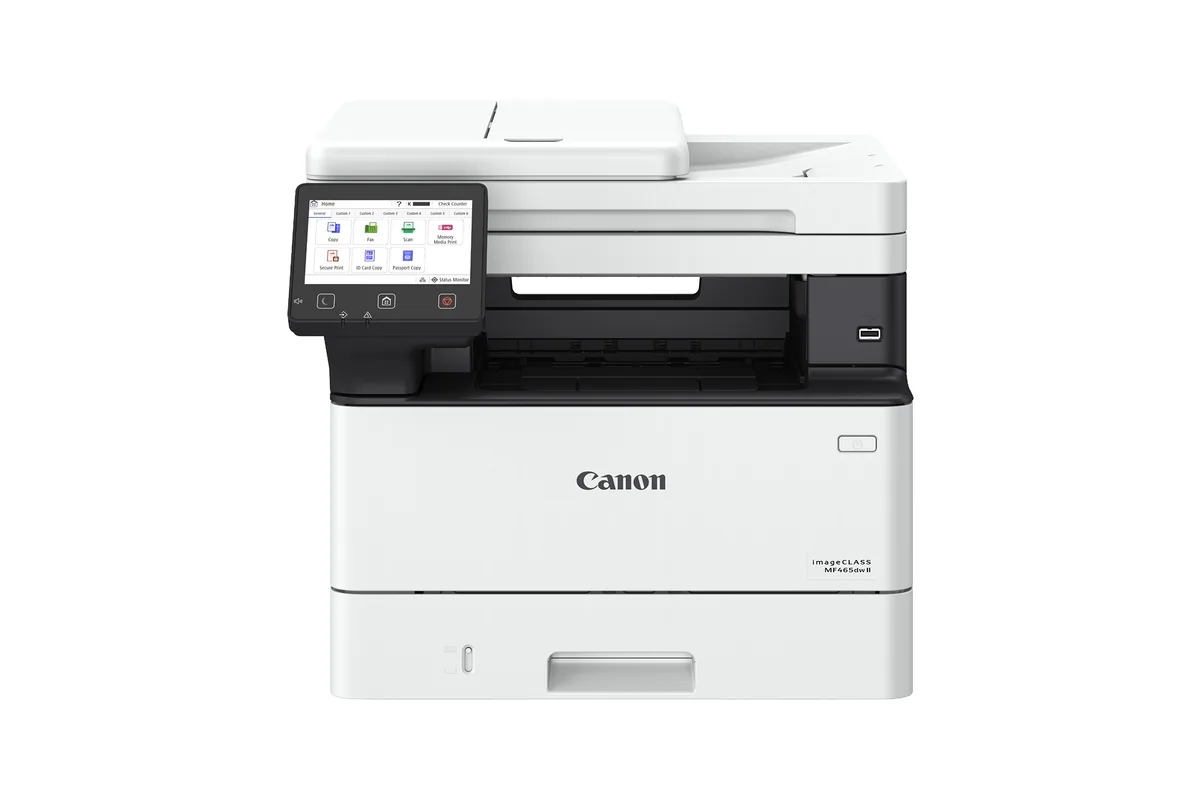
Canon imageCLASS MF465dw II
- Type
- Mono laser
- Functions
- Print, scan, copy, fax
- Document feeder
- 50-sheet single-pass duplex ADF
- Auto duplex printing
- Yes
- Color printing
- No
Best for a busy office
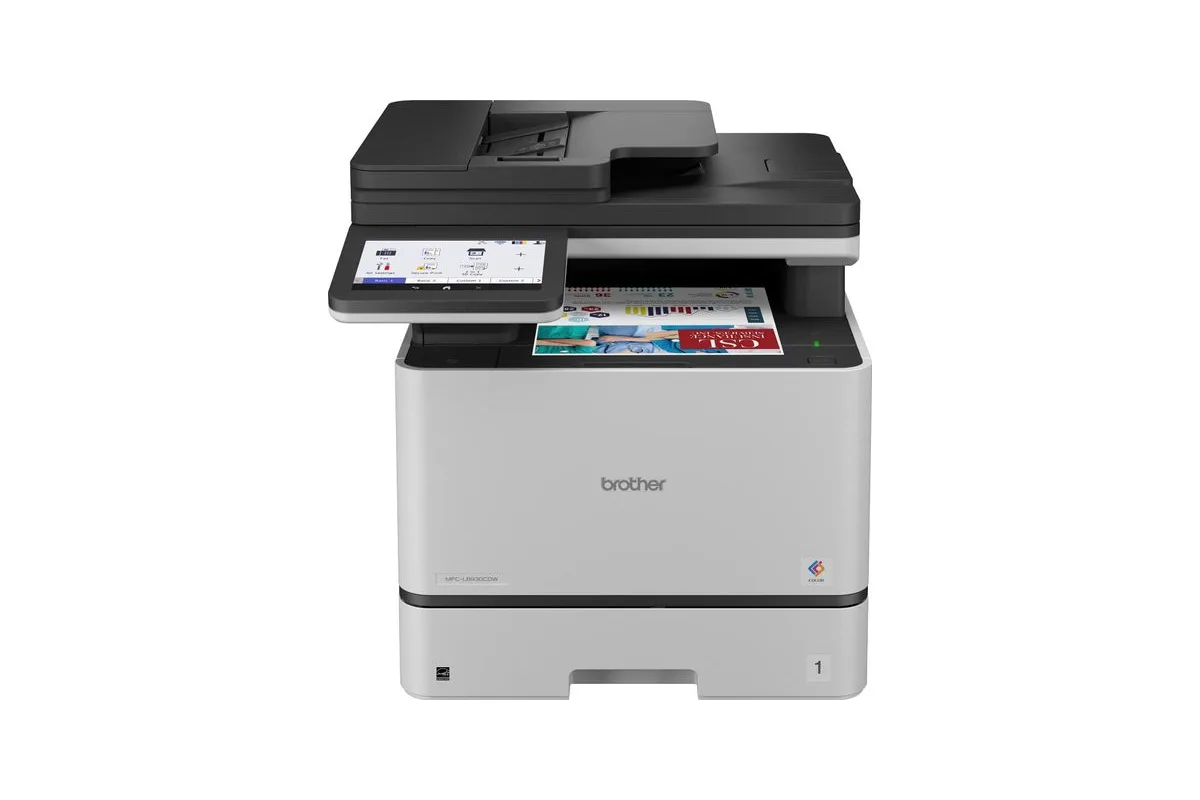
Brother MFC-L8930CDW
- Type
- Color laser
- Functions
- Print, scan, copy, fax
- Document feeder
- 80-sheet single-pass duplex ADF
- Auto duplex printing
- Yes
- Color printing
- Yes
Cheapest all-in-one for a Mac
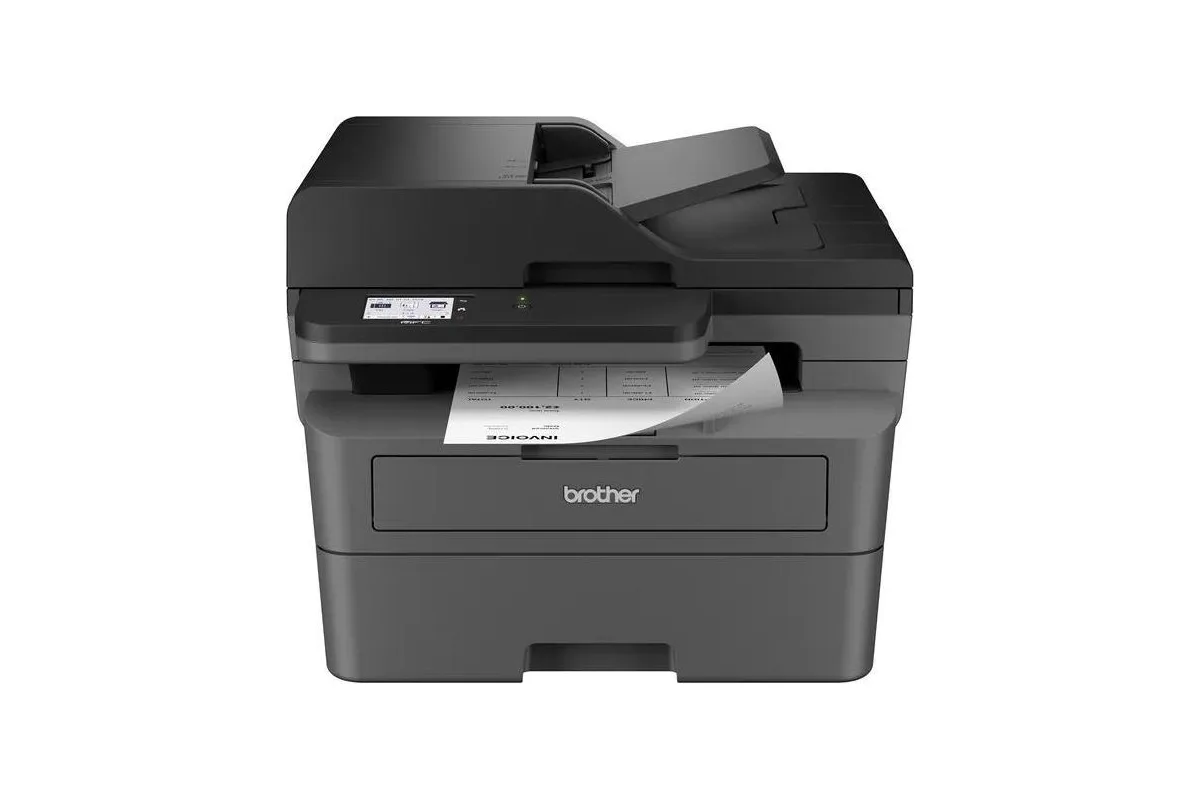
Brother MFC-L2820DW
- Type
- Mono laser
- Functions
- Print, scan, copy, fax
- Document feeder
- 50-sheet ADF (one side)
- Auto duplex printing
- Yes
- Color printing
- No
01Best for Mac and Chromebook
Brother HL-L2460DW
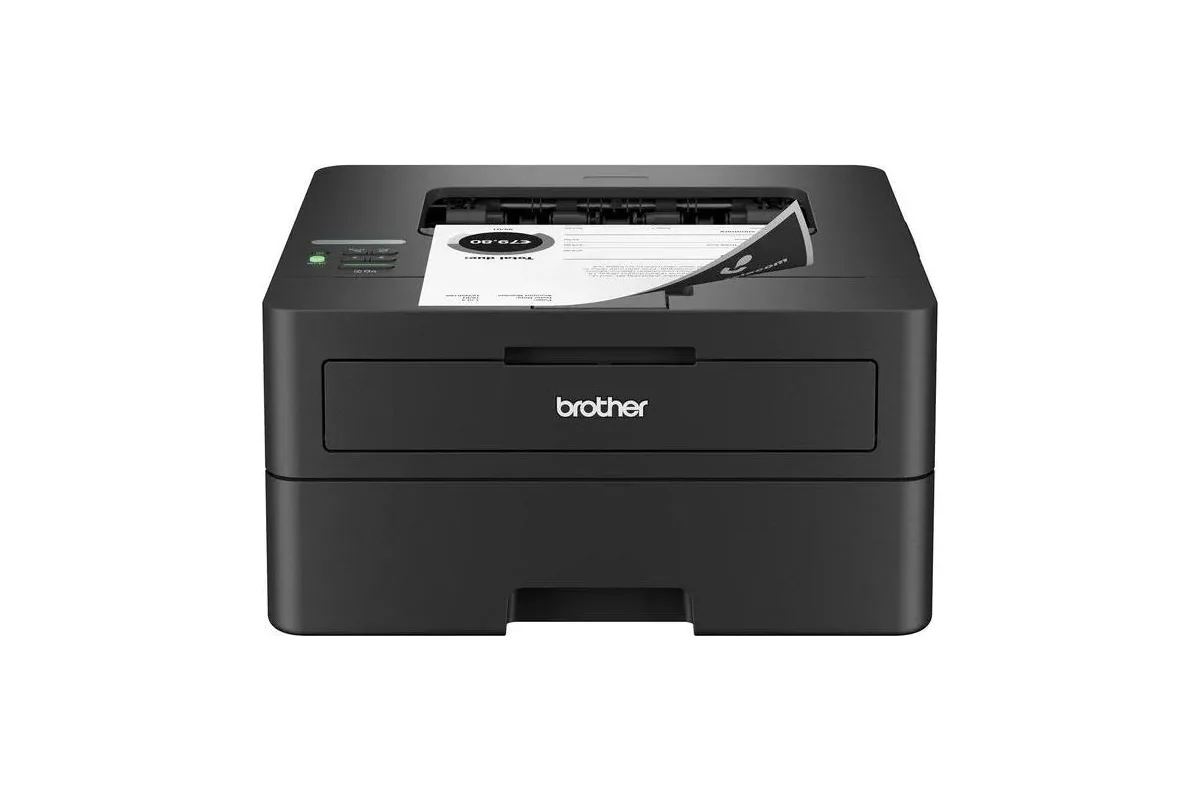
A compact print-only mono laser with auto duplex, dual-band Wi-Fi and Ethernet that never clogs, no matter how long it sits.
If you print documents from a MacBook, an iPad or a Chromebook, this is the printer to get. Brother says it's compatible with Windows, Mac, Linux and Chrome OS, and it prints through AirPrint and Mopria, so there's nothing to install. Brother doesn't even make a Mac driver for it: macOS prints to it with AirPrint, which is built in.
It's a black-and-white laser with automatic two-sided printing, dual-band Wi-Fi, Ethernet and USB, and it never clogs. Pages cost about 4¢ with the TN830XL twin pack and DR830 drum at Brother's October 2026 prices. It's $179.99 at Brother in November 2026. It only prints; for scanning, see the picks below. Read our [HL-L2460DW review](/reviews/brother-hl-l2460dw-review).
Good for
- Auto duplex plus Wi-Fi, Wi-Fi Direct, Ethernet and USB, the best-connected of Brother's HL-L24xx print-only models
- Prints about 37 pages per minute after the first page, beating its 36 ppm rating
- Ready to print after weeks unused, with no clogging
Consider
- Default print quality is below Brother's norm: graphics can show banding, and settings may need adjusting
- About 4¢ a page with XL toner and the separate drum at Brother's October 2026 prices; standard toner costs more
02Best all-in-one for Mac and Chromebook
Canon Color imageCLASS MF753Cdw II
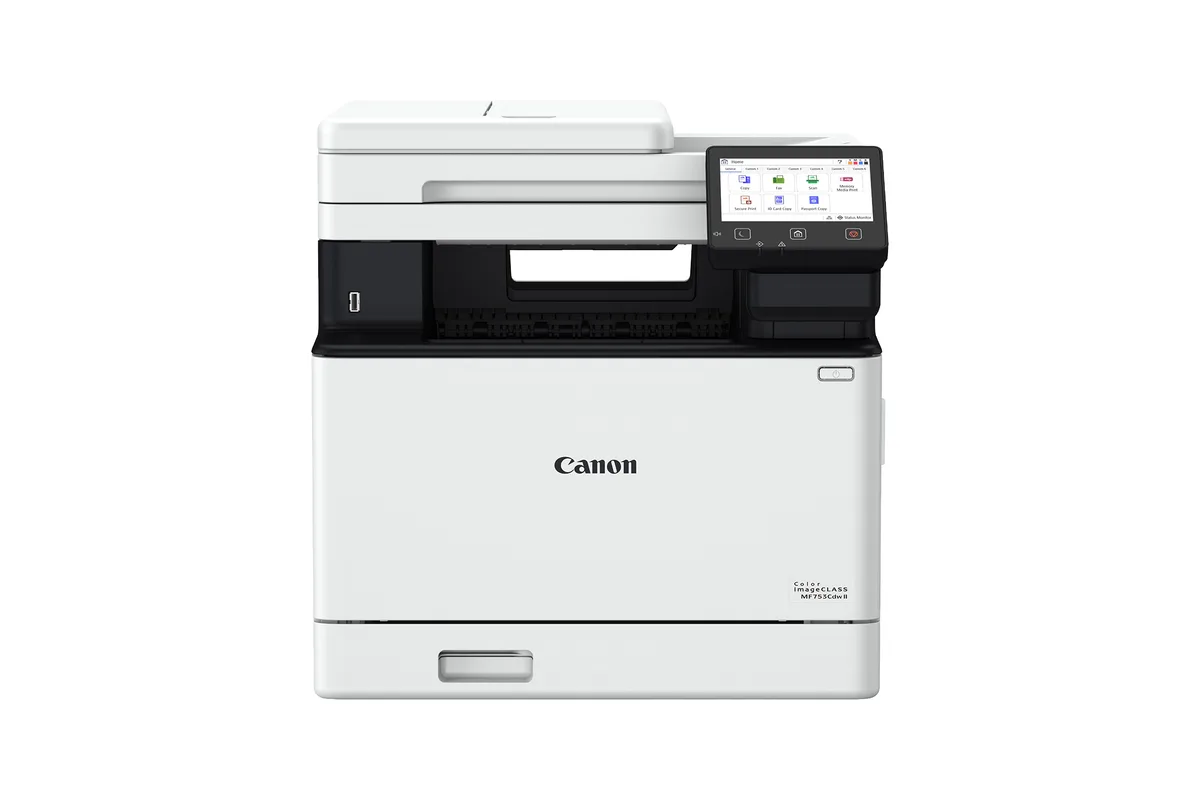
A 35 ppm color laser all-in-one with a 50-sheet single-pass duplex feeder, a 50-sheet multipurpose tray, fax and a three-year warranty, at about 17.3¢ a color page with 069H toner.
The MF753Cdw II is the all-in-one that Canon documents best for both platforms. On a Mac, AirPrint prints, scans and even sends faxes, and Canon also makes a Mac driver if you want its PIN-protected Secure Print. On a Chromebook, Canon's user guide says it prints "without having to install a dedicated application or printer driver", and it supports IPP Everywhere, which you switch on in the printer's web settings.
It's a 35 ppm color laser with a 50-sheet feeder that scans both sides in one pass. Color pages cost about 17.3¢ with 069H toner at Canon's November 2026 prices. It's $436.99 at Canon and $436.00 at Amazon, with a three-year warranty. Read our [MF753Cdw II review](/reviews/canon-imageclass-mf753cdw-ii-review).
Good for
- 35 ppm in black and color, with a 50-sheet feeder that scans both sides in one pass at up to 100 images a minute
- A real 50-sheet multipurpose tray for envelopes, labels and paper up to 200 gsm, plus an optional 550-sheet drawer for 850 sheets
- Three-year exchange/carry-in warranty, PIN secure print, Department ID page limits, 802.1X and TLS 1.3
Consider
- Color pages cost about 17.3¢ with 069H toner and 28.2¢ with standard 069 at Canon's November 2026 prices; a full 069H set is $1,011.96
- Big at 48.5 lb, Wi-Fi is 802.11b/g/n only, and it can't print 11x17
03Best color ink tank for Mac and Chromebook
Epson EcoTank ET-4950
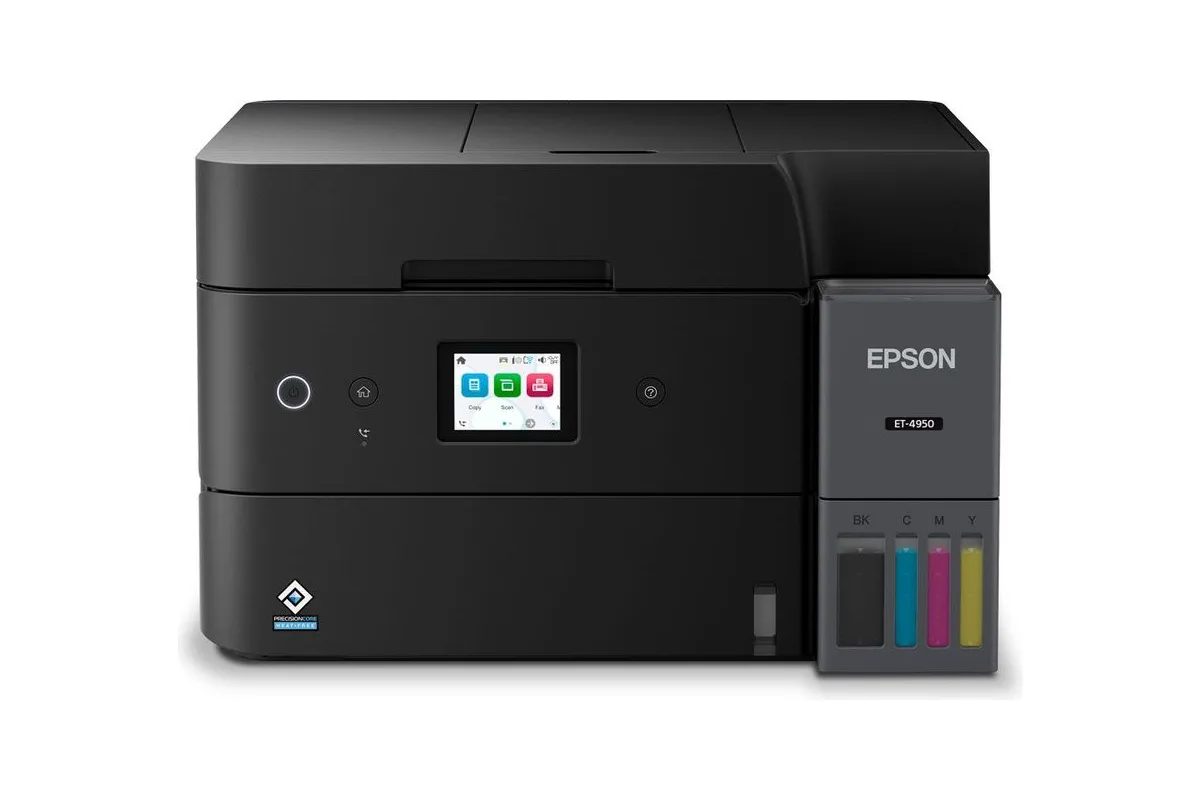
An EcoTank all-in-one with fax, Ethernet, a 250-sheet tray and a 30-sheet document feeder that scans both sides, at about 0.3¢ a black page with Epson 502 bottles.
For color at the lowest running cost, the ET-4950 is the pick. Epson lists ChromeOS alongside macOS up to version 15 and Windows, supports AirPrint and Mopria, and lists "Scan to Chromebook" among its scan features, which few printers do.
Ink costs about 0.3¢ a black page and 1.1¢ a color page with 502 bottles at Epson's November 2026 prices, and it adds fax, Ethernet and a 30-sheet feeder that scans both sides. It's $359.99 on sale at Epson and Amazon in November 2026 (list $499.99). Epson's Smart Panel app is optional. Read our [ET-4950 review](/reviews/epson-et-4950-review).
Good for
- About 0.3¢ a black page and 1.1¢ a color page with 502 bottles at Epson's November 2026 prices
- Ink in the box rated for up to 6,600 black and 5,500 color pages, which Epson calls up to three years
- Fax with fax to email and folder, Ethernet, dual-band Wi-Fi, and AirPrint, Mopria and ChromeOS support
Consider
- Rated 18 ppm black and 9 ppm color, and just 7 ppm black when printing both sides
- A single 250-sheet tray and a 1-year warranty, half the EcoTank Pro models' two years
04Best mono all-in-one
Canon imageCLASS MF465dw II
A 42 ppm mono laser all-in-one with a 50-sheet single-pass duplex feeder, a 100-sheet multipurpose tray, fax and a three-year warranty, at about 2.9¢ a page with 070H toner.
The black-and-white sibling of the MF753Cdw II works the same way: AirPrint and Mopria, Canon drivers for Mac, and a "Printing from a Chrome OS Device" section in Canon's user guide. It's the cheapest all-in-one here with a fast single-pass feeder, rated at 100 images a minute.
It prints 42 ppm, faxes, and costs about 2.9¢ a page with the 070H cartridge at Canon's prices. It's $302.99 at Canon and $301.41 at Amazon in November 2026, with a three-year warranty.
Good for
- 42 ppm with a first page in about 4.9 seconds, and a 50-sheet feeder that scans both sides in one pass at up to 100 images a minute
- PCL 6, PostScript 3 and UFR II drivers, PIN secure print, Department ID page limits, 802.1X and TLS 1.3
- Three-year exchange/carry-in warranty; 250-sheet cassette plus 100-sheet multipurpose tray, expandable to 900 sheets
Consider
- Pages cost about 2.9¢ with the $297.99 070H cartridge and 4.8¢ with standard 070 at Canon's November 2026 prices
- Envelopes, labels and paper over 120 gsm feed only from the multipurpose tray, and Wi-Fi is 802.11b/g/n only
05Best for a busy office
Brother MFC-L8930CDW
Brother's 2025 business color laser all-in-one prints 33 ppm and has an 80-sheet feeder that scans both sides at up to 104 images per minute, at about 1.9¢ black and 13.5¢ color with TN635XXL toner.
For an office of Mac and Chromebook users that prints and scans a lot, the MFC-L8930CDW is the strongest choice. Brother's system requirements list ChromeOS for both printing and scanning, its brochure carries the "Works With Chromebook" badge, and Macs on macOS 13 to 15 print and scan through AirPrint.
Its 80-sheet feeder scans both sides at up to 104 images a minute. Color pages cost about 14.4¢ with TN635XXL toner and parts at Brother's November 2026 prices. It's $699.99 at Brother and Amazon. Read our [MFC-L8930CDW review](/reviews/brother-mfc-l8930cdw-review).
Good for
- 80-sheet single-pass duplex document feeder at up to 104 images per minute, with a legal-size glass and a 7-inch touchscreen
- Dual-band Wi-Fi, Gigabit Ethernet, an NFC badge reader, Secure Print, Secure Function Lock and secure boot
- Rated for up to 6,500 pages a month, and Brother says it's more than 25% smaller than the model it replaces
Consider
- About 13.5¢ a color page with TN635XXL toner, or 14.4¢ with the drum, belt and waste box, at Brother's November 2026 prices
- A 250-sheet tray and a 50-sheet multipurpose tray that takes only 10 envelopes; optional trays cost $226.29 or $299.79
06Cheapest all-in-one for a Mac
Brother MFC-L2820DW
A black-and-white laser all-in-one that adds a 50-sheet document feeder, flatbed, fax and touchscreen to the same cheap supplies as the HL-L2460DW.
The cheapest way to print, scan, copy and fax from a Mac: $279.99 at Brother in November 2026. Brother says printing and scanning from macOS go through AirPrint, and there's no Mac driver to install. It uses the HL-L2460DW's toner and drum, so pages cost the same, about 4¢.
Two catches. Its 50-sheet feeder scans one side only. And Brother's product page lists drivers for Windows, macOS and Linux but doesn't name ChromeOS, so Chromebook households should pick a model Brother lists for ChromeOS, like the HL-L2460DW. Read our [MFC-L2820DW review](/reviews/brother-mfc-l2820dw-review).
Good for
- Among the best black-and-white printers and mid-range lasers
- 50-sheet document feeder, flatbed scanner, fax and a 2.7-inch color touchscreen
- Uses the same TN830 toner and DR830 drum as Brother's print-only HL-L2460DW
Consider
- The document feeder scans one side only, so two-sided originals mean flipping pages
- The MFC-L2900DW adds a single-pass duplex feeder for about $50 more
How to choose
What you print
Mostly black text suits a mono laser. Color documents and the occasional photo suit an ink tank or inkjet.
Running costs
Compare cost per page rather than cartridge prices. Ink tanks and lasers cost more upfront and far less over time.
Ink and account terms
Check whether the printer blocks third-party ink or toner, or requires an account or subscription to work.
What is the best printer for a Mac?
The Brother HL-L2460DW for documents, and the Canon MF753Cdw II if you also scan. Any printer that supports AirPrint works with a Mac without a driver: Apple says that when you add a printer, macOS uses AirPrint to connect, with no app, driver or other software to install. Every pick here supports it.
On a Mac, AirPrint does more than print:
- Scanning. AirPrint can also give a Mac network access to a printer’s scanning features if the printer supports them. Brother’s all-in-ones scan from macOS only through AirPrint, and Canon’s imageCLASS models scan over AirPrint too.
- Fax. Canon’s MF753Cdw II and the MAXIFY GX7120 send faxes from a Mac over AirPrint. Brother says its PC-Fax receive feature isn’t supported on a Mac.
- USB. AirPrint printers that connect only by USB still print and scan from a Mac without a driver.
The one requirement for wireless AirPrint: the Mac, iPhone or iPad has to be on the same Wi-Fi network as the printer.
No Mac driver isn’t a problem. Brother provides no Mac drivers for the HL-L2460DW or its business lasers, only AirPrint. That covers normal printing and scanning. Canon and Epson also offer Mac drivers, which you’d want for extras such as Canon’s PIN-released Secure Print.
What is the best printer for a Chromebook?
The Brother HL-L2460DW, which Brother lists as Chrome OS compatible. ChromeOS has no printer drivers to download. Google says Chromebooks print to compatible printers on the network or over USB, and that most printers connect over the Internet Printing Protocol (IPP). Chromebooks don’t print over Bluetooth.
What to check before buying:
- The maker names ChromeOS. Brother lists it for the HL-L2460DW, HL-L5210DW, MFC-L5915DW and MFC-L8930CDW; Epson for the ET-4950; Canon for the MF753Cdw II, MF465dw II, GX7120 and GX4020; HP for the 4301fdw and OfficeJet Pro 9135.
- Scanning works too. Chromebooks scan from most network printers and scanners through the built-in Scan app, not over Bluetooth. The Mopria Alliance says Mopria-certified all-in-ones connect with no extra drivers on ChromeOS 89 or later.
- Office settings don’t block it. On Canon imageCLASS models, Canon’s guide warns that blocking unknown Department IDs stops Chromebook printing.
To add a printer, open Settings, then Device, then Printers and scanners (Google’s steps). Nearby network printers usually appear on their own; if not, add one by IP address with the IPP protocol.
Which printers work without a cloud account or app?
All six picks print over your local network or USB without an account, an app or an internet connection, and the five all-in-ones scan and copy the same way. Accounts come in only for optional cloud features:
| Maker | Needs an account to print? | What does need one |
|---|---|---|
| Brother | No | Cloud scanning to Google Drive, Dropbox and others (an account with that service); the optional Refresh EZ Print toner subscription |
| Canon | No | Canon’s cloud print and scan service (printer registration) |
| Epson | No | Scan to Cloud, Email Print and Remote Print (free Epson Connect account); the optional Smart Panel app also pushes an account |
| HP (non-e models) | No | The HP app needs an HP account “for full functionality,” and HP’s AI scan features need it |
| HP+ (“e”) models | Yes | HP says HP+ requires an HP account, an ongoing internet connection and Original HP ink for the printer’s life |
HP is the brand to watch. HP has replaced the OfficeJet Pro 9135e with the non-e OfficeJet Pro 9135, whose page carries no HP+ requirement, but “e” models are still sold by third-party sellers on Amazon. Our HP+ and Instant Ink guide explains the terms, and the best printers without a subscription lists more options.
To keep a printer fully local, connect it by Ethernet, Wi-Fi or USB, add it through the Mac’s or Chromebook’s own printer settings, and skip the maker’s app at setup.
How do the picks compare on Mac and Chromebook?
Prices are the makers’ own on November 25, 2026.
| Printer | Type | Mac printing | Mac scanning | ChromeOS named by the maker | Price |
|---|---|---|---|---|---|
| Brother HL-L2460DW | Mono laser, print only | AirPrint (no Mac driver) | — | Yes | $179.99 |
| Canon MF753Cdw II | Color laser all-in-one | AirPrint or Canon driver | AirPrint (also fax) | Yes, plus IPP Everywhere | $436.99 |
| Epson ET-4950 | Ink tank all-in-one | AirPrint or Epson driver, macOS to 15 | Yes | Yes, plus Scan to Chromebook | $359.99 sale |
| Canon MF465dw II | Mono laser all-in-one | AirPrint or Canon driver | AirPrint | Chrome OS section in Canon’s guide | $302.99 |
| Brother MFC-L8930CDW | Color laser all-in-one | AirPrint only, macOS 13–15 | AirPrint | Yes, printing and scanning | $699.99 |
| Brother MFC-L2820DW | Mono laser all-in-one | AirPrint only | AirPrint | Not listed on Brother’s page | $279.99 |
| Brother MFC-L5915DW | Mono laser all-in-one | AirPrint only | AirPrint | Yes, printing and scanning | $589.99 |
| Canon MAXIFY GX7120 | Ink tank all-in-one | AirPrint or Canon driver | Yes (also fax over AirPrint) | Yes | $599.99 |
| HP Color LaserJet Pro 4301fdw | Color laser all-in-one | AirPrint (HP lists macOS 10.15–15) | Not checked | Yes | $659 sale |
Is a laser or an ink tank better for a Mac or Chromebook?
A laser if you print mostly text, an ink tank if you print color. Lasers like the HL-L2460DW never clog, so a printer that sits for weeks next to a Chromebook prints the first page cleanly. An ink tank like the ET-4950 costs a fraction as much per color page (1.1¢ against 14–17¢ on a color laser) but needs regular use. The trade-offs are in inkjet vs laser.
How we chose
We started with the printers that come up most for Mac and Chromebook users, then checked each maker’s own compatibility statements, Apple’s and Google’s support pages, and what each printer needs an account for. Prices and specs were read on November 25, 2026. We haven’t tested these printers ourselves; see how we score.
Also consider
- Brother HL-L5210DW: a faster business version of the HL-L2460DW with the “Works With Chromebook” badge. Read our HL-L5210DW review.
- Brother MFC-L5915DW: for offices that scan heavily; see the best printers for scanning.
- Sharing one printer between Macs, PCs and Chromebooks: our office printer setup guide covers Ethernet vs Wi-Fi and phone printing.
- Scanning without a computer: the Canon imageCLASS models and the MFC-L8930CDW scan to email or a network folder from the panel (the ET-4950 doesn’t list either); see scan to email and cloud.
Questions people ask
Do I need a driver to print from a Mac?
No, for an AirPrint printer. Apple says macOS uses AirPrint when you add a printer, with no drivers or other software to install.
Can a Chromebook print to any printer?
Most network and USB printers. Google says Chromebooks print to compatible printers over the network or USB, mostly over IPP, but not over Bluetooth.
Can I scan from a Chromebook?
Yes, with the built-in Scan app; add the scanner under Settings, then Device, then Printers and scanners. Google says it works with most network printers and scanners; Mopria-certified models need ChromeOS 89 or later.
Does the Brother HL-L2460DW work with a Mac?
Yes, through AirPrint. Brother doesn’t provide a Mac driver, and you don’t need one.
Which printers work without an app or account?
All our picks. Brother, Canon and Epson printers print locally with no account; HP’s HP+ “e” models require an HP account and internet connection, but the non-e models don’t.
Do Brother printers work with Chromebooks?
Many do. Brother lists ChromeOS for the HL-L2460DW, HL-L5210DW, MFC-L5915DW and MFC-L8930CDW, but its MFC-L2820DW page doesn’t name it.
Sources
- About AirPrint (Apple Support), support.apple.com
- Add and manage printers on Mac (Apple Support), support.apple.com
- Set up your printer (Chromebook Help), support.google.com
- Set up your scanner (Chromebook Help), support.google.com
- Scan with Chromebook (Mopria Alliance), mopria.org
- Brother HL-L2460DW product page, Brother
- Brother MFC-L2820DW product page, Brother
- Brother MFC-L8930CDW product page, Brother
- Brother MFC-L8930CDW system requirements, assets.brother.com
- Brother MFC-L5915DW product page, Brother
- Brother HL-L5210DW product page, Brother
- Brother Refresh EZ Print subscription, Brother
- Canon Color imageCLASS MF753Cdw II (Canon USA store), Canon
- MF753Cdw II User's Guide: printing from a Chrome OS device, oip.manual.canon
- Canon imageCLASS MF465dw II (Canon USA store), Canon
- MF465dw II User's Guide, oip.manual.canon
- Canon MegaTank GX7120 (Canon USA store), Canon
- Epson EcoTank ET-4950, Epson
- Epson ET-4950 spec sheet, cdn.bfldr.com
- Epson Chromebook printing, Epson
- Epson Smart Panel app, Epson
- HP OfficeJet Pro 9135e page (now the 9135), HP
- HP OfficeJet Pro 9135 (HP store), HP
- HP Color LaserJet Pro MFP 4301fdw (HP store), HP
Keep exploring

Buying guide
The best barcode label printers
The Zebra ZD421 is the best barcode label printer for most businesses: 4-inch labels at 6 inches a second, any brand of label roll and a 24-month warranty, for about $480 to $526 in November 2026. Get the Brother QL-820NWBc ($229.99) for an office or shop counter, and a thermal transfer model for inventory labels that have to last.
Read story
Buying guide
The best check printers for a small business
The TROY 3001dw ($509.15 at TROY, $530 at Amazon in November 2026) is the best check printer for a small business: a 35 ppm Wi-Fi laser with MICR toner, rated for 350 to 2,500 checks a month, at about 5¢ to 7¢ per check three to a page by our estimate. Get the TROY 4001dn for a locking tray, or the VersaCheck M15 MXD ($399.99) for software in the box.
Read story