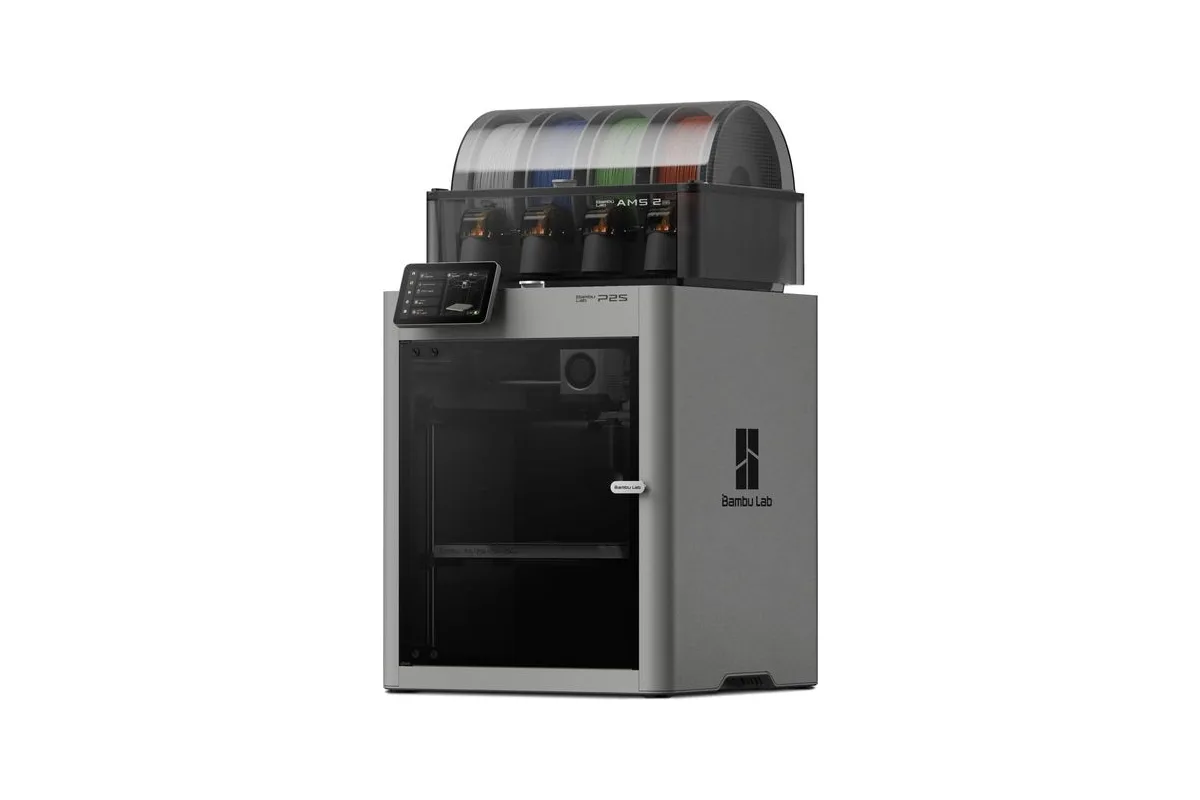
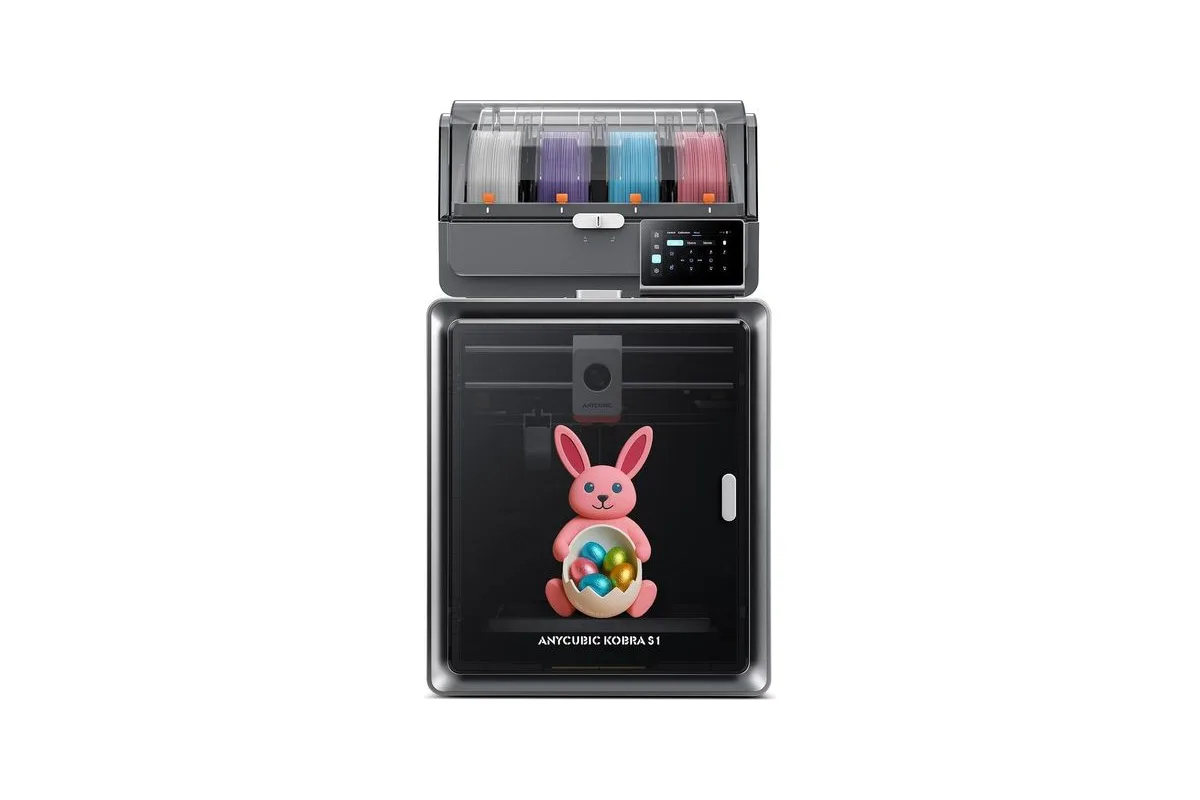
Side by side
| Feature | Bambu LabP2S Combo | Anycubic Kobra S1 ACE 2 Pro Combo |
|---|---|---|
| Frame | Enclosed CoreXY | Enclosed CoreXY |
| Build volume | 256 x 256 x 256 mm | 250 x 250 x 250 mm |
| Multicolor | 4 colors (AMS 2 Pro), expandable | 4 colors (ACE 2 Pro), up to 16 |
| Materials | PLA, PETG, TPU, ABS, ASA, CF blends | PLA, PETG, TPU, ABS, ASA |
| Where to buy | Check price at Amazon | Check price at Amazon |
Bambu Lab P2S Combo
- Frame
- Enclosed CoreXY
- Build volume
- 256 x 256 x 256 mm
- Multicolor
- 4 colors (AMS 2 Pro), expandable
- Materials
- PLA, PETG, TPU, ABS, ASA, CF blends
Anycubic Kobra S1 ACE 2 Pro Combo
- Frame
- Enclosed CoreXY
- Build volume
- 250 x 250 x 250 mm
- Multicolor
- 4 colors (ACE 2 Pro), up to 16
- Materials
- PLA, PETG, TPU, ABS, ASA
Anycubic Kobra S1 or Bambu Lab P2S: which is better?
The Bambu P2S is the better printer; the Kobra S1 is the better value. Both are enclosed CoreXY printers with a 250 mm-class build volume, a four-spool box that dries filament, and the same rated 600 mm/s and 20,000 mm/s². The difference is $220 and how much you’ll fiddle:
- The Bambu Lab P2S Combo ($649 at Bambu’s store in November 2026, typical $749) has the better software and app, a 1080p camera, a tool-free quick-swap hardened nozzle, support for nylon and carbon-fiber blends, a 2-year warranty from Bambu’s store, and published software support to 2030.
- The Anycubic Kobra S1 ACE 2 Pro Combo ($429 at Anycubic’s store, list $599; $399 with Anycubic’s code BF26S1) has a hotter 320 °C nozzle and 120 °C bed, and its box can dry filament during a print. Its app is weaker, its camera is 480p, and firmware updates require an Anycubic account.
Buy the P2S if you print often and want it to just work. Buy the S1 if $429 is your ceiling and you don’t mind some troubleshooting.
Which S1? Compare the current S1 ACE 2 Pro Combo, not the original S1 Combo. Anycubic replaced the original Combo, with its first-generation ACE Pro, in April 2026. The printer is the same; the new box dries at up to 65 °C and expands to 16 colors.
Kobra S1 vs P2S: specs side by side
| Anycubic Kobra S1 (ACE 2 Pro Combo) | Bambu Lab P2S (Combo) | |
|---|---|---|
| Price today (Nov 28, 2026, maker store) | $429 (list $599); $399 with code BF26S1 | $649 (typical $749) |
| Printer only | $349 (list $549) | $449 (typical $549) |
| Price on Amazon | $429.99 (November) | $649.99 |
| Frame | Fully enclosed CoreXY | Enclosed CoreXY |
| Build volume | 250 x 250 x 250 mm (15.6 L, our estimate) | 256 x 256 x 256 mm (16.8 L, our estimate) |
| Max nozzle / bed | 320 °C / 120 °C | 300 °C / 110 °C |
| Nozzle | Material not stated on Anycubic’s US spec table | Hardened steel 0.4 mm, tool-free quick swap; 0.2, 0.6, 0.8 mm available |
| Chamber | No chamber heater listed | No active heating; a flap switches between internal and external circulation |
| Filtration | Activated carbon pack | Activated carbon filter |
| Materials (maker) | PLA, PETG, TPU, ABS, ASA | PLA, PETG, TPU, ABS, ASA, PA, PC and carbon- or glass-fiber grades |
| Speed / acceleration (maker) | 600 mm/s, 20,000 mm/s² | 600 mm/s, 20,000 mm/s²; travel up to 1,000 mm/s since firmware 01.03 |
| Filament box | ACE 2 Pro, 4 spools | AMS 2 Pro, 4 spools |
| Max colors | 16 | 20 (4 AMS 2 Pro + 4 AMS HT) |
| Drying | Up to 65 °C; dries while printing | Up to 65 °C (reached only in a room at 25 °C or warmer); while printing only with a separate adapter |
| Camera / AI | 480p; spaghetti detection | 1080p, 30 fps; spaghetti, nozzle blobs, purge-chute jams, settings checks |
| Screen | 4.3-inch touchscreen | 5-inch touchscreen |
| Connectivity | Wi-Fi, USB | Dual-band Wi-Fi, USB, 8 GB storage; no Ethernet |
| Noise (maker) | ≤46 dB standard, ≤44 dB quiet | Under 50 dB in silent mode, at 1 m |
| Size / weight | 400 x 410 x 490 mm, 18 kg | 392 x 406 x 478 mm, 14.9 kg |
| Warranty | 1 year (print head 3 months, bed 6 months) | 2 years from Bambu’s US store (hotend and extruder gears not covered) |
| Returns | 14 days | 30 days |
| Software updates | No published period | Features to Oct 14, 2030; security to Oct 14, 2032 |
Sources: Anycubic’s and Bambu’s US stores, spec pages, FAQs and warranty pages, read November 28, 2026. The Amazon S1 price was seen November 24. Anycubic’s Black Friday phase ends about the night of November 29 and its Cyber Monday sale runs to December 7; Bambu’s sale ends December 1 at 2 a.m. ET.
What does each cost to set up?
| Kobra S1 | Bambu P2S | |
|---|---|---|
| Four colors (Combo) | $429 | $649 |
| Price per liter of build volume, Combo (our estimate) | $27.46 | $38.68 |
| Price per color, Combo (our estimate) | $107.25 | $162.25 |
| Eight colors | $648 (Anycubic’s bundle with a second ACE 2 Pro) | $878 (our estimate: $649 Combo + $229 AMS 2 Pro) |
| What the filament box costs | About $80 (our estimate: $429 Combo − $349 printer) | $200 (our estimate: $649 − $449) |
On every line, the S1 costs less, and the gap widens as you add colors. To dry filament during a print on the P2S, you also need a separate power adapter, which the Combo doesn’t include.
Which prints better?
The P2S, by a little, and on more materials. Both enclosures hold heat for ABS and ASA, and neither has a chamber heater. The S1’s 320 °C nozzle and 120 °C bed are higher limits, but Anycubic lists only PLA, PETG, TPU, ABS and ASA. Bambu lists nylon, polycarbonate and a range of carbon- and glass-fiber blends for the P2S, and ships it with a hardened-steel nozzle that resists abrasive filaments.
The P2S also does more for you. It calibrates flow with an eddy-current sensor, its servo extruder pushes up to 8.5 kg of force by Bambu’s figure, and its AI watches for spaghetti, nozzle blobs and jams in the purge chute. The S1’s AI watches for spaghetti only, and its detection has been oversensitive, stopping good prints.
Which is better for multicolor printing?
The S1 for drying, the P2S for capacity. Both use one nozzle and a four-spool box, so both purge filament at every color change, and neither Anycubic nor Bambu publishes a grams-per-change figure for these boxes.
- Drying while printing: the ACE 2 Pro can dry during a print; Anycubic even rates its noise for “printing with drying enabled” (55 dB). The P2S powers drying for one AMS 2 Pro only while the printer is idle. Drying during a print needs a separate adapter, and Bambu caps the drying temperature when you print with a different filament, for example to 45 °C when drying PETG while printing PLA.
- Capacity: the P2S takes up to 20 slots across eight units; the S1 up to 16.
- Swap speed and purge: color swaps on the S1 are slow, and its purge has been hard to tune in Anycubic’s slicer. Bambu Studio lets you flush into infill or supports to cut waste.
If you’ll print mostly multicolor, consider a tool changer instead; see the best tool changer 3D printers.
Which is easier to use?
The P2S. Bambu’s setup, Bambu Studio and the Bambu Handy app are among the smoothest in home 3D printing, and the P2S’s 5-inch touchscreen and 1080p camera make it easy to check on a print from another room. You can print models from MakerWorld, Bambu’s model library, straight from the app.
The S1 sets up easily too, with auto leveling and a 4.3-inch touchscreen. Its weak spot is software: remote printing through Anycubic’s app has been unreliable, the screen can freeze, and filament can jam in the ACE box. Opening the door doesn’t pause a print.
Do they need the cloud?
| Kobra S1 | Bambu P2S | |
|---|---|---|
| Print without an account | Yes, in LAN mode | Yes, in LAN Only mode or from USB |
| What LAN mode turns off | The app and AI failure detection | Remote printing from outside your network, the Bambu Handy app and print history; AI detection keeps running on the printer |
| Firmware updates | Require binding the printer to an Anycubic account | Can be installed offline |
| Third-party slicers | OrcaSlicer can send prints (firmware 2.5.9.9 and later) | Through Bambu Connect |
| Local control for other tools | Rinkhals community firmware supports it | Developer Mode toggle in LAN Only mode |
The S1’s account requirement for updates is the bigger catch. In its favor, it runs Klipper-go, Anycubic’s Go port of Klipper, and the Rinkhals community firmware adds Mainsail, Fluidd and SSH, though Anycubic says unauthorized modifications may void the warranty. For more on Bambu, see can you use a Bambu Lab printer offline?
Which is more reliable?
The P2S, on paper and in support. Bambu gives 2 years on P2S printers bought from its US store, offers 30-day returns, and publishes the dates its software support ends. Early P2S firmware drew owner complaints, including under-extrusion and Wi-Fi instability after specific updates.
Anycubic gives 1 year, with 3 months on the print head and 6 months on the heated bed, and 14-day returns. It publishes no update-support period. Neither printer has a US recall.
Which is quieter?
They’re close on the makers’ figures, measured differently. Anycubic rates the S1 at 46 dB or less (44 dB in quiet mode) and the ACE 2 Pro at 48 dB with the door closed and 55 dB while drying. Bambu rates the P2S under 50 dB in silent mode at 1 meter. See the best quiet 3D printers.
Kobra S1 vs P2S: which should you buy?
- Buy the Bambu P2S Combo ($649) if you want the least troubleshooting, plan to print nylon or carbon-fiber blends, or value a 2-year warranty and a long software runway. It’s our pick in the best enclosed 3D printers. Read the P2S review.
- Buy the Kobra S1 ACE 2 Pro Combo ($429) if you want enclosed ABS and ASA printing with four colors and drying for the least money, and you’re comfortable with a less polished app. Read the Kobra S1 review.
Other enclosed options at the S1’s price: the Elegoo Centauri Carbon 2 and the Creality K2 Combo. For a cheaper Bambu, compare the P1S vs P2S.
Questions people ask
Is the P2S worth $220 more than the Kobra S1?
For most people who’ll print often, yes: the software, camera, materials and warranty save time. If you print occasionally and mainly want enclosed four-color printing, the S1 Combo’s savings are hard to ignore.
Does either have a heated chamber?
No. Both are enclosed and hold heat passively. Anycubic’s Kobra S1 Max and Bambu’s H2 series have heated chambers.
Which has the better camera?
The P2S: 1080p at 30 fps against the S1’s 480p.
Can the Kobra S1 print carbon fiber?
Anycubic doesn’t list carbon-fiber filaments for the S1 or state its nozzle material. The P2S ships with a hardened-steel nozzle and Bambu lists several carbon- and glass-fiber grades.
Which dries filament better?
Both boxes reach 65 °C. The ACE 2 Pro can dry during a print; the P2S’s AMS 2 Pro needs an extra adapter for that and lowers the drying temperature to suit the filament being printed.
Is the Kobra S1 Combo discontinued?
The original Combo with the first-generation ACE Pro was replaced in April 2026 by the S1 ACE 2 Pro Combo. The S1 printer is still sold.
Sources
- Anycubic Kobra S1 ACE 2 Pro Combo (US store), us.anycubic3d.com
- Anycubic Kobra S1 (US store), us.anycubic3d.com
- Anycubic Kobra 3 Max V2 Combo (ACE 2 Pro noise figures), us.anycubic3d.com
- Anycubic refund and warranty policy (US), us.anycubic3d.com
- Bambu Lab P2S product page, us.store.bambulab.com
- Bambu Lab P2S specifications, bambulab.com
- Bambu Lab P2S FAQ, wiki.bambulab.com
- Bambu Lab P2S firmware release history, wiki.bambulab.com
- Bambu Lab multi-AMS compatibility guide, wiki.bambulab.com
- Bambu Lab power consumption, wiki.bambulab.com
- Bambu Lab compare page (software update support), bambulab.com
- Bambu Lab warranty, bambulab.com
- Bambu Lab LAN mode guide, wiki.bambulab.com
- SimplyPrint: Anycubic Kobra S1, simplyprint.io
- Rinkhals community firmware, github.com
- Anycubic Kobra S1 review, tomshardware.com
- Bambu Lab P2S review, tomshardware.com
Keep exploring
How to
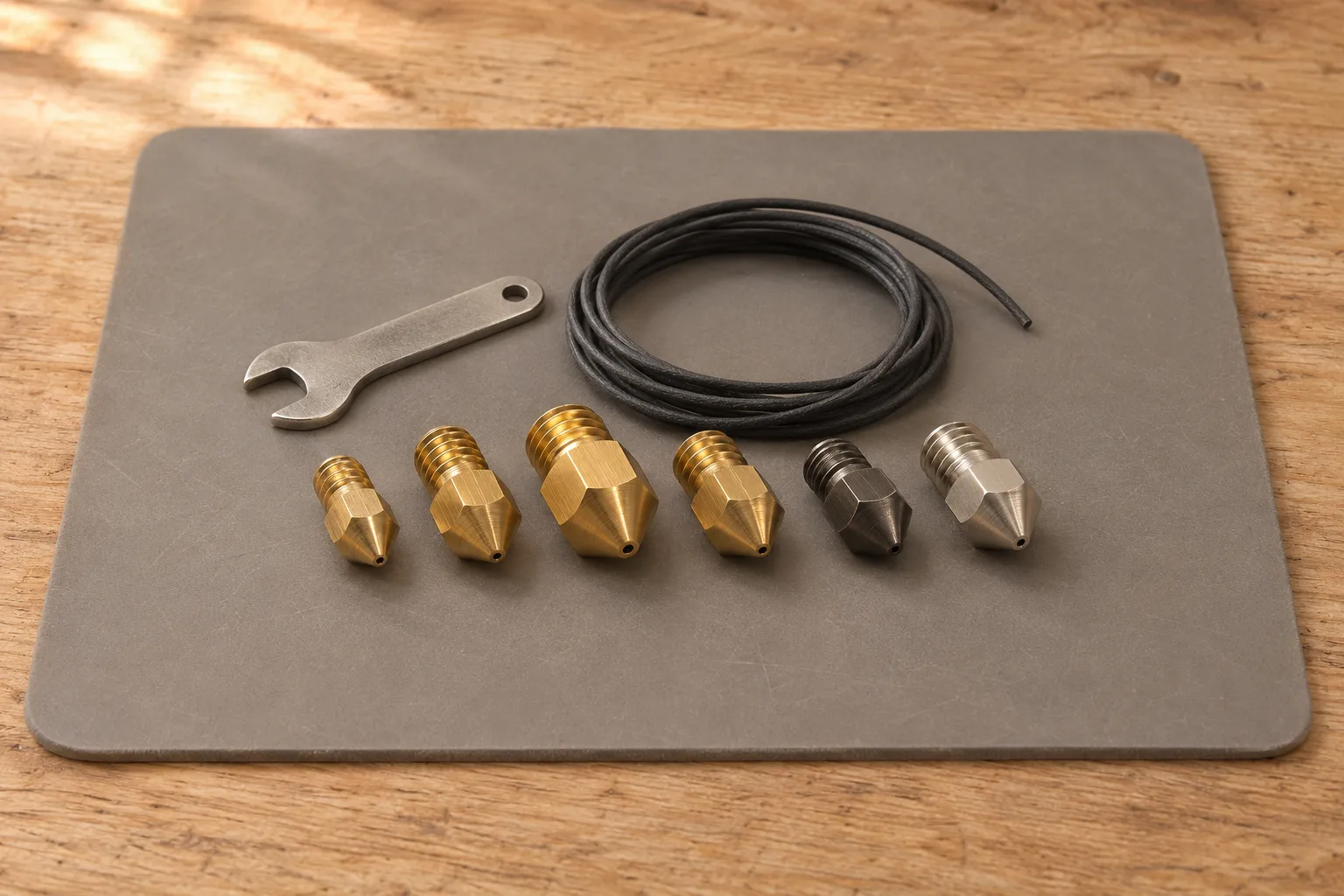
Hardened steel vs brass nozzles, and what nozzle size to use
Brass, or the stainless steel Bambu ships on the A1, is fine for PLA, PETG, ABS, ASA and TPU. Carbon fiber, glass fiber, glow-in-the-dark and sparkle filaments need hardened steel. Use a 0.4 mm nozzle for most prints, 0.6 mm for carbon fiber and big parts, and 0.2 mm for miniatures.
Read story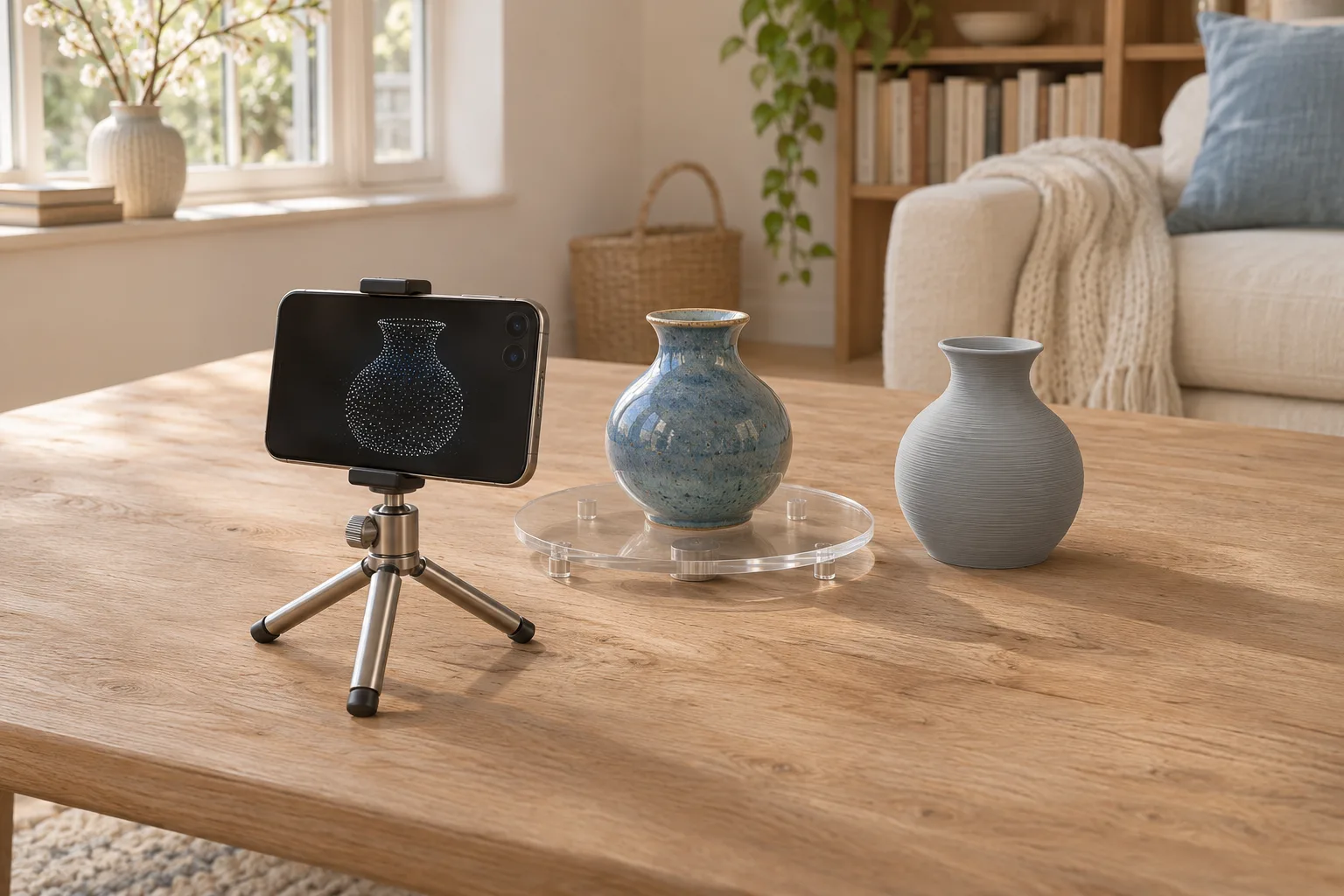
How to
Can you 3D scan with an iPhone? Yes, but not to tight tolerances
Yes. Any current iPhone can 3D scan objects from photos (photogrammetry), and KIRI Engine's free tier exports STL for printing. Only the iPhone 18 Pro and 18 Pro Max have LiDAR in Apple's current lineup. For parts that must fit, a $359 scanner is about ten times tighter.
Read story