How it scores
- Scan and OCR quality20%8.0
600 dpi sensors on both sides, with searchable PDF and editable Word, Excel and PowerPoint output; photos top out at 600 dpi, fine for snapshots but not for restoring prints.
- Speed and paper handling25%9.5
Rated 45 ppm / 90 ipm from a 100-sheet feeder, with an ultrasonic double-feed sensor, plastic and embossed cards, and long pages up to 118 inches from a computer.
- Software and destinations20%9.0
ScanSnap Home on Windows, Mac, phones and Chromebooks names and sorts documents, receipts, cards and photos, and sends to dozens of services; there's no TWAIN driver.
- Reliability and ownership15%8.0
A $58 roller set rated for 200,000 sheets or a year (about 0.029¢ a sheet) and no subscription; scanning straight to the cloud needs a free ScanSnap account.
- Ease of use and connectivity10%9.0
5-inch touchscreen with up to 100 profiles, Wi-Fi 6, and scanning to a phone, cloud, email or network folder without a computer. Setup needs a computer and Internet.
- Value10%8.5
$399.99 at Ricoh in November 2026 (list $596.00), less than the iX1600 sold for new; the Premium Edition with a 4-year warranty was $399.00 at Amazon.
Overall 8.7/10, the weighted average.How we score →
Is the ScanSnap iX2500 worth it?
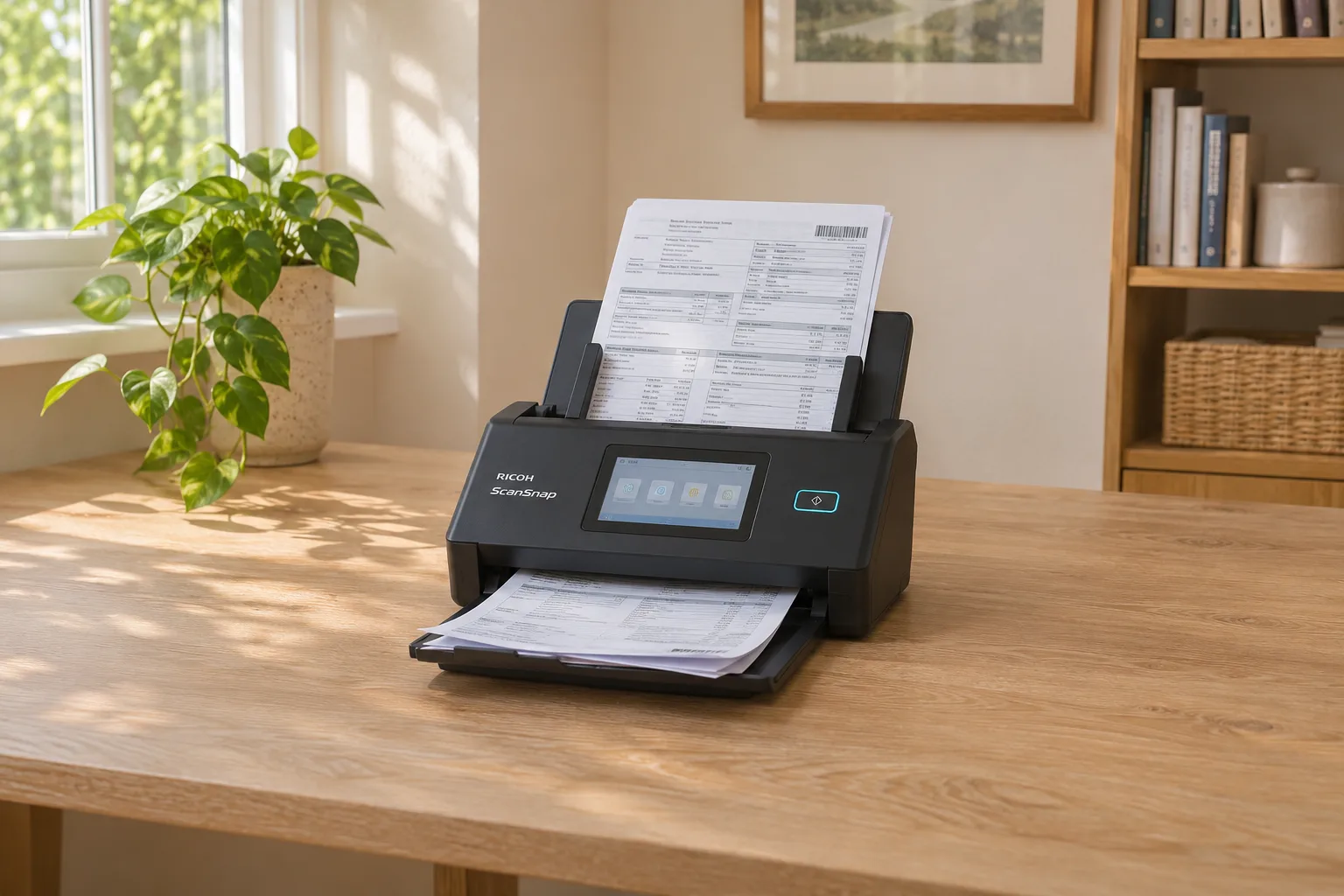
Yes, if you scan more than a few pages a week: the iX2500 scans both sides of a page in one pass at a rated 45 pages a minute, holds 100 sheets, and costs $399.99 at Ricoh in November 2026 (list $596.00). It’s one of the easiest ways to clear a filing cabinet and keep it clear.
It’s made by PFU, the Ricoh company that used to sell ScanSnaps under the Fujitsu name. You load a stack, tap a profile on the 5-inch touchscreen, and the scans land on your computer, phone, cloud folder or network drive as searchable PDFs, named and sorted by ScanSnap Home. Nothing needs a subscription. The two real limits: there’s no TWAIN driver, so you scan through ScanSnap’s own software, and it isn’t a photo restoration tool.
If you scan a few pages a month, it’s more scanner than you need. A phone app or the scanner on an all-in-one will do; see document scanner or all-in-one.
| Spec | ScanSnap iX2500 |
|---|---|
| Price (Ricoh, November 2026) | $399.99 Standard (list $596.00) |
| Type | Sheetfed, single-pass duplex |
| Rated speed | 45 ppm / 90 ipm (up to 300 dpi color); 13 ppm at 600 dpi color |
| Feeder | 100 sheets (50 with the receipt guide) |
| Optical resolution | 600 dpi |
| Page size | 2 x 2 in to 8.5 x 19.68 in; up to 118 in in long-paper mode from a computer |
| Paper and cards | 40–209 g/m² paper; plastic and embossed cards up to 0.76 mm |
| Double-feed detection | Ultrasonic sensor plus length detection |
| Screen | 5 in color touchscreen, up to 100 profiles |
| Connection | Wi-Fi 6 (2.4 and 5 GHz, WPA3), USB-C (USB 3.2 Gen 1) |
| Computers | Windows 11 and 10 (Intel or ARM); macOS Monterey 12 or later |
| Size and weight | 11.5 x 6.34 x 6.26 in closed; 7.7 lb |
| Warranty | 1 year (Standard), 4 years (Premium) |
Is the Fujitsu ScanSnap iX1600 worth it?
Not new in November 2026: the iX1600 has been replaced by the iX2500, and every new edition is out of stock at Ricoh. Each iX1600 page on Ricoh’s US site now says it “has been upgraded and is now the ScanSnap iX2500”.
The only sensible way to buy one now is Ricoh’s certified refurbished iX1600 at $319.20. That’s $80 less than a new iX2500, for a scanner with half the feeder (50 sheets), 40 ppm instead of 45, a smaller 4.3-inch screen, Wi-Fi 5 and an older USB Type-B port. On Amazon, the black iX1600 had only a third-party new offer at $999.99 and the white one was unavailable; don’t pay that.
If you already own an iX1600 that works, keep it. It uses the same ScanSnap Home software, makes the same searchable PDFs and works with ScanSnap Cloud. Every difference is in ScanSnap iX1600 vs iX2500.
How fast is the iX2500?
Fast: a full 100-sheet stack of two-sided pages takes a little over two minutes at the rated 45 ppm (100 ÷ 45 = 2.2 minutes). Ricoh rates the same speed in every mode up to 300 dpi color, so you don’t lose speed by scanning at a sharper setting for OCR.
Only Excellent mode (600 dpi color) slows it down, to 13 ppm, and that mode needs a computer. The feeder takes mixed sizes, and a manual-feed path handles envelopes, plastic cards, pages with sticky notes and an 11 x 17 sheet folded in half. An ultrasonic sensor stops the feed when two pages stick together, so you’re less likely to find a missing page later.
What does it cost to run?
Almost nothing: the only part you replace is the $58 pick and brake roller set (PA03860-0001), which Ricoh rates for up to 200,000 sheets or one year. That’s $58 ÷ 200,000 = 0.029¢ a sheet. Following Ricoh’s yearly schedule, budget about $58 a year.
| Part (PFU America store, November 2026) | Price | Rated life | Cost per sheet |
|---|---|---|---|
| Pick and brake roller set | $58.00 | 200,000 sheets or 1 year | 0.029¢ |
| ScanAid kit (rollers plus cleaning supplies) | $89.00 | Same | 0.045¢ |
| Carrier sheets, 5-pack (optional) | $45.00 | 500 scans each | – |
That’s far lower than the Brother ADS-1800W, whose separation pad alone costs about 0.25¢ a sheet (our review).
Does the iX2500 need a subscription or an account?
No subscription, and no account to scan to a computer. ScanSnap Home 2.10 and later don’t need license activation, and linking a cloud service from the computer’s Quick Menu needs no ScanSnap account.
You need a free ScanSnap account only to send scans from the scanner straight to a cloud service with no computer (ScanSnap Cloud) and for Data Sync. Ricoh sells an optional paid upgrade from the bundled Power PDF Standard to Power PDF Advanced; you don’t need it to make searchable PDFs.
What can it scan to without a computer?
Cloud services, email, a network folder and your phone. ScanSnap Cloud sends scans to Box, Dropbox, Evernote, Google Drive, OneDrive, SharePoint, OneNote, iCloud, Notion, Google Photos, QuickBooks Online and others. An October 2025 firmware update added saving to a network folder or NAS, a Wi-Fi Direct mode for connecting one device without a router, and Chromebook support. Searchable PDF in the network-folder mode is still “planned for a future update”, per Ricoh.
Each person can have their own profiles on the touchscreen, which helps in a shared home office. More on setting this up is in scan to email and cloud and scanning receipts and going paperless.
What are the downsides?
- No TWAIN or ISIS driver. You can’t scan straight into Photoshop, a practice-management app or most document systems; you scan with ScanSnap Home and send the file on. If you need TWAIN, the Epson ES-590W has it.
- Not a photo archiver. It scans a 4x6 in under a second, with red-eye and orientation fixes, but 600 dpi is the ceiling and there’s no film support. For albums, see the best photo scanners.
- No Ethernet. It’s Wi-Fi or USB only.
- No USB-C to USB-C cable. Ricoh says one isn’t included, so bring your own if your computer has only USB-C ports.
Which edition should you buy?
The Standard Edition at $399.99, or the Premium Edition if you find it at Standard money: Amazon sold the Premium (4-year warranty) for $399.00 in November 2026, below the Standard’s $399.99. At Ricoh, the Premium is $479.99.
The Receipt Edition ($439.99 at Ricoh, $385.49 at Amazon) is sold for QuickBooks users. The iX2400 ($349.99 at Amazon) has the same speed and 100-sheet feeder but is USB only, with no touchscreen and no phone scanning; the $50 saving isn’t worth losing Wi-Fi for most homes.
What are the alternatives?
- Epson WorkForce ES-590W ($389.99 sale, $449.99 list): the same 45 ppm and 100 sheets, plus a TWAIN driver and scanning to a USB stick. Pick it if you need other apps to control the scanner. Read our ES-590W review.
- Canon imageFORMULA R40II ($195.00): the same rated speed for half the price, but USB only, with a 60-sheet feeder and no phone or cloud scanning without a computer. Read our R40II review.
- Brother ADS-1800W ($324.99): a compact Wi-Fi scanner that runs on USB-C power, for light daily use. Read our ADS-1800W review.
Every pick is in the best document scanners.
Questions people ask
Is the ScanSnap iX2500 made by Fujitsu?
It’s made by PFU, which Fujitsu sold to Ricoh: Ricoh took 80% in 2022, PFU rebranded the scanners from Fujitsu to Ricoh in 2023, and Ricoh agreed to buy the rest in 2025. Older iX1600 units still carry the Fujitsu badge.
Does the iX2500 work with a Mac?
Yes. It needs macOS Monterey 12 or later and runs on Intel and Apple silicon Macs, with ScanSnap Home and Power PDF for Mac.
Can the iX2500 scan receipts?
Yes. A receipt guide clips into the feeder (it holds 50 sheets with the guide in place), and ScanSnap Home pulls the totals from receipts. It can send them to QuickBooks Online, Concur, Shoeboxed and Hubdoc.
Can the iX2500 scan to a phone?
Yes, over Wi-Fi to iPhone, iPad, Android phones and Chromebooks with the free ScanSnap Home mobile app, with no computer involved.
How long does the iX2500 last?
Ricoh doesn’t publish a daily duty cycle. The rollers are rated for 200,000 sheets or a year, and the warranty is 1 year on the Standard Edition and 4 years on the Premium, with advance exchange on purchases since September 15, 2026.
Key specifications
| Feature | Ricoh ScanSnap iX2500 | EpsonWorkForce ES-590W | CanonimageFORMULA R40II | BrotherADS-1800W |
|---|---|---|---|---|
| Type | Sheetfed document scanner | Sheetfed document scanner | Sheetfed document scanner | Compact sheetfed document scanner |
| Feeder | 100 sheets | 100 sheets | 60 sheets | 20 sheets |
| Duplex | Single pass | Single pass | Single pass | Single pass |
| Scan speed | 45 ppm / 90 ipm | 45 ppm / 90 ipm | 45 ppm / 90 ipm | 30 ppm / 60 ipm |
| Connection | Wi-Fi, USB-C | Wi-Fi, USB | USB-C | Wi-Fi, USB-C |
| Where to buy | Check price at Amazon | Check price at Amazon | Check price at Amazon | Check price at Amazon |
Ricoh ScanSnap iX2500
- Type
- Sheetfed document scanner
- Feeder
- 100 sheets
- Duplex
- Single pass
- Scan speed
- 45 ppm / 90 ipm
- Connection
- Wi-Fi, USB-C
Epson WorkForce ES-590W
- Type
- Sheetfed document scanner
- Feeder
- 100 sheets
- Duplex
- Single pass
- Scan speed
- 45 ppm / 90 ipm
- Connection
- Wi-Fi, USB
Canon imageFORMULA R40II
- Type
- Sheetfed document scanner
- Feeder
- 60 sheets
- Duplex
- Single pass
- Scan speed
- 45 ppm / 90 ipm
- Connection
- USB-C
Brother ADS-1800W
- Type
- Compact sheetfed document scanner
- Feeder
- 20 sheets
- Duplex
- Single pass
- Scan speed
- 30 ppm / 60 ipm
- Connection
- Wi-Fi, USB-C
Sources
- ScanSnap iX2500 product page and FAQ, pfu-us.ricoh.com
- ScanSnap iX2500 specifications (global, as of May 12, 2026), pfu.ricoh.com
- ScanSnap iX2500 datasheet (US, June 2025), pfu-us.ricoh.com
- ScanSnap Limited Warranty Guide, pfu-us.ricoh.com
- Pick and brake roller set PA03860-0001, store.pfu-us.ricoh.com
- ScanSnap iX2500 firmware update, October 2025, pfu.ricoh.com
- PFU launches the ScanSnap iX2500, pfu.ricoh.com
- ScanSnap iX1600 product page, pfu-us.ricoh.com
- ScanSnap iX1600 at the PFU America store, store.pfu-us.ricoh.com
- ScanSnap iX1600 specifications, pfu.ricoh.com
- ScanSnap Home, pfu-us.ricoh.com
- ScanSnap Cloud, pfu-us.ricoh.com
- Ricoh to acquire PFU shares from Fujitsu, ricoh.com
- PFU rebrands its document scanners from Fujitsu to Ricoh, businesswire.com
- ScanSnap iX2500 on Amazon, amazon.com
- ScanSnap iX2500 Premium Edition on Amazon, amazon.com
- ScanSnap iX2400 on Amazon, amazon.com
- ScanSnap iX2500 Receipt Edition on Amazon, amazon.com
- WorkForce ES-590W product page, Epson
Keep exploring

Buying guide
The best barcode label printers
The Zebra ZD421 is the best barcode label printer for most businesses: 4-inch labels at 6 inches a second, any brand of label roll and a 24-month warranty, for about $480 to $526 in November 2026. Get the Brother QL-820NWBc ($229.99) for an office or shop counter, and a thermal transfer model for inventory labels that have to last.
Read story
Buying guide
The best check printers for a small business
The TROY 3001dw ($509.15 at TROY, $530 at Amazon in November 2026) is the best check printer for a small business: a 35 ppm Wi-Fi laser with MICR toner, rated for 350 to 2,500 checks a month, at about 5¢ to 7¢ per check three to a page by our estimate. Get the TROY 4001dn for a locking tray, or the VersaCheck M15 MXD ($399.99) for software in the box.
Read story