Printers in this guide
What printers should you avoid?
Avoid printers that need an account or subscription to print, printers whose cartridges are rated for only 100 to 150 pages, and, if you want cheaper refills, printers that block cartridges without the maker’s chip. Those three things, not the printer’s price, decide what a printer costs you and how long it keeps working.
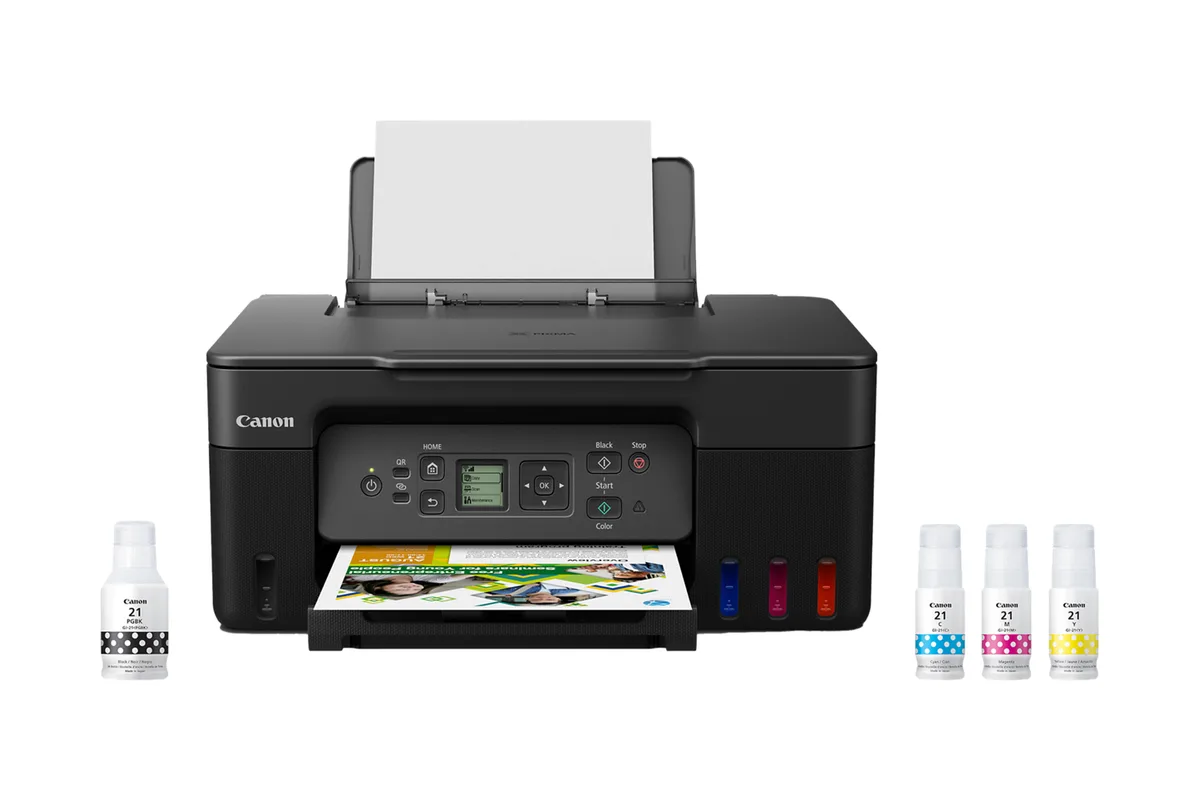
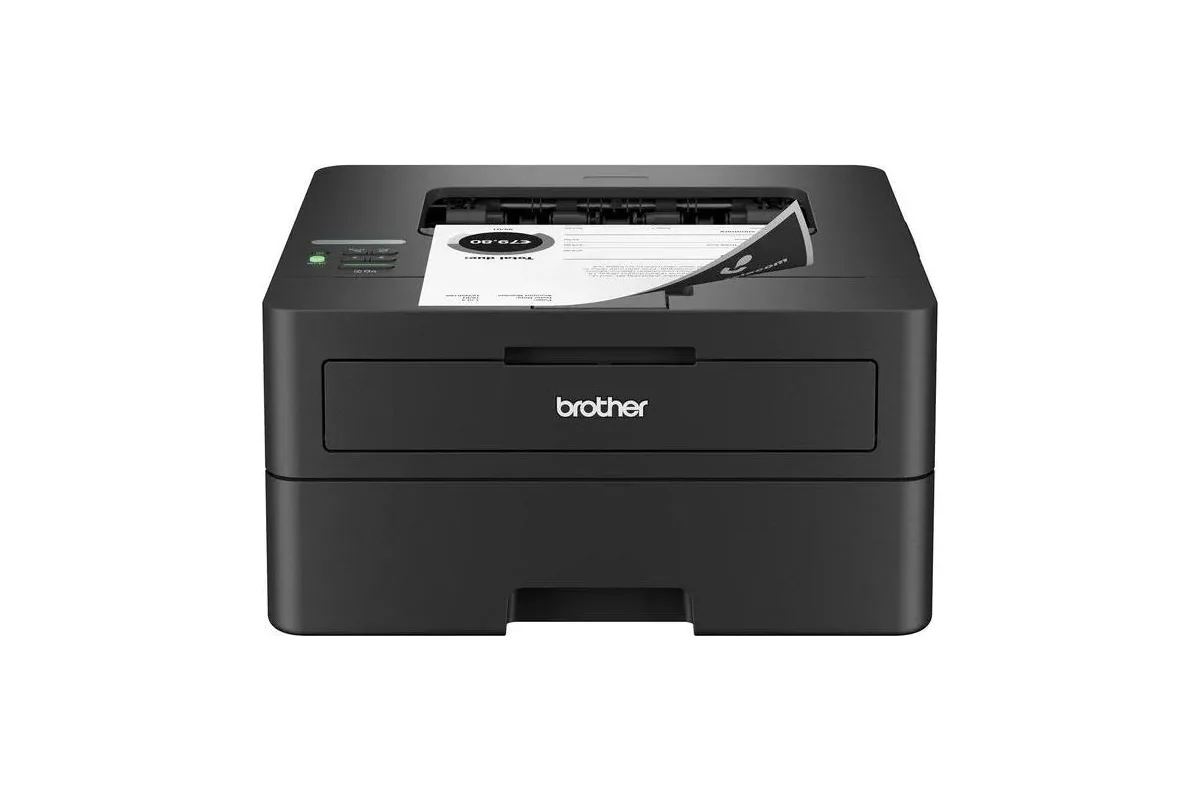
In practice, that means checking the model number for an “e” on HP printers and a “U” on Epson printers, and checking the rated page yield of the cartridges before you buy. The printers that avoid every trap here are ink-tank printers with chip-free bottles, such as the Canon PIXMA G3270, and black-and-white lasers such as the Brother HL-L2460DW.
1. Printers that need an account or subscription to print
- HP “e” models with HP+ turned on. HP’s printers whose model numbers end in “e” (the DeskJet 2855e, Envy 6155e and others) offer HP+ at setup. If you accept, HP requires an HP account, a permanent internet connection and Original HP ink cartridges “for the life of the printer”. HP+ is optional, so decline it, or buy the non-“e” version HP now sells for many models, such as the DeskJet 2955 or Envy 6155.
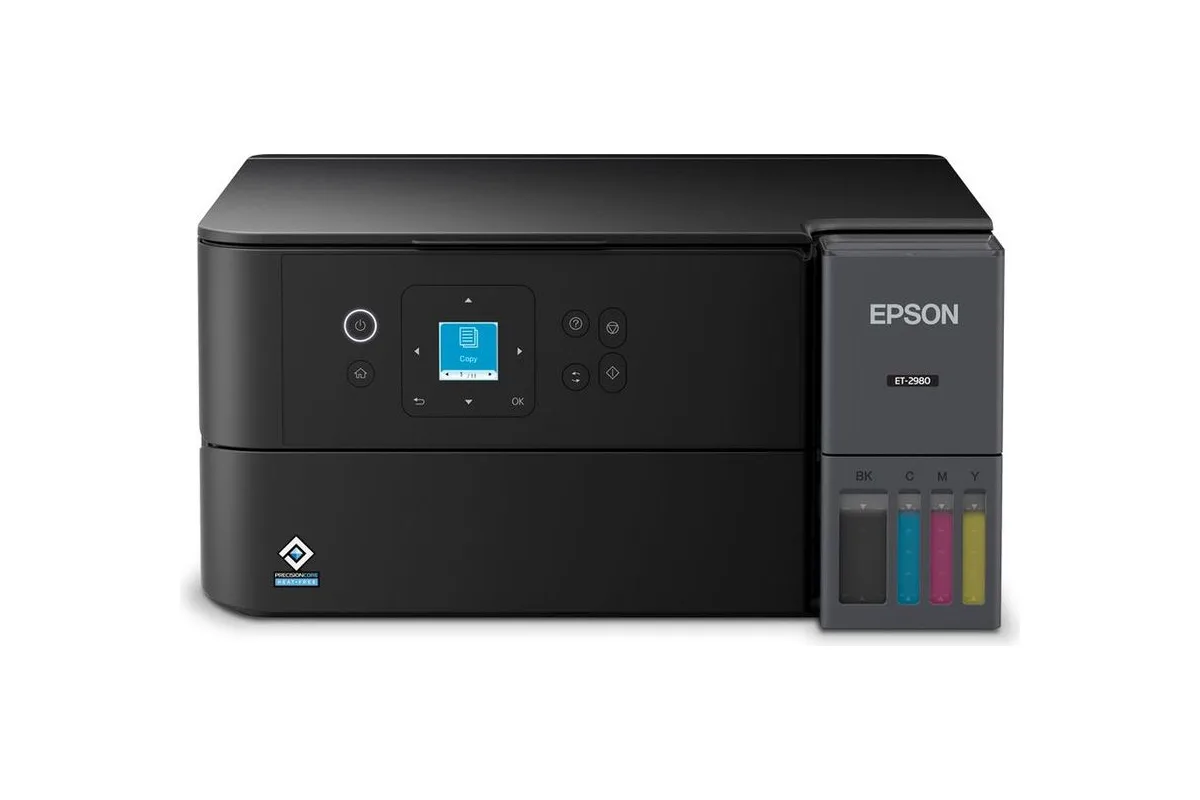
- Epson “U” models. Epson’s ReadyPrint printers, such as the ET-2980U and ET-3950U, are subscription versions of its EcoTanks that won’t work without a plan. Buy the model without the “U”.
- Subscription cartridges. HP’s Instant Ink cartridges stop working if you cancel or the printer goes offline, and HP keeps charging while it’s offline. Instant Ink can be good value, but know that the cartridges in your printer aren’t yours.
2. Cartridges rated for about 100 pages
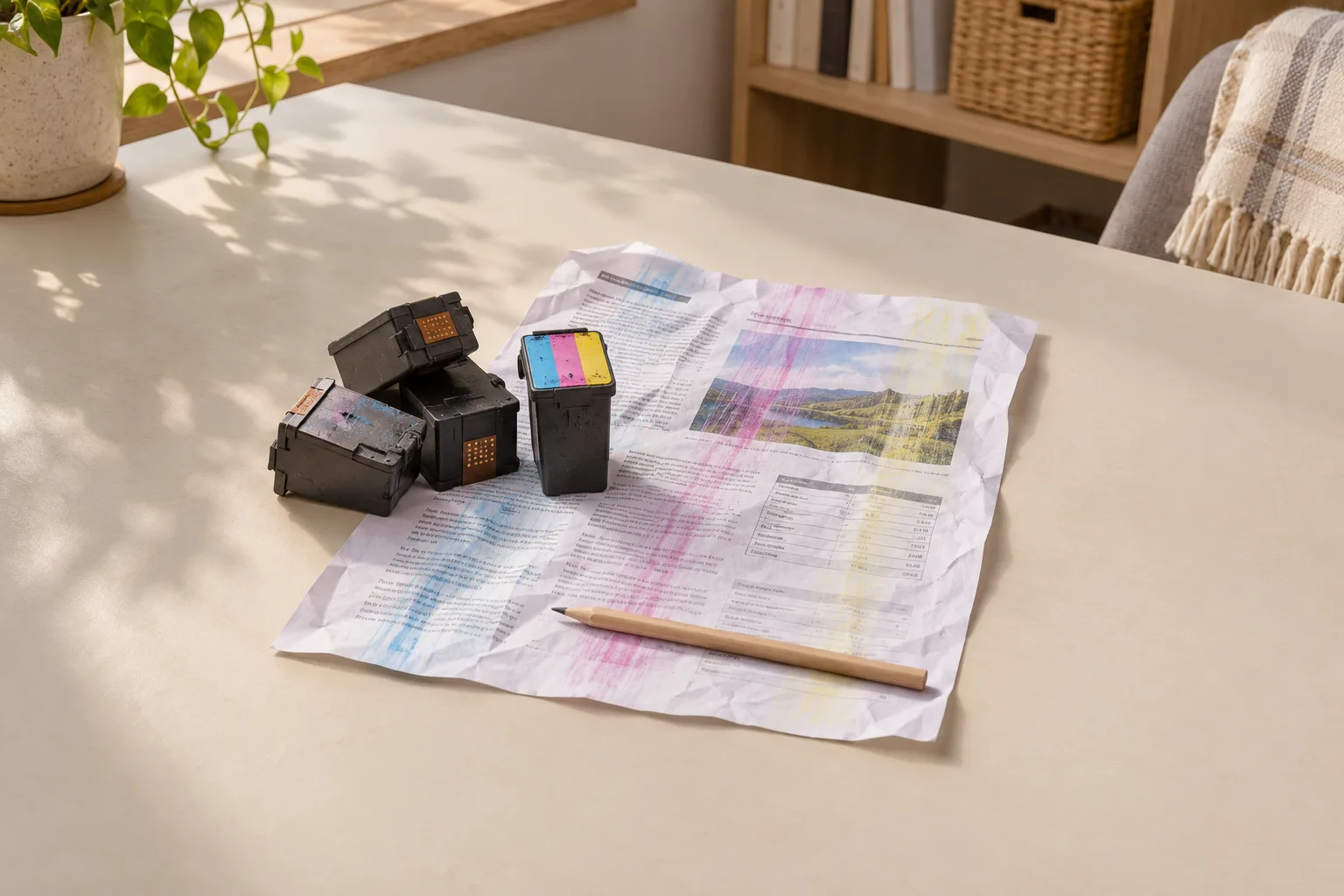
A cheap printer’s real price is its ink. Canon rates its PG-275 black cartridge for the PIXMA TS3720 and TR4720 at 100 pages, and HP rates its 67 black at about 120 and its 67 tri-color at about 100. That works out to 19¢ a black page and 43¢ to 44¢ a color page with standard cartridges, and the cartridges run out every few weeks for a family.
Color cartridges often print fewer pages than the rating, too: HP’s 67 tri-color can run out after about 54 pages against HP’s rated 100, and the 68 tri-color after about 48 against 120.
Rule of thumb: if the printer costs less than a set of its cartridges, you’ll spend more on ink within a year than you did on the printer. See why printer ink is so expensive and the cheapest printer to run.
3. Chip-locked ink, if you want cheaper refills
- HP dynamic security. HP says its home inkjets and LaserJets work only with cartridges that have a new or reused HP chip, and that firmware updates can block cartridges that worked before. Remanufactured HP cartridges work; cloned-chip cartridges may stop working.
- Epson cartridge printers. Epson says its cartridge printers are designed for Epson cartridges only, and that firmware updates may affect third-party cartridges. Its EcoTank bottles have no chips.
If you only ever buy the maker’s own ink, chips don’t matter. If you want to use cheaper compatible ink, choose an ink tank with bottles, or a Brother: Brother says its firmware updates don’t block third-party ink or toner. See remanufactured ink and compatible toner.
4. Tri-color cartridges
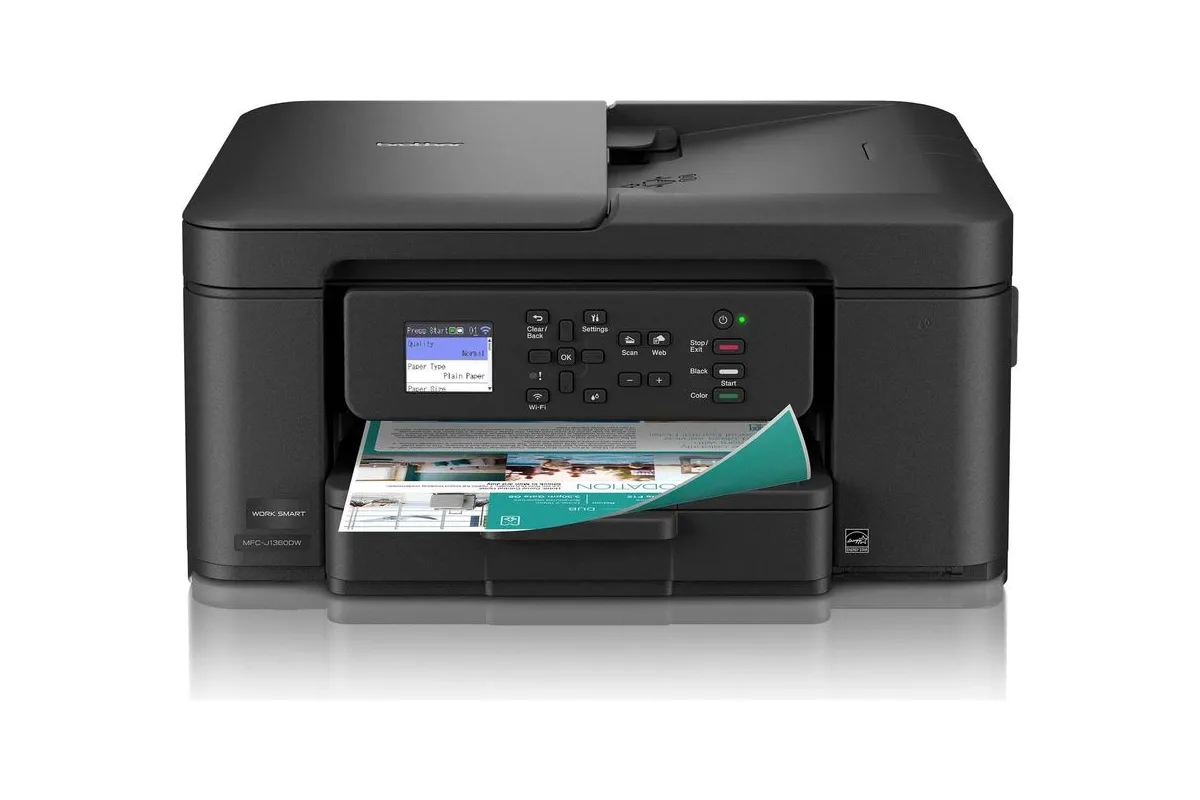
Cheap printers often put cyan, magenta and yellow in one cartridge. When one color runs out, you replace all three, even if the others are half full. Printers with separate color cartridges or tanks, like Brother’s MFC-J1360DW and every ink tank, waste less ink.
5. Inkjets that will sit unused for weeks
Any inkjet can clog if it goes weeks without printing, and cleaning cycles use ink and fill the waste-ink pad. If you print a few pages a month, a black-and-white laser is the safer buy: toner can’t dry out. See the best printer for occasional use.
6. Old models with service-only waste-ink pads
Every inkjet sends ink to a waste pad when it cleans. Newer ink tanks put it in a box you can replace yourself for $11 to $19. Some older models don’t: Canon’s G6020 shows support code 5B00 and needs a Canon repair when its absorber fills, and Epson’s ET-2400 shows “Service Required” when its internal pads near their end. Most homes won’t hit that limit for years, but if you’re choosing between an old model and its replacement, pick the one with the replaceable box.
Also check before you buy
- 2.4 GHz-only Wi-Fi. Older printers such as the Brother HL-L2350DW connect only on 2.4 GHz and can drop off mesh routers. Newer models add 5 GHz.
- A dead-end model. Discontinued printers can still be good buys, but check that their ink or toner is still sold. See our “still good?” comparisons for the HL-L2350DW, ET-2400 and DeskJet 2855e.
- Small starter cartridges. Many cheap printers ship with half-filled “setup” cartridges. Ink tanks ship with up to two or three years of ink.
What should you buy instead?
| If you print… | Buy | Why |
|---|---|---|
| Color, photos or lots of pages | Canon PIXMA G3270 ($144.99) | About 0.4¢ black and 1¢ color, chip-free bottles, no account |
| Black text, or rarely | Brother HL-L2460DW ($179.99) | About 4¢ a page, never clogs, no account |
| Color with two-sided printing | Epson EcoTank ET-2980 ($329.99) | About 0.3¢ black, replaceable maintenance box |
| A few pages a week, on a budget | Brother MFC-J1360DW ($69.99) | Separate color cartridges, document feeder, about 7.9¢ black |
See the best printers without a subscription and the best cheap printers.
Questions people ask
Which printer brand should I avoid?
No brand is all bad, but HP’s cartridge printers carry the most restrictions: chip-locked cartridges, optional HP+ with lifetime HP ink on “e” models, and small cartridge yields. HP’s non-“e” models and Smart Tank printers avoid HP+.
Are HP printers with an “e” bad?
Not as hardware, but HP+ is a trap if you accept it: you need an HP account, an internet connection and HP ink for the life of the printer. Decline HP+ at setup or buy the non-“e” version.
Should I avoid cheap printers?
Avoid cheap printers with 100-page cartridges if you print more than a few pages a month. A $55 printer can cost more to own than a $145 ink tank within a year.
Are ink tank printers worth it?
Yes, for most homes that print weekly. See do ink tank printers pay for themselves?
Should I avoid printers that need an app?
Most printers work without the maker’s app, but a few setup steps are easier with it. See printers that work without an app or account.
Sources
- HP Envy 6155e product page (HP+ and dynamic security wording), HP
- HP Instant Ink plans, HP
- HP Instant Ink terms of service, instantink.hpconnected.com
- HP Printers: Dynamic Security Enabled Printers, h30434.www3.hp.com
- Epson: no third-party ink cartridges, Epson
- Canon PG-275 black ink cartridge, Canon
- HP 67 ink cartridges, HP
- Canon G6000 series support code 5B00, ij.manual.canon
- Epson: Service Required message (ink pads), Epson
Keep exploring

Buying guide
The best barcode label printers
The Zebra ZD421 is the best barcode label printer for most businesses: 4-inch labels at 6 inches a second, any brand of label roll and a 24-month warranty, for about $480 to $526 in November 2026. Get the Brother QL-820NWBc ($229.99) for an office or shop counter, and a thermal transfer model for inventory labels that have to last.
Read story
Buying guide
The best check printers for a small business
The TROY 3001dw ($509.15 at TROY, $530 at Amazon in November 2026) is the best check printer for a small business: a 35 ppm Wi-Fi laser with MICR toner, rated for 350 to 2,500 checks a month, at about 5¢ to 7¢ per check three to a page by our estimate. Get the TROY 4001dn for a locking tray, or the VersaCheck M15 MXD ($399.99) for software in the box.
Read story