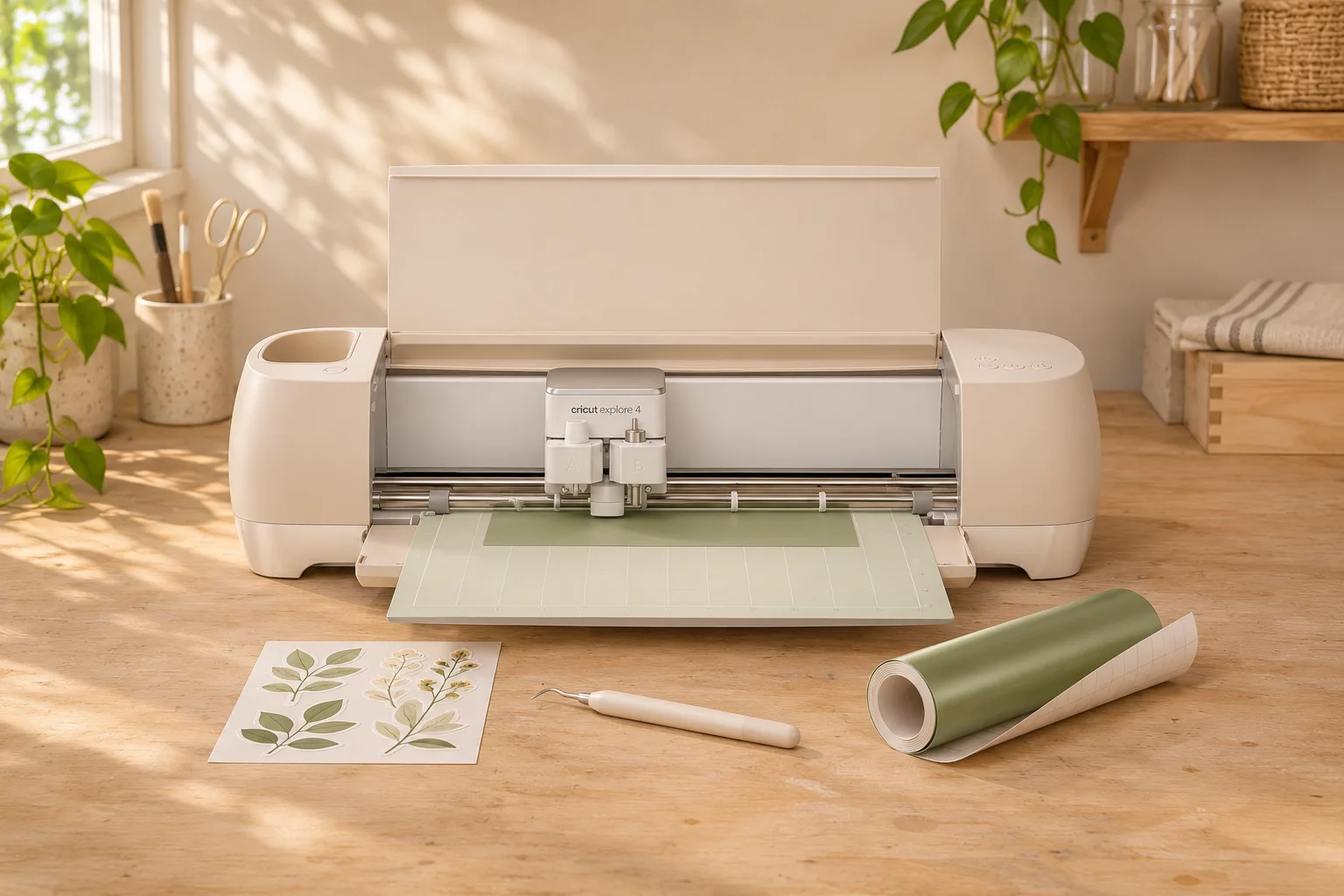
How it scores
- Cutting power and materials25%7.5
Cuts 100+ materials with the fine-point and deep-point blades, writes, draws, foils and scores; no rotary or knife blade, which are Maker-only.
- Cut size15%8.0
11.5 x 23.5 inches on a 12 x 24 mat and Smart Materials up to 11.7 inches wide and 12 feet long without a mat.
- Software and subscription20%6.5
The same free Design Space as new Cricuts, with unlimited uploads, but a Cricut account and internet are needed to sign in, set up and Print Then Cut, and Android has no offline mode.
- Setup and ease of use10%8.0
Two tool clamps, a lid tray for a phone and a storage cup; Print Then Cut up to tabloid on colored paper. It lacks the Explore 5's one-press Load & Go.
- Running costs and support15%7.5
Same mats and blades as other Explores, and Cricut's refurbished units carry its one-year warranty. Its Scoring Stylus and Explore pens don't carry over to newer machines.
- Value15%5.5
At $199 refurbished it costs the same as a new Explore 5 Essential Bundle, which adds more supplies and a smaller body.
Overall 7.1/10, the weighted average.How we score →
Is the Cricut Explore 4 still worth buying?
Not at Cricut’s price. Cricut no longer sells the Explore 4 new. The only one it sells is a Certified Refurbished unit at $199 (Cricut calls it a “$249.00 Value”), and a new Cricut Explore 5 Essential Bundle costs the same $199 in November 2026. The Explore 5 cuts the same materials at the same speed, in a smaller body, with more supplies in the box.
The Explore 4 is still a good machine. If you own one, there’s no reason to replace it; Cricut’s own advice to recent Explore 4 owners is to “stick with” it. If you’re buying, a used or refurbished Explore 4 makes sense only when it costs clearly less than a new Explore 5, enough to cover the Explore 5’s extras and the fact that it’s the older design.
Can you still buy a new Explore 4?
Not from Cricut. As of November 28, 2026:
- The Explore 4 isn’t on Cricut’s Cutting Machines page, which lists the Explore 5, Maker 5, Maker 4, Joy 2, Joy Xtra and Venture.
- A search of Cricut’s store for “explore 4” returns only the Certified Refurbished Explore 4, $199 and in stock.
- The old Explore 4 Seashell + Essentials Bundle page still loads at $299 but shows “Notify me when available.”
Cricut launched the Explore 4 on February 28, 2025, at $249.99, and replaced it with the Explore 5 on February 27, 2026, at $199. We didn’t check other stores for new Explore 4 stock.
Cricut Explore 4 specs
| Spec | Cricut Explore 4 |
|---|---|
| Cut width without a mat | 11.7 in, on 13-inch Smart Materials |
| Longest cut without a mat | 12 ft, Smart Materials only |
| Cut area on a mat | 11.5 x 23.5 in on a 12 x 24 mat |
| Thickness and cut force | Not published; the Deep-Point Blade handles thicker materials |
| Speed | Up to 14.1 in/s (358 mm/s); Cricut says “up to 2X faster” than the Explore 3 |
| Tools | Fine-point and deep-point blades, bonded-fabric blade, foil transfer tool, pens, Scoring Stylus; two tool clamps |
| Print Then Cut | Letter, A4, Legal, Tabloid and A3; up to about 15.9 x 9.9 in on tabloid; white and colored materials |
| Scanner or camera | None; sensors read Print Then Cut marks and measure Smart Materials |
| Connection | Bluetooth, USB-C (cable included, computer only) |
| Apps and offline | Design Space for Windows, Mac, iOS and Android; offline on Windows, Mac and iOS only |
| Size and weight | 22.2 x 7 x 5.9 in; 11.1 lb (refurbished page) or 11.2 lb (help center) |
| Warranty | 1 year, including Cricut’s refurbished units |
| Price, Nov 2026 | Certified Refurbished $199 at Cricut; not sold new |
Source: Cricut’s refurbished listing, help center and press release, read November 28, 2026. Cricut’s blog gives the size as 22.7 x 6.2 in; the refurbished page and help center agree on 22.2 x 7 x 5.9 in.
The refurbished box has the machine, a Premium Fine-Point Blade and Housing, a Light Grip mat, a Fine Point Pen, a mini weeder and practice materials.
What does the Explore 4 do that the Explore 5 doesn’t?
A few small things, all about hardware you may already own:
- It takes the Scoring Stylus. Cricut says the stylus “is not forward-compatible” with the new machines, which use a one-piece Scoring Tool instead.
- It takes original Explore pens as well as Cricut’s new universal pen sets (with the adapter that comes with most of them). The Explore 5 takes only the universal sets.
- Two tool clamps, an expanded storage cup and a tray in the lid for a phone or tablet, by Cricut’s description. Cricut lists a snap-in pen holder for the Explore 5 and doesn’t mention clamps.
- Roll Holder: Cricut lists the Explore 4 as compatible. We didn’t find a Roll Holder statement for the Explore 5.
If you have a drawer of Explore pens and a Scoring Stylus, that’s worth something. If you’re starting from nothing, it isn’t.
What does the Explore 5 add?
Cricut’s summary is “the same core crafting capabilities” in “a smaller, simpler machine with more in-box supplies and a lower starting price.” By the numbers:
- 19.8 x 7.5 x 4.7 in and about 10 lb, against 22.2 x 7 x 5.9 in and 11.1 lb (24% less volume, our arithmetic; Cricut says 30% smaller).
- Load & Go: one press loads, measures and starts the job.
- A Scoring Tool and dual-tip marker in the machine-only box, and the $199 Essential Bundle adds a 2-Card Mat, trimmer and supplies for up to 65 projects.
- A Card Mat 1 x 2 option as well as the Card Mat 2 x 2.
Speed (14.1 in/s), materials (100+), Smart Materials length (12 ft) and Print Then Cut sizes are the same. Our Explore 5 vs Explore 4 comparison has the full table.
What price makes a used Explore 4 worth it?
Cricut doesn’t set one, so this is our reasoning. At $199 the new Explore 5 Essential Bundle is the better buy. The cheaper Cricuts set the floor below that: the Joy Xtra is $129 new (list $179) and cuts only 8.5 inches wide, and Cricut sells a refurbished Explore 3 for $179. A used Explore 4 for well under $179 gets you a 12-inch Cricut for Joy Xtra money; at $179 to $199, buy the Explore 5.
Check a used machine’s blade, mat and pens before you pay. A new Premium Fine-Point Blade and Housing is $37.99 at Cricut’s list price and a 6-pack of 12 x 12 mats is $19.99. Cricut’s one-year warranty runs from the original retail purchase from an authorized seller, so a used machine may have little or none left.
Does the Explore 4 still get software support?
It uses the same Design Space app as the current machines. Design Space is free, with unlimited uploads of your own images and 3,000+ free images; Cricut Access ($9.99 a month or $95.88 a year) is optional. Like every current Cricut, it needs a Cricut account and internet to set up, sign in and Print Then Cut, and Android has no offline mode. See do you need Cricut Access and using a Cricut without internet.
Explore 4 or another Cricut?
| Explore 4 (refurbished) | Explore 5 | Joy Xtra | Maker 4 | |
|---|---|---|---|---|
| Price at Cricut, Nov 2026 | $199 | $199; Essential Bundle $199 | $129 (list $179) | $349 (list $399) |
| Sold new | No | Yes | Yes | Yes |
| Cut width | 11.7 in matless | 11.7–12 in matless | 8.5 in | 11.7 in matless |
| Mat cut area | 11.5 x 23.5 in | Not stated | 8.2 x 11.7 in | 11.5 x 23.5 in |
| Scoring | Scoring Stylus | Scoring Tool | No | Scoring Stylus and scoring wheels |
| Knife and rotary blades | No | No | No | Yes |
| Size | 22.2 x 7 x 5.9 in | 19.8 x 7.5 x 4.7 in | 12.5 x 6 x 5.5 in | 22.1 x 7.1 x 6.2 in |
For thicker materials, the Maker 5 costs the same $349 as the Maker 4 at Cricut and cuts up to 3 mm instead of 2.4 mm.
Questions people ask
Is the Cricut Explore 4 discontinued?
Cricut no longer sells it new. It’s off Cricut’s Cutting Machines page, the new bundle page says “Notify me when available,” and the only Explore 4 Cricut sells is a $199 Certified Refurbished unit. The Explore 5 replaced it in February 2026.
Should I upgrade from an Explore 4 to an Explore 5?
No. They cut the same materials at the same top speed, and Cricut tells recent Explore 4 owners to stick with theirs. The Explore 5 is smaller and easier to load, but your Explore pens and Scoring Stylus won’t work in it.
Is a refurbished Explore 4 a good deal?
Not at $199, the same as a new Explore 5 Essential Bundle. Cricut’s refurbished units do carry its one-year warranty, so a refurbished Explore 4 is a fair buy if it’s discounted well below that.
What’s the difference between the Explore 4 and Explore 5?
Size, loading and accessories. The Explore 5 is about 24% smaller by volume, adds Load & Go and a snap-in pen holder, and uses a new Scoring Tool and universal pens. Speed, materials and Print Then Cut are the same, and cut width is the same or close (Cricut lists 11.7 or 12 inches for the Explore 5). See Explore 5 vs Explore 4.
Can the Explore 4 cut without a mat?
Yes, with Cricut’s Smart Materials, up to 11.7 inches wide and 12 feet long. Other brands’ materials go on a mat.
Key specifications
| Feature | Cricut Explore 4 | Cricut Explore 5 |
|---|---|---|
| Type | Cutting machine | Cutting machine |
| Width | 11.7 in (Smart Materials) | |
| Software | Cricut Design Space | |
| Connection | Bluetooth, USB-C | Bluetooth, USB |
| Where to buy | Check price at Amazon |
Cricut Explore 4
- Type
- Cutting machine
- Width
- 11.7 in (Smart Materials)
- Software
- Cricut Design Space
- Connection
- Bluetooth, USB-C
Cricut Explore 5
- Type
- Cutting machine
- Width
- Software
- Connection
- Bluetooth, USB
More on the Cricut Explore 4
Sources
- Cricut Certified Refurbished Explore 4, cricut.com
- Cricut Explore 4 Seashell + Essentials Bundle (not available), cricut.com
- Cricut refurbished and open-box machines, cricut.com
- Cricut cutting machines, cricut.com
- Cricut Explore 4 Quick Start Guide and FAQ, help.cricut.com
- Cricut: Explore 5 vs Explore 4, cricut.com
- Cricut press release: Explore 4 and Maker 4 (Feb 27, 2025), investor.cricut.com
- Cricut Explore 5 product page, cricut.com
- Cricut: How large can I Print Then Cut?, help.cricut.com
- Cricut: All about blades and machine tools, help.cricut.com
- Cricut blades and tools, cricut.com
- Cricut machine mats, cricut.com
- Cricut warranty documentation, help.cricut.com
- Amazon: Cricut Explore 5 Essential Bundle, amazon.com
Keep exploring
Comparison
Adhesive vinyl vs heat transfer vinyl: what's the difference?
Adhesive vinyl sticks with pressure to hard, smooth surfaces like tumblers, signs and walls; heat transfer vinyl (HTV, or iron-on) bonds to fabric with heat. Adhesive vinyl is cut unmirrored and moved with transfer tape; HTV is cut mirrored and pressed at about 305°F to 315°F. Both cut on any Cricut, including the $199 Explore 5.
Compare them
Buying guide
The best cheap cutting machines
The Cricut Joy Xtra is the best cheap cutting machine at $129 in November 2026 (list $179): 8.5-inch cuts and letter-size Print Then Cut, at the lowest cost per inch of cut width we found ($15.18, our estimate). For $199, the Explore 5 is the cheapest 12-inch cutter and the better buy at list prices.
See the picks
Buying guide
The best Cricut machines: which Cricut should you buy?
The Cricut Explore 5 is the best Cricut for most people: 12-inch cuts, 12-foot matless runs and tabloid Print Then Cut for $199 at Cricut in November 2026, machine alone or as the Essential Bundle. Buy the $349 Maker 5 for wood, leather and fabric, the $99 Joy 2 or $129 Joy Xtra for small projects, and the $499 Venture for a vinyl business.
See the picks
Buying guide
The best cutting machine for every material
The Cricut Maker 5 ($349) is the best cutting machine if you want one that cuts vinyl, cardstock, unbacked fabric, leather and thin wood. By material: the Silhouette CAMEO 5α for vinyl ($279.99), the Cricut Explore 5 for paper and cardstock ($199), the AccuQuilt GO! for quilting ($329.99), the Maker 5 for leather and wood, and the 24-inch Siser Romeo for long signs ($399 on sale).
See the picks