The quick answer
The best Cricut for most people is the Cricut Explore 5: it cuts vinyl, iron-on, cardstock and stickers 12 inches wide, feeds Smart Materials 12 feet without a mat, Print Then Cuts tabloid sheets and runs at 14.1 inches a second, for $199 at Cricut in November 2026 (the Essential Bundle is also $199). Buy the Maker 5 ($349) only for wood, leather, chipboard, unbacked fabric or engraving; the Joy Xtra ($129) for letter-size stickers on a small desk; the Joy 2 ($99) for labels and cards; and the Venture ($499) for 24-inch vinyl work. Design Space is free on all of them; Cricut Access ($9.99 a month) is optional.
Our quick picks

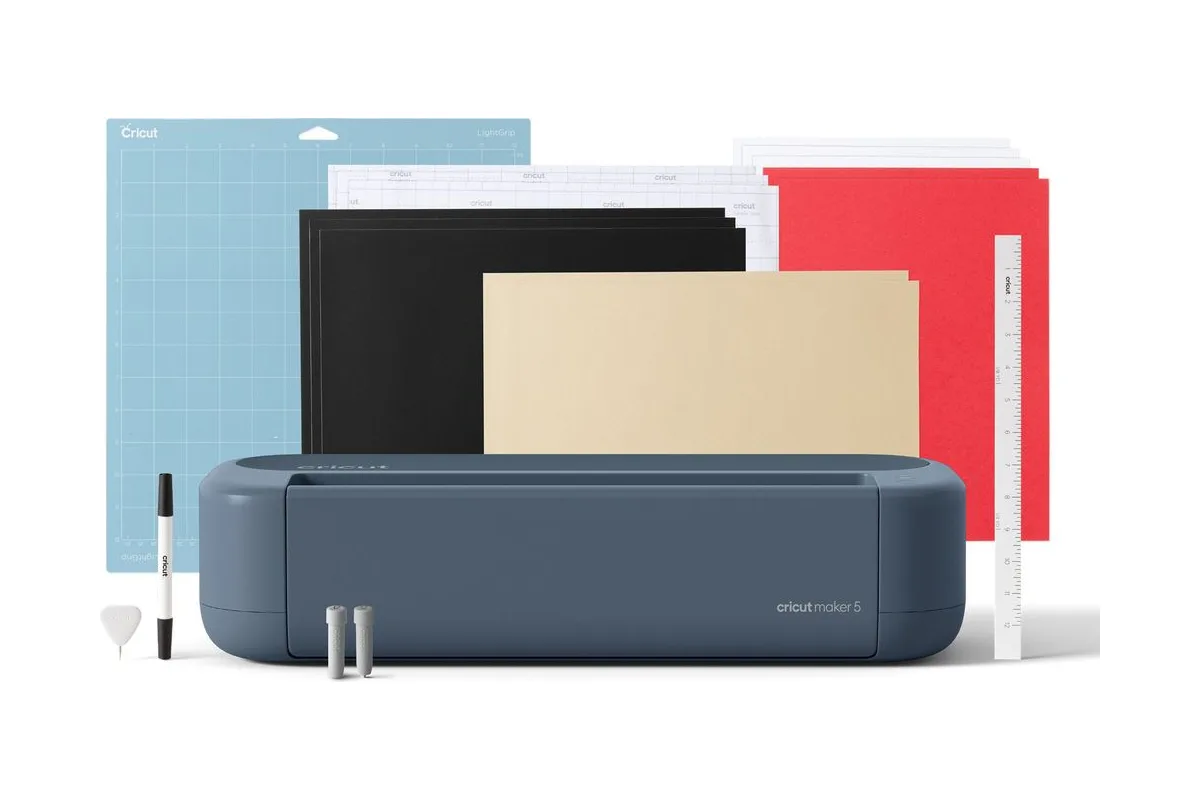
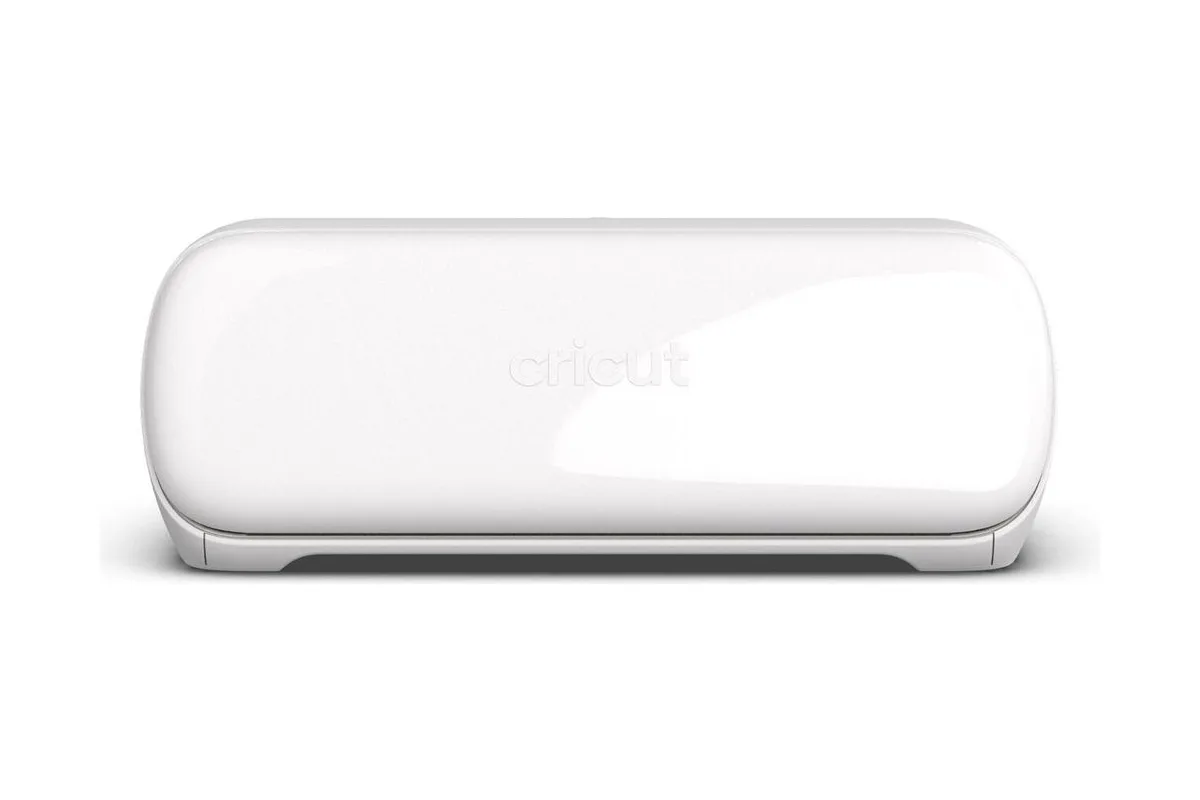
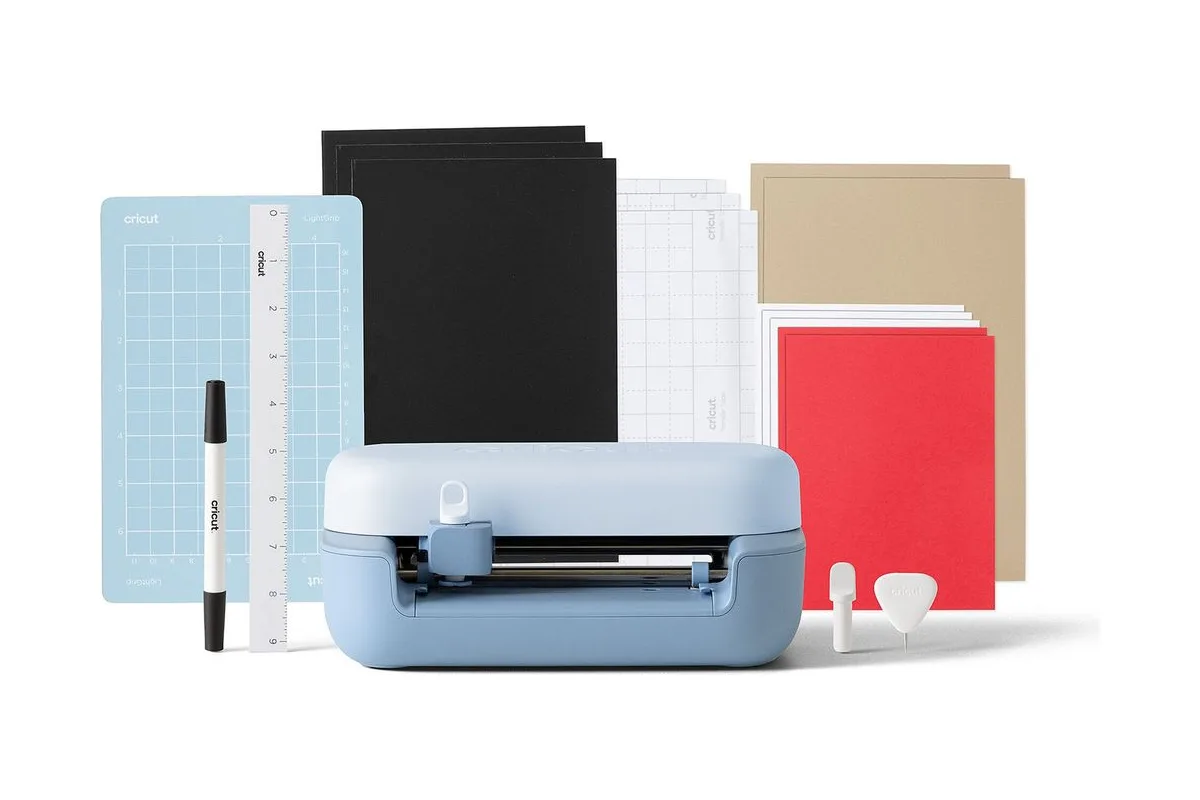
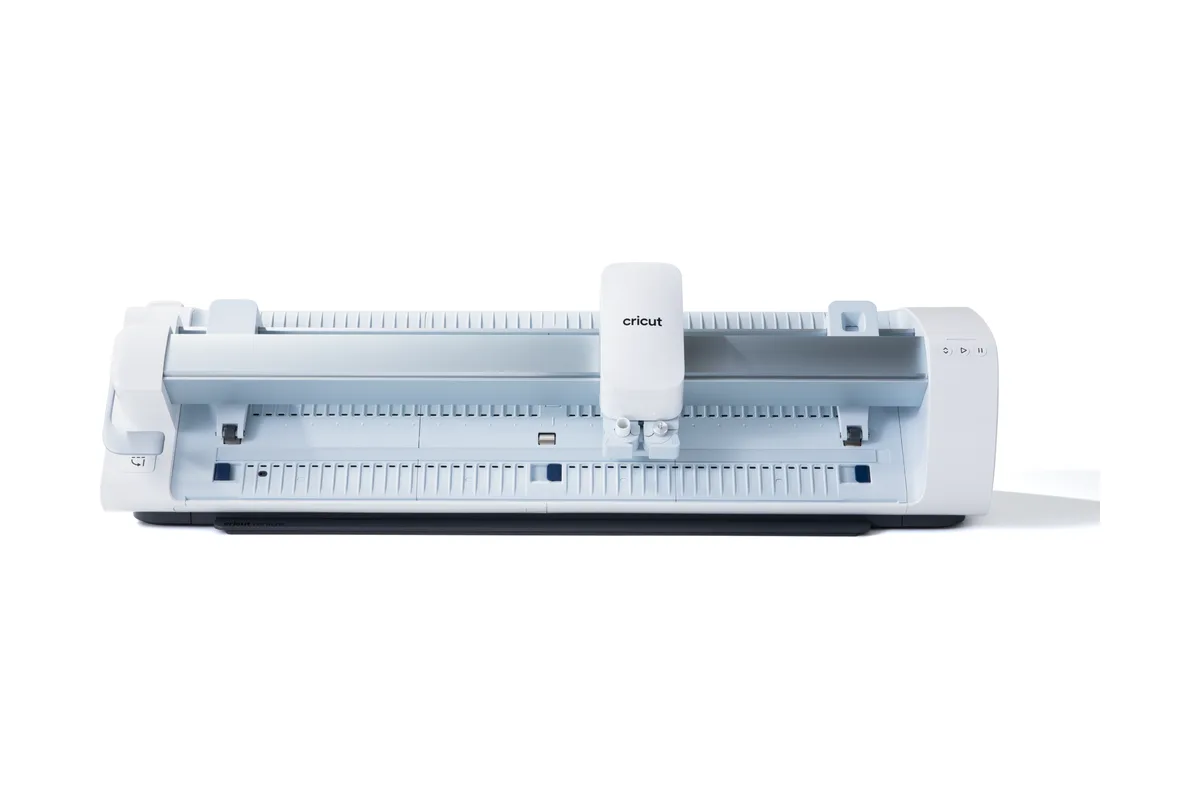
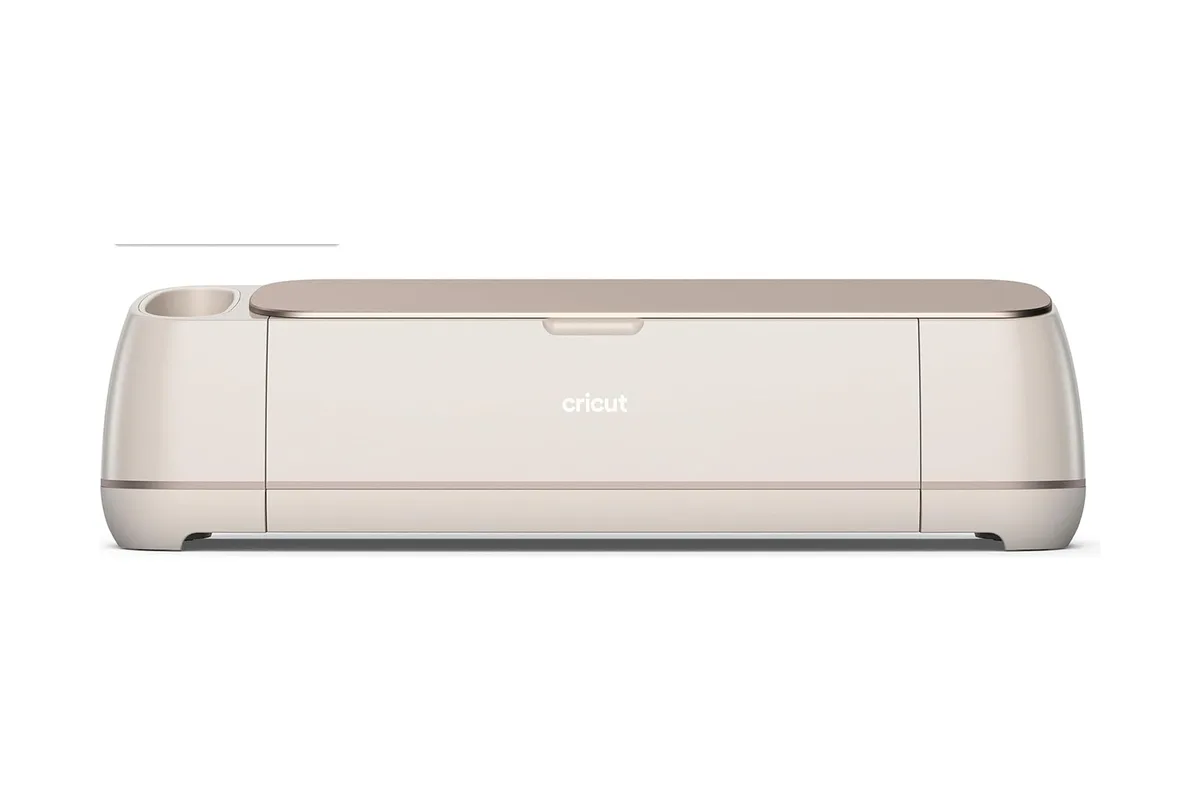
Compare the picks
| Feature | Best Cricut for most peopleCricut Explore 5 | Best Cricut for wood, leather and fabricCricut Maker 5 | Best small Cricut for stickersCricut Joy Xtra | Cheapest CricutCricut Joy 2 | Best Cricut for a vinyl businessCricut Venture | Previous Maker, worth it only as a bundleCricut Maker 4 |
|---|---|---|---|---|---|---|
| Type | Cutting machine | Cutting machine | Cutting machine | Cutting machine | Cutting machine | Cutting machine |
| Media | Printable vinyl, sticker paper, cardstock, HTV | Printable vinyl, sticker paper, cardstock | ||||
| Max size | 12 x 24 in mat | 8.2 x 11.7 in mat | ||||
| Connection | Bluetooth, USB | Bluetooth, USB-C | Bluetooth | Bluetooth | Bluetooth, USB | |
| Where to buy | Check price at Amazon | Check price at Amazon | Check price at Amazon | Check price at Amazon | Check price at Amazon |
Best Cricut for most people
Cricut Explore 5
- Type
- Cutting machine
- Media
- Printable vinyl, sticker paper, cardstock, HTV
- Max size
- 12 x 24 in mat
- Connection
- Bluetooth, USB
Best Cricut for wood, leather and fabric
Cricut Maker 5
- Type
- Cutting machine
- Media
- Max size
- Connection
- Bluetooth, USB-C
Best small Cricut for stickers
Cricut Joy Xtra
- Type
- Cutting machine
- Media
- Printable vinyl, sticker paper, cardstock
- Max size
- 8.2 x 11.7 in mat
- Connection
- Bluetooth
Cheapest Cricut
Cricut Joy 2
- Type
- Cutting machine
- Media
- Max size
- Connection
- Bluetooth
Best Cricut for a vinyl business
Cricut Venture
- Type
- Cutting machine
- Media
- Max size
- Connection
- Bluetooth, USB
Previous Maker, worth it only as a bundle
Cricut Maker 4
- Type
- Cutting machine
- Media
- Max size
- Connection
01Best Cricut for most people
Cricut Explore 5
Cricut's 2026 full-size cutter, the cheapest Cricut with 12-inch mats and tabloid-size Print Then Cut.
The Explore 5 is the Cricut to buy for shirts, decals, cards, labels and stickers. It cuts 12-inch materials on 12 x 12 and 12 x 24 mats, feeds Cricut's Smart Vinyl and Smart Iron-On up to 12 feet without a mat, Print Then Cuts up to about 15.9 x 9.9 inches on tabloid paper, and runs at Cricut's top full-size speed of 14.1 inches a second. It's the same 19.8 x 7.5 x 4.7-inch body as the Maker 5, and it comes with a Scoring Tool and a dual-tip marker.
It's $199 at Cricut in November 2026, and the Essential Bundle, which adds a card mat, trimmer, weeding tools and more materials, is also $199 at Cricut and Amazon (list $249). What you give up against the Maker 5 is the Rotary Blade, Knife Blade, engraving and QuickSwap tips: Cricut lists 100+ materials for it against 300+. The warranty is one year. Read our Explore 5 review.
Good for
- 12 x 12 and 12 x 24 inch mats, and up to 12 feet of Smart Materials without a mat
- Sensor that recognizes and cuts around inkjet-printed images
- $199 at Cricut, and the Amazon Essential Bundle is also $199 in November 2026
Consider
- You still need a separate inkjet printer
- Design Space needs a Cricut account and the internet for setup, uploads and Print Then Cut; Cricut Access is a paid extra
02Best Cricut for wood, leather and fabric
Cricut Maker 5
Cricut's newest Maker (September 2026): 12-inch cuts, materials up to 3 mm thick and 13 tools, $349 at Cricut or $399 as the Essential Bundle on Amazon.
The Maker 5 is the Cricut for material the others can't cut. It takes 13 tools, including the Rotary Blade for fabric without a backer and the Knife Blade for basswood, chipboard and tooling leather, plus QuickSwap tips for scoring wheels, debossing, engraving, perforation and wavy edges. Cricut rates it for material up to 3 mm (1/8 inch) thick, depending on density and tool. It cuts 12 inches wide and 12 feet long with Smart Materials at 14.1 inches a second, and weighs 10.9 lb.
It's $349 at Cricut for the machine alone (launched September 2026, no sale price), and $399 as the Essential Bundle at Cricut and Amazon. The specialty blades cost extra ($49.99 for the Knife, $54.99 for the Rotary at list), so if you want them, the $449 Ultimate Plus + Access bundle includes both plus the Deep blade, an Engraving Tool and an EasyPress Mini LT. Knife Blade and Foil jobs need a computer. Read our Maker 5 review.
Good for
- Cuts materials up to 3 mm (1/8 in) thick, up from 2.4 mm on the Maker 4
- Works with 13 tools, including rotary, knife, engraving and debossing tips
- Cuts Smart Vinyl and Smart Iron-On up to 12 feet without a mat
Consider
- Cricut publishes no cutting force
- Design Space needs a Cricut account and internet for setup; Cricut Access is a paid extra
03Best small Cricut for stickers
Cricut Joy Xtra
Cricut's compact cutter that does Print Then Cut on letter-size sheets, at $129 in November 2026.
The Joy Xtra is the small Cricut that Print Then Cuts a full letter sheet: up to about 9.9 x 7.4 inches of printed stickers, on white, light and simply patterned paper. It cuts 8.2 x 11.7 inches on its mat and 8.5 inches wide by 4 feet long with Smart Materials, at 5.65 inches a second, and it's 12.5 x 6 x 5.5 inches and 6 lb.
It's $129 at Cricut and Amazon in November 2026 (MSRP $179). The machine-only box has no mat, so add an $11.99 Joy Xtra mat or buy the $139 Everything Bundle + Access, which includes one. It connects by Bluetooth only, can't score, and uses only Cricut Joy pens. Too narrow for adult shirt fronts. Read our Joy Xtra review.
Good for
- Print Then Cut on letter and A4 sheets, including colored cardstock
- Small enough to keep on a desk
- $129 in November 2026 (list $179)
Consider
- Prints and cuts up to about 7.4 x 9.9 inches on letter paper; no tabloid sheets
- 8.5-inch-wide materials only
04Cheapest Cricut
Cricut Joy 2
Cricut's 2026 mini cutter: 4.5-inch cuts, Print Then Cut on narrow strips (up to about 3.2 x 9.9 inches from letter paper) and a scoring tool, $99 at Cricut or $109 as the Essential Bundle on Amazon.
The Joy 2 is Cricut's cheapest and smallest machine: 9.1 x 5.4 x 2.8 inches and 2.7 lb. It cuts 4.5 inches wide, up to 4 feet long with Smart Materials, at 5.3 inches a second, and unlike the original Joy it scores (a Scoring Tool is in the box) and does Print Then Cut, though only about 9.9 x 3.2 inches from a letter sheet, so Design Space has you trim the sheet to fit.
It's $99 at Cricut in November 2026 for the machine alone in Blue, and $109 as the Essential Bundle at Cricut and Amazon (list $139). It's right for labels, cards, small decals and gift tags, not shirts or signs. It connects by Bluetooth, works from a phone, and Cricut doesn't list it for Print Then Cut on colored paper. Read our Joy 2 review.
Good for
- $99 machine; Smart Materials up to 4 feet without a mat
- Adds Print Then Cut for labels and strips up to about 3.2 x 9.9 inches, which the original Joy lacked
- Small: 9.1 x 5.4 x 2.8 inches and under 3 pounds
Consider
- 4.5-inch cut width limits shirts, signs and larger decals
- Slower than full-size Cricuts (5.3 inches per second)
05Best Cricut for a vinyl business
Cricut Venture
Cricut's 24-inch commercial-speed cutter: 25.4 inches per second, 400 gf of force and repeated cuts up to 75 feet, $499 at Cricut (launched at $999).
The Venture is Cricut's 24-inch wide-format cutter for selling vinyl and HTV in volume. It cuts single images up to 12 feet and repeated images up to 75 feet, at 25.4 inches a second with 400 gf of force, the only cut force Cricut publishes. Print Then Cut takes sheets up to 24 x 28 inches.
It's $499 at Cricut in November 2026, half its $999 launch price, and the Everything Bundle, with a 24 x 28 mat and seven rolls of Smart Vinyl and Smart Iron-On, is the same $499. It works only with Design Space on a computer, takes 7 tools (no Knife or Rotary), weighs 34.7 lb and needs a workspace about 35 x 42.5 inches. Amazon has no listing. Read our Venture review.
Good for
- 24-inch cut width and 25-inch Smart Materials
- Fastest Cricut at 25.4 in/s; the only one with a published cut force (400 gf)
- Repeated cuts up to 75 feet; Print Then Cut up to 24 x 28 inches
Consider
- Desktop only: Design Space for phones and tablets doesn't support it
- Needs Performance Machine Mats, sold separately, and a 34.8-inch-wide space
06Previous Maker, worth it only as a bundle
Cricut Maker 4
Cricut's previous top cutter, still sold beside the Maker 5: cuts about 11.5 inches wide on a mat, Smart Vinyl up to 12 feet and Smart Iron-On up to 4 feet without a mat, $349.
The Maker 4 is still on sale beside the Maker 5, with the same 13 tools, 300+ materials and 14.1 inches a second. But it's the same $349 machine-only at Cricut and Amazon in November 2026, and it cuts 2.4 mm against the Maker 5's 3 mm, feeds Smart Iron-On only 4 feet without a mat, and weighs 15.4 lb.
Buy it as Cricut's $349 Everything Bundle + Access, which adds a card mat, trimmer and a stack of materials for the price of a bare Maker 5, or if you already own Maker pens and a Scoring Stylus, which don't fit the Maker 5. Read our Maker 4 review.
Good for
- Cuts designs about 11.5 inches wide, enough for an 11-inch adult full-front print
- Cuts fabric, felt and thicker materials with extra blades
- Design Space is free; Cricut Access is optional at $9.99 a month
Consider
- Cricut publishes no cutting force and gives a one-year warranty
- Design Space needs a Cricut account and the internet for setup, uploads and Print Then Cut
What is the best Cricut machine?
The Cricut Explore 5, for most people. It’s $199 at Cricut in November 2026, and the Essential Bundle, with a card mat, trimmer, weeding tools and extra materials, costs the same $199 at Cricut and Amazon. It cuts the same 12-inch width as the Maker 5, at the same 14.1 inches a second, with the same 12-foot matless runs and tabloid Print Then Cut, in the same size body.
The $349 Maker 5 is the more capable machine, but its extra $150 only pays off if you’ll cut basswood, chipboard, leather, felt or fabric without a backer, or engrave. Cricut’s smaller Joy 2 ($99) and Joy Xtra ($129) suit labels, cards and stickers on a small desk, and the 24-inch Venture ($499) is for selling vinyl in volume.
Which Cricut should I buy?
| If you’ll mainly make | Buy | Price (Cricut, Nov 2026) |
|---|---|---|
| Iron-on T-shirts and tote bags | Explore 5 | $199 |
| Vinyl decals for cups, signs and walls | Explore 5 | $199 |
| Cards, invitations and paper crafts | Explore 5 | $199 |
| Print-then-cut stickers on tabloid sheets | Explore 5 | $199 |
| Print-then-cut stickers on letter sheets, small desk | Joy Xtra | $129 |
| Labels, gift tags, small decals, cards up to 4.5 in wide | Joy 2 | $99 |
| Quilting and sewing fabric without a backer, felt | Maker 5 + Rotary Blade | $349 + $54.99 |
| Basswood, balsa, chipboard, tooling leather | Maker 5 + Knife Blade | $349 + $49.99 |
| Engraving, debossing, perforated or wavy edges | Maker 5 + QuickSwap tips | $349 + tips |
| Signs, banners and HTV wider than 12 in, or in batches | Venture (Everything Bundle) | $499 |
| Thick wood (over 3 mm) or engraved wood | A laser, not a Cricut | See below |
Tool prices are Cricut’s list prices. If wood is the main job, a laser cuts in one pass what a Cricut’s Knife Blade cuts in many; see the best cutting machines for leather and wood.
Every current Cricut compared
| Spec | Joy 2 | Joy Xtra | Explore 5 | Maker 5 | Maker 4 | Venture |
|---|---|---|---|---|---|---|
| On sale | Feb 2026 | Sept 2023 | Feb 2026 | Sept 2026 | Feb 2025 | July 2023 |
| Machine alone, Cricut (list) | $99 | $129 ($179) | $199 | $349 | $349 ($399) | $499 ($999 launch) |
| Cheapest bundle, Cricut | Essential $109 | Everything + Access $139 | Essential $199 | Essential $399 | Everything + Access $349 | Everything + Access $449 |
| Amazon | Essential Bundle $109 | Machine $129 | Essential Bundle $199 | Essential Bundle $399 | Machine $349 | Not listed |
| Cut width, no mat | 4.5 in | 8.5 in | 11.7 in* | 12 in | 11.7 in | 24 in |
| Largest cut on a mat | 4.2 x 11.7 in | 8.2 x 11.7 in | Not published (12 x 24 mat) | 11.5 x 23.5 in | 11.5 x 23.5 in | 24 x 28 mat |
| Longest matless cut | 4 ft | 4 ft | 12 ft | 12 ft | 12 ft vinyl, 4 ft iron-on | 12 ft; 75 ft repeated |
| Thickness | Not published | Not published | Not published (Deep blade 1.5 mm) | 3 mm | 2.4 mm | Not published (Deep blade 1.5 mm) |
| Cut force | Not published | Not published | Not published | Not published | Not published | 400 gf |
| Speed | 5.3 in/s (135 mm/s) | 5.65 in/s (144 mm/s) | 14.1 in/s (358 mm/s) | 14.1 in/s | 14.1 in/s | 25.4 in/s (645 mm/s) |
| Tools | 3, plus Scoring Tool | 3; no scoring | 6 (or 5; Cricut’s pages differ) | 13 | 13 | 7 |
| Materials (Cricut) | 75+ | 50+ to 75+ | 100+ | 300+ | 300+ | 100+ |
| Print Then Cut, letter | 9.94 x 3.19 in | 9.94 x 7.44 in | 9.94 x 7.44 in | 9.94 x 7.44 in | 9.94 x 7.44 in | 9.94 x 7.44 in |
| Print Then Cut, largest | Letter or A4 only | Letter or A4 only | 15.94 x 9.94 in (tabloid) | 15.94 x 9.94 in | 15.94 x 9.94 in | 26.94 x 22.94 in (24 x 28 sheet) |
| Connection | Bluetooth | Bluetooth | Bluetooth, USB-C | Bluetooth, USB-C | Bluetooth, USB-C | Bluetooth, USB |
| Phone app | Yes | Yes | Yes | Yes | Yes | No, desktop only |
| Size | 9.1 x 5.4 x 2.8 in | 12.5 x 6 x 5.5 in | 19.8 x 7.5 x 4.7 in | 19.8 x 7.5 x 4.7 in | 22.1 x 7.1 x 6.2 in | 8.81 x 34.82 x 10.4 in |
| Weight | 2.7 lb | 6 lb | 10.1 lb | 10.9 lb | 15.4 lb | 34.7 lb |
| Warranty (US) | 1 year | 1 year | 1 year | 1 year | 1 year | 1 year |
| Cost per inch of width | $22.00 | $15.18 | $17.01 | $29.08 | $29.83 | $20.79 |
Source: Cricut’s product pages, help center, press releases and comparison chart, and Amazon listings, read November 28, 2026. *Cricut’s chart gives the Explore 5 11.7 inches without a mat and its help center 12 inches; we use the smaller. The Maker 4’s 4-foot Smart Iron-On limit is from its FAQ. Cost per inch is our arithmetic: machine-only price divided by matless width. Speeds are Cricut’s maximums. Offline use works on Windows, macOS and iOS for every machine with a phone app; Android has no offline mode.
Which Cricuts are discontinued or replaced?
| Machine | Status, November 2026 | Where to get it |
|---|---|---|
| Explore 4 | Replaced by the Explore 5 (Feb 2026); off Cricut’s machine page | Certified Refurbished, $199; see the Explore 4 review |
| Maker 3 | Not sold new; its page is gone | Certified Refurbished, $269 |
| Explore 3 | Not sold new; its old page leads to the Explore 5 | Certified Refurbished, $179 |
| Joy (original) | Not sold new; no Print Then Cut | Certified Refurbished, $79, out of stock |
| Maker 4 | Still sold new beside the Maker 5 | $349 new; refurbished $299, out of stock |
| Joy Xtra | Current | Refurbished $129, the same as new |
Cricut’s refurbished machines carry its standard one-year limited warranty. A refurbished Explore 4 costs the same $199 as a new Explore 5, which is smaller and lighter, so buy the new one. See Explore 5 vs Explore 4.
Do you need Cricut Access?
No. Design Space, Cricut’s software, is free for every machine, and you can’t run a Cricut without it. The free tier includes unlimited uploads of your own SVG, DXF, PNG and JPG files, your computer’s fonts, 3,000+ images, 100+ fonts, 250+ projects and the right to sell finished projects under Cricut’s Angel Policy.
| Free | Access Standard | Access Premium | |
|---|---|---|---|
| Price | $0 | $9.99/month or $95.88/year | $14.99/month or $119.88/year |
| Images | 3,000+ | 1.5 million+ | 1.5 million+ |
| Fonts | 100+ and system fonts | 1,000+ | 1,000+ |
| Your own uploads | Unlimited | Unlimited | Unlimited |
| Convert to Layers, background remover, Warp | No | Yes | Yes |
| Store discount | No | 10% (up to $50 an item) | 10% (up to $50 or $100 an item; Cricut’s pages differ), or 20% off Cricut materials |
Source: Cricut’s subscription plans page (effective July 14, 2026). Cricut is also testing Basic, Plus and Pro plans ($12.99 to $29.99 a month) with some desktop users. All machines need the internet to install Design Space, sign in, set up and use Print Then Cut; after that, saved projects cut offline on Windows, macOS and iOS. See is Cricut Access worth it? and how to use a Cricut without internet.
Which Cricuts cut without a mat?
All six current machines, but only with Cricut’s Smart Materials. Other brands’ vinyl and iron-on go on a mat.
| Machine | Smart Material width | Longest single cut | Shortest piece without a mat |
|---|---|---|---|
| Joy 2 | 5.5 in | 4 ft (repeated cuts up to 20 ft) | 4 in |
| Joy Xtra | 9.5 in | 4 ft | 6 in |
| Explore 5 | 13 in | 12 ft | 6 in |
| Maker 5 | 13 in | 12 ft (Smart Paper 11.2 in) | 6 in |
| Maker 4 | 13 in | 12 ft Smart Vinyl; 4 ft Smart Iron-On | 6 in |
| Venture | 13 or 25 in | 12 ft (repeated up to 75 ft) | 6 in |
Source: Cricut’s Smart Materials and machine help articles. Smart Vinyl costs more than regular vinyl: $2.77 a square foot on the 3-foot roll at list against $1.00 for Cricut’s Value Vinyl (our arithmetic). See Cricut Smart Materials without a mat and can you use any vinyl with a Cricut?
How much does each Cricut cost to own?
| Joy 2 | Joy Xtra | Explore 5 | Maker 5 / Maker 4 | Venture | |
|---|---|---|---|---|---|
| Machine (Cricut) | $99 | $129 | $199 | $349 | $499 |
| Year 1, free software | $123.98 | $153.98 | $233.98 | $383.98 | $545.38 |
| 3 years, free software | $173.94 | $203.94 | $303.94 | $453.94 | $638.14 |
| 3 years with Access Standard | $461.58 | $491.58 | $591.58 | $741.58 | $925.78 |
Our estimate. Inputs per year, at list prices: Joy 2, a five-pack of 4.5 x 12 mats ($11.99) and a Joy 2 cutting tool ($12.99); Joy Xtra, one Joy Xtra mat ($11.99) and a Joy replacement blade ($12.99); Explore and Maker, a six-pack of 12 x 12 mats ($19.99) and a fine-point replacement blade ($14.99); Venture, a 24 x 28 Performance mat ($31.39 at Amazon) and a Performance blade ($14.99). Access Standard is $95.88 a year. Cricut publishes no blade or mat lifespan, so one of each a year is our assumption. See Cricut running costs.
Which tools work in which Cricut?
| Tool | Joy 2 | Joy Xtra | Explore 5 | Maker 5 | Maker 4 | Venture |
|---|---|---|---|---|---|---|
| Fine-point blade | Joy 2 tool | Joy blade | Yes | Yes | Yes | Performance blade |
| Scoring | Scoring Tool | No | Scoring Tool | Scoring Tool | Scoring Stylus | Scoring Stylus |
| Foil | Joy Foil kit | Joy Foil kit | Yes | Yes | Yes | Yes |
| Deep-Point (up to 1.5 mm) | No | No | Yes | Yes | Yes | Yes |
| Bonded-Fabric | No | No | Yes | Yes | Yes | Yes |
| Rotary Blade | No | No | No | Yes | Yes | No |
| Knife Blade | No | No | No | Yes | Yes | No |
| QuickSwap tips (engraving, debossing, perforation, wavy, scoring wheels) | No | No | No | Yes | Yes | No |
Source: Cricut’s blades help article and machine pages. See Cricut blades explained.
How we chose
We compared every cutting machine on Cricut’s US Cutting Machines page in November 2026 (Joy 2, Joy Xtra, Explore 5, Maker 5, Maker 4 and Venture), plus the older models Cricut now sells only refurbished. We used Cricut’s product pages, help-center spec and FAQ articles, press releases and comparison chart, and prices read at Cricut, Amazon and other stores on November 28, 2026, the day after Black Friday; sale prices may change. Where Cricut’s own pages disagree, we say so and use the more conservative figure. Cost per inch and ownership costs are our arithmetic, with inputs shown. We haven’t tested these machines ourselves; see how we score.
Questions people ask
What is the best Cricut machine?
The Explore 5 for most people, at $199: 12-inch cuts, 12-foot matless runs and tabloid Print Then Cut. The $349 Maker 5 is the most capable, for wood, leather, fabric and engraving.
Which Cricut should I buy as a beginner?
The Explore 5. It handles every common beginner project, from shirts to cards, and the $199 Essential Bundle includes starter tools and materials. See the best cutting machines for beginners.
What is the newest Cricut?
The Maker 5, on sale since September 4, 2026. The Explore 5 and Joy 2 launched earlier, in February 2026.
What’s the difference between the Cricut Explore and Maker?
The Maker takes the Rotary Blade, Knife Blade and QuickSwap tips and cuts thicker material (3 mm on the Maker 5). Otherwise the Explore 5 and Maker 5 share their size, speed and Print Then Cut limits. See Maker 5 vs Explore 5.
Joy 2 or Joy Xtra?
The Joy Xtra ($129) for stickers, since it Print Then Cuts a full letter sheet and cuts 8.5 inches wide. The Joy 2 ($99) is smaller, scores, and costs less. See Joy 2 vs Joy Xtra.
Which Cricut is best for T-shirts?
The Explore 5: it cuts iron-on up to 12 inches wide, enough for an adult front. The Joy machines are too narrow for most fronts. See the best vinyl cutters for T-shirts.
Which Cricut is best for a small business?
The Explore 5 or Maker 5 for small runs; the Venture for wide or long vinyl in volume. See the best cutting machines for a small business.
Do all Cricut machines need a subscription?
No. Design Space is free on every Cricut. Cricut Access ($9.99 a month or $95.88 a year) adds a larger library and design tools.
Is Cricut better than Silhouette?
Cricut’s free software imports SVG files and its machines cost less; Silhouette’s software works offline and its upgrades are one-time purchases. See Cricut vs Silhouette and the best Silhouette machines.
Sources
- Cricut Cutting Machines category, cricut.com
- Cricut machine comparison chart, cricut.com
- Cricut Explore 5 product page, cricut.com
- Cricut Explore 5 Quick Start Guide and FAQ, help.cricut.com
- Cricut Maker 5 product page, cricut.com
- Cricut Maker 5 specifications and requirements, help.cricut.com
- Cricut Maker 4 product page, cricut.com
- Cricut Maker 4 Quick Start Guide and FAQ, help.cricut.com
- Cricut Joy 2 product page, cricut.com
- Cricut Joy 2 Quick Start Guide and FAQ, help.cricut.com
- Cricut Joy Xtra product page, cricut.com
- Cricut Joy Xtra Quick Start Guide and FAQ, help.cricut.com
- Cricut Venture product page, cricut.com
- Cricut refurbished and open-box machines, cricut.com
- Cricut Certified Refurbished Explore 4, cricut.com
- Cricut press release: Cricut Maker 5 (Sept 3, 2026), investor.cricut.com
- Cricut press release: Joy 2 and Explore 5 (Feb 26, 2026), investor.cricut.com
- Cricut press release: Cricut Venture (July 18, 2023), investor.cricut.com
- Cricut: How large can I Print Then Cut?, help.cricut.com
- Cricut: How to Print Then Cut in Design Space, help.cricut.com
- Cricut: All About Smart Materials, help.cricut.com
- Cricut: All About Cricut Blades and Machine Tools, help.cricut.com
- Cricut blades and tools (store), cricut.com
- Cricut machine mats (store), cricut.com
- Cricut Design Space offline feature, help.cricut.com
- Cricut Access subscription plans, cricut.com
- Cricut warranty documentation, help.cricut.com
- Amazon: Cricut Explore 5 Essential Bundle, amazon.com
- Amazon: Cricut Maker 5 Essential Bundle, amazon.com
- Amazon: Cricut Joy 2 Essential Bundle, amazon.com
- Amazon: Cricut Joy Xtra, amazon.com
- Amazon: Cricut Maker 4, amazon.com
Keep exploring
How to
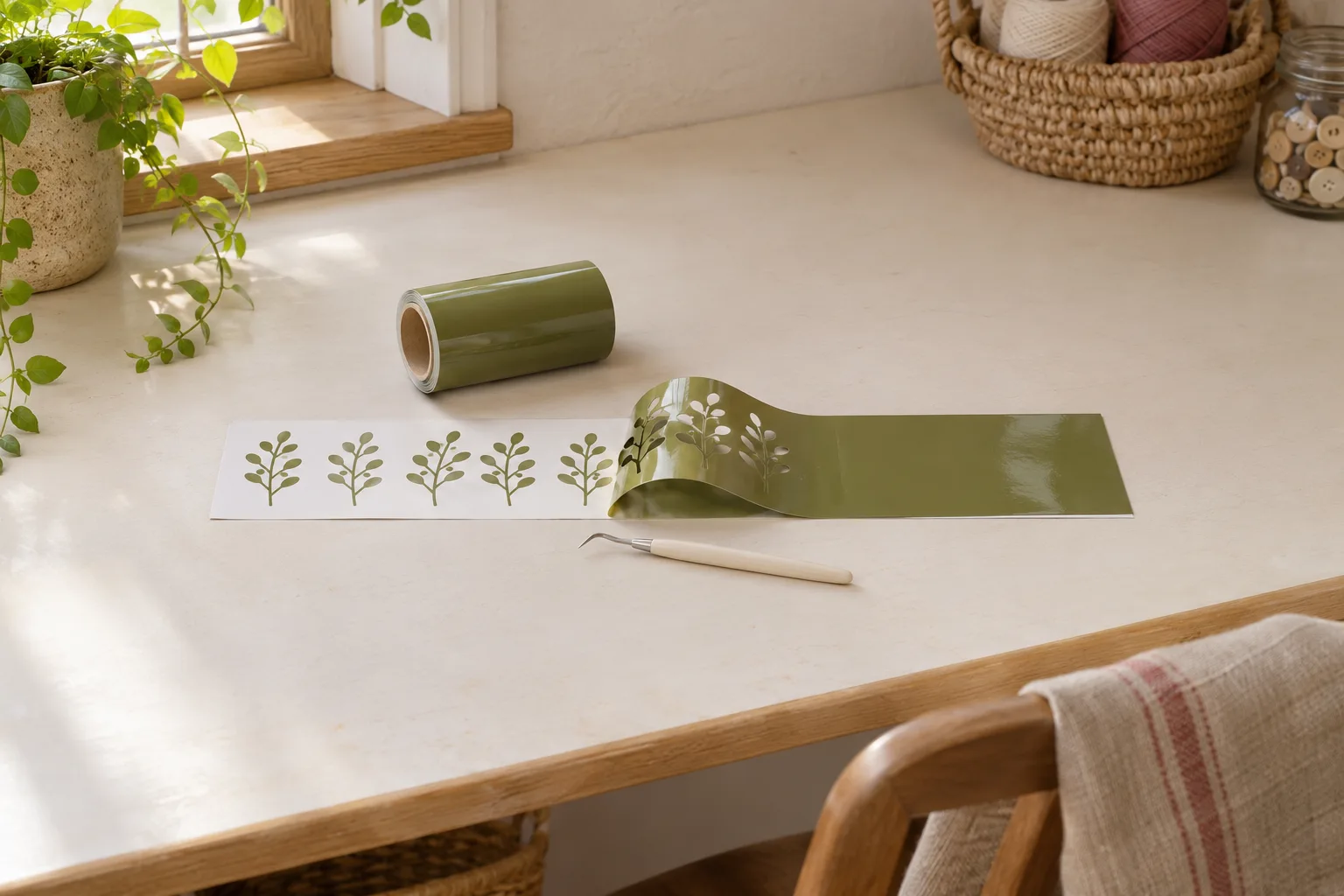
Do you need a mat for Cricut Smart Materials?
No, on every current Cricut: Smart Materials feed straight into the Maker 5, Maker 4, Explore 5, Joy 2, Joy Xtra and Venture, and the refurbished Explore 4. The Explore and Maker cut them up to 12 feet long, the Joy machines up to 4 feet (20 feet of repeated cuts) and the Venture up to 12 feet, or 75 feet repeated. Older machines need a mat.
Read the guide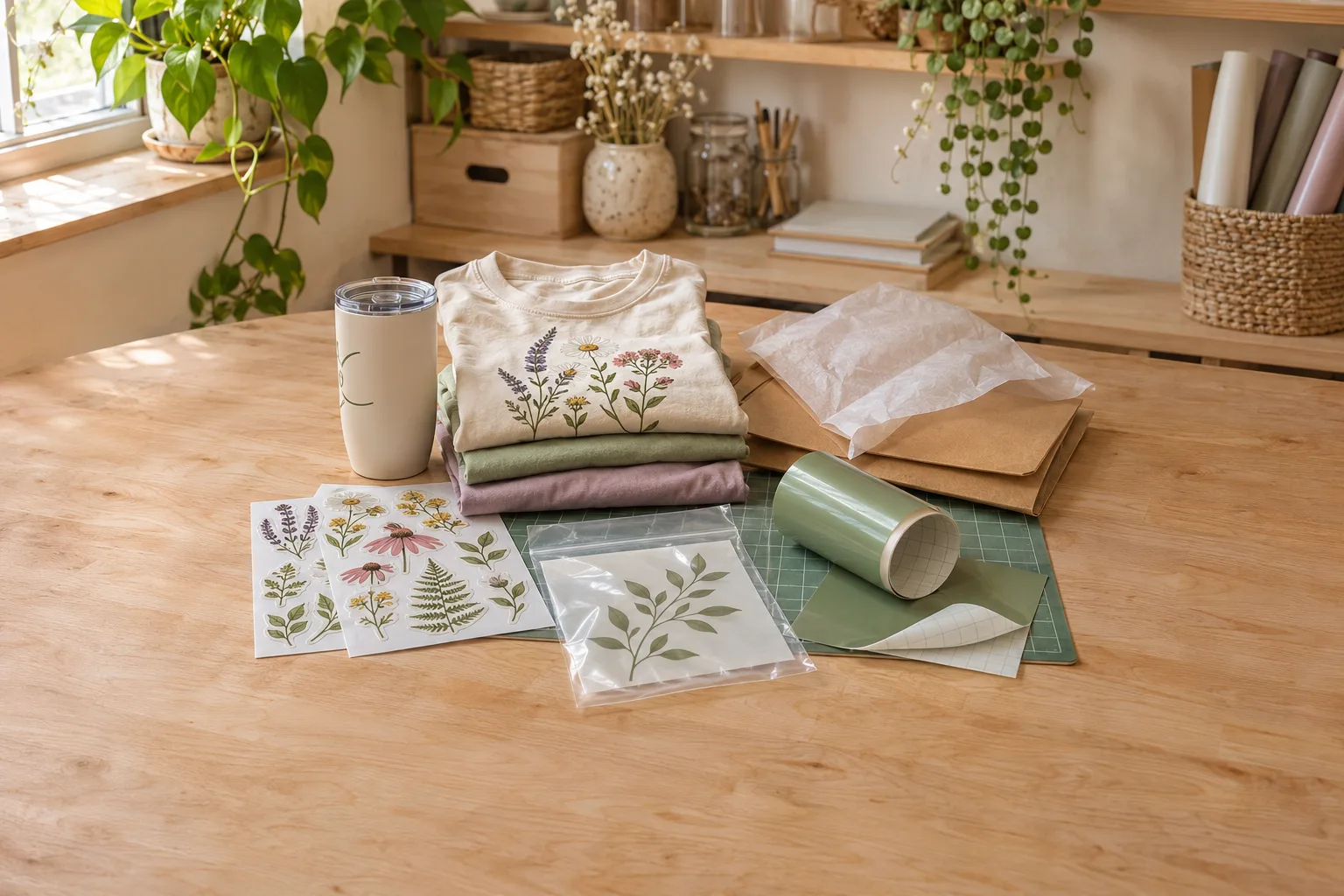
How to
Can you make money with a Cricut?
Yes, within limits. Cricut's Angel Policy lets you sell up to 10,000 finished projects a year made with its designs, with no subscription, but never licensed characters, loose cuts or digital files. Margins are what's left after fees and materials: on Etsy, a $20 shirt with $5 shipping pays about $2.83 in fees, by our estimate. No machine guarantees sales.
Read the guide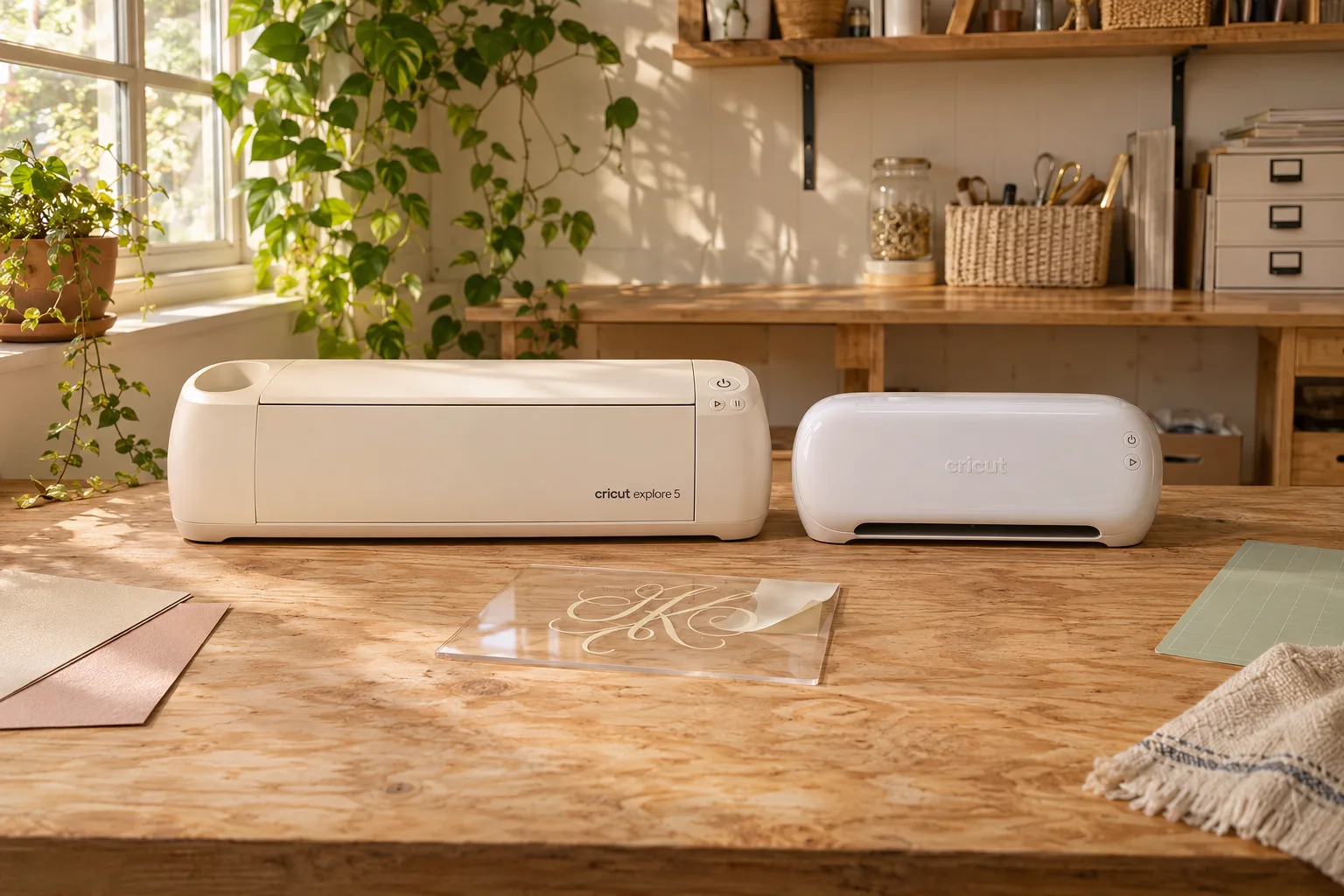
Buying guide
The best cutting machines for beginners
The Cricut Explore 5 is the best cutting machine for beginners: the Essential Bundle is $199 in November 2026, the same as the machine alone, and it cuts 12-inch vinyl, iron-on and cardstock, scores cards and prints and cuts tabloid sticker sheets. The Joy Xtra ($129) suits small desks; the Silhouette CAMEO 5α ($279.99) skips subscriptions.
See the picks
How to
Can you use any vinyl with a Cricut?
Yes. Every Cricut cuts other brands of adhesive vinyl and heat transfer vinyl, such as Oracal 651 and Siser EasyWeed, as long as you put them on a cutting mat. Only Cricut's Smart Materials cut without a mat. Oracal 651 costs $0.51 to $0.67 a square foot against $2.25 for Cricut Premium Vinyl.
Read the guide