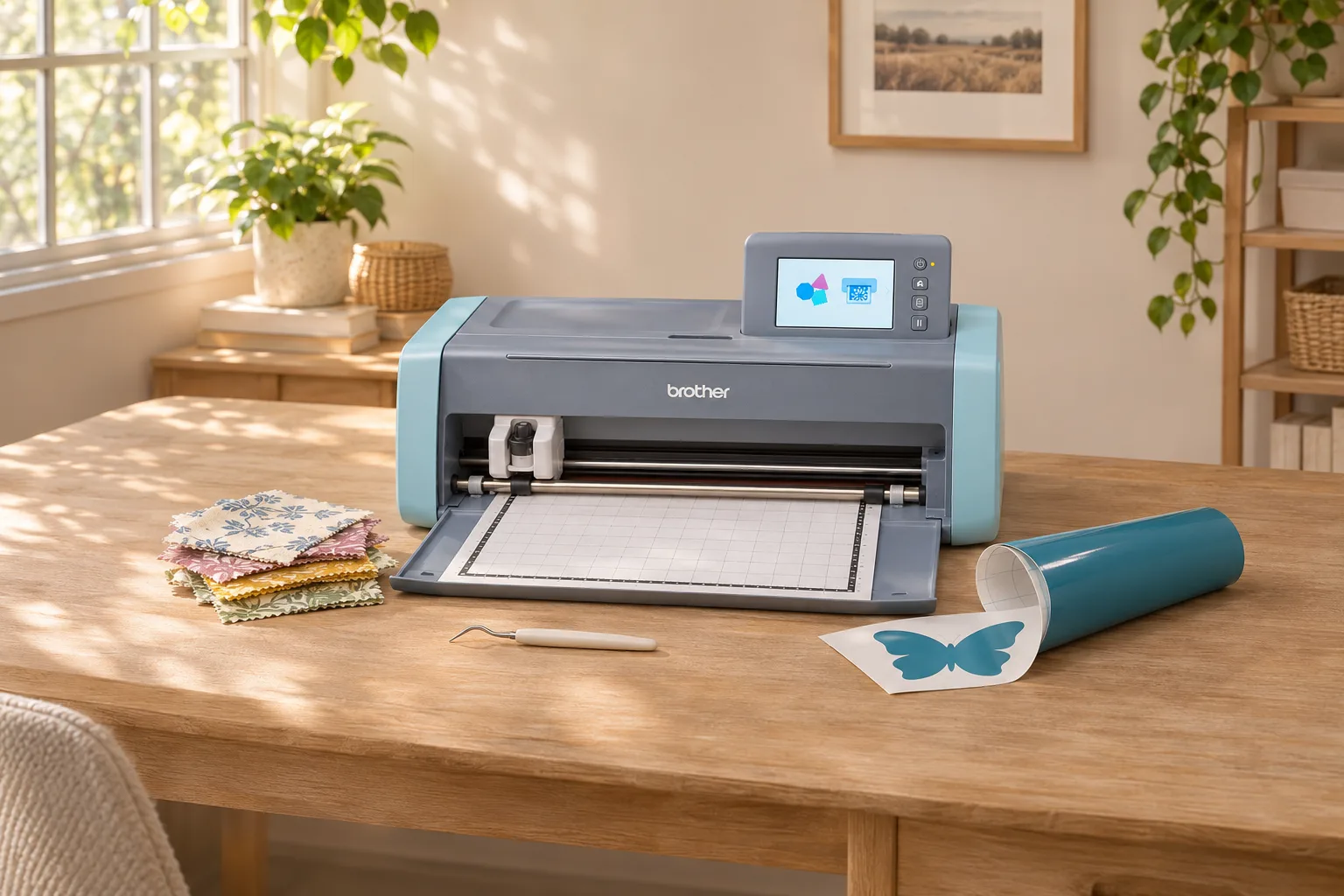
How it scores
- Cutting power and materials25%7.5
Brother's Auto Blade senses material thickness and cuts up to 3 mm, and an optional rotary kit handles fabric. It has one tool head, no knife blade or engraving tool, and Brother publishes no cut force.
- Cut size15%6.0
A 12 x 12 in mat comes in the box and a 12 x 24 in mat is optional. Brother's roll feeder cuts up to 70.2 in long, but that accessory is now marked discontinued.
- Software and subscription20%8.0
The machine works on its own from the touchscreen with 682 built-in designs, and Brother calls CanvasWorkspace free with a free account. The web version is discontinued, and the PC app needs an account.
- Setup and ease of use10%8.0
A 5-inch touchscreen, Wi-Fi and a 600 dpi scanner that cuts around printed or drawn outlines with no registration marks. Scans are limited to the 12 x 12 in mat.
- Running costs and support15%8.0
The Vinyl and Thin Fabric Auto Blades are $20.99 each, and the warranty is 1 year parts and labor plus 2 years on electronics, longer than the usual 1 year. The USB cable isn't included.
- Value15%6.0
At $449.99 it costs $100 more than the Cricut Maker 5 machine, which takes 13 tools and cuts the same 3 mm. The scanner is what you pay for.
Overall 7.3/10, the weighted average.How we score →
Is the Brother ScanNCut SDX125E worth it?
Yes, if scanning is the point. The SDX125E is $449.99 at Brother and Amazon in November 2026, with no Black Friday discount. Its built-in 600 dpi scanner reads a stamped image, a drawing or a printed sheet and cuts around the outline. It works from its own touchscreen, with no computer, phone or registration marks needed. That makes it a strong pick for card makers, stampers and quilters.
For vinyl, shirts and thick materials, buy the Cricut Maker 5 instead. It’s $349 at Cricut, cuts the same 3 mm, takes 13 tools against the ScanNCut’s single tool head, and cuts Cricut’s Smart Materials up to 12 feet without a mat.
| Spec | Brother ScanNCut SDX125E |
|---|---|
| Price (Nov 2026) | $449.99 at Brother and Amazon (machine); Vinyl and Blade Bundle $496.96 at Brother |
| Cut area | 12 x 12 in mat in the box; 12 x 24 in mat optional |
| Longest cut | 70.2 in with the CADXRF1 roll feeder (now discontinued) |
| Thickness | Up to 3 mm, with automatic blade depth |
| Cut force | Not published |
| Speed | Not published |
| Tools | One tool head: Auto Blade; optional Vinyl, Thin Fabric and Rotary blades |
| Scanner | 600 dpi, 11.7 in scan width |
| Print and cut | Scans the printed sheet; no registration marks |
| Built-in content | 682 designs, including 100 quilt patterns and 9 fonts |
| Screen | 5 in touchscreen; works without a computer |
| Connection | Wi-Fi and USB stick; USB cable not included |
| Files | FCM and SVG |
| Weight | 12.79 lb |
| Warranty | 1 year parts and labor; 2 years on electronic components and circuit boards |
Source: Brother’s product pages, read November 28, 2026. The SDX125EGY is the same machine in gray, also $449.99.
What does the ScanNCut’s scanner do?
It turns paper or fabric into a cut file. You put a stamped image, hand drawing or printed sheet on the mat and scan it. The machine finds the outlines, and you cut around them or save them as a design. Brother rates the scanner at 600 dpi with an 11.7-inch scan width on the 12 x 12 mat.
That’s the difference from a Cricut or Silhouette. They cut printed designs by reading registration marks that their software adds before printing. The ScanNCut needs no marks, so it can cut around something you didn’t design on a computer, such as a rubber-stamped card front or a printed fabric panel. Brother also includes a ¼-inch seam allowance feature for cutting fabric pieces.
Does the ScanNCut need a computer or a subscription?
No to both. You can pick one of the 682 built-in designs, scan, edit and cut from the 5-inch touchscreen. Brother’s software, CanvasWorkspace, is for designing on a computer and sending files over Wi-Fi. Brother’s product page calls it free and says you only need to register for a free account, with no activation card.
Two caveats. Brother has discontinued the CanvasWorkspace web version, so you now use the PC app for Windows 11 or macOS 15 and 26, and Brother says you must create an account before using it. The machine itself reads FCM and SVG files, so you can bring in designs from other software too.
What can the SDX125E cut?
Paper, cardstock, vinyl, fabric and other materials up to 3 mm thick. Brother’s Auto Blade senses the material’s thickness and sets the blade depth itself, so there’s no dial to set.
Extra blades are sold separately:
- Vinyl Auto Blade and Thin Fabric Auto Blade, $20.99 each at Brother. Brother rates the thin fabric blade for 0.25 to 0.5 mm fabric.
- Auto Blade Holder, $32.99.
- Rotary Auto Blade Kit, sold on Amazon with a fabric mat for $108.98.
What you don’t get is range. There’s one tool head, the extra blades Brother lists are for vinyl, thin fabric and rotary cutting, and Brother publishes no cut force or speed. The Maker 5 takes 13 tools, including a Knife Blade for balsa and chipboard, an engraving tool and scoring wheels.
How big can the ScanNCut cut?
About 12 x 12 inches on the mat that comes in the box, or 12 x 24 inches with the optional long mat. Brother’s CADXRF1 roll feeder cuts material up to 12 inches wide and 70.2 inches long, but Brother now marks it discontinued ($87.99).
That’s short next to the 12-foot matless cuts on a Cricut Maker 5 with Smart Materials, or the 16-foot cuts on a Silhouette CAMEO 5α with lined vinyl. For long decals or banners, the ScanNCut isn’t the right machine.
What does it cost to own?
Not much beyond blades. The Vinyl and Thin Fabric Auto Blades are $20.99 each, and the warranty is longer than Cricut’s: 1 year on parts and labor and 2 years on electronic components and circuit boards, against Cricut’s 1 year. Brother doesn’t include a USB cable.
There’s no subscription to budget for. The built-in designs and CanvasWorkspace come with the machine.
SDX125E or another ScanNCut?
The SDX125E is the ScanNCut most people can buy online. The others:
- SDX125EGY: the same machine in gray, $449.99.
- SDX225: sold only through Brother dealers, with no public price. It has 1,303 built-in designs, reads embroidery files (PES, PHC, PHX) and scans 12 x 24 inches. See SDX125E vs SDX225.
- SDX85: Brother marks the lime model discontinued and the charcoal SDX85C out of stock ($319.99).
ScanNCut or Cricut Maker?
The ScanNCut if you want to scan and cut without a computer, or you quilt. The Cricut Maker 5 if you want the most tools, thicker materials, long matless vinyl cuts and Print Then Cut on sheets up to tabloid size, for $100 less. Our ScanNCut vs Cricut Maker comparison has the full table.
Should you buy the Brother ScanNCut SDX125E?
Buy it if you make cards, scrapbooks or quilts, want to cut around stamped or hand-drawn art, and would rather work from a touchscreen than an app. Skip it if you mainly cut vinyl decals or heat transfer vinyl for shirts. A Cricut Maker 5 or Silhouette CAMEO 5α does that better for less. See the best cutting machines and the best cutting machines for fabric.
Questions people ask
Is the Brother ScanNCut SDX125E worth it?
Yes, at $449.99, if you want a built-in scanner and computer-free cutting for paper crafts, stamping or quilting. For vinyl and shirts, the $349 Cricut Maker 5 does more.
Does the ScanNCut need a computer?
No. It works on its own from its 5-inch touchscreen, with 682 built-in designs. Brother’s CanvasWorkspace software is optional and free with a free account.
Does the ScanNCut need a subscription?
No. The built-in designs come with the machine, and Brother says CanvasWorkspace needs only a free account.
Can the ScanNCut cut vinyl?
Yes, on a mat, and Brother sells a Vinyl Auto Blade for $20.99. It can’t cut long matless runs like a Cricut or Silhouette: the roll feeder tops out at 70.2 inches and is now discontinued.
Can the ScanNCut cut fabric?
Yes. It has a seam allowance feature and 100 quilt patterns, and Brother sells a Thin Fabric Auto Blade ($20.99) and a Rotary Auto Blade Kit.
What is the difference between the SDX125E and SDX125EGY?
The color, gray instead of aqua. Brother gives both the same price, designs and features; the gray model’s page also lists PHX among its file formats.
Key specifications
| Feature | BrotherScanNCut SDX125E | Cricut Maker 5 |
|---|---|---|
| Type | Cutting machine with scanner | Cutting machine |
| Width | 12 x 12 in mat | 12 in (Smart Materials); 11.5 in on a mat |
| Software | Brother CanvasWorkspace | Cricut Design Space |
| Connection | Wi-Fi, USB stick | Bluetooth, USB-C |
| Where to buy | Check price at Amazon | Check price at Amazon |
Brother ScanNCut SDX125E
- Type
- Cutting machine with scanner
- Width
- 12 x 12 in mat
- Software
- Brother CanvasWorkspace
- Connection
- Wi-Fi, USB stick
Cricut Maker 5
- Type
- Cutting machine
- Width
- 12 in (Smart Materials); 11.5 in on a mat
- Software
- Cricut Design Space
- Connection
- Bluetooth, USB-C
More on the Brother ScanNCut SDX125E
Sources
- Brother ScanNCut SDX125E, Brother
- Brother ScanNCut SDX125EGY, Brother
- Brother ScanNCut SDX225, Brother
- Brother ScanNCut SDX85, Brother
- Brother CanvasWorkspace notice, support.canvasworkspace.brother.com
- Brother CanvasWorkspace (PC) download, support.canvasworkspace.brother.com
- Amazon: Brother ScanNCut SDX125E, amazon.com
- Cricut Maker 5, cricut.com
- Cricut Maker 5 specifications, help.cricut.com
- Silhouette CAMEO 5α, silhouetteamerica.com
Keep exploring
Comparison
Adhesive vinyl vs heat transfer vinyl: what's the difference?
Adhesive vinyl sticks with pressure to hard, smooth surfaces like tumblers, signs and walls; heat transfer vinyl (HTV, or iron-on) bonds to fabric with heat. Adhesive vinyl is cut unmirrored and moved with transfer tape; HTV is cut mirrored and pressed at about 305°F to 315°F. Both cut on any Cricut, including the $199 Explore 5.
Compare them
Buying guide
The best Cricut machines: which Cricut should you buy?
The Cricut Explore 5 is the best Cricut for most people: 12-inch cuts, 12-foot matless runs and tabloid Print Then Cut for $199 at Cricut in November 2026, machine alone or as the Essential Bundle. Buy the $349 Maker 5 for wood, leather and fabric, the $99 Joy 2 or $129 Joy Xtra for small projects, and the $499 Venture for a vinyl business.
See the picks
Buying guide
The best cutting machine for every material
The Cricut Maker 5 ($349) is the best cutting machine if you want one that cuts vinyl, cardstock, unbacked fabric, leather and thin wood. By material: the Silhouette CAMEO 5α for vinyl ($279.99), the Cricut Explore 5 for paper and cardstock ($199), the AccuQuilt GO! for quilting ($329.99), the Maker 5 for leather and wood, and the 24-inch Siser Romeo for long signs ($399 on sale).
See the picks
Buying guide
The best cutting machines for beginners
The Cricut Explore 5 is the best cutting machine for beginners: the Essential Bundle is $199 in November 2026, the same as the machine alone, and it cuts 12-inch vinyl, iron-on and cardstock, scores cards and prints and cuts tabloid sticker sheets. The Joy Xtra ($129) suits small desks; the Silhouette CAMEO 5α ($279.99) skips subscriptions.
See the picks